




[Gelöst] YAHKA funktioniert nicht mehr
-
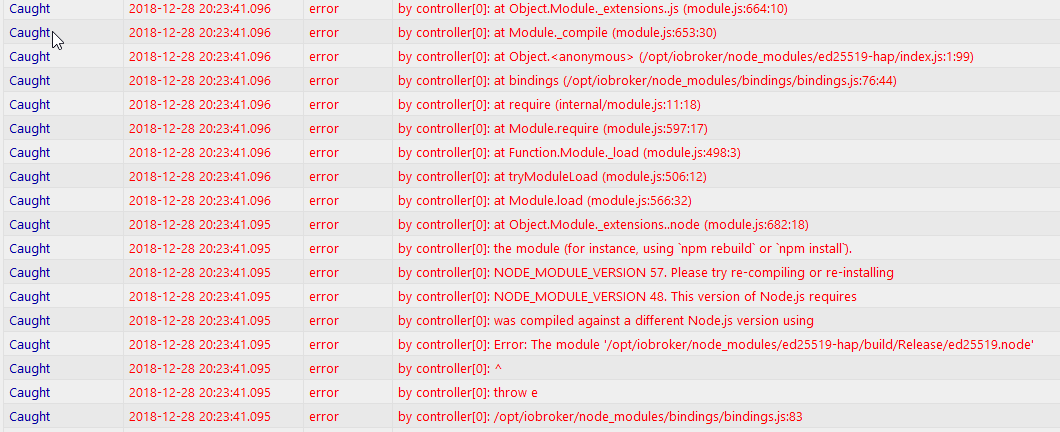
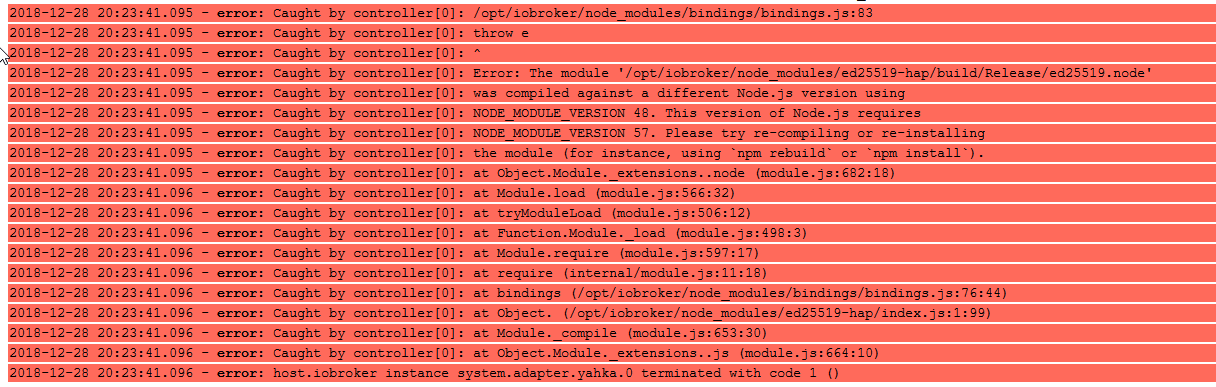
2018-12-28 20:23:41.095 - error: Caught by controller[0]: /opt/iobroker/node_modules/bindings/bindings.js:83 2018-12-28 20:23:41.095 - error: Caught by controller[0]: throw e 2018-12-28 20:23:41.095 - error: Caught by controller[0]: ^ 2018-12-28 20:23:41.095 - error: Caught by controller[0]: Error: The module '/opt/iobroker/node_modules/ed25519-hap/build/Release/ed25519.node' 2018-12-28 20:23:41.095 - error: Caught by controller[0]: was compiled against a different Node.js version using 2018-12-28 20:23:41.095 - error: Caught by controller[0]: NODE_MODULE_VERSION 48\. This version of Node.js requires 2018-12-28 20:23:41.095 - error: Caught by controller[0]: NODE_MODULE_VERSION 57\. Please try re-compiling or re-installing 2018-12-28 20:23:41.095 - error: Caught by controller[0]: the module (for instance, using `npm rebuild` or `npm install`). 2018-12-28 20:23:41.095 - error: Caught by controller[0]: at Object.Module._extensions..node (module.js:682:18) 2018-12-28 20:23:41.096 - error: Caught by controller[0]: at Module.load (module.js:566:32) 2018-12-28 20:23:41.096 - error: Caught by controller[0]: at tryModuleLoad (module.js:506:12) 2018-12-28 20:23:41.096 - error: Caught by controller[0]: at Function.Module._load (module.js:498:3) 2018-12-28 20:23:41.096 - error: Caught by controller[0]: at Module.require (module.js:597:17) 2018-12-28 20:23:41.096 - error: Caught by controller[0]: at require (internal/module.js:11:18) 2018-12-28 20:23:41.096 - error: Caught by controller[0]: at bindings (/opt/iobroker/node_modules/bindings/bindings.js:76:44) 2018-12-28 20:23:41.096 - error: Caught by controller[0]: at Object. (/opt/iobroker/node_modules/ed25519-hap/index.js:1:99) 2018-12-28 20:23:41.096 - error: Caught by controller[0]: at Module._compile (module.js:653:30) 2018-12-28 20:23:41.096 - error: Caught by controller[0]: at Object.Module._extensions..js (module.js:664:10) 2018-12-28 20:23:41.096 - error: host.iobroker instance system.adapter.yahka.0 terminated with code 1 () -
Also entweder ist der Adapter nicht mit deiner Node.JS Version kompatibel oder du solltest mal das „reinstall.sh“ laufen lassen und im log schauen ob er etwas mit dem Yahka Adapter neu kompiliert.
Error: The module '/opt/iobroker/node_modules/ed25519-hap/build/Release/ed25519.node' 2018-12-28 20:23:41.095 - error: Caught by controller[0]: was compiled against a different Node.js version using -
Was genau soll ich denn durchführen? einfach reinstall.sh würde ich jetzt nicht machen.
-
Wechsle in den Ordner /opt/iobroker/node_modules/ed25519-hap
und dort
npm rebuildausführen. Klappt das oder macht das Fehler?
PS: Was heißt, Du hast ioBroker verschoben? Den ganzen ioBroker-Ordner 1:1 kopiert?
-
Ich habe jetz mal den Adapter gelöscht und wieder installiert. Dabei kam diese Fehlermeldung:
$ ./iobroker add yahka  --host iobroker
NPM version: 6.4.1
npm install iobroker.yahka --production --save --prefix "/opt/iobroker" (System call)
npm WARN
 hoist-non-react-statics@3.1.0 requires a peer of react@>=14.x but none is installed. You must install peer dependencies yourself.npm WARN react-beautiful-dnd@9.0.2 requires a peer of react@^16.3.1 but none is installed. You must install peer dependencies yourself.
npm WARN react-motion@0.5.2 requires a peer of react@^0.14.9 || ^15.3.0 || ^16.0.0 but none is installed. You must install peer dependencies yourself.
npm WARN react-redux@5.1.0 requires a peer of react@^0.14.0 || ^15.0.0-0 || ^16.0.0-0 but none is installed. You must install peer dependencies yourself.
npm WARN react-beautiful-dnd@8.0.7 requires a peer of react@^16.3.1 but none is installed. You must install peer dependencies yourself.
npm WARN react-motion@0.5.2 requires a peer of react@^0.14.9 || ^15.3.0 || ^16.0.0 but none is installed. You must install peer dependencies yourself.
npm WARN react-redux@5.0.7 requires a peer of react@^0.14.0 || ^15.0.0-0 || ^16.0.0-0 but none is installed. You must install peer dependencies yourself.
Was soll man da machen?
-
Diese Meldung scheint ihn aber nicht zu stören. Ich habe gerade voller Verwunderung festgestellt, das der Adapter nun funktioniert.
Und das obwohl ich nichts geändert habe außer das ich ihn zum zum zweiten mal deinstalliert und wieder installiert habe.
Komisch
-
Ist ja auch eine Warnung und kein Fehler.
Kannst ja im ioBroker-Ordner den folgenden Befehl eingeben und dann nochmal den YAHKA-Adapter neu installieren:
npm i reactSind die Warnungen dann weg?
Schreibe bitte ein [Gelöst] in den Betreff des ersten Postings, wenn alles geht.


Hey! Du scheinst an dieser Unterhaltung interessiert zu sein, hast aber noch kein Konto.
Hast du es satt, bei jedem Besuch durch die gleichen Beiträge zu scrollen? Wenn du dich für ein Konto anmeldest, kommst du immer genau dorthin zurück, wo du zuvor warst, und kannst dich über neue Antworten benachrichtigen lassen (entweder per E-Mail oder Push-Benachrichtigung). Du kannst auch Lesezeichen speichern und Beiträge positiv bewerten, um anderen Community-Mitgliedern deine Wertschätzung zu zeigen.
Mit deinem Input könnte dieser Beitrag noch besser werden 💗
Registrieren Anmelden202
Online33.0k
Benutzer83.6k
Themen1.3m
Beiträge