




[erledigt] Problem: Fronius Wattpilot Adapter installieren
-
@Thomas-Braun sagte in [Problem] Fronius Wattpilot Adapter installieren:
sudo -H -u iobroker touch /home/iobroker/iob_diag.log
Super, danke !!! Das half. Und auch iob diag läuft wieder:
========== Start marking the full check here ===========

```bash
Script v.2025-08-09

*** BASE SYSTEM ***
Operating System: Debian GNU/Linux 13 (trixie)
 Static hostname: raspberrypi
       Icon name: computer
          Kernel: Linux 6.12.47+rpt-rpi-2712
    Architecture: arm64
OS is similar to:

Model           : Raspberry Pi 5 Model B Rev 1.1
Docker          : false
Virtualization  : none
Kernel          : aarch64
Userland        : 64 bit

Systemuptime and Load:
 13:28:02 up  1:53,  2 users,  load average: 0.12, 0.08, 0.17
CPU threads: 4


*** LIFE CYCLE STATUS ***
Operating System is the current Debian stable version codenamed 'trixie'!

*** RASPBERRY THROTTLING ***
Current issues:
No throttling issues detected.

Previously detected issues:
No throttling issues detected.

*** TIME AND TIMEZONES ***
               Local time: Sat 2026-01-03 13:28:02 CET
           Universal time: Sat 2026-01-03 12:28:02 UTC
                 RTC time: Sat 2026-01-03 12:28:02
                Time zone: Europe/Vienna (CET, +0100)
System clock synchronized: yes
              NTP service: active
          RTC in local TZ: no

*** Users and Groups ***
User that called 'iob diag':
pi
HOME=/home/pi
GROUPS=pi adm dialout cdrom sudo audio video plugdev games users netdev gpio i2c spi render input iobroker

User that is running 'js-controller':
iobroker
HOME=/home/iobroker
SUDO_HOME=/home/pi
GROUPS=iobroker tty dialout audio video plugdev bluetooth gpio i2c

*** DISPLAY-SERVER SETUP ***
Display-Server:         false
Unit display-manager.service could not be found.
Display-Manager:
Desktop:
Session:                tty

*** MEMORY ***
               total        used        free      shared  buff/cache   available
Mem:             17G        2.1G         11G         24M        3.6G         14G
Swap:           2.1G          0B        2.1G
Total:           19G        2.1G         13G

Active iob-Instances:   17

        16218 M total memory
         1988 M used memory
         1776 M active memory
         2964 M inactive memory
        10925 M free memory
          158 M buffer memory
         3290 M swap cache
         2047 M total swap
            0 M used swap
         2047 M free swap

*** top - Table Of Processes  ***
top - 13:28:02 up  1:53,  2 users,  load average: 0.12, 0.08, 0.17
Tasks: 204 total,   1 running, 203 sleeping,   0 stopped,   0 zombie
%Cpu(s):  4.5 us,  2.3 sy,  0.0 ni, 93.2 id,  0.0 wa,  0.0 hi,  0.0 si,  0.0 st
MiB Mem :  16219.0 total,  10927.7 free,   1985.0 used,   3449.7 buff/cache
MiB Swap:   2048.0 total,   2048.0 free,      0.0 used.  14234.0 avail Mem

*** FAILED SERVICES ***

  UNIT LOAD ACTIVE SUB DESCRIPTION

0 loaded units listed.


*** DMESG CRITICAL ERRORS ***
No critical errors detected

*** FILESYSTEM ***
Filesystem     Type      Size  Used Avail Use% Mounted on
udev           devtmpfs  7.9G     0  7.9G   0% /dev
tmpfs          tmpfs     3.2G   14M  3.2G   1% /run
/dev/mmcblk0p2 ext4       48G  7.3G   39G  16% /
tmpfs          tmpfs     8.0G     0  8.0G   0% /dev/shm
tmpfs          tmpfs     5.0M   48K  5.0M   1% /run/lock
tmpfs          tmpfs     1.0M     0  1.0M   0% /run/credentials/systemd-journald.service
tmpfs          tmpfs     8.0G  9.7M  8.0G   1% /tmp
/dev/mmcblk0p1 vfat      510M   74M  437M  15% /boot/firmware
tmpfs          tmpfs     1.0M     0  1.0M   0% /run/credentials/serial-getty@ttyAMA10.service
tmpfs          tmpfs     1.0M     0  1.0M   0% /run/credentials/getty@tty1.service
tmpfs          tmpfs     1.6G   32K  1.6G   1% /run/user/1000

Messages concerning ext4 filesystem in dmesg:
[Sat Jan  3 11:34:46 2026] Kernel command line: reboot=w coherent_pool=1M 8250.nr_uarts=1 pci=pcie_bus_safe cgroup_disable=memory numa_policy=interleave nvme.max_host_mem_size_mb=0  numa=fake=8 system_heap.max_order=0 smsc95xx.macaddr=2C:CF:67:C6:D1:C2 vc_mem.mem_base=0x3fc00000 vc_mem.mem_size=0x40000000  console=ttyAMA10,115200 console=tty1 root=PARTUUID=537d7520-02 rootfstype=ext4 fsck.repair=yes rootwait
[Sat Jan  3 11:34:49 2026] EXT4-fs (mmcblk0p2): orphan cleanup on readonly fs
[Sat Jan  3 11:34:49 2026] EXT4-fs (mmcblk0p2): mounted filesystem 21724cc6-e5a3-48a1-8643-7917dba3a9fb ro with ordered data mode. Quota mode: none.
[Sat Jan  3 11:34:51 2026] EXT4-fs (mmcblk0p2): re-mounted 21724cc6-e5a3-48a1-8643-7917dba3a9fb r/w.

Show mounted filesystems:
TARGET           SOURCE         FSTYPE OPTIONS
/                /dev/mmcblk0p2 ext4   rw,noatime
`-/boot/firmware /dev/mmcblk0p1 vfat   rw,relatime,fmask=0022,dmask=0022,codepage=437,iocharset=ascii,shortname=mixed,errors=remount-ro

Files in neuralgic directories:

/var:
2.6G    /var/
333M    /var/lib
231M    /var/cache
225M    /var/cache/apt
156M    /var/lib/mysql

Archived and active journals take up 8M in the file system.

/opt/iobroker/backups:
17M     /opt/iobroker/backups/

/opt/iobroker/iobroker-data:
418M    /opt/iobroker/iobroker-data/
406M    /opt/iobroker/iobroker-data/files
113M    /opt/iobroker/iobroker-data/files/vis-2
71M     /opt/iobroker/iobroker-data/files/vis-2/widgets
67M     /opt/iobroker/iobroker-data/files/echarts.admin

The five largest files in iobroker-data are:
26M     /opt/iobroker/iobroker-data/files/echarts/static/js/main.41cee985.js.map
26M     /opt/iobroker/iobroker-data/files/echarts.admin/chart/static/js/main.41cee985.js.map
24M     /opt/iobroker/iobroker-data/files/modbus.admin/static/js/main.6a71b34c.js.map
24M     /opt/iobroker/iobroker-data/files/echarts.admin/static/js/main.70a15e1f.js.map
18M     /opt/iobroker/iobroker-data/files/echarts/preview/static/js/main.5fe9c7da.js.map

USB-Devices by-id:
USB-Sticks -  Avoid direct links to /dev/tty* in your adapter setups, please always prefer the links 'by-id':

No Devices found 'by-id'

Zigbee Network Settings on your coordinator/in nvbackup are:

zigbee.X
Extended Pan ID:
*** MASKED ***
Pan ID:
*** MASKED ***
Channel:
*** MASKED ***
Network Key:
*** MASKED ***

To unmask the settings run 'iob diag --unmask'


*** NodeJS-Installation ***

/usr/bin/nodejs         v22.21.0
/usr/bin/node           v22.21.0
/usr/bin/npm            10.9.4
/usr/bin/npx            10.9.4
/usr/bin/corepack       0.34.0

nodejs:
  Installed: 22.21.0-1nodesource1
  Candidate: 22.21.0-1nodesource1
  Version table:
 *** 22.21.0-1nodesource1 1001
        500 https://deb.nodesource.com/node_22.x nodistro/main arm64 Packages
        100 /var/lib/dpkg/status
     22.20.0-1nodesource1 1001
        500 https://deb.nodesource.com/node_22.x nodistro/main arm64 Packages
     22.19.0-1nodesource1 1001
        500 https://deb.nodesource.com/node_22.x nodistro/main arm64 Packages
     22.18.0-1nodesource1 1001
        500 https://deb.nodesource.com/node_22.x nodistro/main arm64 Packages
     22.17.1-1nodesource1 1001
        500 https://deb.nodesource.com/node_22.x nodistro/main arm64 Packages
     22.17.0-1nodesource1 1001
        500 https://deb.nodesource.com/node_22.x nodistro/main arm64 Packages
     22.16.0-1nodesource1 1001
        500 https://deb.nodesource.com/node_22.x nodistro/main arm64 Packages
     22.15.1-1nodesource1 1001
        500 https://deb.nodesource.com/node_22.x nodistro/main arm64 Packages
     22.15.0-1nodesource1 1001
        500 https://deb.nodesource.com/node_22.x nodistro/main arm64 Packages
     22.14.0-1nodesource1 1001
        500 https://deb.nodesource.com/node_22.x nodistro/main arm64 Packages
     22.13.1-1nodesource1 1001
        500 https://deb.nodesource.com/node_22.x nodistro/main arm64 Packages
     22.13.0-1nodesource1 1001
        500 https://deb.nodesource.com/node_22.x nodistro/main arm64 Packages
     22.12.0-1nodesource1 1001
        500 https://deb.nodesource.com/node_22.x nodistro/main arm64 Packages
     22.11.0-1nodesource1 1001
        500 https://deb.nodesource.com/node_22.x nodistro/main arm64 Packages
     22.10.0-1nodesource1 1001
        500 https://deb.nodesource.com/node_22.x nodistro/main arm64 Packages
     22.9.0-1nodesource1 1001
        500 https://deb.nodesource.com/node_22.x nodistro/main arm64 Packages
     22.8.0-1nodesource1 1001
        500 https://deb.nodesource.com/node_22.x nodistro/main arm64 Packages
     22.7.0-1nodesource1 1001
        500 https://deb.nodesource.com/node_22.x nodistro/main arm64 Packages
     22.6.0-1nodesource1 1001
        500 https://deb.nodesource.com/node_22.x nodistro/main arm64 Packages
     22.5.1-1nodesource1 1001
        500 https://deb.nodesource.com/node_22.x nodistro/main arm64 Packages
     22.5.0-1nodesource1 1001
        500 https://deb.nodesource.com/node_22.x nodistro/main arm64 Packages
     22.4.1-1nodesource1 1001
        500 https://deb.nodesource.com/node_22.x nodistro/main arm64 Packages
     22.4.0-1nodesource1 1001
        500 https://deb.nodesource.com/node_22.x nodistro/main arm64 Packages
     22.3.0-1nodesource1 1001
        500 https://deb.nodesource.com/node_22.x nodistro/main arm64 Packages
     22.2.0-1nodesource1 1001
        500 https://deb.nodesource.com/node_22.x nodistro/main arm64 Packages
     22.1.0-1nodesource1 1001
        500 https://deb.nodesource.com/node_22.x nodistro/main arm64 Packages
     22.0.0-1nodesource1 1001
        500 https://deb.nodesource.com/node_22.x nodistro/main arm64 Packages
     20.19.2+dfsg-1 500
        500 http://deb.debian.org/debian trixie/main arm64 Packages

Temp directories causing deletion problem: 0
No problems detected

Errors in npm tree: 0
No problems detected

Checking for nodejs vulnerability:


 █████  ██      ██           ██████   ██████   ██████  ██████         ██
██   ██ ██      ██          ██       ██    ██ ██    ██ ██   ██     ██  ██
███████ ██      ██          ██   ███ ██    ██ ██    ██ ██   ██         ██
██   ██ ██      ██          ██    ██ ██    ██ ██    ██ ██   ██     ██  ██
██   ██ ███████ ███████      ██████   ██████   ██████  ██████         ██


*** ioBroker-Installation ***

ioBroker Status
iobroker is running on this host.


Objects type: jsonl
States  type: jsonl

Hosts:
raspberrypi         raspberrypi (version: 7.0.7, hostname: raspberrypi   , alive, uptime: 661)

Core adapters versions
js-controller:  7.0.7
admin:          7.7.19
javascript:     9.0.11

nodejs modules from github:     1
+-- iobroker.shelly@10.5.2 (git+ssh://git@github.com/iobroker-community-adapters/ioBroker.shelly.git#314fa9bf1651a10f9440f6fabb684ffcaf62137d)

Adapter State
+ system.adapter.admin.0                  : admin                 : raspberrypi                              -  enabled, port: 8081, bind: 0.0.0.0, run as: admin
  system.adapter.apg-info.0               : apg-info              : raspberrypi                              - disabled
+ system.adapter.backitup.0               : backitup              : raspberrypi                              -  enabled
  system.adapter.echarts.0                : echarts               : raspberrypi                              - disabled
+ system.adapter.email.0                  : email                 : raspberrypi                              -  enabled
+ system.adapter.emporia.1                : emporia               : raspberrypi                              -  enabled
  system.adapter.flexcharts.0             : flexcharts            : raspberrypi                              - disabled
  system.adapter.flot.0                   : flot                  : raspberrypi                              - disabled
+ system.adapter.fronius-wattpilot.0      : fronius-wattpilot     : raspberrypi                              -  enabled
+ system.adapter.javascript.0             : javascript            : raspberrypi                              -  enabled
+ system.adapter.javascript.1             : javascript            : raspberrypi                              -  enabled
+ system.adapter.kecontact.0              : kecontact             : raspberrypi                              -  enabled
+ system.adapter.modbus.0                 : modbus                : raspberrypi                              -  enabled
+ system.adapter.modbus.1                 : modbus                : raspberrypi                              -  enabled
+ system.adapter.modbus.2                 : modbus                : raspberrypi                              -  enabled
  system.adapter.parser.0                 : parser                : raspberrypi                              - disabled
+ system.adapter.ping.0                   : ping                  : raspberrypi                              -  enabled
+ system.adapter.shelly.0                 : shelly                : raspberrypi                              -  enabled, port: 1882, bind: 192.168.0.100
+ system.adapter.sql.0                    : sql                   : raspberrypi                              -  enabled, port: 3306
  system.adapter.systeminfo.0             : systeminfo            : raspberrypi                              - disabled
  system.adapter.vis-2-widgets-collection.0: vis-2-widgets-collection: raspberrypi                              - disabled
  system.adapter.vis-2-widgets-energy.0   : vis-2-widgets-energy  : raspberrypi                              - disabled
  system.adapter.vis-2-widgets-gauges.0   : vis-2-widgets-gauges  : raspberrypi                              - disabled
  system.adapter.vis-2-widgets-icontwo.0  : vis-2-widgets-icontwo : raspberrypi                              - disabled
  system.adapter.vis-2-widgets-inventwo.0 : vis-2-widgets-inventwo: raspberrypi                              - disabled
  system.adapter.vis-2-widgets-material.0 : vis-2-widgets-material: raspberrypi                              - disabled
  system.adapter.vis-2-widgets-weather-and-heating.0: vis-2-widgets-weather-and-heating: raspberrypi                              - disabled
+ system.adapter.vis-2.0                  : vis-2                 : raspberrypi                              -  enabled
+ system.adapter.web.0                    : web                   : raspberrypi                              -  enabled, port: 8082, bind: 0.0.0.0, run as: admin

+ instance is alive

Enabled adapters with bindings
+ system.adapter.admin.0                  : admin                 : raspberrypi                              -  enabled, port: 8081, bind: 0.0.0.0, run as: admin
+ system.adapter.shelly.0                 : shelly                : raspberrypi                              -  enabled, port: 1882, bind: 192.168.0.100
+ system.adapter.sql.0                    : sql                   : raspberrypi                              -  enabled, port: 3306
+ system.adapter.web.0                    : web                   : raspberrypi                              -  enabled, port: 8082, bind: 0.0.0.0, run as: admin

ioBroker-Repositories
┌─────────┬──────────┬──────────────────────────────────────────────────┬──────────────┐
│ (index) │ name     │ url                                              │ auto upgrade │
├─────────┼──────────┼──────────────────────────────────────────────────┼──────────────┤
│ 0       │ 'stable' │ 'http://download.iobroker.net/sources-dist.json' │ true         │
└─────────┴──────────┴──────────────────────────────────────────────────┴──────────────┘

Active repo(s): stable
Upgrade policy: minor

Installed ioBroker-Adapters
Used repository: stable
Adapter    "admin"        : 7.7.19   , installed 7.7.19
Adapter    "apg-info"     : 0.1.28   , installed 0.1.27 [Updatable]
Adapter    "backitup"     : 3.3.10   , installed 3.3.10
Adapter    "echarts"      : 1.9.2    , installed 1.9.2
Adapter    "email"        : 2.0.4    , installed 2.0.4
Adapter    "emporia"      : 0.0.12   , installed 0.1.0
Adapter    "flexcharts"   : 0.6.1    , installed 0.6.1
Adapter    "flot"         : 1.12.0   , installed 1.12.0
Adapter    "fronius-wattpilot": 4.7.0, installed 4.7.0
Adapter    "javascript"   : 9.0.11   , installed 9.0.11
Controller "js-controller": 7.0.7    , installed 7.0.7
Adapter    "kecontact"    : 3.3.0    , installed 3.3.0
Adapter    "modbus"       : 6.3.2    , installed 6.3.2
Adapter    "parser"       : 2.2.4    , installed 2.2.4
Adapter    "ping"         : 1.7.9    , installed 1.7.9
Adapter    "shelly"       : 10.4.1   , installed 10.5.2
Adapter    "socketio"     : 6.7.1    , installed 7.0.8
Adapter    "sql"          : 3.0.1    , installed 3.0.1
Adapter    "systeminfo"   : 1.3.0    , installed 1.3.0
Adapter    "vis-2"        : 2.13.4   , installed 2.13.4
Adapter    "vis-2-widgets-collection": 1.8.1, installed 1.8.1
Adapter    "vis-2-widgets-energy": 1.0.2, installed 1.0.2
Adapter    "vis-2-widgets-gauges": 2.0.1, installed 2.0.1
Adapter    "vis-2-widgets-icontwo": 1.20.0, installed 1.20.0
Adapter    "vis-2-widgets-inventwo": 0.3.9, installed 0.3.9
Adapter    "vis-2-widgets-material": 1.4.10, installed 1.4.10
Adapter    "vis-2-widgets-weather-and-heating": 1.1.5, installed 1.1.5
Adapter    "web"          : 7.0.8    , installed 7.0.8
Adapter    "ws"           : 2.6.2    , installed 3.0.19

Objects and States
Please stand by - This may take a while
Objects:        3306
States:         2669

*** OS-Repositories and Updates ***
W: https://deb.nodesource.com/node_22.x/dists/nodistro/InRelease: Policy will reject signature within a year, see --audit for details
Hit:1 http://deb.debian.org/debian trixie InRelease
Hit:2 http://deb.debian.org/debian trixie-updates InRelease
Hit:3 http://deb.debian.org/debian-security trixie-security InRelease
Hit:4 http://archive.raspberrypi.com/debian trixie InRelease
Hit:5 https://deb.nodesource.com/node_22.x nodistro InRelease
Reading package lists...
W: https://deb.nodesource.com/node_22.x/dists/nodistro/InRelease: Policy will reject signature within a year, see --audit for details
Pending Updates: 0

*** Listening Ports ***
Active Internet connections (only servers)
Proto Recv-Q Send-Q Local Address           Foreign Address         State       User       Inode      PID/Program name
tcp        0      0 127.0.0.1:9000          0.0.0.0:*               LISTEN      1001       110914     14428/iobroker.js-c
tcp        0      0 127.0.0.1:9001          0.0.0.0:*               LISTEN      1001       110909     14428/iobroker.js-c
tcp        0      0 192.168.0.100:1882      0.0.0.0:*               LISTEN      1001       110465     14600/io.shelly.0
tcp        0      0 0.0.0.0:3306            0.0.0.0:*               LISTEN      102        8014       1007/mariadbd
tcp        0      0 0.0.0.0:111             0.0.0.0:*               LISTEN      0          896        1/init
tcp        0      0 0.0.0.0:22              0.0.0.0:*               LISTEN      0          4897       953/sshd: /usr/sbin
tcp6       0      0 :::8081                 :::*                    LISTEN      1001       107511     14446/io.admin.0
tcp6       0      0 :::8082                 :::*                    LISTEN      1001       114895     15004/io.web.0
tcp6       0      0 :::111                  :::*                    LISTEN      0          4183       1/init
tcp6       0      0 :::22                   :::*                    LISTEN      0          4899       953/sshd: /usr/sbin
udp        0      0 0.0.0.0:7090            0.0.0.0:*                           1001       112820     14595/io.kecontact.
udp        0      0 0.0.0.0:7092            0.0.0.0:*                           1001       112821     14595/io.kecontact.
udp        0      0 0.0.0.0:111             0.0.0.0:*                           0          2938       1/init
udp        0      0 0.0.0.0:43392           0.0.0.0:*                           101        4706       731/avahi-daemon: r
udp        0      0 0.0.0.0:59911           0.0.0.0:*                           1001       111237     14595/io.kecontact.
udp        0      0 0.0.0.0:5353            0.0.0.0:*                           101        4704       731/avahi-daemon: r
udp6       0      0 :::55266                :::*                                101        4707       731/avahi-daemon: r
udp6       0      0 :::111                  :::*                                0          897        1/init
udp6       0      0 fe80::7a72:a298:a7d:546 :::*                                0          5043       802/NetworkManager
udp6       0      0 :::5353                 :::*                                101        4705       731/avahi-daemon: r

*** Log File - Last 25 Lines ***

2026-01-03 13:21:37.791  - info: host.raspberrypi stopInstance system.adapter.systeminfo.0 send kill signal
2026-01-03 13:21:38.250  - info: systeminfo.0 (14759) terminating
2026-01-03 13:21:38.281  - info: host.raspberrypi instance system.adapter.systeminfo.0 terminated with code 11 (ADAPTER_REQUESTED_TERMINATION)
2026-01-03 13:22:15.769  - warn: fronius-wattpilot.0 (14573) No message received for over 2.5 minutes. Attempting to reconnect.
2026-01-03 13:22:15.769  - info: fronius-wattpilot.0 (14573) Creating WebSocket connection to ws://192.168.0.29/ws
2026-01-03 13:22:18.835  - error: fronius-wattpilot.0 (14573) WebSocket error: connect EHOSTUNREACH 192.168.0.29:80.
2026-01-03 13:22:18.836  - info: fronius-wattpilot.0 (14573) WebSocket connection closed. Code: 1006, Reason:
2026-01-03 13:22:45.371  - warn: sql.0 (14533) Cannot get index of "alias.0.Wetter.Regenmenge": id not found
2026-01-03 13:22:45.371  - info: sql.0 (14533) No Data
2026-01-03 13:23:45.375  - warn: sql.0 (14533) Cannot get index of "alias.0.Wetter.Tageslaenge": id not found
2026-01-03 13:23:45.376  - info: sql.0 (14533) No Data
2026-01-03 13:24:45.373  - warn: sql.0 (14533) Cannot get index of "alias.0.Wetter.Regenmenge": id not found
2026-01-03 13:24:45.373  - info: sql.0 (14533) No Data
2026-01-03 13:24:45.769  - warn: fronius-wattpilot.0 (14573) No message received for over 2.5 minutes. Attempting to reconnect.
2026-01-03 13:24:45.769  - info: fronius-wattpilot.0 (14573) Creating WebSocket connection to ws://192.168.0.29/ws
2026-01-03 13:24:48.819  - error: fronius-wattpilot.0 (14573) WebSocket error: connect EHOSTUNREACH 192.168.0.29:80.
2026-01-03 13:24:48.819  - info: fronius-wattpilot.0 (14573) WebSocket connection closed. Code: 1006, Reason:
2026-01-03 13:25:17.360  - info: web.0 (15004) <== Disconnect system.user.admin from ::ffff:192.168.0.20
2026-01-03 13:25:18.365  - info: web.0 (15004) ==> Connected system.user.admin from ::ffff:192.168.0.20
2026-01-03 13:27:15.769  - warn: fronius-wattpilot.0 (14573) No message received for over 2.5 minutes. Attempting to reconnect.
2026-01-03 13:27:15.769  - info: fronius-wattpilot.0 (14573) Creating WebSocket connection to ws://192.168.0.29/ws
2026-01-03 13:27:18.835  - error: fronius-wattpilot.0 (14573) WebSocket error: connect EHOSTUNREACH 192.168.0.29:80.
2026-01-03 13:27:18.835  - info: fronius-wattpilot.0 (14573) WebSocket connection closed. Code: 1006, Reason:
2026-01-03 13:27:45.369  - warn: sql.0 (14533) Cannot get index of "alias.0.Wetter.Regenmenge": id not found
2026-01-03 13:27:45.369  - info: sql.0 (14533) No Data
============ Mark until here for C&P =============
iob diag has finished.
@Thomas-Braun sagte in [Problem] Fronius Wattpilot Adapter installieren:
sudo -H -u iobroker touch /home/iobroker/iob_diag.log
Hilft das auch in dem Fall? Ich kann als User "iobroker" nicht auf mysql zugreifen:
pi@raspberrypi:~ $ sudo mysql -u iobroker -p -D iobroker
Enter password:
ERROR 1045 (28000): Access denied for user 'iobroker'@'localhost' (using password: YES)
pi@raspberrypi:~ $
Smart-Home-Automation unter IOB auf RASPI5, 16GB RAM, 50GB SSD, MariaSQL, VIS-2.
Anfang 2025 war ich Newbie in Sachen RaspBerry, Linux und IOB.
Jetzt läuft alles konstant gut und ich gebe gern meine Erfahrungen und mein Wissen an die Forums-User/Innen weiter.
Großes Danke an alle tatkräftigen Helfer im Forum! -
@Thomas-Braun sagte in [Problem] Fronius Wattpilot Adapter installieren:
Deswegen springt man auch nicht als root oder mit unnötigen root-Rechten über die Kisten
@fuzzy1955
eben auch nicht Dateien per WINSCP als root reinschieben@Homoran sagte in [Problem] Fronius Wattpilot Adapter installieren:
eben auch nicht Dateien per WINSCP als root reinschieben
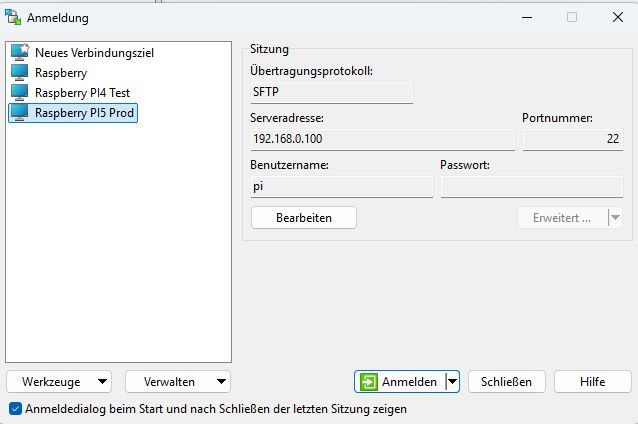
Aber ich arbeite mit WINSCP doch immer schon als User pi:
Smart-Home-Automation unter IOB auf RASPI5, 16GB RAM, 50GB SSD, MariaSQL, VIS-2.
Anfang 2025 war ich Newbie in Sachen RaspBerry, Linux und IOB.
Jetzt läuft alles konstant gut und ich gebe gern meine Erfahrungen und mein Wissen an die Forums-User/Innen weiter.
Großes Danke an alle tatkräftigen Helfer im Forum! -
@Homoran sagte in [Problem] Fronius Wattpilot Adapter installieren:
eben auch nicht Dateien per WINSCP als root reinschieben
Aber ich arbeite mit WINSCP doch immer schon als User pi:
@fuzzy1955 sagte in [Problem] Fronius Wattpilot Adapter installieren:
immer schon als User pi:
dann ist ja alles gut.
Wenn du mit diesem User auch iobroker installiert hast hat der auch alle notwendigen Rechte.Da gibt es keinen Grund an den Rechten zu spielen.
Natürlich hat der Systemuser iobroker nicht das Recht in /home/pi/ etwas zu tun.
Da haben iobroker Daten deshalb auch nichts verloren.kein Support per PN! - Fragen im Forum stellen - Benutzt das Voting rechts unten im Beitrag wenn er euch geholfen hat.
Das Forum freut sich über eine Spende. Benutzt dazu den Spendenbutton oben rechts. Danke!
der Installationsfixer: curl -fsL https://iobroker.net/fix.sh | bash - -
@fuzzy1955 sagte in [Problem] Fronius Wattpilot Adapter installieren:
immer schon als User pi:
dann ist ja alles gut.
Wenn du mit diesem User auch iobroker installiert hast hat der auch alle notwendigen Rechte.Da gibt es keinen Grund an den Rechten zu spielen.
Natürlich hat der Systemuser iobroker nicht das Recht in /home/pi/ etwas zu tun.
Da haben iobroker Daten deshalb auch nichts verloren.@Homoran sagte in [Problem] Fronius Wattpilot Adapter installieren:
Natürlich hat der Systemuser iobroker nicht das Recht in /home/pi/ etwas zu tun.
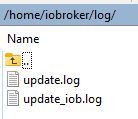
Da schreibe ich aber die Logs der automatischen Updates rein, die ich im IOB abfragen möchte. Deshalb bräuchte der User iobroker dort das Leserecht. Und wenn ich das Verzeichnis innerhalb von /opt/iobroker anlege?
Ich muss jetzt leider wegfahren. Geht es an Abend ab 20 h wieder?
Smart-Home-Automation unter IOB auf RASPI5, 16GB RAM, 50GB SSD, MariaSQL, VIS-2.
Anfang 2025 war ich Newbie in Sachen RaspBerry, Linux und IOB.
Jetzt läuft alles konstant gut und ich gebe gern meine Erfahrungen und mein Wissen an die Forums-User/Innen weiter.
Großes Danke an alle tatkräftigen Helfer im Forum! -
@Homoran sagte in [Problem] Fronius Wattpilot Adapter installieren:
Natürlich hat der Systemuser iobroker nicht das Recht in /home/pi/ etwas zu tun.
Da schreibe ich aber die Logs der automatischen Updates rein, die ich im IOB abfragen möchte. Deshalb bräuchte der User iobroker dort das Leserecht. Und wenn ich das Verzeichnis innerhalb von /opt/iobroker anlege?
Ich muss jetzt leider wegfahren. Geht es an Abend ab 20 h wieder?
@fuzzy1955 sagte in [Problem] Fronius Wattpilot Adapter installieren:
Da schreibe ich aber die Logs der automatischen Updates rein
dann lass das
-
@Homoran sagte in [Problem] Fronius Wattpilot Adapter installieren:
Natürlich hat der Systemuser iobroker nicht das Recht in /home/pi/ etwas zu tun.
Da schreibe ich aber die Logs der automatischen Updates rein, die ich im IOB abfragen möchte. Deshalb bräuchte der User iobroker dort das Leserecht. Und wenn ich das Verzeichnis innerhalb von /opt/iobroker anlege?
Ich muss jetzt leider wegfahren. Geht es an Abend ab 20 h wieder?
@fuzzy1955 sagte in [Problem] Fronius Wattpilot Adapter installieren:
Da schreibe ich aber die Logs der automatischen Updates rein
Wat?
-
@Thomas-Braun sagte in [Problem] Fronius Wattpilot Adapter installieren:
sudo -H -u iobroker touch /home/iobroker/iob_diag.log
Hilft das auch in dem Fall? Ich kann als User "iobroker" nicht auf mysql zugreifen:
pi@raspberrypi:~ $ sudo mysql -u iobroker -p -D iobroker Enter password: ERROR 1045 (28000): Access denied for user 'iobroker'@'localhost' (using password: YES) pi@raspberrypi:~ $@fuzzy1955 sagte in [Problem] Fronius Wattpilot Adapter installieren:
ERROR 1045 (28000): Access denied for user 'iobroker'@'localhost' (using password: YES)
iobroker als Systemuser hat kein Passwort. Für Maschinen gibt es in der Regel andere Methoden der Authentizifierung. Bei mysql kenn ich mich aber nicht aus.
-
@fuzzy1955 sagte in [Problem] Fronius Wattpilot Adapter installieren:
ERROR 1045 (28000): Access denied for user 'iobroker'@'localhost' (using password: YES)
iobroker als Systemuser hat kein Passwort. Für Maschinen gibt es in der Regel andere Methoden der Authentizifierung. Bei mysql kenn ich mich aber nicht aus.
@Thomas-Braun sagte in [Problem] Fronius Wattpilot Adapter installieren:
iobroker als Systemuser hat kein Passwort.
Danke euch zwei für die Unterstützung. Ich installiere jetzt nochmals alles frisch auf einer neuen SD-Karte.
-
@Homoran sagte in [Problem] Fronius Wattpilot Adapter installieren:
Natürlich hat der Systemuser iobroker nicht das Recht in /home/pi/ etwas zu tun.
Da schreibe ich aber die Logs der automatischen Updates rein, die ich im IOB abfragen möchte. Deshalb bräuchte der User iobroker dort das Leserecht. Und wenn ich das Verzeichnis innerhalb von /opt/iobroker anlege?
Ich muss jetzt leider wegfahren. Geht es an Abend ab 20 h wieder?
@fuzzy1955 sagte in [Problem] Fronius Wattpilot Adapter installieren:
Deshalb bräuchte der User iobroker dort das Leserecht. Und wenn ich das Verzeichnis innerhalb von /opt/iobroker anlege?
Und warum nicht in /home/iobroker? Da liegen ja die Logs von 'iob diag' z. B. auch.
Zumal ich immer noch nicht verstanden habe, was denn das für 'Logs der automatischen Updates' sein sollen. -
@fuzzy1955 sagte in [Problem] Fronius Wattpilot Adapter installieren:
Deshalb bräuchte der User iobroker dort das Leserecht. Und wenn ich das Verzeichnis innerhalb von /opt/iobroker anlege?
Und warum nicht in /home/iobroker? Da liegen ja die Logs von 'iob diag' z. B. auch.
Zumal ich immer noch nicht verstanden habe, was denn das für 'Logs der automatischen Updates' sein sollen.@Thomas-Braun sagte in [Problem] Fronius Wattpilot Adapter installieren:
Und warum nicht in /home/iobroker?
Ja, du hast recht. Darauf bin ich noch nicht gekommen.@Thomas-Braun sagte in [Problem] Fronius Wattpilot Adapter installieren:
Zumal ich immer noch nicht verstanden habe, was denn das für 'Logs der automatischen Updates' sein sollen
Das sollte mein automatisches Update täglich um 1:00 h sein:update.sh -------------------- #!/bin/bash iob stop iob fix iob update >> ./log/update_iob.log 2>&1 iob upgrade self >> ./log/update_iob.log 2>&1 iob upgrade >> ./log/update_iob.log 2>&1 sudo apt update >> ./log/update.log 2>&1 sudo apt full-upgrade -y >> ./log/update.log 2>&1 sudo apt autoremove -y >> ./log/update.log 2>&1 iob fix sudo reboot --------------------Smart-Home-Automation unter IOB auf RASPI5, 16GB RAM, 50GB SSD, MariaSQL, VIS-2.
Anfang 2025 war ich Newbie in Sachen RaspBerry, Linux und IOB.
Jetzt läuft alles konstant gut und ich gebe gern meine Erfahrungen und mein Wissen an die Forums-User/Innen weiter.
Großes Danke an alle tatkräftigen Helfer im Forum! -
@Thomas-Braun sagte in [Problem] Fronius Wattpilot Adapter installieren:
Und warum nicht in /home/iobroker?
Ja, du hast recht. Darauf bin ich noch nicht gekommen.@Thomas-Braun sagte in [Problem] Fronius Wattpilot Adapter installieren:
Zumal ich immer noch nicht verstanden habe, was denn das für 'Logs der automatischen Updates' sein sollen
Das sollte mein automatisches Update täglich um 1:00 h sein:update.sh -------------------- #!/bin/bash iob stop iob fix iob update >> ./log/update_iob.log 2>&1 iob upgrade self >> ./log/update_iob.log 2>&1 iob upgrade >> ./log/update_iob.log 2>&1 sudo apt update >> ./log/update.log 2>&1 sudo apt full-upgrade -y >> ./log/update.log 2>&1 sudo apt autoremove -y >> ./log/update.log 2>&1 iob fix sudo reboot --------------------Würde ich nicht machen.
Unbeobachtete Updates schreien immer nach Ärger. Das Skript würde ich höchstens bewusst selber ausführen. -
Würde ich nicht machen.
Unbeobachtete Updates schreien immer nach Ärger. Das Skript würde ich höchstens bewusst selber ausführen.@Thomas-Braun sagte in [Problem] Fronius Wattpilot Adapter installieren:
Unbeobachtete Updates schreien immer nach Ärger. Das Skript würde ich höchstens bewusst selber ausführen.
Du hast recht, das lass ich sein. Ich wurde durch einen Linux-Artikel dazu inspiriert.
-
Würde ich nicht machen.
Unbeobachtete Updates schreien immer nach Ärger. Das Skript würde ich höchstens bewusst selber ausführen.@Thomas-Braun sagte in [Problem] Fronius Wattpilot Adapter installieren
@HomoranHallo ihr zwei!
Die heutige 2. Neuinstallation auf eine neue SD-Karte ist erledigt. Soweit läuft alles gut, außer dem Fronius Wattpilot Adapter :
fronius-wattpilot.0 4742	2026-01-03 22:23:47.444	info	WebSocket connection closed. Code: 1006, Reason:
fronius-wattpilot.0 4742	2026-01-03 22:23:47.444	error	WebSocket error: connect EHOSTUNREACH 192.168.0.29:80.
fronius-wattpilot.0 4742	2026-01-03 22:23:44.371	info	Creating WebSocket connection to ws://192.168.0.29/ws
fronius-wattpilot.0 4742	2026-01-03 22:23:44.370	warn	No message received for over 2.5 minutes. Attempting to reconnect.
fronius-wattpilot.0 4742	2026-01-03 22:23:44.370	debug	Checking Wattpilot connection uptime...
Ich bin ratlos. Gottseidank habe ich noch die gut funktionierende Keba P30 Wallbox, sonst könnte ich mein e-Auto in der Garage stehen lassen.
Smart-Home-Automation unter IOB auf RASPI5, 16GB RAM, 50GB SSD, MariaSQL, VIS-2.
Anfang 2025 war ich Newbie in Sachen RaspBerry, Linux und IOB.
Jetzt läuft alles konstant gut und ich gebe gern meine Erfahrungen und mein Wissen an die Forums-User/Innen weiter.
Großes Danke an alle tatkräftigen Helfer im Forum! -
@Thomas-Braun sagte in [Problem] Fronius Wattpilot Adapter installieren
@HomoranHallo ihr zwei!
Die heutige 2. Neuinstallation auf eine neue SD-Karte ist erledigt. Soweit läuft alles gut, außer dem Fronius Wattpilot Adapter :
fronius-wattpilot.0 4742	2026-01-03 22:23:47.444	info	WebSocket connection closed. Code: 1006, Reason:
fronius-wattpilot.0 4742	2026-01-03 22:23:47.444	error	WebSocket error: connect EHOSTUNREACH 192.168.0.29:80.
fronius-wattpilot.0 4742	2026-01-03 22:23:44.371	info	Creating WebSocket connection to ws://192.168.0.29/ws
fronius-wattpilot.0 4742	2026-01-03 22:23:44.370	warn	No message received for over 2.5 minutes. Attempting to reconnect.
fronius-wattpilot.0 4742	2026-01-03 22:23:44.370	debug	Checking Wattpilot connection uptime...
Ich bin ratlos. Gottseidank habe ich noch die gut funktionierende Keba P30 Wallbox, sonst könnte ich mein e-Auto in der Garage stehen lassen.
@fuzzy1955 sagte in [Problem] Fronius Wattpilot Adapter installieren:
192.168.0.29:80
wer ist das?
@fuzzy1955 sagte in [Problem] Fronius Wattpilot Adapter installieren:
EHOSTUNREACH
kein Support per PN! - Fragen im Forum stellen - Benutzt das Voting rechts unten im Beitrag wenn er euch geholfen hat.
Das Forum freut sich über eine Spende. Benutzt dazu den Spendenbutton oben rechts. Danke!
der Installationsfixer: curl -fsL https://iobroker.net/fix.sh | bash - -
@fuzzy1955 sagte in [Problem] Fronius Wattpilot Adapter installieren:
192.168.0.29:80
wer ist das?
@fuzzy1955 sagte in [Problem] Fronius Wattpilot Adapter installieren:
EHOSTUNREACH
@Homoran sagte in [Problem] Fronius Wattpilot Adapter installieren:
wer ist das?
Das ist der Übeltäter (fronius-wattpilot).
Smart-Home-Automation unter IOB auf RASPI5, 16GB RAM, 50GB SSD, MariaSQL, VIS-2.
Anfang 2025 war ich Newbie in Sachen RaspBerry, Linux und IOB.
Jetzt läuft alles konstant gut und ich gebe gern meine Erfahrungen und mein Wissen an die Forums-User/Innen weiter.
Großes Danke an alle tatkräftigen Helfer im Forum! -
@Homoran sagte in [Problem] Fronius Wattpilot Adapter installieren:
wer ist das?
Das ist der Übeltäter (fronius-wattpilot).
@fuzzy1955 sagte in [Problem] Fronius Wattpilot Adapter installieren:
Das ist der Übeltäter (fronius-wattpilot).
stimmt die ip?
und der Port?so ist er nicht erreichbar!
@fuzzy1955 sagte in [Problem] Fronius Wattpilot Adapter installieren:
läuft alles gut, außer dem Fronius Wattpilot Adapter :
doch, der läuft
kein Support per PN! - Fragen im Forum stellen - Benutzt das Voting rechts unten im Beitrag wenn er euch geholfen hat.
Das Forum freut sich über eine Spende. Benutzt dazu den Spendenbutton oben rechts. Danke!
der Installationsfixer: curl -fsL https://iobroker.net/fix.sh | bash - -
@fuzzy1955 sagte in [Problem] Fronius Wattpilot Adapter installieren:
Das ist der Übeltäter (fronius-wattpilot).
stimmt die ip?
und der Port?so ist er nicht erreichbar!
@fuzzy1955 sagte in [Problem] Fronius Wattpilot Adapter installieren:
läuft alles gut, außer dem Fronius Wattpilot Adapter :
doch, der läuft
@Homoran sagte in [Problem] Fronius Wattpilot Adapter installieren:
stimmt die ip? und der Port?
Ja, klar. Der Adapter hat ja schon 1 Jahr funktioniert. Über IP ist er nicht erreichbar (typisch Fronius).
Smart-Home-Automation unter IOB auf RASPI5, 16GB RAM, 50GB SSD, MariaSQL, VIS-2.
Anfang 2025 war ich Newbie in Sachen RaspBerry, Linux und IOB.
Jetzt läuft alles konstant gut und ich gebe gern meine Erfahrungen und mein Wissen an die Forums-User/Innen weiter.
Großes Danke an alle tatkräftigen Helfer im Forum! -
@Homoran sagte in [Problem] Fronius Wattpilot Adapter installieren:
stimmt die ip? und der Port?
Ja, klar. Der Adapter hat ja schon 1 Jahr funktioniert. Über IP ist er nicht erreichbar (typisch Fronius).
@fuzzy1955 sagte in [Problem] Fronius Wattpilot Adapter installieren:
Über IP ist er nicht erreichbar
auch nicht im Browser?
was sagt denn das Fronius Display? edit ist ja ein go-e, also was sagt die App?mal neu gestartet?
kein Support per PN! - Fragen im Forum stellen - Benutzt das Voting rechts unten im Beitrag wenn er euch geholfen hat.
Das Forum freut sich über eine Spende. Benutzt dazu den Spendenbutton oben rechts. Danke!
der Installationsfixer: curl -fsL https://iobroker.net/fix.sh | bash - -
@fuzzy1955 sagte in [Problem] Fronius Wattpilot Adapter installieren:
Über IP ist er nicht erreichbar
auch nicht im Browser?
was sagt denn das Fronius Display? edit ist ja ein go-e, also was sagt die App?mal neu gestartet?
@Homoran sagte in [Problem] Fronius Wattpilot Adapter installieren:
was sagt denn das Fronius Display? edit ist ja ein go-e, also was sagt die App?
mal neu gestartet?
Über die App klappt die Verbindung und es funktioniert alles (Der Autoakku ist jetzt voll).
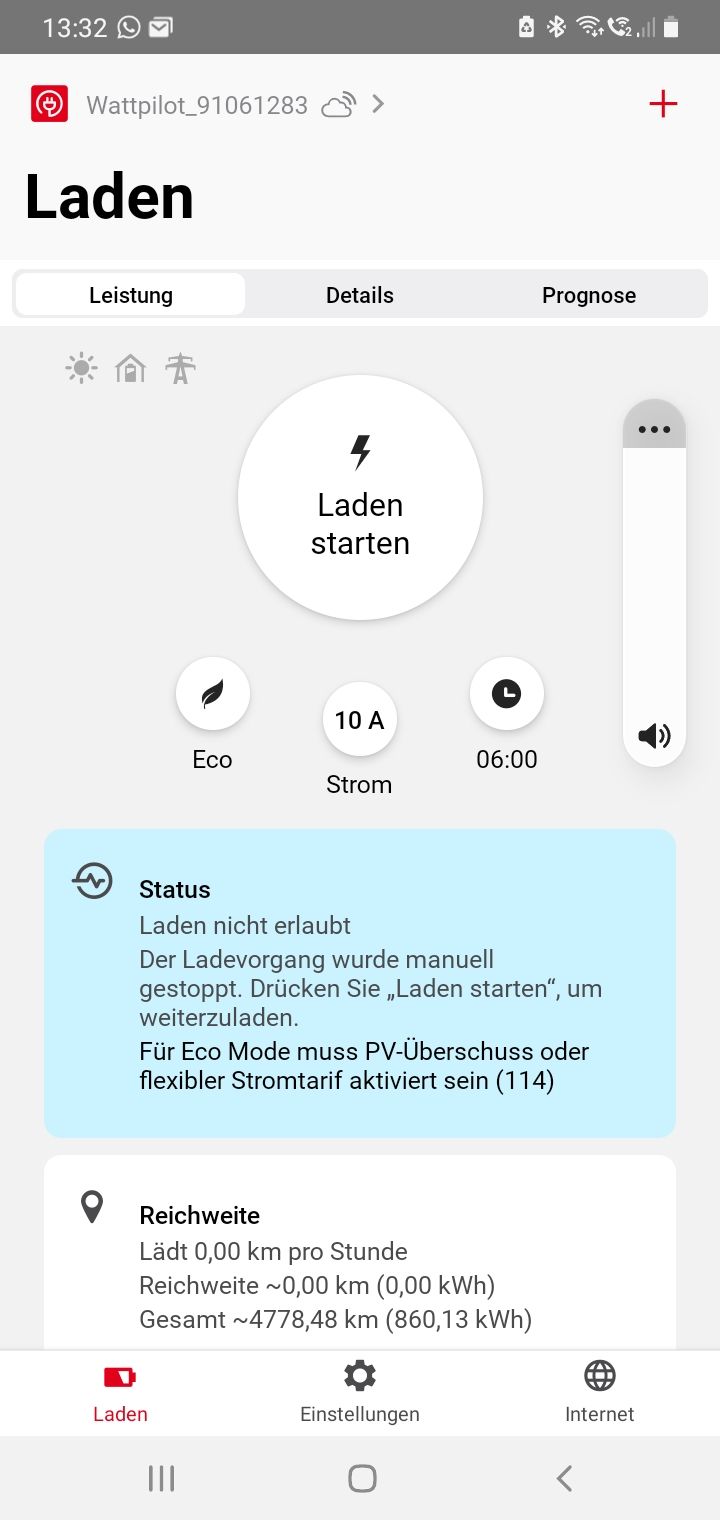
[Edit] Natürlich hab ich die Wall ein paar mal gestartet.
Smart-Home-Automation unter IOB auf RASPI5, 16GB RAM, 50GB SSD, MariaSQL, VIS-2.
Anfang 2025 war ich Newbie in Sachen RaspBerry, Linux und IOB.
Jetzt läuft alles konstant gut und ich gebe gern meine Erfahrungen und mein Wissen an die Forums-User/Innen weiter.
Großes Danke an alle tatkräftigen Helfer im Forum! -
@Homoran sagte in [Problem] Fronius Wattpilot Adapter installieren:
was sagt denn das Fronius Display? edit ist ja ein go-e, also was sagt die App?
mal neu gestartet?
Über die App klappt die Verbindung und es funktioniert alles (Der Autoakku ist jetzt voll).
[Edit] Natürlich hab ich die Wall ein paar mal gestartet.
@fuzzy1955 sagte in [Problem] Fronius Wattpilot Adapter installieren:
Über die App klappt die Verbindung
über den Zugangspunkt oder über die selbe IP?
wie sehen die WLAN Einstellungen aus?
keine Zugangsdaten zeigen!ist sie im Router zu sehen?
kein Support per PN! - Fragen im Forum stellen - Benutzt das Voting rechts unten im Beitrag wenn er euch geholfen hat.
Das Forum freut sich über eine Spende. Benutzt dazu den Spendenbutton oben rechts. Danke!
der Installationsfixer: curl -fsL https://iobroker.net/fix.sh | bash -


Hey! Du scheinst an dieser Unterhaltung interessiert zu sein, hast aber noch kein Konto.
Hast du es satt, bei jedem Besuch durch die gleichen Beiträge zu scrollen? Wenn du dich für ein Konto anmeldest, kommst du immer genau dorthin zurück, wo du zuvor warst, und kannst dich über neue Antworten benachrichtigen lassen (entweder per E-Mail oder Push-Benachrichtigung). Du kannst auch Lesezeichen speichern und Beiträge positiv bewerten, um anderen Community-Mitgliedern deine Wertschätzung zu zeigen.
Mit deinem Input könnte dieser Beitrag noch besser werden 💗
Registrieren AnmeldenSupport us
430
Online33.0k
Benutzer83.6k
Themen1.3m
Beiträge