Skip to content
  • Home
  • Aktuell
  • Tags
  • 0 Ungelesen 0
  • Kategorien
  • Unreplied
  • Beliebt
  • GitHub
  • Docu
  • Hilfe
Skins
  • Light
  • Brite
  • Cerulean
  • Cosmo
  • Flatly
  • Journal
  • Litera
  • Lumen
  • Lux
  • Materia
  • Minty
  • Morph
  • Pulse
  • Sandstone
  • Simplex
  • Sketchy
  • Spacelab
  • United
  • Yeti
  • Zephyr
  • Dark
  • Cyborg
  • Darkly
  • Quartz
  • Slate
  • Solar
  • Superhero
  • Vapor

  • Standard: (Kein Skin)
  • Kein Skin
Einklappen
ioBroker Logo

Community Forum

donate donate
  1. ioBroker Community Home
  2. Deutsch
  3. Visualisierung
  4. [gelöst] IOB vis-2 hängt seit einer Woche

NEWS

  • UPDATE 31.10.: Amazon Alexa - ioBroker Skill läuft aus ?
    apollon77A
    apollon77
    48
    3
    8.9k

  • Monatsrückblick – September 2025
    BluefoxB
    Bluefox
    13
    1
    2.3k

  • Neues Video "KI im Smart Home" - ioBroker plus n8n
    BluefoxB
    Bluefox
    16
    1
    3.6k

[gelöst] IOB vis-2 hängt seit einer Woche

Geplant Angeheftet Gesperrt Verschoben Visualisierung
14 Beiträge 4 Kommentatoren 853 Aufrufe 3 Watching
  • Älteste zuerst
  • Neuste zuerst
  • Meiste Stimmen
Antworten
  • In einem neuen Thema antworten
Anmelden zum Antworten
Dieses Thema wurde gelöscht. Nur Nutzer mit entsprechenden Rechten können es sehen.
  • fuzzy1955F Offline
    fuzzy1955F Offline
    fuzzy1955
    schrieb am zuletzt editiert von fuzzy1955
    #1

    Hallo Leute,

    der IOB-Adapter "vis-2" ist in den letzten Wochen zu meinen ultimativen Energie-Infotool geworden. Großen Dank an alle Beteiligten für diese Entwicklung!

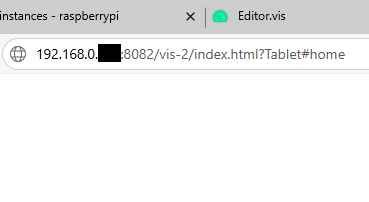
    Seit vorige Woche habe ich allerdings das Problem, dass die Web-Seite [http://192.168.x.xxx:8082/vis-2/index.html?tablet#home nicht mehr funktioniert. Die Seite erscheint kurz, dann ist der Bildschirm weiß. Auch der Aufruf einer anderen Seite als die Startseite verhält sich so. Ebenso die Edit-Funktion.

    Was habe ich zur Problembehebung probiert:

    • Einen anderen Browser versucht

    • Alle Browserdaten gelöscht (mehrfach)

    • Die Adapter WEB und VIS-2 neu gestartet

    • Den Raspberry rebootet und alle Upates eingespielt (mache ich sowieso regelmäßig)

    Nichts hat das Problem behoben. Nun stehe ich an mit meiner Weisheit. Was ist die Ursache dieses Problems und wie kann ich das beheben?

    Vorweg danke für eure wertvolle Unterstützung!

    fuzzy

    Versionen:

    IOB v7.6.3

    VIS-2 v2.9.64

    JS v8.8.3

    iob diag


    ========== Start marking the full check here ===========

    Script v.2025-02-23
    
    *** BASE SYSTEM ***
     Static hostname: raspberrypi
           Icon name: computer
    Operating System: Debian GNU/Linux 12 (bookworm)
              Kernel: Linux 6.12.25+rpt-rpi-2712
        Architecture: arm64
    OS is similar to:
    
    Model           : Raspberry Pi 5 Model B Rev 1.1
    Docker          : false
    Virtualization  : none
    Kernel          : aarch64
    Userland        : 64 bit
    
    Systemuptime and Load:
     11:47:39 up  5:42,  2 users,  load average: 0.33, 0.13, 0.07
    CPU threads: 4
    
    
    *** LIFE CYCLE STATUS ***
    Operating System is the current Debian stable version codenamed 'bookworm'!
    
    *** RASPBERRY THROTTLING ***
    Current issues:
    No throttling issues detected.
    
    Previously detected issues:
    No throttling issues detected.
    
    *** TIME AND TIMEZONES ***
                   Local time: Sat 2025-05-24 11:47:39 CEST
               Universal time: Sat 2025-05-24 09:47:39 UTC
                     RTC time: Sat 2025-05-24 09:47:39
                    Time zone: Europe/Vienna (CEST, +0200)
    System clock synchronized: yes
                  NTP service: active
              RTC in local TZ: no
    
    *** Users and Groups ***
    User that called 'iob diag':
    pi
    HOME=/home/pi
    GROUPS=pi adm dialout cdrom sudo audio video plugdev games users input render netdev gpio i2c spi iobroker
    
    User that is running 'js-controller':
    iobroker
    HOME=/home/iobroker
    GROUPS=iobroker tty dialout audio video plugdev bluetooth gpio i2c
    
    *** DISPLAY-SERVER SETUP ***
    Display-Server: false
    Desktop:
    Terminal:       tty
    
    *** MEMORY ***
                   total        used        free      shared  buff/cache   available
    Mem:             17G        1.9G         13G        7.6M        1.4G         15G
    Swap:           536M          0B        536M
    Total:           17G        1.9G         14G
    
    Active iob-Instances:   15
    
            16219 M total memory
             1857 M used memory
             1655 M active memory
             1101 M inactive memory
            13114 M free memory
              116 M buffer memory
             1253 M swap cache
              511 M total swap
                0 M used swap
              511 M free swap
    
    *** top - Table Of Processes  ***
    top - 11:47:39 up  5:42,  2 users,  load average: 0.33, 0.13, 0.07
    Tasks: 206 total,   1 running, 205 sleeping,   0 stopped,   0 zombie
    %Cpu(s): 33.3 us,  0.0 sy,  0.0 ni, 66.7 id,  0.0 wa,  0.0 hi,  0.0 si,  0.0 st
    MiB Mem :  16219.7 total,  13113.1 free,   1858.4 used,   1369.4 buff/cache
    MiB Swap:    512.0 total,    512.0 free,      0.0 used.  14361.3 avail Mem
    
    *** FAILED SERVICES ***
    
      UNIT LOAD ACTIVE SUB DESCRIPTION
    0 loaded units listed.
    
    
    *** DMESG CRITICAL ERRORS ***
    No critical errors detected
    
    *** FILESYSTEM ***
    Filesystem     Type      Size  Used Avail Use% Mounted on
    udev           devtmpfs  7.9G     0  7.9G   0% /dev
    tmpfs          tmpfs     1.6G  7.3M  1.6G   1% /run
    /dev/mmcblk0p2 ext4       15G   12G  2.0G  86% /
    tmpfs          tmpfs     8.0G     0  8.0G   0% /dev/shm
    tmpfs          tmpfs     5.0M   48K  5.0M   1% /run/lock
    /dev/mmcblk0p1 vfat      510M   56M  455M  11% /boot/firmware
    tmpfs          tmpfs     1.6G     0  1.6G   0% /run/user/1000
    
    Messages concerning ext4 filesystem in dmesg:
    [Sat May 24 06:05:10 2025] Kernel command line: reboot=w coherent_pool=1M 8250.nr_uarts=1 pci=pcie_bus_safe cgroup_disable=memory numa_policy=interleave  numa=fake=8 system_heap.max_order=0 smsc95xx.macaddr=2C:CF:67:C6:D1:C2 vc_mem.mem_base=0x3fc00000 vc_mem.mem_size=0x40000000  console=ttyAMA10,115200 console=tty1 root=PARTUUID=46767ad0-02 rootfstype=ext4 fsck.repair=yes rootwait
    [Sat May 24 06:05:13 2025] EXT4-fs (mmcblk0p2): mounted filesystem ce208fd3-38a8-424a-87a2-cd44114eb820 ro with ordered data mode. Quota mode: none.
    [Sat May 24 06:05:14 2025] EXT4-fs (mmcblk0p2): re-mounted ce208fd3-38a8-424a-87a2-cd44114eb820 r/w. Quota mode: none.
    
    Show mounted filesystems:
    TARGET           SOURCE         FSTYPE OPTIONS
    /                /dev/mmcblk0p2 ext4   rw,noatime
    `-/boot/firmware /dev/mmcblk0p1 vfat   rw,relatime,fmask=0022,dmask=0022,codepage=437,iocharset=ascii,shortname=mixed,errors=remount-ro
    
    Files in neuralgic directories:
    
    /var:
    2.3G    /var/
    744M    /var/log
    743M    /var/log/journal/ce49b5c207f74de48fc362bf23ca73ba
    743M    /var/log/journal
    543M    /var/lib
    
    Archived and active journals take up 742.4M in the file system.
    
    /opt/iobroker/backups:
    240M    /opt/iobroker/backups/
    
    /opt/iobroker/iobroker-data:
    1.2G    /opt/iobroker/iobroker-data/
    1.1G    /opt/iobroker/iobroker-data/files
    617M    /opt/iobroker/iobroker-data/files/javascript.admin
    560M    /opt/iobroker/iobroker-data/files/javascript.admin/static
    558M    /opt/iobroker/iobroker-data/files/javascript.admin/static/js
    
    The five largest files in iobroker-data are:
    26M     /opt/iobroker/iobroker-data/files/echarts/static/js/main.41cee985.js.map
    26M     /opt/iobroker/iobroker-data/files/echarts.admin/chart/static/js/main.41cee985.js.map
    24M     /opt/iobroker/iobroker-data/files/vis-2/static/js/main.f305bc29.js.map
    24M     /opt/iobroker/iobroker-data/files/vis-2/static/js/main.8e80ccb0.js.map
    24M     /opt/iobroker/iobroker-data/files/vis-2/customWidgets.js.map
    
    USB-Devices by-id:
    USB-Sticks -  Avoid direct links to /dev/tty* in your adapter setups, please always prefer the links 'by-id':
    
    No Devices found 'by-id'
    
    Zigbee Network Settings on your coordinator/in nvbackup are:
    
    zigbee.X
    Extended Pan ID:
    *** MASKED ***
    Pan ID:
    *** MASKED ***
    Channel:
    *** MASKED ***
    Network Key:
    *** MASKED ***
    
    To unmask the settings run 'iob diag --unmask'
    
    
    *** NodeJS-Installation ***
    
    /usr/bin/nodejs         v20.19.2
    /usr/bin/node           v20.19.2
    /usr/bin/npm            10.8.2
    /usr/bin/npx            10.8.2
    /usr/bin/corepack       0.31.0
    
    nodejs:
      Installed: 20.19.2-1nodesource1
      Candidate: 20.19.2-1nodesource1
      Version table:
     *** 20.19.2-1nodesource1 1001
            500 https://deb.nodesource.com/node_20.x nodistro/main arm64 Packages
            100 /var/lib/dpkg/status
         20.19.1-1nodesource1 1001
            500 https://deb.nodesource.com/node_20.x nodistro/main arm64 Packages
         20.19.0-1nodesource1 1001
            500 https://deb.nodesource.com/node_20.x nodistro/main arm64 Packages
         20.18.3-1nodesource1 1001
            500 https://deb.nodesource.com/node_20.x nodistro/main arm64 Packages
         20.18.2-1nodesource1 1001
            500 https://deb.nodesource.com/node_20.x nodistro/main arm64 Packages
         20.18.1-1nodesource1 1001
            500 https://deb.nodesource.com/node_20.x nodistro/main arm64 Packages
         20.18.0-1nodesource1 1001
            500 https://deb.nodesource.com/node_20.x nodistro/main arm64 Packages
         20.17.0-1nodesource1 1001
            500 https://deb.nodesource.com/node_20.x nodistro/main arm64 Packages
         20.16.0-1nodesource1 1001
            500 https://deb.nodesource.com/node_20.x nodistro/main arm64 Packages
         20.15.1-1nodesource1 1001
            500 https://deb.nodesource.com/node_20.x nodistro/main arm64 Packages
         20.15.0-1nodesource1 1001
            500 https://deb.nodesource.com/node_20.x nodistro/main arm64 Packages
         20.14.0-1nodesource1 1001
            500 https://deb.nodesource.com/node_20.x nodistro/main arm64 Packages
         20.13.1-1nodesource1 1001
            500 https://deb.nodesource.com/node_20.x nodistro/main arm64 Packages
         20.13.0-1nodesource1 1001
            500 https://deb.nodesource.com/node_20.x nodistro/main arm64 Packages
         20.12.2-1nodesource1 1001
            500 https://deb.nodesource.com/node_20.x nodistro/main arm64 Packages
         20.12.1-1nodesource1 1001
            500 https://deb.nodesource.com/node_20.x nodistro/main arm64 Packages
         20.12.0-1nodesource1 1001
            500 https://deb.nodesource.com/node_20.x nodistro/main arm64 Packages
         20.11.1-1nodesource1 1001
            500 https://deb.nodesource.com/node_20.x nodistro/main arm64 Packages
         20.11.0-1nodesource1 1001
            500 https://deb.nodesource.com/node_20.x nodistro/main arm64 Packages
         20.10.0-1nodesource1 1001
            500 https://deb.nodesource.com/node_20.x nodistro/main arm64 Packages
         20.9.0-1nodesource1 1001
            500 https://deb.nodesource.com/node_20.x nodistro/main arm64 Packages
         20.8.1-1nodesource1 1001
            500 https://deb.nodesource.com/node_20.x nodistro/main arm64 Packages
         20.8.0-1nodesource1 1001
            500 https://deb.nodesource.com/node_20.x nodistro/main arm64 Packages
         20.7.0-1nodesource1 1001
            500 https://deb.nodesource.com/node_20.x nodistro/main arm64 Packages
         20.6.1-1nodesource1 1001
            500 https://deb.nodesource.com/node_20.x nodistro/main arm64 Packages
         20.6.0-1nodesource1 1001
            500 https://deb.nodesource.com/node_20.x nodistro/main arm64 Packages
         20.5.1-1nodesource1 1001
            500 https://deb.nodesource.com/node_20.x nodistro/main arm64 Packages
         20.5.0-1nodesource1 1001
            500 https://deb.nodesource.com/node_20.x nodistro/main arm64 Packages
         20.4.0-1nodesource1 1001
            500 https://deb.nodesource.com/node_20.x nodistro/main arm64 Packages
         20.3.1-1nodesource1 1001
            500 https://deb.nodesource.com/node_20.x nodistro/main arm64 Packages
         20.3.0-1nodesource1 1001
            500 https://deb.nodesource.com/node_20.x nodistro/main arm64 Packages
         20.2.0-1nodesource1 1001
            500 https://deb.nodesource.com/node_20.x nodistro/main arm64 Packages
         20.1.0-1nodesource1 1001
            500 https://deb.nodesource.com/node_20.x nodistro/main arm64 Packages
         20.0.0-1nodesource1 1001
            500 https://deb.nodesource.com/node_20.x nodistro/main arm64 Packages
         18.19.0+dfsg-6~deb12u2 500
            500 http://deb.debian.org/debian bookworm/main arm64 Packages
         18.19.0+dfsg-6~deb12u1 500
            500 http://deb.debian.org/debian-security bookworm-security/main arm64 Packages
    
    Temp directories causing deletion problem: 0
    No problems detected
    
    Errors in npm tree: 0
    No problems detected
    
    *** ioBroker-Installation ***
    
    ioBroker Status
    iobroker is running on this host.
    
    
    Objects type: jsonl
    States  type: jsonl
    
    Hosts:
    raspberrypi         raspberrypi (version: 7.0.6, hostname: raspberrypi   , alive, uptime: 20540)
    
    Core adapters versions
    js-controller:  7.0.6
    admin:          7.6.3
    javascript:     8.8.3
    
    nodejs modules from github:     0
    
    Adapter State
    + system.adapter.admin.0                  : admin                 : raspberrypi                              -  enabled, port: 8081, bind: 0.0.0.0, run as: admin
    + system.adapter.backitup.0               : backitup              : raspberrypi                              -  enabled
    + system.adapter.echarts.0                : echarts               : raspberrypi                              -  enabled
    + system.adapter.email.0                  : email                 : raspberrypi                              -  enabled
    + system.adapter.emporia.0                : emporia               : raspberrypi                              -  enabled
    + system.adapter.javascript.0             : javascript            : raspberrypi                              -  enabled
    + system.adapter.javascript.1             : javascript            : raspberrypi                              -  enabled
    + system.adapter.kecontact.0              : kecontact             : raspberrypi                              -  enabled
    + system.adapter.modbus.0                 : modbus                : raspberrypi                              -  enabled
      system.adapter.modbus.1                 : modbus                : raspberrypi                              - disabled
    + system.adapter.modbus.2                 : modbus                : raspberrypi                              -  enabled
    + system.adapter.shelly.0                 : shelly                : raspberrypi                              -  enabled, port: 1882, bind: 192.168.0.100
    + system.adapter.sql.0                    : sql                   : raspberrypi                              -  enabled, port: 3306
      system.adapter.vis-2-widgets-energy.0   : vis-2-widgets-energy  : raspberrypi                              - disabled
      system.adapter.vis-2-widgets-gauges.0   : vis-2-widgets-gauges  : raspberrypi                              -  enabled
      system.adapter.vis-2-widgets-inventwo.0 : vis-2-widgets-inventwo: raspberrypi                              -  enabled
      system.adapter.vis-2-widgets-material.0 : vis-2-widgets-material: raspberrypi                              - disabled
      system.adapter.vis-2-widgets-weather-and-heating.0: vis-2-widgets-weather-and-heating: raspberrypi                              - disabled
    + system.adapter.vis-2.0                  : vis-2                 : raspberrypi                              -  enabled
    + system.adapter.web.0                    : web                   : raspberrypi                              -  enabled, port: 8082, bind: 0.0.0.0, run as: admin
    
    + instance is alive
    
    Enabled adapters with bindings
    + system.adapter.admin.0                  : admin                 : raspberrypi                              -  enabled, port: 8081, bind: 0.0.0.0, run as: admin
    + system.adapter.shelly.0                 : shelly                : raspberrypi                              -  enabled, port: 1882, bind: 192.168.0.100
    + system.adapter.sql.0                    : sql                   : raspberrypi                              -  enabled, port: 3306
    + system.adapter.web.0                    : web                   : raspberrypi                              -  enabled, port: 8082, bind: 0.0.0.0, run as: admin
    
    ioBroker-Repositories
    ┌─────────┬──────────┬──────────────────────────────────────────────────┬──────────────┐
    │ (index) │ name     │ url                                              │ auto upgrade │
    ├─────────┼──────────┼──────────────────────────────────────────────────┼──────────────┤
    │ 0       │ 'stable' │ 'http://download.iobroker.net/sources-dist.json' │ true         │
    └─────────┴──────────┴──────────────────────────────────────────────────┴──────────────┘
    
    Active repo(s): stable
    Upgrade policy: minor
    
    Installed ioBroker-Adapters
    Used repository: stable
    Adapter    "admin"        : 7.6.3    , installed 7.6.3
    Adapter    "backitup"     : 3.0.31   , installed 3.0.31
    Adapter    "echarts"      : 1.9.2    , installed 1.9.2
    Adapter    "email"        : 2.0.4    , installed 2.0.4
    Adapter    "emporia"      : 0.0.12   , installed 0.1.0
    Adapter    "javascript"   : 8.8.3    , installed 8.8.3
    Controller "js-controller": 7.0.6    , installed 7.0.6
    Adapter    "kecontact"    : 3.1.0    , installed 3.1.0
    Adapter    "modbus"       : 6.3.2    , installed 6.3.2
    Adapter    "shelly"       : 9.2.0    , installed 9.5.0-alpha.1
    Adapter    "socketio"     : 6.7.1    , installed 6.7.1
    Adapter    "sql"          : 3.0.1    , installed 3.0.1
    Adapter    "vis-2"        : 2.9.64   , installed 2.9.64
    Adapter    "vis-2-widgets-energy": 1.0.2, installed 1.0.2
    Adapter    "vis-2-widgets-gauges": 1.1.0, installed 1.1.0
    Adapter    "vis-2-widgets-inventwo": 0.1.11, installed 0.1.11
    Adapter    "vis-2-widgets-material": 1.4.10, installed 1.4.10
    Adapter    "vis-2-widgets-weather-and-heating": 0.10.4, installed 0.10.4
    Adapter    "web"          : 7.0.8    , installed 7.0.8
    Adapter    "ws"           : 2.6.2    , installed 2.6.2
    
    Objects and States
    Please stand by - This may take a while
    Objects:        1977
    States:         1635
    
    *** OS-Repositories and Updates ***
    W: http://raspbian.piduino.org/dists/stretch/InRelease: Key is stored in legacy trusted.gpg keyring (/etc/apt/trusted.gpg), see the DEPRECATION section in apt-key(8) for details.
    Hit:1 http://deb.debian.org/debian bookworm InRelease
    Hit:2 http://deb.debian.org/debian-security bookworm-security InRelease
    Hit:3 http://deb.debian.org/debian bookworm-updates InRelease
    Hit:4 http://archive.raspberrypi.com/debian bookworm InRelease
    Hit:5 http://raspbian.piduino.org stretch InRelease
    Hit:6 https://deb.nodesource.com/node_20.x nodistro InRelease
    Reading package lists...
    W: http://raspbian.piduino.org/dists/stretch/InRelease: Key is stored in legacy trusted.gpg keyring (/etc/apt/trusted.gpg), see the DEPRECATION section in apt-key(8) for details.
    Pending Updates: 0
    
    *** Listening Ports ***
    Active Internet connections (only servers)
    Proto Recv-Q Send-Q Local Address           Foreign Address         State       User       Inode      PID/Program name
    tcp        0      0 0.0.0.0:3306            0.0.0.0:*               LISTEN      106        809        760/mariadbd
    tcp        0      0 127.0.0.1:9001          0.0.0.0:*               LISTEN      1001       6550       679/iobroker.js-con
    tcp        0      0 127.0.0.1:9000          0.0.0.0:*               LISTEN      1001       5961       679/iobroker.js-con
    tcp        0      0 192.168.0.100:1882      0.0.0.0:*               LISTEN      1001       6793       1090/io.shelly.0
    tcp        0      0 0.0.0.0:445             0.0.0.0:*               LISTEN      0          6533       886/smbd
    tcp        0      0 0.0.0.0:22              0.0.0.0:*               LISTEN      0          6323       701/sshd: /usr/sbin
    tcp        0      0 0.0.0.0:139             0.0.0.0:*               LISTEN      0          6534       886/smbd
    tcp6       0      0 :::445                  :::*                    LISTEN      0          6531       886/smbd
    tcp6       0      0 :::22                   :::*                    LISTEN      0          6325       701/sshd: /usr/sbin
    tcp6       0      0 :::139                  :::*                    LISTEN      0          6532       886/smbd
    tcp6       0      0 :::8082                 :::*                    LISTEN      1001       88903      2643/io.web.0
    tcp6       0      0 :::8081                 :::*                    LISTEN      1001       5016       899/io.admin.0
    udp        0      0 0.0.0.0:5353            0.0.0.0:*                           104        613        572/avahi-daemon: r
    udp        0      0 0.0.0.0:39486           0.0.0.0:*                           104        615        572/avahi-daemon: r
    udp        0      0 0.0.0.0:7090            0.0.0.0:*                           1001       6757       1042/io.kecontact.0
    udp        0      0 0.0.0.0:7092            0.0.0.0:*                           1001       6758       1042/io.kecontact.0
    udp        0      0 192.168.0.255:137       0.0.0.0:*                           0          5944       882/nmbd
    udp        0      0 192.168.0.100:137       0.0.0.0:*                           0          5943       882/nmbd
    udp        0      0 0.0.0.0:137             0.0.0.0:*                           0          5931       882/nmbd
    udp        0      0 192.168.0.255:138       0.0.0.0:*                           0          5946       882/nmbd
    udp        0      0 192.168.0.100:138       0.0.0.0:*                           0          5945       882/nmbd
    udp        0      0 0.0.0.0:138             0.0.0.0:*                           0          5932       882/nmbd
    udp        0      0 0.0.0.0:44314           0.0.0.0:*                           1001       7324       1042/io.kecontact.0
    udp6       0      0 :::5353                 :::*                                104        614        572/avahi-daemon: r
    udp6       0      0 fe80::7de6:a76b:229:546 :::*                                0          895        649/NetworkManager
    udp6       0      0 :::36785                :::*                                104        616        572/avahi-daemon: r
    
    *** Log File - Last 25 Lines ***
    
    2025-05-24 11:48:18.932  - info: emporia.0 (1010) device:- channel:S5VzBad usage: 53.02 Watt
    2025-05-24 11:48:18.932  - info: emporia.0 (1010) device:- channel:S6Obergeschoss usage: 0.00 Watt
    2025-05-24 11:48:18.933  - info: emporia.0 (1010) device:- channel:S7VorraumSwitch usage: 6.37 Watt
    2025-05-24 11:48:18.933  - info: emporia.0 (1010) device:- channel:S8Boiler usage: 0.00 Watt
    2025-05-24 11:48:18.933  - info: emporia.0 (1010) device:- channel:S9Waschmaschine usage: 0.00 Watt
    2025-05-24 11:48:18.933  - info: emporia.0 (1010) device:- channel:S10Werkstatt usage: 21.60 Watt
    2025-05-24 11:48:18.933  - info: emporia.0 (1010) device:- channel:S4Wohnzimmer2 usage: 63.85 Watt
    2025-05-24 11:48:20.862  - info: javascript.0 (955) script.js.common.Photovoltaik.PvAblaufsteuerung: AutoKapazitaet =50 LadungWallboxIST = 3.23 LadungOffen = 6.77
    2025-05-24 11:48:20.862  - info: javascript.0 (955) script.js.common.Photovoltaik.PvAblaufsteuerung: noch zuladen =3.229999999999997 kWh, LadungWallboxIST = 3.23 LadungOffen = 6.77
    2025-05-24 11:48:20.862  - info: javascript.0 (955) script.js.common.Photovoltaik.PvAblaufsteuerung: Prioritaet = P3 Autoakku lädt mit 10 A, HausakkuLeistung = -2850 W
    2025-05-24 11:48:20.862  - info: javascript.0 (955) script.js.common.Photovoltaik.PvAblaufsteuerung: AutoSOC = 80 %, intAutoLadestand = 46.77 kWh
    2025-05-24 11:48:23.930  - info: emporia.0 (1010) device:- channel:Main usage: 198.71 Watt
    2025-05-24 11:48:23.930  - info: emporia.0 (1010) device:- channel:S1eHerdL2 usage: 0.00 Watt
    2025-05-24 11:48:23.930  - info: emporia.0 (1010) device:- channel:S1eHerdL1 usage: 43.69 Watt
    2025-05-24 11:48:23.931  - info: emporia.0 (1010) device:- channel:S1eHerdL3 usage: 0.00 Watt
    2025-05-24 11:48:23.931  - info: emporia.0 (1010) device:- channel:S2Geschirrspueler usage: 0.00 Watt
    2025-05-24 11:48:23.931  - info: emporia.0 (1010) device:- channel:S3frei usage: 0.00 Watt
    2025-05-24 11:48:23.931  - info: emporia.0 (1010) device:- channel:S4Wohnzimmer1 usage: 11.55 Watt
    2025-05-24 11:48:23.931  - info: emporia.0 (1010) device:- channel:S5VzBad usage: 61.16 Watt
    2025-05-24 11:48:23.931  - info: emporia.0 (1010) device:- channel:S6Obergeschoss usage: 0.00 Watt
    2025-05-24 11:48:23.931  - info: emporia.0 (1010) device:- channel:S7VorraumSwitch usage: 0.00 Watt
    2025-05-24 11:48:23.931  - info: emporia.0 (1010) device:- channel:S8Boiler usage: 0.00 Watt
    2025-05-24 11:48:23.931  - info: emporia.0 (1010) device:- channel:S9Waschmaschine usage: 0.00 Watt
    2025-05-24 11:48:23.931  - info: emporia.0 (1010) device:- channel:S10Werkstatt usage: 21.78 Watt
    2025-05-24 11:48:23.931  - info: emporia.0 (1010) device:- channel:S4Wohnzimmer2 usage: 60.53 Watt


    ============ Mark until here for C&P =============

    iob diag has finished.

    Web-Seite
    Browser.jpg

    Raspberry PI5 mit Linux Debian 13 (Trixie), IoBroker v7.7.19, VIS-2, MariaDB (MySQL)
    Shellies: 1G4, 1MiniG3, PlusI4DC, PlusPlugS, Pro0110PM. Modbus: Waveshare Relay 8 Channels, Waveshare RS485-TO-ETH.
    PV: 10 kWp Module, 2 x Deye WR SUN-10K, 2 x 10 kWh MeritSun LiFe Speicher, KEBA P30 Wallbox, Fronius Wattpilot home 11

    M Thomas BraunT 2 Antworten Letzte Antwort
    0
    • fuzzy1955F fuzzy1955

      Hallo Leute,

      der IOB-Adapter "vis-2" ist in den letzten Wochen zu meinen ultimativen Energie-Infotool geworden. Großen Dank an alle Beteiligten für diese Entwicklung!

      Seit vorige Woche habe ich allerdings das Problem, dass die Web-Seite [http://192.168.x.xxx:8082/vis-2/index.html?tablet#home nicht mehr funktioniert. Die Seite erscheint kurz, dann ist der Bildschirm weiß. Auch der Aufruf einer anderen Seite als die Startseite verhält sich so. Ebenso die Edit-Funktion.

      Was habe ich zur Problembehebung probiert:

      • Einen anderen Browser versucht

      • Alle Browserdaten gelöscht (mehrfach)

      • Die Adapter WEB und VIS-2 neu gestartet

      • Den Raspberry rebootet und alle Upates eingespielt (mache ich sowieso regelmäßig)

      Nichts hat das Problem behoben. Nun stehe ich an mit meiner Weisheit. Was ist die Ursache dieses Problems und wie kann ich das beheben?

      Vorweg danke für eure wertvolle Unterstützung!

      fuzzy

      Versionen:

      IOB v7.6.3

      VIS-2 v2.9.64

      JS v8.8.3

      iob diag


      ========== Start marking the full check here ===========

      Script v.2025-02-23
      
      *** BASE SYSTEM ***
       Static hostname: raspberrypi
             Icon name: computer
      Operating System: Debian GNU/Linux 12 (bookworm)
                Kernel: Linux 6.12.25+rpt-rpi-2712
          Architecture: arm64
      OS is similar to:
      
      Model           : Raspberry Pi 5 Model B Rev 1.1
      Docker          : false
      Virtualization  : none
      Kernel          : aarch64
      Userland        : 64 bit
      
      Systemuptime and Load:
       11:47:39 up  5:42,  2 users,  load average: 0.33, 0.13, 0.07
      CPU threads: 4
      
      
      *** LIFE CYCLE STATUS ***
      Operating System is the current Debian stable version codenamed 'bookworm'!
      
      *** RASPBERRY THROTTLING ***
      Current issues:
      No throttling issues detected.
      
      Previously detected issues:
      No throttling issues detected.
      
      *** TIME AND TIMEZONES ***
                     Local time: Sat 2025-05-24 11:47:39 CEST
                 Universal time: Sat 2025-05-24 09:47:39 UTC
                       RTC time: Sat 2025-05-24 09:47:39
                      Time zone: Europe/Vienna (CEST, +0200)
      System clock synchronized: yes
                    NTP service: active
                RTC in local TZ: no
      
      *** Users and Groups ***
      User that called 'iob diag':
      pi
      HOME=/home/pi
      GROUPS=pi adm dialout cdrom sudo audio video plugdev games users input render netdev gpio i2c spi iobroker
      
      User that is running 'js-controller':
      iobroker
      HOME=/home/iobroker
      GROUPS=iobroker tty dialout audio video plugdev bluetooth gpio i2c
      
      *** DISPLAY-SERVER SETUP ***
      Display-Server: false
      Desktop:
      Terminal:       tty
      
      *** MEMORY ***
                     total        used        free      shared  buff/cache   available
      Mem:             17G        1.9G         13G        7.6M        1.4G         15G
      Swap:           536M          0B        536M
      Total:           17G        1.9G         14G
      
      Active iob-Instances:   15
      
              16219 M total memory
               1857 M used memory
               1655 M active memory
               1101 M inactive memory
              13114 M free memory
                116 M buffer memory
               1253 M swap cache
                511 M total swap
                  0 M used swap
                511 M free swap
      
      *** top - Table Of Processes  ***
      top - 11:47:39 up  5:42,  2 users,  load average: 0.33, 0.13, 0.07
      Tasks: 206 total,   1 running, 205 sleeping,   0 stopped,   0 zombie
      %Cpu(s): 33.3 us,  0.0 sy,  0.0 ni, 66.7 id,  0.0 wa,  0.0 hi,  0.0 si,  0.0 st
      MiB Mem :  16219.7 total,  13113.1 free,   1858.4 used,   1369.4 buff/cache
      MiB Swap:    512.0 total,    512.0 free,      0.0 used.  14361.3 avail Mem
      
      *** FAILED SERVICES ***
      
        UNIT LOAD ACTIVE SUB DESCRIPTION
      0 loaded units listed.
      
      
      *** DMESG CRITICAL ERRORS ***
      No critical errors detected
      
      *** FILESYSTEM ***
      Filesystem     Type      Size  Used Avail Use% Mounted on
      udev           devtmpfs  7.9G     0  7.9G   0% /dev
      tmpfs          tmpfs     1.6G  7.3M  1.6G   1% /run
      /dev/mmcblk0p2 ext4       15G   12G  2.0G  86% /
      tmpfs          tmpfs     8.0G     0  8.0G   0% /dev/shm
      tmpfs          tmpfs     5.0M   48K  5.0M   1% /run/lock
      /dev/mmcblk0p1 vfat      510M   56M  455M  11% /boot/firmware
      tmpfs          tmpfs     1.6G     0  1.6G   0% /run/user/1000
      
      Messages concerning ext4 filesystem in dmesg:
      [Sat May 24 06:05:10 2025] Kernel command line: reboot=w coherent_pool=1M 8250.nr_uarts=1 pci=pcie_bus_safe cgroup_disable=memory numa_policy=interleave  numa=fake=8 system_heap.max_order=0 smsc95xx.macaddr=2C:CF:67:C6:D1:C2 vc_mem.mem_base=0x3fc00000 vc_mem.mem_size=0x40000000  console=ttyAMA10,115200 console=tty1 root=PARTUUID=46767ad0-02 rootfstype=ext4 fsck.repair=yes rootwait
      [Sat May 24 06:05:13 2025] EXT4-fs (mmcblk0p2): mounted filesystem ce208fd3-38a8-424a-87a2-cd44114eb820 ro with ordered data mode. Quota mode: none.
      [Sat May 24 06:05:14 2025] EXT4-fs (mmcblk0p2): re-mounted ce208fd3-38a8-424a-87a2-cd44114eb820 r/w. Quota mode: none.
      
      Show mounted filesystems:
      TARGET           SOURCE         FSTYPE OPTIONS
      /                /dev/mmcblk0p2 ext4   rw,noatime
      `-/boot/firmware /dev/mmcblk0p1 vfat   rw,relatime,fmask=0022,dmask=0022,codepage=437,iocharset=ascii,shortname=mixed,errors=remount-ro
      
      Files in neuralgic directories:
      
      /var:
      2.3G    /var/
      744M    /var/log
      743M    /var/log/journal/ce49b5c207f74de48fc362bf23ca73ba
      743M    /var/log/journal
      543M    /var/lib
      
      Archived and active journals take up 742.4M in the file system.
      
      /opt/iobroker/backups:
      240M    /opt/iobroker/backups/
      
      /opt/iobroker/iobroker-data:
      1.2G    /opt/iobroker/iobroker-data/
      1.1G    /opt/iobroker/iobroker-data/files
      617M    /opt/iobroker/iobroker-data/files/javascript.admin
      560M    /opt/iobroker/iobroker-data/files/javascript.admin/static
      558M    /opt/iobroker/iobroker-data/files/javascript.admin/static/js
      
      The five largest files in iobroker-data are:
      26M     /opt/iobroker/iobroker-data/files/echarts/static/js/main.41cee985.js.map
      26M     /opt/iobroker/iobroker-data/files/echarts.admin/chart/static/js/main.41cee985.js.map
      24M     /opt/iobroker/iobroker-data/files/vis-2/static/js/main.f305bc29.js.map
      24M     /opt/iobroker/iobroker-data/files/vis-2/static/js/main.8e80ccb0.js.map
      24M     /opt/iobroker/iobroker-data/files/vis-2/customWidgets.js.map
      
      USB-Devices by-id:
      USB-Sticks -  Avoid direct links to /dev/tty* in your adapter setups, please always prefer the links 'by-id':
      
      No Devices found 'by-id'
      
      Zigbee Network Settings on your coordinator/in nvbackup are:
      
      zigbee.X
      Extended Pan ID:
      *** MASKED ***
      Pan ID:
      *** MASKED ***
      Channel:
      *** MASKED ***
      Network Key:
      *** MASKED ***
      
      To unmask the settings run 'iob diag --unmask'
      
      
      *** NodeJS-Installation ***
      
      /usr/bin/nodejs         v20.19.2
      /usr/bin/node           v20.19.2
      /usr/bin/npm            10.8.2
      /usr/bin/npx            10.8.2
      /usr/bin/corepack       0.31.0
      
      nodejs:
        Installed: 20.19.2-1nodesource1
        Candidate: 20.19.2-1nodesource1
        Version table:
       *** 20.19.2-1nodesource1 1001
              500 https://deb.nodesource.com/node_20.x nodistro/main arm64 Packages
              100 /var/lib/dpkg/status
           20.19.1-1nodesource1 1001
              500 https://deb.nodesource.com/node_20.x nodistro/main arm64 Packages
           20.19.0-1nodesource1 1001
              500 https://deb.nodesource.com/node_20.x nodistro/main arm64 Packages
           20.18.3-1nodesource1 1001
              500 https://deb.nodesource.com/node_20.x nodistro/main arm64 Packages
           20.18.2-1nodesource1 1001
              500 https://deb.nodesource.com/node_20.x nodistro/main arm64 Packages
           20.18.1-1nodesource1 1001
              500 https://deb.nodesource.com/node_20.x nodistro/main arm64 Packages
           20.18.0-1nodesource1 1001
              500 https://deb.nodesource.com/node_20.x nodistro/main arm64 Packages
           20.17.0-1nodesource1 1001
              500 https://deb.nodesource.com/node_20.x nodistro/main arm64 Packages
           20.16.0-1nodesource1 1001
              500 https://deb.nodesource.com/node_20.x nodistro/main arm64 Packages
           20.15.1-1nodesource1 1001
              500 https://deb.nodesource.com/node_20.x nodistro/main arm64 Packages
           20.15.0-1nodesource1 1001
              500 https://deb.nodesource.com/node_20.x nodistro/main arm64 Packages
           20.14.0-1nodesource1 1001
              500 https://deb.nodesource.com/node_20.x nodistro/main arm64 Packages
           20.13.1-1nodesource1 1001
              500 https://deb.nodesource.com/node_20.x nodistro/main arm64 Packages
           20.13.0-1nodesource1 1001
              500 https://deb.nodesource.com/node_20.x nodistro/main arm64 Packages
           20.12.2-1nodesource1 1001
              500 https://deb.nodesource.com/node_20.x nodistro/main arm64 Packages
           20.12.1-1nodesource1 1001
              500 https://deb.nodesource.com/node_20.x nodistro/main arm64 Packages
           20.12.0-1nodesource1 1001
              500 https://deb.nodesource.com/node_20.x nodistro/main arm64 Packages
           20.11.1-1nodesource1 1001
              500 https://deb.nodesource.com/node_20.x nodistro/main arm64 Packages
           20.11.0-1nodesource1 1001
              500 https://deb.nodesource.com/node_20.x nodistro/main arm64 Packages
           20.10.0-1nodesource1 1001
              500 https://deb.nodesource.com/node_20.x nodistro/main arm64 Packages
           20.9.0-1nodesource1 1001
              500 https://deb.nodesource.com/node_20.x nodistro/main arm64 Packages
           20.8.1-1nodesource1 1001
              500 https://deb.nodesource.com/node_20.x nodistro/main arm64 Packages
           20.8.0-1nodesource1 1001
              500 https://deb.nodesource.com/node_20.x nodistro/main arm64 Packages
           20.7.0-1nodesource1 1001
              500 https://deb.nodesource.com/node_20.x nodistro/main arm64 Packages
           20.6.1-1nodesource1 1001
              500 https://deb.nodesource.com/node_20.x nodistro/main arm64 Packages
           20.6.0-1nodesource1 1001
              500 https://deb.nodesource.com/node_20.x nodistro/main arm64 Packages
           20.5.1-1nodesource1 1001
              500 https://deb.nodesource.com/node_20.x nodistro/main arm64 Packages
           20.5.0-1nodesource1 1001
              500 https://deb.nodesource.com/node_20.x nodistro/main arm64 Packages
           20.4.0-1nodesource1 1001
              500 https://deb.nodesource.com/node_20.x nodistro/main arm64 Packages
           20.3.1-1nodesource1 1001
              500 https://deb.nodesource.com/node_20.x nodistro/main arm64 Packages
           20.3.0-1nodesource1 1001
              500 https://deb.nodesource.com/node_20.x nodistro/main arm64 Packages
           20.2.0-1nodesource1 1001
              500 https://deb.nodesource.com/node_20.x nodistro/main arm64 Packages
           20.1.0-1nodesource1 1001
              500 https://deb.nodesource.com/node_20.x nodistro/main arm64 Packages
           20.0.0-1nodesource1 1001
              500 https://deb.nodesource.com/node_20.x nodistro/main arm64 Packages
           18.19.0+dfsg-6~deb12u2 500
              500 http://deb.debian.org/debian bookworm/main arm64 Packages
           18.19.0+dfsg-6~deb12u1 500
              500 http://deb.debian.org/debian-security bookworm-security/main arm64 Packages
      
      Temp directories causing deletion problem: 0
      No problems detected
      
      Errors in npm tree: 0
      No problems detected
      
      *** ioBroker-Installation ***
      
      ioBroker Status
      iobroker is running on this host.
      
      
      Objects type: jsonl
      States  type: jsonl
      
      Hosts:
      raspberrypi         raspberrypi (version: 7.0.6, hostname: raspberrypi   , alive, uptime: 20540)
      
      Core adapters versions
      js-controller:  7.0.6
      admin:          7.6.3
      javascript:     8.8.3
      
      nodejs modules from github:     0
      
      Adapter State
      + system.adapter.admin.0                  : admin                 : raspberrypi                              -  enabled, port: 8081, bind: 0.0.0.0, run as: admin
      + system.adapter.backitup.0               : backitup              : raspberrypi                              -  enabled
      + system.adapter.echarts.0                : echarts               : raspberrypi                              -  enabled
      + system.adapter.email.0                  : email                 : raspberrypi                              -  enabled
      + system.adapter.emporia.0                : emporia               : raspberrypi                              -  enabled
      + system.adapter.javascript.0             : javascript            : raspberrypi                              -  enabled
      + system.adapter.javascript.1             : javascript            : raspberrypi                              -  enabled
      + system.adapter.kecontact.0              : kecontact             : raspberrypi                              -  enabled
      + system.adapter.modbus.0                 : modbus                : raspberrypi                              -  enabled
        system.adapter.modbus.1                 : modbus                : raspberrypi                              - disabled
      + system.adapter.modbus.2                 : modbus                : raspberrypi                              -  enabled
      + system.adapter.shelly.0                 : shelly                : raspberrypi                              -  enabled, port: 1882, bind: 192.168.0.100
      + system.adapter.sql.0                    : sql                   : raspberrypi                              -  enabled, port: 3306
        system.adapter.vis-2-widgets-energy.0   : vis-2-widgets-energy  : raspberrypi                              - disabled
        system.adapter.vis-2-widgets-gauges.0   : vis-2-widgets-gauges  : raspberrypi                              -  enabled
        system.adapter.vis-2-widgets-inventwo.0 : vis-2-widgets-inventwo: raspberrypi                              -  enabled
        system.adapter.vis-2-widgets-material.0 : vis-2-widgets-material: raspberrypi                              - disabled
        system.adapter.vis-2-widgets-weather-and-heating.0: vis-2-widgets-weather-and-heating: raspberrypi                              - disabled
      + system.adapter.vis-2.0                  : vis-2                 : raspberrypi                              -  enabled
      + system.adapter.web.0                    : web                   : raspberrypi                              -  enabled, port: 8082, bind: 0.0.0.0, run as: admin
      
      + instance is alive
      
      Enabled adapters with bindings
      + system.adapter.admin.0                  : admin                 : raspberrypi                              -  enabled, port: 8081, bind: 0.0.0.0, run as: admin
      + system.adapter.shelly.0                 : shelly                : raspberrypi                              -  enabled, port: 1882, bind: 192.168.0.100
      + system.adapter.sql.0                    : sql                   : raspberrypi                              -  enabled, port: 3306
      + system.adapter.web.0                    : web                   : raspberrypi                              -  enabled, port: 8082, bind: 0.0.0.0, run as: admin
      
      ioBroker-Repositories
      ┌─────────┬──────────┬──────────────────────────────────────────────────┬──────────────┐
      │ (index) │ name     │ url                                              │ auto upgrade │
      ├─────────┼──────────┼──────────────────────────────────────────────────┼──────────────┤
      │ 0       │ 'stable' │ 'http://download.iobroker.net/sources-dist.json' │ true         │
      └─────────┴──────────┴──────────────────────────────────────────────────┴──────────────┘
      
      Active repo(s): stable
      Upgrade policy: minor
      
      Installed ioBroker-Adapters
      Used repository: stable
      Adapter    "admin"        : 7.6.3    , installed 7.6.3
      Adapter    "backitup"     : 3.0.31   , installed 3.0.31
      Adapter    "echarts"      : 1.9.2    , installed 1.9.2
      Adapter    "email"        : 2.0.4    , installed 2.0.4
      Adapter    "emporia"      : 0.0.12   , installed 0.1.0
      Adapter    "javascript"   : 8.8.3    , installed 8.8.3
      Controller "js-controller": 7.0.6    , installed 7.0.6
      Adapter    "kecontact"    : 3.1.0    , installed 3.1.0
      Adapter    "modbus"       : 6.3.2    , installed 6.3.2
      Adapter    "shelly"       : 9.2.0    , installed 9.5.0-alpha.1
      Adapter    "socketio"     : 6.7.1    , installed 6.7.1
      Adapter    "sql"          : 3.0.1    , installed 3.0.1
      Adapter    "vis-2"        : 2.9.64   , installed 2.9.64
      Adapter    "vis-2-widgets-energy": 1.0.2, installed 1.0.2
      Adapter    "vis-2-widgets-gauges": 1.1.0, installed 1.1.0
      Adapter    "vis-2-widgets-inventwo": 0.1.11, installed 0.1.11
      Adapter    "vis-2-widgets-material": 1.4.10, installed 1.4.10
      Adapter    "vis-2-widgets-weather-and-heating": 0.10.4, installed 0.10.4
      Adapter    "web"          : 7.0.8    , installed 7.0.8
      Adapter    "ws"           : 2.6.2    , installed 2.6.2
      
      Objects and States
      Please stand by - This may take a while
      Objects:        1977
      States:         1635
      
      *** OS-Repositories and Updates ***
      W: http://raspbian.piduino.org/dists/stretch/InRelease: Key is stored in legacy trusted.gpg keyring (/etc/apt/trusted.gpg), see the DEPRECATION section in apt-key(8) for details.
      Hit:1 http://deb.debian.org/debian bookworm InRelease
      Hit:2 http://deb.debian.org/debian-security bookworm-security InRelease
      Hit:3 http://deb.debian.org/debian bookworm-updates InRelease
      Hit:4 http://archive.raspberrypi.com/debian bookworm InRelease
      Hit:5 http://raspbian.piduino.org stretch InRelease
      Hit:6 https://deb.nodesource.com/node_20.x nodistro InRelease
      Reading package lists...
      W: http://raspbian.piduino.org/dists/stretch/InRelease: Key is stored in legacy trusted.gpg keyring (/etc/apt/trusted.gpg), see the DEPRECATION section in apt-key(8) for details.
      Pending Updates: 0
      
      *** Listening Ports ***
      Active Internet connections (only servers)
      Proto Recv-Q Send-Q Local Address           Foreign Address         State       User       Inode      PID/Program name
      tcp        0      0 0.0.0.0:3306            0.0.0.0:*               LISTEN      106        809        760/mariadbd
      tcp        0      0 127.0.0.1:9001          0.0.0.0:*               LISTEN      1001       6550       679/iobroker.js-con
      tcp        0      0 127.0.0.1:9000          0.0.0.0:*               LISTEN      1001       5961       679/iobroker.js-con
      tcp        0      0 192.168.0.100:1882      0.0.0.0:*               LISTEN      1001       6793       1090/io.shelly.0
      tcp        0      0 0.0.0.0:445             0.0.0.0:*               LISTEN      0          6533       886/smbd
      tcp        0      0 0.0.0.0:22              0.0.0.0:*               LISTEN      0          6323       701/sshd: /usr/sbin
      tcp        0      0 0.0.0.0:139             0.0.0.0:*               LISTEN      0          6534       886/smbd
      tcp6       0      0 :::445                  :::*                    LISTEN      0          6531       886/smbd
      tcp6       0      0 :::22                   :::*                    LISTEN      0          6325       701/sshd: /usr/sbin
      tcp6       0      0 :::139                  :::*                    LISTEN      0          6532       886/smbd
      tcp6       0      0 :::8082                 :::*                    LISTEN      1001       88903      2643/io.web.0
      tcp6       0      0 :::8081                 :::*                    LISTEN      1001       5016       899/io.admin.0
      udp        0      0 0.0.0.0:5353            0.0.0.0:*                           104        613        572/avahi-daemon: r
      udp        0      0 0.0.0.0:39486           0.0.0.0:*                           104        615        572/avahi-daemon: r
      udp        0      0 0.0.0.0:7090            0.0.0.0:*                           1001       6757       1042/io.kecontact.0
      udp        0      0 0.0.0.0:7092            0.0.0.0:*                           1001       6758       1042/io.kecontact.0
      udp        0      0 192.168.0.255:137       0.0.0.0:*                           0          5944       882/nmbd
      udp        0      0 192.168.0.100:137       0.0.0.0:*                           0          5943       882/nmbd
      udp        0      0 0.0.0.0:137             0.0.0.0:*                           0          5931       882/nmbd
      udp        0      0 192.168.0.255:138       0.0.0.0:*                           0          5946       882/nmbd
      udp        0      0 192.168.0.100:138       0.0.0.0:*                           0          5945       882/nmbd
      udp        0      0 0.0.0.0:138             0.0.0.0:*                           0          5932       882/nmbd
      udp        0      0 0.0.0.0:44314           0.0.0.0:*                           1001       7324       1042/io.kecontact.0
      udp6       0      0 :::5353                 :::*                                104        614        572/avahi-daemon: r
      udp6       0      0 fe80::7de6:a76b:229:546 :::*                                0          895        649/NetworkManager
      udp6       0      0 :::36785                :::*                                104        616        572/avahi-daemon: r
      
      *** Log File - Last 25 Lines ***
      
      2025-05-24 11:48:18.932  - info: emporia.0 (1010) device:- channel:S5VzBad usage: 53.02 Watt
      2025-05-24 11:48:18.932  - info: emporia.0 (1010) device:- channel:S6Obergeschoss usage: 0.00 Watt
      2025-05-24 11:48:18.933  - info: emporia.0 (1010) device:- channel:S7VorraumSwitch usage: 6.37 Watt
      2025-05-24 11:48:18.933  - info: emporia.0 (1010) device:- channel:S8Boiler usage: 0.00 Watt
      2025-05-24 11:48:18.933  - info: emporia.0 (1010) device:- channel:S9Waschmaschine usage: 0.00 Watt
      2025-05-24 11:48:18.933  - info: emporia.0 (1010) device:- channel:S10Werkstatt usage: 21.60 Watt
      2025-05-24 11:48:18.933  - info: emporia.0 (1010) device:- channel:S4Wohnzimmer2 usage: 63.85 Watt
      2025-05-24 11:48:20.862  - info: javascript.0 (955) script.js.common.Photovoltaik.PvAblaufsteuerung: AutoKapazitaet =50 LadungWallboxIST = 3.23 LadungOffen = 6.77
      2025-05-24 11:48:20.862  - info: javascript.0 (955) script.js.common.Photovoltaik.PvAblaufsteuerung: noch zuladen =3.229999999999997 kWh, LadungWallboxIST = 3.23 LadungOffen = 6.77
      2025-05-24 11:48:20.862  - info: javascript.0 (955) script.js.common.Photovoltaik.PvAblaufsteuerung: Prioritaet = P3 Autoakku lädt mit 10 A, HausakkuLeistung = -2850 W
      2025-05-24 11:48:20.862  - info: javascript.0 (955) script.js.common.Photovoltaik.PvAblaufsteuerung: AutoSOC = 80 %, intAutoLadestand = 46.77 kWh
      2025-05-24 11:48:23.930  - info: emporia.0 (1010) device:- channel:Main usage: 198.71 Watt
      2025-05-24 11:48:23.930  - info: emporia.0 (1010) device:- channel:S1eHerdL2 usage: 0.00 Watt
      2025-05-24 11:48:23.930  - info: emporia.0 (1010) device:- channel:S1eHerdL1 usage: 43.69 Watt
      2025-05-24 11:48:23.931  - info: emporia.0 (1010) device:- channel:S1eHerdL3 usage: 0.00 Watt
      2025-05-24 11:48:23.931  - info: emporia.0 (1010) device:- channel:S2Geschirrspueler usage: 0.00 Watt
      2025-05-24 11:48:23.931  - info: emporia.0 (1010) device:- channel:S3frei usage: 0.00 Watt
      2025-05-24 11:48:23.931  - info: emporia.0 (1010) device:- channel:S4Wohnzimmer1 usage: 11.55 Watt
      2025-05-24 11:48:23.931  - info: emporia.0 (1010) device:- channel:S5VzBad usage: 61.16 Watt
      2025-05-24 11:48:23.931  - info: emporia.0 (1010) device:- channel:S6Obergeschoss usage: 0.00 Watt
      2025-05-24 11:48:23.931  - info: emporia.0 (1010) device:- channel:S7VorraumSwitch usage: 0.00 Watt
      2025-05-24 11:48:23.931  - info: emporia.0 (1010) device:- channel:S8Boiler usage: 0.00 Watt
      2025-05-24 11:48:23.931  - info: emporia.0 (1010) device:- channel:S9Waschmaschine usage: 0.00 Watt
      2025-05-24 11:48:23.931  - info: emporia.0 (1010) device:- channel:S10Werkstatt usage: 21.78 Watt
      2025-05-24 11:48:23.931  - info: emporia.0 (1010) device:- channel:S4Wohnzimmer2 usage: 60.53 Watt


      ============ Mark until here for C&P =============

      iob diag has finished.

      Web-Seite
      Browser.jpg

      M Offline
      M Offline
      Matt77CHE
      schrieb am zuletzt editiert von
      #2

      @fuzzy1955

      was waren die letzten paar Sachen die du geändert (auch updates) hast bevor es nicht mehr lief?
      Web-adapter? - Im Wlan / Lan was geändert?

      fuzzy1955F 2 Antworten Letzte Antwort
      0
      • M Offline
        M Offline
        Matt77CHE
        schrieb am zuletzt editiert von
        #3

        hast du auch schon versucht ein anderes Projekt zu öffnen?

        fuzzy1955F 1 Antwort Letzte Antwort
        0
        • fuzzy1955F fuzzy1955

          Hallo Leute,

          der IOB-Adapter "vis-2" ist in den letzten Wochen zu meinen ultimativen Energie-Infotool geworden. Großen Dank an alle Beteiligten für diese Entwicklung!

          Seit vorige Woche habe ich allerdings das Problem, dass die Web-Seite [http://192.168.x.xxx:8082/vis-2/index.html?tablet#home nicht mehr funktioniert. Die Seite erscheint kurz, dann ist der Bildschirm weiß. Auch der Aufruf einer anderen Seite als die Startseite verhält sich so. Ebenso die Edit-Funktion.

          Was habe ich zur Problembehebung probiert:

          • Einen anderen Browser versucht

          • Alle Browserdaten gelöscht (mehrfach)

          • Die Adapter WEB und VIS-2 neu gestartet

          • Den Raspberry rebootet und alle Upates eingespielt (mache ich sowieso regelmäßig)

          Nichts hat das Problem behoben. Nun stehe ich an mit meiner Weisheit. Was ist die Ursache dieses Problems und wie kann ich das beheben?

          Vorweg danke für eure wertvolle Unterstützung!

          fuzzy

          Versionen:

          IOB v7.6.3

          VIS-2 v2.9.64

          JS v8.8.3

          iob diag


          ========== Start marking the full check here ===========

          Script v.2025-02-23
          
          *** BASE SYSTEM ***
           Static hostname: raspberrypi
                 Icon name: computer
          Operating System: Debian GNU/Linux 12 (bookworm)
                    Kernel: Linux 6.12.25+rpt-rpi-2712
              Architecture: arm64
          OS is similar to:
          
          Model           : Raspberry Pi 5 Model B Rev 1.1
          Docker          : false
          Virtualization  : none
          Kernel          : aarch64
          Userland        : 64 bit
          
          Systemuptime and Load:
           11:47:39 up  5:42,  2 users,  load average: 0.33, 0.13, 0.07
          CPU threads: 4
          
          
          *** LIFE CYCLE STATUS ***
          Operating System is the current Debian stable version codenamed 'bookworm'!
          
          *** RASPBERRY THROTTLING ***
          Current issues:
          No throttling issues detected.
          
          Previously detected issues:
          No throttling issues detected.
          
          *** TIME AND TIMEZONES ***
                         Local time: Sat 2025-05-24 11:47:39 CEST
                     Universal time: Sat 2025-05-24 09:47:39 UTC
                           RTC time: Sat 2025-05-24 09:47:39
                          Time zone: Europe/Vienna (CEST, +0200)
          System clock synchronized: yes
                        NTP service: active
                    RTC in local TZ: no
          
          *** Users and Groups ***
          User that called 'iob diag':
          pi
          HOME=/home/pi
          GROUPS=pi adm dialout cdrom sudo audio video plugdev games users input render netdev gpio i2c spi iobroker
          
          User that is running 'js-controller':
          iobroker
          HOME=/home/iobroker
          GROUPS=iobroker tty dialout audio video plugdev bluetooth gpio i2c
          
          *** DISPLAY-SERVER SETUP ***
          Display-Server: false
          Desktop:
          Terminal:       tty
          
          *** MEMORY ***
                         total        used        free      shared  buff/cache   available
          Mem:             17G        1.9G         13G        7.6M        1.4G         15G
          Swap:           536M          0B        536M
          Total:           17G        1.9G         14G
          
          Active iob-Instances:   15
          
                  16219 M total memory
                   1857 M used memory
                   1655 M active memory
                   1101 M inactive memory
                  13114 M free memory
                    116 M buffer memory
                   1253 M swap cache
                    511 M total swap
                      0 M used swap
                    511 M free swap
          
          *** top - Table Of Processes  ***
          top - 11:47:39 up  5:42,  2 users,  load average: 0.33, 0.13, 0.07
          Tasks: 206 total,   1 running, 205 sleeping,   0 stopped,   0 zombie
          %Cpu(s): 33.3 us,  0.0 sy,  0.0 ni, 66.7 id,  0.0 wa,  0.0 hi,  0.0 si,  0.0 st
          MiB Mem :  16219.7 total,  13113.1 free,   1858.4 used,   1369.4 buff/cache
          MiB Swap:    512.0 total,    512.0 free,      0.0 used.  14361.3 avail Mem
          
          *** FAILED SERVICES ***
          
            UNIT LOAD ACTIVE SUB DESCRIPTION
          0 loaded units listed.
          
          
          *** DMESG CRITICAL ERRORS ***
          No critical errors detected
          
          *** FILESYSTEM ***
          Filesystem     Type      Size  Used Avail Use% Mounted on
          udev           devtmpfs  7.9G     0  7.9G   0% /dev
          tmpfs          tmpfs     1.6G  7.3M  1.6G   1% /run
          /dev/mmcblk0p2 ext4       15G   12G  2.0G  86% /
          tmpfs          tmpfs     8.0G     0  8.0G   0% /dev/shm
          tmpfs          tmpfs     5.0M   48K  5.0M   1% /run/lock
          /dev/mmcblk0p1 vfat      510M   56M  455M  11% /boot/firmware
          tmpfs          tmpfs     1.6G     0  1.6G   0% /run/user/1000
          
          Messages concerning ext4 filesystem in dmesg:
          [Sat May 24 06:05:10 2025] Kernel command line: reboot=w coherent_pool=1M 8250.nr_uarts=1 pci=pcie_bus_safe cgroup_disable=memory numa_policy=interleave  numa=fake=8 system_heap.max_order=0 smsc95xx.macaddr=2C:CF:67:C6:D1:C2 vc_mem.mem_base=0x3fc00000 vc_mem.mem_size=0x40000000  console=ttyAMA10,115200 console=tty1 root=PARTUUID=46767ad0-02 rootfstype=ext4 fsck.repair=yes rootwait
          [Sat May 24 06:05:13 2025] EXT4-fs (mmcblk0p2): mounted filesystem ce208fd3-38a8-424a-87a2-cd44114eb820 ro with ordered data mode. Quota mode: none.
          [Sat May 24 06:05:14 2025] EXT4-fs (mmcblk0p2): re-mounted ce208fd3-38a8-424a-87a2-cd44114eb820 r/w. Quota mode: none.
          
          Show mounted filesystems:
          TARGET           SOURCE         FSTYPE OPTIONS
          /                /dev/mmcblk0p2 ext4   rw,noatime
          `-/boot/firmware /dev/mmcblk0p1 vfat   rw,relatime,fmask=0022,dmask=0022,codepage=437,iocharset=ascii,shortname=mixed,errors=remount-ro
          
          Files in neuralgic directories:
          
          /var:
          2.3G    /var/
          744M    /var/log
          743M    /var/log/journal/ce49b5c207f74de48fc362bf23ca73ba
          743M    /var/log/journal
          543M    /var/lib
          
          Archived and active journals take up 742.4M in the file system.
          
          /opt/iobroker/backups:
          240M    /opt/iobroker/backups/
          
          /opt/iobroker/iobroker-data:
          1.2G    /opt/iobroker/iobroker-data/
          1.1G    /opt/iobroker/iobroker-data/files
          617M    /opt/iobroker/iobroker-data/files/javascript.admin
          560M    /opt/iobroker/iobroker-data/files/javascript.admin/static
          558M    /opt/iobroker/iobroker-data/files/javascript.admin/static/js
          
          The five largest files in iobroker-data are:
          26M     /opt/iobroker/iobroker-data/files/echarts/static/js/main.41cee985.js.map
          26M     /opt/iobroker/iobroker-data/files/echarts.admin/chart/static/js/main.41cee985.js.map
          24M     /opt/iobroker/iobroker-data/files/vis-2/static/js/main.f305bc29.js.map
          24M     /opt/iobroker/iobroker-data/files/vis-2/static/js/main.8e80ccb0.js.map
          24M     /opt/iobroker/iobroker-data/files/vis-2/customWidgets.js.map
          
          USB-Devices by-id:
          USB-Sticks -  Avoid direct links to /dev/tty* in your adapter setups, please always prefer the links 'by-id':
          
          No Devices found 'by-id'
          
          Zigbee Network Settings on your coordinator/in nvbackup are:
          
          zigbee.X
          Extended Pan ID:
          *** MASKED ***
          Pan ID:
          *** MASKED ***
          Channel:
          *** MASKED ***
          Network Key:
          *** MASKED ***
          
          To unmask the settings run 'iob diag --unmask'
          
          
          *** NodeJS-Installation ***
          
          /usr/bin/nodejs         v20.19.2
          /usr/bin/node           v20.19.2
          /usr/bin/npm            10.8.2
          /usr/bin/npx            10.8.2
          /usr/bin/corepack       0.31.0
          
          nodejs:
            Installed: 20.19.2-1nodesource1
            Candidate: 20.19.2-1nodesource1
            Version table:
           *** 20.19.2-1nodesource1 1001
                  500 https://deb.nodesource.com/node_20.x nodistro/main arm64 Packages
                  100 /var/lib/dpkg/status
               20.19.1-1nodesource1 1001
                  500 https://deb.nodesource.com/node_20.x nodistro/main arm64 Packages
               20.19.0-1nodesource1 1001
                  500 https://deb.nodesource.com/node_20.x nodistro/main arm64 Packages
               20.18.3-1nodesource1 1001
                  500 https://deb.nodesource.com/node_20.x nodistro/main arm64 Packages
               20.18.2-1nodesource1 1001
                  500 https://deb.nodesource.com/node_20.x nodistro/main arm64 Packages
               20.18.1-1nodesource1 1001
                  500 https://deb.nodesource.com/node_20.x nodistro/main arm64 Packages
               20.18.0-1nodesource1 1001
                  500 https://deb.nodesource.com/node_20.x nodistro/main arm64 Packages
               20.17.0-1nodesource1 1001
                  500 https://deb.nodesource.com/node_20.x nodistro/main arm64 Packages
               20.16.0-1nodesource1 1001
                  500 https://deb.nodesource.com/node_20.x nodistro/main arm64 Packages
               20.15.1-1nodesource1 1001
                  500 https://deb.nodesource.com/node_20.x nodistro/main arm64 Packages
               20.15.0-1nodesource1 1001
                  500 https://deb.nodesource.com/node_20.x nodistro/main arm64 Packages
               20.14.0-1nodesource1 1001
                  500 https://deb.nodesource.com/node_20.x nodistro/main arm64 Packages
               20.13.1-1nodesource1 1001
                  500 https://deb.nodesource.com/node_20.x nodistro/main arm64 Packages
               20.13.0-1nodesource1 1001
                  500 https://deb.nodesource.com/node_20.x nodistro/main arm64 Packages
               20.12.2-1nodesource1 1001
                  500 https://deb.nodesource.com/node_20.x nodistro/main arm64 Packages
               20.12.1-1nodesource1 1001
                  500 https://deb.nodesource.com/node_20.x nodistro/main arm64 Packages
               20.12.0-1nodesource1 1001
                  500 https://deb.nodesource.com/node_20.x nodistro/main arm64 Packages
               20.11.1-1nodesource1 1001
                  500 https://deb.nodesource.com/node_20.x nodistro/main arm64 Packages
               20.11.0-1nodesource1 1001
                  500 https://deb.nodesource.com/node_20.x nodistro/main arm64 Packages
               20.10.0-1nodesource1 1001
                  500 https://deb.nodesource.com/node_20.x nodistro/main arm64 Packages
               20.9.0-1nodesource1 1001
                  500 https://deb.nodesource.com/node_20.x nodistro/main arm64 Packages
               20.8.1-1nodesource1 1001
                  500 https://deb.nodesource.com/node_20.x nodistro/main arm64 Packages
               20.8.0-1nodesource1 1001
                  500 https://deb.nodesource.com/node_20.x nodistro/main arm64 Packages
               20.7.0-1nodesource1 1001
                  500 https://deb.nodesource.com/node_20.x nodistro/main arm64 Packages
               20.6.1-1nodesource1 1001
                  500 https://deb.nodesource.com/node_20.x nodistro/main arm64 Packages
               20.6.0-1nodesource1 1001
                  500 https://deb.nodesource.com/node_20.x nodistro/main arm64 Packages
               20.5.1-1nodesource1 1001
                  500 https://deb.nodesource.com/node_20.x nodistro/main arm64 Packages
               20.5.0-1nodesource1 1001
                  500 https://deb.nodesource.com/node_20.x nodistro/main arm64 Packages
               20.4.0-1nodesource1 1001
                  500 https://deb.nodesource.com/node_20.x nodistro/main arm64 Packages
               20.3.1-1nodesource1 1001
                  500 https://deb.nodesource.com/node_20.x nodistro/main arm64 Packages
               20.3.0-1nodesource1 1001
                  500 https://deb.nodesource.com/node_20.x nodistro/main arm64 Packages
               20.2.0-1nodesource1 1001
                  500 https://deb.nodesource.com/node_20.x nodistro/main arm64 Packages
               20.1.0-1nodesource1 1001
                  500 https://deb.nodesource.com/node_20.x nodistro/main arm64 Packages
               20.0.0-1nodesource1 1001
                  500 https://deb.nodesource.com/node_20.x nodistro/main arm64 Packages
               18.19.0+dfsg-6~deb12u2 500
                  500 http://deb.debian.org/debian bookworm/main arm64 Packages
               18.19.0+dfsg-6~deb12u1 500
                  500 http://deb.debian.org/debian-security bookworm-security/main arm64 Packages
          
          Temp directories causing deletion problem: 0
          No problems detected
          
          Errors in npm tree: 0
          No problems detected
          
          *** ioBroker-Installation ***
          
          ioBroker Status
          iobroker is running on this host.
          
          
          Objects type: jsonl
          States  type: jsonl
          
          Hosts:
          raspberrypi         raspberrypi (version: 7.0.6, hostname: raspberrypi   , alive, uptime: 20540)
          
          Core adapters versions
          js-controller:  7.0.6
          admin:          7.6.3
          javascript:     8.8.3
          
          nodejs modules from github:     0
          
          Adapter State
          + system.adapter.admin.0                  : admin                 : raspberrypi                              -  enabled, port: 8081, bind: 0.0.0.0, run as: admin
          + system.adapter.backitup.0               : backitup              : raspberrypi                              -  enabled
          + system.adapter.echarts.0                : echarts               : raspberrypi                              -  enabled
          + system.adapter.email.0                  : email                 : raspberrypi                              -  enabled
          + system.adapter.emporia.0                : emporia               : raspberrypi                              -  enabled
          + system.adapter.javascript.0             : javascript            : raspberrypi                              -  enabled
          + system.adapter.javascript.1             : javascript            : raspberrypi                              -  enabled
          + system.adapter.kecontact.0              : kecontact             : raspberrypi                              -  enabled
          + system.adapter.modbus.0                 : modbus                : raspberrypi                              -  enabled
            system.adapter.modbus.1                 : modbus                : raspberrypi                              - disabled
          + system.adapter.modbus.2                 : modbus                : raspberrypi                              -  enabled
          + system.adapter.shelly.0                 : shelly                : raspberrypi                              -  enabled, port: 1882, bind: 192.168.0.100
          + system.adapter.sql.0                    : sql                   : raspberrypi                              -  enabled, port: 3306
            system.adapter.vis-2-widgets-energy.0   : vis-2-widgets-energy  : raspberrypi                              - disabled
            system.adapter.vis-2-widgets-gauges.0   : vis-2-widgets-gauges  : raspberrypi                              -  enabled
            system.adapter.vis-2-widgets-inventwo.0 : vis-2-widgets-inventwo: raspberrypi                              -  enabled
            system.adapter.vis-2-widgets-material.0 : vis-2-widgets-material: raspberrypi                              - disabled
            system.adapter.vis-2-widgets-weather-and-heating.0: vis-2-widgets-weather-and-heating: raspberrypi                              - disabled
          + system.adapter.vis-2.0                  : vis-2                 : raspberrypi                              -  enabled
          + system.adapter.web.0                    : web                   : raspberrypi                              -  enabled, port: 8082, bind: 0.0.0.0, run as: admin
          
          + instance is alive
          
          Enabled adapters with bindings
          + system.adapter.admin.0                  : admin                 : raspberrypi                              -  enabled, port: 8081, bind: 0.0.0.0, run as: admin
          + system.adapter.shelly.0                 : shelly                : raspberrypi                              -  enabled, port: 1882, bind: 192.168.0.100
          + system.adapter.sql.0                    : sql                   : raspberrypi                              -  enabled, port: 3306
          + system.adapter.web.0                    : web                   : raspberrypi                              -  enabled, port: 8082, bind: 0.0.0.0, run as: admin
          
          ioBroker-Repositories
          ┌─────────┬──────────┬──────────────────────────────────────────────────┬──────────────┐
          │ (index) │ name     │ url                                              │ auto upgrade │
          ├─────────┼──────────┼──────────────────────────────────────────────────┼──────────────┤
          │ 0       │ 'stable' │ 'http://download.iobroker.net/sources-dist.json' │ true         │
          └─────────┴──────────┴──────────────────────────────────────────────────┴──────────────┘
          
          Active repo(s): stable
          Upgrade policy: minor
          
          Installed ioBroker-Adapters
          Used repository: stable
          Adapter    "admin"        : 7.6.3    , installed 7.6.3
          Adapter    "backitup"     : 3.0.31   , installed 3.0.31
          Adapter    "echarts"      : 1.9.2    , installed 1.9.2
          Adapter    "email"        : 2.0.4    , installed 2.0.4
          Adapter    "emporia"      : 0.0.12   , installed 0.1.0
          Adapter    "javascript"   : 8.8.3    , installed 8.8.3
          Controller "js-controller": 7.0.6    , installed 7.0.6
          Adapter    "kecontact"    : 3.1.0    , installed 3.1.0
          Adapter    "modbus"       : 6.3.2    , installed 6.3.2
          Adapter    "shelly"       : 9.2.0    , installed 9.5.0-alpha.1
          Adapter    "socketio"     : 6.7.1    , installed 6.7.1
          Adapter    "sql"          : 3.0.1    , installed 3.0.1
          Adapter    "vis-2"        : 2.9.64   , installed 2.9.64
          Adapter    "vis-2-widgets-energy": 1.0.2, installed 1.0.2
          Adapter    "vis-2-widgets-gauges": 1.1.0, installed 1.1.0
          Adapter    "vis-2-widgets-inventwo": 0.1.11, installed 0.1.11
          Adapter    "vis-2-widgets-material": 1.4.10, installed 1.4.10
          Adapter    "vis-2-widgets-weather-and-heating": 0.10.4, installed 0.10.4
          Adapter    "web"          : 7.0.8    , installed 7.0.8
          Adapter    "ws"           : 2.6.2    , installed 2.6.2
          
          Objects and States
          Please stand by - This may take a while
          Objects:        1977
          States:         1635
          
          *** OS-Repositories and Updates ***
          W: http://raspbian.piduino.org/dists/stretch/InRelease: Key is stored in legacy trusted.gpg keyring (/etc/apt/trusted.gpg), see the DEPRECATION section in apt-key(8) for details.
          Hit:1 http://deb.debian.org/debian bookworm InRelease
          Hit:2 http://deb.debian.org/debian-security bookworm-security InRelease
          Hit:3 http://deb.debian.org/debian bookworm-updates InRelease
          Hit:4 http://archive.raspberrypi.com/debian bookworm InRelease
          Hit:5 http://raspbian.piduino.org stretch InRelease
          Hit:6 https://deb.nodesource.com/node_20.x nodistro InRelease
          Reading package lists...
          W: http://raspbian.piduino.org/dists/stretch/InRelease: Key is stored in legacy trusted.gpg keyring (/etc/apt/trusted.gpg), see the DEPRECATION section in apt-key(8) for details.
          Pending Updates: 0
          
          *** Listening Ports ***
          Active Internet connections (only servers)
          Proto Recv-Q Send-Q Local Address           Foreign Address         State       User       Inode      PID/Program name
          tcp        0      0 0.0.0.0:3306            0.0.0.0:*               LISTEN      106        809        760/mariadbd
          tcp        0      0 127.0.0.1:9001          0.0.0.0:*               LISTEN      1001       6550       679/iobroker.js-con
          tcp        0      0 127.0.0.1:9000          0.0.0.0:*               LISTEN      1001       5961       679/iobroker.js-con
          tcp        0      0 192.168.0.100:1882      0.0.0.0:*               LISTEN      1001       6793       1090/io.shelly.0
          tcp        0      0 0.0.0.0:445             0.0.0.0:*               LISTEN      0          6533       886/smbd
          tcp        0      0 0.0.0.0:22              0.0.0.0:*               LISTEN      0          6323       701/sshd: /usr/sbin
          tcp        0      0 0.0.0.0:139             0.0.0.0:*               LISTEN      0          6534       886/smbd
          tcp6       0      0 :::445                  :::*                    LISTEN      0          6531       886/smbd
          tcp6       0      0 :::22                   :::*                    LISTEN      0          6325       701/sshd: /usr/sbin
          tcp6       0      0 :::139                  :::*                    LISTEN      0          6532       886/smbd
          tcp6       0      0 :::8082                 :::*                    LISTEN      1001       88903      2643/io.web.0
          tcp6       0      0 :::8081                 :::*                    LISTEN      1001       5016       899/io.admin.0
          udp        0      0 0.0.0.0:5353            0.0.0.0:*                           104        613        572/avahi-daemon: r
          udp        0      0 0.0.0.0:39486           0.0.0.0:*                           104        615        572/avahi-daemon: r
          udp        0      0 0.0.0.0:7090            0.0.0.0:*                           1001       6757       1042/io.kecontact.0
          udp        0      0 0.0.0.0:7092            0.0.0.0:*                           1001       6758       1042/io.kecontact.0
          udp        0      0 192.168.0.255:137       0.0.0.0:*                           0          5944       882/nmbd
          udp        0      0 192.168.0.100:137       0.0.0.0:*                           0          5943       882/nmbd
          udp        0      0 0.0.0.0:137             0.0.0.0:*                           0          5931       882/nmbd
          udp        0      0 192.168.0.255:138       0.0.0.0:*                           0          5946       882/nmbd
          udp        0      0 192.168.0.100:138       0.0.0.0:*                           0          5945       882/nmbd
          udp        0      0 0.0.0.0:138             0.0.0.0:*                           0          5932       882/nmbd
          udp        0      0 0.0.0.0:44314           0.0.0.0:*                           1001       7324       1042/io.kecontact.0
          udp6       0      0 :::5353                 :::*                                104        614        572/avahi-daemon: r
          udp6       0      0 fe80::7de6:a76b:229:546 :::*                                0          895        649/NetworkManager
          udp6       0      0 :::36785                :::*                                104        616        572/avahi-daemon: r
          
          *** Log File - Last 25 Lines ***
          
          2025-05-24 11:48:18.932  - info: emporia.0 (1010) device:- channel:S5VzBad usage: 53.02 Watt
          2025-05-24 11:48:18.932  - info: emporia.0 (1010) device:- channel:S6Obergeschoss usage: 0.00 Watt
          2025-05-24 11:48:18.933  - info: emporia.0 (1010) device:- channel:S7VorraumSwitch usage: 6.37 Watt
          2025-05-24 11:48:18.933  - info: emporia.0 (1010) device:- channel:S8Boiler usage: 0.00 Watt
          2025-05-24 11:48:18.933  - info: emporia.0 (1010) device:- channel:S9Waschmaschine usage: 0.00 Watt
          2025-05-24 11:48:18.933  - info: emporia.0 (1010) device:- channel:S10Werkstatt usage: 21.60 Watt
          2025-05-24 11:48:18.933  - info: emporia.0 (1010) device:- channel:S4Wohnzimmer2 usage: 63.85 Watt
          2025-05-24 11:48:20.862  - info: javascript.0 (955) script.js.common.Photovoltaik.PvAblaufsteuerung: AutoKapazitaet =50 LadungWallboxIST = 3.23 LadungOffen = 6.77
          2025-05-24 11:48:20.862  - info: javascript.0 (955) script.js.common.Photovoltaik.PvAblaufsteuerung: noch zuladen =3.229999999999997 kWh, LadungWallboxIST = 3.23 LadungOffen = 6.77
          2025-05-24 11:48:20.862  - info: javascript.0 (955) script.js.common.Photovoltaik.PvAblaufsteuerung: Prioritaet = P3 Autoakku lädt mit 10 A, HausakkuLeistung = -2850 W
          2025-05-24 11:48:20.862  - info: javascript.0 (955) script.js.common.Photovoltaik.PvAblaufsteuerung: AutoSOC = 80 %, intAutoLadestand = 46.77 kWh
          2025-05-24 11:48:23.930  - info: emporia.0 (1010) device:- channel:Main usage: 198.71 Watt
          2025-05-24 11:48:23.930  - info: emporia.0 (1010) device:- channel:S1eHerdL2 usage: 0.00 Watt
          2025-05-24 11:48:23.930  - info: emporia.0 (1010) device:- channel:S1eHerdL1 usage: 43.69 Watt
          2025-05-24 11:48:23.931  - info: emporia.0 (1010) device:- channel:S1eHerdL3 usage: 0.00 Watt
          2025-05-24 11:48:23.931  - info: emporia.0 (1010) device:- channel:S2Geschirrspueler usage: 0.00 Watt
          2025-05-24 11:48:23.931  - info: emporia.0 (1010) device:- channel:S3frei usage: 0.00 Watt
          2025-05-24 11:48:23.931  - info: emporia.0 (1010) device:- channel:S4Wohnzimmer1 usage: 11.55 Watt
          2025-05-24 11:48:23.931  - info: emporia.0 (1010) device:- channel:S5VzBad usage: 61.16 Watt
          2025-05-24 11:48:23.931  - info: emporia.0 (1010) device:- channel:S6Obergeschoss usage: 0.00 Watt
          2025-05-24 11:48:23.931  - info: emporia.0 (1010) device:- channel:S7VorraumSwitch usage: 0.00 Watt
          2025-05-24 11:48:23.931  - info: emporia.0 (1010) device:- channel:S8Boiler usage: 0.00 Watt
          2025-05-24 11:48:23.931  - info: emporia.0 (1010) device:- channel:S9Waschmaschine usage: 0.00 Watt
          2025-05-24 11:48:23.931  - info: emporia.0 (1010) device:- channel:S10Werkstatt usage: 21.78 Watt
          2025-05-24 11:48:23.931  - info: emporia.0 (1010) device:- channel:S4Wohnzimmer2 usage: 60.53 Watt


          ============ Mark until here for C&P =============

          iob diag has finished.

          Web-Seite
          Browser.jpg

          Thomas BraunT Online
          Thomas BraunT Online
          Thomas Braun
          Most Active
          schrieb am zuletzt editiert von
          #4

          @fuzzy1955 sagte in IOB vis-2 hängt seit einer Woche:

          Den Raspberry rebootet und alle Upates eingespielt (mache ich sowieso regelmäßig)

          Ist ja sehr löblich, bringt dir aber nix, wenn deine Quellen nicht aktuell sind.

          Das Ding hier
          http://raspbian.piduino.org/dists/stretch
          passt NICHT zum bookworm...
          Solltest/wolltest du schon in einem anderen Thread anpassen. TU ES!

          Linux-Werkzeugkasten:
          https://forum.iobroker.net/topic/42952/der-kleine-iobroker-linux-werkzeugkasten
          NodeJS Fixer Skript:
          https://forum.iobroker.net/topic/68035/iob-node-fix-skript
          iob_diag: curl -sLf -o diag.sh https://iobroker.net/diag.sh && bash diag.sh

          Bernd1967B fuzzy1955F 2 Antworten Letzte Antwort
          0
          • Thomas BraunT Thomas Braun

            @fuzzy1955 sagte in IOB vis-2 hängt seit einer Woche:

            Den Raspberry rebootet und alle Upates eingespielt (mache ich sowieso regelmäßig)

            Ist ja sehr löblich, bringt dir aber nix, wenn deine Quellen nicht aktuell sind.

            Das Ding hier
            http://raspbian.piduino.org/dists/stretch
            passt NICHT zum bookworm...
            Solltest/wolltest du schon in einem anderen Thread anpassen. TU ES!

            Bernd1967B Offline
            Bernd1967B Offline
            Bernd1967
            schrieb am zuletzt editiert von Bernd1967
            #5

            @fuzzy1955
            Hast Du Fehler in der Browser Konsole (F12) ?

            fuzzy1955F 1 Antwort Letzte Antwort
            0
            • M Matt77CHE

              @fuzzy1955

              was waren die letzten paar Sachen die du geändert (auch updates) hast bevor es nicht mehr lief?
              Web-adapter? - Im Wlan / Lan was geändert?

              fuzzy1955F Offline
              fuzzy1955F Offline
              fuzzy1955
              schrieb am zuletzt editiert von
              #6

              @matt77che sagte in IOB vis-2 hängt seit einer Woche:

              was waren die letzten paar Sachen die du geändert

              Ein Script habe ich geringfügig geändert. Damit kann es aber nicht zusammenhängen. Ich hab es wieder rückgängig gemacht.

              Raspberry PI5 mit Linux Debian 13 (Trixie), IoBroker v7.7.19, VIS-2, MariaDB (MySQL)
              Shellies: 1G4, 1MiniG3, PlusI4DC, PlusPlugS, Pro0110PM. Modbus: Waveshare Relay 8 Channels, Waveshare RS485-TO-ETH.
              PV: 10 kWp Module, 2 x Deye WR SUN-10K, 2 x 10 kWh MeritSun LiFe Speicher, KEBA P30 Wallbox, Fronius Wattpilot home 11

              fuzzy1955F 1 Antwort Letzte Antwort
              0
              • M Matt77CHE

                hast du auch schon versucht ein anderes Projekt zu öffnen?

                fuzzy1955F Offline
                fuzzy1955F Offline
                fuzzy1955
                schrieb am zuletzt editiert von
                #7

                @matt77che sagte in IOB vis-2 hängt seit einer Woche:

                hast du auch schon versucht ein anderes Projekt zu öffnen

                Die EDIT-Funktion geht grundsätzlich nicht.

                Raspberry PI5 mit Linux Debian 13 (Trixie), IoBroker v7.7.19, VIS-2, MariaDB (MySQL)
                Shellies: 1G4, 1MiniG3, PlusI4DC, PlusPlugS, Pro0110PM. Modbus: Waveshare Relay 8 Channels, Waveshare RS485-TO-ETH.
                PV: 10 kWp Module, 2 x Deye WR SUN-10K, 2 x 10 kWh MeritSun LiFe Speicher, KEBA P30 Wallbox, Fronius Wattpilot home 11

                1 Antwort Letzte Antwort
                0
                • Bernd1967B Bernd1967

                  @fuzzy1955
                  Hast Du Fehler in der Browser Konsole (F12) ?

                  fuzzy1955F Offline
                  fuzzy1955F Offline
                  fuzzy1955
                  schrieb am zuletzt editiert von
                  #8

                  @bernd1967 sagte in IOB vis-2 hängt seit einer Woche:

                  Hast Du Fehler in der Browser Konsole (F12) ?

                  Derzeit nicht. Komisch, soeben läuft es wieder. Das hatte ich allerdings auch schon ein paar Mal. Übrigens habe ich das geänderte Script auch schon deaktiviert, um zu sehen ob es einen Einfluss hat.

                  Raspberry PI5 mit Linux Debian 13 (Trixie), IoBroker v7.7.19, VIS-2, MariaDB (MySQL)
                  Shellies: 1G4, 1MiniG3, PlusI4DC, PlusPlugS, Pro0110PM. Modbus: Waveshare Relay 8 Channels, Waveshare RS485-TO-ETH.
                  PV: 10 kWp Module, 2 x Deye WR SUN-10K, 2 x 10 kWh MeritSun LiFe Speicher, KEBA P30 Wallbox, Fronius Wattpilot home 11

                  1 Antwort Letzte Antwort
                  0
                  • Thomas BraunT Thomas Braun

                    @fuzzy1955 sagte in IOB vis-2 hängt seit einer Woche:

                    Den Raspberry rebootet und alle Upates eingespielt (mache ich sowieso regelmäßig)

                    Ist ja sehr löblich, bringt dir aber nix, wenn deine Quellen nicht aktuell sind.

                    Das Ding hier
                    http://raspbian.piduino.org/dists/stretch
                    passt NICHT zum bookworm...
                    Solltest/wolltest du schon in einem anderen Thread anpassen. TU ES!

                    fuzzy1955F Offline
                    fuzzy1955F Offline
                    fuzzy1955
                    schrieb am zuletzt editiert von
                    #9

                    @thomas-braun sagte in IOB vis-2 hängt seit einer Woche:

                    wenn deine Quellen nicht aktuell sind.

                    Pardon, das verstehe ich nicht. Ich bin noch ein Linux-Einsteiger. Meinst du ein Update/Upgrade des Debian?

                    Raspberry PI5 mit Linux Debian 13 (Trixie), IoBroker v7.7.19, VIS-2, MariaDB (MySQL)
                    Shellies: 1G4, 1MiniG3, PlusI4DC, PlusPlugS, Pro0110PM. Modbus: Waveshare Relay 8 Channels, Waveshare RS485-TO-ETH.
                    PV: 10 kWp Module, 2 x Deye WR SUN-10K, 2 x 10 kWh MeritSun LiFe Speicher, KEBA P30 Wallbox, Fronius Wattpilot home 11

                    Thomas BraunT 1 Antwort Letzte Antwort
                    0
                    • fuzzy1955F fuzzy1955

                      @thomas-braun sagte in IOB vis-2 hängt seit einer Woche:

                      wenn deine Quellen nicht aktuell sind.

                      Pardon, das verstehe ich nicht. Ich bin noch ein Linux-Einsteiger. Meinst du ein Update/Upgrade des Debian?

                      Thomas BraunT Online
                      Thomas BraunT Online
                      Thomas Braun
                      Most Active
                      schrieb am zuletzt editiert von
                      #10

                      @fuzzy1955

                      Nein, ich meine die Quelle für piduino.org
                      Darüber holst du dir 'Ersatzteile' für Debian 9 'Stretch' rein, du fährst aber Debian 12 'Bookworm'.
                      Die Teile passen nicht.

                      Linux-Werkzeugkasten:
                      https://forum.iobroker.net/topic/42952/der-kleine-iobroker-linux-werkzeugkasten
                      NodeJS Fixer Skript:
                      https://forum.iobroker.net/topic/68035/iob-node-fix-skript
                      iob_diag: curl -sLf -o diag.sh https://iobroker.net/diag.sh && bash diag.sh

                      fuzzy1955F 1 Antwort Letzte Antwort
                      0
                      • Thomas BraunT Thomas Braun

                        @fuzzy1955

                        Nein, ich meine die Quelle für piduino.org
                        Darüber holst du dir 'Ersatzteile' für Debian 9 'Stretch' rein, du fährst aber Debian 12 'Bookworm'.
                        Die Teile passen nicht.

                        fuzzy1955F Offline
                        fuzzy1955F Offline
                        fuzzy1955
                        schrieb am zuletzt editiert von
                        #11

                        @thomas-braun sagte in IOB vis-2 hängt seit einer Woche:

                        Nein, ich meine die Quelle für piduino.org

                        Entschuldige, aber das sagt mir überhaupt nichts. Wo und wie sollte ich diese Quelle verwenden?

                        Raspberry PI5 mit Linux Debian 13 (Trixie), IoBroker v7.7.19, VIS-2, MariaDB (MySQL)
                        Shellies: 1G4, 1MiniG3, PlusI4DC, PlusPlugS, Pro0110PM. Modbus: Waveshare Relay 8 Channels, Waveshare RS485-TO-ETH.
                        PV: 10 kWp Module, 2 x Deye WR SUN-10K, 2 x 10 kWh MeritSun LiFe Speicher, KEBA P30 Wallbox, Fronius Wattpilot home 11

                        Thomas BraunT 1 Antwort Letzte Antwort
                        0
                        • fuzzy1955F fuzzy1955

                          @thomas-braun sagte in IOB vis-2 hängt seit einer Woche:

                          Nein, ich meine die Quelle für piduino.org

                          Entschuldige, aber das sagt mir überhaupt nichts. Wo und wie sollte ich diese Quelle verwenden?

                          Thomas BraunT Online
                          Thomas BraunT Online
                          Thomas Braun
                          Most Active
                          schrieb am zuletzt editiert von
                          #12

                          @fuzzy1955

                          Mach einen separaten Thread auf. Ist hier OffTopic.

                          Linux-Werkzeugkasten:
                          https://forum.iobroker.net/topic/42952/der-kleine-iobroker-linux-werkzeugkasten
                          NodeJS Fixer Skript:
                          https://forum.iobroker.net/topic/68035/iob-node-fix-skript
                          iob_diag: curl -sLf -o diag.sh https://iobroker.net/diag.sh && bash diag.sh

                          1 Antwort Letzte Antwort
                          0
                          • M Matt77CHE

                            @fuzzy1955

                            was waren die letzten paar Sachen die du geändert (auch updates) hast bevor es nicht mehr lief?
                            Web-adapter? - Im Wlan / Lan was geändert?

                            fuzzy1955F Offline
                            fuzzy1955F Offline
                            fuzzy1955
                            schrieb am zuletzt editiert von
                            #13

                            @matt77che sagte in IOB vis-2 hängt seit einer Woche:

                            was waren die letzten paar Sachen die du geändert (auch updates) hast bevor es nicht mehr lief?

                            Aaah ... noch etwas habe ich geändert. Nachdem die EDIT-Funktion hängen blieb, habe ich einen leere "home1" Seite angelegt. Die konnte ich aber nicht mehr löschen. Ich habe das Gefühl, dass es damit zusammenhängt.

                            Raspberry PI5 mit Linux Debian 13 (Trixie), IoBroker v7.7.19, VIS-2, MariaDB (MySQL)
                            Shellies: 1G4, 1MiniG3, PlusI4DC, PlusPlugS, Pro0110PM. Modbus: Waveshare Relay 8 Channels, Waveshare RS485-TO-ETH.
                            PV: 10 kWp Module, 2 x Deye WR SUN-10K, 2 x 10 kWh MeritSun LiFe Speicher, KEBA P30 Wallbox, Fronius Wattpilot home 11

                            1 Antwort Letzte Antwort
                            0
                            • fuzzy1955F fuzzy1955

                              @matt77che sagte in IOB vis-2 hängt seit einer Woche:

                              was waren die letzten paar Sachen die du geändert

                              Ein Script habe ich geringfügig geändert. Damit kann es aber nicht zusammenhängen. Ich hab es wieder rückgängig gemacht.

                              fuzzy1955F Offline
                              fuzzy1955F Offline
                              fuzzy1955
                              schrieb am zuletzt editiert von
                              #14

                              @fuzzy1955 sagte in IOB vis-2 hängt seit einer Woche:

                              Ein Script habe ich geringfügig geändert

                              Ich habe entdeckt, dass das Problem doch mit dem geänderten Script zusammenhängen muss. Das schaue ich mit montags an. Jetzt bin ich unterwegs.

                              Danke für die Tipps!

                              Raspberry PI5 mit Linux Debian 13 (Trixie), IoBroker v7.7.19, VIS-2, MariaDB (MySQL)
                              Shellies: 1G4, 1MiniG3, PlusI4DC, PlusPlugS, Pro0110PM. Modbus: Waveshare Relay 8 Channels, Waveshare RS485-TO-ETH.
                              PV: 10 kWp Module, 2 x Deye WR SUN-10K, 2 x 10 kWh MeritSun LiFe Speicher, KEBA P30 Wallbox, Fronius Wattpilot home 11

                              1 Antwort Letzte Antwort
                              0
                              Antworten
                              • In einem neuen Thema antworten
                              Anmelden zum Antworten
                              • Älteste zuerst
                              • Neuste zuerst
                              • Meiste Stimmen


                              Support us

                              ioBroker
                              Community Adapters
                              Donate

                              375

                              Online

                              32.5k

                              Benutzer

                              81.6k

                              Themen

                              1.3m

                              Beiträge
                              Community
                              Impressum | Datenschutz-Bestimmungen | Nutzungsbedingungen | Einwilligungseinstellungen
                              ioBroker Community 2014-2025
                              logo
                              • Anmelden

                              • Du hast noch kein Konto? Registrieren

                              • Anmelden oder registrieren, um zu suchen
                              • Erster Beitrag
                                Letzter Beitrag
                              0
                              • Home
                              • Aktuell
                              • Tags
                              • Ungelesen 0
                              • Kategorien
                              • Unreplied
                              • Beliebt
                              • GitHub
                              • Docu
                              • Hilfe