Skip to content
  • Home
  • Aktuell
  • Tags
  • 0 Ungelesen 0
  • Kategorien
  • Unreplied
  • Beliebt
  • GitHub
  • Docu
  • Hilfe
Skins
  • Light
  • Brite
  • Cerulean
  • Cosmo
  • Flatly
  • Journal
  • Litera
  • Lumen
  • Lux
  • Materia
  • Minty
  • Morph
  • Pulse
  • Sandstone
  • Simplex
  • Sketchy
  • Spacelab
  • United
  • Yeti
  • Zephyr
  • Dark
  • Cyborg
  • Darkly
  • Quartz
  • Slate
  • Solar
  • Superhero
  • Vapor

  • Standard: (Kein Skin)
  • Kein Skin
Einklappen
ioBroker Logo

Community Forum

donate donate
  1. ioBroker Community Home
  2. Deutsch
  3. ioBroker Allgemein
  4. Wolf Smart Set

NEWS

  • UPDATE 31.10.: Amazon Alexa - ioBroker Skill läuft aus ?
    apollon77A
    apollon77
    48
    3
    8.8k

  • Monatsrückblick – September 2025
    BluefoxB
    Bluefox
    13
    1
    2.2k

  • Neues Video "KI im Smart Home" - ioBroker plus n8n
    BluefoxB
    Bluefox
    16
    1
    3.4k

Wolf Smart Set

Geplant Angeheftet Gesperrt Verschoben ioBroker Allgemein
30 Beiträge 8 Kommentatoren 2.6k Aufrufe 7 Watching
  • Älteste zuerst
  • Neuste zuerst
  • Meiste Stimmen
Antworten
  • In einem neuen Thema antworten
Anmelden zum Antworten
Dieses Thema wurde gelöscht. Nur Nutzer mit entsprechenden Rechten können es sehen.
  • hruH Offline
    hruH Offline
    hru
    schrieb am zuletzt editiert von
    #5

    hier noch das Summary von iob diag:

    ======================= SUMMARY =======================
                            v.2024-05-22
    
    
     Static hostname: pinas
           Icon name: computer
    Operating System: Debian GNU/Linux 12 (bookworm)
              Kernel: Linux 6.6.47+rpt-rpi-v8
        Architecture: arm64
    
    Installation:           native
    Kernel:                 aarch64
    Userland:               64 bit
    Timezone:               Europe/Berlin (CEST, +0200)
    User-ID:                1000
    Display-Server:         false
    Boot Target:            multi-user.target
    
    Pending OS-Updates:     0
    Pending iob updates:    0
    
    Nodejs-Installation:
    /usr/bin/nodejs         v20.17.0
    /usr/bin/node           v20.17.0
    /usr/bin/npm            10.8.2
    /usr/bin/npx            10.8.2
    /usr/bin/corepack       0.29.3
    
    Recommended versions are nodejs 20.17.0 and npm 10.8.2
    Your nodejs installation is correct
    
    MEMORY:
                   total        used        free      shared  buff/cache   available
    Mem:            8.2G        1.5G        4.9G         10M        1.5G        6.7G
    Swap:           209M          0B        209M
    Total:          8.4G        1.5G        5.1G
    
    Active iob-Instances:   13
    Upgrade policy: none
    
    ioBroker Core:          js-controller           6.0.11
                            admin                   7.1.2
    
    ioBroker Status:        iobroker is running on this host.
    
    
    Objects type: jsonl
    States  type: jsonl
    
    Status admin and web instance:
    + system.adapter.admin.0                  : admin                 : pinas                                    -  enabled, port: 8081, bind: 0.0.0.0, run as: admin
    
    Objects:                922
    States:                 634
    
    Size of iob-Database:
    
    5.8M    /opt/iobroker/iobroker-data/objects.jsonl
    7.8M    /opt/iobroker/iobroker-data/states.jsonl


    =================== END OF SUMMARY ====================
    

    PV-Anlage:
    13,5 kWp, WR: Sungrow SH10RT, Speicher: Sungrow SBR128, Heizstab: MyPV AC ELWA2
    Sonstige Geräte:
    ShellyPlusSmoke Rauchwarnmelder, Shelly Gas Warnmelder, IR-Leseköpfe für Stromzähler

    1 Antwort Letzte Antwort
    0
    • hruH Offline
      hruH Offline
      hru
      schrieb am zuletzt editiert von
      #6

      und hier die Einträge im Log bei Aktivierung des Adapters:

      "info"

      starting. Version 1.2.3 in /opt/iobroker/node_modules/iobroker.wolf-smartset, node: v20.17.0, js-controller: 6.0.11
      

      "error"

      Please configure user, password and device in config
      

      "error"

      TypeError: Cannot read properties of null (reading 'Id') at WolfSmartset.onReady (/opt/iobroker/node_modules/iobroker.wolf-smartset/main.js:40:23) at WolfSmartset.emit (node:events:519:28) at WolfSmartset.emit (node:domain:488:12) at WolfSmartset._callReadyHandler (/opt/iobroker/node_modules/@iobroker/js-controller-adapter/src/lib/adapter/adapter.ts:11699:18) at /opt/iobroker/node_modules/@iobroker/js-controller-adapter/src/lib/adapter/adapter.ts:11677:22
      

      PV-Anlage:
      13,5 kWp, WR: Sungrow SH10RT, Speicher: Sungrow SBR128, Heizstab: MyPV AC ELWA2
      Sonstige Geräte:
      ShellyPlusSmoke Rauchwarnmelder, Shelly Gas Warnmelder, IR-Leseköpfe für Stromzähler

      1 Antwort Letzte Antwort
      0
      • hruH Offline
        hruH Offline
        hru
        schrieb am zuletzt editiert von
        #7

        Hallo zusammen,

        stelle ich mich zu blöd an?
        Oder sind meine Fragen zu ungenau?

        Ich komme ohne Eure Unterstützung mal wieder nicht weiter.

        Bitte helft mir auf die Sprünge.

        Danke und Gruß

        Hartmut

        PV-Anlage:
        13,5 kWp, WR: Sungrow SH10RT, Speicher: Sungrow SBR128, Heizstab: MyPV AC ELWA2
        Sonstige Geräte:
        ShellyPlusSmoke Rauchwarnmelder, Shelly Gas Warnmelder, IR-Leseköpfe für Stromzähler

        1 Antwort Letzte Antwort
        0
        • hruH Offline
          hruH Offline
          hru
          schrieb am zuletzt editiert von
          #8

          Ich habe jetzt die Version 1.0.0 installiert und das Log auf Debuglevel gesetzt

          wolf-smartset.0
          2024-09-25 22:53:18.045	error	Please configure user, password and device in config
          
          wolf-smartset.0
          2024-09-25 22:53:18.023	info	starting. Version 1.0.0 in /opt/iobroker/node_modules/iobroker.wolf-smartset, node: v20.17.0, js-controller: 6.0.11
          
          wolf-smartset.0
          2024-09-25 22:53:17.644	debug	Plugin sentry Initialize Plugin (enabled=true)
          
          wolf-smartset.0
          2024-09-25 22:53:17.568	debug	States connected to redis: 127.0.0.1:9000
          
          wolf-smartset.0
          2024-09-25 22:53:17.517	debug	States create User PubSub Client
          
          wolf-smartset.0
          2024-09-25 22:53:17.515	debug	States create System PubSub Client
          
          wolf-smartset.0
          2024-09-25 22:53:17.506	debug	Redis States: Use Redis connection: 127.0.0.1:9000
          
          wolf-smartset.0
          2024-09-25 22:53:17.485	debug	Objects connected to redis: 127.0.0.1:9001
          
          wolf-smartset.0
          2024-09-25 22:53:17.476	debug	Objects client initialize lua scripts
          
          wolf-smartset.0
          2024-09-25 22:53:17.451	debug	Objects create User PubSub Client
          
          wolf-smartset.0
          2024-09-25 22:53:17.450	debug	Objects create System PubSub Client
          
          wolf-smartset.0
          2024-09-25 22:53:17.447	debug	Objects client ready ... initialize now
          
          wolf-smartset.0
          2024-09-25 22:53:17.418	debug	Redis Objects: Use Redis connection: 127.0.0.1:9001
          

          Kann mir bitte jemand einen Tipp geben, was ich machen muss, damit ich die in der Wolf Smartset Cloud vorhandene Anlage auswählen kann?

          Vielen Dank vorab!

          Gruß Hartmut

          PV-Anlage:
          13,5 kWp, WR: Sungrow SH10RT, Speicher: Sungrow SBR128, Heizstab: MyPV AC ELWA2
          Sonstige Geräte:
          ShellyPlusSmoke Rauchwarnmelder, Shelly Gas Warnmelder, IR-Leseköpfe für Stromzähler

          1 Antwort Letzte Antwort
          0
          • hruH Offline
            hruH Offline
            hru
            schrieb am zuletzt editiert von
            #9

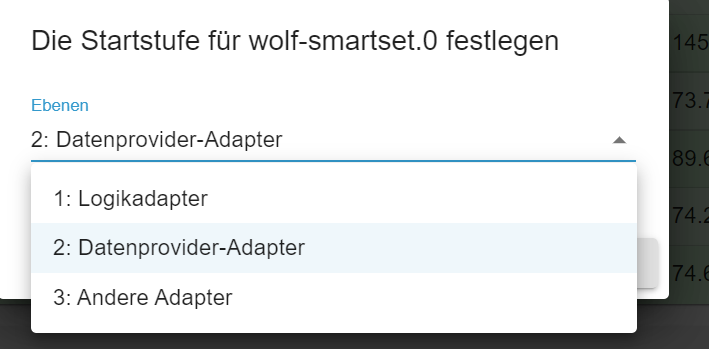
            ist das hier noch eine Stellschraube, an der ich drehen sollte?

            a2dc5234-140f-4f64-84c8-32d16a589c4f-image.png

            PV-Anlage:
            13,5 kWp, WR: Sungrow SH10RT, Speicher: Sungrow SBR128, Heizstab: MyPV AC ELWA2
            Sonstige Geräte:
            ShellyPlusSmoke Rauchwarnmelder, Shelly Gas Warnmelder, IR-Leseköpfe für Stromzähler

            1 Antwort Letzte Antwort
            0
            • hruH Offline
              hruH Offline
              hru
              schrieb am zuletzt editiert von
              #10

              und hier noch die json-Konfigurationsdatei

              {
                "_id": "system.adapter.wolf-smartset.0",
                "common": {
                  "name": "wolf-smartset",
                  "version": "1.0.0",
                  "title": "Wolf SmartSet",
                  "authors": [
                    "MeisterTR <meistertr.smarthome@gmail.com>"
                  ],
                  "keywords": [
                    "wolf",
                    "heating",
                    "cloud"
                  ],
                  "licenseInformation": {
                    "license": "MIT",
                    "type": "free"
                  },
                  "platform": "Javascript/Node.js",
                  "icon": "wolf-smartset.png",
                  "enabled": false,
                  "extIcon": "https://raw.githubusercontent.com/iobroker-community-adapters/ioBroker.wolf-smartset/master/admin/wolf-smartset.png",
                  "readme": "https://github.com/iobroker-community-adapters/ioBroker.wolf-smartset/blob/master/README.md",
                  "loglevel": "debug",
                  "tier": 2,
                  "mode": "daemon",
                  "type": "climate-control",
                  "compact": true,
                  "connectionType": "cloud",
                  "dataSource": "poll",
                  "materialize": true,
                  "messagebox": true,
                  "plugins": {
                    "sentry": {
                      "dsn": "https://a9218dbd5539461fae687736e804c590@sentry.iobroker.net/129"
                    }
                  },
                  "dependencies": [
                    {
                      "js-controller": ">=3.1.0"
                    }
                  ],
                  "globalDependencies": [
                    {
                      "admin": ">=4.0.9"
                    }
                  ],
                  "installedFrom": "iobroker.wolf-smartset@1.0.0",
                  "installedVersion": "1.0.0",
                  "host": "pinas",
                  "license": "MIT",
                  "main": "main.js"
                },
                "native": {
                  "user": "<user>",
                  "password": "<password>",
                  "devices": null,
                  "Devicelist": ""
                }
              }
              

              DANKE vorab für Eure Hilfe.

              PV-Anlage:
              13,5 kWp, WR: Sungrow SH10RT, Speicher: Sungrow SBR128, Heizstab: MyPV AC ELWA2
              Sonstige Geräte:
              ShellyPlusSmoke Rauchwarnmelder, Shelly Gas Warnmelder, IR-Leseköpfe für Stromzähler

              1 Antwort Letzte Antwort
              0
              • O Offline
                O Offline
                oxident
                schrieb am zuletzt editiert von
                #11

                Habe gerade zufällig gesehen, dass jemand es auch achon geschafft hat, die ISMs lokal abzufragen:
                https://github.com/zivillian/ism7mqtt

                Klingt mega interessant und hat bei mir schon funktioniert.

                hruH W 2 Antworten Letzte Antwort
                0
                • O oxident

                  Habe gerade zufällig gesehen, dass jemand es auch achon geschafft hat, die ISMs lokal abzufragen:
                  https://github.com/zivillian/ism7mqtt

                  Klingt mega interessant und hat bei mir schon funktioniert.

                  hruH Offline
                  hruH Offline
                  hru
                  schrieb am zuletzt editiert von
                  #12

                  @oxident Danke für die Info.
                  Wenn die Heizung bei mir zu Hause stehen würde, dann wäre das auch mein Favorit.
                  Ist aber leider nicht der Fall.
                  D.h. ich muss über die Smartset-Cloud gehen.

                  Gruß Hartmut

                  PV-Anlage:
                  13,5 kWp, WR: Sungrow SH10RT, Speicher: Sungrow SBR128, Heizstab: MyPV AC ELWA2
                  Sonstige Geräte:
                  ShellyPlusSmoke Rauchwarnmelder, Shelly Gas Warnmelder, IR-Leseköpfe für Stromzähler

                  O 1 Antwort Letzte Antwort
                  1
                  • hruH hru

                    @oxident Danke für die Info.
                    Wenn die Heizung bei mir zu Hause stehen würde, dann wäre das auch mein Favorit.
                    Ist aber leider nicht der Fall.
                    D.h. ich muss über die Smartset-Cloud gehen.

                    Gruß Hartmut

                    O Offline
                    O Offline
                    oxident
                    schrieb am zuletzt editiert von
                    #13

                    @hru Gutes Argument :blush:

                    1 Antwort Letzte Antwort
                    0
                    • O oxident

                      Habe gerade zufällig gesehen, dass jemand es auch achon geschafft hat, die ISMs lokal abzufragen:
                      https://github.com/zivillian/ism7mqtt

                      Klingt mega interessant und hat bei mir schon funktioniert.

                      W Offline
                      W Offline
                      Wch
                      schrieb am zuletzt editiert von
                      #14

                      @oxident said in Wolf Smart Set:

                      Habe gerade zufällig gesehen, dass jemand es auch achon geschafft hat, die ISMs lokal abzufragen:
                      https://github.com/zivillian/ism7mqtt

                      Klingt mega interessant und hat bei mir schon funktioniert.

                      Moin,
                      kannst du kurz beschreiben, wie du es im IOBroker ans Laufen bekommen hast?
                      Steige da irgendwie nicht recht durch
                      Danke!
                      Grüeß
                      Tom

                      O 1 Antwort Letzte Antwort
                      0
                      • W Wch

                        @oxident said in Wolf Smart Set:

                        Habe gerade zufällig gesehen, dass jemand es auch achon geschafft hat, die ISMs lokal abzufragen:
                        https://github.com/zivillian/ism7mqtt

                        Klingt mega interessant und hat bei mir schon funktioniert.

                        Moin,
                        kannst du kurz beschreiben, wie du es im IOBroker ans Laufen bekommen hast?
                        Steige da irgendwie nicht recht durch
                        Danke!
                        Grüeß
                        Tom

                        O Offline
                        O Offline
                        oxident
                        schrieb am zuletzt editiert von
                        #15

                        @wch Hmm, eigentlich ganz normal mit dem MQTT-Adapter. Hast Du denn die ISM7-Software vom Github-Link schon getestet?

                        Dann einfach nur den iobroker als MQTT-Broker angeben.

                        W 1 Antwort Letzte Antwort
                        0
                        • O oxident

                          @wch Hmm, eigentlich ganz normal mit dem MQTT-Adapter. Hast Du denn die ISM7-Software vom Github-Link schon getestet?

                          Dann einfach nur den iobroker als MQTT-Broker angeben.

                          W Offline
                          W Offline
                          Wch
                          schrieb am zuletzt editiert von
                          #16

                          @oxident thx, ich check das mal. :+1:

                          M 1 Antwort Letzte Antwort
                          0
                          • W Wch

                            @oxident thx, ich check das mal. :+1:

                            M Offline
                            M Offline
                            manrum1
                            schrieb am zuletzt editiert von
                            #17

                            @wch Gibts es jemand, der ismmqtt zusammen mit iobroker am Laufen hat. Ich schaffe es nicht, MQTT ans Laufen zubringen, folgendes ist mein Aufruf:

                            
                            pi@iob1:/opt/ism7mqtt $ ./ism7mqtt -i ism7  -p PASSWORT -m iob1 --mqttuser=mqtt --mqttpass=mqttPASSWORT --mqttport:1886  --parameter=/opt/ism7mqtt/parameter.json
                            #System.Net.Sockets.SocketException (0xFFFDFFFF): Name or service not known
                               at System.Net.Sockets.Socket.AwaitableSocketAsyncEventArgs.ThrowException(SocketError, CancellationToken)
                               at System.Net.Sockets.Socket.AwaitableSocketAsyncEventArgs.System.Threading.Tasks.Sources.IValueTaskSource.GetResult(Int16)
                               at System.Net.Sockets.Socket.<ConnectAsync>g__WaitForConnectWithCancellation|285_0(AwaitableSocketAsyncEventArgs, ValueTask, CancellationToken)
                               at System.Net.Sockets.TcpClient.CompleteConnectAsync(ValueTask)
                               at ism7mqtt.Ism7Client.ConnectAsync(CancellationToken cancellationToken) in /home/runner/work/ism7mqtt/ism7mqtt/src/ism7mqtt/ISM7/Ism7Client.cs:line 63
                               at ism7mqtt.Ism7Client.RunAsync(String password, CancellationToken cancellationToken) in /home/runner/work/ism7mqtt/ism7mqtt/src/ism7mqtt/ISM7/Ism7Client.cs:line 50
                               at ism7mqtt.Program.Main(String[] args) in /home/runner/work/ism7mqtt/ism7mqtt/src/ism7mqtt/Program.cs:line 144
                            Unhandled exception. System.Net.Sockets.SocketException (0xFFFDFFFF): Name or service not known
                               at System.Net.Sockets.Socket.AwaitableSocketAsyncEventArgs.ThrowException(SocketError, CancellationToken)
                               at System.Net.Sockets.Socket.AwaitableSocketAsyncEventArgs.System.Threading.Tasks.Sources.IValueTaskSource.GetResult(Int16)
                               at System.Net.Sockets.Socket.<ConnectAsync>g__WaitForConnectWithCancellation|285_0(AwaitableSocketAsyncEventArgs, ValueTask, CancellationToken)
                               at System.Net.Sockets.TcpClient.CompleteConnectAsync(ValueTask)
                               at ism7mqtt.Ism7Client.ConnectAsync(CancellationToken cancellationToken) in /home/runner/work/ism7mqtt/ism7mqtt/src/ism7mqtt/ISM7/Ism7Client.cs:line 63
                               at ism7mqtt.Ism7Client.RunAsync(String password, CancellationToken cancellationToken) in /home/runner/work/ism7mqtt/ism7mqtt/src/ism7mqtt/ISM7/Ism7Client.cs:line 50
                               at ism7mqtt.Program.Main(String[] args) in /home/runner/work/ism7mqtt/ism7mqtt/src/ism7mqtt/Program.cs:line 144
                            

                            code_text

                            Abgebrochen
                            

                            Das Log am iobroker schaut so aus:

                            mqtt.0
                            	2025-05-19 17:51:40.266	info	Client [Wolf_ism7 ] connection closed: closed
                            mqtt.0
                            	2025-05-19 17:51:36.689	info	Client [Wolf_ism7 ] publishOnSubscribe send all known states
                            mqtt.0
                            	2025-05-19 17:51:36.629	info	Client [Wolf_ism7 ] publishOnSubscribe send all known states
                            mqtt.0
                            	2025-05-19 17:51:36.489	info	Client [Wolf_ism7 ] subscribes on "Wolf/ism7 /+/set/#" with regex /^mqtt\.0\.Wolf\.ism7_\.[^.]*\.set\..*/
                            mqtt.0
                            	2025-05-19 17:51:36.488	info	Client [Wolf_ism7 ] subscribes on "Wolf/ism7 /+/set/#" with regex /^Wolf\.ism7_\.[^.]*\.set\..*/
                            mqtt.0
                            	2025-05-19 17:51:36.429	info	Client [Wolf_ism7 ] subscribes on "Wolf/ism7 /+/set" with regex /mqtt\.0\.Wolf\.ism7_\.[^.]*\.set/
                            mqtt.0
                            	2025-05-19 17:51:36.428	info	Client [Wolf_ism7 ] subscribes on "Wolf/ism7 /+/set" with regex /Wolf\.ism7_\.[^.]*\.set/
                            mqtt.0
                            	2025-05-19 17:51:36.258	info	Client [Wolf_ism7 ] connected with secret 1747669896030_308
                            
                            Marc BergM 1 Antwort Letzte Antwort
                            0
                            • M manrum1

                              @wch Gibts es jemand, der ismmqtt zusammen mit iobroker am Laufen hat. Ich schaffe es nicht, MQTT ans Laufen zubringen, folgendes ist mein Aufruf:

                              
                              pi@iob1:/opt/ism7mqtt $ ./ism7mqtt -i ism7  -p PASSWORT -m iob1 --mqttuser=mqtt --mqttpass=mqttPASSWORT --mqttport:1886  --parameter=/opt/ism7mqtt/parameter.json
                              #System.Net.Sockets.SocketException (0xFFFDFFFF): Name or service not known
                                 at System.Net.Sockets.Socket.AwaitableSocketAsyncEventArgs.ThrowException(SocketError, CancellationToken)
                                 at System.Net.Sockets.Socket.AwaitableSocketAsyncEventArgs.System.Threading.Tasks.Sources.IValueTaskSource.GetResult(Int16)
                                 at System.Net.Sockets.Socket.<ConnectAsync>g__WaitForConnectWithCancellation|285_0(AwaitableSocketAsyncEventArgs, ValueTask, CancellationToken)
                                 at System.Net.Sockets.TcpClient.CompleteConnectAsync(ValueTask)
                                 at ism7mqtt.Ism7Client.ConnectAsync(CancellationToken cancellationToken) in /home/runner/work/ism7mqtt/ism7mqtt/src/ism7mqtt/ISM7/Ism7Client.cs:line 63
                                 at ism7mqtt.Ism7Client.RunAsync(String password, CancellationToken cancellationToken) in /home/runner/work/ism7mqtt/ism7mqtt/src/ism7mqtt/ISM7/Ism7Client.cs:line 50
                                 at ism7mqtt.Program.Main(String[] args) in /home/runner/work/ism7mqtt/ism7mqtt/src/ism7mqtt/Program.cs:line 144
                              Unhandled exception. System.Net.Sockets.SocketException (0xFFFDFFFF): Name or service not known
                                 at System.Net.Sockets.Socket.AwaitableSocketAsyncEventArgs.ThrowException(SocketError, CancellationToken)
                                 at System.Net.Sockets.Socket.AwaitableSocketAsyncEventArgs.System.Threading.Tasks.Sources.IValueTaskSource.GetResult(Int16)
                                 at System.Net.Sockets.Socket.<ConnectAsync>g__WaitForConnectWithCancellation|285_0(AwaitableSocketAsyncEventArgs, ValueTask, CancellationToken)
                                 at System.Net.Sockets.TcpClient.CompleteConnectAsync(ValueTask)
                                 at ism7mqtt.Ism7Client.ConnectAsync(CancellationToken cancellationToken) in /home/runner/work/ism7mqtt/ism7mqtt/src/ism7mqtt/ISM7/Ism7Client.cs:line 63
                                 at ism7mqtt.Ism7Client.RunAsync(String password, CancellationToken cancellationToken) in /home/runner/work/ism7mqtt/ism7mqtt/src/ism7mqtt/ISM7/Ism7Client.cs:line 50
                                 at ism7mqtt.Program.Main(String[] args) in /home/runner/work/ism7mqtt/ism7mqtt/src/ism7mqtt/Program.cs:line 144
                              

                              code_text

                              Abgebrochen
                              

                              Das Log am iobroker schaut so aus:

                              mqtt.0
                              	2025-05-19 17:51:40.266	info	Client [Wolf_ism7 ] connection closed: closed
                              mqtt.0
                              	2025-05-19 17:51:36.689	info	Client [Wolf_ism7 ] publishOnSubscribe send all known states
                              mqtt.0
                              	2025-05-19 17:51:36.629	info	Client [Wolf_ism7 ] publishOnSubscribe send all known states
                              mqtt.0
                              	2025-05-19 17:51:36.489	info	Client [Wolf_ism7 ] subscribes on "Wolf/ism7 /+/set/#" with regex /^mqtt\.0\.Wolf\.ism7_\.[^.]*\.set\..*/
                              mqtt.0
                              	2025-05-19 17:51:36.488	info	Client [Wolf_ism7 ] subscribes on "Wolf/ism7 /+/set/#" with regex /^Wolf\.ism7_\.[^.]*\.set\..*/
                              mqtt.0
                              	2025-05-19 17:51:36.429	info	Client [Wolf_ism7 ] subscribes on "Wolf/ism7 /+/set" with regex /mqtt\.0\.Wolf\.ism7_\.[^.]*\.set/
                              mqtt.0
                              	2025-05-19 17:51:36.428	info	Client [Wolf_ism7 ] subscribes on "Wolf/ism7 /+/set" with regex /Wolf\.ism7_\.[^.]*\.set/
                              mqtt.0
                              	2025-05-19 17:51:36.258	info	Client [Wolf_ism7 ] connected with secret 1747669896030_308
                              
                              Marc BergM Offline
                              Marc BergM Offline
                              Marc Berg
                              Most Active
                              schrieb am zuletzt editiert von Marc Berg
                              #18

                              @manrum1 sagte in Wolf Smart Set:

                              ./ism7mqtt -i ism7  -p PASSWORT -m iob1 --mqttuser=mqtt --mqttpass=mqttPASSWORT --mqttport:1886 --parameter=/opt/ism7mqtt/parameter.json

                              • es müsste "--mqttport=1886" heißen

                              • stelle sicher, dass "ism7" und "iob1" DNS-seitig auflösbar sind (z.B. mit ping ism7), oder nutze die IP-Adresse

                              NUC10I3+Ubuntu+Docker+ioBroker+influxDB2+Node Red+RabbitMQ+Grafana

                              Pi-hole, Traefik, Checkmk, Conbee II+Zigbee2MQTT, ESPSomfy-RTS, LoRaWAN, Arduino, KiCad

                              Benutzt das Voting im Beitrag, wenn er euch geholfen hat.

                              M 1 Antwort Letzte Antwort
                              0
                              • Marc BergM Marc Berg

                                @manrum1 sagte in Wolf Smart Set:

                                ./ism7mqtt -i ism7  -p PASSWORT -m iob1 --mqttuser=mqtt --mqttpass=mqttPASSWORT --mqttport:1886 --parameter=/opt/ism7mqtt/parameter.json

                                • es müsste "--mqttport=1886" heißen

                                • stelle sicher, dass "ism7" und "iob1" DNS-seitig auflösbar sind (z.B. mit ping ism7), oder nutze die IP-Adresse

                                M Offline
                                M Offline
                                manrum1
                                schrieb am zuletzt editiert von manrum1
                                #19

                                @marc-berg Danke für die Antwort, hatte ich schon bemerkt und korrigiert:

                                pi@iob1:/opt/ism7mqtt $ ./ism7mqtt -i ism7  -p PASSWORT -m localhost --mqttuser=mqtt --mqttpass=PASSWORT --mqttport=1886
                                System.Net.Sockets.SocketException (0xFFFDFFFF): Name or service not known
                                   at System.Net.Sockets.Socket.AwaitableSocketAsyncEventArgs.ThrowException(SocketError, CancellationToken)
                                   at System.Net.Sockets.Socket.AwaitableSocketAsyncEventArgs.System.Threading.Tasks.Sources.IValueTaskSource.GetResult(Int16)
                                   at System.Net.Sockets.Socket.<ConnectAsync>g__WaitForConnectWithCancellation|285_0(AwaitableSocketAsyncEventArgs, ValueTask, CancellationToken)
                                   at System.Net.Sockets.TcpClient.CompleteConnectAsync(ValueTask)
                                   at ism7mqtt.Ism7Client.ConnectAsync(CancellationToken cancellationToken) in /home/runner/work/ism7mqtt/ism7mqtt/src/ism7mqtt/ISM7/Ism7Client.cs:line 63
                                   at ism7mqtt.Ism7Client.RunAsync(String password, CancellationToken cancellationToken) in /home/runner/work/ism7mqtt/ism7mqtt/src/ism7mqtt/ISM7/Ism7Client.cs:line 50
                                   at ism7mqtt.Program.Main(String[] args) in /home/runner/work/ism7mqtt/ism7mqtt/src/ism7mqtt/Program.cs:line 144
                                Unhandled exception. System.Net.Sockets.SocketException (0xFFFDFFFF): Name or service not known
                                   at System.Net.Sockets.Socket.AwaitableSocketAsyncEventArgs.ThrowException(SocketError, CancellationToken)
                                   at System.Net.Sockets.Socket.AwaitableSocketAsyncEventArgs.System.Threading.Tasks.Sources.IValueTaskSource.GetResult(Int16)
                                   at System.Net.Sockets.Socket.<ConnectAsync>g__WaitForConnectWithCancellation|285_0(AwaitableSocketAsyncEventArgs, ValueTask, CancellationToken)
                                   at System.Net.Sockets.TcpClient.CompleteConnectAsync(ValueTask)
                                   at ism7mqtt.Ism7Client.ConnectAsync(CancellationToken cancellationToken) in /home/runner/work/ism7mqtt/ism7mqtt/src/ism7mqtt/ISM7/Ism7Client.cs:line 63
                                   at ism7mqtt.Ism7Client.RunAsync(String password, CancellationToken cancellationToken) in /home/runner/work/ism7mqtt/ism7mqtt/src/ism7mqtt/ISM7/Ism7Client.cs:line 50
                                   at ism7mqtt.Program.Main(String[] args) in /home/runner/work/ism7mqtt/ism7mqtt/src/ism7mqtt/Program.cs:line 144
                                   at ism7mqtt.Program.<Main>(String[] args)
                                Abgebrochen
                                

                                Er authentifiziert sich auch, so schaut das Log am iobroker aus

                                mqtt.0
                                	2025-05-20 10:25:30.634	info	Client [Wolf_ism7 ] connection closed: closed
                                mqtt.0
                                	2025-05-20 10:25:26.768	info	Client [Wolf_ism7 ] publishOnSubscribe send all known states
                                mqtt.0
                                	2025-05-20 10:25:26.716	info	Client [Wolf_ism7 ] publishOnSubscribe send all known states
                                mqtt.0
                                	2025-05-20 10:25:26.567	info	Client [Wolf_ism7 ] subscribes on "Wolf/ism7 /+/set/#" with regex /^mqtt\.0\.Wolf\.ism7_\.[^.]*\.set\..*/
                                mqtt.0
                                	2025-05-20 10:25:26.567	info	Client [Wolf_ism7 ] subscribes on "Wolf/ism7 /+/set/#" with regex /^Wolf\.ism7_\.[^.]*\.set\..*/
                                mqtt.0
                                	2025-05-20 10:25:26.515	info	Client [Wolf_ism7 ] subscribes on "Wolf/ism7 /+/set" with regex /mqtt\.0\.Wolf\.ism7_\.[^.]*\.set/
                                mqtt.0
                                	2025-05-20 10:25:26.514	info	Client [Wolf_ism7 ] subscribes on "Wolf/ism7 /+/set" with regex /Wolf\.ism7_\.[^.]*\.set/
                                mqtt.0
                                	2025-05-20 10:25:26.334	info	Client [Wolf_ism7 ] connected with secret 1747729526126_8073
                                

                                Das ist alles was ich unter Objects sehe

                                wolf3.jpg
                                Dann weiß ich nicht was ich noch faslch mache :disappointed:

                                Marc BergM 1 Antwort Letzte Antwort
                                0
                                • M manrum1

                                  @marc-berg Danke für die Antwort, hatte ich schon bemerkt und korrigiert:

                                  pi@iob1:/opt/ism7mqtt $ ./ism7mqtt -i ism7  -p PASSWORT -m localhost --mqttuser=mqtt --mqttpass=PASSWORT --mqttport=1886
                                  System.Net.Sockets.SocketException (0xFFFDFFFF): Name or service not known
                                     at System.Net.Sockets.Socket.AwaitableSocketAsyncEventArgs.ThrowException(SocketError, CancellationToken)
                                     at System.Net.Sockets.Socket.AwaitableSocketAsyncEventArgs.System.Threading.Tasks.Sources.IValueTaskSource.GetResult(Int16)
                                     at System.Net.Sockets.Socket.<ConnectAsync>g__WaitForConnectWithCancellation|285_0(AwaitableSocketAsyncEventArgs, ValueTask, CancellationToken)
                                     at System.Net.Sockets.TcpClient.CompleteConnectAsync(ValueTask)
                                     at ism7mqtt.Ism7Client.ConnectAsync(CancellationToken cancellationToken) in /home/runner/work/ism7mqtt/ism7mqtt/src/ism7mqtt/ISM7/Ism7Client.cs:line 63
                                     at ism7mqtt.Ism7Client.RunAsync(String password, CancellationToken cancellationToken) in /home/runner/work/ism7mqtt/ism7mqtt/src/ism7mqtt/ISM7/Ism7Client.cs:line 50
                                     at ism7mqtt.Program.Main(String[] args) in /home/runner/work/ism7mqtt/ism7mqtt/src/ism7mqtt/Program.cs:line 144
                                  Unhandled exception. System.Net.Sockets.SocketException (0xFFFDFFFF): Name or service not known
                                     at System.Net.Sockets.Socket.AwaitableSocketAsyncEventArgs.ThrowException(SocketError, CancellationToken)
                                     at System.Net.Sockets.Socket.AwaitableSocketAsyncEventArgs.System.Threading.Tasks.Sources.IValueTaskSource.GetResult(Int16)
                                     at System.Net.Sockets.Socket.<ConnectAsync>g__WaitForConnectWithCancellation|285_0(AwaitableSocketAsyncEventArgs, ValueTask, CancellationToken)
                                     at System.Net.Sockets.TcpClient.CompleteConnectAsync(ValueTask)
                                     at ism7mqtt.Ism7Client.ConnectAsync(CancellationToken cancellationToken) in /home/runner/work/ism7mqtt/ism7mqtt/src/ism7mqtt/ISM7/Ism7Client.cs:line 63
                                     at ism7mqtt.Ism7Client.RunAsync(String password, CancellationToken cancellationToken) in /home/runner/work/ism7mqtt/ism7mqtt/src/ism7mqtt/ISM7/Ism7Client.cs:line 50
                                     at ism7mqtt.Program.Main(String[] args) in /home/runner/work/ism7mqtt/ism7mqtt/src/ism7mqtt/Program.cs:line 144
                                     at ism7mqtt.Program.<Main>(String[] args)
                                  Abgebrochen
                                  

                                  Er authentifiziert sich auch, so schaut das Log am iobroker aus

                                  mqtt.0
                                  	2025-05-20 10:25:30.634	info	Client [Wolf_ism7 ] connection closed: closed
                                  mqtt.0
                                  	2025-05-20 10:25:26.768	info	Client [Wolf_ism7 ] publishOnSubscribe send all known states
                                  mqtt.0
                                  	2025-05-20 10:25:26.716	info	Client [Wolf_ism7 ] publishOnSubscribe send all known states
                                  mqtt.0
                                  	2025-05-20 10:25:26.567	info	Client [Wolf_ism7 ] subscribes on "Wolf/ism7 /+/set/#" with regex /^mqtt\.0\.Wolf\.ism7_\.[^.]*\.set\..*/
                                  mqtt.0
                                  	2025-05-20 10:25:26.567	info	Client [Wolf_ism7 ] subscribes on "Wolf/ism7 /+/set/#" with regex /^Wolf\.ism7_\.[^.]*\.set\..*/
                                  mqtt.0
                                  	2025-05-20 10:25:26.515	info	Client [Wolf_ism7 ] subscribes on "Wolf/ism7 /+/set" with regex /mqtt\.0\.Wolf\.ism7_\.[^.]*\.set/
                                  mqtt.0
                                  	2025-05-20 10:25:26.514	info	Client [Wolf_ism7 ] subscribes on "Wolf/ism7 /+/set" with regex /Wolf\.ism7_\.[^.]*\.set/
                                  mqtt.0
                                  	2025-05-20 10:25:26.334	info	Client [Wolf_ism7 ] connected with secret 1747729526126_8073
                                  

                                  Das ist alles was ich unter Objects sehe
                                  wolf3.jpg
                                  Dann weiß ich nicht was ich noch faslch mache :disappointed:

                                  Marc BergM Offline
                                  Marc BergM Offline
                                  Marc Berg
                                  Most Active
                                  schrieb am zuletzt editiert von
                                  #20

                                  @manrum1 sagte in Wolf Smart Set:

                                  Dann weiß ich nicht was ich noch faslch mache

                                  Hast du das geprüft?

                                  stelle sicher, dass "ism7" und "iob1" DNS-seitig auflösbar sind (z.B. mit ping ism7), oder nutze die IP-Adresse

                                  NUC10I3+Ubuntu+Docker+ioBroker+influxDB2+Node Red+RabbitMQ+Grafana

                                  Pi-hole, Traefik, Checkmk, Conbee II+Zigbee2MQTT, ESPSomfy-RTS, LoRaWAN, Arduino, KiCad

                                  Benutzt das Voting im Beitrag, wenn er euch geholfen hat.

                                  M 1 Antwort Letzte Antwort
                                  0
                                  • Marc BergM Marc Berg

                                    @manrum1 sagte in Wolf Smart Set:

                                    Dann weiß ich nicht was ich noch faslch mache

                                    Hast du das geprüft?

                                    stelle sicher, dass "ism7" und "iob1" DNS-seitig auflösbar sind (z.B. mit ping ism7), oder nutze die IP-Adresse

                                    M Offline
                                    M Offline
                                    manrum1
                                    schrieb am zuletzt editiert von
                                    #21

                                    @marc-berg Ja habe ich, bekomme ja auch eine Verbindung. Gleicher Aufruf mit IP-Adressen führt zum gleichen Ergebnis.

                                    Marc BergM 1 Antwort Letzte Antwort
                                    0
                                    • M manrum1

                                      @marc-berg Ja habe ich, bekomme ja auch eine Verbindung. Gleicher Aufruf mit IP-Adressen führt zum gleichen Ergebnis.

                                      Marc BergM Offline
                                      Marc BergM Offline
                                      Marc Berg
                                      Most Active
                                      schrieb am zuletzt editiert von
                                      #22

                                      @manrum1

                                      Wenn ism7mqtt bereits als service läuft, bekommst du über die Kommandozeile keine zweite Verbindung hin. Was sagt:

                                      sudo systemctl status ism7mqtt.service
                                      

                                      ?

                                      Ist die parameter.json korrekt gepflegt?

                                      NUC10I3+Ubuntu+Docker+ioBroker+influxDB2+Node Red+RabbitMQ+Grafana

                                      Pi-hole, Traefik, Checkmk, Conbee II+Zigbee2MQTT, ESPSomfy-RTS, LoRaWAN, Arduino, KiCad

                                      Benutzt das Voting im Beitrag, wenn er euch geholfen hat.

                                      M 1 Antwort Letzte Antwort
                                      0
                                      • Marc BergM Marc Berg

                                        @manrum1

                                        Wenn ism7mqtt bereits als service läuft, bekommst du über die Kommandozeile keine zweite Verbindung hin. Was sagt:

                                        sudo systemctl status ism7mqtt.service
                                        

                                        ?

                                        Ist die parameter.json korrekt gepflegt?

                                        M Offline
                                        M Offline
                                        manrum1
                                        schrieb am zuletzt editiert von manrum1
                                        #23

                                        @marc-berg said in Wolf Smart Set:

                                        sudo systemctl status ism7mqtt.service

                                        Ich habe noch keinen Service eingerichtet. Das Parameter-File konnte ich mit ism7config ohne Probleme erzeugen. Ich hängs mal an:
                                        parameter.json

                                        Eine Instanz im iobroker läuft, die liest die Daten vom WOlf Portatl (smartset). Stört das vielleicht?
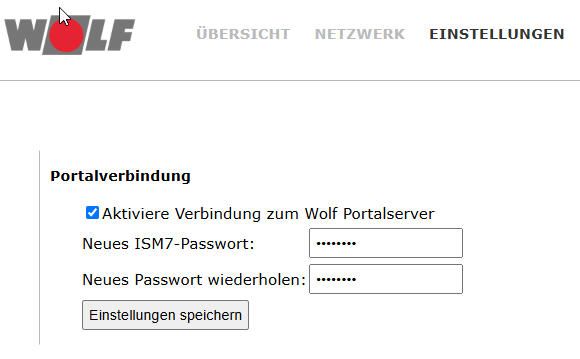
                                        wolf4.jpg

                                        U 1 Antwort Letzte Antwort
                                        0
                                        • M manrum1

                                          @marc-berg said in Wolf Smart Set:

                                          sudo systemctl status ism7mqtt.service

                                          Ich habe noch keinen Service eingerichtet. Das Parameter-File konnte ich mit ism7config ohne Probleme erzeugen. Ich hängs mal an:
                                          parameter.json

                                          Eine Instanz im iobroker läuft, die liest die Daten vom WOlf Portatl (smartset). Stört das vielleicht?

                                          wolf4.jpg

                                          U Offline
                                          U Offline
                                          UlliJ
                                          schrieb am zuletzt editiert von
                                          #24

                                          @manrum1
                                          Zeitgleich Portal und ism7mqtt funktioniert nicht. Entweder oder…

                                          Proxmox auf iNuc, VM's IOB, Raspberrymatic, lxc für InfluxDB2, Grafana, u.a. *** Homematic & Homematic IP, Shellies etc

                                          M 1 Antwort Letzte Antwort
                                          0
                                          Antworten
                                          • In einem neuen Thema antworten
                                          Anmelden zum Antworten
                                          • Älteste zuerst
                                          • Neuste zuerst
                                          • Meiste Stimmen


                                          Support us

                                          ioBroker
                                          Community Adapters
                                          Donate
                                          FAQ Cloud / IOT
                                          HowTo: Node.js-Update
                                          HowTo: Backup/Restore
                                          Downloads
                                          BLOG

                                          393

                                          Online

                                          32.4k

                                          Benutzer

                                          81.5k

                                          Themen

                                          1.3m

                                          Beiträge
                                          Community
                                          Impressum | Datenschutz-Bestimmungen | Nutzungsbedingungen | Einwilligungseinstellungen
                                          ioBroker Community 2014-2025
                                          logo
                                          • Anmelden

                                          • Du hast noch kein Konto? Registrieren

                                          • Anmelden oder registrieren, um zu suchen
                                          • Erster Beitrag
                                            Letzter Beitrag
                                          0
                                          • Home
                                          • Aktuell
                                          • Tags
                                          • Ungelesen 0
                                          • Kategorien
                                          • Unreplied
                                          • Beliebt
                                          • GitHub
                                          • Docu
                                          • Hilfe