




Adapter aktualisieren
-
@lamo1966 sagte in Adapter aktualisieren:
Punkt 1:
*** Display-Server-Setup ***
Display-Server: true
Desktop: LXDE-pi
Auf einem Server wird kein Desktop betrieben.
Also ausschalten.sudo systemctl set-default multihost.targetDann wie schon geschrieben das Grafana-Repo aktualisieren. Siehe oben.
Danach die vollständige Ausgabe voniob diagnochmal.@thomas-braun said in Adapter aktualisieren:
Also ausschalten.
da kam eine Fehlermeldung

hab dann aber weiter gemacht
======== Start marking the full check here =========Skript v.2024-05-22 *** BASE SYSTEM *** Static hostname: Raspberry Icon name: computer Operating System: Debian GNU/Linux 11 (bullseye) Kernel: Linux 6.1.21-v8+ Architecture: arm64 Model : Raspberry Pi 4 Model B Rev 1.5 Docker : false Virtualization : none Kernel : aarch64 Userland : 64 bit Systemuptime and Load: 14:04:30 up 12 days, 21:56, 2 users, load average: 0.99, 0.94, 0.55 CPU threads: 4 *** RASPBERRY THROTTLING *** Current issues: No throttling issues detected. Previously detected issues: No throttling issues detected. *** Time and Time Zones *** Local time: Sat 2024-06-22 14:04:30 CEST Universal time: Sat 2024-06-22 12:04:30 UTC RTC time: n/a Time zone: Europe/Berlin (CEST, +0200) System clock synchronized: yes NTP service: active RTC in local TZ: no *** Users and Groups *** User that called 'iob diag': al XDG_CONFIG_HOME=/home/al/.config HOME=/home/al GROUPS=al adm dialout cdrom sudo audio video plugdev games users input render netdev lpadmin gpio i2c spi iobroker User that is running 'js-controller': iobroker HOME=/home/iobroker GROUPS=iobroker tty dialout audio video bluetooth gpio i2c *** Display-Server-Setup *** Display-Server: true Desktop: LXDE-pi Terminal: x11 Boot Target: graphical.target *** MEMORY *** total used free shared buff/cache available Mem: 3.8G 2.5G 338M 96M 958M 1.2G Swap: 99M 1.0M 98M Total: 3.9G 2.5G 436M Active iob-Instances: 16 3794 M total memory 2497 M used memory 876 M active memory 2315 M inactive memory 338 M free memory 41 M buffer memory 916 M swap cache 99 M total swap 1 M used swap 98 M free swap *** top - Table Of Processes *** top - 14:04:31 up 12 days, 21:56, 2 users, load average: 0.99, 0.94, 0.55 Tasks: 212 total, 2 running, 210 sleeping, 0 stopped, 0 zombie %Cpu(s): 31.5 us, 5.5 sy, 0.0 ni, 61.6 id, 0.0 wa, 0.0 hi, 1.4 si, 0.0 st MiB Mem : 3794.3 total, 337.4 free, 2498.0 used, 958.9 buff/cache MiB Swap: 100.0 total, 98.2 free, 1.8 used. 1202.2 avail Mem *** FAILED SERVICES *** UNIT LOAD ACTIVE SUB DESCRIPTION 0 loaded units listed. *** FILESYSTEM *** Filesystem Type Size Used Avail Use% Mounted on /dev/root ext4 29G 11G 18G 37% / devtmpfs devtmpfs 1.7G 0 1.7G 0% /dev tmpfs tmpfs 1.9G 0 1.9G 0% /dev/shm tmpfs tmpfs 759M 1.3M 758M 1% /run tmpfs tmpfs 5.0M 4.0K 5.0M 1% /run/lock /dev/mmcblk0p1 vfat 255M 31M 225M 13% /boot tmpfs tmpfs 380M 20K 380M 1% /run/user/1000 Messages concerning ext4 filesystem in dmesg: [Sun Jun 9 16:07:56 2024] Kernel command line: coherent_pool=1M 8250.nr_uarts=0 snd_bcm2835.enable_headphones=0 snd_bcm2835.enable_headphones=1 snd_bcm2835.enable_hdmi=1 snd_bcm2835.enable_hdmi=0 video=HDMI-A-1:1920x1080M@60 smsc95xx.macaddr=E4:5F:01:FD:FE:39 vc_mem.mem_base=0x3ec00000 vc_mem.mem_size=0x40000000 console=ttyS0,115200 console=tty1 root=PARTUUID=9be8b122-02 rootfstype=ext4 fsck.repair=yes rootwait quiet splash plymouth.ignore-serial-consoles [Sun Jun 9 16:07:57 2024] EXT4-fs (mmcblk0p2): mounted filesystem with ordered data mode. Quota mode: none. [Sun Jun 9 16:07:57 2024] VFS: Mounted root (ext4 filesystem) readonly on device 179:2. [Sun Jun 9 16:08:00 2024] EXT4-fs (mmcblk0p2): re-mounted. Quota mode: none. Show mounted filesystems: TARGET SOURCE FSTYPE OPTIONS / /dev/mmcblk0p2 ext4 rw,noatime |-/dev devtmpfs devtmpfs rw,relatime,size=1678472k,nr_inodes=419618,mode=755 | |-/dev/shm tmpfs tmpfs rw,nosuid,nodev | |-/dev/pts devpts devpts rw,nosuid,noexec,relatime,gid=5,mode=620,ptmxmode=000 | `-/dev/mqueue mqueue mqueue rw,nosuid,nodev,noexec,relatime |-/proc proc proc rw,relatime | `-/proc/sys/fs/binfmt_misc systemd-1 autofs rw,relatime,fd=29,pgrp=1,timeout=0,minproto=5,maxproto=5,direct |-/sys sysfs sysfs rw,nosuid,nodev,noexec,relatime | |-/sys/kernel/security securityfs securityfs rw,nosuid,nodev,noexec,relatime | |-/sys/fs/cgroup cgroup2 cgroup2 rw,nosuid,nodev,noexec,relatime,nsdelegate,memory_recursiveprot | |-/sys/fs/pstore pstore pstore rw,nosuid,nodev,noexec,relatime | |-/sys/fs/bpf bpf bpf rw,nosuid,nodev,noexec,relatime,mode=700 | |-/sys/kernel/debug debugfs debugfs rw,nosuid,nodev,noexec,relatime | |-/sys/kernel/tracing tracefs tracefs rw,nosuid,nodev,noexec,relatime | |-/sys/fs/fuse/connections fusectl fusectl rw,nosuid,nodev,noexec,relatime | `-/sys/kernel/config configfs configfs rw,nosuid,nodev,noexec,relatime |-/run tmpfs tmpfs rw,nosuid,nodev,size=777080k,nr_inodes=819200,mode=755 | |-/run/lock tmpfs tmpfs rw,nosuid,nodev,noexec,relatime,size=5120k | |-/run/rpc_pipefs sunrpc rpc_pipefs rw,relatime | `-/run/user/1000 tmpfs tmpfs rw,nosuid,nodev,relatime,size=388536k,nr_inodes=97134,mode=700,uid=1000,gid=1000 | `-/run/user/1000/gvfs gvfsd-fuse fuse.gvfsd-fuse rw,nosuid,nodev,relatime,user_id=1000,group_id=1000 `-/boot /dev/mmcblk0p1 vfat rw,relatime,fmask=0022,dmask=0022,codepage=437,iocharset=ascii,shortname=mixed,errors=remount-ro Files in neuralgic directories: /var: 3.5G /var/ 2.9G /var/log/journal/20caf098a3be48108459316835c16c60 2.9G /var/log/journal 2.9G /var/log 305M /var/cache Archived and active journals take up 2.8G in the file system. /opt/iobroker/backups: 70M /opt/iobroker/backups/ /opt/iobroker/iobroker-data: 566M /opt/iobroker/iobroker-data/ 321M /opt/iobroker/iobroker-data/files 136M /opt/iobroker/iobroker-data/history 89M /opt/iobroker/iobroker-data/files/echarts.admin 80M /opt/iobroker/iobroker-data/backup-objects The five largest files in iobroker-data are: 24M /opt/iobroker/iobroker-data/files/web.admin/static/js/main.135279a0.js.map 24M /opt/iobroker/iobroker-data/files/echarts/static/js/main.2b7495c2.js.map 24M /opt/iobroker/iobroker-data/files/echarts.admin/chart/static/js/main.2b7495c2.js.map 23M /opt/iobroker/iobroker-data/objects.jsonl 23M /opt/iobroker/iobroker-data/files/echarts.admin/static/js/main.245b61c0.js.map USB-Devices by-id: USB-Sticks - Avoid direct links to /dev/tty* in your adapter setups, please always prefer the links 'by-id': No Devices found 'by-id' *** NodeJS-Installation *** /usr/bin/nodejs v18.16.0 /usr/bin/node v18.16.0 /usr/bin/npm 9.5.1 /usr/bin/npx 9.5.1 /usr/bin/corepack 0.17.0 E: can not open /var/lib/apt/lists/deb.nodesource.com_node%5f18.x_dists_bullseye_InRelease - fopen (13: Permission denied) E: The package lists or status file could not be parsed or opened. Temp directories causing npm8 problem: 0 No problems detected Errors in npm tree: *** ioBroker-Installation *** ioBroker Status iobroker is running on this host. Objects type: jsonl States type: jsonl Core adapters versions js-controller: 4.0.24 admin: 6.13.16 javascript: 6.1.4 nodejs modules from github: 0 Adapter State + system.adapter.admin.0 : admin : Raspberry - enabled, port: 8081, bind: 0.0.0.0, run as: admin system.adapter.alias-manager.0 : alias-manager : Raspberry - enabled + system.adapter.backitup.0 : backitup : Raspberry - enabled + system.adapter.discovery.0 : discovery : Raspberry - enabled + system.adapter.echarts.0 : echarts : Raspberry - enabled + system.adapter.energiefluss-erweitert.0 : energiefluss-erweitert: Raspberry - enabled + system.adapter.energiefluss.0 : energiefluss : Raspberry - enabled + system.adapter.history.0 : history : Raspberry - enabled system.adapter.influxdb.0 : influxdb : Raspberry - disabled, port: 8086 + system.adapter.iqontrol.0 : iqontrol : Raspberry - enabled + system.adapter.javascript.0 : javascript : Raspberry - enabled + system.adapter.modbus.0 : modbus : Raspberry - enabled system.adapter.panasonic-comfort-cloud.0: panasonic-comfort-cloud: Raspberry - disabled + system.adapter.shelly.0 : shelly : Raspberry - enabled, port: 1882, bind: 0.0.0.0 + system.adapter.sonoff.0 : sonoff : Raspberry - enabled, port: 1883, bind: 0.0.0.0 + system.adapter.sourceanalytix.0 : sourceanalytix : Raspberry - enabled + system.adapter.trashschedule.0 : trashschedule : Raspberry - enabled + system.adapter.web.0 : web : Raspberry - enabled, port: 8082, bind: 0.0.0.0, run as: admin + instance is alive Enabled adapters with bindings + system.adapter.admin.0 : admin : Raspberry - enabled, port: 8081, bind: 0.0.0.0, run as: admin + system.adapter.shelly.0 : shelly : Raspberry - enabled, port: 1882, bind: 0.0.0.0 + system.adapter.sonoff.0 : sonoff : Raspberry - enabled, port: 1883, bind: 0.0.0.0 + system.adapter.web.0 : web : Raspberry - enabled, port: 8082, bind: 0.0.0.0, run as: admin ioBroker-Repositories stable : http://download.iobroker.net/sources-dist.json beta : http://download.iobroker.net/sources-dist-latest.json Active repo(s): stable Installed ioBroker-Instances Used repository: stable Adapter "admin" : 6.13.16 , installed 6.13.16 Adapter "alias-manager": 1.2.6 , installed 1.2.6 Adapter "backitup" : 2.11.0 , installed 2.11.0 Adapter "device-watcher": 2.12.1 , installed 2.12.1 Adapter "discovery" : 4.5.0 , installed 4.5.0 Adapter "echarts" : 1.7.2 , installed 1.7.2 Adapter "energiefluss" : 3.6.0 , installed 3.6.0 Adapter "energiefluss-erweitert": 0.4.1, installed 0.4.1 Adapter "history" : 3.0.1 , installed 3.0.1 Adapter "influxdb" : 4.0.2 , installed 4.0.2 Adapter "iqontrol" : 2.3.0 , installed 2.3.0 Adapter "javascript" : 8.3.1 , installed 6.1.4 [Updatable] Controller "js-controller": 5.0.19 , installed 4.0.24 [Updatable] Adapter "modbus" : 6.1.0 , installed 6.1.0 Adapter "panasonic-comfort-cloud": 2.3.0, installed 2.3.0 Adapter "shelly" : 7.0.0 , installed 6.9.0 [Updatable] Adapter "simple-api" : 2.8.0 , installed 2.8.0 Adapter "socketio" : 6.7.0 , installed 6.7.0 Adapter "sonoff" : 3.1.0 , installed 3.0.3 [Updatable] Adapter "trashschedule": 3.3.0 , installed 3.2.0 [Updatable] Adapter "web" : 6.2.5 , installed 6.2.5 Adapter "ws" : 2.6.1 , installed 2.6.1 Objects and States Please stand by - This may take a while Objects: 1504 States: 1244 *** OS-Repositories and Updates *** Hit:1 https://repos.influxdata.com/debian stable InRelease Get:2 https://deb.nodesource.com/node_18.x bullseye InRelease [4586 B] Hit:3 http://deb.debian.org/debian bullseye InRelease Hit:4 https://apt.grafana.com stable InRelease Hit:5 http://security.debian.org/debian-security bullseye-security InRelease Hit:6 http://deb.debian.org/debian bullseye-updates InRelease Hit:7 http://archive.raspberrypi.org/debian bullseye InRelease Fetched 4586 B in 2s (2302 B/s) Reading package lists... Pending Updates: 223 *** Listening Ports *** Active Internet connections (only servers) Proto Recv-Q Send-Q Local Address Foreign Address State User Inode PID/Program name tcp 0 0 0.0.0.0:22 0.0.0.0:* LISTEN 0 14717 591/sshd: /usr/sbin tcp 0 0 127.0.0.1:8088 0.0.0.0:* LISTEN 116 13879 555/influxd tcp 0 0 127.0.0.1:631 0.0.0.0:* LISTEN 0 1906279 196511/cupsd tcp 0 0 0.0.0.0:1882 0.0.0.0:* LISTEN 1001 19873 2032/io.shelly.0 tcp 0 0 0.0.0.0:1883 0.0.0.0:* LISTEN 1001 19897 2082/io.sonoff.0 tcp 0 0 127.0.0.1:9000 0.0.0.0:* LISTEN 1001 16970 736/iobroker.js-con tcp 0 0 127.0.0.1:9001 0.0.0.0:* LISTEN 1001 16962 736/iobroker.js-con tcp 0 0 0.0.0.0:5900 0.0.0.0:* LISTEN 0 15468 567/vncserver-x11-c tcp6 0 0 :::22 :::* LISTEN 0 14719 591/sshd: /usr/sbin tcp6 0 0 ::1:631 :::* LISTEN 0 1906278 196511/cupsd tcp6 0 0 :::3000 :::* LISTEN 117 16897 543/grafana tcp6 0 0 :::8086 :::* LISTEN 116 16428 555/influxd tcp6 0 0 :::8082 :::* LISTEN 1001 19942 2135/io.web.0 tcp6 0 0 :::8081 :::* LISTEN 1001 20553 1505/io.admin.0 tcp6 0 0 :::5900 :::* LISTEN 0 15467 567/vncserver-x11-c udp 0 0 0.0.0.0:5353 0.0.0.0:* 108 13265 406/avahi-daemon: r udp 0 0 0.0.0.0:38387 0.0.0.0:* 108 13267 406/avahi-daemon: r udp 0 0 0.0.0.0:68 0.0.0.0:* 0 14877 489/dhcpcd udp 0 0 0.0.0.0:631 0.0.0.0:* 0 1907418 196513/cups-browsed udp6 0 0 :::5353 :::* 108 13266 406/avahi-daemon: r udp6 0 0 :::47038 :::* 108 13268 406/avahi-daemon: r udp6 0 0 :::546 :::* 0 14892 489/dhcpcd *** Log File - Last 25 Lines *** 2024-06-22 13:40:36.263 - info: shelly.0 (2032) [MQTT] Client Disconnect: 192.168.178.71 (shellyplusht / shellyplusht-c049ef8e1bdc / shellyplusht#c049ef8e1bdc#1) 2024-06-22 13:44:42.537 - info: shelly.0 (2032) [MQTT] Device with client id "shellyplusht-08b61fcd5c24" connected! 2024-06-22 13:44:46.385 - info: shelly.0 (2032) [MQTT] Client Close: 192.168.178.77 (shellyplusht / shellyplusht-08b61fcd5c24 / shellyplusht#08b61fcd5c24#1) (false) 2024-06-22 13:45:36.043 - info: shelly.0 (2032) [MQTT] Device with client id "shellyplusht-c049ef8e1bdc" connected! 2024-06-22 13:45:39.445 - info: shelly.0 (2032) [MQTT] Client Disconnect: 192.168.178.71 (shellyplusht / shellyplusht-c049ef8e1bdc / shellyplusht#c049ef8e1bdc#1) 2024-06-22 13:49:13.096 - info: shelly.0 (2032) [MQTT] Device with client id "shellyplusht-08b61fcec444" connected! 2024-06-22 13:49:16.708 - info: shelly.0 (2032) [MQTT] Client Disconnect: 192.168.178.76 (shellyplusht / shellyplusht-08b61fcec444 / shellyplusht#08b61fcec444#1) 2024-06-22 13:49:45.965 - info: shelly.0 (2032) [MQTT] Device with client id "shellyplusht-08b61fcd5c24" connected! 2024-06-22 13:49:49.750 - info: shelly.0 (2032) [MQTT] Client Close: 192.168.178.77 (shellyplusht / shellyplusht-08b61fcd5c24 / shellyplusht#08b61fcd5c24#1) (false) 2024-06-22 13:50:39.572 - info: shelly.0 (2032) [MQTT] Device with client id "shellyplusht-c049ef8e1bdc" connected! 2024-06-22 13:50:42.986 - info: shelly.0 (2032) [MQTT] Client Disconnect: 192.168.178.71 (shellyplusht / shellyplusht-c049ef8e1bdc / shellyplusht#c049ef8e1bdc#1) 2024-06-22 13:54:49.468 - info: shelly.0 (2032) [MQTT] Device with client id "shellyplusht-08b61fcd5c24" connected! 2024-06-22 13:54:53.277 - info: shelly.0 (2032) [MQTT] Client Close: 192.168.178.77 (shellyplusht / shellyplusht-08b61fcd5c24 / shellyplusht#08b61fcd5c24#1) (false) 2024-06-22 13:55:24.912 - info: admin.0 (1505) ==> Connected system.user.admin from ::ffff:192.168.178.28 2024-06-22 13:55:24.917 - info: web.0 (2135) ==> Connected system.user.admin from ::ffff:192.168.178.28 2024-06-22 13:55:26.574 - info: web.0 (2135) ==> Connected system.user.admin from ::ffff:192.168.178.28 2024-06-22 13:55:43.216 - info: shelly.0 (2032) [MQTT] Device with client id "shellyplusht-c049ef8e1bdc" connected! 2024-06-22 13:55:46.805 - info: shelly.0 (2032) [MQTT] Client Disconnect: 192.168.178.71 (shellyplusht / shellyplusht-c049ef8e1bdc / shellyplusht#c049ef8e1bdc#1) 2024-06-22 13:57:55.384 - info: web.0 (2135) <== Disconnect system.user.admin from ::ffff:192.168.178.28 energiefluss.0 2024-06-22 13:59:53.580 - info: shelly.0 (2032) [MQTT] Device with client id "shellyplusht-08b61fcd5c24" connected! 2024-06-22 13:59:57.356 - info: shelly.0 (2032) [MQTT] Client Close: 192.168.178.77 (shellyplusht / shellyplusht-08b61fcd5c24 / shellyplusht#08b61fcd5c24#1) (false) 2024-06-22 14:00:46.632 - info: shelly.0 (2032) [MQTT] Device with client id "shellyplusht-c049ef8e1bdc" connected! 2024-06-22 14:00:50.190 - info: shelly.0 (2032) [MQTT] Client Disconnect: 192.168.178.71 (shellyplusht / shellyplusht-c049ef8e1bdc / shellyplusht#c049ef8e1bdc#1) 2024-06-22 14:04:57.095 - info: shelly.0 (2032) [MQTT] Device with client id "shellyplusht-08b61fcd5c24" connected! 2024-06-22 14:05:01.361 - info: shelly.0 (2032) [MQTT] Client Close: 192.168.178.77 (shellyplusht / shellyplusht-08b61fcd5c24 / shellyplusht#08b61fcd5c24#1) (false)============ Mark until here for C&P =============
-
@thomas-braun said in Adapter aktualisieren:
Also ausschalten.
da kam eine Fehlermeldung
hab dann aber weiter gemacht
======== Start marking the full check here =========Skript v.2024-05-22 *** BASE SYSTEM *** Static hostname: Raspberry Icon name: computer Operating System: Debian GNU/Linux 11 (bullseye) Kernel: Linux 6.1.21-v8+ Architecture: arm64 Model : Raspberry Pi 4 Model B Rev 1.5 Docker : false Virtualization : none Kernel : aarch64 Userland : 64 bit Systemuptime and Load: 14:04:30 up 12 days, 21:56, 2 users, load average: 0.99, 0.94, 0.55 CPU threads: 4 *** RASPBERRY THROTTLING *** Current issues: No throttling issues detected. Previously detected issues: No throttling issues detected. *** Time and Time Zones *** Local time: Sat 2024-06-22 14:04:30 CEST Universal time: Sat 2024-06-22 12:04:30 UTC RTC time: n/a Time zone: Europe/Berlin (CEST, +0200) System clock synchronized: yes NTP service: active RTC in local TZ: no *** Users and Groups *** User that called 'iob diag': al XDG_CONFIG_HOME=/home/al/.config HOME=/home/al GROUPS=al adm dialout cdrom sudo audio video plugdev games users input render netdev lpadmin gpio i2c spi iobroker User that is running 'js-controller': iobroker HOME=/home/iobroker GROUPS=iobroker tty dialout audio video bluetooth gpio i2c *** Display-Server-Setup *** Display-Server: true Desktop: LXDE-pi Terminal: x11 Boot Target: graphical.target *** MEMORY *** total used free shared buff/cache available Mem: 3.8G 2.5G 338M 96M 958M 1.2G Swap: 99M 1.0M 98M Total: 3.9G 2.5G 436M Active iob-Instances: 16 3794 M total memory 2497 M used memory 876 M active memory 2315 M inactive memory 338 M free memory 41 M buffer memory 916 M swap cache 99 M total swap 1 M used swap 98 M free swap *** top - Table Of Processes *** top - 14:04:31 up 12 days, 21:56, 2 users, load average: 0.99, 0.94, 0.55 Tasks: 212 total, 2 running, 210 sleeping, 0 stopped, 0 zombie %Cpu(s): 31.5 us, 5.5 sy, 0.0 ni, 61.6 id, 0.0 wa, 0.0 hi, 1.4 si, 0.0 st MiB Mem : 3794.3 total, 337.4 free, 2498.0 used, 958.9 buff/cache MiB Swap: 100.0 total, 98.2 free, 1.8 used. 1202.2 avail Mem *** FAILED SERVICES *** UNIT LOAD ACTIVE SUB DESCRIPTION 0 loaded units listed. *** FILESYSTEM *** Filesystem Type Size Used Avail Use% Mounted on /dev/root ext4 29G 11G 18G 37% / devtmpfs devtmpfs 1.7G 0 1.7G 0% /dev tmpfs tmpfs 1.9G 0 1.9G 0% /dev/shm tmpfs tmpfs 759M 1.3M 758M 1% /run tmpfs tmpfs 5.0M 4.0K 5.0M 1% /run/lock /dev/mmcblk0p1 vfat 255M 31M 225M 13% /boot tmpfs tmpfs 380M 20K 380M 1% /run/user/1000 Messages concerning ext4 filesystem in dmesg: [Sun Jun 9 16:07:56 2024] Kernel command line: coherent_pool=1M 8250.nr_uarts=0 snd_bcm2835.enable_headphones=0 snd_bcm2835.enable_headphones=1 snd_bcm2835.enable_hdmi=1 snd_bcm2835.enable_hdmi=0 video=HDMI-A-1:1920x1080M@60 smsc95xx.macaddr=E4:5F:01:FD:FE:39 vc_mem.mem_base=0x3ec00000 vc_mem.mem_size=0x40000000 console=ttyS0,115200 console=tty1 root=PARTUUID=9be8b122-02 rootfstype=ext4 fsck.repair=yes rootwait quiet splash plymouth.ignore-serial-consoles [Sun Jun 9 16:07:57 2024] EXT4-fs (mmcblk0p2): mounted filesystem with ordered data mode. Quota mode: none. [Sun Jun 9 16:07:57 2024] VFS: Mounted root (ext4 filesystem) readonly on device 179:2. [Sun Jun 9 16:08:00 2024] EXT4-fs (mmcblk0p2): re-mounted. Quota mode: none. Show mounted filesystems: TARGET SOURCE FSTYPE OPTIONS / /dev/mmcblk0p2 ext4 rw,noatime |-/dev devtmpfs devtmpfs rw,relatime,size=1678472k,nr_inodes=419618,mode=755 | |-/dev/shm tmpfs tmpfs rw,nosuid,nodev | |-/dev/pts devpts devpts rw,nosuid,noexec,relatime,gid=5,mode=620,ptmxmode=000 | `-/dev/mqueue mqueue mqueue rw,nosuid,nodev,noexec,relatime |-/proc proc proc rw,relatime | `-/proc/sys/fs/binfmt_misc systemd-1 autofs rw,relatime,fd=29,pgrp=1,timeout=0,minproto=5,maxproto=5,direct |-/sys sysfs sysfs rw,nosuid,nodev,noexec,relatime | |-/sys/kernel/security securityfs securityfs rw,nosuid,nodev,noexec,relatime | |-/sys/fs/cgroup cgroup2 cgroup2 rw,nosuid,nodev,noexec,relatime,nsdelegate,memory_recursiveprot | |-/sys/fs/pstore pstore pstore rw,nosuid,nodev,noexec,relatime | |-/sys/fs/bpf bpf bpf rw,nosuid,nodev,noexec,relatime,mode=700 | |-/sys/kernel/debug debugfs debugfs rw,nosuid,nodev,noexec,relatime | |-/sys/kernel/tracing tracefs tracefs rw,nosuid,nodev,noexec,relatime | |-/sys/fs/fuse/connections fusectl fusectl rw,nosuid,nodev,noexec,relatime | `-/sys/kernel/config configfs configfs rw,nosuid,nodev,noexec,relatime |-/run tmpfs tmpfs rw,nosuid,nodev,size=777080k,nr_inodes=819200,mode=755 | |-/run/lock tmpfs tmpfs rw,nosuid,nodev,noexec,relatime,size=5120k | |-/run/rpc_pipefs sunrpc rpc_pipefs rw,relatime | `-/run/user/1000 tmpfs tmpfs rw,nosuid,nodev,relatime,size=388536k,nr_inodes=97134,mode=700,uid=1000,gid=1000 | `-/run/user/1000/gvfs gvfsd-fuse fuse.gvfsd-fuse rw,nosuid,nodev,relatime,user_id=1000,group_id=1000 `-/boot /dev/mmcblk0p1 vfat rw,relatime,fmask=0022,dmask=0022,codepage=437,iocharset=ascii,shortname=mixed,errors=remount-ro Files in neuralgic directories: /var: 3.5G /var/ 2.9G /var/log/journal/20caf098a3be48108459316835c16c60 2.9G /var/log/journal 2.9G /var/log 305M /var/cache Archived and active journals take up 2.8G in the file system. /opt/iobroker/backups: 70M /opt/iobroker/backups/ /opt/iobroker/iobroker-data: 566M /opt/iobroker/iobroker-data/ 321M /opt/iobroker/iobroker-data/files 136M /opt/iobroker/iobroker-data/history 89M /opt/iobroker/iobroker-data/files/echarts.admin 80M /opt/iobroker/iobroker-data/backup-objects The five largest files in iobroker-data are: 24M /opt/iobroker/iobroker-data/files/web.admin/static/js/main.135279a0.js.map 24M /opt/iobroker/iobroker-data/files/echarts/static/js/main.2b7495c2.js.map 24M /opt/iobroker/iobroker-data/files/echarts.admin/chart/static/js/main.2b7495c2.js.map 23M /opt/iobroker/iobroker-data/objects.jsonl 23M /opt/iobroker/iobroker-data/files/echarts.admin/static/js/main.245b61c0.js.map USB-Devices by-id: USB-Sticks - Avoid direct links to /dev/tty* in your adapter setups, please always prefer the links 'by-id': No Devices found 'by-id' *** NodeJS-Installation *** /usr/bin/nodejs v18.16.0 /usr/bin/node v18.16.0 /usr/bin/npm 9.5.1 /usr/bin/npx 9.5.1 /usr/bin/corepack 0.17.0 E: can not open /var/lib/apt/lists/deb.nodesource.com_node%5f18.x_dists_bullseye_InRelease - fopen (13: Permission denied) E: The package lists or status file could not be parsed or opened. Temp directories causing npm8 problem: 0 No problems detected Errors in npm tree: *** ioBroker-Installation *** ioBroker Status iobroker is running on this host. Objects type: jsonl States type: jsonl Core adapters versions js-controller: 4.0.24 admin: 6.13.16 javascript: 6.1.4 nodejs modules from github: 0 Adapter State + system.adapter.admin.0 : admin : Raspberry - enabled, port: 8081, bind: 0.0.0.0, run as: admin system.adapter.alias-manager.0 : alias-manager : Raspberry - enabled + system.adapter.backitup.0 : backitup : Raspberry - enabled + system.adapter.discovery.0 : discovery : Raspberry - enabled + system.adapter.echarts.0 : echarts : Raspberry - enabled + system.adapter.energiefluss-erweitert.0 : energiefluss-erweitert: Raspberry - enabled + system.adapter.energiefluss.0 : energiefluss : Raspberry - enabled + system.adapter.history.0 : history : Raspberry - enabled system.adapter.influxdb.0 : influxdb : Raspberry - disabled, port: 8086 + system.adapter.iqontrol.0 : iqontrol : Raspberry - enabled + system.adapter.javascript.0 : javascript : Raspberry - enabled + system.adapter.modbus.0 : modbus : Raspberry - enabled system.adapter.panasonic-comfort-cloud.0: panasonic-comfort-cloud: Raspberry - disabled + system.adapter.shelly.0 : shelly : Raspberry - enabled, port: 1882, bind: 0.0.0.0 + system.adapter.sonoff.0 : sonoff : Raspberry - enabled, port: 1883, bind: 0.0.0.0 + system.adapter.sourceanalytix.0 : sourceanalytix : Raspberry - enabled + system.adapter.trashschedule.0 : trashschedule : Raspberry - enabled + system.adapter.web.0 : web : Raspberry - enabled, port: 8082, bind: 0.0.0.0, run as: admin + instance is alive Enabled adapters with bindings + system.adapter.admin.0 : admin : Raspberry - enabled, port: 8081, bind: 0.0.0.0, run as: admin + system.adapter.shelly.0 : shelly : Raspberry - enabled, port: 1882, bind: 0.0.0.0 + system.adapter.sonoff.0 : sonoff : Raspberry - enabled, port: 1883, bind: 0.0.0.0 + system.adapter.web.0 : web : Raspberry - enabled, port: 8082, bind: 0.0.0.0, run as: admin ioBroker-Repositories stable : http://download.iobroker.net/sources-dist.json beta : http://download.iobroker.net/sources-dist-latest.json Active repo(s): stable Installed ioBroker-Instances Used repository: stable Adapter "admin" : 6.13.16 , installed 6.13.16 Adapter "alias-manager": 1.2.6 , installed 1.2.6 Adapter "backitup" : 2.11.0 , installed 2.11.0 Adapter "device-watcher": 2.12.1 , installed 2.12.1 Adapter "discovery" : 4.5.0 , installed 4.5.0 Adapter "echarts" : 1.7.2 , installed 1.7.2 Adapter "energiefluss" : 3.6.0 , installed 3.6.0 Adapter "energiefluss-erweitert": 0.4.1, installed 0.4.1 Adapter "history" : 3.0.1 , installed 3.0.1 Adapter "influxdb" : 4.0.2 , installed 4.0.2 Adapter "iqontrol" : 2.3.0 , installed 2.3.0 Adapter "javascript" : 8.3.1 , installed 6.1.4 [Updatable] Controller "js-controller": 5.0.19 , installed 4.0.24 [Updatable] Adapter "modbus" : 6.1.0 , installed 6.1.0 Adapter "panasonic-comfort-cloud": 2.3.0, installed 2.3.0 Adapter "shelly" : 7.0.0 , installed 6.9.0 [Updatable] Adapter "simple-api" : 2.8.0 , installed 2.8.0 Adapter "socketio" : 6.7.0 , installed 6.7.0 Adapter "sonoff" : 3.1.0 , installed 3.0.3 [Updatable] Adapter "trashschedule": 3.3.0 , installed 3.2.0 [Updatable] Adapter "web" : 6.2.5 , installed 6.2.5 Adapter "ws" : 2.6.1 , installed 2.6.1 Objects and States Please stand by - This may take a while Objects: 1504 States: 1244 *** OS-Repositories and Updates *** Hit:1 https://repos.influxdata.com/debian stable InRelease Get:2 https://deb.nodesource.com/node_18.x bullseye InRelease [4586 B] Hit:3 http://deb.debian.org/debian bullseye InRelease Hit:4 https://apt.grafana.com stable InRelease Hit:5 http://security.debian.org/debian-security bullseye-security InRelease Hit:6 http://deb.debian.org/debian bullseye-updates InRelease Hit:7 http://archive.raspberrypi.org/debian bullseye InRelease Fetched 4586 B in 2s (2302 B/s) Reading package lists... Pending Updates: 223 *** Listening Ports *** Active Internet connections (only servers) Proto Recv-Q Send-Q Local Address Foreign Address State User Inode PID/Program name tcp 0 0 0.0.0.0:22 0.0.0.0:* LISTEN 0 14717 591/sshd: /usr/sbin tcp 0 0 127.0.0.1:8088 0.0.0.0:* LISTEN 116 13879 555/influxd tcp 0 0 127.0.0.1:631 0.0.0.0:* LISTEN 0 1906279 196511/cupsd tcp 0 0 0.0.0.0:1882 0.0.0.0:* LISTEN 1001 19873 2032/io.shelly.0 tcp 0 0 0.0.0.0:1883 0.0.0.0:* LISTEN 1001 19897 2082/io.sonoff.0 tcp 0 0 127.0.0.1:9000 0.0.0.0:* LISTEN 1001 16970 736/iobroker.js-con tcp 0 0 127.0.0.1:9001 0.0.0.0:* LISTEN 1001 16962 736/iobroker.js-con tcp 0 0 0.0.0.0:5900 0.0.0.0:* LISTEN 0 15468 567/vncserver-x11-c tcp6 0 0 :::22 :::* LISTEN 0 14719 591/sshd: /usr/sbin tcp6 0 0 ::1:631 :::* LISTEN 0 1906278 196511/cupsd tcp6 0 0 :::3000 :::* LISTEN 117 16897 543/grafana tcp6 0 0 :::8086 :::* LISTEN 116 16428 555/influxd tcp6 0 0 :::8082 :::* LISTEN 1001 19942 2135/io.web.0 tcp6 0 0 :::8081 :::* LISTEN 1001 20553 1505/io.admin.0 tcp6 0 0 :::5900 :::* LISTEN 0 15467 567/vncserver-x11-c udp 0 0 0.0.0.0:5353 0.0.0.0:* 108 13265 406/avahi-daemon: r udp 0 0 0.0.0.0:38387 0.0.0.0:* 108 13267 406/avahi-daemon: r udp 0 0 0.0.0.0:68 0.0.0.0:* 0 14877 489/dhcpcd udp 0 0 0.0.0.0:631 0.0.0.0:* 0 1907418 196513/cups-browsed udp6 0 0 :::5353 :::* 108 13266 406/avahi-daemon: r udp6 0 0 :::47038 :::* 108 13268 406/avahi-daemon: r udp6 0 0 :::546 :::* 0 14892 489/dhcpcd *** Log File - Last 25 Lines *** 2024-06-22 13:40:36.263 - info: shelly.0 (2032) [MQTT] Client Disconnect: 192.168.178.71 (shellyplusht / shellyplusht-c049ef8e1bdc / shellyplusht#c049ef8e1bdc#1) 2024-06-22 13:44:42.537 - info: shelly.0 (2032) [MQTT] Device with client id "shellyplusht-08b61fcd5c24" connected! 2024-06-22 13:44:46.385 - info: shelly.0 (2032) [MQTT] Client Close: 192.168.178.77 (shellyplusht / shellyplusht-08b61fcd5c24 / shellyplusht#08b61fcd5c24#1) (false) 2024-06-22 13:45:36.043 - info: shelly.0 (2032) [MQTT] Device with client id "shellyplusht-c049ef8e1bdc" connected! 2024-06-22 13:45:39.445 - info: shelly.0 (2032) [MQTT] Client Disconnect: 192.168.178.71 (shellyplusht / shellyplusht-c049ef8e1bdc / shellyplusht#c049ef8e1bdc#1) 2024-06-22 13:49:13.096 - info: shelly.0 (2032) [MQTT] Device with client id "shellyplusht-08b61fcec444" connected! 2024-06-22 13:49:16.708 - info: shelly.0 (2032) [MQTT] Client Disconnect: 192.168.178.76 (shellyplusht / shellyplusht-08b61fcec444 / shellyplusht#08b61fcec444#1) 2024-06-22 13:49:45.965 - info: shelly.0 (2032) [MQTT] Device with client id "shellyplusht-08b61fcd5c24" connected! 2024-06-22 13:49:49.750 - info: shelly.0 (2032) [MQTT] Client Close: 192.168.178.77 (shellyplusht / shellyplusht-08b61fcd5c24 / shellyplusht#08b61fcd5c24#1) (false) 2024-06-22 13:50:39.572 - info: shelly.0 (2032) [MQTT] Device with client id "shellyplusht-c049ef8e1bdc" connected! 2024-06-22 13:50:42.986 - info: shelly.0 (2032) [MQTT] Client Disconnect: 192.168.178.71 (shellyplusht / shellyplusht-c049ef8e1bdc / shellyplusht#c049ef8e1bdc#1) 2024-06-22 13:54:49.468 - info: shelly.0 (2032) [MQTT] Device with client id "shellyplusht-08b61fcd5c24" connected! 2024-06-22 13:54:53.277 - info: shelly.0 (2032) [MQTT] Client Close: 192.168.178.77 (shellyplusht / shellyplusht-08b61fcd5c24 / shellyplusht#08b61fcd5c24#1) (false) 2024-06-22 13:55:24.912 - info: admin.0 (1505) ==> Connected system.user.admin from ::ffff:192.168.178.28 2024-06-22 13:55:24.917 - info: web.0 (2135) ==> Connected system.user.admin from ::ffff:192.168.178.28 2024-06-22 13:55:26.574 - info: web.0 (2135) ==> Connected system.user.admin from ::ffff:192.168.178.28 2024-06-22 13:55:43.216 - info: shelly.0 (2032) [MQTT] Device with client id "shellyplusht-c049ef8e1bdc" connected! 2024-06-22 13:55:46.805 - info: shelly.0 (2032) [MQTT] Client Disconnect: 192.168.178.71 (shellyplusht / shellyplusht-c049ef8e1bdc / shellyplusht#c049ef8e1bdc#1) 2024-06-22 13:57:55.384 - info: web.0 (2135) <== Disconnect system.user.admin from ::ffff:192.168.178.28 energiefluss.0 2024-06-22 13:59:53.580 - info: shelly.0 (2032) [MQTT] Device with client id "shellyplusht-08b61fcd5c24" connected! 2024-06-22 13:59:57.356 - info: shelly.0 (2032) [MQTT] Client Close: 192.168.178.77 (shellyplusht / shellyplusht-08b61fcd5c24 / shellyplusht#08b61fcd5c24#1) (false) 2024-06-22 14:00:46.632 - info: shelly.0 (2032) [MQTT] Device with client id "shellyplusht-c049ef8e1bdc" connected! 2024-06-22 14:00:50.190 - info: shelly.0 (2032) [MQTT] Client Disconnect: 192.168.178.71 (shellyplusht / shellyplusht-c049ef8e1bdc / shellyplusht#c049ef8e1bdc#1) 2024-06-22 14:04:57.095 - info: shelly.0 (2032) [MQTT] Device with client id "shellyplusht-08b61fcd5c24" connected! 2024-06-22 14:05:01.361 - info: shelly.0 (2032) [MQTT] Client Close: 192.168.178.77 (shellyplusht / shellyplusht-08b61fcd5c24 / shellyplusht#08b61fcd5c24#1) (false)============ Mark until here for C&P =============
@lamo1966 sagte in Adapter aktualisieren:
hab dann aber weiter gemacht
Hatte aus dem Gedächtnis geschrieben. Muss
sudo systemctl set-default multi-host.targetlauten. Und bitte keine Screenshots von Konsolentext...
-
@thomas-braun said in Adapter aktualisieren:
Also ausschalten.
da kam eine Fehlermeldung
hab dann aber weiter gemacht
======== Start marking the full check here =========Skript v.2024-05-22 *** BASE SYSTEM *** Static hostname: Raspberry Icon name: computer Operating System: Debian GNU/Linux 11 (bullseye) Kernel: Linux 6.1.21-v8+ Architecture: arm64 Model : Raspberry Pi 4 Model B Rev 1.5 Docker : false Virtualization : none Kernel : aarch64 Userland : 64 bit Systemuptime and Load: 14:04:30 up 12 days, 21:56, 2 users, load average: 0.99, 0.94, 0.55 CPU threads: 4 *** RASPBERRY THROTTLING *** Current issues: No throttling issues detected. Previously detected issues: No throttling issues detected. *** Time and Time Zones *** Local time: Sat 2024-06-22 14:04:30 CEST Universal time: Sat 2024-06-22 12:04:30 UTC RTC time: n/a Time zone: Europe/Berlin (CEST, +0200) System clock synchronized: yes NTP service: active RTC in local TZ: no *** Users and Groups *** User that called 'iob diag': al XDG_CONFIG_HOME=/home/al/.config HOME=/home/al GROUPS=al adm dialout cdrom sudo audio video plugdev games users input render netdev lpadmin gpio i2c spi iobroker User that is running 'js-controller': iobroker HOME=/home/iobroker GROUPS=iobroker tty dialout audio video bluetooth gpio i2c *** Display-Server-Setup *** Display-Server: true Desktop: LXDE-pi Terminal: x11 Boot Target: graphical.target *** MEMORY *** total used free shared buff/cache available Mem: 3.8G 2.5G 338M 96M 958M 1.2G Swap: 99M 1.0M 98M Total: 3.9G 2.5G 436M Active iob-Instances: 16 3794 M total memory 2497 M used memory 876 M active memory 2315 M inactive memory 338 M free memory 41 M buffer memory 916 M swap cache 99 M total swap 1 M used swap 98 M free swap *** top - Table Of Processes *** top - 14:04:31 up 12 days, 21:56, 2 users, load average: 0.99, 0.94, 0.55 Tasks: 212 total, 2 running, 210 sleeping, 0 stopped, 0 zombie %Cpu(s): 31.5 us, 5.5 sy, 0.0 ni, 61.6 id, 0.0 wa, 0.0 hi, 1.4 si, 0.0 st MiB Mem : 3794.3 total, 337.4 free, 2498.0 used, 958.9 buff/cache MiB Swap: 100.0 total, 98.2 free, 1.8 used. 1202.2 avail Mem *** FAILED SERVICES *** UNIT LOAD ACTIVE SUB DESCRIPTION 0 loaded units listed. *** FILESYSTEM *** Filesystem Type Size Used Avail Use% Mounted on /dev/root ext4 29G 11G 18G 37% / devtmpfs devtmpfs 1.7G 0 1.7G 0% /dev tmpfs tmpfs 1.9G 0 1.9G 0% /dev/shm tmpfs tmpfs 759M 1.3M 758M 1% /run tmpfs tmpfs 5.0M 4.0K 5.0M 1% /run/lock /dev/mmcblk0p1 vfat 255M 31M 225M 13% /boot tmpfs tmpfs 380M 20K 380M 1% /run/user/1000 Messages concerning ext4 filesystem in dmesg: [Sun Jun 9 16:07:56 2024] Kernel command line: coherent_pool=1M 8250.nr_uarts=0 snd_bcm2835.enable_headphones=0 snd_bcm2835.enable_headphones=1 snd_bcm2835.enable_hdmi=1 snd_bcm2835.enable_hdmi=0 video=HDMI-A-1:1920x1080M@60 smsc95xx.macaddr=E4:5F:01:FD:FE:39 vc_mem.mem_base=0x3ec00000 vc_mem.mem_size=0x40000000 console=ttyS0,115200 console=tty1 root=PARTUUID=9be8b122-02 rootfstype=ext4 fsck.repair=yes rootwait quiet splash plymouth.ignore-serial-consoles [Sun Jun 9 16:07:57 2024] EXT4-fs (mmcblk0p2): mounted filesystem with ordered data mode. Quota mode: none. [Sun Jun 9 16:07:57 2024] VFS: Mounted root (ext4 filesystem) readonly on device 179:2. [Sun Jun 9 16:08:00 2024] EXT4-fs (mmcblk0p2): re-mounted. Quota mode: none. Show mounted filesystems: TARGET SOURCE FSTYPE OPTIONS / /dev/mmcblk0p2 ext4 rw,noatime |-/dev devtmpfs devtmpfs rw,relatime,size=1678472k,nr_inodes=419618,mode=755 | |-/dev/shm tmpfs tmpfs rw,nosuid,nodev | |-/dev/pts devpts devpts rw,nosuid,noexec,relatime,gid=5,mode=620,ptmxmode=000 | `-/dev/mqueue mqueue mqueue rw,nosuid,nodev,noexec,relatime |-/proc proc proc rw,relatime | `-/proc/sys/fs/binfmt_misc systemd-1 autofs rw,relatime,fd=29,pgrp=1,timeout=0,minproto=5,maxproto=5,direct |-/sys sysfs sysfs rw,nosuid,nodev,noexec,relatime | |-/sys/kernel/security securityfs securityfs rw,nosuid,nodev,noexec,relatime | |-/sys/fs/cgroup cgroup2 cgroup2 rw,nosuid,nodev,noexec,relatime,nsdelegate,memory_recursiveprot | |-/sys/fs/pstore pstore pstore rw,nosuid,nodev,noexec,relatime | |-/sys/fs/bpf bpf bpf rw,nosuid,nodev,noexec,relatime,mode=700 | |-/sys/kernel/debug debugfs debugfs rw,nosuid,nodev,noexec,relatime | |-/sys/kernel/tracing tracefs tracefs rw,nosuid,nodev,noexec,relatime | |-/sys/fs/fuse/connections fusectl fusectl rw,nosuid,nodev,noexec,relatime | `-/sys/kernel/config configfs configfs rw,nosuid,nodev,noexec,relatime |-/run tmpfs tmpfs rw,nosuid,nodev,size=777080k,nr_inodes=819200,mode=755 | |-/run/lock tmpfs tmpfs rw,nosuid,nodev,noexec,relatime,size=5120k | |-/run/rpc_pipefs sunrpc rpc_pipefs rw,relatime | `-/run/user/1000 tmpfs tmpfs rw,nosuid,nodev,relatime,size=388536k,nr_inodes=97134,mode=700,uid=1000,gid=1000 | `-/run/user/1000/gvfs gvfsd-fuse fuse.gvfsd-fuse rw,nosuid,nodev,relatime,user_id=1000,group_id=1000 `-/boot /dev/mmcblk0p1 vfat rw,relatime,fmask=0022,dmask=0022,codepage=437,iocharset=ascii,shortname=mixed,errors=remount-ro Files in neuralgic directories: /var: 3.5G /var/ 2.9G /var/log/journal/20caf098a3be48108459316835c16c60 2.9G /var/log/journal 2.9G /var/log 305M /var/cache Archived and active journals take up 2.8G in the file system. /opt/iobroker/backups: 70M /opt/iobroker/backups/ /opt/iobroker/iobroker-data: 566M /opt/iobroker/iobroker-data/ 321M /opt/iobroker/iobroker-data/files 136M /opt/iobroker/iobroker-data/history 89M /opt/iobroker/iobroker-data/files/echarts.admin 80M /opt/iobroker/iobroker-data/backup-objects The five largest files in iobroker-data are: 24M /opt/iobroker/iobroker-data/files/web.admin/static/js/main.135279a0.js.map 24M /opt/iobroker/iobroker-data/files/echarts/static/js/main.2b7495c2.js.map 24M /opt/iobroker/iobroker-data/files/echarts.admin/chart/static/js/main.2b7495c2.js.map 23M /opt/iobroker/iobroker-data/objects.jsonl 23M /opt/iobroker/iobroker-data/files/echarts.admin/static/js/main.245b61c0.js.map USB-Devices by-id: USB-Sticks - Avoid direct links to /dev/tty* in your adapter setups, please always prefer the links 'by-id': No Devices found 'by-id' *** NodeJS-Installation *** /usr/bin/nodejs v18.16.0 /usr/bin/node v18.16.0 /usr/bin/npm 9.5.1 /usr/bin/npx 9.5.1 /usr/bin/corepack 0.17.0 E: can not open /var/lib/apt/lists/deb.nodesource.com_node%5f18.x_dists_bullseye_InRelease - fopen (13: Permission denied) E: The package lists or status file could not be parsed or opened. Temp directories causing npm8 problem: 0 No problems detected Errors in npm tree: *** ioBroker-Installation *** ioBroker Status iobroker is running on this host. Objects type: jsonl States type: jsonl Core adapters versions js-controller: 4.0.24 admin: 6.13.16 javascript: 6.1.4 nodejs modules from github: 0 Adapter State + system.adapter.admin.0 : admin : Raspberry - enabled, port: 8081, bind: 0.0.0.0, run as: admin system.adapter.alias-manager.0 : alias-manager : Raspberry - enabled + system.adapter.backitup.0 : backitup : Raspberry - enabled + system.adapter.discovery.0 : discovery : Raspberry - enabled + system.adapter.echarts.0 : echarts : Raspberry - enabled + system.adapter.energiefluss-erweitert.0 : energiefluss-erweitert: Raspberry - enabled + system.adapter.energiefluss.0 : energiefluss : Raspberry - enabled + system.adapter.history.0 : history : Raspberry - enabled system.adapter.influxdb.0 : influxdb : Raspberry - disabled, port: 8086 + system.adapter.iqontrol.0 : iqontrol : Raspberry - enabled + system.adapter.javascript.0 : javascript : Raspberry - enabled + system.adapter.modbus.0 : modbus : Raspberry - enabled system.adapter.panasonic-comfort-cloud.0: panasonic-comfort-cloud: Raspberry - disabled + system.adapter.shelly.0 : shelly : Raspberry - enabled, port: 1882, bind: 0.0.0.0 + system.adapter.sonoff.0 : sonoff : Raspberry - enabled, port: 1883, bind: 0.0.0.0 + system.adapter.sourceanalytix.0 : sourceanalytix : Raspberry - enabled + system.adapter.trashschedule.0 : trashschedule : Raspberry - enabled + system.adapter.web.0 : web : Raspberry - enabled, port: 8082, bind: 0.0.0.0, run as: admin + instance is alive Enabled adapters with bindings + system.adapter.admin.0 : admin : Raspberry - enabled, port: 8081, bind: 0.0.0.0, run as: admin + system.adapter.shelly.0 : shelly : Raspberry - enabled, port: 1882, bind: 0.0.0.0 + system.adapter.sonoff.0 : sonoff : Raspberry - enabled, port: 1883, bind: 0.0.0.0 + system.adapter.web.0 : web : Raspberry - enabled, port: 8082, bind: 0.0.0.0, run as: admin ioBroker-Repositories stable : http://download.iobroker.net/sources-dist.json beta : http://download.iobroker.net/sources-dist-latest.json Active repo(s): stable Installed ioBroker-Instances Used repository: stable Adapter "admin" : 6.13.16 , installed 6.13.16 Adapter "alias-manager": 1.2.6 , installed 1.2.6 Adapter "backitup" : 2.11.0 , installed 2.11.0 Adapter "device-watcher": 2.12.1 , installed 2.12.1 Adapter "discovery" : 4.5.0 , installed 4.5.0 Adapter "echarts" : 1.7.2 , installed 1.7.2 Adapter "energiefluss" : 3.6.0 , installed 3.6.0 Adapter "energiefluss-erweitert": 0.4.1, installed 0.4.1 Adapter "history" : 3.0.1 , installed 3.0.1 Adapter "influxdb" : 4.0.2 , installed 4.0.2 Adapter "iqontrol" : 2.3.0 , installed 2.3.0 Adapter "javascript" : 8.3.1 , installed 6.1.4 [Updatable] Controller "js-controller": 5.0.19 , installed 4.0.24 [Updatable] Adapter "modbus" : 6.1.0 , installed 6.1.0 Adapter "panasonic-comfort-cloud": 2.3.0, installed 2.3.0 Adapter "shelly" : 7.0.0 , installed 6.9.0 [Updatable] Adapter "simple-api" : 2.8.0 , installed 2.8.0 Adapter "socketio" : 6.7.0 , installed 6.7.0 Adapter "sonoff" : 3.1.0 , installed 3.0.3 [Updatable] Adapter "trashschedule": 3.3.0 , installed 3.2.0 [Updatable] Adapter "web" : 6.2.5 , installed 6.2.5 Adapter "ws" : 2.6.1 , installed 2.6.1 Objects and States Please stand by - This may take a while Objects: 1504 States: 1244 *** OS-Repositories and Updates *** Hit:1 https://repos.influxdata.com/debian stable InRelease Get:2 https://deb.nodesource.com/node_18.x bullseye InRelease [4586 B] Hit:3 http://deb.debian.org/debian bullseye InRelease Hit:4 https://apt.grafana.com stable InRelease Hit:5 http://security.debian.org/debian-security bullseye-security InRelease Hit:6 http://deb.debian.org/debian bullseye-updates InRelease Hit:7 http://archive.raspberrypi.org/debian bullseye InRelease Fetched 4586 B in 2s (2302 B/s) Reading package lists... Pending Updates: 223 *** Listening Ports *** Active Internet connections (only servers) Proto Recv-Q Send-Q Local Address Foreign Address State User Inode PID/Program name tcp 0 0 0.0.0.0:22 0.0.0.0:* LISTEN 0 14717 591/sshd: /usr/sbin tcp 0 0 127.0.0.1:8088 0.0.0.0:* LISTEN 116 13879 555/influxd tcp 0 0 127.0.0.1:631 0.0.0.0:* LISTEN 0 1906279 196511/cupsd tcp 0 0 0.0.0.0:1882 0.0.0.0:* LISTEN 1001 19873 2032/io.shelly.0 tcp 0 0 0.0.0.0:1883 0.0.0.0:* LISTEN 1001 19897 2082/io.sonoff.0 tcp 0 0 127.0.0.1:9000 0.0.0.0:* LISTEN 1001 16970 736/iobroker.js-con tcp 0 0 127.0.0.1:9001 0.0.0.0:* LISTEN 1001 16962 736/iobroker.js-con tcp 0 0 0.0.0.0:5900 0.0.0.0:* LISTEN 0 15468 567/vncserver-x11-c tcp6 0 0 :::22 :::* LISTEN 0 14719 591/sshd: /usr/sbin tcp6 0 0 ::1:631 :::* LISTEN 0 1906278 196511/cupsd tcp6 0 0 :::3000 :::* LISTEN 117 16897 543/grafana tcp6 0 0 :::8086 :::* LISTEN 116 16428 555/influxd tcp6 0 0 :::8082 :::* LISTEN 1001 19942 2135/io.web.0 tcp6 0 0 :::8081 :::* LISTEN 1001 20553 1505/io.admin.0 tcp6 0 0 :::5900 :::* LISTEN 0 15467 567/vncserver-x11-c udp 0 0 0.0.0.0:5353 0.0.0.0:* 108 13265 406/avahi-daemon: r udp 0 0 0.0.0.0:38387 0.0.0.0:* 108 13267 406/avahi-daemon: r udp 0 0 0.0.0.0:68 0.0.0.0:* 0 14877 489/dhcpcd udp 0 0 0.0.0.0:631 0.0.0.0:* 0 1907418 196513/cups-browsed udp6 0 0 :::5353 :::* 108 13266 406/avahi-daemon: r udp6 0 0 :::47038 :::* 108 13268 406/avahi-daemon: r udp6 0 0 :::546 :::* 0 14892 489/dhcpcd *** Log File - Last 25 Lines *** 2024-06-22 13:40:36.263 - info: shelly.0 (2032) [MQTT] Client Disconnect: 192.168.178.71 (shellyplusht / shellyplusht-c049ef8e1bdc / shellyplusht#c049ef8e1bdc#1) 2024-06-22 13:44:42.537 - info: shelly.0 (2032) [MQTT] Device with client id "shellyplusht-08b61fcd5c24" connected! 2024-06-22 13:44:46.385 - info: shelly.0 (2032) [MQTT] Client Close: 192.168.178.77 (shellyplusht / shellyplusht-08b61fcd5c24 / shellyplusht#08b61fcd5c24#1) (false) 2024-06-22 13:45:36.043 - info: shelly.0 (2032) [MQTT] Device with client id "shellyplusht-c049ef8e1bdc" connected! 2024-06-22 13:45:39.445 - info: shelly.0 (2032) [MQTT] Client Disconnect: 192.168.178.71 (shellyplusht / shellyplusht-c049ef8e1bdc / shellyplusht#c049ef8e1bdc#1) 2024-06-22 13:49:13.096 - info: shelly.0 (2032) [MQTT] Device with client id "shellyplusht-08b61fcec444" connected! 2024-06-22 13:49:16.708 - info: shelly.0 (2032) [MQTT] Client Disconnect: 192.168.178.76 (shellyplusht / shellyplusht-08b61fcec444 / shellyplusht#08b61fcec444#1) 2024-06-22 13:49:45.965 - info: shelly.0 (2032) [MQTT] Device with client id "shellyplusht-08b61fcd5c24" connected! 2024-06-22 13:49:49.750 - info: shelly.0 (2032) [MQTT] Client Close: 192.168.178.77 (shellyplusht / shellyplusht-08b61fcd5c24 / shellyplusht#08b61fcd5c24#1) (false) 2024-06-22 13:50:39.572 - info: shelly.0 (2032) [MQTT] Device with client id "shellyplusht-c049ef8e1bdc" connected! 2024-06-22 13:50:42.986 - info: shelly.0 (2032) [MQTT] Client Disconnect: 192.168.178.71 (shellyplusht / shellyplusht-c049ef8e1bdc / shellyplusht#c049ef8e1bdc#1) 2024-06-22 13:54:49.468 - info: shelly.0 (2032) [MQTT] Device with client id "shellyplusht-08b61fcd5c24" connected! 2024-06-22 13:54:53.277 - info: shelly.0 (2032) [MQTT] Client Close: 192.168.178.77 (shellyplusht / shellyplusht-08b61fcd5c24 / shellyplusht#08b61fcd5c24#1) (false) 2024-06-22 13:55:24.912 - info: admin.0 (1505) ==> Connected system.user.admin from ::ffff:192.168.178.28 2024-06-22 13:55:24.917 - info: web.0 (2135) ==> Connected system.user.admin from ::ffff:192.168.178.28 2024-06-22 13:55:26.574 - info: web.0 (2135) ==> Connected system.user.admin from ::ffff:192.168.178.28 2024-06-22 13:55:43.216 - info: shelly.0 (2032) [MQTT] Device with client id "shellyplusht-c049ef8e1bdc" connected! 2024-06-22 13:55:46.805 - info: shelly.0 (2032) [MQTT] Client Disconnect: 192.168.178.71 (shellyplusht / shellyplusht-c049ef8e1bdc / shellyplusht#c049ef8e1bdc#1) 2024-06-22 13:57:55.384 - info: web.0 (2135) <== Disconnect system.user.admin from ::ffff:192.168.178.28 energiefluss.0 2024-06-22 13:59:53.580 - info: shelly.0 (2032) [MQTT] Device with client id "shellyplusht-08b61fcd5c24" connected! 2024-06-22 13:59:57.356 - info: shelly.0 (2032) [MQTT] Client Close: 192.168.178.77 (shellyplusht / shellyplusht-08b61fcd5c24 / shellyplusht#08b61fcd5c24#1) (false) 2024-06-22 14:00:46.632 - info: shelly.0 (2032) [MQTT] Device with client id "shellyplusht-c049ef8e1bdc" connected! 2024-06-22 14:00:50.190 - info: shelly.0 (2032) [MQTT] Client Disconnect: 192.168.178.71 (shellyplusht / shellyplusht-c049ef8e1bdc / shellyplusht#c049ef8e1bdc#1) 2024-06-22 14:04:57.095 - info: shelly.0 (2032) [MQTT] Device with client id "shellyplusht-08b61fcd5c24" connected! 2024-06-22 14:05:01.361 - info: shelly.0 (2032) [MQTT] Client Close: 192.168.178.77 (shellyplusht / shellyplusht-08b61fcd5c24 / shellyplusht#08b61fcd5c24#1) (false)============ Mark until here for C&P =============
@lamo1966 sagte in Adapter aktualisieren:
E: can not open /var/lib/apt/lists/deb.nodesource.com_node%5f18.x_dists_bullseye_InRelease - fopen (13: Permission denied)
Was haste denn da gemacht?
ls -la /var/lib/apt/lists/deb.nodesource.com_node%5f18.x_dists_bullseye_InRelease -
@lamo1966 sagte in Adapter aktualisieren:
hab dann aber weiter gemacht
Hatte aus dem Gedächtnis geschrieben. Muss
sudo systemctl set-default multi-host.targetlauten. Und bitte keine Screenshots von Konsolentext...
@thomas-braun said in Adapter aktualisieren:
@lamo1966 sagte in Adapter aktualisieren:
hab dann aber weiter gemacht
Hatte aus dem Gedächtnis geschrieben. Muss
sudo systemctl set-default multi-host.targetlauten. Und bitte keine Screenshots von Konsolentext...
selbe Fehlermeldung
al@Raspberry:~ $ sudo systemctl set-default multi-host.target
Failed to set default target: Unit file multi-host.target does not exist. -
@thomas-braun said in Adapter aktualisieren:
@lamo1966 sagte in Adapter aktualisieren:
hab dann aber weiter gemacht
Hatte aus dem Gedächtnis geschrieben. Muss
sudo systemctl set-default multi-host.targetlauten. Und bitte keine Screenshots von Konsolentext...
selbe Fehlermeldung
al@Raspberry:~ $ sudo systemctl set-default multi-host.target
Failed to set default target: Unit file multi-host.target does not exist.@lamo1966 sagte in Adapter aktualisieren:
sudo systemctl set-default multi-host.target
Sorry, jetzt aber...
sudo systemctl set-default multi-user.target -
@lamo1966 sagte in Adapter aktualisieren:
E: can not open /var/lib/apt/lists/deb.nodesource.com_node%5f18.x_dists_bullseye_InRelease - fopen (13: Permission denied)
Was haste denn da gemacht?
ls -la /var/lib/apt/lists/deb.nodesource.com_node%5f18.x_dists_bullseye_InRelease@thomas-braun said in Adapter aktualisieren:
@lamo1966 sagte in Adapter aktualisieren:
E: can not open /var/lib/apt/lists/deb.nodesource.com_node%5f18.x_dists_bullseye_InRelease - fopen (13: Permission denied)
Was haste denn da gemacht?
ls -la /var/lib/apt/lists/deb.nodesource.com_node%5f18.x_dists_bullseye_InReleaseich hab bis jetzt nichts gemacht.
das ist das Ergebnis nach deinem Befehl
al@Raspberry:~ $ ls -la /var/lib/apt/lists/deb.nodesource.com_node%5f18.x_dists_bullseye_InRelease
-rw-r--r-- 1 root root 4586 9. Aug 2023 /var/lib/apt/lists/deb.nodesource.com_node%5f18.x_dists_bullseye_InRelease
al@Raspberry:~ $ -
@thomas-braun said in Adapter aktualisieren:
@lamo1966 sagte in Adapter aktualisieren:
E: can not open /var/lib/apt/lists/deb.nodesource.com_node%5f18.x_dists_bullseye_InRelease - fopen (13: Permission denied)
Was haste denn da gemacht?
ls -la /var/lib/apt/lists/deb.nodesource.com_node%5f18.x_dists_bullseye_InReleaseich hab bis jetzt nichts gemacht.
das ist das Ergebnis nach deinem Befehl
al@Raspberry:~ $ ls -la /var/lib/apt/lists/deb.nodesource.com_node%5f18.x_dists_bullseye_InRelease
-rw-r--r-- 1 root root 4586 9. Aug 2023 /var/lib/apt/lists/deb.nodesource.com_node%5f18.x_dists_bullseye_InRelease
al@Raspberry:~ $sudo apt update -
sudo apt update@thomas-braun said in Adapter aktualisieren:
sudo apt updateal@Raspberry:~ $ sudo apt update
OK:1 http://security.debian.org/debian-security bullseye-security InRelease
OK:2 http://deb.debian.org/debian bullseye InRelease
OK:3 http://deb.debian.org/debian bullseye-updates InRelease
OK:4 http://archive.raspberrypi.org/debian bullseye InRelease
OK:5 https://repos.influxdata.com/debian stable InRelease
OK:6 https://apt.grafana.com stable InRelease
Holen:7 https://deb.nodesource.com/node_18.x bullseye InRelease [4.586 B]
Es wurden 4.586 B in 2 s geholt (1.939 B/s).
Paketlisten werden gelesen... Fertig
Abhängigkeitsbaum wird aufgebaut... Fertig
Statusinformationen werden eingelesen... Fertig
Aktualisierung für 224 Pakete verfügbar. Führen Sie »apt list --upgradable« aus, um sie anzuzeigen.
al@Raspberry:~ $Solll ich das noch machen, was am Ende gefragt wird?
-
@thomas-braun said in Adapter aktualisieren:
sudo apt updateal@Raspberry:~ $ sudo apt update
OK:1 http://security.debian.org/debian-security bullseye-security InRelease
OK:2 http://deb.debian.org/debian bullseye InRelease
OK:3 http://deb.debian.org/debian bullseye-updates InRelease
OK:4 http://archive.raspberrypi.org/debian bullseye InRelease
OK:5 https://repos.influxdata.com/debian stable InRelease
OK:6 https://apt.grafana.com stable InRelease
Holen:7 https://deb.nodesource.com/node_18.x bullseye InRelease [4.586 B]
Es wurden 4.586 B in 2 s geholt (1.939 B/s).
Paketlisten werden gelesen... Fertig
Abhängigkeitsbaum wird aufgebaut... Fertig
Statusinformationen werden eingelesen... Fertig
Aktualisierung für 224 Pakete verfügbar. Führen Sie »apt list --upgradable« aus, um sie anzuzeigen.
al@Raspberry:~ $Solll ich das noch machen, was am Ende gefragt wird?
-
@thomas-braun said in Adapter aktualisieren:
sudo apt updateal@Raspberry:~ $ sudo apt update
OK:1 http://security.debian.org/debian-security bullseye-security InRelease
OK:2 http://deb.debian.org/debian bullseye InRelease
OK:3 http://deb.debian.org/debian bullseye-updates InRelease
OK:4 http://archive.raspberrypi.org/debian bullseye InRelease
OK:5 https://repos.influxdata.com/debian stable InRelease
OK:6 https://apt.grafana.com stable InRelease
Holen:7 https://deb.nodesource.com/node_18.x bullseye InRelease [4.586 B]
Es wurden 4.586 B in 2 s geholt (1.939 B/s).
Paketlisten werden gelesen... Fertig
Abhängigkeitsbaum wird aufgebaut... Fertig
Statusinformationen werden eingelesen... Fertig
Aktualisierung für 224 Pakete verfügbar. Führen Sie »apt list --upgradable« aus, um sie anzuzeigen.
al@Raspberry:~ $Solll ich das noch machen, was am Ende gefragt wird?
@lamo1966 sagte in Adapter aktualisieren:
Solll ich das noch machen, was am Ende gefragt wird?
Noch nicht. Zunächst:
iob stop iob fix iob nodejs-update iob stop sudo reboot -
@lamo1966 sagte in Adapter aktualisieren:
Solll ich das noch machen, was am Ende gefragt wird?
Noch nicht. Zunächst:
iob stop iob fix iob nodejs-update iob stop sudo reboot@thomas-braun said in Adapter aktualisieren:
@lamo1966 sagte in Adapter aktualisieren:
Solll ich das noch machen, was am Ende gefragt wird?
Noch nicht. Zunächst:
iob stop
iob fix
iob nodejs-update
iob stop
sudo reboot
ioBroker nodejs fixer 2024-05-23
Recommended nodejs-version is: 18.20.3
Checking your installation now. Please be patient!Your current setup is:
/usr/bin/nodejs v18.16.0
/usr/bin/node v18.16.0
/usr/bin/npm 9.5.1
/usr/bin/npx 9.5.1
/usr/bin/corepack 0.17.0We found these nodejs versions available for installation:
nodejs:
Installed: 18.16.0-deb-1nodesource1
Candidate: 18.17.1-deb-1nodesource1
Version table:
18.17.1-deb-1nodesource1 500
500 https://deb.nodesource.com/node_18.x bullseye/main arm64 Packages
*** 18.16.0-deb-1nodesource1 100
100 /var/lib/dpkg/status
12.22.12~dfsg-1~deb11u4 500
500 http://deb.debian.org/debian bullseye/main arm64 Packages
500 http://security.debian.org/debian-security bullseye-security/main arm64 PackagesNothing to do - Your installation is using the correct paths.
You are running nodejs v18.16.0. Do you want to install recommended version 18.20.3?
Press <y> to continue or any other key to quit
Soll ich das Y drücken?
-
@thomas-braun said in Adapter aktualisieren:
@lamo1966 sagte in Adapter aktualisieren:
Solll ich das noch machen, was am Ende gefragt wird?
Noch nicht. Zunächst:
iob stop
iob fix
iob nodejs-update
iob stop
sudo reboot
ioBroker nodejs fixer 2024-05-23
Recommended nodejs-version is: 18.20.3
Checking your installation now. Please be patient!Your current setup is:
/usr/bin/nodejs v18.16.0
/usr/bin/node v18.16.0
/usr/bin/npm 9.5.1
/usr/bin/npx 9.5.1
/usr/bin/corepack 0.17.0We found these nodejs versions available for installation:
nodejs:
Installed: 18.16.0-deb-1nodesource1
Candidate: 18.17.1-deb-1nodesource1
Version table:
18.17.1-deb-1nodesource1 500
500 https://deb.nodesource.com/node_18.x bullseye/main arm64 Packages
*** 18.16.0-deb-1nodesource1 100
100 /var/lib/dpkg/status
12.22.12~dfsg-1~deb11u4 500
500 http://deb.debian.org/debian bullseye/main arm64 Packages
500 http://security.debian.org/debian-security bullseye-security/main arm64 PackagesNothing to do - Your installation is using the correct paths.
You are running nodejs v18.16.0. Do you want to install recommended version 18.20.3?
Press <y> to continue or any other key to quit
Soll ich das Y drücken?
Ja, das ist das Ziel der Aktion.
-
Ja, das ist das Ziel der Aktion.
@thomas-braun said in Adapter aktualisieren:
Ja, das ist das Ziel der Aktion.
hab keine Ahnung, was ich da mache. Hoffe es zerreißt den Raspi nicht

-
@thomas-braun said in Adapter aktualisieren:
Ja, das ist das Ziel der Aktion.
hab keine Ahnung, was ich da mache. Hoffe es zerreißt den Raspi nicht
@lamo1966 sagte in Adapter aktualisieren:
Hoffe es zerreißt den Raspi nicht
Der hängt schon schief...
-
@lamo1966 sagte in Adapter aktualisieren:
Hoffe es zerreißt den Raspi nicht
Der hängt schon schief...
@thomas-braun said in Adapter aktualisieren:
@lamo1966 sagte in Adapter aktualisieren:
Hoffe es zerreißt den Raspi nicht
Der hängt schon schief...
jetzt heisst es
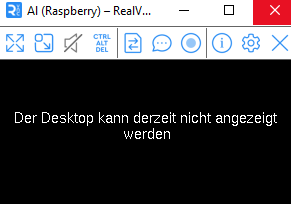
und ich kann nichts mehr machen...aber den hast du/ich ja ausgeschaltet
-
@thomas-braun said in Adapter aktualisieren:
@lamo1966 sagte in Adapter aktualisieren:
Hoffe es zerreißt den Raspi nicht
Der hängt schon schief...
jetzt heisst es
und ich kann nichts mehr machen...aber den hast du/ich ja ausgeschaltet
Man verwendet ja auch kein VNC sondern eine SSH-Verbindung zu seinem Server.
-
Man verwendet ja auch kein VNC sondern eine SSH-Verbindung zu seinem Server.
@thomas-braun said in Adapter aktualisieren:
Man verwendet ja auch kein VNC sondern eine SSH-Verbindung zu seinem Server.
sagt mir nichts.
Ich hab jetzt auf den Raspy umgestöpselt, dort heisst es jetzt
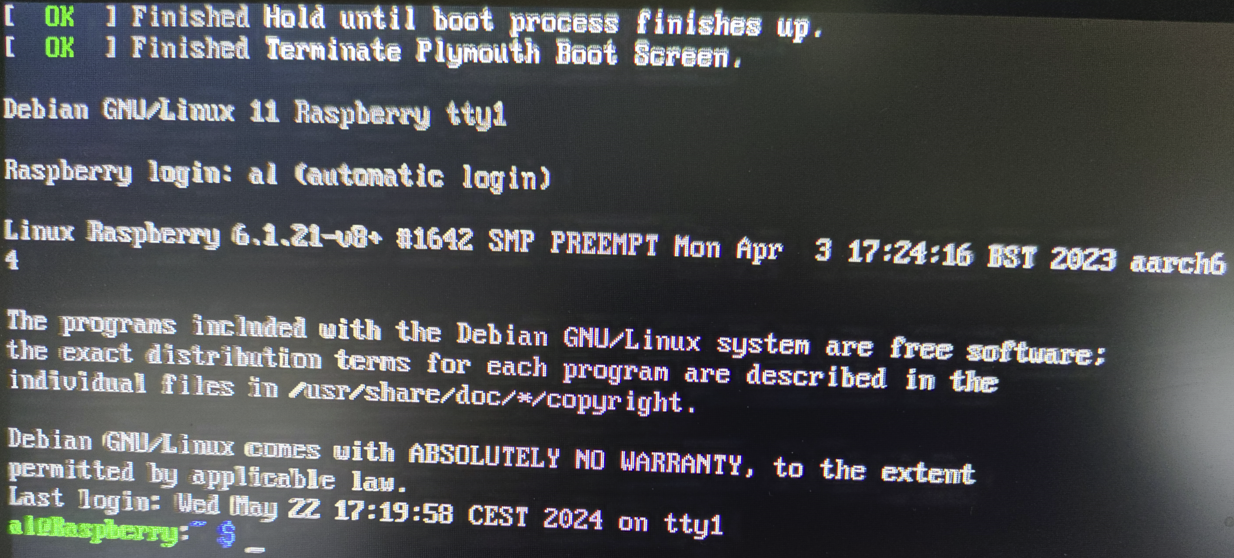
Sorry, musst da erst ein Foto machen, weil ich dort keine Befehle kenne
-
@thomas-braun said in Adapter aktualisieren:
Man verwendet ja auch kein VNC sondern eine SSH-Verbindung zu seinem Server.
sagt mir nichts.
Ich hab jetzt auf den Raspy umgestöpselt, dort heisst es jetzt
Sorry, musst da erst ein Foto machen, weil ich dort keine Befehle kenne
@lamo1966 sagte in Adapter aktualisieren:
sagt mir nichts.
Dann lies dich ein.
https://www.elektronik-kompendium.de/sites/raspberry-pi/2206121.htm
-
@lamo1966 sagte in Adapter aktualisieren:
sagt mir nichts.
Dann lies dich ein.
https://www.elektronik-kompendium.de/sites/raspberry-pi/2206121.htm
@thomas-braun said in Adapter aktualisieren:
@lamo1966 sagte in Adapter aktualisieren:
sagt mir nichts.
Dann lies dich ein.
https://www.elektronik-kompendium.de/sites/raspberry-pi/2206121.htm
ja, das mach ich, danke für den Link.
Sind wir auf der Raspi-Oberfläche fertig, oder muss ich da noch was machen? -
@thomas-braun said in Adapter aktualisieren:
@lamo1966 sagte in Adapter aktualisieren:
sagt mir nichts.
Dann lies dich ein.
https://www.elektronik-kompendium.de/sites/raspberry-pi/2206121.htm
ja, das mach ich, danke für den Link.
Sind wir auf der Raspi-Oberfläche fertig, oder muss ich da noch was machen?iob update iob upgrade iob stop iob upgrade self iob startUnd dann zum Abschluss nochmal die Langfassung von
iob diag



Hey! Du scheinst an dieser Unterhaltung interessiert zu sein, hast aber noch kein Konto.
Hast du es satt, bei jedem Besuch durch die gleichen Beiträge zu scrollen? Wenn du dich für ein Konto anmeldest, kommst du immer genau dorthin zurück, wo du zuvor warst, und kannst dich über neue Antworten benachrichtigen lassen (entweder per E-Mail oder Push-Benachrichtigung). Du kannst auch Lesezeichen speichern und Beiträge positiv bewerten, um anderen Community-Mitgliedern deine Wertschätzung zu zeigen.
Mit deinem Input könnte dieser Beitrag noch besser werden 💗
Registrieren AnmeldenSupport us
405
Online33.0k
Benutzer83.6k
Themen1.3m
Beiträge