Skip to content
  • Home
  • Aktuell
  • Tags
  • 0 Ungelesen 0
  • Kategorien
  • Unreplied
  • Beliebt
  • GitHub
  • Docu
  • Hilfe
Skins
  • Light
  • Brite
  • Cerulean
  • Cosmo
  • Flatly
  • Journal
  • Litera
  • Lumen
  • Lux
  • Materia
  • Minty
  • Morph
  • Pulse
  • Sandstone
  • Simplex
  • Sketchy
  • Spacelab
  • United
  • Yeti
  • Zephyr
  • Dark
  • Cyborg
  • Darkly
  • Quartz
  • Slate
  • Solar
  • Superhero
  • Vapor

  • Standard: (Kein Skin)
  • Kein Skin
Einklappen
ioBroker Logo

Community Forum

donate donate
  1. ioBroker Community Home
  2. Deutsch
  3. Visualisierung
  4. vis 1 läuft nicht mehr

NEWS

  • Neuer Blogbeitrag: Monatsrückblick - Dezember 2025 🎄
    BluefoxB
    Bluefox
    11
    1
    492

  • Weihnachtsangebot 2025! 🎄
    BluefoxB
    Bluefox
    24
    1
    1.7k

  • UPDATE 31.10.: Amazon Alexa - ioBroker Skill läuft aus ?
    apollon77A
    apollon77
    48
    3
    9.6k

vis 1 läuft nicht mehr

Geplant Angeheftet Gesperrt Verschoben Visualisierung
43 Beiträge 7 Kommentatoren 4.0k Aufrufe 6 Watching
  • Älteste zuerst
  • Neuste zuerst
  • Meiste Stimmen
Antworten
  • In einem neuen Thema antworten
Anmelden zum Antworten
Dieses Thema wurde gelöscht. Nur Nutzer mit entsprechenden Rechten können es sehen.
  • Max 0M Max 0

    @homoran
    Das ich das was man mir jetzt gesagt habe gemacht habe.
    Aber es funktioniert leider immer noch nicht

    HomoranH Nicht stören
    HomoranH Nicht stören
    Homoran
    Global Moderator Administrators
    schrieb am zuletzt editiert von
    #32

    @max-0 sagte in vis 1 läuft nicht mehr:

    Das ich das was man mir jetzt gesagt habe gemacht habe.

    gelöscht und neu installiert?
    welche Version?

    kein Support per PN! - Fragen im Forum stellen - es gibt fast nichts, was nicht auch für andere interessant ist.

    Benutzt das Voting rechts unten im Beitrag wenn er euch geholfen hat.

    der Installationsfixer: curl -fsL https://iobroker.net/fix.sh | bash -

    1 Antwort Letzte Antwort
    0
    • Max 0M Offline
      Max 0M Offline
      Max 0
      schrieb am zuletzt editiert von
      #33

      @homoran
      Habe beide Neuinstalliert
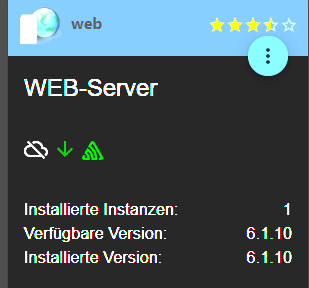
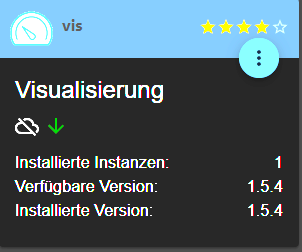
      Opera Momentaufnahme_2023-12-30_165659_192.168.178.76.png Opera Momentaufnahme_2023-12-30_165709_192.168.178.76.png

      HomoranH 1 Antwort Letzte Antwort
      0
      • Max 0M Max 0

        @homoran
        Habe beide Neuinstalliert
        Opera Momentaufnahme_2023-12-30_165659_192.168.178.76.png Opera Momentaufnahme_2023-12-30_165709_192.168.178.76.png

        HomoranH Nicht stören
        HomoranH Nicht stören
        Homoran
        Global Moderator Administrators
        schrieb am zuletzt editiert von
        #34

        @max-0 bitte iob diag in der Langfassung!

        kein Support per PN! - Fragen im Forum stellen - es gibt fast nichts, was nicht auch für andere interessant ist.

        Benutzt das Voting rechts unten im Beitrag wenn er euch geholfen hat.

        der Installationsfixer: curl -fsL https://iobroker.net/fix.sh | bash -

        1 Antwort Letzte Antwort
        0
        • GlasfaserG Online
          GlasfaserG Online
          Glasfaser
          schrieb am zuletzt editiert von
          #35

          @max-0 sagte in vis 1 läuft nicht mehr:

          Und was bedeutet im Iobroker bei Protokollen ?

          	cannot call visUtils: Not exists
          

          Dazu mal .

          iobroker upload all
          sudo reboot
          

          dann einen Browser nutzen , den du noch nie für ioBroker genutzt hast , was ist dann !?

          Synology 918+ 16GB - ioBroker in Docker v9 , VISO auf Trekstor Primebook C13 13,3" , Hikvision Domkameras mit Surveillance Station .. CCU RaspberryMatic in Synology VM .. Zigbee CC2538+CC2592 .. Sonoff .. KNX .. Modbus ..

          1 Antwort Letzte Antwort
          0
          • Max 0M Offline
            Max 0M Offline
            Max 0
            schrieb am zuletzt editiert von Max 0
            #36

            @Homoran

            Skript v.2023-10-10
            
            *** BASE SYSTEM ***
             Static hostname: raspberrypi5
                   Icon name: computer
            Operating System: Debian GNU/Linux 12 (bookworm)
                      Kernel: Linux 6.1.0-rpi7-rpi-2712
                Architecture: arm64
            
            Model           : Raspberry Pi 5 Model B Rev 1.0
            Docker          : false
            Virtualization  : none
            Kernel          : aarch64
            Userland        : arm64
            
            Systemuptime and Load:
             16:51:57 up  1:10,  2 users,  load average: 0.07, 0.02, 0.00
            CPU threads: 4
            
            
            *** RASPBERRY THROTTLING ***
            Current issues:
            No throttling issues detected.
            
            Previously detected issues:
            No throttling issues detected.
            
            *** Time and Time Zones ***
                           Local time: Sat 2023-12-30 16:51:57 GMT
                       Universal time: Sat 2023-12-30 16:51:57 UTC
                             RTC time: Sat 2023-12-30 16:51:57
                            Time zone: Europe/London (GMT, +0000)
            System clock synchronized: yes
                          NTP service: active
                      RTC in local TZ: no
            
            *** User and Groups ***
            pi
            /home/pi
            pi adm dialout cdrom sudo audio video plugdev games users input render netdev gp                                                                                                                                                                                                                                             io i2c spi iobroker
            
            *** X-Server-Setup ***
            X-Server:       false
            Desktop:
            Terminal:       tty
            Boot Target:    multi-user.target
            
            *** MEMORY ***
                           total        used        free      shared  buff/cache   available
            Mem:            8.4G        676M        7.5G        5.3M        364M        7.8G
            Swap:           104M          0B        104M
            Total:          8.5G        676M        7.6G
            
                     8053 M total memory
                      646 M used memory
                      619 M active memory
                      133 M inactive memory
                     7150 M free memory
                       41 M buffer memory
                      306 M swap cache
                       99 M total swap
                        0 M used swap
                       99 M free swap
            
            Raspberry only:
            vc_gencmd_read_response returned -1
            error=1 error_msg="Command not registered"
            
            *** FAILED SERVICES ***
            
              UNIT LOAD ACTIVE SUB DESCRIPTION
            0 loaded units listed.
            
            *** FILESYSTEM ***
            Filesystem     Type      Size  Used Avail Use% Mounted on
            udev           devtmpfs  3.8G     0  3.8G   0% /dev
            tmpfs          tmpfs     806M  5.1M  801M   1% /run
            /dev/mmcblk0p2 ext4       15G  2.8G   11G  21% /
            tmpfs          tmpfs     4.0G     0  4.0G   0% /dev/shm
            tmpfs          tmpfs     5.0M   48K  5.0M   1% /run/lock
            /dev/mmcblk0p1 vfat      510M   61M  450M  12% /boot/firmware
            tmpfs          tmpfs     806M     0  806M   0% /run/user/1000
            
            Messages concerning ext4 filesystem in dmesg:
            [Sat Dec 30 15:41:39 2023] Kernel command line: coherent_pool=1M 8250.nr_uarts=1                                                                                                                                                                                                                                              pci=pcie_bus_safe snd_bcm2835.enable_compat_alsa=0 snd_bcm2835.enable_hdmi=1  s                                                                                                                                                                                                                                             msc95xx.macaddr=D8:3A:DD:BB:FC:13 vc_mem.mem_base=0x3fc00000 vc_mem.mem_size=0x4                                                                                                                                                                                                                                             0000000  console=ttyAMA10,115200 console=tty1 root=PARTUUID=df43037d-02 rootfsty                                                                                                                                                                                                                                             pe=ext4 fsck.repair=yes rootwait
            [Sat Dec 30 15:41:42 2023] EXT4-fs (mmcblk0p2): mounted filesystem with ordered                                                                                                                                                                                                                                              data mode. Quota mode: none.
            [Sat Dec 30 15:41:45 2023] EXT4-fs (mmcblk0p2): re-mounted. Quota mode: none.
            
            Show mounted filesystems \(real ones only\):
            TARGET           SOURCE         FSTYPE OPTIONS
            /                /dev/mmcblk0p2 ext4   rw,noatime
            `-/boot/firmware /dev/mmcblk0p1 vfat   rw,relatime,fmask=0022,dmask=0022,codepag                                                                                                                                                                                                                                             e=437,iocharset=ascii,shortname=mixed,errors=remount-ro
            
            Files in neuralgic directories:
            
            /var:
            507M    /var/
            206M    /var/cache
            200M    /var/cache/apt
            166M    /var/lib
            132M    /var/lib/apt/lists
            
            Archived and active journals take up 35.2M in the file system.
            
            /opt/iobroker/backups:
            4.0K    /opt/iobroker/backups/
            
            /opt/iobroker/iobroker-data:
            63M     /opt/iobroker/iobroker-data/
            59M     /opt/iobroker/iobroker-data/files
            30M     /opt/iobroker/iobroker-data/files/web.admin/static
            30M     /opt/iobroker/iobroker-data/files/web.admin
            29M     /opt/iobroker/iobroker-data/files/web.admin/static/js
            
            The five largest files in iobroker-data are:
            21M     /opt/iobroker/iobroker-data/files/web.admin/static/js/main.aaea95f8.js.m                                                                                                                                                                                                                                             ap
            8.3M    /opt/iobroker/iobroker-data/files/web.admin/static/js/main.aaea95f8.js
            6.3M    /opt/iobroker/iobroker-data/files/admin.admin/custom/static/js/vendors-n                                                                                                                                                                                                                                             ode_modules_iobroker_adapter-react-v5_assets_devices_parseNames_js-node_modules_                                                                                                                                                                                                                                             iobr-99c23e.847b8ad9.chunk.js.map
            4.1M    /opt/iobroker/iobroker-data/objects.jsonl
            2.8M    /opt/iobroker/iobroker-data/files/admin.admin/custom/static/js/vendors-n                                                                                                                                                                                                                                             ode_modules_iobroker_adapter-react-v5_assets_devices_parseNames_js-node_modules_                                                                                                                                                                                                                                             iobr-99c23e.847b8ad9.chunk.js
            
            USB-Devices by-id:
            USB-Sticks -  Avoid direct links to /dev/* in your adapter setups, please always                                                                                                                                                                                                                                              prefer the links 'by-id':
            
            find: '/dev/serial/by-id/': No such file or directory
            
            *** NodeJS-Installation ***
            
            /usr/bin/nodejs         v18.19.0
            /usr/bin/node           v18.19.0
            /usr/bin/npm            9.2.0
            /usr/bin/npx            9.2.0
            /home/iobroker/.diag.sh: line 281: corepack: command not found
            
            *** nodejs is NOT correctly installed ***
            
            nodejs:
              Installed: 18.19.0+dfsg-6~deb12u1
              Candidate: 18.19.0+dfsg-6~deb12u1
              Version table:
             *** 18.19.0+dfsg-6~deb12u1 500
                    500 http://deb.debian.org/debian-security bookworm-security/main arm64 P                                                                                                                                                                                                                                             ackages
                    100 /var/lib/dpkg/status
                 18.19.0-1nodesource1 500
                    500 https://deb.nodesource.com/node_18.x nodistro/main arm64 Packages
                 18.18.2-1nodesource1 500
                    500 https://deb.nodesource.com/node_18.x nodistro/main arm64 Packages
                 18.18.1-1nodesource1 500
                    500 https://deb.nodesource.com/node_18.x nodistro/main arm64 Packages
                 18.18.0-1nodesource1 500
                    500 https://deb.nodesource.com/node_18.x nodistro/main arm64 Packages
                 18.17.1-1nodesource1 500
                    500 https://deb.nodesource.com/node_18.x nodistro/main arm64 Packages
                 18.17.0-1nodesource1 500
                    500 https://deb.nodesource.com/node_18.x nodistro/main arm64 Packages
                 18.16.1-1nodesource1 500
                    500 https://deb.nodesource.com/node_18.x nodistro/main arm64 Packages
                 18.16.0-1nodesource1 500
                    500 https://deb.nodesource.com/node_18.x nodistro/main arm64 Packages
                 18.15.0-1nodesource1 500
                    500 https://deb.nodesource.com/node_18.x nodistro/main arm64 Packages
                 18.14.2-1nodesource1 500
                    500 https://deb.nodesource.com/node_18.x nodistro/main arm64 Packages
                 18.14.1-1nodesource1 500
                    500 https://deb.nodesource.com/node_18.x nodistro/main arm64 Packages
                 18.14.0-1nodesource1 500
                    500 https://deb.nodesource.com/node_18.x nodistro/main arm64 Packages
                 18.13.0+dfsg1-1 500
                    500 http://deb.debian.org/debian bookworm/main arm64 Packages
                 18.13.0-1nodesource1 500
                    500 https://deb.nodesource.com/node_18.x nodistro/main arm64 Packages
                 18.12.0-1nodesource1 500
                    500 https://deb.nodesource.com/node_18.x nodistro/main arm64 Packages
                 18.11.0-1nodesource1 500
                    500 https://deb.nodesource.com/node_18.x nodistro/main arm64 Packages
                 18.10.0-1nodesource1 500
                    500 https://deb.nodesource.com/node_18.x nodistro/main arm64 Packages
                 18.9.1-1nodesource1 500
                    500 https://deb.nodesource.com/node_18.x nodistro/main arm64 Packages
                 18.9.0-1nodesource1 500
                    500 https://deb.nodesource.com/node_18.x nodistro/main arm64 Packages
                 18.8.0-1nodesource1 500
                    500 https://deb.nodesource.com/node_18.x nodistro/main arm64 Packages
                 18.7.0-1nodesource1 500
                    500 https://deb.nodesource.com/node_18.x nodistro/main arm64 Packages
                 18.6.0-1nodesource1 500
                    500 https://deb.nodesource.com/node_18.x nodistro/main arm64 Packages
                 18.5.0-1nodesource1 500
                    500 https://deb.nodesource.com/node_18.x nodistro/main arm64 Packages
                 18.4.0-1nodesource1 500
                    500 https://deb.nodesource.com/node_18.x nodistro/main arm64 Packages
                 18.3.0-1nodesource1 500
                    500 https://deb.nodesource.com/node_18.x nodistro/main arm64 Packages
                 18.2.0-1nodesource1 500
                    500 https://deb.nodesource.com/node_18.x nodistro/main arm64 Packages
                 18.1.0-1nodesource1 500
                    500 https://deb.nodesource.com/node_18.x nodistro/main arm64 Packages
                 18.0.0-1nodesource1 500
                    500 https://deb.nodesource.com/node_18.x nodistro/main arm64 Packages
            
            Temp directories causing npm8 problem: 0
            No problems detected
            
            Errors in npm tree:
            
            *** ioBroker-Installation ***
            
            ioBroker Status
            iobroker is running on this host.
            
            
            Objects type: jsonl
            States  type: jsonl
            
            Core adapters versions
            js-controller:  5.0.17
            admin:          6.12.0
            javascript:     "javascript" not found
            
            Adapters from github:   0
            
            Adapter State
            + system.adapter.admin.0                  : admin                 : raspberrypi5                             -  enabled, port: 8081, bind: 0.0.0.0, run as: admin
            + system.adapter.backitup.0               : backitup              : raspberrypi5                             -  enabled
            + system.adapter.discovery.0              : discovery             : raspberrypi5                             -  enabled
              system.adapter.vis.0                    : vis                   : raspberrypi5                             -  enabled
            + system.adapter.web.0                    : web                   : raspberrypi5                             -  enabled, port: 8082, bind: 0.0.0.0, run as: admin
            
            + instance is alive
            
            Enabled adapters with bindings
            + system.adapter.admin.0                  : admin                 : raspberrypi5                             -  enabled, port: 8081, bind: 0.0.0.0, run as: admin
            + system.adapter.web.0                    : web                   : raspberrypi5                             -  enabled, port: 8082, bind: 0.0.0.0, run as: admin
            
            ioBroker-Repositories
            stable        : http://download.iobroker.net/sources-dist.json
            beta          : http://download.iobroker.net/sources-dist-latest.json
            
            Active repo(s): stable
            
            Installed ioBroker-Instances
            Used repository: stable
            Adapter    "admin"        : 6.12.0   , installed 6.12.0
            Adapter    "backitup"     : 2.9.8    , installed 2.9.8
            Adapter    "discovery"    : 4.2.0    , installed 4.2.0
            Controller "js-controller": 5.0.17   , installed 5.0.17
            Adapter    "simple-api"   : 2.7.2    , installed 2.7.2
            Adapter    "socketio"     : 6.6.0    , installed 6.6.0
            Adapter    "vis"          : 1.5.4    , installed 1.5.4
            Adapter    "web"          : 6.1.10   , installed 6.1.10
            Adapter    "ws"           : 2.5.8    , installed 2.5.8
            
            Objects and States
            Please stand by - This may take a while
            Objects:        180
            States:         132
            
            *** OS-Repositories and Updates ***
            Hit:1 http://deb.debian.org/debian bookworm InRelease
            Hit:2 http://deb.debian.org/debian-security bookworm-security InRelease
            Hit:3 http://deb.debian.org/debian bookworm-updates InRelease
            Hit:4 http://archive.raspberrypi.com/debian bookworm InRelease
            Hit:5 https://deb.nodesource.com/node_18.x nodistro InRelease
            Reading package lists...
            Pending Updates: 0
            
            *** Listening Ports ***
            Active Internet connections (only servers)
            Proto Recv-Q Send-Q Local Address           Foreign Address         State       User       Inode      PID/Program name
            tcp        0      0 127.0.0.1:9000          0.0.0.0:*               LISTEN      1001       14108      820/iobroker.js-con
            tcp        0      0 127.0.0.1:9001          0.0.0.0:*               LISTEN      1001       15042      820/iobroker.js-con
            tcp        0      0 0.0.0.0:22              0.0.0.0:*               LISTEN      0          14028      828/sshd: /usr/sbin
            tcp6       0      0 :::8082                 :::*                    LISTEN      1001       16177      973/io.web.0
            tcp6       0      0 :::8081                 :::*                    LISTEN      1001       14159      915/io.admin.0
            tcp6       0      0 :::22                   :::*                    LISTEN      0          14039      828/sshd: /usr/sbin
            udp        0      0 0.0.0.0:41688           0.0.0.0:*                           104        13951      678/avahi-daemon: r
            udp        0      0 0.0.0.0:5353            0.0.0.0:*                           104        13949      678/avahi-daemon: r
            udp6       0      0 fe80::4618:f457:9d0:546 :::*                                0          15032      785/NetworkManager
            udp6       0      0 :::5353                 :::*                                104        13950      678/avahi-daemon: r
            udp6       0      0 :::35918                :::*                                104        13952      678/avahi-daemon: r
            
            *** Log File - Last 25 Lines ***
            
            2023-12-30 15:42:03.837  - info: admin.0 (915) received all objects
            2023-12-30 15:42:04.857  - info: admin.0 (915) socket.io server listening on port 8081
            2023-12-30 15:42:04.860  - info: admin.0 (915) http server listening on port 8081
            2023-12-30 15:42:04.861  - info: admin.0 (915) Use link "http://127.0.0.1:8081" to configure.
            2023-12-30 15:42:04.929  - info: host.raspberrypi5 instance system.adapter.discovery.0 started with pid 938
            2023-12-30 15:42:06.016  - info: discovery.0 (938) starting. Version 4.2.0 in /opt/iobroker/node_modules/iobroker.discovery, node: v18.19.0, js-controller: 5.0.17
            2023-12-30 15:42:08.930  - info: host.raspberrypi5 instance system.adapter.backitup.0 started with pid 958
            2023-12-30 15:42:09.916  - info: backitup.0 (958) starting. Version 2.9.8 in /opt/iobroker/node_modules/iobroker.backitup, node: v18.19.0, js-controller: 5.0.17
            2023-12-30 15:42:09.977  - info: backitup.0 (958) [iobroker] backup will be activated at 02:48 every 1 day(s)
            2023-12-30 15:42:12.929  - info: host.raspberrypi5 instance system.adapter.web.0 started with pid 973
            2023-12-30 15:42:13.948  - info: web.0 (973) starting. Version 6.1.10 in /opt/iobroker/node_modules/iobroker.web, node: v18.19.0, js-controller: 5.0.17
            2023-12-30 15:42:14.040  - info: web.0 (973) socket.io server listening on port 8082
            2023-12-30 15:42:14.043  - info: web.0 (973) http server listening on port 8082
            2023-12-30 15:42:17.694  - info: vis.0 (988) starting. Version 1.5.4 in /opt/iobroker/node_modules/iobroker.vis, node: v18.19.0, js-controller: 5.0.17
            2023-12-30 15:42:18.455  - info: vis.0 (988) Terminated (NO_ERROR): Without reason
            2023-12-30 15:42:19.004  - info: host.raspberrypi5 instance system.adapter.vis.0 terminated while should be started once
            2023-12-30 15:42:31.020  - info: admin.0 (915) ==> Connected system.user.admin from ::ffff:192.168.178.109
            2023-12-30 15:42:31.118  - error: host.raspberrypi5 cannot call visUtils: Not exists
            2023-12-30 15:42:36.962  - error: host.raspberrypi5 cannot call visUtils: Not exists
            2023-12-30 15:42:42.183  - info: web.0 (973) ==> Connected system.user.admin from ::ffff:192.168.178.109
            2023-12-30 15:42:45.358  - info: web.0 (973) <== Disconnect system.user.admin from ::ffff:192.168.178.109 vis.0
            2023-12-30 15:42:45.630  - info: web.0 (973) ==> Connected system.user.admin from ::ffff:192.168.178.109
            2023-12-30 15:42:50.459  - info: web.0 (973) <== Disconnect system.user.admin from ::ffff:192.168.178.109 vis.0
            2023-12-30 15:54:29.081  - info: admin.0 (915) ==> Connected system.user.admin from ::ffff:192.168.178.109
            2023-12-30 15:54:31.491  - info: admin.0 (915) <== Disconnect system.user.admin from ::ffff:192.168.178.109 web


            Thomas BraunT 1 Antwort Letzte Antwort
            0
            • Max 0M Max 0

              @Homoran

              Skript v.2023-10-10
              
              *** BASE SYSTEM ***
               Static hostname: raspberrypi5
                     Icon name: computer
              Operating System: Debian GNU/Linux 12 (bookworm)
                        Kernel: Linux 6.1.0-rpi7-rpi-2712
                  Architecture: arm64
              
              Model           : Raspberry Pi 5 Model B Rev 1.0
              Docker          : false
              Virtualization  : none
              Kernel          : aarch64
              Userland        : arm64
              
              Systemuptime and Load:
               16:51:57 up  1:10,  2 users,  load average: 0.07, 0.02, 0.00
              CPU threads: 4
              
              
              *** RASPBERRY THROTTLING ***
              Current issues:
              No throttling issues detected.
              
              Previously detected issues:
              No throttling issues detected.
              
              *** Time and Time Zones ***
                             Local time: Sat 2023-12-30 16:51:57 GMT
                         Universal time: Sat 2023-12-30 16:51:57 UTC
                               RTC time: Sat 2023-12-30 16:51:57
                              Time zone: Europe/London (GMT, +0000)
              System clock synchronized: yes
                            NTP service: active
                        RTC in local TZ: no
              
              *** User and Groups ***
              pi
              /home/pi
              pi adm dialout cdrom sudo audio video plugdev games users input render netdev gp                                                                                                                                                                                                                                             io i2c spi iobroker
              
              *** X-Server-Setup ***
              X-Server:       false
              Desktop:
              Terminal:       tty
              Boot Target:    multi-user.target
              
              *** MEMORY ***
                             total        used        free      shared  buff/cache   available
              Mem:            8.4G        676M        7.5G        5.3M        364M        7.8G
              Swap:           104M          0B        104M
              Total:          8.5G        676M        7.6G
              
                       8053 M total memory
                        646 M used memory
                        619 M active memory
                        133 M inactive memory
                       7150 M free memory
                         41 M buffer memory
                        306 M swap cache
                         99 M total swap
                          0 M used swap
                         99 M free swap
              
              Raspberry only:
              vc_gencmd_read_response returned -1
              error=1 error_msg="Command not registered"
              
              *** FAILED SERVICES ***
              
                UNIT LOAD ACTIVE SUB DESCRIPTION
              0 loaded units listed.
              
              *** FILESYSTEM ***
              Filesystem     Type      Size  Used Avail Use% Mounted on
              udev           devtmpfs  3.8G     0  3.8G   0% /dev
              tmpfs          tmpfs     806M  5.1M  801M   1% /run
              /dev/mmcblk0p2 ext4       15G  2.8G   11G  21% /
              tmpfs          tmpfs     4.0G     0  4.0G   0% /dev/shm
              tmpfs          tmpfs     5.0M   48K  5.0M   1% /run/lock
              /dev/mmcblk0p1 vfat      510M   61M  450M  12% /boot/firmware
              tmpfs          tmpfs     806M     0  806M   0% /run/user/1000
              
              Messages concerning ext4 filesystem in dmesg:
              [Sat Dec 30 15:41:39 2023] Kernel command line: coherent_pool=1M 8250.nr_uarts=1                                                                                                                                                                                                                                              pci=pcie_bus_safe snd_bcm2835.enable_compat_alsa=0 snd_bcm2835.enable_hdmi=1  s                                                                                                                                                                                                                                             msc95xx.macaddr=D8:3A:DD:BB:FC:13 vc_mem.mem_base=0x3fc00000 vc_mem.mem_size=0x4                                                                                                                                                                                                                                             0000000  console=ttyAMA10,115200 console=tty1 root=PARTUUID=df43037d-02 rootfsty                                                                                                                                                                                                                                             pe=ext4 fsck.repair=yes rootwait
              [Sat Dec 30 15:41:42 2023] EXT4-fs (mmcblk0p2): mounted filesystem with ordered                                                                                                                                                                                                                                              data mode. Quota mode: none.
              [Sat Dec 30 15:41:45 2023] EXT4-fs (mmcblk0p2): re-mounted. Quota mode: none.
              
              Show mounted filesystems \(real ones only\):
              TARGET           SOURCE         FSTYPE OPTIONS
              /                /dev/mmcblk0p2 ext4   rw,noatime
              `-/boot/firmware /dev/mmcblk0p1 vfat   rw,relatime,fmask=0022,dmask=0022,codepag                                                                                                                                                                                                                                             e=437,iocharset=ascii,shortname=mixed,errors=remount-ro
              
              Files in neuralgic directories:
              
              /var:
              507M    /var/
              206M    /var/cache
              200M    /var/cache/apt
              166M    /var/lib
              132M    /var/lib/apt/lists
              
              Archived and active journals take up 35.2M in the file system.
              
              /opt/iobroker/backups:
              4.0K    /opt/iobroker/backups/
              
              /opt/iobroker/iobroker-data:
              63M     /opt/iobroker/iobroker-data/
              59M     /opt/iobroker/iobroker-data/files
              30M     /opt/iobroker/iobroker-data/files/web.admin/static
              30M     /opt/iobroker/iobroker-data/files/web.admin
              29M     /opt/iobroker/iobroker-data/files/web.admin/static/js
              
              The five largest files in iobroker-data are:
              21M     /opt/iobroker/iobroker-data/files/web.admin/static/js/main.aaea95f8.js.m                                                                                                                                                                                                                                             ap
              8.3M    /opt/iobroker/iobroker-data/files/web.admin/static/js/main.aaea95f8.js
              6.3M    /opt/iobroker/iobroker-data/files/admin.admin/custom/static/js/vendors-n                                                                                                                                                                                                                                             ode_modules_iobroker_adapter-react-v5_assets_devices_parseNames_js-node_modules_                                                                                                                                                                                                                                             iobr-99c23e.847b8ad9.chunk.js.map
              4.1M    /opt/iobroker/iobroker-data/objects.jsonl
              2.8M    /opt/iobroker/iobroker-data/files/admin.admin/custom/static/js/vendors-n                                                                                                                                                                                                                                             ode_modules_iobroker_adapter-react-v5_assets_devices_parseNames_js-node_modules_                                                                                                                                                                                                                                             iobr-99c23e.847b8ad9.chunk.js
              
              USB-Devices by-id:
              USB-Sticks -  Avoid direct links to /dev/* in your adapter setups, please always                                                                                                                                                                                                                                              prefer the links 'by-id':
              
              find: '/dev/serial/by-id/': No such file or directory
              
              *** NodeJS-Installation ***
              
              /usr/bin/nodejs         v18.19.0
              /usr/bin/node           v18.19.0
              /usr/bin/npm            9.2.0
              /usr/bin/npx            9.2.0
              /home/iobroker/.diag.sh: line 281: corepack: command not found
              
              *** nodejs is NOT correctly installed ***
              
              nodejs:
                Installed: 18.19.0+dfsg-6~deb12u1
                Candidate: 18.19.0+dfsg-6~deb12u1
                Version table:
               *** 18.19.0+dfsg-6~deb12u1 500
                      500 http://deb.debian.org/debian-security bookworm-security/main arm64 P                                                                                                                                                                                                                                             ackages
                      100 /var/lib/dpkg/status
                   18.19.0-1nodesource1 500
                      500 https://deb.nodesource.com/node_18.x nodistro/main arm64 Packages
                   18.18.2-1nodesource1 500
                      500 https://deb.nodesource.com/node_18.x nodistro/main arm64 Packages
                   18.18.1-1nodesource1 500
                      500 https://deb.nodesource.com/node_18.x nodistro/main arm64 Packages
                   18.18.0-1nodesource1 500
                      500 https://deb.nodesource.com/node_18.x nodistro/main arm64 Packages
                   18.17.1-1nodesource1 500
                      500 https://deb.nodesource.com/node_18.x nodistro/main arm64 Packages
                   18.17.0-1nodesource1 500
                      500 https://deb.nodesource.com/node_18.x nodistro/main arm64 Packages
                   18.16.1-1nodesource1 500
                      500 https://deb.nodesource.com/node_18.x nodistro/main arm64 Packages
                   18.16.0-1nodesource1 500
                      500 https://deb.nodesource.com/node_18.x nodistro/main arm64 Packages
                   18.15.0-1nodesource1 500
                      500 https://deb.nodesource.com/node_18.x nodistro/main arm64 Packages
                   18.14.2-1nodesource1 500
                      500 https://deb.nodesource.com/node_18.x nodistro/main arm64 Packages
                   18.14.1-1nodesource1 500
                      500 https://deb.nodesource.com/node_18.x nodistro/main arm64 Packages
                   18.14.0-1nodesource1 500
                      500 https://deb.nodesource.com/node_18.x nodistro/main arm64 Packages
                   18.13.0+dfsg1-1 500
                      500 http://deb.debian.org/debian bookworm/main arm64 Packages
                   18.13.0-1nodesource1 500
                      500 https://deb.nodesource.com/node_18.x nodistro/main arm64 Packages
                   18.12.0-1nodesource1 500
                      500 https://deb.nodesource.com/node_18.x nodistro/main arm64 Packages
                   18.11.0-1nodesource1 500
                      500 https://deb.nodesource.com/node_18.x nodistro/main arm64 Packages
                   18.10.0-1nodesource1 500
                      500 https://deb.nodesource.com/node_18.x nodistro/main arm64 Packages
                   18.9.1-1nodesource1 500
                      500 https://deb.nodesource.com/node_18.x nodistro/main arm64 Packages
                   18.9.0-1nodesource1 500
                      500 https://deb.nodesource.com/node_18.x nodistro/main arm64 Packages
                   18.8.0-1nodesource1 500
                      500 https://deb.nodesource.com/node_18.x nodistro/main arm64 Packages
                   18.7.0-1nodesource1 500
                      500 https://deb.nodesource.com/node_18.x nodistro/main arm64 Packages
                   18.6.0-1nodesource1 500
                      500 https://deb.nodesource.com/node_18.x nodistro/main arm64 Packages
                   18.5.0-1nodesource1 500
                      500 https://deb.nodesource.com/node_18.x nodistro/main arm64 Packages
                   18.4.0-1nodesource1 500
                      500 https://deb.nodesource.com/node_18.x nodistro/main arm64 Packages
                   18.3.0-1nodesource1 500
                      500 https://deb.nodesource.com/node_18.x nodistro/main arm64 Packages
                   18.2.0-1nodesource1 500
                      500 https://deb.nodesource.com/node_18.x nodistro/main arm64 Packages
                   18.1.0-1nodesource1 500
                      500 https://deb.nodesource.com/node_18.x nodistro/main arm64 Packages
                   18.0.0-1nodesource1 500
                      500 https://deb.nodesource.com/node_18.x nodistro/main arm64 Packages
              
              Temp directories causing npm8 problem: 0
              No problems detected
              
              Errors in npm tree:
              
              *** ioBroker-Installation ***
              
              ioBroker Status
              iobroker is running on this host.
              
              
              Objects type: jsonl
              States  type: jsonl
              
              Core adapters versions
              js-controller:  5.0.17
              admin:          6.12.0
              javascript:     "javascript" not found
              
              Adapters from github:   0
              
              Adapter State
              + system.adapter.admin.0                  : admin                 : raspberrypi5                             -  enabled, port: 8081, bind: 0.0.0.0, run as: admin
              + system.adapter.backitup.0               : backitup              : raspberrypi5                             -  enabled
              + system.adapter.discovery.0              : discovery             : raspberrypi5                             -  enabled
                system.adapter.vis.0                    : vis                   : raspberrypi5                             -  enabled
              + system.adapter.web.0                    : web                   : raspberrypi5                             -  enabled, port: 8082, bind: 0.0.0.0, run as: admin
              
              + instance is alive
              
              Enabled adapters with bindings
              + system.adapter.admin.0                  : admin                 : raspberrypi5                             -  enabled, port: 8081, bind: 0.0.0.0, run as: admin
              + system.adapter.web.0                    : web                   : raspberrypi5                             -  enabled, port: 8082, bind: 0.0.0.0, run as: admin
              
              ioBroker-Repositories
              stable        : http://download.iobroker.net/sources-dist.json
              beta          : http://download.iobroker.net/sources-dist-latest.json
              
              Active repo(s): stable
              
              Installed ioBroker-Instances
              Used repository: stable
              Adapter    "admin"        : 6.12.0   , installed 6.12.0
              Adapter    "backitup"     : 2.9.8    , installed 2.9.8
              Adapter    "discovery"    : 4.2.0    , installed 4.2.0
              Controller "js-controller": 5.0.17   , installed 5.0.17
              Adapter    "simple-api"   : 2.7.2    , installed 2.7.2
              Adapter    "socketio"     : 6.6.0    , installed 6.6.0
              Adapter    "vis"          : 1.5.4    , installed 1.5.4
              Adapter    "web"          : 6.1.10   , installed 6.1.10
              Adapter    "ws"           : 2.5.8    , installed 2.5.8
              
              Objects and States
              Please stand by - This may take a while
              Objects:        180
              States:         132
              
              *** OS-Repositories and Updates ***
              Hit:1 http://deb.debian.org/debian bookworm InRelease
              Hit:2 http://deb.debian.org/debian-security bookworm-security InRelease
              Hit:3 http://deb.debian.org/debian bookworm-updates InRelease
              Hit:4 http://archive.raspberrypi.com/debian bookworm InRelease
              Hit:5 https://deb.nodesource.com/node_18.x nodistro InRelease
              Reading package lists...
              Pending Updates: 0
              
              *** Listening Ports ***
              Active Internet connections (only servers)
              Proto Recv-Q Send-Q Local Address           Foreign Address         State       User       Inode      PID/Program name
              tcp        0      0 127.0.0.1:9000          0.0.0.0:*               LISTEN      1001       14108      820/iobroker.js-con
              tcp        0      0 127.0.0.1:9001          0.0.0.0:*               LISTEN      1001       15042      820/iobroker.js-con
              tcp        0      0 0.0.0.0:22              0.0.0.0:*               LISTEN      0          14028      828/sshd: /usr/sbin
              tcp6       0      0 :::8082                 :::*                    LISTEN      1001       16177      973/io.web.0
              tcp6       0      0 :::8081                 :::*                    LISTEN      1001       14159      915/io.admin.0
              tcp6       0      0 :::22                   :::*                    LISTEN      0          14039      828/sshd: /usr/sbin
              udp        0      0 0.0.0.0:41688           0.0.0.0:*                           104        13951      678/avahi-daemon: r
              udp        0      0 0.0.0.0:5353            0.0.0.0:*                           104        13949      678/avahi-daemon: r
              udp6       0      0 fe80::4618:f457:9d0:546 :::*                                0          15032      785/NetworkManager
              udp6       0      0 :::5353                 :::*                                104        13950      678/avahi-daemon: r
              udp6       0      0 :::35918                :::*                                104        13952      678/avahi-daemon: r
              
              *** Log File - Last 25 Lines ***
              
              2023-12-30 15:42:03.837  - info: admin.0 (915) received all objects
              2023-12-30 15:42:04.857  - info: admin.0 (915) socket.io server listening on port 8081
              2023-12-30 15:42:04.860  - info: admin.0 (915) http server listening on port 8081
              2023-12-30 15:42:04.861  - info: admin.0 (915) Use link "http://127.0.0.1:8081" to configure.
              2023-12-30 15:42:04.929  - info: host.raspberrypi5 instance system.adapter.discovery.0 started with pid 938
              2023-12-30 15:42:06.016  - info: discovery.0 (938) starting. Version 4.2.0 in /opt/iobroker/node_modules/iobroker.discovery, node: v18.19.0, js-controller: 5.0.17
              2023-12-30 15:42:08.930  - info: host.raspberrypi5 instance system.adapter.backitup.0 started with pid 958
              2023-12-30 15:42:09.916  - info: backitup.0 (958) starting. Version 2.9.8 in /opt/iobroker/node_modules/iobroker.backitup, node: v18.19.0, js-controller: 5.0.17
              2023-12-30 15:42:09.977  - info: backitup.0 (958) [iobroker] backup will be activated at 02:48 every 1 day(s)
              2023-12-30 15:42:12.929  - info: host.raspberrypi5 instance system.adapter.web.0 started with pid 973
              2023-12-30 15:42:13.948  - info: web.0 (973) starting. Version 6.1.10 in /opt/iobroker/node_modules/iobroker.web, node: v18.19.0, js-controller: 5.0.17
              2023-12-30 15:42:14.040  - info: web.0 (973) socket.io server listening on port 8082
              2023-12-30 15:42:14.043  - info: web.0 (973) http server listening on port 8082
              2023-12-30 15:42:17.694  - info: vis.0 (988) starting. Version 1.5.4 in /opt/iobroker/node_modules/iobroker.vis, node: v18.19.0, js-controller: 5.0.17
              2023-12-30 15:42:18.455  - info: vis.0 (988) Terminated (NO_ERROR): Without reason
              2023-12-30 15:42:19.004  - info: host.raspberrypi5 instance system.adapter.vis.0 terminated while should be started once
              2023-12-30 15:42:31.020  - info: admin.0 (915) ==> Connected system.user.admin from ::ffff:192.168.178.109
              2023-12-30 15:42:31.118  - error: host.raspberrypi5 cannot call visUtils: Not exists
              2023-12-30 15:42:36.962  - error: host.raspberrypi5 cannot call visUtils: Not exists
              2023-12-30 15:42:42.183  - info: web.0 (973) ==> Connected system.user.admin from ::ffff:192.168.178.109
              2023-12-30 15:42:45.358  - info: web.0 (973) <== Disconnect system.user.admin from ::ffff:192.168.178.109 vis.0
              2023-12-30 15:42:45.630  - info: web.0 (973) ==> Connected system.user.admin from ::ffff:192.168.178.109
              2023-12-30 15:42:50.459  - info: web.0 (973) <== Disconnect system.user.admin from ::ffff:192.168.178.109 vis.0
              2023-12-30 15:54:29.081  - info: admin.0 (915) ==> Connected system.user.admin from ::ffff:192.168.178.109
              2023-12-30 15:54:31.491  - info: admin.0 (915) <== Disconnect system.user.admin from ::ffff:192.168.178.109 web


              Thomas BraunT Online
              Thomas BraunT Online
              Thomas Braun
              Most Active
              schrieb am zuletzt editiert von Thomas Braun
              #37

              @max-0

              Zeitzone ist wohl falsch.

              Und nodejs ist auch nicht die richtige Version.
              https://forum.iobroker.net/topic/71478/plötzliche-probleme-durch-nodejs-dfsg-version

              Linux-Werkzeugkasten:
              https://forum.iobroker.net/topic/42952/der-kleine-iobroker-linux-werkzeugkasten
              NodeJS Fixer Skript:
              https://forum.iobroker.net/topic/68035/iob-node-fix-skript
              iob_diag: curl -sLf -o diag.sh https://iobroker.net/diag.sh && bash diag.sh

              1 Antwort Letzte Antwort
              0
              • Max 0M Offline
                Max 0M Offline
                Max 0
                schrieb am zuletzt editiert von
                #38

                An alle danke für die schnelle Hilfe aber wenn ich einen anderen Browser benutze funktioniert alles wie gewohnt

                GlasfaserG OliverIOO HomoranH 3 Antworten Letzte Antwort
                0
                • Max 0M Max 0

                  An alle danke für die schnelle Hilfe aber wenn ich einen anderen Browser benutze funktioniert alles wie gewohnt

                  GlasfaserG Online
                  GlasfaserG Online
                  Glasfaser
                  schrieb am zuletzt editiert von
                  #39

                  @max-0 sagte in vis 1 läuft nicht mehr:

                  aber wenn ich einen anderen Browser benutze funktioniert alles wie gewohnt

                  OK .. wie ich auch geschrieben habe ... :

                  @glasfaser sagte in vis 1 läuft nicht mehr:
                  dann einen Browser nutzen , den du noch nie für ioBroker genutzt hast , was ist dann !?

                  Was war mit den Befehlen, hast du sie zuvor noch genutzt !?

                  und beachte auch was @Thomas-Braun noch Dir vorgibt !

                  Synology 918+ 16GB - ioBroker in Docker v9 , VISO auf Trekstor Primebook C13 13,3" , Hikvision Domkameras mit Surveillance Station .. CCU RaspberryMatic in Synology VM .. Zigbee CC2538+CC2592 .. Sonoff .. KNX .. Modbus ..

                  1 Antwort Letzte Antwort
                  0
                  • Max 0M Max 0

                    An alle danke für die schnelle Hilfe aber wenn ich einen anderen Browser benutze funktioniert alles wie gewohnt

                    OliverIOO Offline
                    OliverIOO Offline
                    OliverIO
                    schrieb am zuletzt editiert von OliverIO
                    #40

                    @max-0 sagte in vis 1 läuft nicht mehr:

                    An alle danke für die schnelle Hilfe aber wenn ich einen anderen Browser benutze funktioniert alles wie gewohnt

                    dann den browser cache löschen und neu im browser laden

                    https://www.ionos.de/digitalguide/server/konfiguration/so-leeren-sie-ihren-cache/

                    Meine Adapter und Widgets
                    TVProgram, SqueezeboxRPC, OpenLiga, RSSFeed, MyTime,, pi-hole2, vis-json-template, skiinfo, vis-mapwidgets, vis-2-widgets-rssfeed
                    Links im Profil

                    1 Antwort Letzte Antwort
                    0
                    • Max 0M Max 0

                      An alle danke für die schnelle Hilfe aber wenn ich einen anderen Browser benutze funktioniert alles wie gewohnt

                      HomoranH Nicht stören
                      HomoranH Nicht stören
                      Homoran
                      Global Moderator Administrators
                      schrieb am zuletzt editiert von
                      #41

                      @max-0 sagte in vis 1 läuft nicht mehr:

                      wenn ich einen anderen Browser benutze funktioniert alles wie gewohnt

                      ist jetzt nicht wahr?!?

                      wel hen nutzst du und wie sieht es da im incognito modus aus?

                      kein Support per PN! - Fragen im Forum stellen - es gibt fast nichts, was nicht auch für andere interessant ist.

                      Benutzt das Voting rechts unten im Beitrag wenn er euch geholfen hat.

                      der Installationsfixer: curl -fsL https://iobroker.net/fix.sh | bash -

                      Max 0M 1 Antwort Letzte Antwort
                      0
                      • HomoranH Homoran

                        @max-0 sagte in vis 1 läuft nicht mehr:

                        wenn ich einen anderen Browser benutze funktioniert alles wie gewohnt

                        ist jetzt nicht wahr?!?

                        wel hen nutzst du und wie sieht es da im incognito modus aus?

                        Max 0M Offline
                        Max 0M Offline
                        Max 0
                        schrieb am zuletzt editiert von
                        #42

                        @homoran
                        Ich nutze den Opera GX Browser
                        Und es geht auch nicht im incognit modus

                        HomoranH 1 Antwort Letzte Antwort
                        0
                        • Max 0M Max 0

                          @homoran
                          Ich nutze den Opera GX Browser
                          Und es geht auch nicht im incognit modus

                          HomoranH Nicht stören
                          HomoranH Nicht stören
                          Homoran
                          Global Moderator Administrators
                          schrieb am zuletzt editiert von Homoran
                          #43

                          @max-0 sagte in vis 1 läuft nicht mehr:

                          Ich nutze den Opera GX Browser

                          Opera hat so seine Zicken.
                          Der ist grundsätzlich nicht empfohlen

                          und auf was für einem OS?

                          wäre jetzt aver interessant was in dessen Browserkonsole für ein Problem angezeigt wird

                          kein Support per PN! - Fragen im Forum stellen - es gibt fast nichts, was nicht auch für andere interessant ist.

                          Benutzt das Voting rechts unten im Beitrag wenn er euch geholfen hat.

                          der Installationsfixer: curl -fsL https://iobroker.net/fix.sh | bash -

                          1 Antwort Letzte Antwort
                          0
                          Antworten
                          • In einem neuen Thema antworten
                          Anmelden zum Antworten
                          • Älteste zuerst
                          • Neuste zuerst
                          • Meiste Stimmen


                          Support us

                          ioBroker
                          Community Adapters
                          Donate

                          649

                          Online

                          32.5k

                          Benutzer

                          81.8k

                          Themen

                          1.3m

                          Beiträge
                          Community
                          Impressum | Datenschutz-Bestimmungen | Nutzungsbedingungen | Einwilligungseinstellungen
                          ioBroker Community 2014-2025
                          logo
                          • Anmelden

                          • Du hast noch kein Konto? Registrieren

                          • Anmelden oder registrieren, um zu suchen
                          • Erster Beitrag
                            Letzter Beitrag
                          0
                          • Home
                          • Aktuell
                          • Tags
                          • Ungelesen 0
                          • Kategorien
                          • Unreplied
                          • Beliebt
                          • GitHub
                          • Docu
                          • Hilfe