Skip to content
  • Home
  • Aktuell
  • Tags
  • 0 Ungelesen 0
  • Kategorien
  • Unreplied
  • Beliebt
  • GitHub
  • Docu
  • Hilfe
Skins
  • Light
  • Brite
  • Cerulean
  • Cosmo
  • Flatly
  • Journal
  • Litera
  • Lumen
  • Lux
  • Materia
  • Minty
  • Morph
  • Pulse
  • Sandstone
  • Simplex
  • Sketchy
  • Spacelab
  • United
  • Yeti
  • Zephyr
  • Dark
  • Cyborg
  • Darkly
  • Quartz
  • Slate
  • Solar
  • Superhero
  • Vapor

  • Standard: (Kein Skin)
  • Kein Skin
Einklappen
ioBroker Logo

Community Forum

donate donate
  1. ioBroker Community Home
  2. Deutsch
  3. Error/Bug
  4. Homekit Controller startet ständig neu, bis er gestoppt wird

NEWS

  • Jahresrückblick 2025 – unser neuer Blogbeitrag ist online! ✨
    BluefoxB
    Bluefox
    16
    1
    1.2k

  • Neuer Blogbeitrag: Monatsrückblick - Dezember 2025 🎄
    BluefoxB
    Bluefox
    13
    1
    738

  • Weihnachtsangebot 2025! 🎄
    BluefoxB
    Bluefox
    25
    1
    2.0k

Homekit Controller startet ständig neu, bis er gestoppt wird

Geplant Angeheftet Gesperrt Verschoben Error/Bug
28 Beiträge 3 Kommentatoren 972 Aufrufe 3 Watching
  • Älteste zuerst
  • Neuste zuerst
  • Meiste Stimmen
Antworten
  • In einem neuen Thema antworten
Anmelden zum Antworten
Dieses Thema wurde gelöscht. Nur Nutzer mit entsprechenden Rechten können es sehen.
  • H Offline
    H Offline
    Homerunner
    schrieb am zuletzt editiert von
    #4

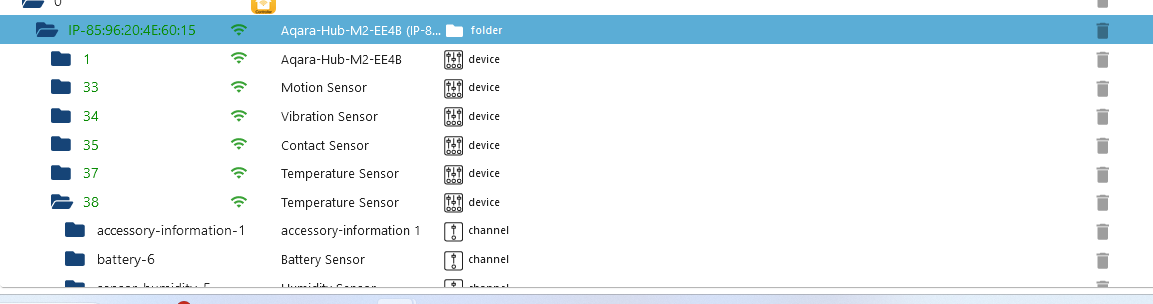
    Das komische ist unter den Objekten sind die Geräte zu sehen.Screenshot 2023-11-01 145643.png

    Thomas BraunT 1 Antwort Letzte Antwort
    0
    • H Homerunner

      Das komische ist unter den Objekten sind die Geräte zu sehen.Screenshot 2023-11-01 145643.png

      Thomas BraunT Online
      Thomas BraunT Online
      Thomas Braun
      Most Active
      schrieb am zuletzt editiert von
      #5

      @homerunner

      Gib uns mal die Langfassung von

      iob diag
      

      Damit man mal sieht wie du da genau unterwegs bist.

      Linux-Werkzeugkasten:
      https://forum.iobroker.net/topic/42952/der-kleine-iobroker-linux-werkzeugkasten
      NodeJS Fixer Skript:
      https://forum.iobroker.net/topic/68035/iob-node-fix-skript
      iob_diag: curl -sLf -o diag.sh https://iobroker.net/diag.sh && bash diag.sh

      H 1 Antwort Letzte Antwort
      0
      • Thomas BraunT Thomas Braun

        @homerunner

        Gib uns mal die Langfassung von

        iob diag
        

        Damit man mal sieht wie du da genau unterwegs bist.

        H Offline
        H Offline
        Homerunner
        schrieb am zuletzt editiert von
        #6

        @thomas-braun
        Ich muss leider dazu sagen, bin noch Anfänger in der Materie.
        Habe über putty den Befehl eingegeben, wie bekomme ich das kopiert, das ich es hier posten kann?

        Thomas BraunT 1 Antwort Letzte Antwort
        0
        • H Homerunner

          @thomas-braun
          Ich muss leider dazu sagen, bin noch Anfänger in der Materie.
          Habe über putty den Befehl eingegeben, wie bekomme ich das kopiert, das ich es hier posten kann?

          Thomas BraunT Online
          Thomas BraunT Online
          Thomas Braun
          Most Active
          schrieb am zuletzt editiert von
          #7

          @homerunner

          Wie andere Texte auch? Mit der Maus markieren, kopieren, im Forum einfügen.

          (Wobei jetzt puTTY auch nicht mein bevorzugtes Terminalprogramm wäre. Aber das ist ein anderes Thema).

          Linux-Werkzeugkasten:
          https://forum.iobroker.net/topic/42952/der-kleine-iobroker-linux-werkzeugkasten
          NodeJS Fixer Skript:
          https://forum.iobroker.net/topic/68035/iob-node-fix-skript
          iob_diag: curl -sLf -o diag.sh https://iobroker.net/diag.sh && bash diag.sh

          H 1 Antwort Letzte Antwort
          0
          • Thomas BraunT Thomas Braun

            @homerunner

            Wie andere Texte auch? Mit der Maus markieren, kopieren, im Forum einfügen.

            (Wobei jetzt puTTY auch nicht mein bevorzugtes Terminalprogramm wäre. Aber das ist ein anderes Thema).

            H Offline
            H Offline
            Homerunner
            schrieb am zuletzt editiert von
            #8

            @thomas-braun
            Sag mal mir, welches Programm benutzen sollte dafür?
            bei Putty kann ich zwar markieren, aber nicht kopieren.

            Thomas BraunT 2 Antworten Letzte Antwort
            0
            • H Homerunner

              @thomas-braun
              Sag mal mir, welches Programm benutzen sollte dafür?
              bei Putty kann ich zwar markieren, aber nicht kopieren.

              Thomas BraunT Online
              Thomas BraunT Online
              Thomas Braun
              Most Active
              schrieb am zuletzt editiert von
              #9

              @homerunner

              Ich verwende die PowerShell.

              Linux-Werkzeugkasten:
              https://forum.iobroker.net/topic/42952/der-kleine-iobroker-linux-werkzeugkasten
              NodeJS Fixer Skript:
              https://forum.iobroker.net/topic/68035/iob-node-fix-skript
              iob_diag: curl -sLf -o diag.sh https://iobroker.net/diag.sh && bash diag.sh

              1 Antwort Letzte Antwort
              0
              • H Homerunner

                @thomas-braun
                Sag mal mir, welches Programm benutzen sollte dafür?
                bei Putty kann ich zwar markieren, aber nicht kopieren.

                Thomas BraunT Online
                Thomas BraunT Online
                Thomas Braun
                Most Active
                schrieb am zuletzt editiert von
                #10

                @homerunner sagte in Homekit Controller startet ständig neu, bis er gestoppt wird:

                bei Putty kann ich zwar markieren, aber nicht kopieren.

                Ich hab zwar puTTY nicht im Einsatz, aber deine puTTY-Leidensgenossen bekommen das auch immer kopiert. Muss also grundsätzlich funktionieren.

                Linux-Werkzeugkasten:
                https://forum.iobroker.net/topic/42952/der-kleine-iobroker-linux-werkzeugkasten
                NodeJS Fixer Skript:
                https://forum.iobroker.net/topic/68035/iob-node-fix-skript
                iob_diag: curl -sLf -o diag.sh https://iobroker.net/diag.sh && bash diag.sh

                1 Antwort Letzte Antwort
                0
                • H Offline
                  H Offline
                  Homerunner
                  schrieb am zuletzt editiert von
                  #11
                  ======================= SUMMARY =======================
                                          v.2023-10-10
                  
                  
                     Static hostname: iobroker
                           Icon name: computer-vm
                             Chassis: vm
                      Virtualization: kvm
                    Operating System: Debian GNU/Linux 10 (buster)
                              Kernel: Linux 4.19.0-25-amd64
                        Architecture: x86-64
                  
                  Installation:           kvm
                  Kernel:                 x86_64
                  Userland:               amd64
                  Timezone:               Europe/Berlin (CET, +0100)
                  User-ID:                1000
                  X-Server:               false
                  Boot Target:            graphical.target
                  
                  Pending OS-Updates:     2
                  Pending iob updates:    0
                  
                  Nodejs-Installation:    /usr/bin/nodejs         v18.17.1
                                          /usr/local/bin/node             v18.18.2
                                          /usr/local/bin/npm              9.8.1
                                          /usr/local/bin/npx              9.8.1
                                          /usr/local/bin/corepack         0.19.0
                  
                  Recommended versions are nodejs 18.18.2 and npm 9.8.1
                  *** nodejs is NOT correctly installed ***
                  Wrong installation path detected. This needs to be fixed.
                  
                  Please check
                  https://forum.iobroker.net/topic/35090/howto-nodejs-installation-und-upgrades-unter-debian
                  for more information on how to fix these errors.
                  
                  MEMORY:
                                total        used        free      shared  buff/cache   available
                  Mem:           3.0G        1.7G        637M        5.0M        703M        1.2G
                  Swap:          3.1G        178M        2.9G
                  Total:         6.1G        1.8G        3.5G
                  
                  Active iob-Instances:   23
                  Active repo(s): stable
                  
                  ioBroker Core:          js-controller           5.0.16
                                          admin                   6.12.1
                  
                  ioBroker Status:        iobroker is running on this host.
                  
                  
                  Objects type: jsonl
                  States  type: jsonl
                  
                  Status admin and web instance:
                  + system.adapter.admin.0                  : admin                 : iobroker                                 -  enabled, port: 8081, bind: 0.0.0.0, run as: admin
                  + system.adapter.web.0                    : web                   : iobroker                                 -  enabled, port: 8082, bind: 0.0.0.0, run as: admin
                  
                  Objects:                4214
                  States:                 3445
                  
                  Size of iob-Database:
                  
                  29M     /opt/iobroker/iobroker-data/objects.jsonl
                  6.1M    /opt/iobroker/iobroker-data/objects.json.migrated
                  6.1M    /opt/iobroker/iobroker-data/objects.json.bak.migrated
                  2.0M    /opt/iobroker/iobroker-data/states.jsonl
                  620K    /opt/iobroker/iobroker-data/states.json.migrated
                  620K    /opt/iobroker/iobroker-data/states.json.bak.migrated
                  0       /opt/iobroker/iobroker-data/states.json.broken


                  =================== END OF SUMMARY ====================
                  

                  === Mark text until here for copying ===
                  iobroker@iobroker:~$ Mark until here for C&P
                  [1] 12177
                  -bash: Mark: Kommando nicht gefunden.
                  ======================= SUMMARY =======================
                  v.2023-10-10

                  Static hostname: iobroker
                  Icon name: computer-vm
                  Chassis: vm
                  Virtualization: kvm
                  Operating System: Debian GNU/Linux 10 (buster)
                  Kernel: Linux 4.19.0-25-amd64
                  Architecture: x86-64
                  -bash: P: Kommando nicht gefunden.
                  [1]+ Exit 127 Mark until here for C

                  Installation: kvm
                  Kernel: x86_64
                  Userland: amd64
                  Timezone: Europe/Berlin (CET, +0100)
                  iobroker@iobroker:~$
                  iobroker@iobroker:~$ ```

                  ======================= SUMMARY =======================
                  v.2023-10-10

                  Static hostname: iobroker
                  Icon name: computer-vm
                  Chassis: vm
                  Virtualization: kvm
                  Operating System: Debian GNU/Linux 10 (buster)
                  Kernel: Linux 4.19.0-25-amd64
                  Architecture: x86-64

                  Installation: kvm
                  Kernel: x86_64
                  Userland: amd64
                  Timezone: Europe/Berlin (CET, +0100)
                  User-ID: 1000
                  X-Server: false
                  Boot Target: graphical.target

                  Pending OS-Updates: 2
                  Pending iob updates: 0

                  Nodejs-Installation: /usr/bin/nodejs v18.17.1
                  /usr/local/bin/node v18.18.2
                  /usr/local/bin/npm 9.8.1
                  /usr/local/bin/npx 9.8.1
                  /usr/local/bin/corepack 0.19.0

                  Recommended versions are nodejs 18.18.2 and npm 9.8.1
                  *** nodejs is NOT correctly installed ***
                  Wrong installation path detected. This needs to be fixed.

                  Please check
                  https://forum.iobroker.net/topic/35090/howto-nodejs-installation-und-upgrades-unter-debian
                  for more information on how to fix these errors.

                  MEMORY:
                  total used free shared buff/cache available
                  Mem: 3.0G 1.7G 637M 5.0M 703M 1.2G
                  Swap: 3.1G 178M 2.9G
                  Total: 6.1G 1.8G 3.5G

                  Active iob-Instances: 23
                  Active repo(s): stable

                  ioBroker Core: js-controller 5.0.16
                  admin 6.12.1

                  ioBroker Status: iobroker is running on this host.

                  Objects type: jsonl
                  States type: jsonl

                  Status admin and web instance:

                  • system.adapter.admin.0 : admin : iobroker - enabled, port: 8081, bind: 0.0.0.0, run as: admin
                  • system.adapter.web.0 : web : iobroker - enabled, port: 8082, bind: 0.0.0.0, run as: admin

                  Objects: 4214
                  States: 3445

                  Size of iob-Database:

                  29M /opt/iobroker/iobroker-data/objects.jsonl
                  6.1M /opt/iobroker/iobroker-data/objects.json.migrated
                  6.1M /opt/iobroker/iobroker-data/objects.json.bak.migrated
                  2.0M /opt/iobroker/iobroker-data/states.jsonl
                  620K /opt/iobroker/iobroker-data/states.json.migrated
                  620K /opt/iobroker/iobroker-data/states.json.bak.migrated
                  0 /opt/iobroker/iobroker-data/states.json.broken

                  =================== END OF SUMMARY ====================

                  Thomas BraunT 1 Antwort Letzte Antwort
                  0
                  • H Homerunner
                    ======================= SUMMARY =======================
                                            v.2023-10-10
                    
                    
                       Static hostname: iobroker
                             Icon name: computer-vm
                               Chassis: vm
                        Virtualization: kvm
                      Operating System: Debian GNU/Linux 10 (buster)
                                Kernel: Linux 4.19.0-25-amd64
                          Architecture: x86-64
                    
                    Installation:           kvm
                    Kernel:                 x86_64
                    Userland:               amd64
                    Timezone:               Europe/Berlin (CET, +0100)
                    User-ID:                1000
                    X-Server:               false
                    Boot Target:            graphical.target
                    
                    Pending OS-Updates:     2
                    Pending iob updates:    0
                    
                    Nodejs-Installation:    /usr/bin/nodejs         v18.17.1
                                            /usr/local/bin/node             v18.18.2
                                            /usr/local/bin/npm              9.8.1
                                            /usr/local/bin/npx              9.8.1
                                            /usr/local/bin/corepack         0.19.0
                    
                    Recommended versions are nodejs 18.18.2 and npm 9.8.1
                    *** nodejs is NOT correctly installed ***
                    Wrong installation path detected. This needs to be fixed.
                    
                    Please check
                    https://forum.iobroker.net/topic/35090/howto-nodejs-installation-und-upgrades-unter-debian
                    for more information on how to fix these errors.
                    
                    MEMORY:
                                  total        used        free      shared  buff/cache   available
                    Mem:           3.0G        1.7G        637M        5.0M        703M        1.2G
                    Swap:          3.1G        178M        2.9G
                    Total:         6.1G        1.8G        3.5G
                    
                    Active iob-Instances:   23
                    Active repo(s): stable
                    
                    ioBroker Core:          js-controller           5.0.16
                                            admin                   6.12.1
                    
                    ioBroker Status:        iobroker is running on this host.
                    
                    
                    Objects type: jsonl
                    States  type: jsonl
                    
                    Status admin and web instance:
                    + system.adapter.admin.0                  : admin                 : iobroker                                 -  enabled, port: 8081, bind: 0.0.0.0, run as: admin
                    + system.adapter.web.0                    : web                   : iobroker                                 -  enabled, port: 8082, bind: 0.0.0.0, run as: admin
                    
                    Objects:                4214
                    States:                 3445
                    
                    Size of iob-Database:
                    
                    29M     /opt/iobroker/iobroker-data/objects.jsonl
                    6.1M    /opt/iobroker/iobroker-data/objects.json.migrated
                    6.1M    /opt/iobroker/iobroker-data/objects.json.bak.migrated
                    2.0M    /opt/iobroker/iobroker-data/states.jsonl
                    620K    /opt/iobroker/iobroker-data/states.json.migrated
                    620K    /opt/iobroker/iobroker-data/states.json.bak.migrated
                    0       /opt/iobroker/iobroker-data/states.json.broken


                    =================== END OF SUMMARY ====================
                    

                    === Mark text until here for copying ===
                    iobroker@iobroker:~$ Mark until here for C&P
                    [1] 12177
                    -bash: Mark: Kommando nicht gefunden.
                    ======================= SUMMARY =======================
                    v.2023-10-10

                    Static hostname: iobroker
                    Icon name: computer-vm
                    Chassis: vm
                    Virtualization: kvm
                    Operating System: Debian GNU/Linux 10 (buster)
                    Kernel: Linux 4.19.0-25-amd64
                    Architecture: x86-64
                    -bash: P: Kommando nicht gefunden.
                    [1]+ Exit 127 Mark until here for C

                    Installation: kvm
                    Kernel: x86_64
                    Userland: amd64
                    Timezone: Europe/Berlin (CET, +0100)
                    iobroker@iobroker:~$
                    iobroker@iobroker:~$ ```

                    ======================= SUMMARY =======================
                    v.2023-10-10

                    Static hostname: iobroker
                    Icon name: computer-vm
                    Chassis: vm
                    Virtualization: kvm
                    Operating System: Debian GNU/Linux 10 (buster)
                    Kernel: Linux 4.19.0-25-amd64
                    Architecture: x86-64

                    Installation: kvm
                    Kernel: x86_64
                    Userland: amd64
                    Timezone: Europe/Berlin (CET, +0100)
                    User-ID: 1000
                    X-Server: false
                    Boot Target: graphical.target

                    Pending OS-Updates: 2
                    Pending iob updates: 0

                    Nodejs-Installation: /usr/bin/nodejs v18.17.1
                    /usr/local/bin/node v18.18.2
                    /usr/local/bin/npm 9.8.1
                    /usr/local/bin/npx 9.8.1
                    /usr/local/bin/corepack 0.19.0

                    Recommended versions are nodejs 18.18.2 and npm 9.8.1
                    *** nodejs is NOT correctly installed ***
                    Wrong installation path detected. This needs to be fixed.

                    Please check
                    https://forum.iobroker.net/topic/35090/howto-nodejs-installation-und-upgrades-unter-debian
                    for more information on how to fix these errors.

                    MEMORY:
                    total used free shared buff/cache available
                    Mem: 3.0G 1.7G 637M 5.0M 703M 1.2G
                    Swap: 3.1G 178M 2.9G
                    Total: 6.1G 1.8G 3.5G

                    Active iob-Instances: 23
                    Active repo(s): stable

                    ioBroker Core: js-controller 5.0.16
                    admin 6.12.1

                    ioBroker Status: iobroker is running on this host.

                    Objects type: jsonl
                    States type: jsonl

                    Status admin and web instance:

                    • system.adapter.admin.0 : admin : iobroker - enabled, port: 8081, bind: 0.0.0.0, run as: admin
                    • system.adapter.web.0 : web : iobroker - enabled, port: 8082, bind: 0.0.0.0, run as: admin

                    Objects: 4214
                    States: 3445

                    Size of iob-Database:

                    29M /opt/iobroker/iobroker-data/objects.jsonl
                    6.1M /opt/iobroker/iobroker-data/objects.json.migrated
                    6.1M /opt/iobroker/iobroker-data/objects.json.bak.migrated
                    2.0M /opt/iobroker/iobroker-data/states.jsonl
                    620K /opt/iobroker/iobroker-data/states.json.migrated
                    620K /opt/iobroker/iobroker-data/states.json.bak.migrated
                    0 /opt/iobroker/iobroker-data/states.json.broken

                    =================== END OF SUMMARY ====================

                    Thomas BraunT Online
                    Thomas BraunT Online
                    Thomas Braun
                    Most Active
                    schrieb am zuletzt editiert von
                    #12

                    @homerunner sagte in Homekit Controller startet ständig neu, bis er gestoppt wird:

                    buster

                    Ist tot (Muss ersetzt werden) und nodejs (wie erwartet...) falsch installiert.

                    iob nodejs-update 
                    

                    (Evtl. zuvor iob fix ausführen.)

                    Linux-Werkzeugkasten:
                    https://forum.iobroker.net/topic/42952/der-kleine-iobroker-linux-werkzeugkasten
                    NodeJS Fixer Skript:
                    https://forum.iobroker.net/topic/68035/iob-node-fix-skript
                    iob_diag: curl -sLf -o diag.sh https://iobroker.net/diag.sh && bash diag.sh

                    1 Antwort Letzte Antwort
                    0
                    • H Offline
                      H Offline
                      Homerunner
                      schrieb am zuletzt editiert von
                      #13

                      @thomas-braun said in Homekit Controller startet ständig neu, bis er gestoppt wird:

                      iob nodejs-update

                      Alles gemacht:

                      ======================= SUMMARY =======================
                                              v.2023-10-10
                      
                      
                         Static hostname: iobroker
                               Icon name: computer-vm
                                 Chassis: vm
                          Virtualization: kvm
                        Operating System: Debian GNU/Linux 10 (buster)
                                  Kernel: Linux 4.19.0-25-amd64
                            Architecture: x86-64
                      
                      Installation:           kvm
                      Kernel:                 x86_64
                      Userland:               amd64
                      Timezone:               Europe/Berlin (CET, +0100)
                      User-ID:                1000
                      X-Server:               false
                      Boot Target:            graphical.target
                      
                      Pending OS-Updates:     0
                      Pending iob updates:    0
                      
                      Nodejs-Installation:    /usr/bin/nodejs         v18.18.2
                                              /usr/bin/node           v18.18.2
                                              /usr/bin/npm            9.8.1
                                              /usr/bin/npx            9.8.1
                                              /usr/bin/corepack       0.19.0
                      
                      Recommended versions are nodejs 18.18.2 and npm 9.8.1
                      Your nodejs installation is correct
                      
                      MEMORY:
                                    total        used        free      shared  buff/cache   available
                      Mem:           3.0G         89M        1.8G        5.0M        1.1G        2.7G
                      Swap:          3.1G         17M        3.1G
                      Total:         6.1G        107M        4.8G
                      
                      Active iob-Instances:   1
                      Active repo(s): stable
                      
                      ioBroker Core:          js-controller           5.0.16
                                              admin                   6.12.1
                      
                      ioBroker Status:        iobroker is not running on this host.
                      
                      
                      Objects type: jsonl
                      States  type: jsonl
                      
                      Status admin and web instance:
                        system.adapter.admin.0                  : admin                 : iobroker                                 -  enabled, port: 8081, bind: 0.0.0.0, run as: admin
                        system.adapter.web.0                    : web                   : iobroker                                 -  enabled, port: 8082, bind: 0.0.0.0, run as: admin
                      
                      Objects:                4214
                      States:                 3247
                      
                      Size of iob-Database:
                      
                      6.7M    /opt/iobroker/iobroker-data/objects.jsonl
                      6.1M    /opt/iobroker/iobroker-data/objects.json.migrated
                      6.1M    /opt/iobroker/iobroker-data/objects.json.bak.migrated
                      816K    /opt/iobroker/iobroker-data/states.jsonl
                      620K    /opt/iobroker/iobroker-data/states.json.migrated
                      620K    /opt/iobroker/iobroker-data/states.json.bak.migrated
                      0       /opt/iobroker/iobroker-data/states.json.broken


                      =================== END OF SUMMARY ====================
                      

                      === Mark text until here for copying ===
                      iobroker@iobroker:~$

                      Thomas BraunT 1 Antwort Letzte Antwort
                      0
                      • H Homerunner

                        @thomas-braun said in Homekit Controller startet ständig neu, bis er gestoppt wird:

                        iob nodejs-update

                        Alles gemacht:

                        ======================= SUMMARY =======================
                                                v.2023-10-10
                        
                        
                           Static hostname: iobroker
                                 Icon name: computer-vm
                                   Chassis: vm
                            Virtualization: kvm
                          Operating System: Debian GNU/Linux 10 (buster)
                                    Kernel: Linux 4.19.0-25-amd64
                              Architecture: x86-64
                        
                        Installation:           kvm
                        Kernel:                 x86_64
                        Userland:               amd64
                        Timezone:               Europe/Berlin (CET, +0100)
                        User-ID:                1000
                        X-Server:               false
                        Boot Target:            graphical.target
                        
                        Pending OS-Updates:     0
                        Pending iob updates:    0
                        
                        Nodejs-Installation:    /usr/bin/nodejs         v18.18.2
                                                /usr/bin/node           v18.18.2
                                                /usr/bin/npm            9.8.1
                                                /usr/bin/npx            9.8.1
                                                /usr/bin/corepack       0.19.0
                        
                        Recommended versions are nodejs 18.18.2 and npm 9.8.1
                        Your nodejs installation is correct
                        
                        MEMORY:
                                      total        used        free      shared  buff/cache   available
                        Mem:           3.0G         89M        1.8G        5.0M        1.1G        2.7G
                        Swap:          3.1G         17M        3.1G
                        Total:         6.1G        107M        4.8G
                        
                        Active iob-Instances:   1
                        Active repo(s): stable
                        
                        ioBroker Core:          js-controller           5.0.16
                                                admin                   6.12.1
                        
                        ioBroker Status:        iobroker is not running on this host.
                        
                        
                        Objects type: jsonl
                        States  type: jsonl
                        
                        Status admin and web instance:
                          system.adapter.admin.0                  : admin                 : iobroker                                 -  enabled, port: 8081, bind: 0.0.0.0, run as: admin
                          system.adapter.web.0                    : web                   : iobroker                                 -  enabled, port: 8082, bind: 0.0.0.0, run as: admin
                        
                        Objects:                4214
                        States:                 3247
                        
                        Size of iob-Database:
                        
                        6.7M    /opt/iobroker/iobroker-data/objects.jsonl
                        6.1M    /opt/iobroker/iobroker-data/objects.json.migrated
                        6.1M    /opt/iobroker/iobroker-data/objects.json.bak.migrated
                        816K    /opt/iobroker/iobroker-data/states.jsonl
                        620K    /opt/iobroker/iobroker-data/states.json.migrated
                        620K    /opt/iobroker/iobroker-data/states.json.bak.migrated
                        0       /opt/iobroker/iobroker-data/states.json.broken


                        =================== END OF SUMMARY ====================
                        

                        === Mark text until here for copying ===
                        iobroker@iobroker:~$

                        Thomas BraunT Online
                        Thomas BraunT Online
                        Thomas Braun
                        Most Active
                        schrieb am zuletzt editiert von
                        #14

                        @homerunner sagte in Homekit Controller startet ständig neu, bis er gestoppt wird:

                        Alles gemacht:

                        Nö, Buster ist immer noch tot und muss ersetzt werden.
                        Aber zumidest ist die Laufzeitumgebung jetzt auf Stand.

                        Linux-Werkzeugkasten:
                        https://forum.iobroker.net/topic/42952/der-kleine-iobroker-linux-werkzeugkasten
                        NodeJS Fixer Skript:
                        https://forum.iobroker.net/topic/68035/iob-node-fix-skript
                        iob_diag: curl -sLf -o diag.sh https://iobroker.net/diag.sh && bash diag.sh

                        1 Antwort Letzte Antwort
                        0
                        • H Offline
                          H Offline
                          Homerunner
                          schrieb am zuletzt editiert von
                          #15

                          Das heißt? Was muss ich tun?
                          Wie gesagt, bin Anfänger...

                          Thomas BraunT 1 Antwort Letzte Antwort
                          0
                          • H Homerunner

                            Das heißt? Was muss ich tun?
                            Wie gesagt, bin Anfänger...

                            Thomas BraunT Online
                            Thomas BraunT Online
                            Thomas Braun
                            Most Active
                            schrieb am zuletzt editiert von
                            #16

                            @homerunner sagte in Homekit Controller startet ständig neu, bis er gestoppt wird:

                            Das heißt? Was muss ich tun?

                            Dein Betriebssystem neuinstallieren.

                            Startet der ioBroker denn nun wieder?

                            iob start
                            

                            Linux-Werkzeugkasten:
                            https://forum.iobroker.net/topic/42952/der-kleine-iobroker-linux-werkzeugkasten
                            NodeJS Fixer Skript:
                            https://forum.iobroker.net/topic/68035/iob-node-fix-skript
                            iob_diag: curl -sLf -o diag.sh https://iobroker.net/diag.sh && bash diag.sh

                            1 Antwort Letzte Antwort
                            0
                            • H Offline
                              H Offline
                              Homerunner
                              schrieb am zuletzt editiert von
                              #17

                              Das habe bereits gemacht, aber die Fehlermeldungen sind geblieben.

                              Thomas BraunT 1 Antwort Letzte Antwort
                              0
                              • H Homerunner

                                Das habe bereits gemacht, aber die Fehlermeldungen sind geblieben.

                                Thomas BraunT Online
                                Thomas BraunT Online
                                Thomas Braun
                                Most Active
                                schrieb am zuletzt editiert von
                                #18

                                @homerunner

                                Dann gibt mal die Langfassung von

                                iob diag
                                

                                bekannt.

                                Linux-Werkzeugkasten:
                                https://forum.iobroker.net/topic/42952/der-kleine-iobroker-linux-werkzeugkasten
                                NodeJS Fixer Skript:
                                https://forum.iobroker.net/topic/68035/iob-node-fix-skript
                                iob_diag: curl -sLf -o diag.sh https://iobroker.net/diag.sh && bash diag.sh

                                1 Antwort Letzte Antwort
                                0
                                • H Offline
                                  H Offline
                                  Homerunner
                                  schrieb am zuletzt editiert von
                                  #19

                                  ======== Start marking the full check here =========

                                  Skript v.2023-10-10
                                  
                                  *** BASE SYSTEM ***
                                     Static hostname: iobroker
                                           Icon name: computer-vm
                                             Chassis: vm
                                      Virtualization: kvm
                                    Operating System: Debian GNU/Linux 10 (buster)
                                              Kernel: Linux 4.19.0-25-amd64
                                        Architecture: x86-64
                                  
                                  model name      : Common KVM processor
                                  Docker          : false
                                  Virtualization  : kvm
                                  Kernel          : x86_64
                                  Userland        : amd64
                                  
                                  Systemuptime and Load:
                                   15:48:37 up 1 day, 20:38,  1 user,  load average: 0.06, 0.11, 0.08
                                  CPU threads: 8
                                  
                                  
                                  *** Time and Time Zones ***
                                                 Local time: Wed 2023-11-01 15:48:37 CET
                                             Universal time: Wed 2023-11-01 14:48:37 UTC
                                                   RTC time: Wed 2023-11-01 14:48:38
                                                  Time zone: Europe/Berlin (CET, +0100)
                                  System clock synchronized: yes
                                                NTP service: active
                                            RTC in local TZ: no
                                  
                                  *** User and Groups ***
                                  iobroker
                                  /home/iobroker
                                  iobroker tty dialout cdrom floppy audio dip video plugdev netdev lpadmin scanner
                                  
                                  *** X-Server-Setup ***
                                  X-Server:       false
                                  Desktop:
                                  Terminal:       tty
                                  Boot Target:    graphical.target
                                  
                                  *** MEMORY ***
                                                total        used        free      shared  buff/cache   available
                                  Mem:           3.0G        1.4G        398M        5.0M        1.2G        1.4G
                                  Swap:          3.1G         17M        3.1G
                                  Total:         6.1G        1.4G        3.5G
                                  
                                           3002 M total memory
                                           1405 M used memory
                                           1815 M active memory
                                            450 M inactive memory
                                            398 M free memory
                                            247 M buffer memory
                                            951 M swap cache
                                           3069 M total swap
                                             17 M used swap
                                           3052 M free swap
                                  
                                  *** FAILED SERVICES ***
                                  
                                  0 loaded units listed. Pass --all to see loaded but inactive units, too.
                                  To show all installed unit files use 'systemctl list-unit-files'.
                                  
                                  *** FILESYSTEM ***
                                  Filesystem     Type      Size  Used Avail Use% Mounted on
                                  udev           devtmpfs  1.5G     0  1.5G   0% /dev
                                  tmpfs          tmpfs     301M  8.0M  293M   3% /run
                                  /dev/sda1      ext4       29G  6.3G   21G  24% /
                                  tmpfs          tmpfs     1.5G     0  1.5G   0% /dev/shm
                                  tmpfs          tmpfs     5.0M     0  5.0M   0% /run/lock
                                  tmpfs          tmpfs     1.5G     0  1.5G   0% /sys/fs/cgroup
                                  tmpfs          tmpfs     301M     0  301M   0% /run/user/1000
                                  
                                  Messages concerning ext4 filesystem in dmesg:
                                  [Mon Oct 30 19:09:49 2023] EXT4-fs (sda1): mounted filesystem with ordered data mode. Opts: (null)
                                  [Mon Oct 30 19:09:50 2023] EXT4-fs (sda1): re-mounted. Opts: errors=remount-ro
                                  
                                  Show mounted filesystems \(real ones only\):
                                  TARGET        SOURCE    FSTYPE OPTIONS
                                  /             /dev/sda1 ext4   rw,relatime,errors=remount-ro
                                  `-/sys/fs/bpf bpf       bpf    rw,nosuid,nodev,noexec,relatime,mode=700
                                  
                                  Files in neuralgic directories:
                                  
                                  /var:
                                  896M    /var/
                                  711M    /var/cache
                                  692M    /var/cache/apt
                                  631M    /var/cache/apt/archives
                                  166M    /var/lib
                                  
                                  Hint: You are currently not seeing messages from other users and the system.
                                        Users in the 'systemd-journal' group can see all messages. Pass -q to
                                        turn off this notice.
                                  No journal files were opened due to insufficient permissions.
                                  
                                  /opt/iobroker/backups:
                                  32M     /opt/iobroker/backups/
                                  
                                  /opt/iobroker/iobroker-data:
                                  341M    /opt/iobroker/iobroker-data/
                                  216M    /opt/iobroker/iobroker-data/files
                                  100M    /opt/iobroker/iobroker-data/backup-objects
                                  52M     /opt/iobroker/iobroker-data/files/javascript.admin
                                  34M     /opt/iobroker/iobroker-data/files/javascript.admin/static
                                  
                                  The five largest files in iobroker-data are:
                                  21M     /opt/iobroker/iobroker-data/files/web.admin/static/js/main.edf7552a.js.map
                                  19M     /opt/iobroker/iobroker-data/files/iot.admin/static/js/main.2975a411.js.map
                                  9.3M    /opt/iobroker/iobroker-data/objects.jsonl
                                  8.3M    /opt/iobroker/iobroker-data/files/web.admin/static/js/main.edf7552a.js
                                  8.2M    /opt/iobroker/iobroker-data/files/iot.admin/static/js/main.2975a411.js
                                  
                                  USB-Devices by-id:
                                  USB-Sticks -  Avoid direct links to /dev/* in your adapter setups, please always prefer the links 'by-id':
                                  
                                  find: '/dev/serial/by-id/': No such file or directory
                                  
                                  *** NodeJS-Installation ***
                                  
                                  /usr/bin/nodejs         v18.18.2
                                  /usr/bin/node           v18.18.2
                                  /usr/bin/npm            9.8.1
                                  /usr/bin/npx            9.8.1
                                  /usr/bin/corepack       0.19.0
                                  
                                  
                                  nodejs:
                                    Installed: 18.18.2-1nodesource1
                                    Candidate: 18.18.2-1nodesource1
                                    Version table:
                                   *** 18.18.2-1nodesource1 1001
                                          500 https://deb.nodesource.com/node_18.x nodistro/main amd64 Packages
                                          100 /var/lib/dpkg/status
                                       18.18.1-1nodesource1 1001
                                          500 https://deb.nodesource.com/node_18.x nodistro/main amd64 Packages
                                       18.18.0-1nodesource1 1001
                                          500 https://deb.nodesource.com/node_18.x nodistro/main amd64 Packages
                                       18.17.1-1nodesource1 1001
                                          500 https://deb.nodesource.com/node_18.x nodistro/main amd64 Packages
                                       18.17.0-1nodesource1 1001
                                          500 https://deb.nodesource.com/node_18.x nodistro/main amd64 Packages
                                       18.16.1-1nodesource1 1001
                                          500 https://deb.nodesource.com/node_18.x nodistro/main amd64 Packages
                                       18.16.0-1nodesource1 1001
                                          500 https://deb.nodesource.com/node_18.x nodistro/main amd64 Packages
                                       18.15.0-1nodesource1 1001
                                          500 https://deb.nodesource.com/node_18.x nodistro/main amd64 Packages
                                       18.14.2-1nodesource1 1001
                                          500 https://deb.nodesource.com/node_18.x nodistro/main amd64 Packages
                                       18.14.1-1nodesource1 1001
                                          500 https://deb.nodesource.com/node_18.x nodistro/main amd64 Packages
                                       18.14.0-1nodesource1 1001
                                          500 https://deb.nodesource.com/node_18.x nodistro/main amd64 Packages
                                       18.13.0-1nodesource1 1001
                                          500 https://deb.nodesource.com/node_18.x nodistro/main amd64 Packages
                                       18.12.0-1nodesource1 1001
                                          500 https://deb.nodesource.com/node_18.x nodistro/main amd64 Packages
                                       18.11.0-1nodesource1 1001
                                          500 https://deb.nodesource.com/node_18.x nodistro/main amd64 Packages
                                       18.10.0-1nodesource1 1001
                                          500 https://deb.nodesource.com/node_18.x nodistro/main amd64 Packages
                                       18.9.1-1nodesource1 1001
                                          500 https://deb.nodesource.com/node_18.x nodistro/main amd64 Packages
                                       18.9.0-1nodesource1 1001
                                          500 https://deb.nodesource.com/node_18.x nodistro/main amd64 Packages
                                       18.8.0-1nodesource1 1001
                                          500 https://deb.nodesource.com/node_18.x nodistro/main amd64 Packages
                                       18.7.0-1nodesource1 1001
                                          500 https://deb.nodesource.com/node_18.x nodistro/main amd64 Packages
                                       18.6.0-1nodesource1 1001
                                          500 https://deb.nodesource.com/node_18.x nodistro/main amd64 Packages
                                       18.5.0-1nodesource1 1001
                                          500 https://deb.nodesource.com/node_18.x nodistro/main amd64 Packages
                                       18.4.0-1nodesource1 1001
                                          500 https://deb.nodesource.com/node_18.x nodistro/main amd64 Packages
                                       18.3.0-1nodesource1 1001
                                          500 https://deb.nodesource.com/node_18.x nodistro/main amd64 Packages
                                       18.2.0-1nodesource1 1001
                                          500 https://deb.nodesource.com/node_18.x nodistro/main amd64 Packages
                                       18.1.0-1nodesource1 1001
                                          500 https://deb.nodesource.com/node_18.x nodistro/main amd64 Packages
                                       18.0.0-1nodesource1 1001
                                          500 https://deb.nodesource.com/node_18.x nodistro/main amd64 Packages
                                       10.24.0~dfsg-1~deb10u3 500
                                          500 http://security.debian.org/debian-security buster/updates/main amd64 Packages
                                       10.24.0~dfsg-1~deb10u1 500
                                          500 http://ftp.de.debian.org/debian buster/main amd64 Packages
                                  
                                  Temp directories causing npm8 problem: 0
                                  No problems detected
                                  
                                  Errors in npm tree:
                                  
                                  *** ioBroker-Installation ***
                                  
                                  ioBroker Status
                                  iobroker is running on this host.
                                  
                                  
                                  Objects type: jsonl
                                  States  type: jsonl
                                  
                                  Core adapters versions
                                  js-controller:  5.0.16
                                  admin:          6.12.1
                                  javascript:     7.1.4
                                  
                                  Adapters from github:   0
                                  
                                  Adapter State
                                  + system.adapter.admin.0                  : admin                 : iobroker                                 -  enabled, port: 8081, bind: 0.0.0.0, run as: admin
                                  + system.adapter.alexa2.0                 : alexa2                : iobroker                                 -  enabled
                                  + system.adapter.backitup.0               : backitup              : iobroker                                 -  enabled
                                  + system.adapter.cloud.0                  : cloud                 : iobroker                                 -  enabled
                                  + system.adapter.deconz.0                 : deconz                : iobroker                                 -  enabled, port: 80
                                  + system.adapter.discovery.0              : discovery             : iobroker                                 -  enabled
                                    system.adapter.homekit-controller.0     : homekit-controller    : iobroker                                 -  enabled
                                    system.adapter.ical.0                   : ical                  : iobroker                                 -  enabled
                                  + system.adapter.info.0                   : info                  : iobroker                                 -  enabled
                                  + system.adapter.iot.0                    : iot                   : iobroker                                 -  enabled
                                  + system.adapter.iqontrol.0               : iqontrol              : iobroker                                 -  enabled
                                  + system.adapter.jarvis.0                 : jarvis                : iobroker                                 -  enabled
                                  + system.adapter.javascript.0             : javascript            : iobroker                                 -  enabled
                                  + system.adapter.meross.0                 : meross                : iobroker                                 -  enabled
                                  + system.adapter.mydlink.0                : mydlink               : iobroker                                 -  enabled
                                  + system.adapter.panasonic-comfort-cloud.0: panasonic-comfort-cloud: iobroker                                 -  enabled
                                  + system.adapter.ping.0                   : ping                  : iobroker                                 -  enabled
                                  + system.adapter.smartthings.0            : smartthings           : iobroker                                 -  enabled
                                  + system.adapter.tankerkoenig.0           : tankerkoenig          : iobroker                                 -  enabled
                                  + system.adapter.trashschedule.1          : trashschedule         : iobroker                                 -  enabled
                                  + system.adapter.tuya.0                   : tuya                  : iobroker                                 -  enabled
                                    system.adapter.vis.0                    : vis                   : iobroker                                 -  enabled
                                  + system.adapter.web.0                    : web                   : iobroker                                 -  enabled, port: 8082, bind: 0.0.0.0, run as: admin
                                  + system.adapter.wled.0                   : wled                  : iobroker                                 -  enabled
                                  + system.adapter.yahka.0                  : yahka                 : iobroker                                 -  enabled
                                  
                                  + instance is alive
                                  
                                  Enabled adapters with bindings
                                  + system.adapter.admin.0                  : admin                 : iobroker                                 -  enabled, port: 8081, bind: 0.0.0.0, run as: admin
                                  + system.adapter.deconz.0                 : deconz                : iobroker                                 -  enabled, port: 80
                                  + system.adapter.web.0                    : web                   : iobroker                                 -  enabled, port: 8082, bind: 0.0.0.0, run as: admin
                                  
                                  ioBroker-Repositories
                                  stable        : http://download.iobroker.net/sources-dist.json
                                  beta          : http://download.iobroker.net/sources-dist-latest.json
                                  
                                  Active repo(s): stable
                                  
                                  Installed ioBroker-Instances
                                  Used repository: stable
                                  Adapter    "admin"        : 6.12.0   , installed 6.12.1
                                  Adapter    "alexa2"       : 3.25.2   , installed 3.25.5
                                  Adapter    "backitup"     : 2.8.1    , installed 2.8.7
                                  Adapter    "cloud"        : 4.4.1    , installed 4.4.1
                                  Adapter    "deconz"       : 1.3.21   , installed 1.3.22
                                  Adapter    "discovery"    : 3.1.0    , installed 3.2.0
                                  Adapter    "homekit-controller": 0.5.8, installed 0.5.8
                                  Adapter    "ical"         : 1.13.3   , installed 1.13.3
                                  Adapter    "info"         : 2.0.0    , installed 2.0.0
                                  Adapter    "iot"          : 1.14.5   , installed 1.14.5
                                  Adapter    "iqontrol"     : 2.3.0    , installed 2.3.0
                                  Adapter    "jarvis"       : 3.1.2    , installed 3.1.2
                                  Adapter    "javascript"   : 7.1.4    , installed 7.1.4
                                  Controller "js-controller": 5.0.12   , installed 5.0.16
                                  Adapter    "meross"       : 1.15.1   , installed 1.15.1
                                  Adapter    "mydlink"      : 1.3.4    , installed 1.3.4
                                  Adapter    "panasonic-comfort-cloud": 2.2.4, installed 2.2.4
                                  Adapter    "ping"         : 1.6.2    , installed 1.6.2
                                  Adapter    "simple-api"   : 2.7.2    , installed 2.7.2
                                  Adapter    "smartthings"  : 0.0.4    , installed 0.0.4
                                  Adapter    "socketio"     : 6.5.5    , installed 6.5.5
                                  Adapter    "tankerkoenig" : 3.3.7    , installed 3.3.7
                                  Adapter    "tr-064"       : 4.2.18   , installed 4.2.18
                                  Adapter    "trashschedule": 2.2.0    , installed 2.2.0
                                  Adapter    "tuya"         : 3.14.2   , installed 3.14.2
                                  Adapter    "vis"          : 1.4.16   , installed 1.4.16
                                  Adapter    "web"          : 6.1.2    , installed 6.1.2
                                  Adapter    "wled"         : 0.7.1    , installed 0.7.1
                                  Adapter    "ws"           : 2.5.5    , installed 2.5.5
                                  Adapter    "yahka"        : 1.0.3    , installed 1.0.3
                                  Adapter    "zigbee"       : 1.8.23   , installed 1.8.23
                                  Adapter    "zigbee2mqtt"  : 2.13.3   , installed 2.13.3
                                  
                                  Objects and States
                                  Please stand by - This may take a while
                                  Objects:        4214
                                  States:         3459
                                  
                                  *** OS-Repositories and Updates ***
                                  Hit:1 http://security.debian.org/debian-security buster/updates InRelease
                                  Hit:2 http://phoscon.de/apt/deconz buster InRelease
                                  Hit:3 http://ftp.de.debian.org/debian buster InRelease
                                  Hit:4 http://ftp.de.debian.org/debian buster-updates InRelease
                                  Hit:5 https://deb.nodesource.com/node_18.x nodistro InRelease
                                  Reading package lists...
                                  Pending Updates: 0
                                  
                                  *** Listening Ports ***
                                  Active Internet connections (only servers)
                                  Proto Recv-Q Send-Q Local Address           Foreign Address         State       User       Inode      PID/Program name
                                  tcp        0      0 0.0.0.0:111             0.0.0.0:*               LISTEN      0          11436      1/init
                                  tcp        0      0 0.0.0.0:8400            0.0.0.0:*               LISTEN      1000       2104606    17991/io.jarvis.0
                                  tcp        0      0 0.0.0.0:22              0.0.0.0:*               LISTEN      0          14097      447/sshd
                                  tcp        0      0 127.0.0.1:631           0.0.0.0:*               LISTEN      0          1351999    3148/cupsd
                                  tcp        0      0 0.0.0.0:44409           0.0.0.0:*               LISTEN      1000       2104641    18021/io.yahka.0
                                  tcp        0      0 127.0.0.1:9000          0.0.0.0:*               LISTEN      1000       2099756    17266/iobroker.js-c
                                  tcp        0      0 127.0.0.1:9001          0.0.0.0:*               LISTEN      1000       2099749    17266/iobroker.js-c
                                  tcp        0      0 127.0.0.1:39051         0.0.0.0:*               LISTEN      1000       2104722    18021/io.yahka.0
                                  tcp6       0      0 :::111                  :::*                    LISTEN      0          11444      1/init
                                  tcp6       0      0 :::8081                 :::*                    LISTEN      1000       2102337    17285/io.admin.0
                                  tcp6       0      0 :::8082                 :::*                    LISTEN      1000       2104588    17976/io.web.0
                                  tcp6       0      0 :::22                   :::*                    LISTEN      0          14099      447/sshd
                                  tcp6       0      0 ::1:631                 :::*                    LISTEN      0          1351998    3148/cupsd
                                  udp        0      0 0.0.0.0:51504           0.0.0.0:*                           106        13971      384/avahi-daemon: r
                                  udp        0      0 0.0.0.0:6666            0.0.0.0:*                           1000       2101736    17389/io.tuya.0
                                  udp        0      0 0.0.0.0:6667            0.0.0.0:*                           1000       2101737    17389/io.tuya.0
                                  udp        0      0 0.0.0.0:631             0.0.0.0:*                           0          1352008    3149/cups-browsed
                                  udp        0      0 192.168.178.115:5353    0.0.0.0:*                           1000       2103535    17961/io.mydlink.0
                                  udp        0      0 0.0.0.0:5353            0.0.0.0:*                           1000       2102873    17927/io.wled.0
                                  udp        0      0 0.0.0.0:5353            0.0.0.0:*                           106        13969      384/avahi-daemon: r
                                  udp        0      0 0.0.0.0:1900            0.0.0.0:*                           1000       2104373    17882/io.deconz.0
                                  udp        0      0 0.0.0.0:68              0.0.0.0:*                           0          13976      380/dhclient
                                  udp        0      0 0.0.0.0:111             0.0.0.0:*                           0          11439      1/init
                                  udp6       0      0 :::45791                :::*                                106        13972      384/avahi-daemon: r
                                  udp6       0      0 :::5353                 :::*                                106        13970      384/avahi-daemon: r
                                  udp6       0      0 :::1900                 :::*                                1000       2104375    17882/io.deconz.0
                                  udp6       0      0 :::1900                 :::*                                1000       2104374    17882/io.deconz.0
                                  udp6       0      0 :::111                  :::*                                0          11449      1/init
                                  
                                  *** Log File - Last 25 Lines ***
                                  
                                  2023-11-01 15:48:41.883  - error: host.iobroker Caught by controller[2]:     at HomekitController.setCharacteristicValues (/opt/iobroker/node_modules/iobroker.homekit-controller/build/main.js:734:32)
                                  2023-11-01 15:48:41.883  - error: host.iobroker Caught by controller[2]:     at Timeout.<anonymous> (/opt/iobroker/node_modules/iobroker.homekit-controller/build/main.js:702:30)
                                  2023-11-01 15:48:41.883  - error: host.iobroker Caught by controller[2]:     at processTicksAndRejections (node:internal/process/task_queues:95:5)
                                  2023-11-01 15:48:41.883  - error: host.iobroker Caught by controller[3]: This error originated either by throwing inside of an async function without a catch block, or by rejecting a promise which was not handled with .catch(). The promise rejected with the reason:
                                  2023-11-01 15:48:41.883  - error: host.iobroker Caught by controller[4]: Error: undefined is not a valid state value
                                  2023-11-01 15:48:41.883  - error: host.iobroker Caught by controller[4]:     at Object.maybeCallbackWithError (/opt/iobroker/node_modules/@iobroker/js-controller-common/src/lib/common/maybeCallback.ts:136:17)
                                  2023-11-01 15:48:41.883  - error: host.iobroker Caught by controller[4]:     at HomekitController._setState (/opt/iobroker/node_modules/@iobroker/js-controller-adapter/src/lib/adapter/adapter.ts:7593:26)
                                  2023-11-01 15:48:41.883  - error: host.iobroker Caught by controller[4]:     at HomekitController.setState (/opt/iobroker/node_modules/@iobroker/js-controller-adapter/src/lib/adapter/adapter.ts:7551:21)
                                  2023-11-01 15:48:41.883  - error: host.iobroker Caught by controller[4]:     at /opt/iobroker/node_modules/iobroker.homekit-controller/build/main.js:745:26
                                  2023-11-01 15:48:41.883  - error: host.iobroker Caught by controller[4]:     at Array.forEach (<anonymous>)
                                  2023-11-01 15:48:41.883  - error: host.iobroker Caught by controller[4]:     at HomekitController.setCharacteristicValues (/opt/iobroker/node_modules/iobroker.homekit-controller/build/main.js:734:32)
                                  2023-11-01 15:48:41.883  - error: host.iobroker Caught by controller[4]:     at Timeout.<anonymous> (/opt/iobroker/node_modules/iobroker.homekit-controller/build/main.js:702:30)
                                  2023-11-01 15:48:41.883  - error: host.iobroker Caught by controller[4]:     at processTicksAndRejections (node:internal/process/task_queues:95:5)
                                  2023-11-01 15:48:41.883  - error: host.iobroker Caught by controller[5]: This error originated either by throwing inside of an async function without a catch block, or by rejecting a promise which was not handled with .catch(). The promise rejected with the reason:
                                  2023-11-01 15:48:41.883  - error: host.iobroker Caught by controller[5]: Error: undefined is not a valid state value
                                  2023-11-01 15:48:41.883  - error: host.iobroker Caught by controller[5]:     at Object.maybeCallbackWithError (/opt/iobroker/node_modules/@iobroker/js-controller-common/src/lib/common/maybeCallback.ts:136:17)
                                  2023-11-01 15:48:41.883  - error: host.iobroker Caught by controller[5]:     at HomekitController._setState (/opt/iobroker/node_modules/@iobroker/js-controller-adapter/src/lib/adapter/adapter.ts:7593:26)
                                  2023-11-01 15:48:41.883  - error: host.iobroker Caught by controller[5]:     at HomekitController.setState (/opt/iobroker/node_modules/@iobroker/js-controller-adapter/src/lib/adapter/adapter.ts:7551:21)
                                  2023-11-01 15:48:41.883  - error: host.iobroker Caught by controller[5]:     at /opt/iobroker/node_modules/iobroker.homekit-controller/build/main.js:745:26
                                  2023-11-01 15:48:41.883  - error: host.iobroker Caught by controller[5]:     at Array.forEach (<anonymous>)
                                  2023-11-01 15:48:41.883  - error: host.iobroker Caught by controller[5]:     at HomekitController.setCharacteristicValues (/opt/iobroker/node_modules/iobroker.homekit-controller/build/main.js:734:32)
                                  2023-11-01 15:48:41.883  - error: host.iobroker Caught by controller[5]:     at Timeout.<anonymous> (/opt/iobroker/node_modules/iobroker.homekit-controller/build/main.js:702:30)
                                  2023-11-01 15:48:41.883  - error: host.iobroker Caught by controller[5]:     at processTicksAndRejections (node:internal/process/task_queues:95:5)
                                  2023-11-01 15:48:41.883  - error: host.iobroker instance system.adapter.homekit-controller.0 terminated with code 6 (UNCAUGHT_EXCEPTION)
                                  2023-11-01 15:48:41.884  - info: host.iobroker Restart adapter system.adapter.homekit-controller.0 because enabled
                                  
                                  `
                                  Thomas BraunT 1 Antwort Letzte Antwort
                                  0
                                  • H Homerunner

                                    ======== Start marking the full check here =========

                                    Skript v.2023-10-10
                                    
                                    *** BASE SYSTEM ***
                                       Static hostname: iobroker
                                             Icon name: computer-vm
                                               Chassis: vm
                                        Virtualization: kvm
                                      Operating System: Debian GNU/Linux 10 (buster)
                                                Kernel: Linux 4.19.0-25-amd64
                                          Architecture: x86-64
                                    
                                    model name      : Common KVM processor
                                    Docker          : false
                                    Virtualization  : kvm
                                    Kernel          : x86_64
                                    Userland        : amd64
                                    
                                    Systemuptime and Load:
                                     15:48:37 up 1 day, 20:38,  1 user,  load average: 0.06, 0.11, 0.08
                                    CPU threads: 8
                                    
                                    
                                    *** Time and Time Zones ***
                                                   Local time: Wed 2023-11-01 15:48:37 CET
                                               Universal time: Wed 2023-11-01 14:48:37 UTC
                                                     RTC time: Wed 2023-11-01 14:48:38
                                                    Time zone: Europe/Berlin (CET, +0100)
                                    System clock synchronized: yes
                                                  NTP service: active
                                              RTC in local TZ: no
                                    
                                    *** User and Groups ***
                                    iobroker
                                    /home/iobroker
                                    iobroker tty dialout cdrom floppy audio dip video plugdev netdev lpadmin scanner
                                    
                                    *** X-Server-Setup ***
                                    X-Server:       false
                                    Desktop:
                                    Terminal:       tty
                                    Boot Target:    graphical.target
                                    
                                    *** MEMORY ***
                                                  total        used        free      shared  buff/cache   available
                                    Mem:           3.0G        1.4G        398M        5.0M        1.2G        1.4G
                                    Swap:          3.1G         17M        3.1G
                                    Total:         6.1G        1.4G        3.5G
                                    
                                             3002 M total memory
                                             1405 M used memory
                                             1815 M active memory
                                              450 M inactive memory
                                              398 M free memory
                                              247 M buffer memory
                                              951 M swap cache
                                             3069 M total swap
                                               17 M used swap
                                             3052 M free swap
                                    
                                    *** FAILED SERVICES ***
                                    
                                    0 loaded units listed. Pass --all to see loaded but inactive units, too.
                                    To show all installed unit files use 'systemctl list-unit-files'.
                                    
                                    *** FILESYSTEM ***
                                    Filesystem     Type      Size  Used Avail Use% Mounted on
                                    udev           devtmpfs  1.5G     0  1.5G   0% /dev
                                    tmpfs          tmpfs     301M  8.0M  293M   3% /run
                                    /dev/sda1      ext4       29G  6.3G   21G  24% /
                                    tmpfs          tmpfs     1.5G     0  1.5G   0% /dev/shm
                                    tmpfs          tmpfs     5.0M     0  5.0M   0% /run/lock
                                    tmpfs          tmpfs     1.5G     0  1.5G   0% /sys/fs/cgroup
                                    tmpfs          tmpfs     301M     0  301M   0% /run/user/1000
                                    
                                    Messages concerning ext4 filesystem in dmesg:
                                    [Mon Oct 30 19:09:49 2023] EXT4-fs (sda1): mounted filesystem with ordered data mode. Opts: (null)
                                    [Mon Oct 30 19:09:50 2023] EXT4-fs (sda1): re-mounted. Opts: errors=remount-ro
                                    
                                    Show mounted filesystems \(real ones only\):
                                    TARGET        SOURCE    FSTYPE OPTIONS
                                    /             /dev/sda1 ext4   rw,relatime,errors=remount-ro
                                    `-/sys/fs/bpf bpf       bpf    rw,nosuid,nodev,noexec,relatime,mode=700
                                    
                                    Files in neuralgic directories:
                                    
                                    /var:
                                    896M    /var/
                                    711M    /var/cache
                                    692M    /var/cache/apt
                                    631M    /var/cache/apt/archives
                                    166M    /var/lib
                                    
                                    Hint: You are currently not seeing messages from other users and the system.
                                          Users in the 'systemd-journal' group can see all messages. Pass -q to
                                          turn off this notice.
                                    No journal files were opened due to insufficient permissions.
                                    
                                    /opt/iobroker/backups:
                                    32M     /opt/iobroker/backups/
                                    
                                    /opt/iobroker/iobroker-data:
                                    341M    /opt/iobroker/iobroker-data/
                                    216M    /opt/iobroker/iobroker-data/files
                                    100M    /opt/iobroker/iobroker-data/backup-objects
                                    52M     /opt/iobroker/iobroker-data/files/javascript.admin
                                    34M     /opt/iobroker/iobroker-data/files/javascript.admin/static
                                    
                                    The five largest files in iobroker-data are:
                                    21M     /opt/iobroker/iobroker-data/files/web.admin/static/js/main.edf7552a.js.map
                                    19M     /opt/iobroker/iobroker-data/files/iot.admin/static/js/main.2975a411.js.map
                                    9.3M    /opt/iobroker/iobroker-data/objects.jsonl
                                    8.3M    /opt/iobroker/iobroker-data/files/web.admin/static/js/main.edf7552a.js
                                    8.2M    /opt/iobroker/iobroker-data/files/iot.admin/static/js/main.2975a411.js
                                    
                                    USB-Devices by-id:
                                    USB-Sticks -  Avoid direct links to /dev/* in your adapter setups, please always prefer the links 'by-id':
                                    
                                    find: '/dev/serial/by-id/': No such file or directory
                                    
                                    *** NodeJS-Installation ***
                                    
                                    /usr/bin/nodejs         v18.18.2
                                    /usr/bin/node           v18.18.2
                                    /usr/bin/npm            9.8.1
                                    /usr/bin/npx            9.8.1
                                    /usr/bin/corepack       0.19.0
                                    
                                    
                                    nodejs:
                                      Installed: 18.18.2-1nodesource1
                                      Candidate: 18.18.2-1nodesource1
                                      Version table:
                                     *** 18.18.2-1nodesource1 1001
                                            500 https://deb.nodesource.com/node_18.x nodistro/main amd64 Packages
                                            100 /var/lib/dpkg/status
                                         18.18.1-1nodesource1 1001
                                            500 https://deb.nodesource.com/node_18.x nodistro/main amd64 Packages
                                         18.18.0-1nodesource1 1001
                                            500 https://deb.nodesource.com/node_18.x nodistro/main amd64 Packages
                                         18.17.1-1nodesource1 1001
                                            500 https://deb.nodesource.com/node_18.x nodistro/main amd64 Packages
                                         18.17.0-1nodesource1 1001
                                            500 https://deb.nodesource.com/node_18.x nodistro/main amd64 Packages
                                         18.16.1-1nodesource1 1001
                                            500 https://deb.nodesource.com/node_18.x nodistro/main amd64 Packages
                                         18.16.0-1nodesource1 1001
                                            500 https://deb.nodesource.com/node_18.x nodistro/main amd64 Packages
                                         18.15.0-1nodesource1 1001
                                            500 https://deb.nodesource.com/node_18.x nodistro/main amd64 Packages
                                         18.14.2-1nodesource1 1001
                                            500 https://deb.nodesource.com/node_18.x nodistro/main amd64 Packages
                                         18.14.1-1nodesource1 1001
                                            500 https://deb.nodesource.com/node_18.x nodistro/main amd64 Packages
                                         18.14.0-1nodesource1 1001
                                            500 https://deb.nodesource.com/node_18.x nodistro/main amd64 Packages
                                         18.13.0-1nodesource1 1001
                                            500 https://deb.nodesource.com/node_18.x nodistro/main amd64 Packages
                                         18.12.0-1nodesource1 1001
                                            500 https://deb.nodesource.com/node_18.x nodistro/main amd64 Packages
                                         18.11.0-1nodesource1 1001
                                            500 https://deb.nodesource.com/node_18.x nodistro/main amd64 Packages
                                         18.10.0-1nodesource1 1001
                                            500 https://deb.nodesource.com/node_18.x nodistro/main amd64 Packages
                                         18.9.1-1nodesource1 1001
                                            500 https://deb.nodesource.com/node_18.x nodistro/main amd64 Packages
                                         18.9.0-1nodesource1 1001
                                            500 https://deb.nodesource.com/node_18.x nodistro/main amd64 Packages
                                         18.8.0-1nodesource1 1001
                                            500 https://deb.nodesource.com/node_18.x nodistro/main amd64 Packages
                                         18.7.0-1nodesource1 1001
                                            500 https://deb.nodesource.com/node_18.x nodistro/main amd64 Packages
                                         18.6.0-1nodesource1 1001
                                            500 https://deb.nodesource.com/node_18.x nodistro/main amd64 Packages
                                         18.5.0-1nodesource1 1001
                                            500 https://deb.nodesource.com/node_18.x nodistro/main amd64 Packages
                                         18.4.0-1nodesource1 1001
                                            500 https://deb.nodesource.com/node_18.x nodistro/main amd64 Packages
                                         18.3.0-1nodesource1 1001
                                            500 https://deb.nodesource.com/node_18.x nodistro/main amd64 Packages
                                         18.2.0-1nodesource1 1001
                                            500 https://deb.nodesource.com/node_18.x nodistro/main amd64 Packages
                                         18.1.0-1nodesource1 1001
                                            500 https://deb.nodesource.com/node_18.x nodistro/main amd64 Packages
                                         18.0.0-1nodesource1 1001
                                            500 https://deb.nodesource.com/node_18.x nodistro/main amd64 Packages
                                         10.24.0~dfsg-1~deb10u3 500
                                            500 http://security.debian.org/debian-security buster/updates/main amd64 Packages
                                         10.24.0~dfsg-1~deb10u1 500
                                            500 http://ftp.de.debian.org/debian buster/main amd64 Packages
                                    
                                    Temp directories causing npm8 problem: 0
                                    No problems detected
                                    
                                    Errors in npm tree:
                                    
                                    *** ioBroker-Installation ***
                                    
                                    ioBroker Status
                                    iobroker is running on this host.
                                    
                                    
                                    Objects type: jsonl
                                    States  type: jsonl
                                    
                                    Core adapters versions
                                    js-controller:  5.0.16
                                    admin:          6.12.1
                                    javascript:     7.1.4
                                    
                                    Adapters from github:   0
                                    
                                    Adapter State
                                    + system.adapter.admin.0                  : admin                 : iobroker                                 -  enabled, port: 8081, bind: 0.0.0.0, run as: admin
                                    + system.adapter.alexa2.0                 : alexa2                : iobroker                                 -  enabled
                                    + system.adapter.backitup.0               : backitup              : iobroker                                 -  enabled
                                    + system.adapter.cloud.0                  : cloud                 : iobroker                                 -  enabled
                                    + system.adapter.deconz.0                 : deconz                : iobroker                                 -  enabled, port: 80
                                    + system.adapter.discovery.0              : discovery             : iobroker                                 -  enabled
                                      system.adapter.homekit-controller.0     : homekit-controller    : iobroker                                 -  enabled
                                      system.adapter.ical.0                   : ical                  : iobroker                                 -  enabled
                                    + system.adapter.info.0                   : info                  : iobroker                                 -  enabled
                                    + system.adapter.iot.0                    : iot                   : iobroker                                 -  enabled
                                    + system.adapter.iqontrol.0               : iqontrol              : iobroker                                 -  enabled
                                    + system.adapter.jarvis.0                 : jarvis                : iobroker                                 -  enabled
                                    + system.adapter.javascript.0             : javascript            : iobroker                                 -  enabled
                                    + system.adapter.meross.0                 : meross                : iobroker                                 -  enabled
                                    + system.adapter.mydlink.0                : mydlink               : iobroker                                 -  enabled
                                    + system.adapter.panasonic-comfort-cloud.0: panasonic-comfort-cloud: iobroker                                 -  enabled
                                    + system.adapter.ping.0                   : ping                  : iobroker                                 -  enabled
                                    + system.adapter.smartthings.0            : smartthings           : iobroker                                 -  enabled
                                    + system.adapter.tankerkoenig.0           : tankerkoenig          : iobroker                                 -  enabled
                                    + system.adapter.trashschedule.1          : trashschedule         : iobroker                                 -  enabled
                                    + system.adapter.tuya.0                   : tuya                  : iobroker                                 -  enabled
                                      system.adapter.vis.0                    : vis                   : iobroker                                 -  enabled
                                    + system.adapter.web.0                    : web                   : iobroker                                 -  enabled, port: 8082, bind: 0.0.0.0, run as: admin
                                    + system.adapter.wled.0                   : wled                  : iobroker                                 -  enabled
                                    + system.adapter.yahka.0                  : yahka                 : iobroker                                 -  enabled
                                    
                                    + instance is alive
                                    
                                    Enabled adapters with bindings
                                    + system.adapter.admin.0                  : admin                 : iobroker                                 -  enabled, port: 8081, bind: 0.0.0.0, run as: admin
                                    + system.adapter.deconz.0                 : deconz                : iobroker                                 -  enabled, port: 80
                                    + system.adapter.web.0                    : web                   : iobroker                                 -  enabled, port: 8082, bind: 0.0.0.0, run as: admin
                                    
                                    ioBroker-Repositories
                                    stable        : http://download.iobroker.net/sources-dist.json
                                    beta          : http://download.iobroker.net/sources-dist-latest.json
                                    
                                    Active repo(s): stable
                                    
                                    Installed ioBroker-Instances
                                    Used repository: stable
                                    Adapter    "admin"        : 6.12.0   , installed 6.12.1
                                    Adapter    "alexa2"       : 3.25.2   , installed 3.25.5
                                    Adapter    "backitup"     : 2.8.1    , installed 2.8.7
                                    Adapter    "cloud"        : 4.4.1    , installed 4.4.1
                                    Adapter    "deconz"       : 1.3.21   , installed 1.3.22
                                    Adapter    "discovery"    : 3.1.0    , installed 3.2.0
                                    Adapter    "homekit-controller": 0.5.8, installed 0.5.8
                                    Adapter    "ical"         : 1.13.3   , installed 1.13.3
                                    Adapter    "info"         : 2.0.0    , installed 2.0.0
                                    Adapter    "iot"          : 1.14.5   , installed 1.14.5
                                    Adapter    "iqontrol"     : 2.3.0    , installed 2.3.0
                                    Adapter    "jarvis"       : 3.1.2    , installed 3.1.2
                                    Adapter    "javascript"   : 7.1.4    , installed 7.1.4
                                    Controller "js-controller": 5.0.12   , installed 5.0.16
                                    Adapter    "meross"       : 1.15.1   , installed 1.15.1
                                    Adapter    "mydlink"      : 1.3.4    , installed 1.3.4
                                    Adapter    "panasonic-comfort-cloud": 2.2.4, installed 2.2.4
                                    Adapter    "ping"         : 1.6.2    , installed 1.6.2
                                    Adapter    "simple-api"   : 2.7.2    , installed 2.7.2
                                    Adapter    "smartthings"  : 0.0.4    , installed 0.0.4
                                    Adapter    "socketio"     : 6.5.5    , installed 6.5.5
                                    Adapter    "tankerkoenig" : 3.3.7    , installed 3.3.7
                                    Adapter    "tr-064"       : 4.2.18   , installed 4.2.18
                                    Adapter    "trashschedule": 2.2.0    , installed 2.2.0
                                    Adapter    "tuya"         : 3.14.2   , installed 3.14.2
                                    Adapter    "vis"          : 1.4.16   , installed 1.4.16
                                    Adapter    "web"          : 6.1.2    , installed 6.1.2
                                    Adapter    "wled"         : 0.7.1    , installed 0.7.1
                                    Adapter    "ws"           : 2.5.5    , installed 2.5.5
                                    Adapter    "yahka"        : 1.0.3    , installed 1.0.3
                                    Adapter    "zigbee"       : 1.8.23   , installed 1.8.23
                                    Adapter    "zigbee2mqtt"  : 2.13.3   , installed 2.13.3
                                    
                                    Objects and States
                                    Please stand by - This may take a while
                                    Objects:        4214
                                    States:         3459
                                    
                                    *** OS-Repositories and Updates ***
                                    Hit:1 http://security.debian.org/debian-security buster/updates InRelease
                                    Hit:2 http://phoscon.de/apt/deconz buster InRelease
                                    Hit:3 http://ftp.de.debian.org/debian buster InRelease
                                    Hit:4 http://ftp.de.debian.org/debian buster-updates InRelease
                                    Hit:5 https://deb.nodesource.com/node_18.x nodistro InRelease
                                    Reading package lists...
                                    Pending Updates: 0
                                    
                                    *** Listening Ports ***
                                    Active Internet connections (only servers)
                                    Proto Recv-Q Send-Q Local Address           Foreign Address         State       User       Inode      PID/Program name
                                    tcp        0      0 0.0.0.0:111             0.0.0.0:*               LISTEN      0          11436      1/init
                                    tcp        0      0 0.0.0.0:8400            0.0.0.0:*               LISTEN      1000       2104606    17991/io.jarvis.0
                                    tcp        0      0 0.0.0.0:22              0.0.0.0:*               LISTEN      0          14097      447/sshd
                                    tcp        0      0 127.0.0.1:631           0.0.0.0:*               LISTEN      0          1351999    3148/cupsd
                                    tcp        0      0 0.0.0.0:44409           0.0.0.0:*               LISTEN      1000       2104641    18021/io.yahka.0
                                    tcp        0      0 127.0.0.1:9000          0.0.0.0:*               LISTEN      1000       2099756    17266/iobroker.js-c
                                    tcp        0      0 127.0.0.1:9001          0.0.0.0:*               LISTEN      1000       2099749    17266/iobroker.js-c
                                    tcp        0      0 127.0.0.1:39051         0.0.0.0:*               LISTEN      1000       2104722    18021/io.yahka.0
                                    tcp6       0      0 :::111                  :::*                    LISTEN      0          11444      1/init
                                    tcp6       0      0 :::8081                 :::*                    LISTEN      1000       2102337    17285/io.admin.0
                                    tcp6       0      0 :::8082                 :::*                    LISTEN      1000       2104588    17976/io.web.0
                                    tcp6       0      0 :::22                   :::*                    LISTEN      0          14099      447/sshd
                                    tcp6       0      0 ::1:631                 :::*                    LISTEN      0          1351998    3148/cupsd
                                    udp        0      0 0.0.0.0:51504           0.0.0.0:*                           106        13971      384/avahi-daemon: r
                                    udp        0      0 0.0.0.0:6666            0.0.0.0:*                           1000       2101736    17389/io.tuya.0
                                    udp        0      0 0.0.0.0:6667            0.0.0.0:*                           1000       2101737    17389/io.tuya.0
                                    udp        0      0 0.0.0.0:631             0.0.0.0:*                           0          1352008    3149/cups-browsed
                                    udp        0      0 192.168.178.115:5353    0.0.0.0:*                           1000       2103535    17961/io.mydlink.0
                                    udp        0      0 0.0.0.0:5353            0.0.0.0:*                           1000       2102873    17927/io.wled.0
                                    udp        0      0 0.0.0.0:5353            0.0.0.0:*                           106        13969      384/avahi-daemon: r
                                    udp        0      0 0.0.0.0:1900            0.0.0.0:*                           1000       2104373    17882/io.deconz.0
                                    udp        0      0 0.0.0.0:68              0.0.0.0:*                           0          13976      380/dhclient
                                    udp        0      0 0.0.0.0:111             0.0.0.0:*                           0          11439      1/init
                                    udp6       0      0 :::45791                :::*                                106        13972      384/avahi-daemon: r
                                    udp6       0      0 :::5353                 :::*                                106        13970      384/avahi-daemon: r
                                    udp6       0      0 :::1900                 :::*                                1000       2104375    17882/io.deconz.0
                                    udp6       0      0 :::1900                 :::*                                1000       2104374    17882/io.deconz.0
                                    udp6       0      0 :::111                  :::*                                0          11449      1/init
                                    
                                    *** Log File - Last 25 Lines ***
                                    
                                    2023-11-01 15:48:41.883  - error: host.iobroker Caught by controller[2]:     at HomekitController.setCharacteristicValues (/opt/iobroker/node_modules/iobroker.homekit-controller/build/main.js:734:32)
                                    2023-11-01 15:48:41.883  - error: host.iobroker Caught by controller[2]:     at Timeout.<anonymous> (/opt/iobroker/node_modules/iobroker.homekit-controller/build/main.js:702:30)
                                    2023-11-01 15:48:41.883  - error: host.iobroker Caught by controller[2]:     at processTicksAndRejections (node:internal/process/task_queues:95:5)
                                    2023-11-01 15:48:41.883  - error: host.iobroker Caught by controller[3]: This error originated either by throwing inside of an async function without a catch block, or by rejecting a promise which was not handled with .catch(). The promise rejected with the reason:
                                    2023-11-01 15:48:41.883  - error: host.iobroker Caught by controller[4]: Error: undefined is not a valid state value
                                    2023-11-01 15:48:41.883  - error: host.iobroker Caught by controller[4]:     at Object.maybeCallbackWithError (/opt/iobroker/node_modules/@iobroker/js-controller-common/src/lib/common/maybeCallback.ts:136:17)
                                    2023-11-01 15:48:41.883  - error: host.iobroker Caught by controller[4]:     at HomekitController._setState (/opt/iobroker/node_modules/@iobroker/js-controller-adapter/src/lib/adapter/adapter.ts:7593:26)
                                    2023-11-01 15:48:41.883  - error: host.iobroker Caught by controller[4]:     at HomekitController.setState (/opt/iobroker/node_modules/@iobroker/js-controller-adapter/src/lib/adapter/adapter.ts:7551:21)
                                    2023-11-01 15:48:41.883  - error: host.iobroker Caught by controller[4]:     at /opt/iobroker/node_modules/iobroker.homekit-controller/build/main.js:745:26
                                    2023-11-01 15:48:41.883  - error: host.iobroker Caught by controller[4]:     at Array.forEach (<anonymous>)
                                    2023-11-01 15:48:41.883  - error: host.iobroker Caught by controller[4]:     at HomekitController.setCharacteristicValues (/opt/iobroker/node_modules/iobroker.homekit-controller/build/main.js:734:32)
                                    2023-11-01 15:48:41.883  - error: host.iobroker Caught by controller[4]:     at Timeout.<anonymous> (/opt/iobroker/node_modules/iobroker.homekit-controller/build/main.js:702:30)
                                    2023-11-01 15:48:41.883  - error: host.iobroker Caught by controller[4]:     at processTicksAndRejections (node:internal/process/task_queues:95:5)
                                    2023-11-01 15:48:41.883  - error: host.iobroker Caught by controller[5]: This error originated either by throwing inside of an async function without a catch block, or by rejecting a promise which was not handled with .catch(). The promise rejected with the reason:
                                    2023-11-01 15:48:41.883  - error: host.iobroker Caught by controller[5]: Error: undefined is not a valid state value
                                    2023-11-01 15:48:41.883  - error: host.iobroker Caught by controller[5]:     at Object.maybeCallbackWithError (/opt/iobroker/node_modules/@iobroker/js-controller-common/src/lib/common/maybeCallback.ts:136:17)
                                    2023-11-01 15:48:41.883  - error: host.iobroker Caught by controller[5]:     at HomekitController._setState (/opt/iobroker/node_modules/@iobroker/js-controller-adapter/src/lib/adapter/adapter.ts:7593:26)
                                    2023-11-01 15:48:41.883  - error: host.iobroker Caught by controller[5]:     at HomekitController.setState (/opt/iobroker/node_modules/@iobroker/js-controller-adapter/src/lib/adapter/adapter.ts:7551:21)
                                    2023-11-01 15:48:41.883  - error: host.iobroker Caught by controller[5]:     at /opt/iobroker/node_modules/iobroker.homekit-controller/build/main.js:745:26
                                    2023-11-01 15:48:41.883  - error: host.iobroker Caught by controller[5]:     at Array.forEach (<anonymous>)
                                    2023-11-01 15:48:41.883  - error: host.iobroker Caught by controller[5]:     at HomekitController.setCharacteristicValues (/opt/iobroker/node_modules/iobroker.homekit-controller/build/main.js:734:32)
                                    2023-11-01 15:48:41.883  - error: host.iobroker Caught by controller[5]:     at Timeout.<anonymous> (/opt/iobroker/node_modules/iobroker.homekit-controller/build/main.js:702:30)
                                    2023-11-01 15:48:41.883  - error: host.iobroker Caught by controller[5]:     at processTicksAndRejections (node:internal/process/task_queues:95:5)
                                    2023-11-01 15:48:41.883  - error: host.iobroker instance system.adapter.homekit-controller.0 terminated with code 6 (UNCAUGHT_EXCEPTION)
                                    2023-11-01 15:48:41.884  - info: host.iobroker Restart adapter system.adapter.homekit-controller.0 because enabled
                                    
                                    `
                                    Thomas BraunT Online
                                    Thomas BraunT Online
                                    Thomas Braun
                                    Most Active
                                    schrieb am zuletzt editiert von
                                    #20

                                    @homerunner

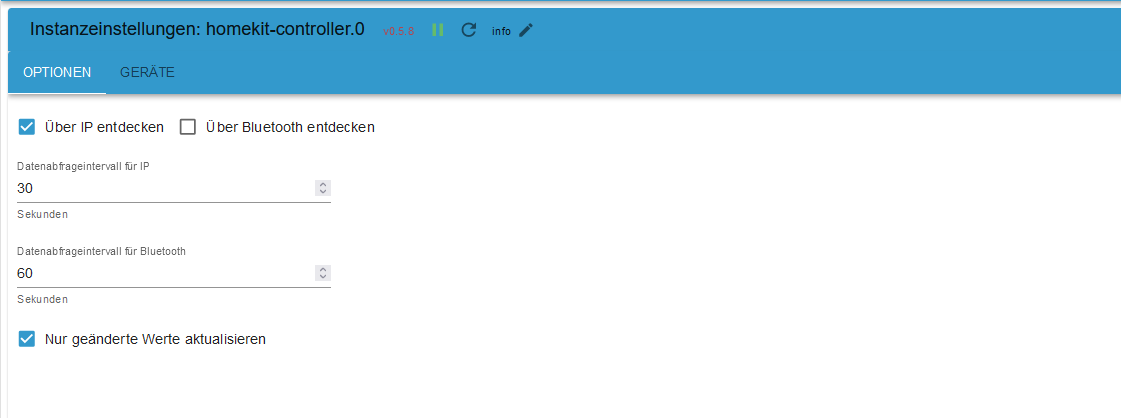
                                    Und die Einstellungen im Adapter sehen wie aus?

                                    Linux-Werkzeugkasten:
                                    https://forum.iobroker.net/topic/42952/der-kleine-iobroker-linux-werkzeugkasten
                                    NodeJS Fixer Skript:
                                    https://forum.iobroker.net/topic/68035/iob-node-fix-skript
                                    iob_diag: curl -sLf -o diag.sh https://iobroker.net/diag.sh && bash diag.sh

                                    H 1 Antwort Letzte Antwort
                                    0
                                    • Thomas BraunT Thomas Braun

                                      @homerunner

                                      Und die Einstellungen im Adapter sehen wie aus?

                                      H Offline
                                      H Offline
                                      Homerunner
                                      schrieb am zuletzt editiert von
                                      #21

                                      @thomas-braun
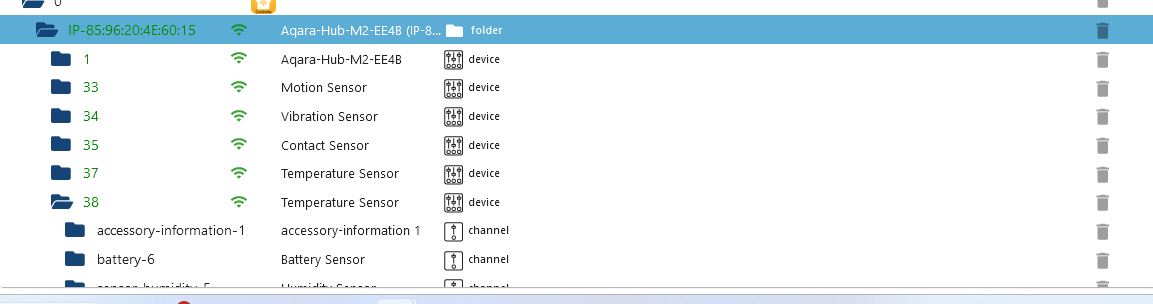
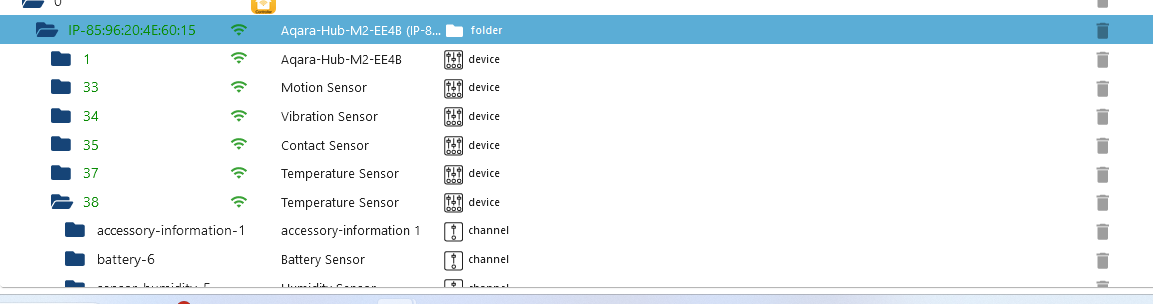
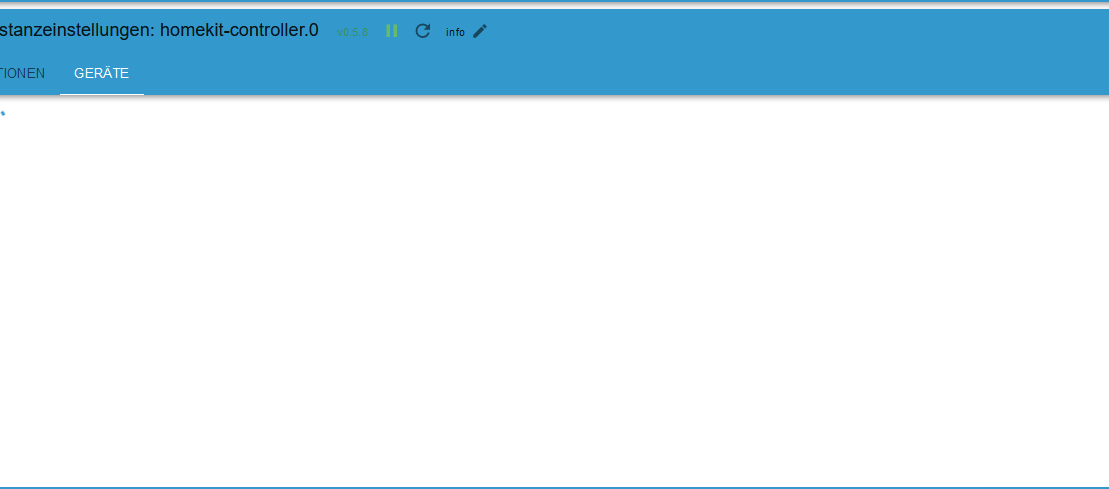
                                      Kurios ist ja, unter Objekten sind Alle Geräte Grün.
                                      In der Instanz zeigt er keine Geräte an, ist nur am suchen..Screenshot 2023-11-01 155636.png Screenshot 2023-11-01 145643.png Screenshot 2023-11-01 145643 - Kopie.png Screenshot 2023-11-01 155735.png Colored Text Here
                                      Thomas BraunT 1 Antwort Letzte Antwort
                                      0
                                      • H Homerunner

                                        @thomas-braun
                                        Kurios ist ja, unter Objekten sind Alle Geräte Grün.
                                        In der Instanz zeigt er keine Geräte an, ist nur am suchen..Screenshot 2023-11-01 155636.png Screenshot 2023-11-01 145643.png Screenshot 2023-11-01 145643 - Kopie.png Screenshot 2023-11-01 155735.png Colored Text Here

                                        Thomas BraunT Online
                                        Thomas BraunT Online
                                        Thomas Braun
                                        Most Active
                                        schrieb am zuletzt editiert von
                                        #22

                                        @homerunner
                                        Keine Ahnung wo es da hakt.

                                        Linux-Werkzeugkasten:
                                        https://forum.iobroker.net/topic/42952/der-kleine-iobroker-linux-werkzeugkasten
                                        NodeJS Fixer Skript:
                                        https://forum.iobroker.net/topic/68035/iob-node-fix-skript
                                        iob_diag: curl -sLf -o diag.sh https://iobroker.net/diag.sh && bash diag.sh

                                        1 Antwort Letzte Antwort
                                        0
                                        • H Offline
                                          H Offline
                                          Homerunner
                                          schrieb am zuletzt editiert von
                                          #23

                                          Trotzdem danke für deine Mühe.
                                          Hast du einen Tipp, an wen ich mich noch wenden könnte?

                                          Thomas BraunT 1 Antwort Letzte Antwort
                                          0
                                          Antworten
                                          • In einem neuen Thema antworten
                                          Anmelden zum Antworten
                                          • Älteste zuerst
                                          • Neuste zuerst
                                          • Meiste Stimmen


                                          Support us

                                          ioBroker
                                          Community Adapters
                                          Donate

                                          665

                                          Online

                                          32.6k

                                          Benutzer

                                          82.0k

                                          Themen

                                          1.3m

                                          Beiträge
                                          Community
                                          Impressum | Datenschutz-Bestimmungen | Nutzungsbedingungen | Einwilligungseinstellungen
                                          ioBroker Community 2014-2025
                                          logo
                                          • Anmelden

                                          • Du hast noch kein Konto? Registrieren

                                          • Anmelden oder registrieren, um zu suchen
                                          • Erster Beitrag
                                            Letzter Beitrag
                                          0
                                          • Home
                                          • Aktuell
                                          • Tags
                                          • Ungelesen 0
                                          • Kategorien
                                          • Unreplied
                                          • Beliebt
                                          • GitHub
                                          • Docu
                                          • Hilfe