




MotionEye Integration - Latest

-
Changelog:
0.10.0 (2026-07-10)
- Fixed snapshot action failing with 404 not found on some MotionEye/Motion combinations: snapshots are now triggered via MotionEye's own authenticated /action/{id}/snapshot endpoint (same connection as everything else) instead of a direct, unauthenticated call to Motion's raw webcontrol port. The motionPort setting is no longer needed and has been removed.
0.9.0 (2026-07-05)
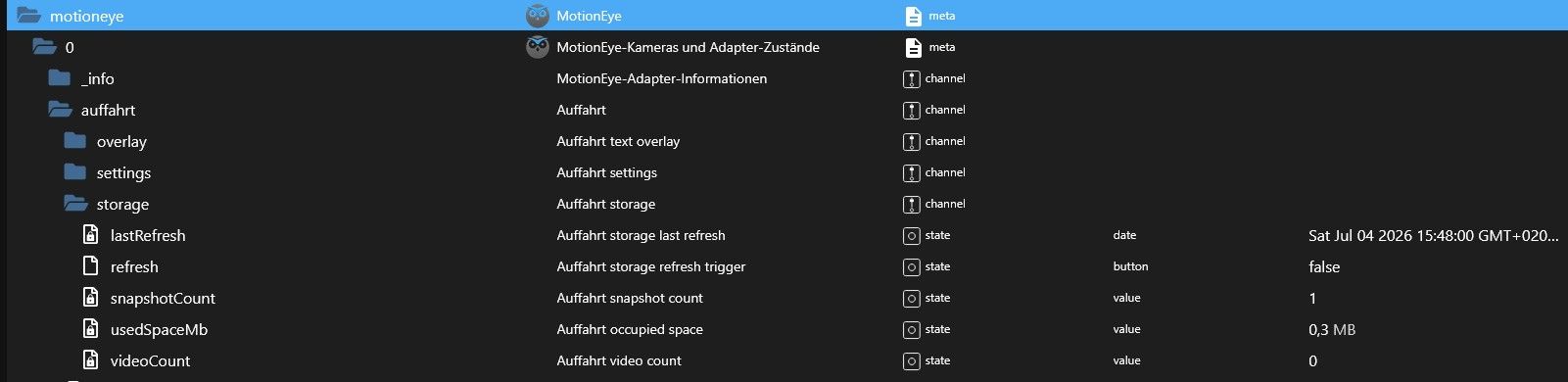
- Per-camera storage stats under storage.*: snapshot count, video count, and occupied space in MB (storage.snapshotCount, storage.videoCount, storage.usedSpaceMb, storage.lastRefresh), refreshed on demand via storage.refresh
- New Storage config tab: global auto-refresh on/off switch + interval (storagePollEnabled, storagePollIntervalSec, off by default), a per-camera "Exclude from auto-refresh" checkbox to skip unimportant cameras, and a button to refresh all listed cameras immediately
0.8.0 (2026-07-04)
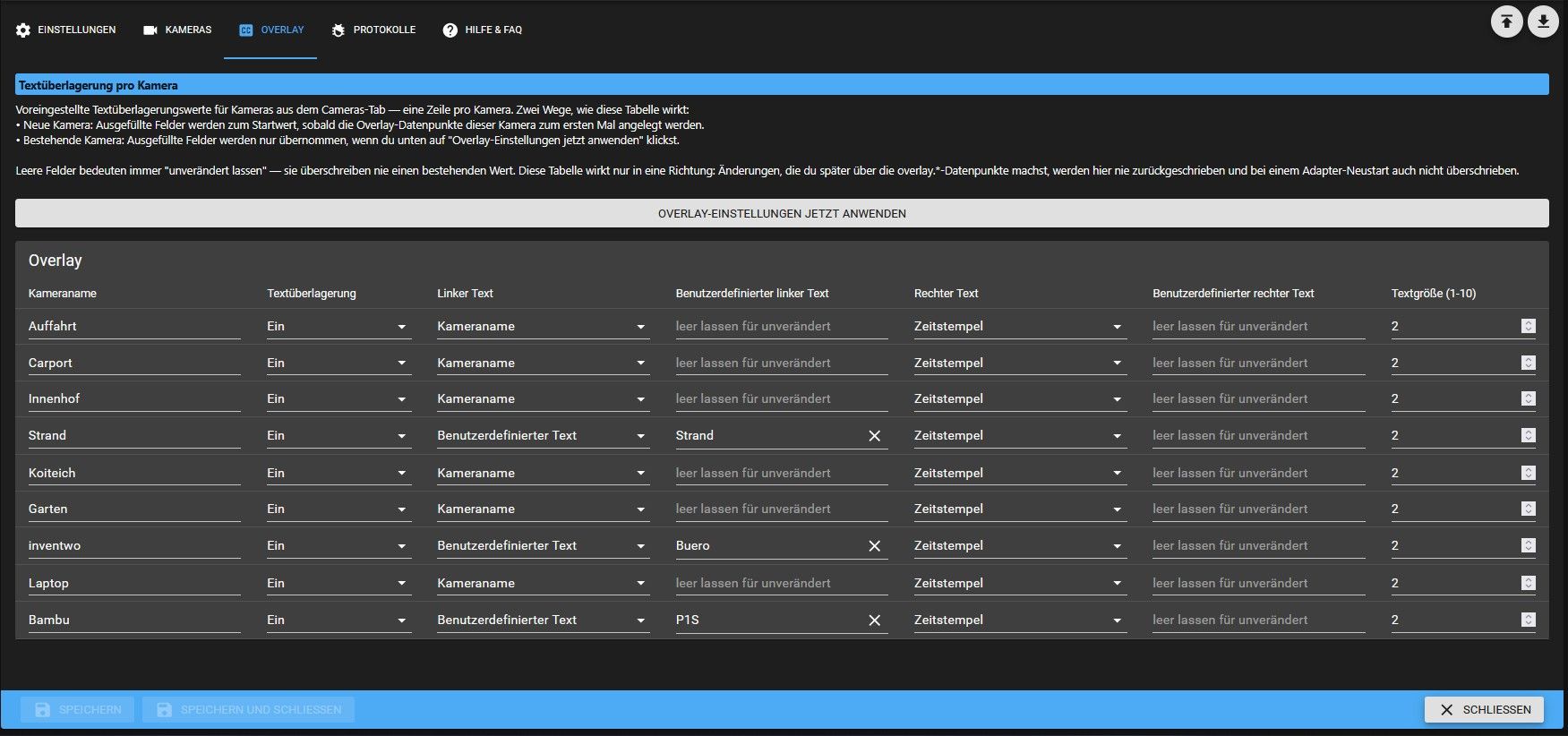
- New Overlay config tab: preset overlay.* (enabled/leftText/rightText/customLeftText/customRightText/textScale) per camera in a table, with a button to apply the table to already-running cameras immediately; values only ever flow from the config table to the datapoints, never back, so live datapoint changes are never overwritten on a restart
0.7.0 (2026-07-03)
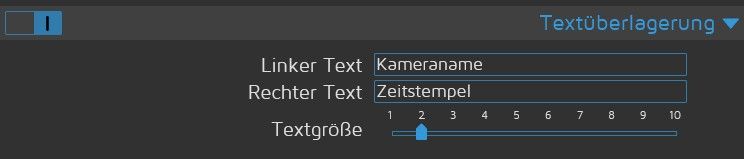
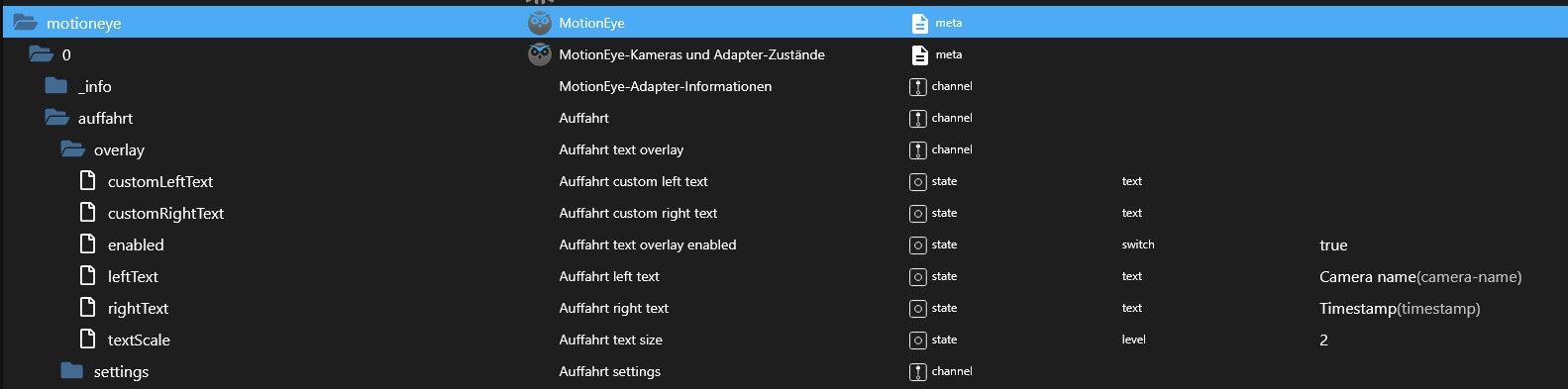
- Per-camera text overlay under overlay.*: read and control overlay on/off, left/right text mode (camera name / timestamp / custom text / disabled), custom text strings, and text size (overlay.enabled, overlay.leftText, overlay.rightText, overlay.customLeftText, overlay.customRightText, overlay.textScale); leftText/rightText and their custom text are always saved together, in any order
- Fixed a race condition where setting two settings.* datapoints for the same camera at nearly the same time could silently drop one of the changes ("lost update"); config writes per camera are now serialized
0.6.1 (2026-07-03)
- Fixed privacy mask regions not surviving adapter restarts/updates: mask lines are now persisted to the settings channel's native config instead of only in memory
0.6.0 (2026-07-02)
- Per-camera device settings under settings.*: read and control framerate, resolution, rotation, auto brightness and privacy mask (settings.framerate, settings.resolution, settings.availableResolutions, settings.rotation, settings.autoBrightness, settings.privacyMask); resolution is validated against the camera's supported list
0.5.0 (2026-07-01)
- MotionEye 0.44+ support: session login via POST /login (auto-fallback when URL signature auth fails); keeps 0.43.x signature auth
-
Das Update zur 0.6.0 ist unterwegs!
Neu sind jetzt 'settings' pro Kamera, inkl. der Datenschutzmaske
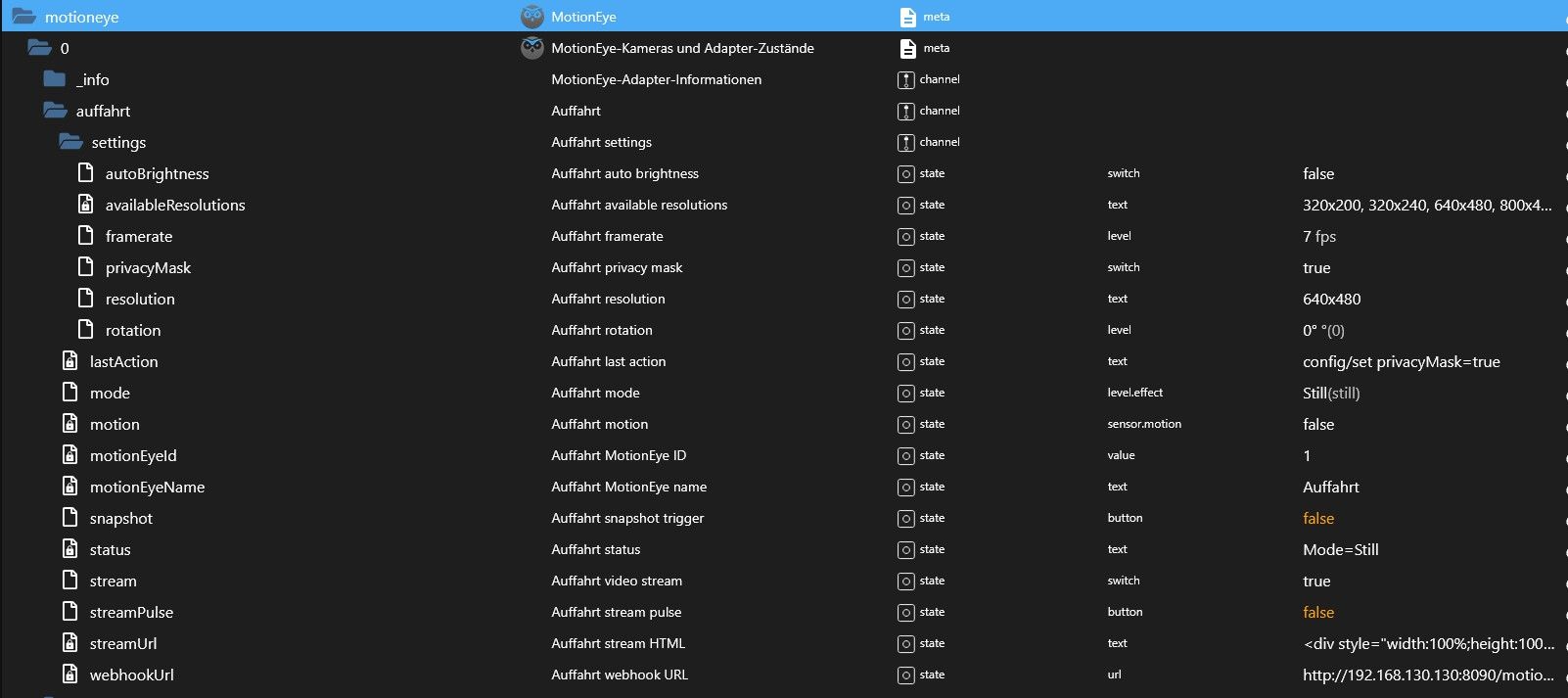
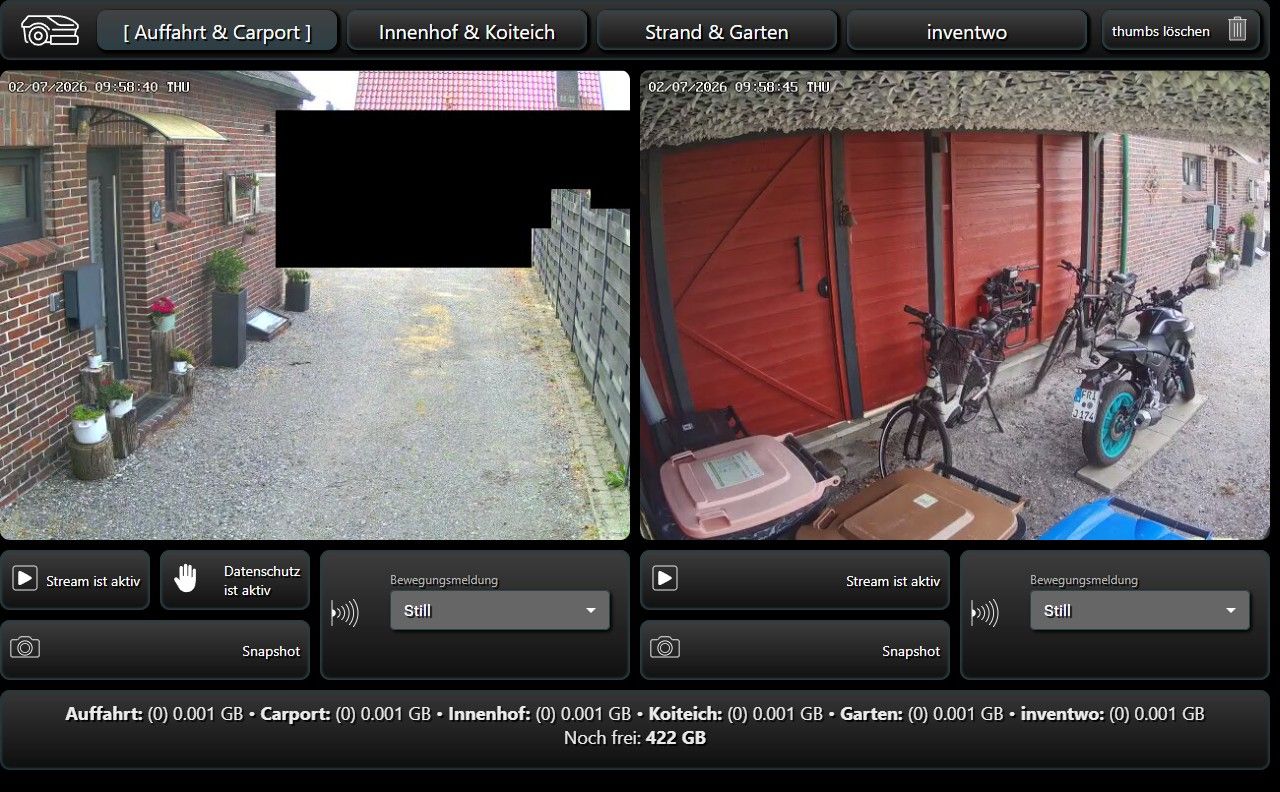
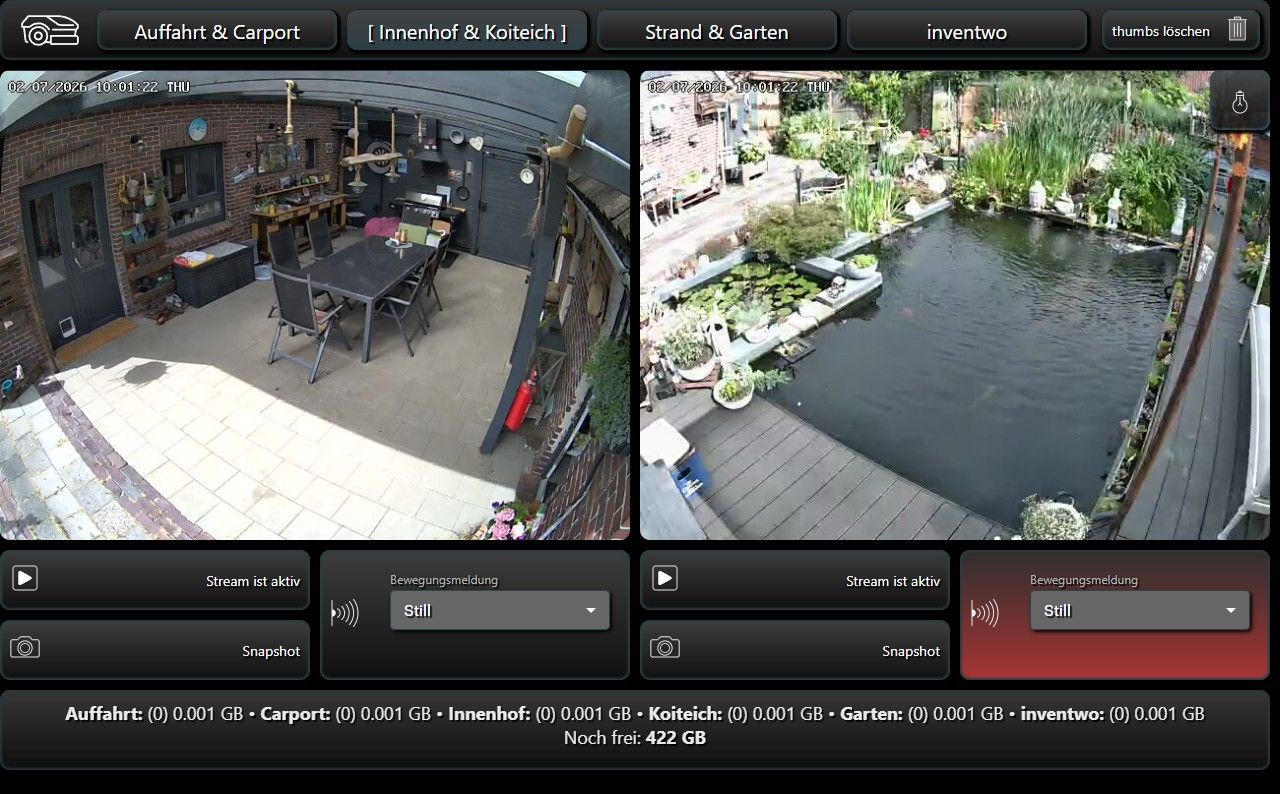
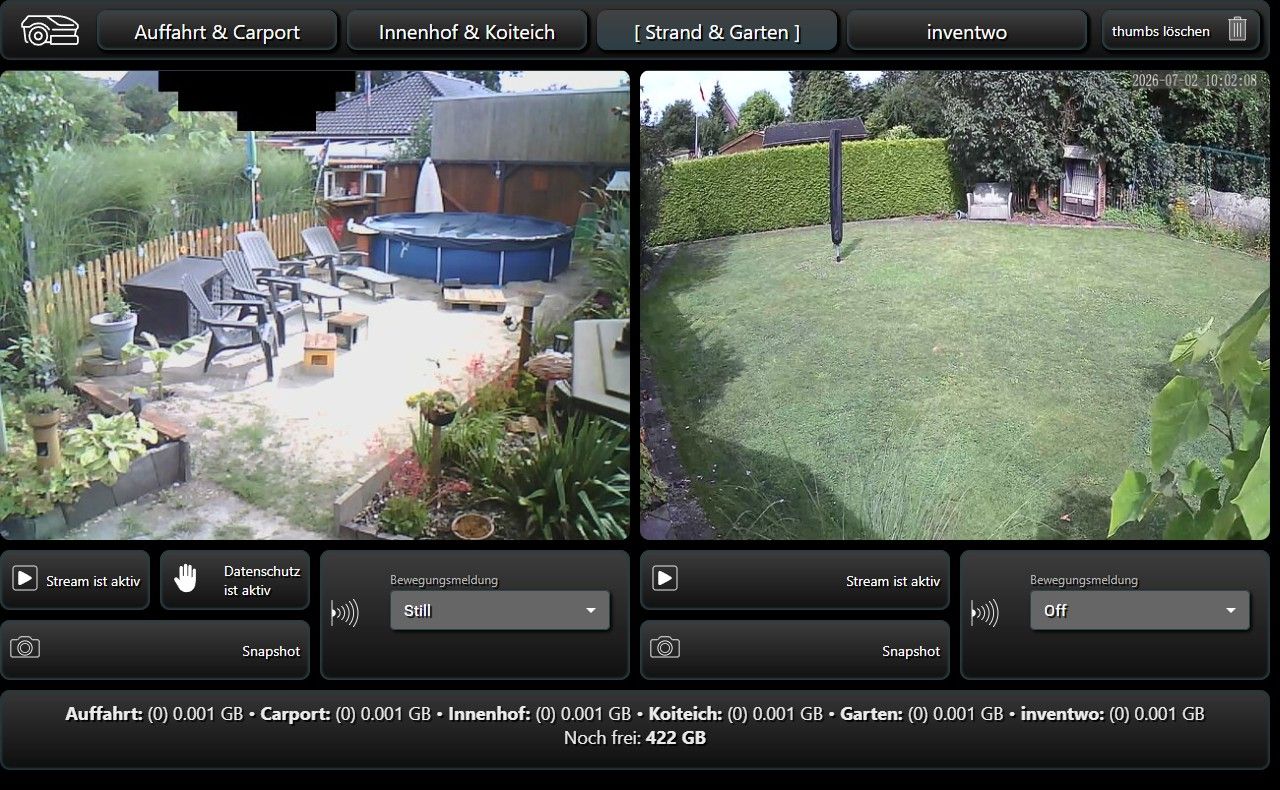
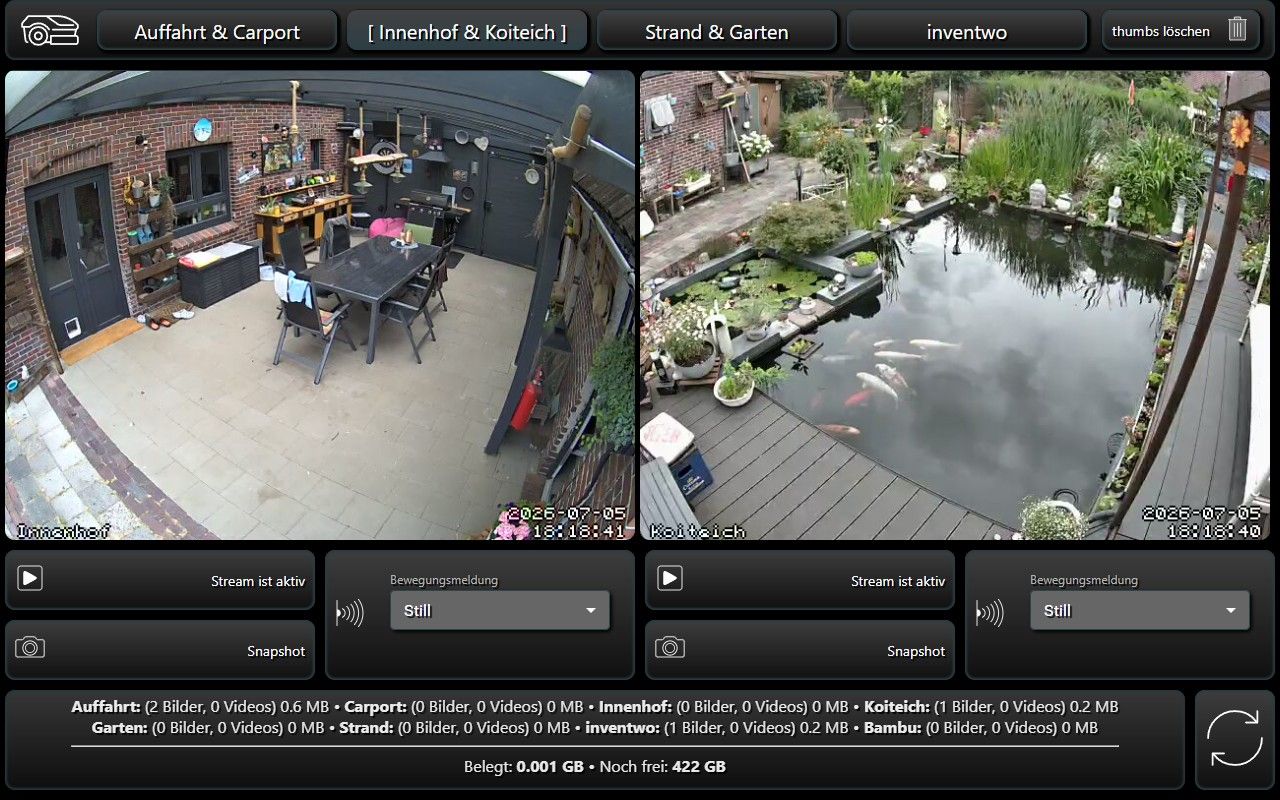
Hier mal Beispiele meiner Video VIS. Die VIS ist ein eigenständiges Projekt und läuft dauerhaft im Autostart auf einem kleinen 10.1" Touchmonitor bei mir im Büro
Auffahrt & Carport:
Innenhof & Koiteich (beim Teich hat gerade der stille Alarm ausgelöst):
Strand & Garten:
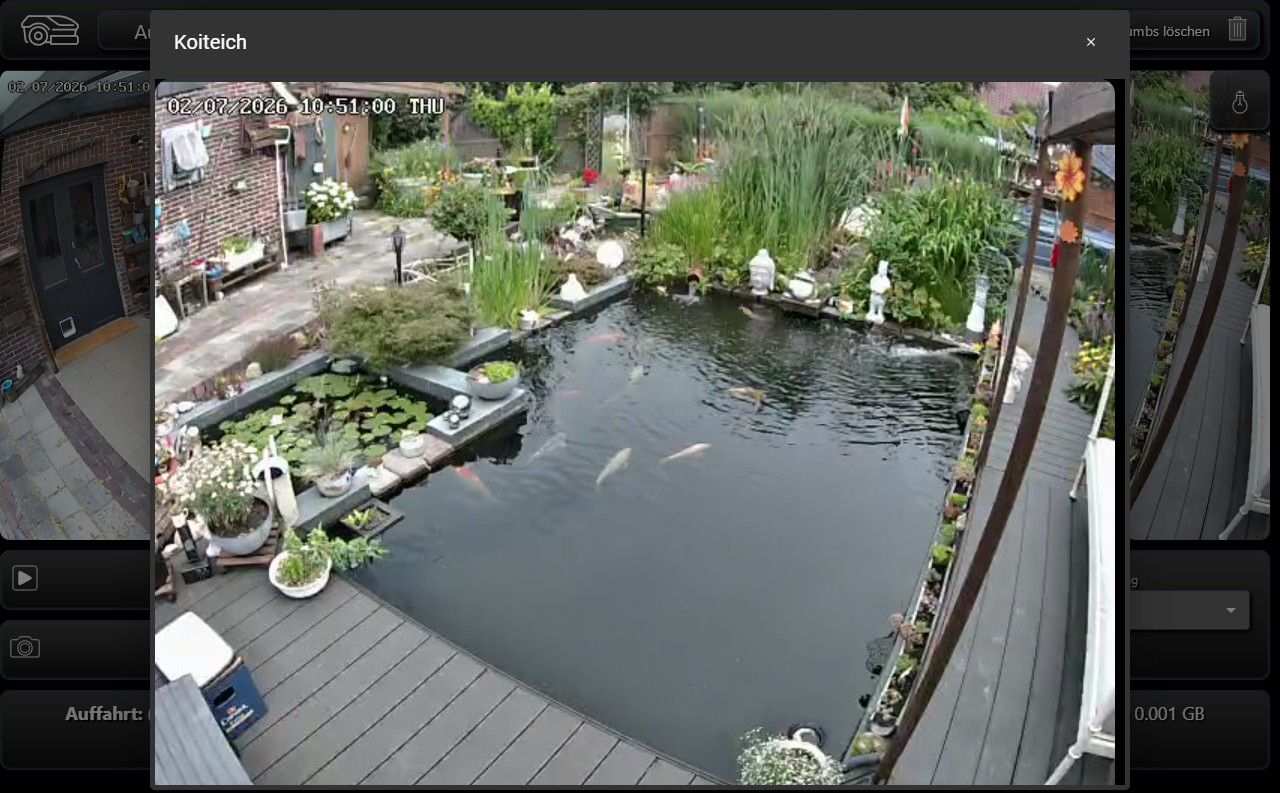
Jeder Vorschau-Stream ist auch gleichzeitig ein Button für ein Popup einer Einzelansicht.
Hier als Beispiel, der Koiteich:
-
Info:
Wenn es keine Meldungen von Bugs gibt, würde ich neue Features eine Zeitlang nur in die Github (Alpha) Version einbauen und die aktuelle 0.6.0 in ein paar Tagen zum Stable beantragen.
Ich denke, der Stand der 0.6.0 ist ein sehr guter Stable-Kandidat.
-
-
Moin, ich teste gerade den MotionEye-Adapter v0.9.0 mit motionEye 0.43.1b5 und Motion 4.7.0 (beides in einem Proxmox-LXC).
Die Verbindung zum Adapter funktioniert, alle Kameras werden erkannt und angelegt. Die Snapshot-URLs von MotionEye funktionieren ebenfalls, z. B. http://192.168.178.xxx:8765/picture/3/current/.
Wenn ich jedoch den Datenpunkt camera3.snapshot auslöse, bekomme ich immer:
Snapshot failed for Camera3: Motion HTTP 404: {"error":"not found"}Im Adapter habe ich MotionEye auf Port 8765 und die Config-API ebenfalls auf 8765 eingetragen. In der Doku steht allerdings, dass die Motion-HTTP-API für Snapshots auf Port 7999 laufen soll. Bei einer normalen MotionEye-Installation kann ich dafür aber keine Einstellung finden, und auf Port 7999 läuft bei mir auch nichts.
Ist das ein Bug im Adapter oder muss Motion zusätzlich auf Port 7999 konfiguriert werden? Falls ja: Wo genau stellt man das bei einer aktuellen MotionEye-Installation ein?
-
Moin, ich teste gerade den MotionEye-Adapter v0.9.0 mit motionEye 0.43.1b5 und Motion 4.7.0 (beides in einem Proxmox-LXC).
Die Verbindung zum Adapter funktioniert, alle Kameras werden erkannt und angelegt. Die Snapshot-URLs von MotionEye funktionieren ebenfalls, z. B. http://192.168.178.xxx:8765/picture/3/current/.
Wenn ich jedoch den Datenpunkt camera3.snapshot auslöse, bekomme ich immer:
Snapshot failed for Camera3: Motion HTTP 404: {"error":"not found"}Im Adapter habe ich MotionEye auf Port 8765 und die Config-API ebenfalls auf 8765 eingetragen. In der Doku steht allerdings, dass die Motion-HTTP-API für Snapshots auf Port 7999 laufen soll. Bei einer normalen MotionEye-Installation kann ich dafür aber keine Einstellung finden, und auf Port 7999 läuft bei mir auch nichts.
Ist das ein Bug im Adapter oder muss Motion zusätzlich auf Port 7999 konfiguriert werden? Falls ja: Wo genau stellt man das bei einer aktuellen MotionEye-Installation ein?
-
UPDATE: 0.10.0
Der HTTP Port (7999) wurde nur für die Snapshots benötigt. Cursor hat es jetzt auch auf den API Port umgestellt und die Eingabe für den HTTP aus der Config entfernt.
Bei bestimmten Konstellation kann der Weg über HTTP Probleme bereiten. Das sollte nun abgestellt sein.


Hey! Du scheinst an dieser Unterhaltung interessiert zu sein, hast aber noch kein Konto.
Hast du es satt, bei jedem Besuch durch die gleichen Beiträge zu scrollen? Wenn du dich für ein Konto anmeldest, kommst du immer genau dorthin zurück, wo du zuvor warst, und kannst dich über neue Antworten benachrichtigen lassen (entweder per E-Mail oder Push-Benachrichtigung). Du kannst auch Lesezeichen speichern und Beiträge positiv bewerten, um anderen Community-Mitgliedern deine Wertschätzung zu zeigen.
Mit deinem Input könnte dieser Beitrag noch besser werden 💗
Registrieren AnmeldenSupport us
464
Online33.0k
Benutzer83.4k
Themen1.3m
Beiträge