
NEWS




Adapter dev: Migration from "No Tab" to "React Tab" fails
-
Hi there!
Situation:
I am in the process of developing an adapter. I terms of a UI I began with no extra tab for the adapter. Now I want to create a tab and want to realize it with React. Therefore I created a fresh adapter with the help ofadapter-creatorwith all relevant options set for a React tab. When I launch adev-serverinstance for this newly created adapter everything is fine.So I began to adapt all the neccessary settings that I could find from all the different files from the newly created adapter to my adapter in development.
Problem:
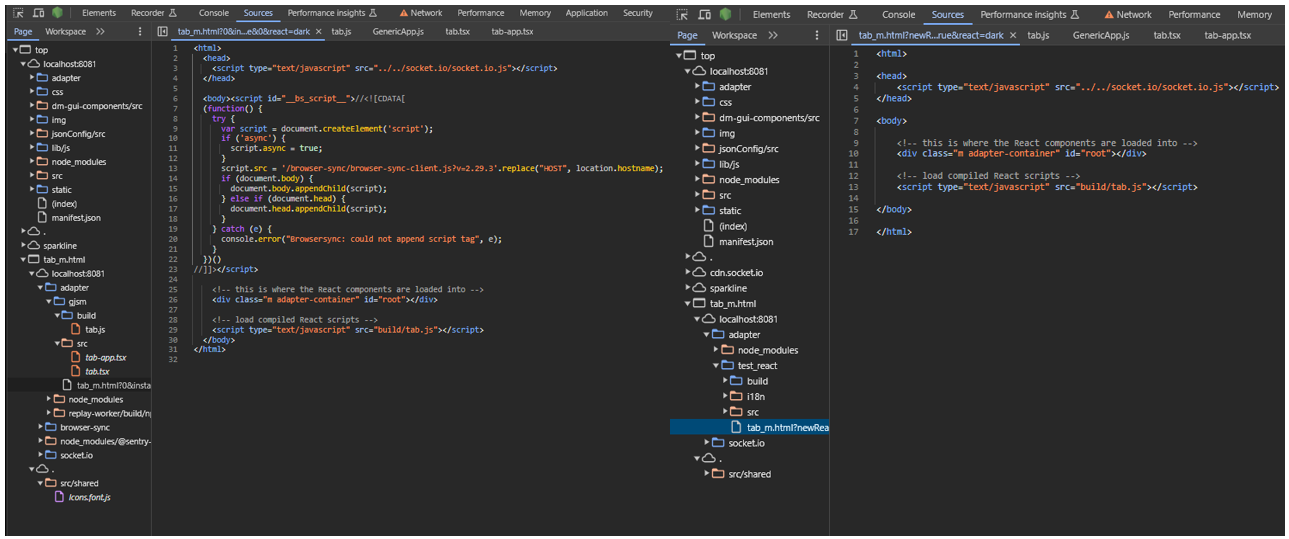
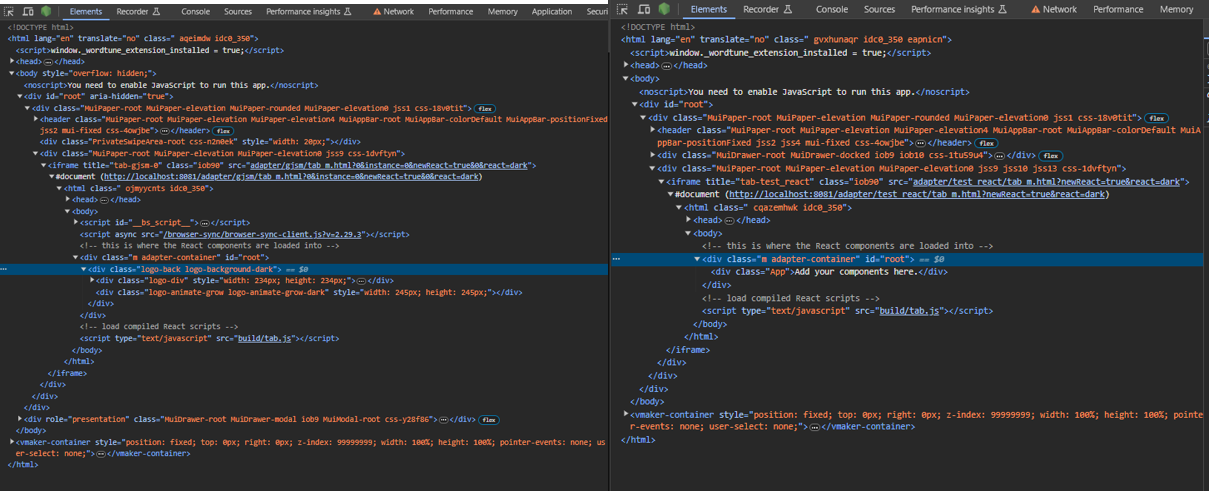
The adapter in development does not render the react page but does render something different. For a better view here are two comparisons as a picture:
Source: Here you see what effectively is deployed within a dev-server instance. On the left hand side for the adapter in development and on the right the newly created adapter.
Runtime-Markup: Here you can see, what effectively gets rendered. On the left hand side for the adapter in development and on the right the newly created adapter.
From my understanding something is going on during the compile step that breaks things. Maybe somewhere there it is not clear to the build chain that a React tab is the goal and instead some boilerplate for... maybe Materialized tabs or so... is pulled?
Is somebody out there that has a clue, what I need to check?Maybe a few settings that I guess are important for the build step...
// io-package.json
"adminUI": {
            "config": "json",
            "tab": "materialize"
        },
        "adminTab": {
            "singleton": false,
            "name": {
                // ...
            },
            "link": "",
            "fa-icon": "info"
        },
// package.json "build": "build-adapter all", "build:backend": "build-adapter ts", "build:admin": "build-adapter react",// admin/tsconfig.json // Specialized tsconfig for the admin directory, // includes DOM typings and configures the admin build { "extends": "../tsconfig.json", "compilerOptions": { "noEmit": false, "outDir": "./build", "sourceMap": true, "sourceRoot": "./src", "noImplicitAny": false, "lib": ["es2018", "DOM"], "jsx": "react" }, "include": ["./**/*.ts", "./**/*.tsx", "../src/lib/adapter-config.d.ts"], "exclude": ["./**/*.test.ts", "./**/*.test.tsx"] } -
Small update: I realized that browser-sync is the one interfering with my React component.
If one takes a closer look at the screenshot I provided, than one can see that browser-sync is loaded where it should'nt:
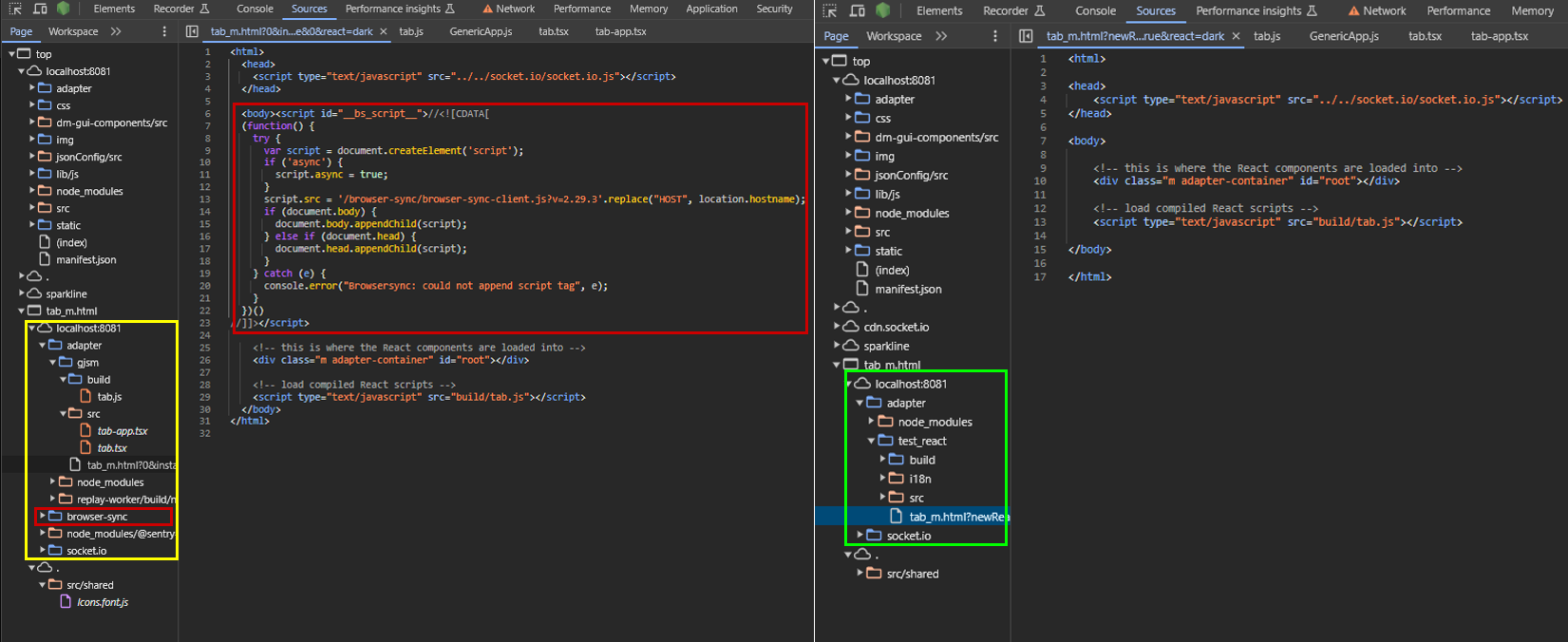 On the left side it is loaded as part of the IFrame containing the tab. On the right side it is not loaded as part of the tab. Instead it is loaded in the parent frame:
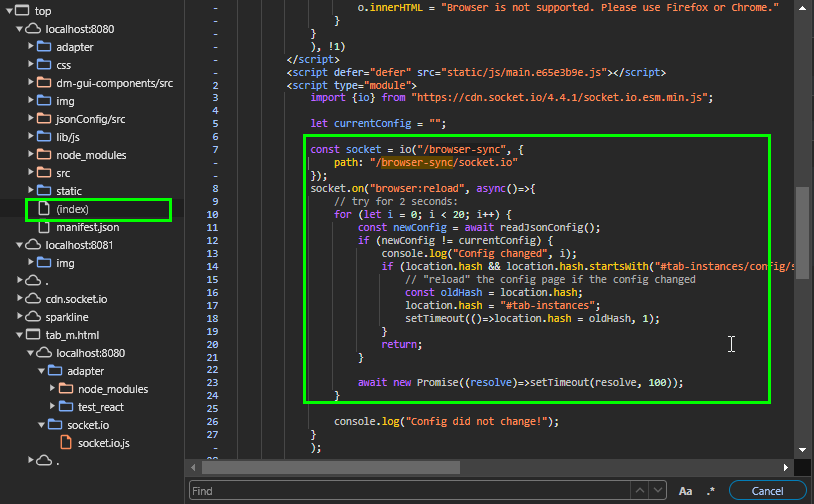
The effect that browser-sync has here is that it injects the code one can see for all admin/*html files like it does in my case but thats a misbehavior and I guess only intended to happen in the parent frame?
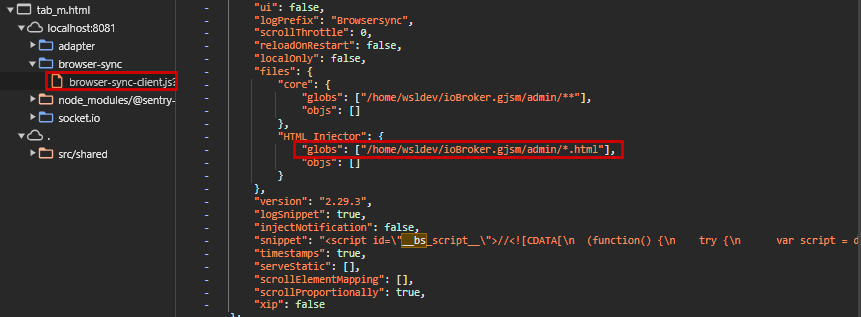
Now I thought that might be because I installed dev-server as a local dev-dependency and this somehow pulls in the browser-sync script. But thats not the reason as far as I could test.
-
Small update: I realized that browser-sync is the one interfering with my React component.
If one takes a closer look at the screenshot I provided, than one can see that browser-sync is loaded where it should'nt:
On the left side it is loaded as part of the IFrame containing the tab. On the right side it is not loaded as part of the tab. Instead it is loaded in the parent frame:
The effect that browser-sync has here is that it injects the code one can see for all admin/*html files like it does in my case but thats a misbehavior and I guess only intended to happen in the parent frame?
Now I thought that might be because I installed dev-server as a local dev-dependency and this somehow pulls in the browser-sync script. But thats not the reason as far as I could test.
Long story short: I opened this issues to solve the root cause: https://github.com/ioBroker/dev-server/issues/471
Hello! It looks like you're interested in this conversation, but you don't have an account yet.
Getting fed up of having to scroll through the same posts each visit? When you register for an account, you'll always come back to exactly where you were before, and choose to be notified of new replies (either via email, or push notification). You'll also be able to save bookmarks and upvote posts to show your appreciation to other community members.
With your input, this post could be even better 💗
Register LoginSupport us
190
Online33.1k
Users83.7k
Topics1.3m
Posts