




Mi Body Scale 2 in IoBroker
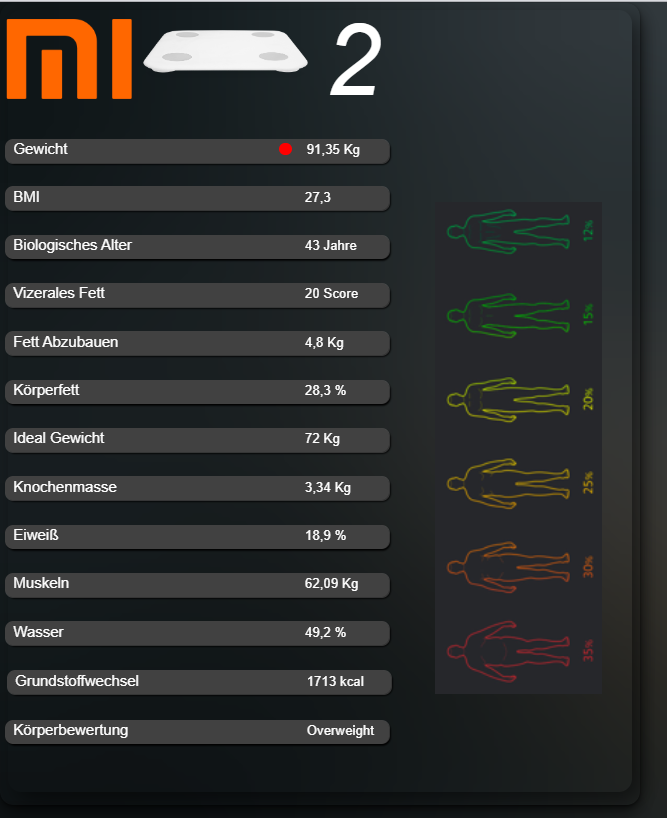
-
wie sieht es eigntlich mit deinen programmier-kenntnissen aus - willst/kannst du ein script schreiben
@liv-in-sky hey, leider bin ich nicht so der Programmierer, ich hole mir halt viel aus Google und probiere halt aus.... :(
-
@liv-in-sky hey, leider bin ich nicht so der Programmierer, ich hole mir halt viel aus Google und probiere halt aus.... :(
wie erwähnt - wie das einbindender werte in Homeassistant weiß ich nicht - hier https://github.com/dckiller51/bodymiscale - ganz unten kann man das wohl über einen link machen - kannste mal probieren - das script frägt dann nach deiner homeassistent adresse
habe nicht so viel zeit im moment um das selbst zu programmieren - aber in diesem link sieht man,wie das berechnet wird - zeile 12 enthält die formel für LBM
oder eine andere formel: https://jumk.de/bmi/lbm.php
damit kann man dann die werte z.b. mit blockly errechnen lassen, wenn neue daten ankommen
-
@liv-in-sky hey, leider bin ich nicht so der Programmierer, ich hole mir halt viel aus Google und probiere halt aus.... :(
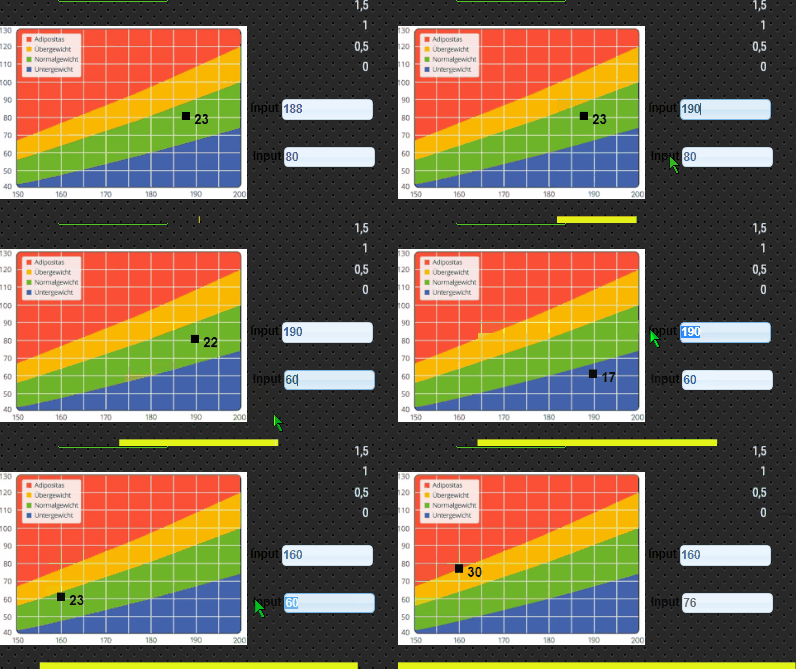
habe mich etwas gespielt - bmi anzeige mit grafik
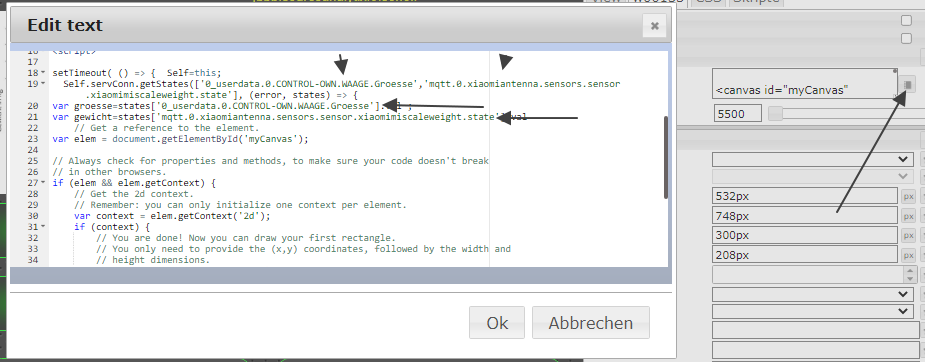
die id für die größe im im html teil angegeben werden - also der dp dafür, den du anlegen musst - genauso der dp für das gewicht (dieser kommt von xiaomi)


Hey! Du scheinst an dieser Unterhaltung interessiert zu sein, hast aber noch kein Konto.
Hast du es satt, bei jedem Besuch durch die gleichen Beiträge zu scrollen? Wenn du dich für ein Konto anmeldest, kommst du immer genau dorthin zurück, wo du zuvor warst, und kannst dich über neue Antworten benachrichtigen lassen (entweder per E-Mail oder Push-Benachrichtigung). Du kannst auch Lesezeichen speichern und Beiträge positiv bewerten, um anderen Community-Mitgliedern deine Wertschätzung zu zeigen.
Mit deinem Input könnte dieser Beitrag noch besser werden 💗
Registrieren AnmeldenSupport us
397
Online33.0k
Benutzer83.3k
Themen1.3m
Beiträge