




Update js-controller from @4.0.21 to @4.0.23 => 217
-
Als begeisterter iobroker-User aber linux-dummy habe ich evtl. meine Installation zerschossen.
Der Iobroker-Oberfäche (:8081) lässt sich nicht mehr aufrufen. VIS und alles andere am iobroker laufen noch.Hoffe ihr könnt mir helfen. Mal als Start-Infos von mir alles was mir so als linux-dummy einfällt:
Die Fehler auf der Kommando-Zeile:
pi@raspberrypi:/opt/iobroker $ sudo iobroker upgrade self
Update js-controller from @4.0.21 to @4.0.23
Stopped Objects DB
Stopped States DB
NPM version: 8.15.0
Installing iobroker.js-controller@4.0.23... (System call)
host.raspberrypi Cannot install iobroker.js-controller@4.0.23: 217oder
pi@raspberrypi:/opt/iobroker $ sudo iobroker upgradeThis upgrade of "vis-icontwo" will introduce the following changes:
-> 0.89.0:
new icons added-> 0.88.0:
new icons addedWould you like to upgrade vis-icontwo from @0.87.0 to @0.89.0 now? [(y)es, (n)o]: y
Update vis-icontwo from @0.87.0 to @0.89.0
NPM version: 8.15.0
Installing iobroker.vis-icontwo@0.89.0... (System call)
host.raspberrypi Cannot install iobroker.vis-icontwo@0.89.0: 217sudo update / upgrade ist aktuell gelaufen
Fixer ist gelaufen:
pi@raspberrypi:/opt/iobroker $ curl -sL https://iobroker.net/fix.sh | bash -
library: loaded
Library version=2022-06-15==========================================================================
Welcome to the ioBroker installation fixer!
Script version: 2022-06-03

You might need to enter your password a couple of times.
==========================================================================
==========================================================================
Installing prerequisites (1/3)OK:1 http://archive.raspberrypi.org/debian buster InRelease
OK:2 http://raspbian.raspberrypi.org/raspbian buster InRelease
OK:3 https://deb.nodesource.com/node_16.x buster InRelease
OK:4 https://phoscon.de/apt/deconz buster InRelease
Paketlisten werden gelesen... Fertig
Installed gcc-c++==========================================================================
Checking ioBroker user and directory permissions (2/3)Created /etc/sudoers.d/iobroker
Fixing directory permissions...==========================================================================
Checking autostart (3/3)Enabling autostart...
Autostart enabled!==========================================================================
Your installation was fixed successfully
Run iobroker start to start ioBroker again!
==========================================================================
pi@raspberrypi:/opt/iobroker $ node -v
v16.17.0pi@raspberrypi:/opt/iobroker $ sudo npm --version
8.15.0pi@raspberrypi:/opt/iobroker $ cat /etc/os-release
PRETTY_NAME="Raspbian GNU/Linux 10 (buster)"
NAME="Raspbian GNU/Linux"
VERSION_ID="10"
VERSION="10 (buster)"
VERSION_CODENAME=buster
ID=raspbian
ID_LIKE=debian
HOME_URL="http://www.raspbian.org/"
SUPPORT_URL="http://www.raspbian.org/RaspbianForums"
BUG_REPORT_URL="http://www.raspbian.org/RaspbianBugs"pi@raspberrypi:/opt/iobroker $ iobroker info
Platform : linux
os : linux
Architecture : arm
CPUs : 4
Speed : 1500 MHz
Model : ARMv7 Processor rev 3 (v7l)
RAM : 3.7 GB
System uptime : 00:21:40
Node.js : v16.17.0
time : 1661873890459
timeOffset : -120
adapters count : 431
NPM : v8.15.0
Disk size : 29.0 GiB
Disk free : 19.0 GiBWäre super, wenn ihr mir helfen könntet....
-
Als begeisterter iobroker-User aber linux-dummy habe ich evtl. meine Installation zerschossen.
Der Iobroker-Oberfäche (:8081) lässt sich nicht mehr aufrufen. VIS und alles andere am iobroker laufen noch.Hoffe ihr könnt mir helfen. Mal als Start-Infos von mir alles was mir so als linux-dummy einfällt:
Die Fehler auf der Kommando-Zeile:
pi@raspberrypi:/opt/iobroker $ sudo iobroker upgrade self
Update js-controller from @4.0.21 to @4.0.23
Stopped Objects DB
Stopped States DB
NPM version: 8.15.0
Installing iobroker.js-controller@4.0.23... (System call)
host.raspberrypi Cannot install iobroker.js-controller@4.0.23: 217oder
pi@raspberrypi:/opt/iobroker $ sudo iobroker upgradeThis upgrade of "vis-icontwo" will introduce the following changes:
-> 0.89.0:
new icons added-> 0.88.0:
new icons addedWould you like to upgrade vis-icontwo from @0.87.0 to @0.89.0 now? [(y)es, (n)o]: y
Update vis-icontwo from @0.87.0 to @0.89.0
NPM version: 8.15.0
Installing iobroker.vis-icontwo@0.89.0... (System call)
host.raspberrypi Cannot install iobroker.vis-icontwo@0.89.0: 217sudo update / upgrade ist aktuell gelaufen
Fixer ist gelaufen:
pi@raspberrypi:/opt/iobroker $ curl -sL https://iobroker.net/fix.sh | bash -
library: loaded
Library version=2022-06-15==========================================================================
Welcome to the ioBroker installation fixer!
Script version: 2022-06-03

You might need to enter your password a couple of times.
==========================================================================
==========================================================================
Installing prerequisites (1/3)OK:1 http://archive.raspberrypi.org/debian buster InRelease
OK:2 http://raspbian.raspberrypi.org/raspbian buster InRelease
OK:3 https://deb.nodesource.com/node_16.x buster InRelease
OK:4 https://phoscon.de/apt/deconz buster InRelease
Paketlisten werden gelesen... Fertig
Installed gcc-c++==========================================================================
Checking ioBroker user and directory permissions (2/3)Created /etc/sudoers.d/iobroker
Fixing directory permissions...==========================================================================
Checking autostart (3/3)Enabling autostart...
Autostart enabled!==========================================================================
Your installation was fixed successfully
Run iobroker start to start ioBroker again!
==========================================================================
pi@raspberrypi:/opt/iobroker $ node -v
v16.17.0pi@raspberrypi:/opt/iobroker $ sudo npm --version
8.15.0pi@raspberrypi:/opt/iobroker $ cat /etc/os-release
PRETTY_NAME="Raspbian GNU/Linux 10 (buster)"
NAME="Raspbian GNU/Linux"
VERSION_ID="10"
VERSION="10 (buster)"
VERSION_CODENAME=buster
ID=raspbian
ID_LIKE=debian
HOME_URL="http://www.raspbian.org/"
SUPPORT_URL="http://www.raspbian.org/RaspbianForums"
BUG_REPORT_URL="http://www.raspbian.org/RaspbianBugs"pi@raspberrypi:/opt/iobroker $ iobroker info
Platform : linux
os : linux
Architecture : arm
CPUs : 4
Speed : 1500 MHz
Model : ARMv7 Processor rev 3 (v7l)
RAM : 3.7 GB
System uptime : 00:21:40
Node.js : v16.17.0
time : 1661873890459
timeOffset : -120
adapters count : 431
NPM : v8.15.0
Disk size : 29.0 GiB
Disk free : 19.0 GiBWäre super, wenn ihr mir helfen könntet....
@markus-1 sagte in Update js-controller from @4.0.21 to @4.0.23 => 217:
host.raspberrypi Cannot install iobroker.vis-icontwo@0.89.0: 217
Dazu hier :
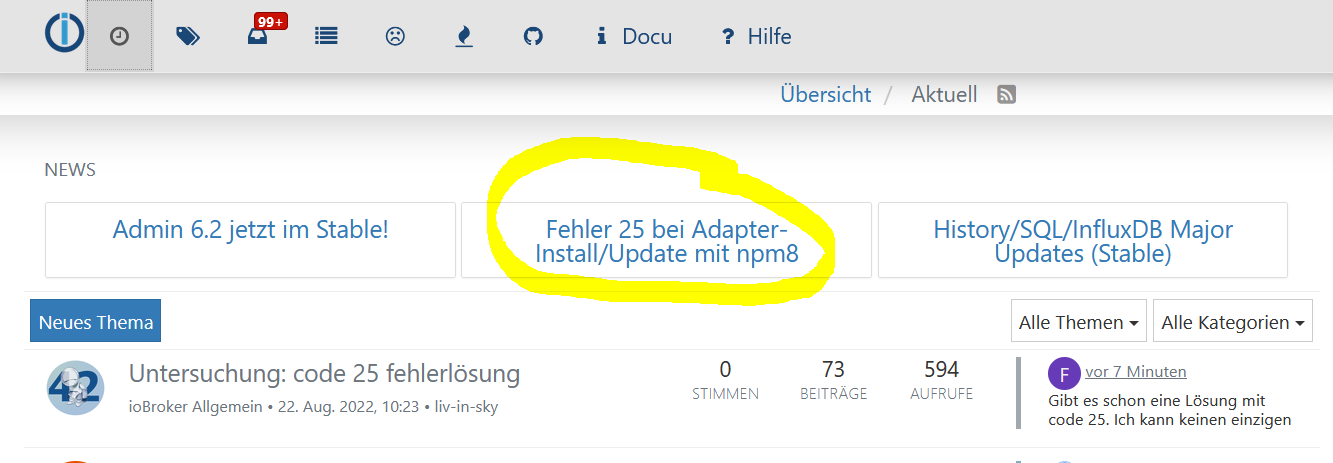
https://forum.iobroker.net/topic/57337/fehler-25-bei-adapter-install-update-mit-npm8
iobroker upgrade vis-icontwo --debugdann siehst du den Fehler .
Wo hast du das her , kein sudo vor iobroker Befehle
pi@raspberrypi:/opt/iobroker $ sudo iobroker upgrade self
pi@raspberrypi:/opt/iobroker $ sudo iobroker upgrade
deswegen ein
iobroker fixdrüber ...
-
Als begeisterter iobroker-User aber linux-dummy habe ich evtl. meine Installation zerschossen.
Der Iobroker-Oberfäche (:8081) lässt sich nicht mehr aufrufen. VIS und alles andere am iobroker laufen noch.Hoffe ihr könnt mir helfen. Mal als Start-Infos von mir alles was mir so als linux-dummy einfällt:
Die Fehler auf der Kommando-Zeile:
pi@raspberrypi:/opt/iobroker $ sudo iobroker upgrade self
Update js-controller from @4.0.21 to @4.0.23
Stopped Objects DB
Stopped States DB
NPM version: 8.15.0
Installing iobroker.js-controller@4.0.23... (System call)
host.raspberrypi Cannot install iobroker.js-controller@4.0.23: 217oder
pi@raspberrypi:/opt/iobroker $ sudo iobroker upgradeThis upgrade of "vis-icontwo" will introduce the following changes:
-> 0.89.0:
new icons added-> 0.88.0:
new icons addedWould you like to upgrade vis-icontwo from @0.87.0 to @0.89.0 now? [(y)es, (n)o]: y
Update vis-icontwo from @0.87.0 to @0.89.0
NPM version: 8.15.0
Installing iobroker.vis-icontwo@0.89.0... (System call)
host.raspberrypi Cannot install iobroker.vis-icontwo@0.89.0: 217sudo update / upgrade ist aktuell gelaufen
Fixer ist gelaufen:
pi@raspberrypi:/opt/iobroker $ curl -sL https://iobroker.net/fix.sh | bash -
library: loaded
Library version=2022-06-15==========================================================================
Welcome to the ioBroker installation fixer!
Script version: 2022-06-03

You might need to enter your password a couple of times.
==========================================================================
==========================================================================
Installing prerequisites (1/3)OK:1 http://archive.raspberrypi.org/debian buster InRelease
OK:2 http://raspbian.raspberrypi.org/raspbian buster InRelease
OK:3 https://deb.nodesource.com/node_16.x buster InRelease
OK:4 https://phoscon.de/apt/deconz buster InRelease
Paketlisten werden gelesen... Fertig
Installed gcc-c++==========================================================================
Checking ioBroker user and directory permissions (2/3)Created /etc/sudoers.d/iobroker
Fixing directory permissions...==========================================================================
Checking autostart (3/3)Enabling autostart...
Autostart enabled!==========================================================================
Your installation was fixed successfully
Run iobroker start to start ioBroker again!
==========================================================================
pi@raspberrypi:/opt/iobroker $ node -v
v16.17.0pi@raspberrypi:/opt/iobroker $ sudo npm --version
8.15.0pi@raspberrypi:/opt/iobroker $ cat /etc/os-release
PRETTY_NAME="Raspbian GNU/Linux 10 (buster)"
NAME="Raspbian GNU/Linux"
VERSION_ID="10"
VERSION="10 (buster)"
VERSION_CODENAME=buster
ID=raspbian
ID_LIKE=debian
HOME_URL="http://www.raspbian.org/"
SUPPORT_URL="http://www.raspbian.org/RaspbianForums"
BUG_REPORT_URL="http://www.raspbian.org/RaspbianBugs"pi@raspberrypi:/opt/iobroker $ iobroker info
Platform : linux
os : linux
Architecture : arm
CPUs : 4
Speed : 1500 MHz
Model : ARMv7 Processor rev 3 (v7l)
RAM : 3.7 GB
System uptime : 00:21:40
Node.js : v16.17.0
time : 1661873890459
timeOffset : -120
adapters count : 431
NPM : v8.15.0
Disk size : 29.0 GiB
Disk free : 19.0 GiBWäre super, wenn ihr mir helfen könntet....
iobroker NIE mit sudo anpacken.
iobroker stop for i in $(find /opt/iobroker/node_modules -type d -iname ".*-????????" ! -iname ".local-chromium"); do rm -rf ${i%%/}; done iobroker fix iobroker update iobroker upgrade iobroker upgrade self iobroker start -
@Thomas-Braun Vielen DANK ! Läuft wieder ;-)


Hey! Du scheinst an dieser Unterhaltung interessiert zu sein, hast aber noch kein Konto.
Hast du es satt, bei jedem Besuch durch die gleichen Beiträge zu scrollen? Wenn du dich für ein Konto anmeldest, kommst du immer genau dorthin zurück, wo du zuvor warst, und kannst dich über neue Antworten benachrichtigen lassen (entweder per E-Mail oder Push-Benachrichtigung). Du kannst auch Lesezeichen speichern und Beiträge positiv bewerten, um anderen Community-Mitgliedern deine Wertschätzung zu zeigen.
Mit deinem Input könnte dieser Beitrag noch besser werden 💗
Registrieren AnmeldenSupport us
357
Online33.0k
Benutzer83.6k
Themen1.3m
Beiträge