Skip to content
  • Home
  • Recent
  • Tags
  • 0 Unread 0
  • Categories
  • Unreplied
  • Popular
  • GitHub
  • Docu
  • Hilfe
Skins
  • Light
  • Brite
  • Cerulean
  • Cosmo
  • Flatly
  • Journal
  • Litera
  • Lumen
  • Lux
  • Materia
  • Minty
  • Morph
  • Pulse
  • Sandstone
  • Simplex
  • Sketchy
  • Spacelab
  • United
  • Yeti
  • Zephyr
  • Dark
  • Cyborg
  • Darkly
  • Quartz
  • Slate
  • Solar
  • Superhero
  • Vapor

  • Default (No Skin)
  • No Skin
Collapse
ioBroker Logo

Community Forum

donate donate
  1. ioBroker Community Home
  2. Deutsch
  3. ioBroker Allgemein
  4. iobroker auf Sysnology NAS

NEWS

  • Jahresrückblick 2025 – unser neuer Blogbeitrag ist online! ✨
    BluefoxB
    Bluefox
    17
    1
    2.6k

  • Neuer Blogbeitrag: Monatsrückblick - Dezember 2025 🎄
    BluefoxB
    Bluefox
    13
    1
    997

  • Weihnachtsangebot 2025! 🎄
    BluefoxB
    Bluefox
    25
    1
    2.3k

iobroker auf Sysnology NAS

Scheduled Pinned Locked Moved ioBroker Allgemein
25 Posts 5 Posters 2.1k Views 5 Watching
  • Oldest to Newest
  • Newest to Oldest
  • Most Votes
Reply
  • Reply as topic
Log in to reply
This topic has been deleted. Only users with topic management privileges can see it.
  • GlasfaserG Glasfaser

    @chris301280 sagte in iobroker auf Sysnology NAS:

    Verwende Chrome

    Auch nicht mit einem anderen Browser

    http://deineIP:8081

    C Offline
    C Offline
    chris301280
    wrote on last edited by
    #15

    @glasfaser nein leider, safari und chrome hab ich versucht..

    GlasfaserG 1 Reply Last reply
    0
    • C chris301280

      @glasfaser nein leider, safari und chrome hab ich versucht..

      GlasfaserG Offline
      GlasfaserG Offline
      Glasfaser
      wrote on last edited by
      #16

      @chris301280

      Mhh ..

      dann

      Auf der Synology :

      Docker auswählen - Reiter Container wählen - dein ioBrocker wählen - Details wählen -
      -Terminal wählen - bash anwählen (wenn noch kein bash vorhanden dann Erstellen )
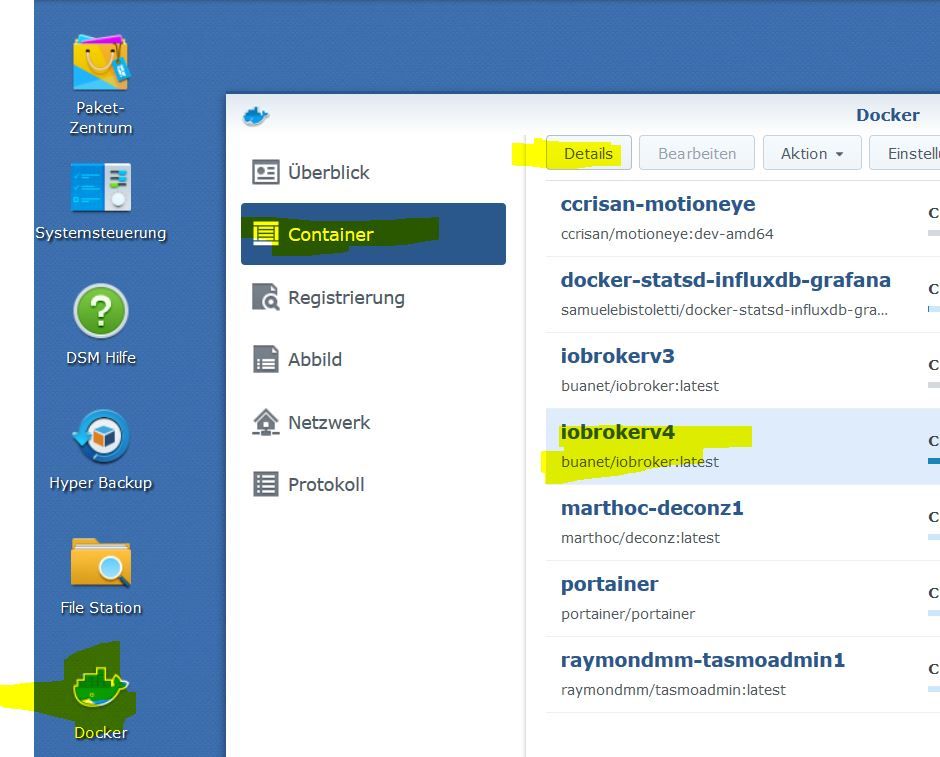
      1.JPG

      .
      2.JPG

      und dann

      iobroker status 
      iobroker list instances
      

      Synology 918+ 16GB - ioBroker in Docker v9 , VISO auf Trekstor Primebook C13 13,3" , Hikvision Domkameras mit Surveillance Station .. CCU RaspberryMatic in Synology VM .. Zigbee CC2538+CC2592 .. Sonoff .. KNX .. Modbus ..

      C 1 Reply Last reply
      0
      • GlasfaserG Glasfaser

        @chris301280

        Mhh ..

        dann

        Auf der Synology :

        Docker auswählen - Reiter Container wählen - dein ioBrocker wählen - Details wählen -
        -Terminal wählen - bash anwählen (wenn noch kein bash vorhanden dann Erstellen )

        1.JPG

        .
        2.JPG

        und dann

        iobroker status 
        iobroker list instances
        
        C Offline
        C Offline
        chris301280
        wrote on last edited by
        #17

        @glasfaser said in iobroker auf Sysnology NAS:

        iobroker status
        iobroker list instances

        ok, hab ich gemacht..
        Bildschirmfoto 2022-01-29 um 21.02.56.png

        GlasfaserG 1 Reply Last reply
        0
        • C chris301280

          @glasfaser said in iobroker auf Sysnology NAS:

          iobroker status
          iobroker list instances

          ok, hab ich gemacht..
          Bildschirmfoto 2022-01-29 um 21.02.56.png

          GlasfaserG Offline
          GlasfaserG Offline
          Glasfaser
          wrote on last edited by
          #18

          @chris301280

          Komme gerade nicht klar ...

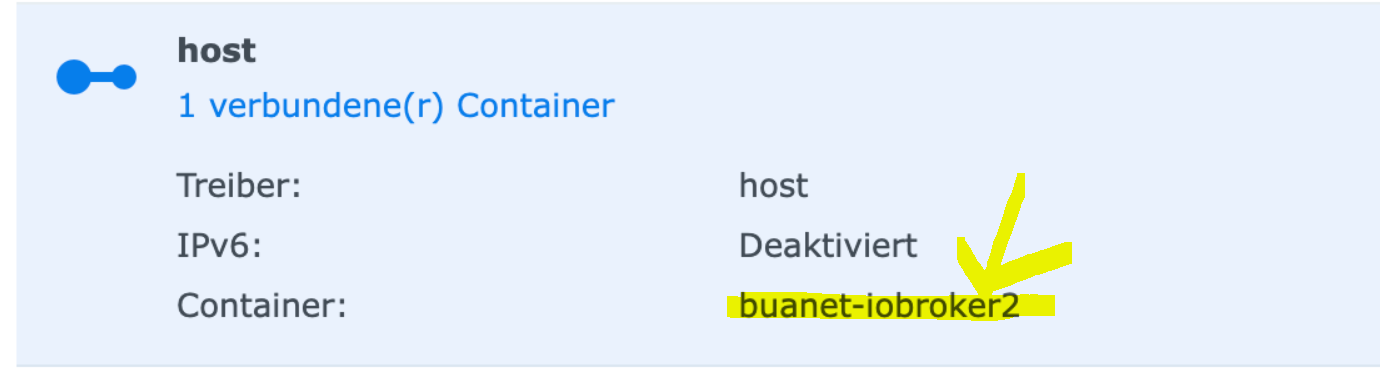
          oben zeigst du

          5040c988-f804-48fc-9376-75b2e19719f6-grafik.png

          und jetzt ist er buanet-iobroker1

          Synology 918+ 16GB - ioBroker in Docker v9 , VISO auf Trekstor Primebook C13 13,3" , Hikvision Domkameras mit Surveillance Station .. CCU RaspberryMatic in Synology VM .. Zigbee CC2538+CC2592 .. Sonoff .. KNX .. Modbus ..

          C 1 Reply Last reply
          0
          • GlasfaserG Glasfaser

            @chris301280

            Komme gerade nicht klar ...

            oben zeigst du

            5040c988-f804-48fc-9376-75b2e19719f6-grafik.png

            und jetzt ist er buanet-iobroker1

            C Offline
            C Offline
            chris301280
            wrote on last edited by chris301280
            #19

            @glasfaser ja richtig, da habe ich einen neuen Container erstellt.....

            nach einem neustart des Containers und IPNAS:8081 funktioniert es trotzdem nicht...

            eigenartig, firewall? einstellungen im NAS?

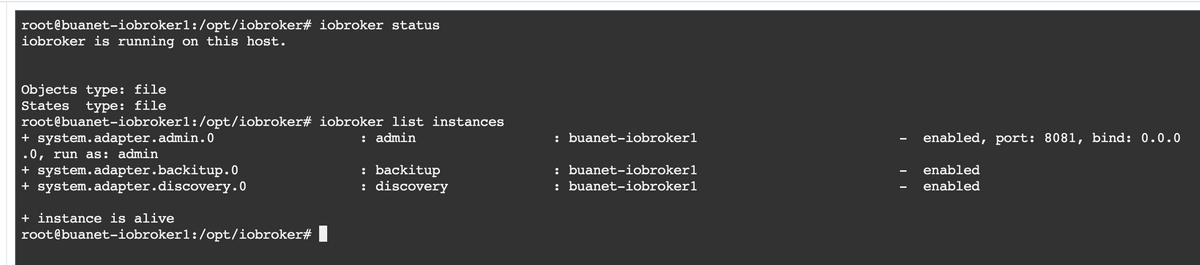
            das steht jetzt im terminal
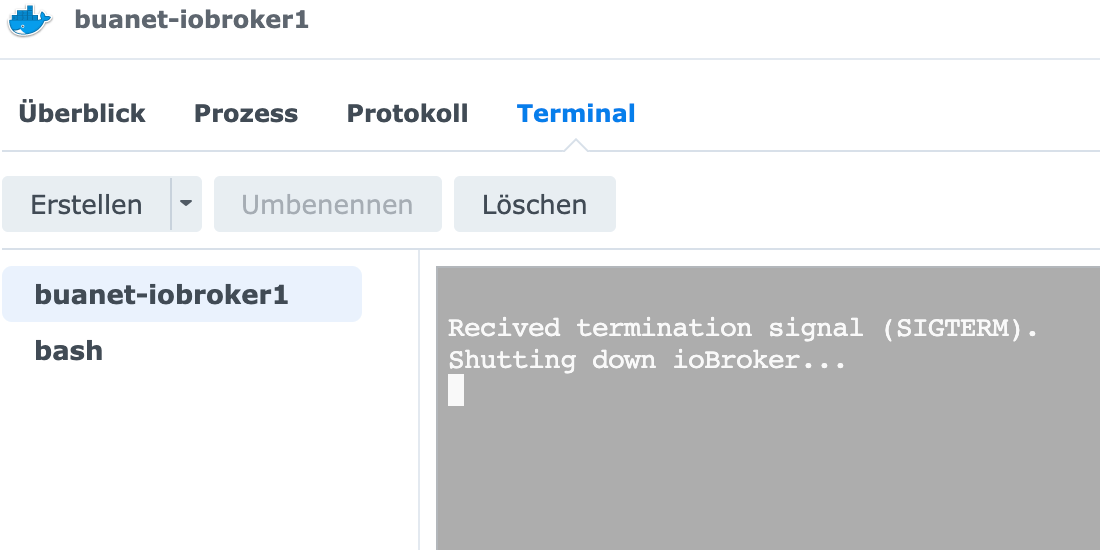
            Bildschirmfoto 2022-01-29 um 21.07.32.png Bildschirmfoto 2022-01-29 um 21.07.40.png

            GlasfaserG 1 Reply Last reply
            0
            • C chris301280

              @glasfaser ja richtig, da habe ich einen neuen Container erstellt.....

              nach einem neustart des Containers und IPNAS:8081 funktioniert es trotzdem nicht...

              eigenartig, firewall? einstellungen im NAS?

              das steht jetzt im terminal

              Bildschirmfoto 2022-01-29 um 21.07.32.png Bildschirmfoto 2022-01-29 um 21.07.40.png

              GlasfaserG Offline
              GlasfaserG Offline
              Glasfaser
              wrote on last edited by
              #20

              @chris301280

              Lösche/deinstalliere das Plugin Docker und installiere es neu .

              Synology 918+ 16GB - ioBroker in Docker v9 , VISO auf Trekstor Primebook C13 13,3" , Hikvision Domkameras mit Surveillance Station .. CCU RaspberryMatic in Synology VM .. Zigbee CC2538+CC2592 .. Sonoff .. KNX .. Modbus ..

              C 1 Reply Last reply
              0
              • GlasfaserG Glasfaser

                @chris301280

                Lösche/deinstalliere das Plugin Docker und installiere es neu .

                C Offline
                C Offline
                chris301280
                wrote on last edited by
                #21

                @glasfaser ok,dauert einen moment...mach ich

                S 1 Reply Last reply
                0
                • C chris301280

                  @glasfaser ok,dauert einen moment...mach ich

                  S Offline
                  S Offline
                  Sputnik24
                  wrote on last edited by
                  #22

                  Ports in der Firewall der Synology freigegeben?

                  C 1 Reply Last reply
                  0
                  • S Sputnik24

                    Ports in der Firewall der Synology freigegeben?

                    C Offline
                    C Offline
                    chris301280
                    wrote on last edited by
                    #23

                    @sputnik24 nein, da hab ich nix gemacht
                    ich schau mal ob ich das finde

                    GlasfaserG 1 Reply Last reply
                    0
                    • C chris301280

                      @sputnik24 nein, da hab ich nix gemacht
                      ich schau mal ob ich das finde

                      GlasfaserG Offline
                      GlasfaserG Offline
                      Glasfaser
                      wrote on last edited by
                      #24

                      @chris301280 sagte in iobroker auf Sysnology NAS:

                      ich schau mal ob ich das finde

                      ist die Firewall überhaupt bei dir aktiv !?

                      Synology 918+ 16GB - ioBroker in Docker v9 , VISO auf Trekstor Primebook C13 13,3" , Hikvision Domkameras mit Surveillance Station .. CCU RaspberryMatic in Synology VM .. Zigbee CC2538+CC2592 .. Sonoff .. KNX .. Modbus ..

                      C 1 Reply Last reply
                      0
                      • GlasfaserG Glasfaser

                        @chris301280 sagte in iobroker auf Sysnology NAS:

                        ich schau mal ob ich das finde

                        ist die Firewall überhaupt bei dir aktiv !?

                        C Offline
                        C Offline
                        chris301280
                        wrote on last edited by chris301280
                        #25

                        @glasfaser BINGO!! hab die firewall kurz deaktiviert und ERFOLG!!!

                        danke euch allen für die Unterstützung!!

                        1 Reply Last reply
                        0
                        Reply
                        • Reply as topic
                        Log in to reply
                        • Oldest to Newest
                        • Newest to Oldest
                        • Most Votes


                        Support us

                        ioBroker
                        Community Adapters
                        Donate
                        FAQ Cloud / IOT
                        HowTo: Node.js-Update
                        HowTo: Backup/Restore
                        Downloads
                        BLOG

                        605

                        Online

                        32.6k

                        Users

                        82.3k

                        Topics

                        1.3m

                        Posts
                        Community
                        Impressum | Datenschutz-Bestimmungen | Nutzungsbedingungen | Einwilligungseinstellungen
                        ioBroker Community 2014-2025
                        logo
                        • Login

                        • Don't have an account? Register

                        • Login or register to search.
                        • First post
                          Last post
                        0
                        • Home
                        • Recent
                        • Tags
                        • Unread 0
                        • Categories
                        • Unreplied
                        • Popular
                        • GitHub
                        • Docu
                        • Hilfe