



Skip to content
  • Home
  • Aktuell
  • Tags
  • 0 Ungelesen 0
  • Kategorien
  • Unreplied
  • Beliebt
  • GitHub
  • Docu
  • Hilfe
Skins
  • Light
  • Brite
  • Cerulean
  • Cosmo
  • Flatly
  • Journal
  • Litera
  • Lumen
  • Lux
  • Materia
  • Minty
  • Morph
  • Pulse
  • Sandstone
  • Simplex
  • Sketchy
  • Spacelab
  • United
  • Yeti
  • Zephyr
  • Dark
  • Cyborg
  • Darkly
  • Quartz
  • Slate
  • Solar
  • Superhero
  • Vapor

  • Standard: (Kein Skin)
  • Kein Skin
Einklappen
ioBroker Logo

Community Forum

donate donate
  1. ioBroker Community Home
  2. Deutsch
  3. Visualisierung
  4. Grafik hochladen geht nicht mehr

NEWS

  • UPDATE 31.10.: Amazon Alexa - ioBroker Skill läuft aus ?
    apollon77A
    apollon77
    48
    3
    8.9k

  • Monatsrückblick – September 2025
    BluefoxB
    Bluefox
    13
    1
    2.3k

  • Neues Video "KI im Smart Home" - ioBroker plus n8n
    BluefoxB
    Bluefox
    16
    1
    3.4k

Grafik hochladen geht nicht mehr

Geplant Angeheftet Gesperrt Verschoben Visualisierung
vishow-to
26 Beiträge 2 Kommentatoren 2.3k Aufrufe 2 Watching
  • Älteste zuerst
  • Neuste zuerst
  • Meiste Stimmen
Antworten
  • In einem neuen Thema antworten
Anmelden zum Antworten
Dieses Thema wurde gelöscht. Nur Nutzer mit entsprechenden Rechten können es sehen.
  • M Offline
    M Offline
    MarkusL
    schrieb am zuletzt editiert von
    #1

    Hallo zusammen,

    ich bräuchte wieder einmal Eure Hilfe:
    Ich habe meine meinen IOBroker von Linux auf Windows umgezogen. daraufhin hat er einige der Grafiken "vergessen". Ich habe nun angefangen die Grafiken wieder in vis.0 hochzuladen, so wie ich es im Forum gelesen habe. Nun sind da einige Grafiken drinnen, aber ich kann keine mehr hochladen? Sobald ich auf UPLOAD klicke (und Files in dem Drop Fenster ausgewählt habe), passiert gar nichts mehr. Gibt es evtl ein Limit? Auch das Anlegen von Unterordnern hat nichts gebracht.
    Wenn es ein Limit gibt, wie kann ich wieder Files herauslöschen?

    Danke,

    Markus

    GlasfaserG 1 Antwort Letzte Antwort
    0
    • M MarkusL

      Hallo zusammen,

      ich bräuchte wieder einmal Eure Hilfe:
      Ich habe meine meinen IOBroker von Linux auf Windows umgezogen. daraufhin hat er einige der Grafiken "vergessen". Ich habe nun angefangen die Grafiken wieder in vis.0 hochzuladen, so wie ich es im Forum gelesen habe. Nun sind da einige Grafiken drinnen, aber ich kann keine mehr hochladen? Sobald ich auf UPLOAD klicke (und Files in dem Drop Fenster ausgewählt habe), passiert gar nichts mehr. Gibt es evtl ein Limit? Auch das Anlegen von Unterordnern hat nichts gebracht.
      Wenn es ein Limit gibt, wie kann ich wieder Files herauslöschen?

      Danke,

      Markus

      GlasfaserG Offline
      GlasfaserG Offline
      Glasfaser
      schrieb am zuletzt editiert von
      #2

      @MarkusL

      Da gibt es kein Limit .
      Hast du mal im Browser den Cache gelöscht mit STRG+F5 , anderen Browser mal versucht !?

      Synology 918+ 16GB - ioBroker in Docker v9 , VISO auf Trekstor Primebook C13 13,3" , Hikvision Domkameras mit Surveillance Station .. CCU RaspberryMatic in Synology VM .. Zigbee CC2538+CC2592 .. Sonoff .. KNX .. Modbus ..

      M 1 Antwort Letzte Antwort
      0
      • GlasfaserG Glasfaser

        @MarkusL

        Da gibt es kein Limit .
        Hast du mal im Browser den Cache gelöscht mit STRG+F5 , anderen Browser mal versucht !?

        M Offline
        M Offline
        MarkusL
        schrieb am zuletzt editiert von
        #3

        @Glasfaser Danke für die Antwort. Ja, ich habe es mit 2 Browsern versucht. Leider der Gleiche Effekt. Das Vorgehen ist immer so: ich markiere das fehlerhafte Bild im VIS Editor, gehe auf den Datenpunkt, manövriere im Datei Manager nach vis.0 und klicke auf den UPload Pfeil. Das Fenster geht auf, ich ziehe meine Datei hinein und klicke auf Upload. Dann passiert aber nichts mehr :-(.

        GlasfaserG 1 Antwort Letzte Antwort
        0
        • M MarkusL

          @Glasfaser Danke für die Antwort. Ja, ich habe es mit 2 Browsern versucht. Leider der Gleiche Effekt. Das Vorgehen ist immer so: ich markiere das fehlerhafte Bild im VIS Editor, gehe auf den Datenpunkt, manövriere im Datei Manager nach vis.0 und klicke auf den UPload Pfeil. Das Fenster geht auf, ich ziehe meine Datei hinein und klicke auf Upload. Dann passiert aber nichts mehr :-(.

          GlasfaserG Offline
          GlasfaserG Offline
          Glasfaser
          schrieb am zuletzt editiert von Glasfaser
          #4

          @MarkusL
          Ok ... den Weg zum richtigen Bild kann man auch machen ..
          Gerade den Umweg getestet ... das Bild wird in millisekunden hochgeladen und ist dann auch auswählbar ..

          Starte mal den VIS Adapter mal neu .

          1.JPG

          EDIT : Hast du die alten Bilder ... vorher gelöscht die nicht funktionieren , bevor du die gleichen wieder per Upload hochlädst !

          Synology 918+ 16GB - ioBroker in Docker v9 , VISO auf Trekstor Primebook C13 13,3" , Hikvision Domkameras mit Surveillance Station .. CCU RaspberryMatic in Synology VM .. Zigbee CC2538+CC2592 .. Sonoff .. KNX .. Modbus ..

          M 1 Antwort Letzte Antwort
          0
          • GlasfaserG Glasfaser

            @MarkusL
            Ok ... den Weg zum richtigen Bild kann man auch machen ..
            Gerade den Umweg getestet ... das Bild wird in millisekunden hochgeladen und ist dann auch auswählbar ..

            Starte mal den VIS Adapter mal neu .

            1.JPG

            EDIT : Hast du die alten Bilder ... vorher gelöscht die nicht funktionieren , bevor du die gleichen wieder per Upload hochlädst !

            M Offline
            M Offline
            MarkusL
            schrieb am zuletzt editiert von
            #5

            @Glasfaser Bis jetzt ging es auch immer ratz fatz. Nun auf einmal reagiert er gar nicht mehr auf den Upload.
            Was meinst Du mit Umweg? Welches wäre der direkte Weg? Ich muss ja einen Pfad in der View angeben, und als einziges erlaubtes Verzeichnis ist laut Forum vis.0 zugelassen. Oder kann ich auch andere Verzeichnisse registrieren? Wie?
            Die alten Links laufen ja ins Leere obwohl die Bilder noch auf der Platte (aber in anderen Verzeichnissen) sind. Deswegen habe ich sie neu nach vis.0 hochgeladen und ausgewählt.
            Danke!

            GlasfaserG 1 Antwort Letzte Antwort
            0
            • M MarkusL

              @Glasfaser Bis jetzt ging es auch immer ratz fatz. Nun auf einmal reagiert er gar nicht mehr auf den Upload.
              Was meinst Du mit Umweg? Welches wäre der direkte Weg? Ich muss ja einen Pfad in der View angeben, und als einziges erlaubtes Verzeichnis ist laut Forum vis.0 zugelassen. Oder kann ich auch andere Verzeichnisse registrieren? Wie?
              Die alten Links laufen ja ins Leere obwohl die Bilder noch auf der Platte (aber in anderen Verzeichnissen) sind. Deswegen habe ich sie neu nach vis.0 hochgeladen und ausgewählt.
              Danke!

              GlasfaserG Offline
              GlasfaserG Offline
              Glasfaser
              schrieb am zuletzt editiert von Glasfaser
              #6

              @MarkusL

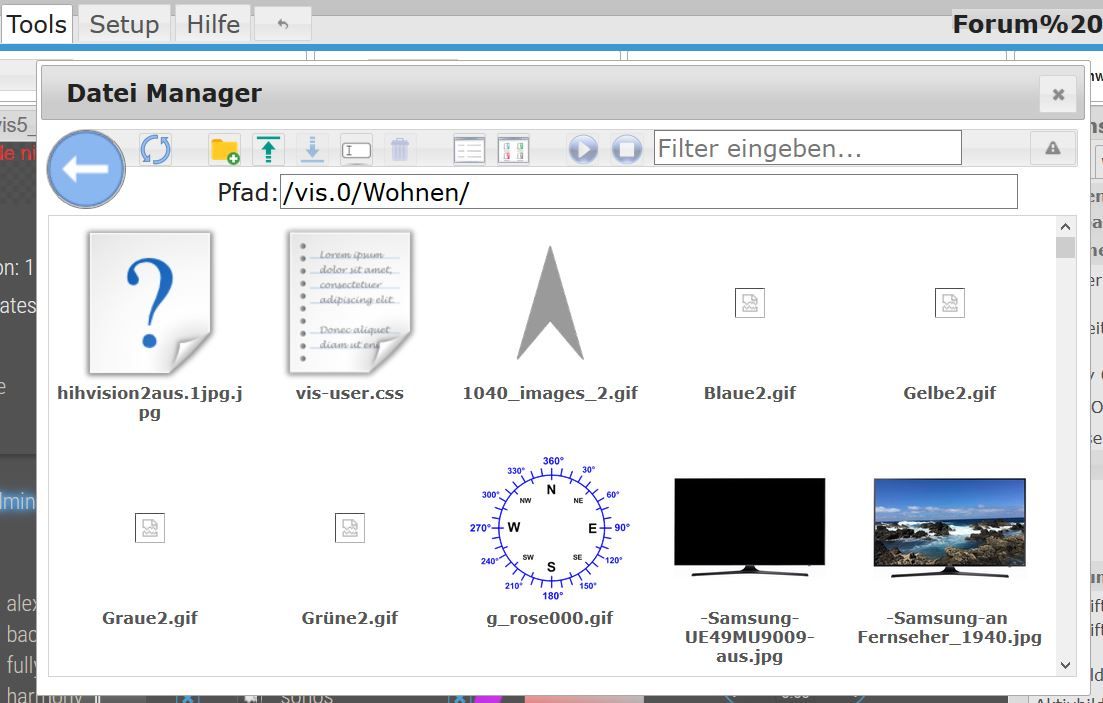
              Du kannst die Bilder auf einen Schlag hochladen .
              Nimm den Dateimanager zum hochladen aller Bilder und weise Sie dann in den Datenpunken zu .

              Ich habe meine Bilder schon immer im Projekt hochgeladen ...
              1.JPG

              Synology 918+ 16GB - ioBroker in Docker v9 , VISO auf Trekstor Primebook C13 13,3" , Hikvision Domkameras mit Surveillance Station .. CCU RaspberryMatic in Synology VM .. Zigbee CC2538+CC2592 .. Sonoff .. KNX .. Modbus ..

              M 1 Antwort Letzte Antwort
              0
              • GlasfaserG Glasfaser

                @MarkusL

                Du kannst die Bilder auf einen Schlag hochladen .
                Nimm den Dateimanager zum hochladen aller Bilder und weise Sie dann in den Datenpunken zu .

                Ich habe meine Bilder schon immer im Projekt hochgeladen ...

                1.JPG

                M Offline
                M Offline
                MarkusL
                schrieb am zuletzt editiert von
                #7

                @Glasfaser So habe ich es ja am Anfang gemacht. Aber dann ging der Upload auf einmal nicht mehr....

                GlasfaserG 1 Antwort Letzte Antwort
                0
                • M MarkusL

                  @Glasfaser So habe ich es ja am Anfang gemacht. Aber dann ging der Upload auf einmal nicht mehr....

                  GlasfaserG Offline
                  GlasfaserG Offline
                  Glasfaser
                  schrieb am zuletzt editiert von
                  #8

                  @MarkusL

                  Hast du jetzt mal die VIS Instanz neu gestartet !?

                  Synology 918+ 16GB - ioBroker in Docker v9 , VISO auf Trekstor Primebook C13 13,3" , Hikvision Domkameras mit Surveillance Station .. CCU RaspberryMatic in Synology VM .. Zigbee CC2538+CC2592 .. Sonoff .. KNX .. Modbus ..

                  M 1 Antwort Letzte Antwort
                  0
                  • GlasfaserG Glasfaser

                    @MarkusL

                    Hast du jetzt mal die VIS Instanz neu gestartet !?

                    M Offline
                    M Offline
                    MarkusL
                    schrieb am zuletzt editiert von
                    #9

                    @Glasfaser Ja. Keine Änderung.

                    GlasfaserG 1 Antwort Letzte Antwort
                    0
                    • M MarkusL

                      @Glasfaser Ja. Keine Änderung.

                      GlasfaserG Offline
                      GlasfaserG Offline
                      Glasfaser
                      schrieb am zuletzt editiert von
                      #10

                      @MarkusL
                      Da klemmt was ....

                      Versuche nochmal ein Bild hochzuladen !

                      Dann im Browser F12 drücken , auf Konsole gehen und mir das per Screenshot senden

                      Synology 918+ 16GB - ioBroker in Docker v9 , VISO auf Trekstor Primebook C13 13,3" , Hikvision Domkameras mit Surveillance Station .. CCU RaspberryMatic in Synology VM .. Zigbee CC2538+CC2592 .. Sonoff .. KNX .. Modbus ..

                      M 2 Antworten Letzte Antwort
                      0
                      • GlasfaserG Glasfaser

                        @MarkusL
                        Da klemmt was ....

                        Versuche nochmal ein Bild hochzuladen !

                        Dann im Browser F12 drücken , auf Konsole gehen und mir das per Screenshot senden

                        M Offline
                        M Offline
                        MarkusL
                        schrieb am zuletzt editiert von
                        #11

                        @Glasfaser meinst Du mit Konsole den HTML Text, der nach F12 erscheint?

                        GlasfaserG 1 Antwort Letzte Antwort
                        0
                        • M MarkusL

                          @Glasfaser meinst Du mit Konsole den HTML Text, der nach F12 erscheint?

                          GlasfaserG Offline
                          GlasfaserG Offline
                          Glasfaser
                          schrieb am zuletzt editiert von Glasfaser
                          #12

                          @MarkusL

                          sieht so dann aus :

                          1.JPG

                          Kommen dort Warn oder Errormeldungen

                          Synology 918+ 16GB - ioBroker in Docker v9 , VISO auf Trekstor Primebook C13 13,3" , Hikvision Domkameras mit Surveillance Station .. CCU RaspberryMatic in Synology VM .. Zigbee CC2538+CC2592 .. Sonoff .. KNX .. Modbus ..

                          1 Antwort Letzte Antwort
                          0
                          • GlasfaserG Glasfaser

                            @MarkusL
                            Da klemmt was ....

                            Versuche nochmal ein Bild hochzuladen !

                            Dann im Browser F12 drücken , auf Konsole gehen und mir das per Screenshot senden

                            M Offline
                            M Offline
                            MarkusL
                            schrieb am zuletzt editiert von
                            #13

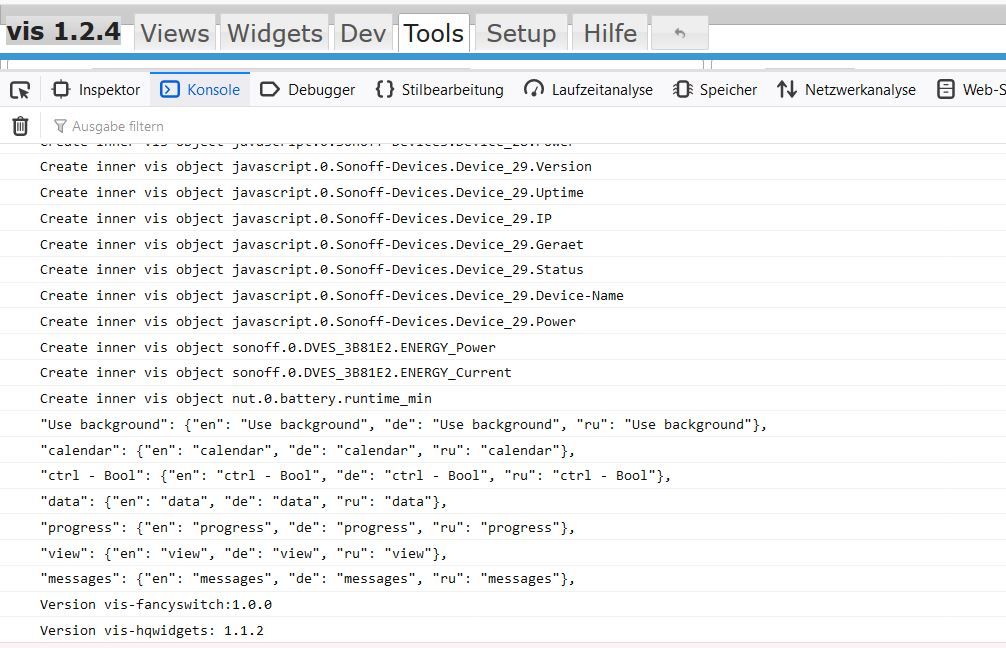
                            @Glasfaser hier ist der Konsoleneintrag:


                            ailed to load resource: the server responded with a status of 404 (Not Found)
                            :8082/vis.0weather_moon_phases_8.png:1 Failed to load resource: the server responded with a status of 404 (Not Found)
                            :8082/vis.0weather_moonset.png:1 Failed to load resource: the server responded with a status of 404 (Not Found)
                            :8082/vis.0weather_night_fog.png:1 Failed to load resource: the server responded with a status of 404 (Not Found)
                            :8082/vis.0weather_moonrise.png:1 Failed to load resource: the server responded with a status of 404 (Not Found)
                            :8082/vis.0weather_pollen.png:1 Failed to load resource: the server responded with a status of 404 (Not Found)
                            :8082/vis.0weather_night_cloudy.png:1 Failed to load resource: the server responded with a status of 404 (Not Found)
                            :8082/vis.0weather_rain.png:1 Failed to load resource: the server responded with a status of 404 (Not Found)
                            :8082/vis.0weather_night_starry.png:1 Failed to load resource: the server responded with a status of 404 (Not Found)
                            :8082/vis.0weather_rain_gauge.png:1 Failed to load resource: the server responded with a status of 404 (Not Found)
                            :8082/vis.0weather_rain_heavy.png:1 Failed to load resource: the server responded with a status of 404 (Not Found)
                            :8082/vis.0weather_rain_light.png:1 Failed to load resource: the server responded with a status of 404 (Not Found)
                            :8082/vis.0weather_rain_meter.png:1 Failed to load resource: the server responded with a status of 404 (Not Found)
                            :8082/vis.0weather_sleet.png:1 Failed to load resource: the server responded with a status of 404 (Not Found)
                            :8082/vis.0weather_snow.png:1 Failed to load resource: the server responded with a status of 404 (Not Found)
                            :8082/vis.0weather_snow_heavy.png:1 Failed to load resource: the server responded with a status of 404 (Not Found)
                            :8082/vis.0weather_snow_ice_warning.png:1 Failed to load resource: the server responded with a status of 404 (Not Found)
                            :8082/vis.0weather_snow_light.png:1 Failed to load resource: the server responded with a status of 404 (Not Found)
                            :8082/vis.0weather_station.png:1 Failed to load resource: the server responded with a status of 404 (Not Found)
                            :8082/vis.0weather_station_quadra.png:1 Failed to load resource: the server responded with a status of 404 (Not Found)
                            :8082/vis.0weather_storm.png:1 Failed to load resource: the server responded with a status of 404 (Not Found)
                            :8082/vis.0weather_summer.png:1 Failed to load resource: the server responded with a status of 404 (Not Found)
                            :8082/vis.0weather_sun.png:1 Failed to load resource: the server responded with a status of 404 (Not Found)
                            :8082/vis.0weather_sunrise.png:1 Failed to load resource: the server responded with a status of 404 (Not Found)
                            :8082/vis.0weather_sunset.png:1 Failed to load resource: the server responded with a status of 404 (Not Found)
                            :8082/vis.0weather_wind_directions_e.png:1 Failed to load resource: the server responded with a status of 404 (Not Found)
                            :8082/vis.0weather_thunderstorm.png:1 Failed to load resource: the server responded with a status of 404 (Not Found)
                            :8082/vis.0weather_wind.png:1 Failed to load resource: the server responded with a status of 404 (Not Found)
                            :8082/vis.0weather_wind_directions_n.png:1 Failed to load resource: the server responded with a status of 404 (Not Found)
                            :8082/vis.0weather_wind_directions_ne.png:1 Failed to load resource: the server responded with a status of 404 (Not Found)
                            :8082/vis.0weather_wind_directions_nw.png:1 Failed to load resource: the server responded with a status of 404 (Not Found)
                            :8082/vis.0weather_wind_directions_s.png:1 Failed to load resource: the server responded with a status of 404 (Not Found)
                            :8082/vis.0weather_wind_directions_se.png:1 Failed to load resource: the server responded with a status of 404 (Not Found)
                            :8082/vis.0weather_wind_directions_sw.png:1 Failed to load resource: the server responded with a status of 404 (Not Found)
                            :8082/vis.0weather_wind_directions_w.png:1 Failed to load resource: the server responded with a status of 404 (Not Found)
                            :8082/vis.0weather_wind_no_wind.png:1 Failed to load resource: the server responded with a status of 404 (Not Found)
                            :8082/vis.0weather_winter.png:1 Failed to load resource: the server responded with a status of 404 (Not Found)
                            :8082/vis.0weather_wind_speed.png:1 Failed to load resource: the server responded with a status of 404 (Not Found)
                            :8082/vis.0weather_wind_speed_bft.png:1 Failed to load resource: the server responded with a status of 404 (Not Found)
                            :8082/vis.0web.png:1 Failed to load resource: the server responded with a status of 404 (Not Found)
                            :8082/vis.0weather_wind_speed_ms.png:1 Failed to load resource: the server responded with a status of 404 (Not Found)
                            :8082/vis.0win10.png:1 Failed to load resource: the server responded with a status of 404 (Not Found)
                            :8082/vis.0wind.png:1 Failed to load resource: the server responded with a status of 404 (Not Found)
                            :8082/vis.0xmg.jpg:1 Failed to load resource: the server responded with a status of 404 (Not Found)
                            :8082/vis.0yamaha.jpg:1 Failed to load resource: the server responded with a status of 404 (Not Found)
                            :8082/vis.0yamaha.png:1 Failed to load resource: the server responded with a status of 404 (Not Found)
                            fileManager.js:982 TypeError: Cannot read property 'name' of undefined
                            at upload (fileManager.js:961)
                            at HTMLButtonElement.<anonymous> (fileManager.js:988)
                            at HTMLButtonElement.dispatch (jquery-1.11.2.min.js:3)
                            at HTMLButtonElement.r.handle (jquery-1.11.2.min.js:3)
                            5821 log entries are not shown.
                            3fileManager.js:982 TypeError: Cannot read property 'name' of undefined
                            at upload (fileManager.js:961)
                            at HTMLButtonElement.<anonymous> (fileManager.js:988)
                            at HTMLButtonElement.dispatch (jquery-1.11.2.min.js:3)
                            at HTMLButtonElement.r.handle (jquery-1.11.2.min.js:3)

                            GlasfaserG 1 Antwort Letzte Antwort
                            0
                            • M MarkusL

                              @Glasfaser hier ist der Konsoleneintrag:


                              ailed to load resource: the server responded with a status of 404 (Not Found)
                              :8082/vis.0weather_moon_phases_8.png:1 Failed to load resource: the server responded with a status of 404 (Not Found)
                              :8082/vis.0weather_moonset.png:1 Failed to load resource: the server responded with a status of 404 (Not Found)
                              :8082/vis.0weather_night_fog.png:1 Failed to load resource: the server responded with a status of 404 (Not Found)
                              :8082/vis.0weather_moonrise.png:1 Failed to load resource: the server responded with a status of 404 (Not Found)
                              :8082/vis.0weather_pollen.png:1 Failed to load resource: the server responded with a status of 404 (Not Found)
                              :8082/vis.0weather_night_cloudy.png:1 Failed to load resource: the server responded with a status of 404 (Not Found)
                              :8082/vis.0weather_rain.png:1 Failed to load resource: the server responded with a status of 404 (Not Found)
                              :8082/vis.0weather_night_starry.png:1 Failed to load resource: the server responded with a status of 404 (Not Found)
                              :8082/vis.0weather_rain_gauge.png:1 Failed to load resource: the server responded with a status of 404 (Not Found)
                              :8082/vis.0weather_rain_heavy.png:1 Failed to load resource: the server responded with a status of 404 (Not Found)
                              :8082/vis.0weather_rain_light.png:1 Failed to load resource: the server responded with a status of 404 (Not Found)
                              :8082/vis.0weather_rain_meter.png:1 Failed to load resource: the server responded with a status of 404 (Not Found)
                              :8082/vis.0weather_sleet.png:1 Failed to load resource: the server responded with a status of 404 (Not Found)
                              :8082/vis.0weather_snow.png:1 Failed to load resource: the server responded with a status of 404 (Not Found)
                              :8082/vis.0weather_snow_heavy.png:1 Failed to load resource: the server responded with a status of 404 (Not Found)
                              :8082/vis.0weather_snow_ice_warning.png:1 Failed to load resource: the server responded with a status of 404 (Not Found)
                              :8082/vis.0weather_snow_light.png:1 Failed to load resource: the server responded with a status of 404 (Not Found)
                              :8082/vis.0weather_station.png:1 Failed to load resource: the server responded with a status of 404 (Not Found)
                              :8082/vis.0weather_station_quadra.png:1 Failed to load resource: the server responded with a status of 404 (Not Found)
                              :8082/vis.0weather_storm.png:1 Failed to load resource: the server responded with a status of 404 (Not Found)
                              :8082/vis.0weather_summer.png:1 Failed to load resource: the server responded with a status of 404 (Not Found)
                              :8082/vis.0weather_sun.png:1 Failed to load resource: the server responded with a status of 404 (Not Found)
                              :8082/vis.0weather_sunrise.png:1 Failed to load resource: the server responded with a status of 404 (Not Found)
                              :8082/vis.0weather_sunset.png:1 Failed to load resource: the server responded with a status of 404 (Not Found)
                              :8082/vis.0weather_wind_directions_e.png:1 Failed to load resource: the server responded with a status of 404 (Not Found)
                              :8082/vis.0weather_thunderstorm.png:1 Failed to load resource: the server responded with a status of 404 (Not Found)
                              :8082/vis.0weather_wind.png:1 Failed to load resource: the server responded with a status of 404 (Not Found)
                              :8082/vis.0weather_wind_directions_n.png:1 Failed to load resource: the server responded with a status of 404 (Not Found)
                              :8082/vis.0weather_wind_directions_ne.png:1 Failed to load resource: the server responded with a status of 404 (Not Found)
                              :8082/vis.0weather_wind_directions_nw.png:1 Failed to load resource: the server responded with a status of 404 (Not Found)
                              :8082/vis.0weather_wind_directions_s.png:1 Failed to load resource: the server responded with a status of 404 (Not Found)
                              :8082/vis.0weather_wind_directions_se.png:1 Failed to load resource: the server responded with a status of 404 (Not Found)
                              :8082/vis.0weather_wind_directions_sw.png:1 Failed to load resource: the server responded with a status of 404 (Not Found)
                              :8082/vis.0weather_wind_directions_w.png:1 Failed to load resource: the server responded with a status of 404 (Not Found)
                              :8082/vis.0weather_wind_no_wind.png:1 Failed to load resource: the server responded with a status of 404 (Not Found)
                              :8082/vis.0weather_winter.png:1 Failed to load resource: the server responded with a status of 404 (Not Found)
                              :8082/vis.0weather_wind_speed.png:1 Failed to load resource: the server responded with a status of 404 (Not Found)
                              :8082/vis.0weather_wind_speed_bft.png:1 Failed to load resource: the server responded with a status of 404 (Not Found)
                              :8082/vis.0web.png:1 Failed to load resource: the server responded with a status of 404 (Not Found)
                              :8082/vis.0weather_wind_speed_ms.png:1 Failed to load resource: the server responded with a status of 404 (Not Found)
                              :8082/vis.0win10.png:1 Failed to load resource: the server responded with a status of 404 (Not Found)
                              :8082/vis.0wind.png:1 Failed to load resource: the server responded with a status of 404 (Not Found)
                              :8082/vis.0xmg.jpg:1 Failed to load resource: the server responded with a status of 404 (Not Found)
                              :8082/vis.0yamaha.jpg:1 Failed to load resource: the server responded with a status of 404 (Not Found)
                              :8082/vis.0yamaha.png:1 Failed to load resource: the server responded with a status of 404 (Not Found)
                              fileManager.js:982 TypeError: Cannot read property 'name' of undefined
                              at upload (fileManager.js:961)
                              at HTMLButtonElement.<anonymous> (fileManager.js:988)
                              at HTMLButtonElement.dispatch (jquery-1.11.2.min.js:3)
                              at HTMLButtonElement.r.handle (jquery-1.11.2.min.js:3)
                              5821 log entries are not shown.
                              3fileManager.js:982 TypeError: Cannot read property 'name' of undefined
                              at upload (fileManager.js:961)
                              at HTMLButtonElement.<anonymous> (fileManager.js:988)
                              at HTMLButtonElement.dispatch (jquery-1.11.2.min.js:3)
                              at HTMLButtonElement.r.handle (jquery-1.11.2.min.js:3)

                              GlasfaserG Offline
                              GlasfaserG Offline
                              Glasfaser
                              schrieb am zuletzt editiert von
                              #14

                              @MarkusL

                              Nein , das ist nur eine Ausgabe das er die zugewiesenen ( alten ) Bilder nicht findet .

                              Starrte mal dein System neu ( Reboot )

                              Synology 918+ 16GB - ioBroker in Docker v9 , VISO auf Trekstor Primebook C13 13,3" , Hikvision Domkameras mit Surveillance Station .. CCU RaspberryMatic in Synology VM .. Zigbee CC2538+CC2592 .. Sonoff .. KNX .. Modbus ..

                              M 1 Antwort Letzte Antwort
                              0
                              • GlasfaserG Glasfaser

                                @MarkusL

                                Nein , das ist nur eine Ausgabe das er die zugewiesenen ( alten ) Bilder nicht findet .

                                Starrte mal dein System neu ( Reboot )

                                M Offline
                                M Offline
                                MarkusL
                                schrieb am zuletzt editiert von
                                #15

                                @Glasfaser Hilft leider nichts. Die Files sind zwar im vis.0 Ordner vorhanden, aber anscheinend nicht registriert. Auf jeden Fall tauchen sie nicht im Datei Manager auf. Kann ich die Registrierung manuell über das Verzeichnis laufen lassen?

                                GlasfaserG 1 Antwort Letzte Antwort
                                0
                                • M MarkusL

                                  @Glasfaser Hilft leider nichts. Die Files sind zwar im vis.0 Ordner vorhanden, aber anscheinend nicht registriert. Auf jeden Fall tauchen sie nicht im Datei Manager auf. Kann ich die Registrierung manuell über das Verzeichnis laufen lassen?

                                  GlasfaserG Offline
                                  GlasfaserG Offline
                                  Glasfaser
                                  schrieb am zuletzt editiert von
                                  #16

                                  @MarkusL

                                  Die Bilder müssen zwingend über den Dateimanager hochgeladen werden ( Registrierung).
                                  Lege die Bilder in dein VIS.0/projekt

                                  Synology 918+ 16GB - ioBroker in Docker v9 , VISO auf Trekstor Primebook C13 13,3" , Hikvision Domkameras mit Surveillance Station .. CCU RaspberryMatic in Synology VM .. Zigbee CC2538+CC2592 .. Sonoff .. KNX .. Modbus ..

                                  M 1 Antwort Letzte Antwort
                                  0
                                  • GlasfaserG Glasfaser

                                    @MarkusL

                                    Die Bilder müssen zwingend über den Dateimanager hochgeladen werden ( Registrierung).
                                    Lege die Bilder in dein VIS.0/projekt

                                    M Offline
                                    M Offline
                                    MarkusL
                                    schrieb am zuletzt editiert von
                                    #17

                                    @Glasfaser Das hilft aber ohne Registrierung nichts, oder? Ich kann sie zwar nach vis.0 kopieren, aber ohne eine Registrierung komme ich damit ja auch nicht weiter. Oder kann ich die Registrierung händisch anstossen?

                                    GlasfaserG 1 Antwort Letzte Antwort
                                    0
                                    • M MarkusL

                                      @Glasfaser Das hilft aber ohne Registrierung nichts, oder? Ich kann sie zwar nach vis.0 kopieren, aber ohne eine Registrierung komme ich damit ja auch nicht weiter. Oder kann ich die Registrierung händisch anstossen?

                                      GlasfaserG Offline
                                      GlasfaserG Offline
                                      Glasfaser
                                      schrieb am zuletzt editiert von Glasfaser
                                      #18

                                      @MarkusL

                                      Nimm doch mal bitte ein Bild ... zb. was auf dein Desktop liegt und lade es über den Dateimanager in dein Projekt hoch . nennen wie es vis.0/DeineProjekt da ich nicht weiß wie es heißt .

                                      Funktioniert es auch dort nicht !??

                                      Synology 918+ 16GB - ioBroker in Docker v9 , VISO auf Trekstor Primebook C13 13,3" , Hikvision Domkameras mit Surveillance Station .. CCU RaspberryMatic in Synology VM .. Zigbee CC2538+CC2592 .. Sonoff .. KNX .. Modbus ..

                                      M 1 Antwort Letzte Antwort
                                      0
                                      • GlasfaserG Glasfaser

                                        @MarkusL

                                        Nimm doch mal bitte ein Bild ... zb. was auf dein Desktop liegt und lade es über den Dateimanager in dein Projekt hoch . nennen wie es vis.0/DeineProjekt da ich nicht weiß wie es heißt .

                                        Funktioniert es auch dort nicht !??

                                        M Offline
                                        M Offline
                                        MarkusL
                                        schrieb am zuletzt editiert von
                                        #19

                                        @Glasfaser Das ist genau das was ich mache....

                                        GlasfaserG 1 Antwort Letzte Antwort
                                        0
                                        • M MarkusL

                                          @Glasfaser Das ist genau das was ich mache....
                                          GlasfaserG Offline
                                          GlasfaserG Offline
                                          Glasfaser
                                          schrieb am zuletzt editiert von Glasfaser
                                          #20

                                          @MarkusL

                                          Ok ... und das Bild ist dann anschließend nicht über den Datenpunkt im Vis auswählbar / Sichtbar

                                          Synology 918+ 16GB - ioBroker in Docker v9 , VISO auf Trekstor Primebook C13 13,3" , Hikvision Domkameras mit Surveillance Station .. CCU RaspberryMatic in Synology VM .. Zigbee CC2538+CC2592 .. Sonoff .. KNX .. Modbus ..

                                          M 1 Antwort Letzte Antwort
                                          0
                                          Antworten
                                          • In einem neuen Thema antworten
                                          Anmelden zum Antworten
                                          • Älteste zuerst
                                          • Neuste zuerst
                                          • Meiste Stimmen


                                          Support us

                                          ioBroker
                                          Community Adapters
                                          Donate

                                          807

                                          Online

                                          32.4k

                                          Benutzer

                                          81.6k

                                          Themen

                                          1.3m

                                          Beiträge
                                          Community
                                          Impressum | Datenschutz-Bestimmungen | Nutzungsbedingungen | Einwilligungseinstellungen
                                          ioBroker Community 2014-2025
                                          logo
                                          • Anmelden

                                          • Du hast noch kein Konto? Registrieren

                                          • Anmelden oder registrieren, um zu suchen
                                          • Erster Beitrag
                                            Letzter Beitrag
                                          0
                                          • Home
                                          • Aktuell
                                          • Tags
                                          • Ungelesen 0
                                          • Kategorien
                                          • Unreplied
                                          • Beliebt
                                          • GitHub
                                          • Docu
                                          • Hilfe
