




ioBroker auf Mac - Fehlermeldung
-
Hallo liebe Community,
ich habe den ioBroker installiert, jedoch wenn ich ihn starte und auf die Log-Fläche gehe, erscheint folgende Meldung:
host.MacBook-Pro-2.local	2019-03-04 20:58:40.632	error	/bin/sh: npm: command not found
host.MacBook-Pro-2.local	2019-03-04 20:58:40.632	error	cannot get getHostInfo: Error: Command failed: npm -v
Node habe ich installiert und folgende Versionen:
MacBook-Pro-2:~ $ npm -v
6.4.1
MacBook-Pro-2:~ $ node -v
v10.15.2Ich hoffe ihr könnt mir weiterhelfen.
LG
-
@AlCalzone sagte in ioBroker auf Mac - Fehlermeldung:
Bei Punkt 2 benötige ich einmal Unterstützung. Wenn ich
launchtrlaufrufe bekomme ich folgende Liste ausgegeben:Usage: launchctl <subcommand> ... | help [subcommand] Many subcommands take a target specifier that refers to a domain or service within that domain. The available specifier forms are: system/[service-name] Targets the system-wide domain or service within. Root privileges are required to make modifications. user/<uid>/[service-name] Targets the user domain or service within. A process running as the target user may make modifications. Root may modify any user's domain. User domains do not exist on iOS. gui/<uid>/[service-name] Targets the GUI domain or service within. Each GUI domain is associated with a user domain, and a process running as the owner of that user domain may make modifications. Root may modify any GUI domain. GUI domains do not exist on iOS. session/<asid>/[service-name] Targets a session domain or service within. A process running within the target security audit session may make modifications. Root may modify any session domain. pid/<pid>/[service-name] Targets a process domain or service within. Only the process which owns the domain may modify it. Even root may not do so. When using a legacy subcommand which manipulates a domain, the target domain is inferred from the current execution context. When run as root (whether it is via a root shell or sudo(1)), the target domain is assumed to be the system-wide domain. When run from a normal user's shell, the target is assumed to be the per-user domain for that current user. Subcommands: bootstrap Bootstraps a domain or a service into a domain. bootout Tears down a domain or removes a service from a domain. enable Enables an existing service. disable Disables an existing service. uncache Removes the specified service name from the service cache. kickstart Forces an existing service to start. attach Attach the system's debugger to a service. debug Configures the next invocation of a service for debugging. kill Sends a signal to the service instance. blame Prints the reason a service is running. print Prints a description of a domain or service. print-cache Prints information about the service cache. print-disabled Prints which services are disabled. plist Prints a property list embedded in a binary (targets the Info.plist by default). procinfo Prints port information about a process. hostinfo Prints port information about the host. resolveport Resolves a port name from a process to an endpoint in launchd. limit Reads or modifies launchd's resource limits. runstats Prints performance statistics for a service. examine Runs the specified analysis tool against launchd in a non-reentrant manner. config Modifies persistent configuration parameters for launchd domains. dumpstate Dumps launchd state to stdout. dumpjpcategory Dumps the jetsam properties category for all services. reboot Initiates a system reboot of the specified type. bootshell Brings the system up from single-user mode with a console shell. load Bootstraps a service or directory of services. unload Unloads a service or directory of services. remove Unloads the specified service name. list Lists information about services. start Starts the specified service. stop Stops the specified service if it is running. setenv Sets the specified environment variables for all services within the domain. unsetenv Unsets the specified environment variables for all services within the domain. getenv Gets the value of an environment variable from within launchd. bsexec Execute a program in another process' bootstrap context. asuser Execute a program in the bootstrap context of a given user. submit Submit a basic job from the command line. managerpid Prints the PID of the launchd controlling the session. manageruid Prints the UID of the current launchd session. managername Prints the name of the current launchd session. error Prints a description of an error. variant Prints the launchd variant. version Prints the launchd version. help Prints the usage for a given subcommand.Export als User root:
sh-3.2# export
export HOME="/var/root"
export LANG="de_DE.UTF-8"
export LOGNAME="root"
export MAIL="/var/mail/root"
export OLDPWD
export PATH="/Library/Frameworks/Python.framework/Versions/3.6/bin:/usr/local/bin:/usr/bin:/bin:/usr/sbin:/sbin"
export PWD="/usr/local/lib/node_modules/npm/bin"
export SHELL="/bin/sh"
export SHLVL="1"
export SSH_AUTH_SOCK="/private/tmp/com.apple.launchd.P1KlzH9dbi/Listeners"
export SUDO_COMMAND="/usr/bin/su"
export SUDO_GID="20"
export SUDO_UID="501"
export SUDO_USER="thorsten.stueben"
export TERM="xterm-256color"
export USER="root"
export USERNAME="root"
export __CF_USER_TEXT_ENCODING="0x0:0:3"
Export als User thorsten. Mit dem starte ich ioBroker:
declare -x Apple_PubSub_Socket_Render="/private/tmp/com.apple.launchd.bIDguCQHQs/Render" declare -x HOME="/Users/thorsten.xxxxxx" declare -x LANG="de_DE.UTF-8" declare -x LOGNAME="thorsten.xxxxxxx" declare -x OLDPWD="/usr/local/bin" declare -x PATH="/Library/Frameworks/Python.framework/Versions/3.6/bin:/usr/local/bin:/usr/bin:/bin:/usr/sbin:/sbin" declare -x PWD="/usr/local/lib/node_modules/npm/bin" declare -x SECURITYSESSIONID="186c9" declare -x SHELL="/bin/bash" declare -x SHLVL="1" declare -x SSH_AUTH_SOCK="/private/tmp/com.apple.launchd.P1KlzH9dbi/Listeners" declare -x TERM="xterm-256color" declare -x TERM_PROGRAM="Apple_Terminal" declare -x TERM_PROGRAM_VERSION="421.2" declare -x TERM_SESSION_ID="54D0DD7E-3378-4D6A-97C1-130ABCFC6123" declare -x TMPDIR="/var/folders/xp/z3n3d9pj34zdn81w6l02k1tm0000gn/T/" declare -x USER="thorsten.stueben" declare -x XPC_FLAGS="0x0" declare -x XPC_SERVICE_NAME="0"@Stuebi
Punkt 2 lässt sich wohl nicht so ohne weiteres anwenden - ich hab eine Anleitung aus 2010 gefunden...
Probiere mal bitte folgendes:- Suche folgende Datei:
/Users/${IOB_USER}/Library/LaunchAgents/org.ioBroker.LaunchAtLogin.plist, wobei du${IOB_USER}durch deinen Usernamen ersetzt. - Öffne sie mit einem Texteditor. Diese sollte etwa so aussehen, nur dass die ganzen Platzhalter durch Werte ersetzt sind:
<?xml version="1.0" encoding="UTF-8"?> <!DOCTYPE plist PUBLIC "-//Apple//DTD PLIST 1.0//EN" "http://www.apple.com/DTDs/PropertyList-1.0.dtd"> <plist version="1.0"> <dict> <key>Label</key> <string>${PLIST_FILE_LABEL}</string> <key>ProgramArguments</key> <array> <string>${NODECMD}</string> <string>${CONTROLLER_DIR}/iobroker.js</string> <string>start</string> </array> <key>KeepAlive</key> <true/> <key>RunAtLoad</key> <true/> </dict> </plist>- Füge vor dem schließenden
</dict>folgende Zeilen ein:
<key>EnvironmentVariables</key> <dict> <key>PATH</key> <string>/usr/local/bin:/usr/local/sbin:/usr/bin:/bin:/usr/sbin:/sbin</string> </dict>- Datei speichern, ioBroker (oder ggf. das System) neu starten.
Warum `sudo` böse ist: https://forum.iobroker.net/post/17109
- Suche folgende Datei:
-
Ich glaube da gibts schon einen Thread dazu. Wie hast Du Ihn genau installiert? Liegt im ioBroker Ordner eine INSTALLER_INFO.txt?
Beitrag hat geholfen? Votet rechts unten im Beitrag :-) https://paypal.me/Apollon77 / https://github.com/sponsors/Apollon77
- Debug-Log für Instanz einschalten? Admin -> Instanzen -> Expertenmodus -> Instanz aufklappen - Loglevel ändern
- Logfiles auf Platte /opt/iobroker/log/… nutzen, Admin schneidet Zeilen ab
-
Ich habe heute auch versucht eine neue Instanz unter macOS aufzusetzen und habe mehrere Anläufe gebraucht.
Hatte auch den oben beschriebenen Fehler, das "npm -v" von ioBroker nicht ausgeführt werden kann.
Da ich keine Lust auf weitere Suche hatte, habe ich die Rechte auf "777" für npm gesetzt. Anschließend konnte ioBroker auch "npm -v" ausführen und entsprechend auch Adapter installieren. -
Ich glaube da gibts schon einen Thread dazu. Wie hast Du Ihn genau installiert? Liegt im ioBroker Ordner eine INSTALLER_INFO.txt?
@apollon77 , ich habe den gleichen Fehler auf meinem Mac.
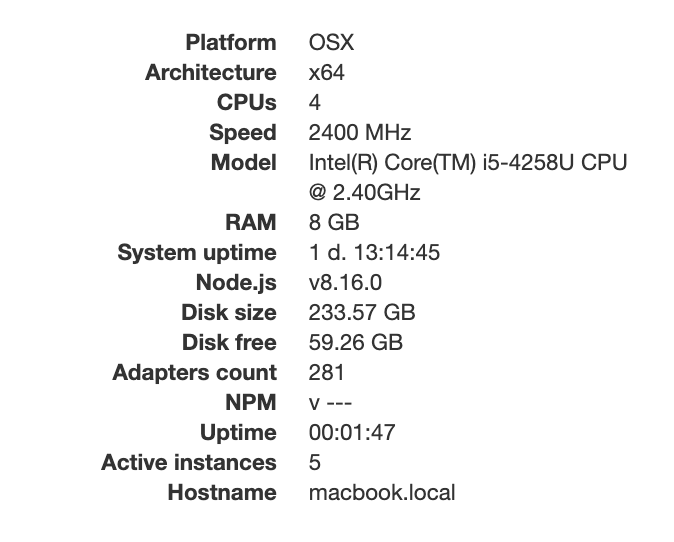
2019-07-02 09:48:10.774 - error: host.macbook.local cannot get getHostInfo: Error: Command failed: npm -v
/bin/sh: npm: command not found
Die Datei INSTALLER_INFO.txt liegt im /opt/iobroker
Fixer version: 2019-05-14
Fix date 2019-07-02
init system: launchctl
Autostart: launchctl
Fixer version: 2019-05-14
Fix date 2019-07-02
init system: launchctl
Autostart: launchctl
Fixer version: 2019-05-14
Fix date 2019-07-02
init system: launchctl
Autostart: launchctl
Fixer version: 2019-05-14
Fix date 2019-07-02
Fixer version: 2019-05-14
Fix date 2019-07-02
init system: launchctl
Autostart: launchctl
Fixer version: 2019-05-14
Fix date 2019-07-02
init system: launchctl
Autostart: launchctl
Fixer version: 2019-05-14
Fix date 2019-07-02
init system: launchctl
Autostart: launchctl
Problem habe ich seit ich den Fixer (install_fix.sh) laufen lassen habe. Iobroker habe ich als "normalen" User nicht als root mit sudo gestartet.
-
Ich brauche von den Mac-Usern ein bisschen Hilfe zur Fehlereingrenzung:
- Login als root:
sudo su - Informationen ausgeben:
launchctl, in der folgenden Zeileexporteingeben. Was dann folgt bitte hier posten.exiteingeben - Login als
iobroker:
sudo su -s /bin/sh iobroker - Schritt 2 wiederholen, Informationen ebenfalls hier posten
- Ausloggen:
exit(und ggf. nochmal)
Warum `sudo` böse ist: https://forum.iobroker.net/post/17109
- Login als root:
-
Ich brauche von den Mac-Usern ein bisschen Hilfe zur Fehlereingrenzung:
- Login als root:
sudo su - Informationen ausgeben:
launchctl, in der folgenden Zeileexporteingeben. Was dann folgt bitte hier posten.exiteingeben - Login als
iobroker:
sudo su -s /bin/sh iobroker - Schritt 2 wiederholen, Informationen ebenfalls hier posten
- Ausloggen:
exit(und ggf. nochmal)
@AlCalzone sagte in ioBroker auf Mac - Fehlermeldung:
Bei Punkt 2 benötige ich einmal Unterstützung. Wenn ich
launchtrlaufrufe bekomme ich folgende Liste ausgegeben:Usage: launchctl <subcommand> ... | help [subcommand] Many subcommands take a target specifier that refers to a domain or service within that domain. The available specifier forms are: system/[service-name] Targets the system-wide domain or service within. Root privileges are required to make modifications. user/<uid>/[service-name] Targets the user domain or service within. A process running as the target user may make modifications. Root may modify any user's domain. User domains do not exist on iOS. gui/<uid>/[service-name] Targets the GUI domain or service within. Each GUI domain is associated with a user domain, and a process running as the owner of that user domain may make modifications. Root may modify any GUI domain. GUI domains do not exist on iOS. session/<asid>/[service-name] Targets a session domain or service within. A process running within the target security audit session may make modifications. Root may modify any session domain. pid/<pid>/[service-name] Targets a process domain or service within. Only the process which owns the domain may modify it. Even root may not do so. When using a legacy subcommand which manipulates a domain, the target domain is inferred from the current execution context. When run as root (whether it is via a root shell or sudo(1)), the target domain is assumed to be the system-wide domain. When run from a normal user's shell, the target is assumed to be the per-user domain for that current user. Subcommands: bootstrap Bootstraps a domain or a service into a domain. bootout Tears down a domain or removes a service from a domain. enable Enables an existing service. disable Disables an existing service. uncache Removes the specified service name from the service cache. kickstart Forces an existing service to start. attach Attach the system's debugger to a service. debug Configures the next invocation of a service for debugging. kill Sends a signal to the service instance. blame Prints the reason a service is running. print Prints a description of a domain or service. print-cache Prints information about the service cache. print-disabled Prints which services are disabled. plist Prints a property list embedded in a binary (targets the Info.plist by default). procinfo Prints port information about a process. hostinfo Prints port information about the host. resolveport Resolves a port name from a process to an endpoint in launchd. limit Reads or modifies launchd's resource limits. runstats Prints performance statistics for a service. examine Runs the specified analysis tool against launchd in a non-reentrant manner. config Modifies persistent configuration parameters for launchd domains. dumpstate Dumps launchd state to stdout. dumpjpcategory Dumps the jetsam properties category for all services. reboot Initiates a system reboot of the specified type. bootshell Brings the system up from single-user mode with a console shell. load Bootstraps a service or directory of services. unload Unloads a service or directory of services. remove Unloads the specified service name. list Lists information about services. start Starts the specified service. stop Stops the specified service if it is running. setenv Sets the specified environment variables for all services within the domain. unsetenv Unsets the specified environment variables for all services within the domain. getenv Gets the value of an environment variable from within launchd. bsexec Execute a program in another process' bootstrap context. asuser Execute a program in the bootstrap context of a given user. submit Submit a basic job from the command line. managerpid Prints the PID of the launchd controlling the session. manageruid Prints the UID of the current launchd session. managername Prints the name of the current launchd session. error Prints a description of an error. variant Prints the launchd variant. version Prints the launchd version. help Prints the usage for a given subcommand.Export als User root:
sh-3.2# export
export HOME="/var/root"
export LANG="de_DE.UTF-8"
export LOGNAME="root"
export MAIL="/var/mail/root"
export OLDPWD
export PATH="/Library/Frameworks/Python.framework/Versions/3.6/bin:/usr/local/bin:/usr/bin:/bin:/usr/sbin:/sbin"
export PWD="/usr/local/lib/node_modules/npm/bin"
export SHELL="/bin/sh"
export SHLVL="1"
export SSH_AUTH_SOCK="/private/tmp/com.apple.launchd.P1KlzH9dbi/Listeners"
export SUDO_COMMAND="/usr/bin/su"
export SUDO_GID="20"
export SUDO_UID="501"
export SUDO_USER="thorsten.stueben"
export TERM="xterm-256color"
export USER="root"
export USERNAME="root"
export __CF_USER_TEXT_ENCODING="0x0:0:3"
Export als User thorsten. Mit dem starte ich ioBroker:
declare -x Apple_PubSub_Socket_Render="/private/tmp/com.apple.launchd.bIDguCQHQs/Render"
declare -x HOME="/Users/thorsten.xxxxxx"
declare -x LANG="de_DE.UTF-8"
declare -x LOGNAME="thorsten.xxxxxxx"
declare -x OLDPWD="/usr/local/bin"
declare -x PATH="/Library/Frameworks/Python.framework/Versions/3.6/bin:/usr/local/bin:/usr/bin:/bin:/usr/sbin:/sbin"
declare -x PWD="/usr/local/lib/node_modules/npm/bin"
declare -x SECURITYSESSIONID="186c9"
declare -x SHELL="/bin/bash"
declare -x SHLVL="1"
declare -x SSH_AUTH_SOCK="/private/tmp/com.apple.launchd.P1KlzH9dbi/Listeners"
declare -x TERM="xterm-256color"
declare -x TERM_PROGRAM="Apple_Terminal"
declare -x TERM_PROGRAM_VERSION="421.2"
declare -x TERM_SESSION_ID="54D0DD7E-3378-4D6A-97C1-130ABCFC6123"
declare -x TMPDIR="/var/folders/xp/z3n3d9pj34zdn81w6l02k1tm0000gn/T/"
declare -x USER="thorsten.stueben"
declare -x XPC_FLAGS="0x0"
declare -x XPC_SERVICE_NAME="0"
ioBroker auf Synology DS216+II im Docker Container
- Login als root:
-
@AlCalzone sagte in ioBroker auf Mac - Fehlermeldung:
Bei Punkt 2 benötige ich einmal Unterstützung. Wenn ich
launchtrlaufrufe bekomme ich folgende Liste ausgegeben:Usage: launchctl <subcommand> ... | help [subcommand] Many subcommands take a target specifier that refers to a domain or service within that domain. The available specifier forms are: system/[service-name] Targets the system-wide domain or service within. Root privileges are required to make modifications. user/<uid>/[service-name] Targets the user domain or service within. A process running as the target user may make modifications. Root may modify any user's domain. User domains do not exist on iOS. gui/<uid>/[service-name] Targets the GUI domain or service within. Each GUI domain is associated with a user domain, and a process running as the owner of that user domain may make modifications. Root may modify any GUI domain. GUI domains do not exist on iOS. session/<asid>/[service-name] Targets a session domain or service within. A process running within the target security audit session may make modifications. Root may modify any session domain. pid/<pid>/[service-name] Targets a process domain or service within. Only the process which owns the domain may modify it. Even root may not do so. When using a legacy subcommand which manipulates a domain, the target domain is inferred from the current execution context. When run as root (whether it is via a root shell or sudo(1)), the target domain is assumed to be the system-wide domain. When run from a normal user's shell, the target is assumed to be the per-user domain for that current user. Subcommands: bootstrap Bootstraps a domain or a service into a domain. bootout Tears down a domain or removes a service from a domain. enable Enables an existing service. disable Disables an existing service. uncache Removes the specified service name from the service cache. kickstart Forces an existing service to start. attach Attach the system's debugger to a service. debug Configures the next invocation of a service for debugging. kill Sends a signal to the service instance. blame Prints the reason a service is running. print Prints a description of a domain or service. print-cache Prints information about the service cache. print-disabled Prints which services are disabled. plist Prints a property list embedded in a binary (targets the Info.plist by default). procinfo Prints port information about a process. hostinfo Prints port information about the host. resolveport Resolves a port name from a process to an endpoint in launchd. limit Reads or modifies launchd's resource limits. runstats Prints performance statistics for a service. examine Runs the specified analysis tool against launchd in a non-reentrant manner. config Modifies persistent configuration parameters for launchd domains. dumpstate Dumps launchd state to stdout. dumpjpcategory Dumps the jetsam properties category for all services. reboot Initiates a system reboot of the specified type. bootshell Brings the system up from single-user mode with a console shell. load Bootstraps a service or directory of services. unload Unloads a service or directory of services. remove Unloads the specified service name. list Lists information about services. start Starts the specified service. stop Stops the specified service if it is running. setenv Sets the specified environment variables for all services within the domain. unsetenv Unsets the specified environment variables for all services within the domain. getenv Gets the value of an environment variable from within launchd. bsexec Execute a program in another process' bootstrap context. asuser Execute a program in the bootstrap context of a given user. submit Submit a basic job from the command line. managerpid Prints the PID of the launchd controlling the session. manageruid Prints the UID of the current launchd session. managername Prints the name of the current launchd session. error Prints a description of an error. variant Prints the launchd variant. version Prints the launchd version. help Prints the usage for a given subcommand.Export als User root:
sh-3.2# export
export HOME="/var/root"
export LANG="de_DE.UTF-8"
export LOGNAME="root"
export MAIL="/var/mail/root"
export OLDPWD
export PATH="/Library/Frameworks/Python.framework/Versions/3.6/bin:/usr/local/bin:/usr/bin:/bin:/usr/sbin:/sbin"
export PWD="/usr/local/lib/node_modules/npm/bin"
export SHELL="/bin/sh"
export SHLVL="1"
export SSH_AUTH_SOCK="/private/tmp/com.apple.launchd.P1KlzH9dbi/Listeners"
export SUDO_COMMAND="/usr/bin/su"
export SUDO_GID="20"
export SUDO_UID="501"
export SUDO_USER="thorsten.stueben"
export TERM="xterm-256color"
export USER="root"
export USERNAME="root"
export __CF_USER_TEXT_ENCODING="0x0:0:3"
Export als User thorsten. Mit dem starte ich ioBroker:
declare -x Apple_PubSub_Socket_Render="/private/tmp/com.apple.launchd.bIDguCQHQs/Render" declare -x HOME="/Users/thorsten.xxxxxx" declare -x LANG="de_DE.UTF-8" declare -x LOGNAME="thorsten.xxxxxxx" declare -x OLDPWD="/usr/local/bin" declare -x PATH="/Library/Frameworks/Python.framework/Versions/3.6/bin:/usr/local/bin:/usr/bin:/bin:/usr/sbin:/sbin" declare -x PWD="/usr/local/lib/node_modules/npm/bin" declare -x SECURITYSESSIONID="186c9" declare -x SHELL="/bin/bash" declare -x SHLVL="1" declare -x SSH_AUTH_SOCK="/private/tmp/com.apple.launchd.P1KlzH9dbi/Listeners" declare -x TERM="xterm-256color" declare -x TERM_PROGRAM="Apple_Terminal" declare -x TERM_PROGRAM_VERSION="421.2" declare -x TERM_SESSION_ID="54D0DD7E-3378-4D6A-97C1-130ABCFC6123" declare -x TMPDIR="/var/folders/xp/z3n3d9pj34zdn81w6l02k1tm0000gn/T/" declare -x USER="thorsten.stueben" declare -x XPC_FLAGS="0x0" declare -x XPC_SERVICE_NAME="0"@Stuebi
Punkt 2 lässt sich wohl nicht so ohne weiteres anwenden - ich hab eine Anleitung aus 2010 gefunden...
Probiere mal bitte folgendes:- Suche folgende Datei:
/Users/${IOB_USER}/Library/LaunchAgents/org.ioBroker.LaunchAtLogin.plist, wobei du${IOB_USER}durch deinen Usernamen ersetzt. - Öffne sie mit einem Texteditor. Diese sollte etwa so aussehen, nur dass die ganzen Platzhalter durch Werte ersetzt sind:
<?xml version="1.0" encoding="UTF-8"?> <!DOCTYPE plist PUBLIC "-//Apple//DTD PLIST 1.0//EN" "http://www.apple.com/DTDs/PropertyList-1.0.dtd"> <plist version="1.0"> <dict> <key>Label</key> <string>${PLIST_FILE_LABEL}</string> <key>ProgramArguments</key> <array> <string>${NODECMD}</string> <string>${CONTROLLER_DIR}/iobroker.js</string> <string>start</string> </array> <key>KeepAlive</key> <true/> <key>RunAtLoad</key> <true/> </dict> </plist>- Füge vor dem schließenden
</dict>folgende Zeilen ein:
<key>EnvironmentVariables</key> <dict> <key>PATH</key> <string>/usr/local/bin:/usr/local/sbin:/usr/bin:/bin:/usr/sbin:/sbin</string> </dict>- Datei speichern, ioBroker (oder ggf. das System) neu starten.
Warum `sudo` böse ist: https://forum.iobroker.net/post/17109
- Suche folgende Datei:
-
@Stuebi
Punkt 2 lässt sich wohl nicht so ohne weiteres anwenden - ich hab eine Anleitung aus 2010 gefunden...
Probiere mal bitte folgendes:- Suche folgende Datei:
/Users/${IOB_USER}/Library/LaunchAgents/org.ioBroker.LaunchAtLogin.plist, wobei du${IOB_USER}durch deinen Usernamen ersetzt. - Öffne sie mit einem Texteditor. Diese sollte etwa so aussehen, nur dass die ganzen Platzhalter durch Werte ersetzt sind:
<?xml version="1.0" encoding="UTF-8"?> <!DOCTYPE plist PUBLIC "-//Apple//DTD PLIST 1.0//EN" "http://www.apple.com/DTDs/PropertyList-1.0.dtd"> <plist version="1.0"> <dict> <key>Label</key> <string>${PLIST_FILE_LABEL}</string> <key>ProgramArguments</key> <array> <string>${NODECMD}</string> <string>${CONTROLLER_DIR}/iobroker.js</string> <string>start</string> </array> <key>KeepAlive</key> <true/> <key>RunAtLoad</key> <true/> </dict> </plist>- Füge vor dem schließenden
</dict>folgende Zeilen ein:
<key>EnvironmentVariables</key> <dict> <key>PATH</key> <string>/usr/local/bin:/usr/local/sbin:/usr/bin:/bin:/usr/sbin:/sbin</string> </dict>- Datei speichern, ioBroker (oder ggf. das System) neu starten.
- Suche folgende Datei:
-
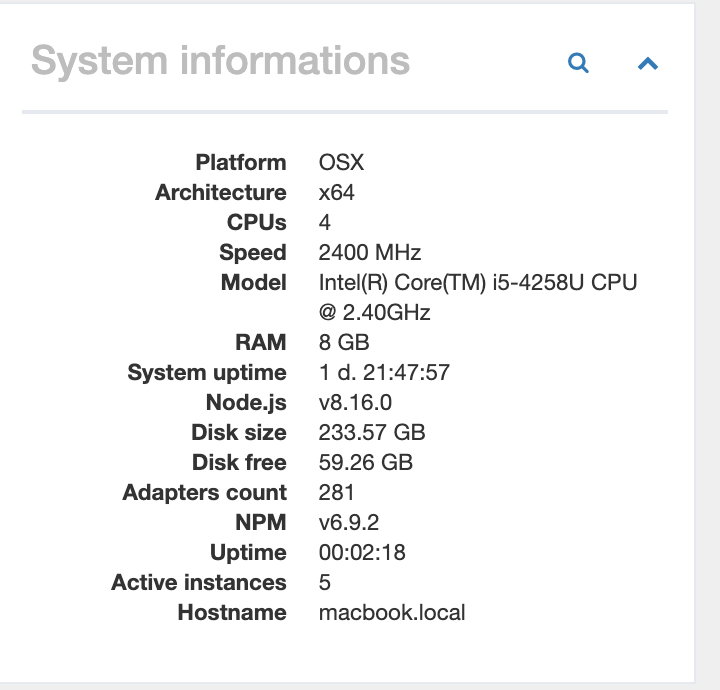
@AlCalzone, das war die Lösung! Danke für die Hilfe!
-
@Stuebi Prima dass es so einfach ist - ich werde es morgen in den Fixer/Installer einbauen.
@AlCalzone , ich habe eben den Fixer nochmals auf meinem Mac laufen lassen und festgestellt, dass ich danach ioBroker startet.
Der Teil unten fehlt:<key>EnvironmentVariables</>So läuft es bei mir mit der Ergänzung dann:
<?xml version="1.0" encoding="UTF-8"?>
<!DOCTYPE plist PUBLIC "-//Apple//DTD PLIST 1.0//EN" "http://www.apple.com/DTDs/PropertyList-1.0.dtd">
<plist version="1.0">
  <dict>
    <key>Label</key>
    <string>org.ioBroker.LaunchAtLogin</string>
    <key>ProgramArguments</key>
    <array>
      <string>/usr/local/bin/node</string>
      <string>/opt/iobroker/node_modules/iobroker.js-controller/iobroker.js</string>
      <string>start</string>
    </array>
    <key>KeepAlive</key>
    <true/>
    <key>RunAtLoad</key>
    <true/>
    <key>EnvironmentVariables</key>
    <dict>
      <key>PATH</key>
      <string>/usr/local/bin:/usr/local/sbin:/usr/bin:/bin:/usr/sbin:/sbin</string>
    </dict>
  </dict>
</plist>
ioBroker auf Synology DS216+II im Docker Container
-
@AlCalzone , ich habe eben den Fixer nochmals auf meinem Mac laufen lassen und festgestellt, dass ich danach ioBroker startet.
Der Teil unten fehlt:<key>EnvironmentVariables</>So läuft es bei mir mit der Ergänzung dann:
<?xml version="1.0" encoding="UTF-8"?> <!DOCTYPE plist PUBLIC "-//Apple//DTD PLIST 1.0//EN" "http://www.apple.com/DTDs/PropertyList-1.0.dtd"> <plist version="1.0"> <dict> <key>Label</key> <string>org.ioBroker.LaunchAtLogin</string> <key>ProgramArguments</key> <array> <string>/usr/local/bin/node</string> <string>/opt/iobroker/node_modules/iobroker.js-controller/iobroker.js</string> <string>start</string> </array> <key>KeepAlive</key> <true/> <key>RunAtLoad</key> <true/> <key>EnvironmentVariables</key> <dict> <key>PATH</key> <string>/usr/local/bin:/usr/local/sbin:/usr/bin:/bin:/usr/sbin:/sbin</string> </dict> </dict> </plist> -
@AlCalzone , ich über meine bestehende ioBroker Version folgendes aufgerufen:
curl -sL https://iobroker.net/fix.sh | bash - -
@AlCalzone , mir ist noch aufgefallen, dass der Fixer ioBroker im Verzeichnis /usr/local/iobroker sucht. Ist das beim Mac anders als bei den anderen Umgebungen wo ioBroker in /opt/iobroker installiert wird?
ioBroker auf Synology DS216+II im Docker Container
-
@AlCalzone , mir ist noch aufgefallen, dass der Fixer ioBroker im Verzeichnis /usr/local/iobroker sucht. Ist das beim Mac anders als bei den anderen Umgebungen wo ioBroker in /opt/iobroker installiert wird?



Support us
355
Online32.7k
Users82.4k
Topics1.3m
Posts