




Neuer Admin - komische Darstellung der Weboberfläche
-
Seit dem neuen Admin ist es nun 2 mal vorgekommen, dass ich nicht mehr über die Admin Weboberfläche zugreifen kann. Abhilfe war ein kompletter Neustart des iobrokers.
Nun gibt es aber auch bei einzelnen Adapterinstanzen eine komische Darstellung:
Hier mein Node-Red Adapter:
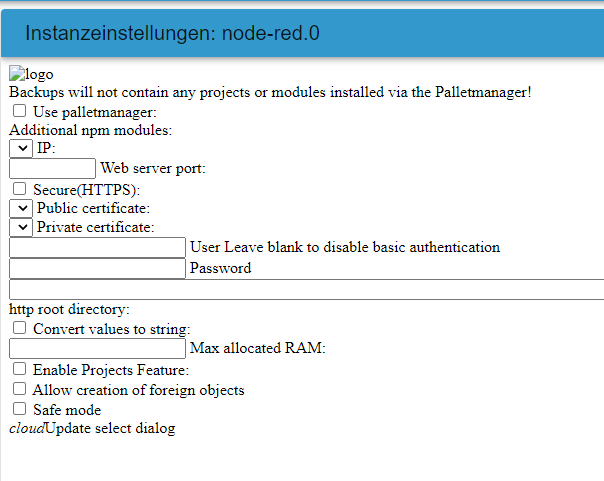
oder mqtt
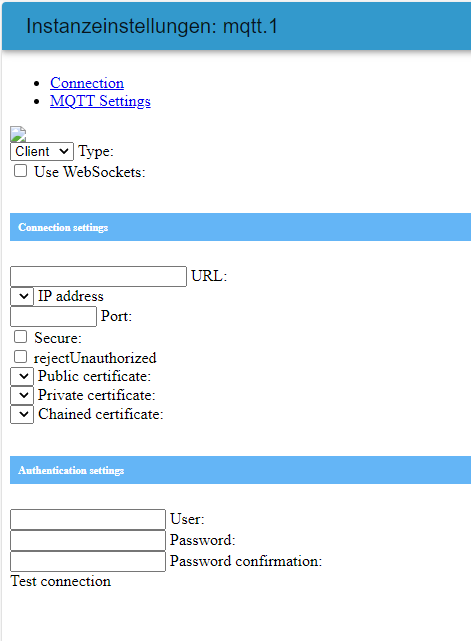
backup und weitere ....
andere schauen normal aus:
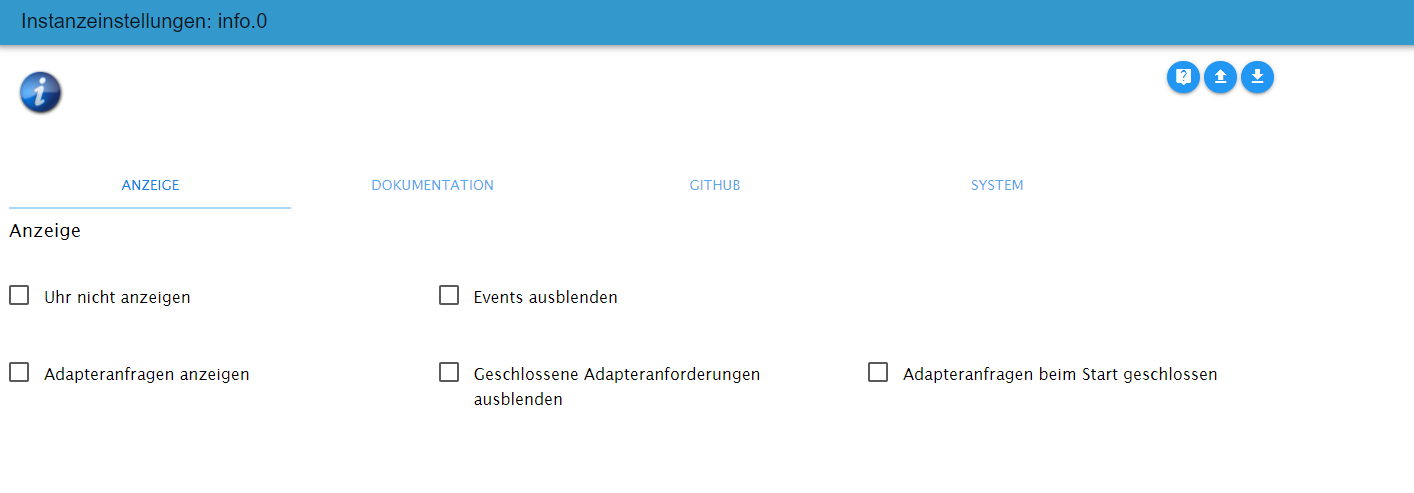
Nach Löschen des Browser Caches schaut alles wieder normal aus. Aber wie gesagt - es ist nun auch schon 2 mal passiert, dass der Admin über die Weboberfläche nicht mehr erreichbar war - obwohl alle Instanzen gelaufen sind.
Es ist dann nur noch folgende Meldung im Browser zu sehen:
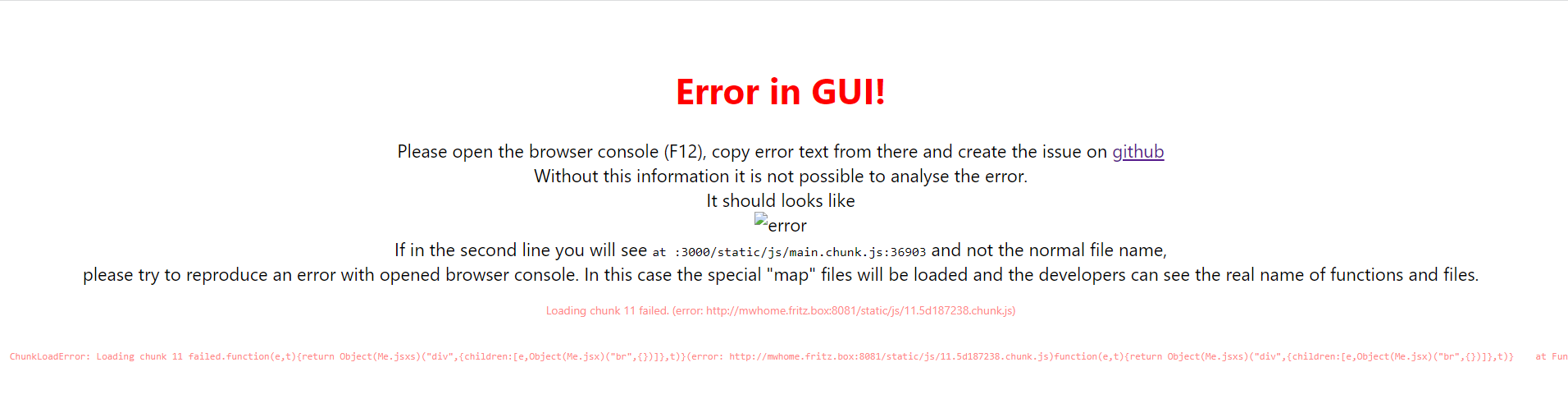
Dann kommt man gar nicht mehr auf die Oberfläche und muss den iobroker neu starten.
Wenn man den status auf der Kommandozeile aufruft sieht man keine Fehler:
iobroker status all
iobroker is running on this host.


Instance "admin.0" is running
Instance "discovery.0" is running
Instance "info.0" is running
Instance "simple-api.0" is running
Instance "tr-064.0" is running
Instance "web.0" is running
Instance "vis.0" is not running
Instance "sql.0" is running
Instance "vis-hqwidgets.0" is not running
Instance "harmony.0" is running
Instance "javascript.0" is running
Instance "node-red.0" is running
Instance "mqtt.1" is running
Instance "zigbee.0" is running
Instance "yahka.0" is running
Instance "mqtt.2" is running
Instance "ping.0" is running
Instance "vis-materialdesign.0" is not running
Instance "backitup.0" is running
Instance "socketio.0" is running
Instance "mercedesme.0" is running
Instance "flot.0" is not running
Instance "alias-manager.0" is not running
Instance "dwd.0" is not running

SYSTEM/memoryLimitMB: 0
SYSTEM/hostname:
SYSTEM/statisticsInterval: 15000
SYSTEM/checkDiskInterval: 300000
SYSTEM/noChmod: false
MULTIHOSTSERVICE/enabled: false
MULTIHOSTSERVICE/secure: true
NETWORK/IPv4: true
NETWORK/IPv6: true
OBJECTS/type: file
OBJECTS/host: 127.0.0.1
OBJECTS/port: 9001
OBJECTS/user:
OBJECTS/pass:
OBJECTS/noFileCache: false
OBJECTS/connectTimeout: 2000
OBJECTS/BACKUP/disabled: false
OBJECTS/BACKUP/files: 24
OBJECTS/BACKUP/hours: 48
OBJECTS/BACKUP/period: 120
OBJECTS/BACKUP/path:
OBJECTS/OPTIONS/retryStrategy: reconnectCount => {
            if (!ready && initError && ignoreErrors) {
                return new Error('No more tries');
            }
            if (this.stop) {
                return new Error('Client has stopped ... no retries anymore');
            }
            if (ready && reconnectCount >= retry_max_count) {
                return new Error('Stop trying to reconnect');
            }
            // A function that receives an options object as parameter including the retry attempt,
            // the total_retry_time indicating how much time passed since the last time connected,
            // the error why the connection was lost and the number of times_connected in total.
            // If you return a number from this function, the retry will happen exactly after that
            // time in milliseconds. If you return a non-number, no further retry will happen and
            // all offline commands are flushed with errors. Return an error to return that
            // specific error to all offline commands.

            if (!ready) {
                return 300;
            } else {
                return retry_max_delay;
            }
            /*if (options.error.code === 'ECONNREFUSED') {
                // End reconnecting on a specific error and flush all commands with a individual error
                return new Error('The server refused the connection');
            }
            if (options.total_retry_time > 1000 * 60 * 60) {
                // End reconnecting after a specific timeout and flush all commands with a individual error
                return new Error('Retry time exhausted');
            }
            if (options.times_connected > 10) {
                // End reconnecting with built in error
                return undefined;
            }
            // reconnect after
            return Math.max(options.attempt * 100, 3000);*/
        }
OBJECTS/OPTIONS/enableReadyCheck: true
OBJECTS/OPTIONS/host: 127.0.0.1
OBJECTS/OPTIONS/port: 9001
OBJECTS/OPTIONS/db: 0
OBJECTS/OPTIONS/family: 0
OBJECTS/OPTIONS/autoResubscribe: false
OBJECTS/OPTIONS/connectionName:
OBJECTS/maxQueue: 1000
STATES/type: file
STATES/host: 127.0.0.1
STATES/port: 9000
STATES/maxQueue: 1000
STATES/OPTIONS/retryStrategy: reconnectCount => {
            if (!ready && initError) {
                return new Error('No more tries');
            }
            if (this.stop) {
                return new Error('Client has stopped ... no retries anymore');
            }
            if (ready && reconnectCount >= retry_max_count) {
                return new Error('Stop trying to reconnect');
            }
            // A function that receives an options object as parameter including the retry attempt,
            // the total_retry_time indicating how much time passed since the last time connected,
            // the error why the connection was lost and the number of times_connected in total.
            // If you return a number from this function, the retry will happen exactly after that
            // time in milliseconds. If you return a non-number, no further retry will happen and
            // all offline commands are flushed with errors. Return an error to return that
            // specific error to all offline commands.

            if (!ready) {
                return 300;
            }
            return retry_max_delay;
            /*if (options.error.code === 'ECONNREFUSED') {
                // End reconnecting on a specific error and flush all commands with a individual error
                return new Error('The server refused the connection');
            }
            if (options.total_retry_time > 1000 * 60 * 60) {
                // End reconnecting after a specific timeout and flush all commands with a individual error
                return new Error('Retry time exhausted');
            }
            if (options.times_connected > 10) {
                // End reconnecting with built in error
                return undefined;
            }
            // reconnect after
            return Math.max(options.attempt * 100, 3000);*/
        }
STATES/OPTIONS/enableReadyCheck: true
STATES/OPTIONS/host: 127.0.0.1
STATES/OPTIONS/port: 9000
STATES/OPTIONS/db: 0
STATES/OPTIONS/family: 0
STATES/OPTIONS/autoResubscribe: false
STATES/OPTIONS/connectionName:
STATES/BACKUP/disabled: false
STATES/BACKUP/files: 24
STATES/BACKUP/hours: 48
STATES/BACKUP/period: 120
STATES/BACKUP/path:
LOG/level: info
LOG/maxDays: 7
LOG/noStdout: true
LOG/TRANSPORT/FILE1/type: file
LOG/TRANSPORT/FILE1/enabled: true
LOG/TRANSPORT/FILE1/filename: log/iobroker
LOG/TRANSPORT/FILE1/fileext: .log
LOG/TRANSPORT/SYSLOG1/type: syslog
LOG/TRANSPORT/SYSLOG1/enabled: false
LOG/TRANSPORT/SYSLOG1/host: localhost
LOG/TRANSPORT/SYSLOG1/port: 514
LOG/TRANSPORT/SYSLOG1/protocol: udp4
LOG/TRANSPORT/SYSLOG1/localhost: iobroker
dataDir: ../../iobroker-data/
Die einzige Möglichkeit das Webinterface über Chrome wieder zu erreichen ist dann über die Kommandozeile den iobroker neu zu starten:
iobroker restartÜber den Edge ist der Admin aber weiter erreichbar. - Alles eigenartig.
Hey! Du scheinst an dieser Unterhaltung interessiert zu sein, hast aber noch kein Konto.
Hast du es satt, bei jedem Besuch durch die gleichen Beiträge zu scrollen? Wenn du dich für ein Konto anmeldest, kommst du immer genau dorthin zurück, wo du zuvor warst, und kannst dich über neue Antworten benachrichtigen lassen (entweder per E-Mail oder Push-Benachrichtigung). Du kannst auch Lesezeichen speichern und Beiträge positiv bewerten, um anderen Community-Mitgliedern deine Wertschätzung zu zeigen.
Mit deinem Input könnte dieser Beitrag noch besser werden 💗
Registrieren Anmelden425
Online33.0k
Benutzer83.6k
Themen1.3m
Beiträge