



Skip to content
  • Home
  • Aktuell
  • Tags
  • 0 Ungelesen 0
  • Kategorien
  • Unreplied
  • Beliebt
  • GitHub
  • Docu
  • Hilfe
Skins
  • Light
  • Brite
  • Cerulean
  • Cosmo
  • Flatly
  • Journal
  • Litera
  • Lumen
  • Lux
  • Materia
  • Minty
  • Morph
  • Pulse
  • Sandstone
  • Simplex
  • Sketchy
  • Spacelab
  • United
  • Yeti
  • Zephyr
  • Dark
  • Cyborg
  • Darkly
  • Quartz
  • Slate
  • Solar
  • Superhero
  • Vapor

  • Standard: (Kein Skin)
  • Kein Skin
Einklappen
ioBroker Logo

Community Forum

donate donate
  1. ioBroker Community Home
  2. Deutsch
  3. ioBroker Allgemein
  4. [gelöst] Versuch Logdatei download führt zu Admin-Absturz

NEWS

  • Neuer Blogbeitrag: Monatsrückblick - Dezember 2025 🎄
    BluefoxB
    Bluefox
    11
    1
    501

  • Weihnachtsangebot 2025! 🎄
    BluefoxB
    Bluefox
    24
    1
    1.7k

  • UPDATE 31.10.: Amazon Alexa - ioBroker Skill läuft aus ?
    apollon77A
    apollon77
    48
    3
    9.6k

[gelöst] Versuch Logdatei download führt zu Admin-Absturz

Geplant Angeheftet Gesperrt Verschoben ioBroker Allgemein
24 Beiträge 3 Kommentatoren 1.8k Aufrufe 2 Watching
  • Älteste zuerst
  • Neuste zuerst
  • Meiste Stimmen
Antworten
  • In einem neuen Thema antworten
Anmelden zum Antworten
Dieses Thema wurde gelöscht. Nur Nutzer mit entsprechenden Rechten können es sehen.
  • malorossM Offline
    malorossM Offline
    maloross
    schrieb am zuletzt editiert von maloross
    #1

    Seit einigen Tagen häufen sich die Fehleranzeigen in der Logdatei. Heute wollte ich mich an die Analyse setzen und die Logdatei über das Web-UI herunterladen, leider führte dies zum Absturz des Admin.

    Über die Konsole war der Raspberry (Master) erreichbar und die ioB-Statusabfrage ergab

     Connection is closed.
    Uncaught Rejection: Error: Objects DB is not allowed to start in the current Mul                                                                                                             tihost environment
        at Redis.<anonymous> (file:///opt/iobroker/node_modules/@iobroker/db-objects                                                                                                             -redis/build/esm/lib/objects/objectsInRedisClient.js:488:23)
        at process.processTicksAndRejections (node:internal/process/task_queues:95:5                                                                                                             )
     Unable to subscribe to expiry Keyspace events from Redis Server: Connection is                                                                                                              closed.
     Unable to subscribe to evicted Keyspace events from Redis Server: Connection is                                                                                                              closed.
     Unable to subscribe to meta namespace "meta." changes: Connection is closed.


    Daraufhin ioB diag ausgeführt (s. unten), die jetzt nach erster Durchsicht keine Auffälligkeiten aufwies (bin aber Laiin!), außer dem hier

    • Adapter State
      No connection to databases possible

    Die erneut ausgeführte Statusabfrage ergab jetzt

    supervisor@PI4Master:~ $ iob status
    iobroker is running on this host.
    
    Objects type: jsonl
    States  type: jsonl
    

    Seitdem bekomme ich zudem auch angezeigt, dass eine langsame Zugriffszeit erkannt wird. Das System (Master, 2 Slave, alle Raspberry Pi 4 auf SD) lief bis dahin stabil, ohne Fehler usw.

    Diese Auffälligkeit war reproduzierbar, auch nachdem ich alle Raspis neu gestartet habe.

    Hier die komplette Diagnose-Ausgabe:

    
    ======================= SUMMARY =======================
                           v.2025-02-23
    
    
    Static hostname: PI4Master
          Icon name: computer
    Operating System: Debian GNU/Linux 12 (bookworm)
             Kernel: Linux 6.6.51+rpt-rpi-v8
       Architecture: arm64
    
    Installation:           native
    Kernel:                 aarch64
    Userland:               64 bit
    Timezone:               Europe/Berlin (CEST, +0200)
    User-ID:                1000
    Display-Server:         false
    Boot Target:            multi-user.target
    
    Pending OS-Updates:     73
    Pending iob updates:    0
    
    Nodejs-Installation:
    /usr/bin/nodejs         v20.19.0
    /usr/bin/node           v20.19.0
    /usr/bin/npm            10.8.2
    /usr/bin/npx            10.8.2
    /usr/bin/corepack       0.31.0
    
    Recommended versions are nodejs No connection to databases possible ... and npm No connection to databases possible ...
    nodeJS installation is correct
    
    MEMORY:
                  total        used        free      shared  buff/cache   available
    Mem:            8.2G        4.4G        3.0G        643K        971M        3.8G
    Swap:           209M        153M         55M
    Total:          8.4G        4.5G        3.0G
    
    Active iob-Instances:   0
    Upgrade policy: none
    
    ioBroker Core:          js-controller           7.0.6
                           admin                   7.6.3
    
    ioBroker Status:        iobroker is running on this host.
    
    
    Objects type: jsonl
    States  type: jsonl
    
    Status admin and web instance:
    
    Objects:                26804
    States:                 22774
    
    Size of iob-Database:
    
    49M     /opt/iobroker/iobroker-data/objects.jsonl
    11M     /opt/iobroker/iobroker-data/states.jsonl
    
    
    Operating System is the current Debian stable version codenamed 'bookworm'!
    
    =================== END OF SUMMARY ====================
    
    
    supervisor@PI4Master:~ $ iob status
    Connection is closed.
    Uncaught Rejection: Error: Objects DB is not allowed to start in the current Mul                                                                                                             tihost environment
       at Redis.<anonymous> (file:///opt/iobroker/node_modules/@iobroker/db-objects                                                                                                             -redis/build/esm/lib/objects/objectsInRedisClient.js:488:23)
       at process.processTicksAndRejections (node:internal/process/task_queues:95:5                                                                                                             )
    Unable to subscribe to expiry Keyspace events from Redis Server: Connection is                                                                                                              closed.
    Unable to subscribe to evicted Keyspace events from Redis Server: Connection is                                                                                                              closed.
    Unable to subscribe to meta namespace "meta." changes: Connection is closed.


    ========== Start marking the full check here ===========
    
    ```bash
    Script v.2025-02-23
    
    *** BASE SYSTEM ***
    Static hostname: PI4Master
          Icon name: computer
    Operating System: Debian GNU/Linux 12 (bookworm)
             Kernel: Linux 6.6.51+rpt-rpi-v8
       Architecture: arm64
    OS is similar to:
    
    Model           : Raspberry Pi 4 Model B Rev 1.4
    Docker          : false
    Virtualization  : none
    Kernel          : aarch64
    Userland        : 64 bit
    
    Systemuptime and Load:
    10:06:51 up 176 days, 22 min,  2 users,  load average: 6.08, 6.08, 4.54
    CPU threads: 4
    
    
    *** LIFE CYCLE STATUS ***
    Operating System is the current Debian stable version codenamed 'bookworm'!
    
    *** RASPBERRY THROTTLING ***
    Current issues:
    No throttling issues detected.
    
    Previously detected issues:
    No throttling issues detected.
    
    *** TIME AND TIMEZONES ***
                  Local time: Sun 2025-04-13 10:06:51 CEST
              Universal time: Sun 2025-04-13 08:06:51 UTC
                    RTC time: n/a
                   Time zone: Europe/Berlin (CEST, +0200)
    System clock synchronized: yes
                 NTP service: active
             RTC in local TZ: no
    
    *** Users and Groups ***
    User that called 'iob diag':
    supervisor
    HOME=/home/supervisor
    GROUPS=supervisor adm dialout cdrom sudo audio video plugdev games users input render netdev lpadmin gpio i2c spi iobroker
    
    User that is running 'js-controller':
    iobroker
    HOME=/home/iobroker
    GROUPS=iobroker tty dialout audio video plugdev bluetooth gpio i2c
    
    *** DISPLAY-SERVER SETUP ***
    Display-Server: false
    Desktop:
    Terminal:       tty
    
    *** MEMORY ***
                  total        used        free      shared  buff/cache   available
    Mem:            8.2G        4.9G        867M        692K        2.6G        3.3G
    Swap:           209M        137M         72M
    Total:          8.4G        5.0G        940M
    
    Active iob-Instances:   0
    
            7809 M total memory
            4664 M used memory
            4650 M active memory
            1928 M inactive memory
             827 M free memory
              70 M buffer memory
            2366 M swap cache
             199 M total swap
             130 M used swap
              69 M free swap
    
    *** top - Table Of Processes  ***
    top - 10:06:52 up 176 days, 22 min,  2 users,  load average: 6.08, 6.08, 4.54
    Tasks: 251 total,   5 running, 246 sleeping,   0 stopped,   0 zombie
    %Cpu(s): 83.3 us, 16.7 sy,  0.0 ni,  0.0 id,  0.0 wa,  0.0 hi,  0.0 si,  0.0 st
    MiB Mem :   7810.0 total,    826.4 free,   4665.7 used,   2437.7 buff/cache
    MiB Swap:    200.0 total,     69.1 free,    130.9 used.   3144.2 avail Mem
    
    *** FAILED SERVICES ***
    
     UNIT LOAD ACTIVE SUB DESCRIPTION
    0 loaded units listed.
    
    
    *** DMESG CRITICAL ERRORS ***
    No critical errors detected
    
    *** FILESYSTEM ***
    Filesystem     Type      Size  Used Avail Use% Mounted on
    udev           devtmpfs  3.6G     0  3.6G   0% /dev
    tmpfs          tmpfs     781M  1.3M  780M   1% /run
    /dev/mmcblk0p2 ext4       29G   19G  8.4G  70% /
    tmpfs          tmpfs     3.9G  8.0K  3.9G   1% /dev/shm
    tmpfs          tmpfs     5.0M   16K  5.0M   1% /run/lock
    /dev/mmcblk0p1 vfat      510M   77M  434M  16% /boot/firmware
    tmpfs          tmpfs     781M   44K  781M   1% /run/user/1000
    
    Messages concerning ext4 filesystem in dmesg:
    [Sat Oct 19 09:44:11 2024] Kernel command line: coherent_pool=1M 8250.nr_uarts=1 snd_bcm2835.enable_headphones=0 snd_bcm2835.enable_headphones=1 snd_bcm2835.enable_hdmi=1 snd_bcm2835.enable_hdmi=0  smsc95xx.macaddr=E4:5F:01:27:CF:87 vc_mem.mem_base=0x3ec00000 vc_mem.mem_size=0x40000000  console=ttyAMA0,115200 console=tty1 root=PARTUUID=caaeedd9-02 rootfstype=ext4 fsck.repair=yes rootwait quiet splash plymouth.ignore-serial-consoles
    [Sat Oct 19 09:44:13 2024] EXT4-fs (mmcblk0p2): mounted filesystem cb6f0e18-5add-4177-ab98-e9f0235e06b3 ro with ordered data mode. Quota mode: none.
    [Sat Oct 19 09:44:15 2024] EXT4-fs (mmcblk0p2): re-mounted cb6f0e18-5add-4177-ab98-e9f0235e06b3 r/w. Quota mode: none.
    
    Show mounted filesystems:
    TARGET           SOURCE         FSTYPE OPTIONS
    /                /dev/mmcblk0p2 ext4   rw,noatime
    `-/boot/firmware /dev/mmcblk0p1 vfat   rw,relatime,fmask=0022,dmask=0022,codepage=437,iocharset=ascii,shortname=mixed,errors=remount-ro
    
    Files in neuralgic directories:
    
    /var:
    5.1G    /var/
    2.9G    /var/log/journal/fd5133dbcd2a428d97f317c78a05490d
    2.9G    /var/log/journal
    2.9G    /var/log
    1.2G    /var/cache/apt
    
    Archived and active journals take up 2.8G in the file system.
    
    /opt/iobroker/backups:
    1.3M    /opt/iobroker/backups/
    
    /opt/iobroker/iobroker-data:
    2.9G    /opt/iobroker/iobroker-data/
    1.6G    /opt/iobroker/iobroker-data/files
    1.0G    /opt/iobroker/iobroker-data/history
    617M    /opt/iobroker/iobroker-data/files/javascript.admin
    560M    /opt/iobroker/iobroker-data/files/javascript.admin/static
    
    The five largest files in iobroker-data are:
    49M     /opt/iobroker/iobroker-data/states.jsonl
    39M     /opt/iobroker/iobroker-data/objects.jsonl
    38M     /opt/iobroker/iobroker-data/files/iot.admin/static/js/main.d3d286bd.js.map
    26M     /opt/iobroker/iobroker-data/files/echarts/static/js/main.41cee985.js.map
    26M     /opt/iobroker/iobroker-data/files/echarts.admin/chart/static/js/main.41cee985.js.map
    
    USB-Devices by-id:
    USB-Sticks -  Avoid direct links to /dev/tty* in your adapter setups, please always prefer the links 'by-id':
    
    No Devices found 'by-id'
    
    Zigbee Network Settings on your coordinator/in nvbackup are:
    
    zigbee.X
    Extended Pan ID:
    *** MASKED ***
    Pan ID:
    *** MASKED ***
    Channel:
    *** MASKED ***
    Network Key:
    *** MASKED ***
    
    To unmask the settings run 'iob diag --unmask'
    
    
    *** NodeJS-Installation ***
    
    /usr/bin/nodejs         v20.19.0
    /usr/bin/node           v20.19.0
    /usr/bin/npm            10.8.2
    /usr/bin/npx            10.8.2
    /usr/bin/corepack       0.31.0
    
    nodejs:
     Installed: 20.19.0-1nodesource1
     Candidate: 20.19.0-1nodesource1
     Version table:
    *** 20.19.0-1nodesource1 1001
           500 https://deb.nodesource.com/node_20.x nodistro/main arm64 Packages
           100 /var/lib/dpkg/status
        20.18.3-1nodesource1 1001
           500 https://deb.nodesource.com/node_20.x nodistro/main arm64 Packages
        20.18.2-1nodesource1 1001
           500 https://deb.nodesource.com/node_20.x nodistro/main arm64 Packages
        20.18.1-1nodesource1 1001
           500 https://deb.nodesource.com/node_20.x nodistro/main arm64 Packages
        20.18.0-1nodesource1 1001
           500 https://deb.nodesource.com/node_20.x nodistro/main arm64 Packages
        20.17.0-1nodesource1 1001
           500 https://deb.nodesource.com/node_20.x nodistro/main arm64 Packages
        20.16.0-1nodesource1 1001
           500 https://deb.nodesource.com/node_20.x nodistro/main arm64 Packages
        20.15.1-1nodesource1 1001
           500 https://deb.nodesource.com/node_20.x nodistro/main arm64 Packages
        20.15.0-1nodesource1 1001
           500 https://deb.nodesource.com/node_20.x nodistro/main arm64 Packages
        20.14.0-1nodesource1 1001
           500 https://deb.nodesource.com/node_20.x nodistro/main arm64 Packages
        20.13.1-1nodesource1 1001
           500 https://deb.nodesource.com/node_20.x nodistro/main arm64 Packages
        20.13.0-1nodesource1 1001
           500 https://deb.nodesource.com/node_20.x nodistro/main arm64 Packages
        20.12.2-1nodesource1 1001
           500 https://deb.nodesource.com/node_20.x nodistro/main arm64 Packages
        20.12.1-1nodesource1 1001
           500 https://deb.nodesource.com/node_20.x nodistro/main arm64 Packages
        20.12.0-1nodesource1 1001
           500 https://deb.nodesource.com/node_20.x nodistro/main arm64 Packages
        20.11.1-1nodesource1 1001
           500 https://deb.nodesource.com/node_20.x nodistro/main arm64 Packages
        20.11.0-1nodesource1 1001
           500 https://deb.nodesource.com/node_20.x nodistro/main arm64 Packages
        20.10.0-1nodesource1 1001
           500 https://deb.nodesource.com/node_20.x nodistro/main arm64 Packages
        20.9.0-1nodesource1 1001
           500 https://deb.nodesource.com/node_20.x nodistro/main arm64 Packages
        20.8.1-1nodesource1 1001
           500 https://deb.nodesource.com/node_20.x nodistro/main arm64 Packages
        20.8.0-1nodesource1 1001
           500 https://deb.nodesource.com/node_20.x nodistro/main arm64 Packages
        20.7.0-1nodesource1 1001
           500 https://deb.nodesource.com/node_20.x nodistro/main arm64 Packages
        20.6.1-1nodesource1 1001
           500 https://deb.nodesource.com/node_20.x nodistro/main arm64 Packages
        20.6.0-1nodesource1 1001
           500 https://deb.nodesource.com/node_20.x nodistro/main arm64 Packages
        20.5.1-1nodesource1 1001
           500 https://deb.nodesource.com/node_20.x nodistro/main arm64 Packages
        20.5.0-1nodesource1 1001
           500 https://deb.nodesource.com/node_20.x nodistro/main arm64 Packages
        20.4.0-1nodesource1 1001
           500 https://deb.nodesource.com/node_20.x nodistro/main arm64 Packages
        20.3.1-1nodesource1 1001
           500 https://deb.nodesource.com/node_20.x nodistro/main arm64 Packages
        20.3.0-1nodesource1 1001
           500 https://deb.nodesource.com/node_20.x nodistro/main arm64 Packages
        20.2.0-1nodesource1 1001
           500 https://deb.nodesource.com/node_20.x nodistro/main arm64 Packages
        20.1.0-1nodesource1 1001
           500 https://deb.nodesource.com/node_20.x nodistro/main arm64 Packages
        20.0.0-1nodesource1 1001
           500 https://deb.nodesource.com/node_20.x nodistro/main arm64 Packages
        18.19.0+dfsg-6~deb12u2 500
           500 http://deb.debian.org/debian bookworm/main arm64 Packages
        18.19.0+dfsg-6~deb12u1 500
           500 http://deb.debian.org/debian-security bookworm-security/main arm64 Packages
    
    Temp directories causing deletion problem: 0
    No problems detected
    
    Errors in npm tree: 0
    No problems detected
    
    *** ioBroker-Installation ***
    
    ioBroker Status
    No connection to databases possible ...
    
    Hosts:
    PI4Master           PI4Master (version: 7.0.6, hostname: PI4Master     , alive, uptime: 7911)
    PI4Slave1           PI4Slave1 (version: 7.0.6, hostname: PI4Slave1     , alive, uptime: 9210265)
    PI4Slave2           PI4Slave2 (version: 7.0.6, hostname: PI4Slave2     , alive, uptime: 9210072)
    
    Core adapters versions
    js-controller:  7.0.6
    admin:          7.6.3
    javascript:     8.8.3
    
    nodejs modules from github:     5
    +-- iobroker.fronius-solarweb@0.1.0 (git+ssh://git@github.com/TA2k/ioBroker.fronius-solarweb.git#ca2f1a4972992cbd0d14bb25f5f7546219dd5b9e)
    | +-- samsungtv@0.0.0 (git+https://git@github.com/luca-saggese/samsungtv.git#7fc20107455414e2afb94022682e0787e8635550)
    +-- iobroker.vis-inventwo@3.3.4 (git+ssh://git@github.com/inventwo/ioBroker.vis-inventwo.git#64d58283a1fe5ea20caf3a4eb5c7fe5d68edeedd)
    +-- iobroker.vis-materialdesign@0.5.94 (git+ssh://git@github.com/Scrounger/ioBroker.vis-materialdesign.git#8b7529d493f223dfc4f1d1f632553fcb35bbcc92)
    +-- iobroker.vw-connect@0.6.0 (git+ssh://git@github.com/TA2k/ioBroker.vw-connect.git#1bea7002b834d672f998717c2232223d4d1d13af)
    
    Adapter State
    No connection to databases possible ...
    
    Enabled adapters with bindings
    
    ioBroker-Repositories
    ┌─────────┬──────────┬─────────────────────────────────────────────────────────┬──────────────┐
    │ (index) │ name     │ url                                                     │ auto upgrade │
    ├─────────┼──────────┼─────────────────────────────────────────────────────────┼──────────────┤
    │ 0       │ 'stable' │ 'http://download.iobroker.net/sources-dist.json'        │ false        │
    │ 1       │ 'beta'   │ 'http://download.iobroker.net/sources-dist-latest.json' │ false        │
    └─────────┴──────────┴─────────────────────────────────────────────────────────┴──────────────┘
    
    Active repo(s): stable
    Upgrade policy: none
    
    Installed ioBroker-Adapters
    Used repository: stable
    Adapter    "accuweather"  : 2.1.0    , installed 2.1.0
    Adapter    "admin"        : 7.6.3    , installed 7.6.3
    Adapter    "alexa2"       : 3.26.5   , installed 3.26.5
    Adapter    "alias-manager": 2.0.0    , installed 2.0.0
    Adapter    "backitup"     : 3.0.31   , installed 3.0.31
    Adapter    "bring"        : 1.8.4    , installed 1.8.4
    Adapter    "daswetter"    : 3.2.3    , installed 3.2.3
    Adapter    "device-watcher": 2.12.1  , installed 2.12.1
    Adapter    "discovery"    : 5.0.0    , installed 5.0.0
    Adapter    "dwd"          : 2.8.5    , installed 2.8.5
    Adapter    "echarts"      : 1.9.2    , installed 1.9.2
    Adapter    "energiefluss-erweitert": 0.6.2, installed 0.6.2
    Adapter    "evcc"         : 0.1.1    , installed 0.1.1
    Adapter    "eventlist"    : 2.0.1    , installed 2.0.1
    Adapter    "feiertage"    : 1.2.1    , installed 1.2.1
    Adapter    "followthesun" : 0.5.2    , installed 0.5.2
    Adapter    "fronius"      : 2.1.1    , installed 2.1.1
    Adapter    "fronius-solarweb": 0.0.3 , installed 0.1.0
    Adapter    "fullybrowser" : 3.0.13   , installed 3.0.13
    Adapter    "go-e"         : 1.0.41   , installed 1.0.41
    Adapter    "history"      : 3.0.1    , installed 3.0.1
    Adapter    "hm-rega"      : 5.1.0    , installed 5.1.0
    Adapter    "hm-rpc"       : 2.0.2    , installed 2.0.2
    Adapter    "homeconnect"  : 1.4.3    , installed 1.4.3
    Adapter    "homekit-controller": 0.5.11, installed 0.5.11
    Adapter    "ical"         : 1.16.1   , installed 1.16.1
    Adapter    "icons-mfd-svg": 1.2.0    , installed 1.2.0
    Adapter    "icons-open-icon-library-png": 0.1.2, installed 0.1.2
    Adapter    "influxdb"     : 4.0.2    , installed 4.0.2
    Adapter    "iot"          : 3.3.0    , installed 3.3.0
    Adapter    "javascript"   : 8.8.3    , installed 8.8.3
    Controller "js-controller": 7.0.6    , installed 7.0.6
    Adapter    "luftdaten"    : 4.0.0    , installed 4.0.0
    Adapter    "mielecloudservice": 6.5.7, installed 6.5.7
    Adapter    "modbus"       : 6.3.2    , installed 6.3.2
    Adapter    "mqtt"         : 6.1.2    , installed 6.1.2
    Adapter    "onvif"        : 1.1.4    , installed 1.1.4
    Adapter    "openweathermap": 1.1.2   , installed 1.1.2
    Adapter    "parser"       : 2.2.4    , installed 2.2.4
    Adapter    "pollenflug"   : 2.0.0    , installed 2.0.0
    Adapter    "pvforecast"   : 4.1.0    , installed 4.1.0
    Adapter    "samsung"      : 0.6.1    , installed 0.6.1
    Adapter    "scenes"       : 3.2.3    , installed 3.2.3
    Adapter    "signal-cmb"   : 0.3.0    , installed 0.3.0
    Adapter    "simple-api"   : 2.8.0    , installed 2.8.0
    Adapter    "socketio"     : 6.7.1    , installed 6.7.1
    Adapter    "sonos"        : 3.0.0    , installed 3.0.0
    Adapter    "spotify-premium": 1.5.2  , installed 1.5.2
    Adapter    "telegram"     : 4.1.0    , installed 4.1.0
    Adapter    "tr-064"       : 4.3.0    , installed 4.3.0
    Adapter    "tradfri"      : 3.1.3    , installed 3.1.3
    Adapter    "trashschedule": 3.3.0    , installed 3.3.0
    Adapter    "tvprogram"    : 4.0.0    , installed 4.0.0
    Adapter    "unifi"        : 0.7.0    , installed 0.7.0
    Adapter    "vis"          : 1.5.6    , installed 1.5.6
    Adapter    "vis-2"        : 2.9.64   , installed 2.9.64
    Adapter    "vis-2-widgets-energy": 1.0.2, installed 1.0.2
    Adapter    "vis-2-widgets-gauges": 1.1.0, installed 1.1.0
    Adapter    "vis-2-widgets-inventwo": 0.1.11, installed 0.1.11
    Adapter    "vis-2-widgets-material": 1.4.10, installed 1.4.10
    Adapter    "vis-2-widgets-weather-and-heating": 0.10.0, installed 0.10.0
    Adapter    "vis-canvas-gauges": 1.0.1, installed 1.0.1
    Adapter    "vis-history"  : 1.0.0    , installed 1.0.0
    Adapter    "vis-hqwidgets": 1.5.1    , installed 1.5.1
    Adapter    "vis-icontwo"  : 1.11.0   , installed 1.11.0
    Adapter    "vis-inventwo" : 3.3.4    , installed 3.3.4
    Adapter    "vis-jqui-mfd" : 1.1.1    , installed 1.1.1
    Adapter    "vis-material" : 0.2.0    , installed 0.2.0
    Adapter    "vis-material-advanced": 1.7.4, installed 1.7.4
    Adapter    "vis-materialdesign": 0.5.9, installed 0.5.94
    Adapter    "vis-plumb"    : 1.0.2    , installed 1.0.2
    Adapter    "vis-timeandweather": 1.2.2, installed 1.2.2
    Adapter    "vis-weather"  : 2.5.11   , installed 2.5.11
    Adapter    "weatherunderground": 3.7.0, installed 3.7.0
    Adapter    "web"          : 7.0.8    , installed 7.0.8
    Adapter    "wled"         : 0.7.2    , installed 0.7.2
    Adapter    "ws"           : 2.6.2    , installed 2.6.2
    
    Objects and States
    Please stand by - This may take a while
    Objects:        26804
    States:         22774
    
    *** OS-Repositories and Updates ***
    Hit:1 http://deb.debian.org/debian bookworm InRelease
    Hit:2 http://deb.debian.org/debian-security bookworm-security InRelease
    Hit:3 http://archive.raspberrypi.com/debian bookworm InRelease
    Hit:4 http://deb.debian.org/debian bookworm-updates InRelease
    Hit:5 https://deb.nodesource.com/node_20.x nodistro InRelease
    Hit:6 https://apt.pivccu.de/piVCCU stable InRelease
    Reading package lists...
    Pending Updates: 73
    
    *** Listening Ports ***
    Active Internet connections (only servers)
    Proto Recv-Q Send-Q Local Address           Foreign Address         State       User       Inode      PID/Program name
    tcp        0      0 192.168.180.175:9293    0.0.0.0:*               LISTEN      1001       201208113  3536528/io.hm-rpc.5
    tcp        0      0 192.168.180.175:9292    0.0.0.0:*               LISTEN      1001       201203081  3536272/io.hm-rpc.2
    tcp        0      0 10.0.3.1:53             0.0.0.0:*               LISTEN      0          997        1142/dnsmasq
    tcp        0      0 192.168.180.175:2011    0.0.0.0:*               LISTEN      1001       201201521  3536308/io.hm-rpc.4
    tcp        0      0 192.168.180.175:2010    0.0.0.0:*               LISTEN      1001       201204081  3536255/io.hm-rpc.1
    tcp        0      0 192.168.180.175:2001    0.0.0.0:*               LISTEN      1001       201201462  3536198/io.hm-rpc.0
    tcp        0      0 192.168.180.175:2002    0.0.0.0:*               LISTEN      1001       201204917  3536292/io.hm-rpc.3
    tcp        0      0 0.0.0.0:9000            0.0.0.0:*               LISTEN      1001       201201847  3535962/iobroker.js
    tcp        0      0 0.0.0.0:9001            0.0.0.0:*               LISTEN      1001       201200772  3535962/iobroker.js
    tcp        0      0 0.0.0.0:5005            0.0.0.0:*               LISTEN      0          10343      1056/node
    tcp        0      0 0.0.0.0:22              0.0.0.0:*               LISTEN      0          141686269  2334487/sshd: /usr/
    tcp        0      0 127.0.0.1:631           0.0.0.0:*               LISTEN      0          200468702  3526066/cupsd
    tcp6       0      0 :::8081                 :::*                    LISTEN      1001       201203986  3536149/io.admin.0
    tcp6       0      0 :::8084                 :::*                    LISTEN      1001       201207564  3536868/io.socketio
    tcp6       0      0 :::8099                 :::*                    LISTEN      1001       201207567  3536785/io.web.0
    tcp6       0      0 :::3504                 :::*                    LISTEN      0          80057636   1056/node
    tcp6       0      0 :::3505                 :::*                    LISTEN      1001       201210397  3536881/io.sonos.0
    tcp6       0      0 :::3506                 :::*                    LISTEN      0          116114054  1056/node
    tcp6       0      0 :::3507                 :::*                    LISTEN      0          120907375  1056/node
    tcp6       0      0 :::3508                 :::*                    LISTEN      0          156526332  1056/node
    tcp6       0      0 :::3509                 :::*                    LISTEN      0          156676318  1056/node
    tcp6       0      0 :::3510                 :::*                    LISTEN      0          184125267  1056/node
    tcp6       0      0 :::3511                 :::*                    LISTEN      0          184218112  1056/node
    tcp6       0      0 :::3500                 :::*                    LISTEN      0          10346      1056/node
    tcp6       0      0 :::3501                 :::*                    LISTEN      0          7363238    1056/node
    tcp6       0      0 :::3502                 :::*                    LISTEN      0          14234188   1056/node
    tcp6       0      0 :::3503                 :::*                    LISTEN      0          61769221   1056/node
    tcp6       0      0 ::1:631                 :::*                    LISTEN      0          200468701  3526066/cupsd
    tcp6       0      0 :::22                   :::*                    LISTEN      0          141686271  2334487/sshd: /usr/
    udp        0      0 10.0.3.1:53             0.0.0.0:*                           0          996        1142/dnsmasq
    udp        0      0 0.0.0.0:67              0.0.0.0:*                           0          993        1142/dnsmasq
    udp        0      0 0.0.0.0:68              0.0.0.0:*                           0          5949       992/dhclient
    udp        0      0 0.0.0.0:5353            0.0.0.0:*                           1001       201213976  3536685/io.homekit-
    udp        0      0 0.0.0.0:5353            0.0.0.0:*                           104        75490670   644517/avahi-daemon
    udp        0      0 0.0.0.0:47470           0.0.0.0:*                           104        75490672   644517/avahi-daemon
    udp6       0      0 :::41786                :::*                                104        75490673   644517/avahi-daemon
    udp6       0      0 :::5353                 :::*                                104        75490671   644517/avahi-daemon
    
    *** Log File - Last 25 Lines ***
    
    2025-04-13 10:10:33.723  - debug: hm-rpc.1 (3536255) hm-rpc.1.00185BE98B3FD8.1.ILLUMINATION_STATUS ==> UNIT: "undefined" (min: undefined, max: undefined) From "0" => "0"
    2025-04-13 10:10:33.724  - debug: hm-rpc.1 (3536255) xml multicall <event>: PI4Master:hm-rpc.1:719f6fd35f68f142a58f1339ad76168b,00185BE98B3FD8:1,SUNSHINEDURATION,12131
    2025-04-13 10:10:33.724  - debug: hm-rpc.1 (3536255) xmlrpc <- event ["PI4Master:hm-rpc.1:719f6fd35f68f142a58f1339ad76168b","00185BE98B3FD8:1","SUNSHINEDURATION",12131]
    2025-04-13 10:10:33.724  - debug: hm-rpc.1 (3536255) hm-rpc.1.00185BE98B3FD8.1.SUNSHINEDURATION ==> UNIT: "min" (min: 0, max: 16383) From "12131" => "12131"
    2025-04-13 10:10:33.725  - debug: hm-rpc.1 (3536255) xml multicall <event>: PI4Master:hm-rpc.1:719f6fd35f68f142a58f1339ad76168b,00185BE98B3FD8:1,HUMIDITY_STATUS,0
    2025-04-13 10:10:33.725  - debug: hm-rpc.1 (3536255) xmlrpc <- event ["PI4Master:hm-rpc.1:719f6fd35f68f142a58f1339ad76168b","00185BE98B3FD8:1","HUMIDITY_STATUS",0]
    2025-04-13 10:10:33.725  - debug: hm-rpc.1 (3536255) hm-rpc.1.00185BE98B3FD8.1.HUMIDITY_STATUS ==> UNIT: "undefined" (min: undefined, max: undefined) From "0" => "0"
    2025-04-13 10:10:33.725  - debug: hm-rpc.1 (3536255) xml multicall <event>: PI4Master:hm-rpc.1:719f6fd35f68f142a58f1339ad76168b,00185BE98B3FD8:1,WIND_DIR_RANGE_STATUS,0
    2025-04-13 10:10:33.726  - debug: hm-rpc.1 (3536255) xmlrpc <- event ["PI4Master:hm-rpc.1:719f6fd35f68f142a58f1339ad76168b","00185BE98B3FD8:1","WIND_DIR_RANGE_STATUS",0]
    2025-04-13 10:10:33.726  - debug: hm-rpc.1 (3536255) hm-rpc.1.00185BE98B3FD8.1.WIND_DIR_RANGE_STATUS ==> UNIT: "undefined" (min: undefined, max: undefined) From "0" => "0"
    2025-04-13 10:10:33.726  - debug: hm-rpc.1 (3536255) xml multicall <event>: PI4Master:hm-rpc.1:719f6fd35f68f142a58f1339ad76168b,00185BE98B3FD8:1,ACTUAL_TEMPERATURE,13.8
    2025-04-13 10:10:33.726  - debug: hm-rpc.1 (3536255) xmlrpc <- event ["PI4Master:hm-rpc.1:719f6fd35f68f142a58f1339ad76168b","00185BE98B3FD8:1","ACTUAL_TEMPERATURE",13.8]
    2025-04-13 10:10:33.726  - debug: hm-rpc.1 (3536255) hm-rpc.1.00185BE98B3FD8.1.ACTUAL_TEMPERATURE ==> UNIT: "�C" (min: -3276.8, max: 3276.7) From "13.8" => "13.8"
    2025-04-13 10:10:33.727  - debug: hm-rpc.1 (3536255) xml multicall <event>: PI4Master:hm-rpc.1:719f6fd35f68f142a58f1339ad76168b,00185BE98B3FD8:1,WIND_DIR_STATUS,0
    2025-04-13 10:10:33.727  - debug: hm-rpc.1 (3536255) xmlrpc <- event ["PI4Master:hm-rpc.1:719f6fd35f68f142a58f1339ad76168b","00185BE98B3FD8:1","WIND_DIR_STATUS",0]
    2025-04-13 10:10:33.727  - debug: hm-rpc.1 (3536255) hm-rpc.1.00185BE98B3FD8.1.WIND_DIR_STATUS ==> UNIT: "undefined" (min: undefined, max: undefined) From "0" => "0"
    2025-04-13 10:10:33.727  - debug: hm-rpc.1 (3536255) xml multicall <event>: PI4Master:hm-rpc.1:719f6fd35f68f142a58f1339ad76168b,00185BE98B3FD8:1,RAIN_COUNTER_OVERFLOW,false
    2025-04-13 10:10:33.728  - debug: hm-rpc.1 (3536255) xmlrpc <- event ["PI4Master:hm-rpc.1:719f6fd35f68f142a58f1339ad76168b","00185BE98B3FD8:1","RAIN_COUNTER_OVERFLOW",false]
    2025-04-13 10:10:33.728  - debug: hm-rpc.1 (3536255) hm-rpc.1.00185BE98B3FD8.1.RAIN_COUNTER_OVERFLOW ==> UNIT: "undefined" (min: undefined, max: undefined) From "false" => "false"
    2025-04-13 10:10:33.728  - debug: hm-rpc.1 (3536255) xml multicall <event>: PI4Master:hm-rpc.1:719f6fd35f68f142a58f1339ad76168b,00185BE98B3FD8:1,RAINING,false
    2025-04-13 10:10:33.728  - debug: hm-rpc.1 (3536255) xmlrpc <- event ["PI4Master:hm-rpc.1:719f6fd35f68f142a58f1339ad76168b","00185BE98B3FD8:1","RAINING",false]
    2025-04-13 10:10:33.729  - debug: hm-rpc.1 (3536255) hm-rpc.1.00185BE98B3FD8.1.RAINING ==> UNIT: "undefined" (min: undefined, max: undefined) From "false" => "false"
    2025-04-13 10:10:33.729  - debug: hm-rpc.1 (3536255) xml multicall <event>: PI4Master:hm-rpc.1:719f6fd35f68f142a58f1339ad76168b,00185BE98B3FD8:1,WIND_SPEED,20.5
    2025-04-13 10:10:33.729  - debug: hm-rpc.1 (3536255) xmlrpc <- event ["PI4Master:hm-rpc.1:719f6fd35f68f142a58f1339ad76168b","00185BE98B3FD8:1","WIND_SPEED",20.5]
    2025-04-13 10:10:33.730  - debug: hm-rpc.1 (3536255) hm-rpc.1.00185BE98B3FD8.1.WIND_SPEED ==> UNIT: "km/h" (min: 0, max: 200) From "20.5" => "20.5"


    ============ Mark until here for C&P =============

    Auch Frauen können sich für Technik begeistern! ;)

    Equipment:
    diverse HM-, HMIP-, Aeotec- Tradfri- Sonos- und Fibaro-Geräte, Master-/Slavesystem auf 2 Raspi4, NAS

    Thomas BraunT 1 Antwort Letzte Antwort
    0
    • malorossM maloross

      Seit einigen Tagen häufen sich die Fehleranzeigen in der Logdatei. Heute wollte ich mich an die Analyse setzen und die Logdatei über das Web-UI herunterladen, leider führte dies zum Absturz des Admin.

      Über die Konsole war der Raspberry (Master) erreichbar und die ioB-Statusabfrage ergab

       Connection is closed.
      Uncaught Rejection: Error: Objects DB is not allowed to start in the current Mul                                                                                                             tihost environment
          at Redis.<anonymous> (file:///opt/iobroker/node_modules/@iobroker/db-objects                                                                                                             -redis/build/esm/lib/objects/objectsInRedisClient.js:488:23)
          at process.processTicksAndRejections (node:internal/process/task_queues:95:5                                                                                                             )
       Unable to subscribe to expiry Keyspace events from Redis Server: Connection is                                                                                                              closed.
       Unable to subscribe to evicted Keyspace events from Redis Server: Connection is                                                                                                              closed.
       Unable to subscribe to meta namespace "meta." changes: Connection is closed.


      Daraufhin ioB diag ausgeführt (s. unten), die jetzt nach erster Durchsicht keine Auffälligkeiten aufwies (bin aber Laiin!), außer dem hier

      • Adapter State
        No connection to databases possible

      Die erneut ausgeführte Statusabfrage ergab jetzt

      supervisor@PI4Master:~ $ iob status
      iobroker is running on this host.
      
      Objects type: jsonl
      States  type: jsonl
      

      Seitdem bekomme ich zudem auch angezeigt, dass eine langsame Zugriffszeit erkannt wird. Das System (Master, 2 Slave, alle Raspberry Pi 4 auf SD) lief bis dahin stabil, ohne Fehler usw.

      Diese Auffälligkeit war reproduzierbar, auch nachdem ich alle Raspis neu gestartet habe.

      Hier die komplette Diagnose-Ausgabe:

      
      ======================= SUMMARY =======================
                             v.2025-02-23
      
      
      Static hostname: PI4Master
            Icon name: computer
      Operating System: Debian GNU/Linux 12 (bookworm)
               Kernel: Linux 6.6.51+rpt-rpi-v8
         Architecture: arm64
      
      Installation:           native
      Kernel:                 aarch64
      Userland:               64 bit
      Timezone:               Europe/Berlin (CEST, +0200)
      User-ID:                1000
      Display-Server:         false
      Boot Target:            multi-user.target
      
      Pending OS-Updates:     73
      Pending iob updates:    0
      
      Nodejs-Installation:
      /usr/bin/nodejs         v20.19.0
      /usr/bin/node           v20.19.0
      /usr/bin/npm            10.8.2
      /usr/bin/npx            10.8.2
      /usr/bin/corepack       0.31.0
      
      Recommended versions are nodejs No connection to databases possible ... and npm No connection to databases possible ...
      nodeJS installation is correct
      
      MEMORY:
                    total        used        free      shared  buff/cache   available
      Mem:            8.2G        4.4G        3.0G        643K        971M        3.8G
      Swap:           209M        153M         55M
      Total:          8.4G        4.5G        3.0G
      
      Active iob-Instances:   0
      Upgrade policy: none
      
      ioBroker Core:          js-controller           7.0.6
                             admin                   7.6.3
      
      ioBroker Status:        iobroker is running on this host.
      
      
      Objects type: jsonl
      States  type: jsonl
      
      Status admin and web instance:
      
      Objects:                26804
      States:                 22774
      
      Size of iob-Database:
      
      49M     /opt/iobroker/iobroker-data/objects.jsonl
      11M     /opt/iobroker/iobroker-data/states.jsonl
      
      
      Operating System is the current Debian stable version codenamed 'bookworm'!
      
      =================== END OF SUMMARY ====================
      
      
      supervisor@PI4Master:~ $ iob status
      Connection is closed.
      Uncaught Rejection: Error: Objects DB is not allowed to start in the current Mul                                                                                                             tihost environment
         at Redis.<anonymous> (file:///opt/iobroker/node_modules/@iobroker/db-objects                                                                                                             -redis/build/esm/lib/objects/objectsInRedisClient.js:488:23)
         at process.processTicksAndRejections (node:internal/process/task_queues:95:5                                                                                                             )
      Unable to subscribe to expiry Keyspace events from Redis Server: Connection is                                                                                                              closed.
      Unable to subscribe to evicted Keyspace events from Redis Server: Connection is                                                                                                              closed.
      Unable to subscribe to meta namespace "meta." changes: Connection is closed.


      ========== Start marking the full check here ===========
      
      ```bash
      Script v.2025-02-23
      
      *** BASE SYSTEM ***
      Static hostname: PI4Master
            Icon name: computer
      Operating System: Debian GNU/Linux 12 (bookworm)
               Kernel: Linux 6.6.51+rpt-rpi-v8
         Architecture: arm64
      OS is similar to:
      
      Model           : Raspberry Pi 4 Model B Rev 1.4
      Docker          : false
      Virtualization  : none
      Kernel          : aarch64
      Userland        : 64 bit
      
      Systemuptime and Load:
      10:06:51 up 176 days, 22 min,  2 users,  load average: 6.08, 6.08, 4.54
      CPU threads: 4
      
      
      *** LIFE CYCLE STATUS ***
      Operating System is the current Debian stable version codenamed 'bookworm'!
      
      *** RASPBERRY THROTTLING ***
      Current issues:
      No throttling issues detected.
      
      Previously detected issues:
      No throttling issues detected.
      
      *** TIME AND TIMEZONES ***
                    Local time: Sun 2025-04-13 10:06:51 CEST
                Universal time: Sun 2025-04-13 08:06:51 UTC
                      RTC time: n/a
                     Time zone: Europe/Berlin (CEST, +0200)
      System clock synchronized: yes
                   NTP service: active
               RTC in local TZ: no
      
      *** Users and Groups ***
      User that called 'iob diag':
      supervisor
      HOME=/home/supervisor
      GROUPS=supervisor adm dialout cdrom sudo audio video plugdev games users input render netdev lpadmin gpio i2c spi iobroker
      
      User that is running 'js-controller':
      iobroker
      HOME=/home/iobroker
      GROUPS=iobroker tty dialout audio video plugdev bluetooth gpio i2c
      
      *** DISPLAY-SERVER SETUP ***
      Display-Server: false
      Desktop:
      Terminal:       tty
      
      *** MEMORY ***
                    total        used        free      shared  buff/cache   available
      Mem:            8.2G        4.9G        867M        692K        2.6G        3.3G
      Swap:           209M        137M         72M
      Total:          8.4G        5.0G        940M
      
      Active iob-Instances:   0
      
              7809 M total memory
              4664 M used memory
              4650 M active memory
              1928 M inactive memory
               827 M free memory
                70 M buffer memory
              2366 M swap cache
               199 M total swap
               130 M used swap
                69 M free swap
      
      *** top - Table Of Processes  ***
      top - 10:06:52 up 176 days, 22 min,  2 users,  load average: 6.08, 6.08, 4.54
      Tasks: 251 total,   5 running, 246 sleeping,   0 stopped,   0 zombie
      %Cpu(s): 83.3 us, 16.7 sy,  0.0 ni,  0.0 id,  0.0 wa,  0.0 hi,  0.0 si,  0.0 st
      MiB Mem :   7810.0 total,    826.4 free,   4665.7 used,   2437.7 buff/cache
      MiB Swap:    200.0 total,     69.1 free,    130.9 used.   3144.2 avail Mem
      
      *** FAILED SERVICES ***
      
       UNIT LOAD ACTIVE SUB DESCRIPTION
      0 loaded units listed.
      
      
      *** DMESG CRITICAL ERRORS ***
      No critical errors detected
      
      *** FILESYSTEM ***
      Filesystem     Type      Size  Used Avail Use% Mounted on
      udev           devtmpfs  3.6G     0  3.6G   0% /dev
      tmpfs          tmpfs     781M  1.3M  780M   1% /run
      /dev/mmcblk0p2 ext4       29G   19G  8.4G  70% /
      tmpfs          tmpfs     3.9G  8.0K  3.9G   1% /dev/shm
      tmpfs          tmpfs     5.0M   16K  5.0M   1% /run/lock
      /dev/mmcblk0p1 vfat      510M   77M  434M  16% /boot/firmware
      tmpfs          tmpfs     781M   44K  781M   1% /run/user/1000
      
      Messages concerning ext4 filesystem in dmesg:
      [Sat Oct 19 09:44:11 2024] Kernel command line: coherent_pool=1M 8250.nr_uarts=1 snd_bcm2835.enable_headphones=0 snd_bcm2835.enable_headphones=1 snd_bcm2835.enable_hdmi=1 snd_bcm2835.enable_hdmi=0  smsc95xx.macaddr=E4:5F:01:27:CF:87 vc_mem.mem_base=0x3ec00000 vc_mem.mem_size=0x40000000  console=ttyAMA0,115200 console=tty1 root=PARTUUID=caaeedd9-02 rootfstype=ext4 fsck.repair=yes rootwait quiet splash plymouth.ignore-serial-consoles
      [Sat Oct 19 09:44:13 2024] EXT4-fs (mmcblk0p2): mounted filesystem cb6f0e18-5add-4177-ab98-e9f0235e06b3 ro with ordered data mode. Quota mode: none.
      [Sat Oct 19 09:44:15 2024] EXT4-fs (mmcblk0p2): re-mounted cb6f0e18-5add-4177-ab98-e9f0235e06b3 r/w. Quota mode: none.
      
      Show mounted filesystems:
      TARGET           SOURCE         FSTYPE OPTIONS
      /                /dev/mmcblk0p2 ext4   rw,noatime
      `-/boot/firmware /dev/mmcblk0p1 vfat   rw,relatime,fmask=0022,dmask=0022,codepage=437,iocharset=ascii,shortname=mixed,errors=remount-ro
      
      Files in neuralgic directories:
      
      /var:
      5.1G    /var/
      2.9G    /var/log/journal/fd5133dbcd2a428d97f317c78a05490d
      2.9G    /var/log/journal
      2.9G    /var/log
      1.2G    /var/cache/apt
      
      Archived and active journals take up 2.8G in the file system.
      
      /opt/iobroker/backups:
      1.3M    /opt/iobroker/backups/
      
      /opt/iobroker/iobroker-data:
      2.9G    /opt/iobroker/iobroker-data/
      1.6G    /opt/iobroker/iobroker-data/files
      1.0G    /opt/iobroker/iobroker-data/history
      617M    /opt/iobroker/iobroker-data/files/javascript.admin
      560M    /opt/iobroker/iobroker-data/files/javascript.admin/static
      
      The five largest files in iobroker-data are:
      49M     /opt/iobroker/iobroker-data/states.jsonl
      39M     /opt/iobroker/iobroker-data/objects.jsonl
      38M     /opt/iobroker/iobroker-data/files/iot.admin/static/js/main.d3d286bd.js.map
      26M     /opt/iobroker/iobroker-data/files/echarts/static/js/main.41cee985.js.map
      26M     /opt/iobroker/iobroker-data/files/echarts.admin/chart/static/js/main.41cee985.js.map
      
      USB-Devices by-id:
      USB-Sticks -  Avoid direct links to /dev/tty* in your adapter setups, please always prefer the links 'by-id':
      
      No Devices found 'by-id'
      
      Zigbee Network Settings on your coordinator/in nvbackup are:
      
      zigbee.X
      Extended Pan ID:
      *** MASKED ***
      Pan ID:
      *** MASKED ***
      Channel:
      *** MASKED ***
      Network Key:
      *** MASKED ***
      
      To unmask the settings run 'iob diag --unmask'
      
      
      *** NodeJS-Installation ***
      
      /usr/bin/nodejs         v20.19.0
      /usr/bin/node           v20.19.0
      /usr/bin/npm            10.8.2
      /usr/bin/npx            10.8.2
      /usr/bin/corepack       0.31.0
      
      nodejs:
       Installed: 20.19.0-1nodesource1
       Candidate: 20.19.0-1nodesource1
       Version table:
      *** 20.19.0-1nodesource1 1001
             500 https://deb.nodesource.com/node_20.x nodistro/main arm64 Packages
             100 /var/lib/dpkg/status
          20.18.3-1nodesource1 1001
             500 https://deb.nodesource.com/node_20.x nodistro/main arm64 Packages
          20.18.2-1nodesource1 1001
             500 https://deb.nodesource.com/node_20.x nodistro/main arm64 Packages
          20.18.1-1nodesource1 1001
             500 https://deb.nodesource.com/node_20.x nodistro/main arm64 Packages
          20.18.0-1nodesource1 1001
             500 https://deb.nodesource.com/node_20.x nodistro/main arm64 Packages
          20.17.0-1nodesource1 1001
             500 https://deb.nodesource.com/node_20.x nodistro/main arm64 Packages
          20.16.0-1nodesource1 1001
             500 https://deb.nodesource.com/node_20.x nodistro/main arm64 Packages
          20.15.1-1nodesource1 1001
             500 https://deb.nodesource.com/node_20.x nodistro/main arm64 Packages
          20.15.0-1nodesource1 1001
             500 https://deb.nodesource.com/node_20.x nodistro/main arm64 Packages
          20.14.0-1nodesource1 1001
             500 https://deb.nodesource.com/node_20.x nodistro/main arm64 Packages
          20.13.1-1nodesource1 1001
             500 https://deb.nodesource.com/node_20.x nodistro/main arm64 Packages
          20.13.0-1nodesource1 1001
             500 https://deb.nodesource.com/node_20.x nodistro/main arm64 Packages
          20.12.2-1nodesource1 1001
             500 https://deb.nodesource.com/node_20.x nodistro/main arm64 Packages
          20.12.1-1nodesource1 1001
             500 https://deb.nodesource.com/node_20.x nodistro/main arm64 Packages
          20.12.0-1nodesource1 1001
             500 https://deb.nodesource.com/node_20.x nodistro/main arm64 Packages
          20.11.1-1nodesource1 1001
             500 https://deb.nodesource.com/node_20.x nodistro/main arm64 Packages
          20.11.0-1nodesource1 1001
             500 https://deb.nodesource.com/node_20.x nodistro/main arm64 Packages
          20.10.0-1nodesource1 1001
             500 https://deb.nodesource.com/node_20.x nodistro/main arm64 Packages
          20.9.0-1nodesource1 1001
             500 https://deb.nodesource.com/node_20.x nodistro/main arm64 Packages
          20.8.1-1nodesource1 1001
             500 https://deb.nodesource.com/node_20.x nodistro/main arm64 Packages
          20.8.0-1nodesource1 1001
             500 https://deb.nodesource.com/node_20.x nodistro/main arm64 Packages
          20.7.0-1nodesource1 1001
             500 https://deb.nodesource.com/node_20.x nodistro/main arm64 Packages
          20.6.1-1nodesource1 1001
             500 https://deb.nodesource.com/node_20.x nodistro/main arm64 Packages
          20.6.0-1nodesource1 1001
             500 https://deb.nodesource.com/node_20.x nodistro/main arm64 Packages
          20.5.1-1nodesource1 1001
             500 https://deb.nodesource.com/node_20.x nodistro/main arm64 Packages
          20.5.0-1nodesource1 1001
             500 https://deb.nodesource.com/node_20.x nodistro/main arm64 Packages
          20.4.0-1nodesource1 1001
             500 https://deb.nodesource.com/node_20.x nodistro/main arm64 Packages
          20.3.1-1nodesource1 1001
             500 https://deb.nodesource.com/node_20.x nodistro/main arm64 Packages
          20.3.0-1nodesource1 1001
             500 https://deb.nodesource.com/node_20.x nodistro/main arm64 Packages
          20.2.0-1nodesource1 1001
             500 https://deb.nodesource.com/node_20.x nodistro/main arm64 Packages
          20.1.0-1nodesource1 1001
             500 https://deb.nodesource.com/node_20.x nodistro/main arm64 Packages
          20.0.0-1nodesource1 1001
             500 https://deb.nodesource.com/node_20.x nodistro/main arm64 Packages
          18.19.0+dfsg-6~deb12u2 500
             500 http://deb.debian.org/debian bookworm/main arm64 Packages
          18.19.0+dfsg-6~deb12u1 500
             500 http://deb.debian.org/debian-security bookworm-security/main arm64 Packages
      
      Temp directories causing deletion problem: 0
      No problems detected
      
      Errors in npm tree: 0
      No problems detected
      
      *** ioBroker-Installation ***
      
      ioBroker Status
      No connection to databases possible ...
      
      Hosts:
      PI4Master           PI4Master (version: 7.0.6, hostname: PI4Master     , alive, uptime: 7911)
      PI4Slave1           PI4Slave1 (version: 7.0.6, hostname: PI4Slave1     , alive, uptime: 9210265)
      PI4Slave2           PI4Slave2 (version: 7.0.6, hostname: PI4Slave2     , alive, uptime: 9210072)
      
      Core adapters versions
      js-controller:  7.0.6
      admin:          7.6.3
      javascript:     8.8.3
      
      nodejs modules from github:     5
      +-- iobroker.fronius-solarweb@0.1.0 (git+ssh://git@github.com/TA2k/ioBroker.fronius-solarweb.git#ca2f1a4972992cbd0d14bb25f5f7546219dd5b9e)
      | +-- samsungtv@0.0.0 (git+https://git@github.com/luca-saggese/samsungtv.git#7fc20107455414e2afb94022682e0787e8635550)
      +-- iobroker.vis-inventwo@3.3.4 (git+ssh://git@github.com/inventwo/ioBroker.vis-inventwo.git#64d58283a1fe5ea20caf3a4eb5c7fe5d68edeedd)
      +-- iobroker.vis-materialdesign@0.5.94 (git+ssh://git@github.com/Scrounger/ioBroker.vis-materialdesign.git#8b7529d493f223dfc4f1d1f632553fcb35bbcc92)
      +-- iobroker.vw-connect@0.6.0 (git+ssh://git@github.com/TA2k/ioBroker.vw-connect.git#1bea7002b834d672f998717c2232223d4d1d13af)
      
      Adapter State
      No connection to databases possible ...
      
      Enabled adapters with bindings
      
      ioBroker-Repositories
      ┌─────────┬──────────┬─────────────────────────────────────────────────────────┬──────────────┐
      │ (index) │ name     │ url                                                     │ auto upgrade │
      ├─────────┼──────────┼─────────────────────────────────────────────────────────┼──────────────┤
      │ 0       │ 'stable' │ 'http://download.iobroker.net/sources-dist.json'        │ false        │
      │ 1       │ 'beta'   │ 'http://download.iobroker.net/sources-dist-latest.json' │ false        │
      └─────────┴──────────┴─────────────────────────────────────────────────────────┴──────────────┘
      
      Active repo(s): stable
      Upgrade policy: none
      
      Installed ioBroker-Adapters
      Used repository: stable
      Adapter    "accuweather"  : 2.1.0    , installed 2.1.0
      Adapter    "admin"        : 7.6.3    , installed 7.6.3
      Adapter    "alexa2"       : 3.26.5   , installed 3.26.5
      Adapter    "alias-manager": 2.0.0    , installed 2.0.0
      Adapter    "backitup"     : 3.0.31   , installed 3.0.31
      Adapter    "bring"        : 1.8.4    , installed 1.8.4
      Adapter    "daswetter"    : 3.2.3    , installed 3.2.3
      Adapter    "device-watcher": 2.12.1  , installed 2.12.1
      Adapter    "discovery"    : 5.0.0    , installed 5.0.0
      Adapter    "dwd"          : 2.8.5    , installed 2.8.5
      Adapter    "echarts"      : 1.9.2    , installed 1.9.2
      Adapter    "energiefluss-erweitert": 0.6.2, installed 0.6.2
      Adapter    "evcc"         : 0.1.1    , installed 0.1.1
      Adapter    "eventlist"    : 2.0.1    , installed 2.0.1
      Adapter    "feiertage"    : 1.2.1    , installed 1.2.1
      Adapter    "followthesun" : 0.5.2    , installed 0.5.2
      Adapter    "fronius"      : 2.1.1    , installed 2.1.1
      Adapter    "fronius-solarweb": 0.0.3 , installed 0.1.0
      Adapter    "fullybrowser" : 3.0.13   , installed 3.0.13
      Adapter    "go-e"         : 1.0.41   , installed 1.0.41
      Adapter    "history"      : 3.0.1    , installed 3.0.1
      Adapter    "hm-rega"      : 5.1.0    , installed 5.1.0
      Adapter    "hm-rpc"       : 2.0.2    , installed 2.0.2
      Adapter    "homeconnect"  : 1.4.3    , installed 1.4.3
      Adapter    "homekit-controller": 0.5.11, installed 0.5.11
      Adapter    "ical"         : 1.16.1   , installed 1.16.1
      Adapter    "icons-mfd-svg": 1.2.0    , installed 1.2.0
      Adapter    "icons-open-icon-library-png": 0.1.2, installed 0.1.2
      Adapter    "influxdb"     : 4.0.2    , installed 4.0.2
      Adapter    "iot"          : 3.3.0    , installed 3.3.0
      Adapter    "javascript"   : 8.8.3    , installed 8.8.3
      Controller "js-controller": 7.0.6    , installed 7.0.6
      Adapter    "luftdaten"    : 4.0.0    , installed 4.0.0
      Adapter    "mielecloudservice": 6.5.7, installed 6.5.7
      Adapter    "modbus"       : 6.3.2    , installed 6.3.2
      Adapter    "mqtt"         : 6.1.2    , installed 6.1.2
      Adapter    "onvif"        : 1.1.4    , installed 1.1.4
      Adapter    "openweathermap": 1.1.2   , installed 1.1.2
      Adapter    "parser"       : 2.2.4    , installed 2.2.4
      Adapter    "pollenflug"   : 2.0.0    , installed 2.0.0
      Adapter    "pvforecast"   : 4.1.0    , installed 4.1.0
      Adapter    "samsung"      : 0.6.1    , installed 0.6.1
      Adapter    "scenes"       : 3.2.3    , installed 3.2.3
      Adapter    "signal-cmb"   : 0.3.0    , installed 0.3.0
      Adapter    "simple-api"   : 2.8.0    , installed 2.8.0
      Adapter    "socketio"     : 6.7.1    , installed 6.7.1
      Adapter    "sonos"        : 3.0.0    , installed 3.0.0
      Adapter    "spotify-premium": 1.5.2  , installed 1.5.2
      Adapter    "telegram"     : 4.1.0    , installed 4.1.0
      Adapter    "tr-064"       : 4.3.0    , installed 4.3.0
      Adapter    "tradfri"      : 3.1.3    , installed 3.1.3
      Adapter    "trashschedule": 3.3.0    , installed 3.3.0
      Adapter    "tvprogram"    : 4.0.0    , installed 4.0.0
      Adapter    "unifi"        : 0.7.0    , installed 0.7.0
      Adapter    "vis"          : 1.5.6    , installed 1.5.6
      Adapter    "vis-2"        : 2.9.64   , installed 2.9.64
      Adapter    "vis-2-widgets-energy": 1.0.2, installed 1.0.2
      Adapter    "vis-2-widgets-gauges": 1.1.0, installed 1.1.0
      Adapter    "vis-2-widgets-inventwo": 0.1.11, installed 0.1.11
      Adapter    "vis-2-widgets-material": 1.4.10, installed 1.4.10
      Adapter    "vis-2-widgets-weather-and-heating": 0.10.0, installed 0.10.0
      Adapter    "vis-canvas-gauges": 1.0.1, installed 1.0.1
      Adapter    "vis-history"  : 1.0.0    , installed 1.0.0
      Adapter    "vis-hqwidgets": 1.5.1    , installed 1.5.1
      Adapter    "vis-icontwo"  : 1.11.0   , installed 1.11.0
      Adapter    "vis-inventwo" : 3.3.4    , installed 3.3.4
      Adapter    "vis-jqui-mfd" : 1.1.1    , installed 1.1.1
      Adapter    "vis-material" : 0.2.0    , installed 0.2.0
      Adapter    "vis-material-advanced": 1.7.4, installed 1.7.4
      Adapter    "vis-materialdesign": 0.5.9, installed 0.5.94
      Adapter    "vis-plumb"    : 1.0.2    , installed 1.0.2
      Adapter    "vis-timeandweather": 1.2.2, installed 1.2.2
      Adapter    "vis-weather"  : 2.5.11   , installed 2.5.11
      Adapter    "weatherunderground": 3.7.0, installed 3.7.0
      Adapter    "web"          : 7.0.8    , installed 7.0.8
      Adapter    "wled"         : 0.7.2    , installed 0.7.2
      Adapter    "ws"           : 2.6.2    , installed 2.6.2
      
      Objects and States
      Please stand by - This may take a while
      Objects:        26804
      States:         22774
      
      *** OS-Repositories and Updates ***
      Hit:1 http://deb.debian.org/debian bookworm InRelease
      Hit:2 http://deb.debian.org/debian-security bookworm-security InRelease
      Hit:3 http://archive.raspberrypi.com/debian bookworm InRelease
      Hit:4 http://deb.debian.org/debian bookworm-updates InRelease
      Hit:5 https://deb.nodesource.com/node_20.x nodistro InRelease
      Hit:6 https://apt.pivccu.de/piVCCU stable InRelease
      Reading package lists...
      Pending Updates: 73
      
      *** Listening Ports ***
      Active Internet connections (only servers)
      Proto Recv-Q Send-Q Local Address           Foreign Address         State       User       Inode      PID/Program name
      tcp        0      0 192.168.180.175:9293    0.0.0.0:*               LISTEN      1001       201208113  3536528/io.hm-rpc.5
      tcp        0      0 192.168.180.175:9292    0.0.0.0:*               LISTEN      1001       201203081  3536272/io.hm-rpc.2
      tcp        0      0 10.0.3.1:53             0.0.0.0:*               LISTEN      0          997        1142/dnsmasq
      tcp        0      0 192.168.180.175:2011    0.0.0.0:*               LISTEN      1001       201201521  3536308/io.hm-rpc.4
      tcp        0      0 192.168.180.175:2010    0.0.0.0:*               LISTEN      1001       201204081  3536255/io.hm-rpc.1
      tcp        0      0 192.168.180.175:2001    0.0.0.0:*               LISTEN      1001       201201462  3536198/io.hm-rpc.0
      tcp        0      0 192.168.180.175:2002    0.0.0.0:*               LISTEN      1001       201204917  3536292/io.hm-rpc.3
      tcp        0      0 0.0.0.0:9000            0.0.0.0:*               LISTEN      1001       201201847  3535962/iobroker.js
      tcp        0      0 0.0.0.0:9001            0.0.0.0:*               LISTEN      1001       201200772  3535962/iobroker.js
      tcp        0      0 0.0.0.0:5005            0.0.0.0:*               LISTEN      0          10343      1056/node
      tcp        0      0 0.0.0.0:22              0.0.0.0:*               LISTEN      0          141686269  2334487/sshd: /usr/
      tcp        0      0 127.0.0.1:631           0.0.0.0:*               LISTEN      0          200468702  3526066/cupsd
      tcp6       0      0 :::8081                 :::*                    LISTEN      1001       201203986  3536149/io.admin.0
      tcp6       0      0 :::8084                 :::*                    LISTEN      1001       201207564  3536868/io.socketio
      tcp6       0      0 :::8099                 :::*                    LISTEN      1001       201207567  3536785/io.web.0
      tcp6       0      0 :::3504                 :::*                    LISTEN      0          80057636   1056/node
      tcp6       0      0 :::3505                 :::*                    LISTEN      1001       201210397  3536881/io.sonos.0
      tcp6       0      0 :::3506                 :::*                    LISTEN      0          116114054  1056/node
      tcp6       0      0 :::3507                 :::*                    LISTEN      0          120907375  1056/node
      tcp6       0      0 :::3508                 :::*                    LISTEN      0          156526332  1056/node
      tcp6       0      0 :::3509                 :::*                    LISTEN      0          156676318  1056/node
      tcp6       0      0 :::3510                 :::*                    LISTEN      0          184125267  1056/node
      tcp6       0      0 :::3511                 :::*                    LISTEN      0          184218112  1056/node
      tcp6       0      0 :::3500                 :::*                    LISTEN      0          10346      1056/node
      tcp6       0      0 :::3501                 :::*                    LISTEN      0          7363238    1056/node
      tcp6       0      0 :::3502                 :::*                    LISTEN      0          14234188   1056/node
      tcp6       0      0 :::3503                 :::*                    LISTEN      0          61769221   1056/node
      tcp6       0      0 ::1:631                 :::*                    LISTEN      0          200468701  3526066/cupsd
      tcp6       0      0 :::22                   :::*                    LISTEN      0          141686271  2334487/sshd: /usr/
      udp        0      0 10.0.3.1:53             0.0.0.0:*                           0          996        1142/dnsmasq
      udp        0      0 0.0.0.0:67              0.0.0.0:*                           0          993        1142/dnsmasq
      udp        0      0 0.0.0.0:68              0.0.0.0:*                           0          5949       992/dhclient
      udp        0      0 0.0.0.0:5353            0.0.0.0:*                           1001       201213976  3536685/io.homekit-
      udp        0      0 0.0.0.0:5353            0.0.0.0:*                           104        75490670   644517/avahi-daemon
      udp        0      0 0.0.0.0:47470           0.0.0.0:*                           104        75490672   644517/avahi-daemon
      udp6       0      0 :::41786                :::*                                104        75490673   644517/avahi-daemon
      udp6       0      0 :::5353                 :::*                                104        75490671   644517/avahi-daemon
      
      *** Log File - Last 25 Lines ***
      
      2025-04-13 10:10:33.723  - debug: hm-rpc.1 (3536255) hm-rpc.1.00185BE98B3FD8.1.ILLUMINATION_STATUS ==> UNIT: "undefined" (min: undefined, max: undefined) From "0" => "0"
      2025-04-13 10:10:33.724  - debug: hm-rpc.1 (3536255) xml multicall <event>: PI4Master:hm-rpc.1:719f6fd35f68f142a58f1339ad76168b,00185BE98B3FD8:1,SUNSHINEDURATION,12131
      2025-04-13 10:10:33.724  - debug: hm-rpc.1 (3536255) xmlrpc <- event ["PI4Master:hm-rpc.1:719f6fd35f68f142a58f1339ad76168b","00185BE98B3FD8:1","SUNSHINEDURATION",12131]
      2025-04-13 10:10:33.724  - debug: hm-rpc.1 (3536255) hm-rpc.1.00185BE98B3FD8.1.SUNSHINEDURATION ==> UNIT: "min" (min: 0, max: 16383) From "12131" => "12131"
      2025-04-13 10:10:33.725  - debug: hm-rpc.1 (3536255) xml multicall <event>: PI4Master:hm-rpc.1:719f6fd35f68f142a58f1339ad76168b,00185BE98B3FD8:1,HUMIDITY_STATUS,0
      2025-04-13 10:10:33.725  - debug: hm-rpc.1 (3536255) xmlrpc <- event ["PI4Master:hm-rpc.1:719f6fd35f68f142a58f1339ad76168b","00185BE98B3FD8:1","HUMIDITY_STATUS",0]
      2025-04-13 10:10:33.725  - debug: hm-rpc.1 (3536255) hm-rpc.1.00185BE98B3FD8.1.HUMIDITY_STATUS ==> UNIT: "undefined" (min: undefined, max: undefined) From "0" => "0"
      2025-04-13 10:10:33.725  - debug: hm-rpc.1 (3536255) xml multicall <event>: PI4Master:hm-rpc.1:719f6fd35f68f142a58f1339ad76168b,00185BE98B3FD8:1,WIND_DIR_RANGE_STATUS,0
      2025-04-13 10:10:33.726  - debug: hm-rpc.1 (3536255) xmlrpc <- event ["PI4Master:hm-rpc.1:719f6fd35f68f142a58f1339ad76168b","00185BE98B3FD8:1","WIND_DIR_RANGE_STATUS",0]
      2025-04-13 10:10:33.726  - debug: hm-rpc.1 (3536255) hm-rpc.1.00185BE98B3FD8.1.WIND_DIR_RANGE_STATUS ==> UNIT: "undefined" (min: undefined, max: undefined) From "0" => "0"
      2025-04-13 10:10:33.726  - debug: hm-rpc.1 (3536255) xml multicall <event>: PI4Master:hm-rpc.1:719f6fd35f68f142a58f1339ad76168b,00185BE98B3FD8:1,ACTUAL_TEMPERATURE,13.8
      2025-04-13 10:10:33.726  - debug: hm-rpc.1 (3536255) xmlrpc <- event ["PI4Master:hm-rpc.1:719f6fd35f68f142a58f1339ad76168b","00185BE98B3FD8:1","ACTUAL_TEMPERATURE",13.8]
      2025-04-13 10:10:33.726  - debug: hm-rpc.1 (3536255) hm-rpc.1.00185BE98B3FD8.1.ACTUAL_TEMPERATURE ==> UNIT: "�C" (min: -3276.8, max: 3276.7) From "13.8" => "13.8"
      2025-04-13 10:10:33.727  - debug: hm-rpc.1 (3536255) xml multicall <event>: PI4Master:hm-rpc.1:719f6fd35f68f142a58f1339ad76168b,00185BE98B3FD8:1,WIND_DIR_STATUS,0
      2025-04-13 10:10:33.727  - debug: hm-rpc.1 (3536255) xmlrpc <- event ["PI4Master:hm-rpc.1:719f6fd35f68f142a58f1339ad76168b","00185BE98B3FD8:1","WIND_DIR_STATUS",0]
      2025-04-13 10:10:33.727  - debug: hm-rpc.1 (3536255) hm-rpc.1.00185BE98B3FD8.1.WIND_DIR_STATUS ==> UNIT: "undefined" (min: undefined, max: undefined) From "0" => "0"
      2025-04-13 10:10:33.727  - debug: hm-rpc.1 (3536255) xml multicall <event>: PI4Master:hm-rpc.1:719f6fd35f68f142a58f1339ad76168b,00185BE98B3FD8:1,RAIN_COUNTER_OVERFLOW,false
      2025-04-13 10:10:33.728  - debug: hm-rpc.1 (3536255) xmlrpc <- event ["PI4Master:hm-rpc.1:719f6fd35f68f142a58f1339ad76168b","00185BE98B3FD8:1","RAIN_COUNTER_OVERFLOW",false]
      2025-04-13 10:10:33.728  - debug: hm-rpc.1 (3536255) hm-rpc.1.00185BE98B3FD8.1.RAIN_COUNTER_OVERFLOW ==> UNIT: "undefined" (min: undefined, max: undefined) From "false" => "false"
      2025-04-13 10:10:33.728  - debug: hm-rpc.1 (3536255) xml multicall <event>: PI4Master:hm-rpc.1:719f6fd35f68f142a58f1339ad76168b,00185BE98B3FD8:1,RAINING,false
      2025-04-13 10:10:33.728  - debug: hm-rpc.1 (3536255) xmlrpc <- event ["PI4Master:hm-rpc.1:719f6fd35f68f142a58f1339ad76168b","00185BE98B3FD8:1","RAINING",false]
      2025-04-13 10:10:33.729  - debug: hm-rpc.1 (3536255) hm-rpc.1.00185BE98B3FD8.1.RAINING ==> UNIT: "undefined" (min: undefined, max: undefined) From "false" => "false"
      2025-04-13 10:10:33.729  - debug: hm-rpc.1 (3536255) xml multicall <event>: PI4Master:hm-rpc.1:719f6fd35f68f142a58f1339ad76168b,00185BE98B3FD8:1,WIND_SPEED,20.5
      2025-04-13 10:10:33.729  - debug: hm-rpc.1 (3536255) xmlrpc <- event ["PI4Master:hm-rpc.1:719f6fd35f68f142a58f1339ad76168b","00185BE98B3FD8:1","WIND_SPEED",20.5]
      2025-04-13 10:10:33.730  - debug: hm-rpc.1 (3536255) hm-rpc.1.00185BE98B3FD8.1.WIND_SPEED ==> UNIT: "km/h" (min: 0, max: 200) From "20.5" => "20.5"


      ============ Mark until here for C&P =============

      Thomas BraunT Online
      Thomas BraunT Online
      Thomas Braun
      Most Active
      schrieb am zuletzt editiert von Thomas Braun
      #2

      @maloross sagte in Versuch Logdatei download führt zu Admin-Absturz:

      Pending OS-Updates: 73

      seufz

      Updaten. Vollständig auf allen Kisten.

      Systemuptime and Load:

      10:06:51 up 176 days, 22 min, 2 users, load average: 6.08, 6.08, 4.54

      CPU threads: 4

      Die Mühle ist mehr als ausgelastet.

      Edit: Vermutlich von dem hm-rpc.1-Prozess

      Linux-Werkzeugkasten:
      https://forum.iobroker.net/topic/42952/der-kleine-iobroker-linux-werkzeugkasten
      NodeJS Fixer Skript:
      https://forum.iobroker.net/topic/68035/iob-node-fix-skript
      iob_diag: curl -sLf -o diag.sh https://iobroker.net/diag.sh && bash diag.sh

      malorossM 1 Antwort Letzte Antwort
      1
      • Thomas BraunT Thomas Braun

        @maloross sagte in Versuch Logdatei download führt zu Admin-Absturz:

        Pending OS-Updates: 73

        seufz

        Updaten. Vollständig auf allen Kisten.

        Systemuptime and Load:

        10:06:51 up 176 days, 22 min, 2 users, load average: 6.08, 6.08, 4.54

        CPU threads: 4

        Die Mühle ist mehr als ausgelastet.

        Edit: Vermutlich von dem hm-rpc.1-Prozess

        malorossM Offline
        malorossM Offline
        maloross
        schrieb am zuletzt editiert von
        #3

        @thomas-braun danke für die Rückmeldung und Asche auf mein Haupt: durch den Absturz habe ich die heutige Aktualisierung (im Normalfall mache ich das alle 14 Tage sonntags) nicht gemacht.

        Noch zum besseren Verständnis: auf den beiden Slaves sind lediglich die Instanzen installiert, die ich für die jeweiligen Controller (zwave/homematic) benötige, auf dem Master ist der ganze Rest, weil dieser an der USV hängt.

        Bringt eine Umverteilung der Instanzen eine Verbesserung?

        Auch Frauen können sich für Technik begeistern! ;)

        Equipment:
        diverse HM-, HMIP-, Aeotec- Tradfri- Sonos- und Fibaro-Geräte, Master-/Slavesystem auf 2 Raspi4, NAS

        Thomas BraunT 1 Antwort Letzte Antwort
        0
        • malorossM maloross

          @thomas-braun danke für die Rückmeldung und Asche auf mein Haupt: durch den Absturz habe ich die heutige Aktualisierung (im Normalfall mache ich das alle 14 Tage sonntags) nicht gemacht.

          Noch zum besseren Verständnis: auf den beiden Slaves sind lediglich die Instanzen installiert, die ich für die jeweiligen Controller (zwave/homematic) benötige, auf dem Master ist der ganze Rest, weil dieser an der USV hängt.

          Bringt eine Umverteilung der Instanzen eine Verbesserung?

          Thomas BraunT Online
          Thomas BraunT Online
          Thomas Braun
          Most Active
          schrieb am zuletzt editiert von
          #4

          @maloross

          Es sollten aber in 14 Tagen keine 73 Updates auflaufen.
          Und du solltest auch einen Reboot einplanen. In den 176 Tagen ist mit Sicherheit auch ein Paket angepackt wurden, das gerne komplett neugestartet werden will. Kernel-Updates z. B.

          Linux-Werkzeugkasten:
          https://forum.iobroker.net/topic/42952/der-kleine-iobroker-linux-werkzeugkasten
          NodeJS Fixer Skript:
          https://forum.iobroker.net/topic/68035/iob-node-fix-skript
          iob_diag: curl -sLf -o diag.sh https://iobroker.net/diag.sh && bash diag.sh

          malorossM 1 Antwort Letzte Antwort
          1
          • Thomas BraunT Thomas Braun

            @maloross

            Es sollten aber in 14 Tagen keine 73 Updates auflaufen.
            Und du solltest auch einen Reboot einplanen. In den 176 Tagen ist mit Sicherheit auch ein Paket angepackt wurden, das gerne komplett neugestartet werden will. Kernel-Updates z. B.

            malorossM Offline
            malorossM Offline
            maloross
            schrieb am zuletzt editiert von
            #5

            @thomas-braun Danke für die konstruktiven Hinweise, habe auf allen drei Geräten update und reboot durchgeführt; die diversen Instanzen habe ich umverteilt. Das Ergebnis sieht dann jetzt so aus:

            Systemuptime and Load:
            Vorher: 
            10:06:51 up 176 days, 22 min, 2 users, load average: 6.08, 6.08, 4.54
            CPU threads: 4
            
            Nachher:
            15:05:07 up 32 min, 2 users, load average: 2.05, 1.79, 1.82
            CPU threads: 4


            Dazu noch eine Frage: die drei Werte, was repräsentieren sie (M, S1, S2) und welche Größe sollte nicht überschritten werden?

            Auch Frauen können sich für Technik begeistern! ;)

            Equipment:
            diverse HM-, HMIP-, Aeotec- Tradfri- Sonos- und Fibaro-Geräte, Master-/Slavesystem auf 2 Raspi4, NAS

            HomoranH 1 Antwort Letzte Antwort
            0
            • malorossM maloross

              @thomas-braun Danke für die konstruktiven Hinweise, habe auf allen drei Geräten update und reboot durchgeführt; die diversen Instanzen habe ich umverteilt. Das Ergebnis sieht dann jetzt so aus:

              Systemuptime and Load:
              Vorher: 
              10:06:51 up 176 days, 22 min, 2 users, load average: 6.08, 6.08, 4.54
              CPU threads: 4
              
              Nachher:
              15:05:07 up 32 min, 2 users, load average: 2.05, 1.79, 1.82
              CPU threads: 4


              Dazu noch eine Frage: die drei Werte, was repräsentieren sie (M, S1, S2) und welche Größe sollte nicht überschritten werden?

              HomoranH Nicht stören
              HomoranH Nicht stören
              Homoran
              Global Moderator Administrators
              schrieb am zuletzt editiert von
              #6

              @maloross so ganz zur Ruhe gekommen ist das System noch nicht

              @maloross sagte in Versuch Logdatei download führt zu Admin-Absturz:

              die drei Werte, was repräsentieren sie

              die load average des Systems.
              für die letzte, die letzten 5 und die letzten 15 Minuten

              @maloross sagte in Versuch Logdatei download führt zu Admin-Absturz:

              welche Größe sollte nicht überschritten werden?

              die Anzahl Kerne der CPU.

              wenn also >4 dann wird der Rückstau abzuarbeitender Aufgabenzu hoch und es schaukelt sich ggf. noch weiter auf.

              kein Support per PN! - Fragen im Forum stellen - es gibt fast nichts, was nicht auch für andere interessant ist.

              Benutzt das Voting rechts unten im Beitrag wenn er euch geholfen hat.

              der Installationsfixer: curl -fsL https://iobroker.net/fix.sh | bash -

              malorossM 1 Antwort Letzte Antwort
              1
              • HomoranH Homoran

                @maloross so ganz zur Ruhe gekommen ist das System noch nicht

                @maloross sagte in Versuch Logdatei download führt zu Admin-Absturz:

                die drei Werte, was repräsentieren sie

                die load average des Systems.
                für die letzte, die letzten 5 und die letzten 15 Minuten

                @maloross sagte in Versuch Logdatei download führt zu Admin-Absturz:

                welche Größe sollte nicht überschritten werden?

                die Anzahl Kerne der CPU.

                wenn also >4 dann wird der Rückstau abzuarbeitender Aufgabenzu hoch und es schaukelt sich ggf. noch weiter auf.

                malorossM Offline
                malorossM Offline
                maloross
                schrieb am zuletzt editiert von
                #7

                @homoran @Thomas-Braun Vielen lieben Dank für eure Unterstützung, habe heute einiges dazugelernt.

                Allerdings verabschiedet sich der Admin bzw. startet neu, sobald ich die Logdatei herunterladen will. Über die Konsole bekomme ich dann diese Meldungen:

                supervisor@PI4Master:~ $ iob status
                No connection to databases possible ...
                supervisor@PI4Master:~ $ iob restart
                
                supervisor@PI4Master:~ $ iob status
                Server Cannot start inMem-states on port 9000: Failed to lock DB file "/opt/iobroker/iobroker-data/states.jsonl"!
                
                supervisor@PI4Master:~ $ iob restart
                supervisor@PI4Master:~ $ iob status
                iobroker is running on this host.
                Objects type: jsonl
                States  type: jsonl
                supervisor@PI4Master:~ $
                

                Die "states.jsonl" befindet sich ordnungsgemäß in dem Verzeichnis (über WinSCP geprüft), erst nach nochmaligem restart läuft der Admin.

                Auch Frauen können sich für Technik begeistern! ;)

                Equipment:
                diverse HM-, HMIP-, Aeotec- Tradfri- Sonos- und Fibaro-Geräte, Master-/Slavesystem auf 2 Raspi4, NAS

                HomoranH 1 Antwort Letzte Antwort
                0
                • malorossM maloross

                  @homoran @Thomas-Braun Vielen lieben Dank für eure Unterstützung, habe heute einiges dazugelernt.

                  Allerdings verabschiedet sich der Admin bzw. startet neu, sobald ich die Logdatei herunterladen will. Über die Konsole bekomme ich dann diese Meldungen:

                  supervisor@PI4Master:~ $ iob status
                  No connection to databases possible ...
                  supervisor@PI4Master:~ $ iob restart
                  
                  supervisor@PI4Master:~ $ iob status
                  Server Cannot start inMem-states on port 9000: Failed to lock DB file "/opt/iobroker/iobroker-data/states.jsonl"!
                  
                  supervisor@PI4Master:~ $ iob restart
                  supervisor@PI4Master:~ $ iob status
                  iobroker is running on this host.
                  Objects type: jsonl
                  States  type: jsonl
                  supervisor@PI4Master:~ $
                  

                  Die "states.jsonl" befindet sich ordnungsgemäß in dem Verzeichnis (über WinSCP geprüft), erst nach nochmaligem restart läuft der Admin.

                  HomoranH Nicht stören
                  HomoranH Nicht stören
                  Homoran
                  Global Moderator Administrators
                  schrieb am zuletzt editiert von Homoran
                  #8

                  @maloross dann hat iob sich vorher nicht ordentlich abgemeldet.
                  Wahrscheinlich weil der pi abgestürzt war.
                  nochmal wahrscheinlich weil der RAM ausgeht

                  kein Support per PN! - Fragen im Forum stellen - es gibt fast nichts, was nicht auch für andere interessant ist.

                  Benutzt das Voting rechts unten im Beitrag wenn er euch geholfen hat.

                  der Installationsfixer: curl -fsL https://iobroker.net/fix.sh | bash -

                  malorossM 1 Antwort Letzte Antwort
                  1
                  • HomoranH Homoran

                    @maloross dann hat iob sich vorher nicht ordentlich abgemeldet.
                    Wahrscheinlich weil der pi abgestürzt war.
                    nochmal wahrscheinlich weil der RAM ausgeht

                    malorossM Offline
                    malorossM Offline
                    maloross
                    schrieb am zuletzt editiert von
                    #9

                    @homoran

                    Komische kleine Kiste - ich bin davon ausgegangen, dass bei dem Master die 8 GB mehr als ausreichend sind, auch vor dem Hintergrund, dass ich einige Instanzen umgelagert habe. Die beiden Slaves haben nur 4 GB.

                    Master:

                    *** MEMORY ***
                                   total        used        free      shared  buff/cache   available
                    Mem:            8.2G        3.0G        4.0G        1.5M        1.4G        5.2G
                    Swap:           209M          0B        209M
                    Total:          8.4G        3.0G        4.2G
                             7809 M total memory
                             2850 M used memory
                             2815 M active memory
                              939 M inactive memory
                             3781 M free memory
                              182 M buffer memory
                             1166 M swap cache
                              199 M total swap
                                0 M used swap
                              199 M free swap
                    

                    Slave:

                    *** MEMORY ***
                                   total        used        free      shared  buff/cache   available
                    Mem:            4.0G        881M        2.3G        1.3M        921M        3.1G
                    Swap:           209M          0B        209M
                    Total:          4.2G        881M        2.5G
                             3791 M total memory
                              841 M used memory
                              874 M active memory
                              515 M inactive memory
                             2148 M free memory
                              115 M buffer memory
                              762 M swap cache
                              199 M total swap
                                0 M used swap
                              199 M free swap
                    

                    Auch Frauen können sich für Technik begeistern! ;)

                    Equipment:
                    diverse HM-, HMIP-, Aeotec- Tradfri- Sonos- und Fibaro-Geräte, Master-/Slavesystem auf 2 Raspi4, NAS

                    HomoranH 1 Antwort Letzte Antwort
                    0
                    • malorossM maloross

                      @homoran

                      Komische kleine Kiste - ich bin davon ausgegangen, dass bei dem Master die 8 GB mehr als ausreichend sind, auch vor dem Hintergrund, dass ich einige Instanzen umgelagert habe. Die beiden Slaves haben nur 4 GB.

                      Master:

                      *** MEMORY ***
                                     total        used        free      shared  buff/cache   available
                      Mem:            8.2G        3.0G        4.0G        1.5M        1.4G        5.2G
                      Swap:           209M          0B        209M
                      Total:          8.4G        3.0G        4.2G
                               7809 M total memory
                               2850 M used memory
                               2815 M active memory
                                939 M inactive memory
                               3781 M free memory
                                182 M buffer memory
                               1166 M swap cache
                                199 M total swap
                                  0 M used swap
                                199 M free swap
                      

                      Slave:

                      *** MEMORY ***
                                     total        used        free      shared  buff/cache   available
                      Mem:            4.0G        881M        2.3G        1.3M        921M        3.1G
                      Swap:           209M          0B        209M
                      Total:          4.2G        881M        2.5G
                               3791 M total memory
                                841 M used memory
                                874 M active memory
                                515 M inactive memory
                               2148 M free memory
                                115 M buffer memory
                                762 M swap cache
                                199 M total swap
                                  0 M used swap
                                199 M free swap
                      
                      HomoranH Nicht stören
                      HomoranH Nicht stören
                      Homoran
                      Global Moderator Administrators
                      schrieb am zuletzt editiert von
                      #10

                      @maloross sieht "eigentlich" gut aus.
                      der Swap ist noch nicht angegriffen.

                      ALLERDINGS muss man dabei wissen, ob der Raspi nach dem Problem neu gestartet ist.
                      Dann sagt der Wert nichts aus.

                      kein Support per PN! - Fragen im Forum stellen - es gibt fast nichts, was nicht auch für andere interessant ist.

                      Benutzt das Voting rechts unten im Beitrag wenn er euch geholfen hat.

                      der Installationsfixer: curl -fsL https://iobroker.net/fix.sh | bash -

                      malorossM 1 Antwort Letzte Antwort
                      1
                      • HomoranH Homoran

                        @maloross sieht "eigentlich" gut aus.
                        der Swap ist noch nicht angegriffen.

                        ALLERDINGS muss man dabei wissen, ob der Raspi nach dem Problem neu gestartet ist.
                        Dann sagt der Wert nichts aus.

                        malorossM Offline
                        malorossM Offline
                        maloross
                        schrieb am zuletzt editiert von
                        #11

                        @homoran Das kann ich so jetzt nicht sagen, werde es aber im Auge behalten.

                        Wenn ich dich richtig verstehe, ist die Größe der Auslagerungsdatei (free Swap) der Indikator, das RAM ungenügend zur Verfügung steht.
                        Ich vermute, über den Adapter "RPI-Monitor" kann man sich diese (und andere) relevanten Werte anzeigen lassen. Hatte den mal vor langer Zeit getestet, aber nicht genutzt.

                        Auch Frauen können sich für Technik begeistern! ;)

                        Equipment:
                        diverse HM-, HMIP-, Aeotec- Tradfri- Sonos- und Fibaro-Geräte, Master-/Slavesystem auf 2 Raspi4, NAS

                        HomoranH 1 Antwort Letzte Antwort
                        0
                        • malorossM maloross

                          @homoran Das kann ich so jetzt nicht sagen, werde es aber im Auge behalten.

                          Wenn ich dich richtig verstehe, ist die Größe der Auslagerungsdatei (free Swap) der Indikator, das RAM ungenügend zur Verfügung steht.
                          Ich vermute, über den Adapter "RPI-Monitor" kann man sich diese (und andere) relevanten Werte anzeigen lassen. Hatte den mal vor langer Zeit getestet, aber nicht genutzt.

                          HomoranH Nicht stören
                          HomoranH Nicht stören
                          Homoran
                          Global Moderator Administrators
                          schrieb am zuletzt editiert von
                          #12

                          @maloross sagte in Versuch Logdatei download führt zu Admin-Absturz:

                          ist die Größe der Auslagerungsdatei (free Swap) der Indikator, das RAM ungenügend zur Verfügung steht.

                          jein, used SWAP sollte möglichst nicht angekratzt sein

                          @maloross sagte in Versuch Logdatei download führt zu Admin-Absturz:

                          über den Adapter "RPI-Monitor" kann man sich diese (und andere) relevanten Werte anzeigen lassen.

                          oder über die Datenpunkte unter 'system.host.xy' (nur im Expertenmodus zu sehen
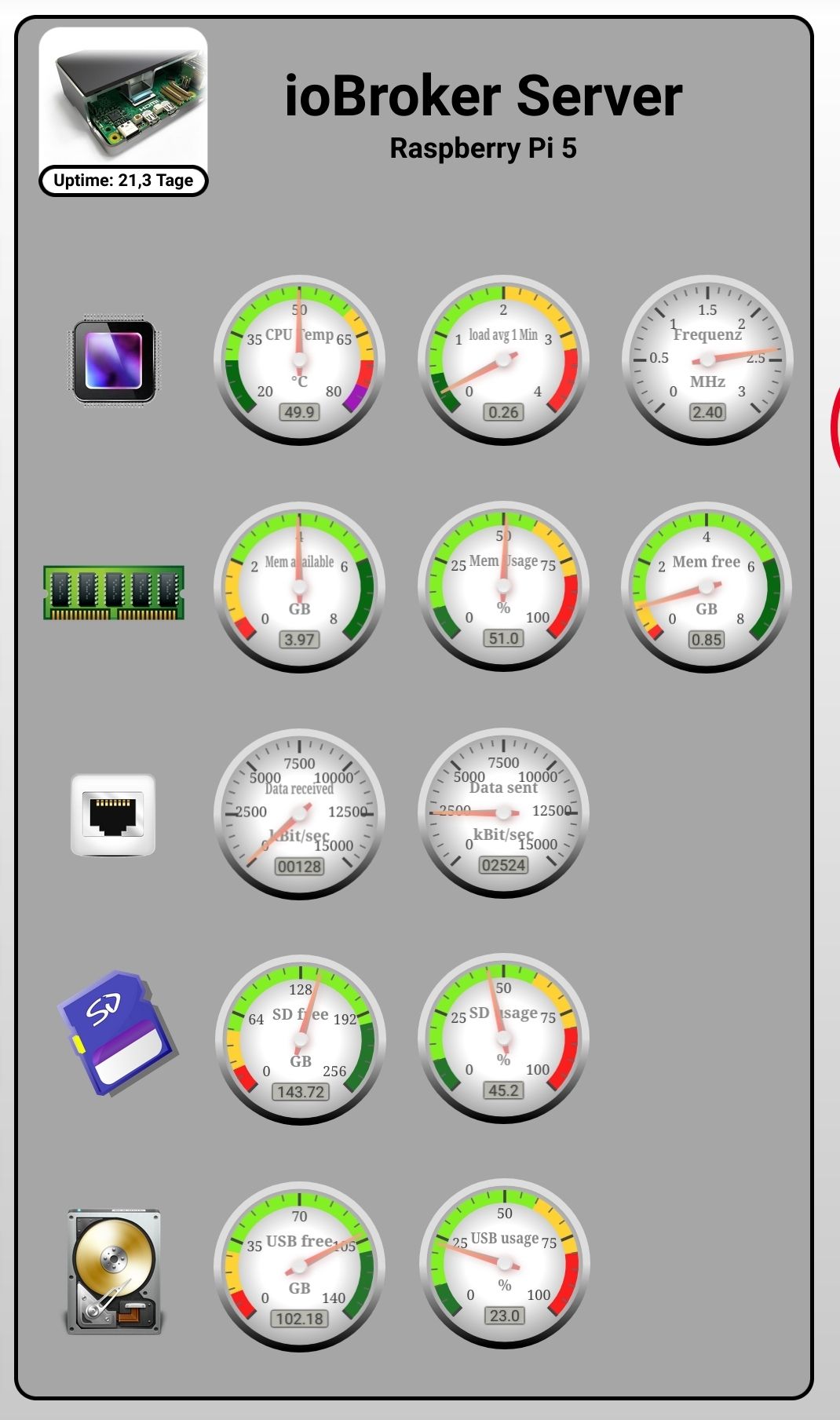
                          Screenshot_20250327-214544_Firefox.jpg

                          kein Support per PN! - Fragen im Forum stellen - es gibt fast nichts, was nicht auch für andere interessant ist.

                          Benutzt das Voting rechts unten im Beitrag wenn er euch geholfen hat.

                          der Installationsfixer: curl -fsL https://iobroker.net/fix.sh | bash -

                          malorossM 1 Antwort Letzte Antwort
                          1
                          • HomoranH Homoran

                            @maloross sagte in Versuch Logdatei download führt zu Admin-Absturz:

                            ist die Größe der Auslagerungsdatei (free Swap) der Indikator, das RAM ungenügend zur Verfügung steht.

                            jein, used SWAP sollte möglichst nicht angekratzt sein

                            @maloross sagte in Versuch Logdatei download führt zu Admin-Absturz:

                            über den Adapter "RPI-Monitor" kann man sich diese (und andere) relevanten Werte anzeigen lassen.

                            oder über die Datenpunkte unter 'system.host.xy' (nur im Expertenmodus zu sehen

                            Screenshot_20250327-214544_Firefox.jpg

                            malorossM Offline
                            malorossM Offline
                            maloross
                            schrieb am zuletzt editiert von
                            #13

                            @homoran sagte in Versuch Logdatei download führt zu Admin-Absturz:

                            'system.host.xy' (

                            Super - das ist perfekt! Ich sollte öfter mal in den Expertenmodus wechseln...

                            Auch Frauen können sich für Technik begeistern! ;)

                            Equipment:
                            diverse HM-, HMIP-, Aeotec- Tradfri- Sonos- und Fibaro-Geräte, Master-/Slavesystem auf 2 Raspi4, NAS

                            1 Antwort Letzte Antwort
                            0
                            • malorossM Offline
                              malorossM Offline
                              maloross
                              schrieb am zuletzt editiert von
                              #14

                              Heute noch einmal einen Versuch gewagt, jedoch gleiches Ergebnis:
                              Sobald ich die Logdatei "current" über die Schaltfläche abrufe, knickt der Admin ein und diese Meldung erscheint:

                              host.PI4Slave2 2025-04-14 12:58:30.421 warn "system.host.PI4Master" is offline
                              

                              Parallel eine Statusabfrage über die Konsole (Putty) warf diese Meldung aus:

                              supervisor@PI4Master:~ $ iob status
                               Unable to increase LUA script timeout: Connection is closed.
                               Cannot determine Set feature status: Connection is closed.
                               Unable to enable Expiry Keyspace events from Redis Server: Connection is closed.
                               Connection is closed.
                              Uncaught Rejection: Error: States DB is not allowed to start in the current Multihost environment
                                  at Redis.<anonymous> (file:///opt/iobroker/node_modules/@iobroker/db-states-redis/build/esm/lib/states/statesInRedisClient.js:477:23)
                                  at process.processTicksAndRejections (node:internal/process/task_queues:95:5)
                              

                              Nach ca. 5 Minuten ist dann der Admin wieder erreichbar und auch die Logdatei wird jetzt im Browser angezeigt. Die durchgeführte Diagnose zeigt im Summary:

                              ======================= SUMMARY =======================
                                                      v.2025-02-23
                              
                              
                               Static hostname: PI4Master
                                     Icon name: computer
                              Operating System: Debian GNU/Linux 12 (bookworm)
                                        Kernel: Linux 6.12.20+rpt-rpi-v8
                                  Architecture: arm64
                              
                              Installation:           native
                              Kernel:                 aarch64
                              Userland:               64 bit
                              Timezone:               Europe/Berlin (CEST, +0200)
                              User-ID:                1000
                              Display-Server:         false
                              Boot Target:            multi-user.target
                              
                              Pending OS-Updates:     4
                              Pending iob updates:    0
                              
                              Nodejs-Installation:
                              /usr/bin/nodejs         v20.19.0
                              /usr/bin/node           v20.19.0
                              /usr/bin/npm            10.8.2
                              /usr/bin/npx            10.8.2
                              /usr/bin/corepack       0.31.0
                              
                              Recommended versions are nodejs 20.19.0 and npm 10.8.2
                              nodeJS installation is correct
                              
                              MEMORY:
                                             total        used        free      shared  buff/cache   available
                              Mem:            8.2G        4.0G        2.3G        1.5M        2.0G        4.2G
                              Swap:           209M          0B        209M
                              Total:          8.4G        4.0G        2.5G
                              
                              Active iob-Instances:   50
                              Upgrade policy: none
                              
                              ioBroker Core:          js-controller           7.0.6
                                                      admin                   7.6.3
                              
                              ioBroker Status:        iobroker is running on this host.
                              
                              
                              Objects type: jsonl
                              States  type: jsonl
                              
                              Status admin and web instance:
                              + system.adapter.admin.0                  : admin                 : PI4Master                                -  enabled, port: 8081, bind: 0.0.0.0, run as: admin
                              + system.adapter.web.0                    : web                   : PI4Master                                -  enabled, port: 8099, bind: 0.0.0.0, run as: admin
                                system.adapter.web.1                    : web                   : PI4Slave1                                - disabled, port: 8899, bind: 0.0.0.0, run as: admin
                              
                              Objects:                26907
                              States:                 22823
                              
                              Size of iob-Database:
                              
                              56M     /opt/iobroker/iobroker-data/objects.jsonl
                              38M     /opt/iobroker/iobroker-data/states_new.jsonl
                              12M     /opt/iobroker/iobroker-data/states.jsonl
                              
                              
                              Operating System is the current Debian stable version codenamed 'bookworm'!
                              
                              =================== END OF SUMMARY ====================
                              

                              Über den Raspi2-Adapter lasse ich einige Status überwachen, hier zeigt sich zum Zeitpunkt des Absturzes ein Einbruch im freien Speicher:
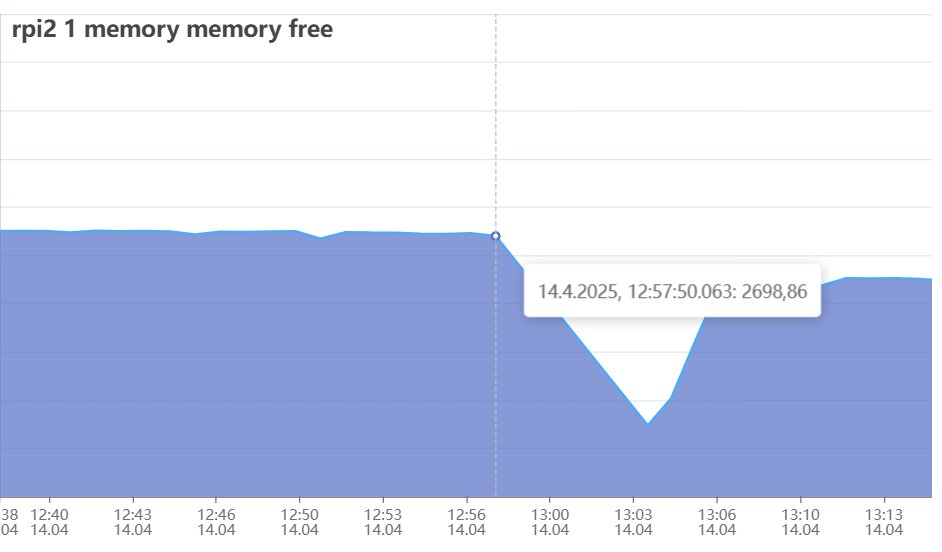
                              absturz.png

                              Das System selbst lief sehr lange sehr stabil und unauffällig; es stellt sich jetzt die Frage: soll ich das System noch einmal komplett neu und sauber aufsetzen oder soll ich mir Gedanken machen, dass mein System zu groß für die kleinen Rechen geworden ist?

                              Auch Frauen können sich für Technik begeistern! ;)

                              Equipment:
                              diverse HM-, HMIP-, Aeotec- Tradfri- Sonos- und Fibaro-Geräte, Master-/Slavesystem auf 2 Raspi4, NAS

                              Thomas BraunT 1 Antwort Letzte Antwort
                              0
                              • malorossM maloross

                                Heute noch einmal einen Versuch gewagt, jedoch gleiches Ergebnis:
                                Sobald ich die Logdatei "current" über die Schaltfläche abrufe, knickt der Admin ein und diese Meldung erscheint:

                                host.PI4Slave2 2025-04-14 12:58:30.421 warn "system.host.PI4Master" is offline
                                

                                Parallel eine Statusabfrage über die Konsole (Putty) warf diese Meldung aus:

                                supervisor@PI4Master:~ $ iob status
                                 Unable to increase LUA script timeout: Connection is closed.
                                 Cannot determine Set feature status: Connection is closed.
                                 Unable to enable Expiry Keyspace events from Redis Server: Connection is closed.
                                 Connection is closed.
                                Uncaught Rejection: Error: States DB is not allowed to start in the current Multihost environment
                                    at Redis.<anonymous> (file:///opt/iobroker/node_modules/@iobroker/db-states-redis/build/esm/lib/states/statesInRedisClient.js:477:23)
                                    at process.processTicksAndRejections (node:internal/process/task_queues:95:5)
                                

                                Nach ca. 5 Minuten ist dann der Admin wieder erreichbar und auch die Logdatei wird jetzt im Browser angezeigt. Die durchgeführte Diagnose zeigt im Summary:

                                ======================= SUMMARY =======================
                                                        v.2025-02-23
                                
                                
                                 Static hostname: PI4Master
                                       Icon name: computer
                                Operating System: Debian GNU/Linux 12 (bookworm)
                                          Kernel: Linux 6.12.20+rpt-rpi-v8
                                    Architecture: arm64
                                
                                Installation:           native
                                Kernel:                 aarch64
                                Userland:               64 bit
                                Timezone:               Europe/Berlin (CEST, +0200)
                                User-ID:                1000
                                Display-Server:         false
                                Boot Target:            multi-user.target
                                
                                Pending OS-Updates:     4
                                Pending iob updates:    0
                                
                                Nodejs-Installation:
                                /usr/bin/nodejs         v20.19.0
                                /usr/bin/node           v20.19.0
                                /usr/bin/npm            10.8.2
                                /usr/bin/npx            10.8.2
                                /usr/bin/corepack       0.31.0
                                
                                Recommended versions are nodejs 20.19.0 and npm 10.8.2
                                nodeJS installation is correct
                                
                                MEMORY:
                                               total        used        free      shared  buff/cache   available
                                Mem:            8.2G        4.0G        2.3G        1.5M        2.0G        4.2G
                                Swap:           209M          0B        209M
                                Total:          8.4G        4.0G        2.5G
                                
                                Active iob-Instances:   50
                                Upgrade policy: none
                                
                                ioBroker Core:          js-controller           7.0.6
                                                        admin                   7.6.3
                                
                                ioBroker Status:        iobroker is running on this host.
                                
                                
                                Objects type: jsonl
                                States  type: jsonl
                                
                                Status admin and web instance:
                                + system.adapter.admin.0                  : admin                 : PI4Master                                -  enabled, port: 8081, bind: 0.0.0.0, run as: admin
                                + system.adapter.web.0                    : web                   : PI4Master                                -  enabled, port: 8099, bind: 0.0.0.0, run as: admin
                                  system.adapter.web.1                    : web                   : PI4Slave1                                - disabled, port: 8899, bind: 0.0.0.0, run as: admin
                                
                                Objects:                26907
                                States:                 22823
                                
                                Size of iob-Database:
                                
                                56M     /opt/iobroker/iobroker-data/objects.jsonl
                                38M     /opt/iobroker/iobroker-data/states_new.jsonl
                                12M     /opt/iobroker/iobroker-data/states.jsonl
                                
                                
                                Operating System is the current Debian stable version codenamed 'bookworm'!
                                
                                =================== END OF SUMMARY ====================
                                

                                Über den Raspi2-Adapter lasse ich einige Status überwachen, hier zeigt sich zum Zeitpunkt des Absturzes ein Einbruch im freien Speicher:
                                absturz.png

                                Das System selbst lief sehr lange sehr stabil und unauffällig; es stellt sich jetzt die Frage: soll ich das System noch einmal komplett neu und sauber aufsetzen oder soll ich mir Gedanken machen, dass mein System zu groß für die kleinen Rechen geworden ist?

                                Thomas BraunT Online
                                Thomas BraunT Online
                                Thomas Braun
                                Most Active
                                schrieb am zuletzt editiert von
                                #15

                                @maloross

                                Sind für mich typische Anzeichen einer Überlastung.
                                Vermutlich läuft da in zu kurzer Zeit zuviel in der Datenbank auf und die Kiste bekommt das nicht mehr schnell genug abgearbeitet.

                                Linux-Werkzeugkasten:
                                https://forum.iobroker.net/topic/42952/der-kleine-iobroker-linux-werkzeugkasten
                                NodeJS Fixer Skript:
                                https://forum.iobroker.net/topic/68035/iob-node-fix-skript
                                iob_diag: curl -sLf -o diag.sh https://iobroker.net/diag.sh && bash diag.sh

                                malorossM 1 Antwort Letzte Antwort
                                1
                                • Thomas BraunT Thomas Braun

                                  @maloross

                                  Sind für mich typische Anzeichen einer Überlastung.
                                  Vermutlich läuft da in zu kurzer Zeit zuviel in der Datenbank auf und die Kiste bekommt das nicht mehr schnell genug abgearbeitet.

                                  malorossM Offline
                                  malorossM Offline
                                  maloross
                                  schrieb am zuletzt editiert von maloross
                                  #16

                                  @thomas-braun sagte in Versuch Logdatei download führt zu Admin-Absturz:

                                  @maloross

                                  Sind für mich typische Anzeichen einer Überlastung.
                                  Vermutlich läuft da in zu kurzer Zeit zuviel in der Datenbank auf und die Kiste bekommt das nicht mehr schnell genug abgearbeitet.

                                  ok, also weniger die Hardware.
                                  Kann ein Umstieg auf Redis (was hier ja schon ausführlich besprochen wird bzw. wurde) Abhilfe schaffen?
                                  Ich werde noch einmal alle Adapter durchgehen und die Abfrageintervalle checken, Adapter wie Fronius sind aber auf 1-2 Minuten eingestellt.
                                  Kann mir da "htop" weiterhelfen und wenn ja, worauf muss ich da achten?

                                  Auch Frauen können sich für Technik begeistern! ;)

                                  Equipment:
                                  diverse HM-, HMIP-, Aeotec- Tradfri- Sonos- und Fibaro-Geräte, Master-/Slavesystem auf 2 Raspi4, NAS

                                  Thomas BraunT 1 Antwort Letzte Antwort
                                  0
                                  • malorossM maloross

                                    @thomas-braun sagte in Versuch Logdatei download führt zu Admin-Absturz:

                                    @maloross

                                    Sind für mich typische Anzeichen einer Überlastung.
                                    Vermutlich läuft da in zu kurzer Zeit zuviel in der Datenbank auf und die Kiste bekommt das nicht mehr schnell genug abgearbeitet.

                                    ok, also weniger die Hardware.
                                    Kann ein Umstieg auf Redis (was hier ja schon ausführlich besprochen wird bzw. wurde) Abhilfe schaffen?
                                    Ich werde noch einmal alle Adapter durchgehen und die Abfrageintervalle checken, Adapter wie Fronius sind aber auf 1-2 Minuten eingestellt.
                                    Kann mir da "htop" weiterhelfen und wenn ja, worauf muss ich da achten?

                                    Thomas BraunT Online
                                    Thomas BraunT Online
                                    Thomas Braun
                                    Most Active
                                    schrieb am zuletzt editiert von
                                    #17

                                    @maloross sagte in Versuch Logdatei download führt zu Admin-Absturz:

                                    Kann ein Umstieg auf Redis (was hier ja schon ausführlich besprochen wird bzw. wurde) Abhilfe schaffen?

                                    Möglich. Allerdings hast du ja gar nicht sooooo viele Daten. Ich denke eher, da fliegt zu viel zu schnell rein.
                                    Schaumal, ob du da nicht reduzieren kannst.
                                    Alleine der hm--rpc.1 schaufelt da offenbar im Milisekundentakt irgendwas rein:

                                    2025-04-13 10:10:33.723  - debug: hm-rpc.1 (3536255) hm-rpc.1.00185BE98B3FD8.1.ILLUMINATION_STATUS ==> UNIT: "undefined" (min: undefined, max: undefined) From "0" => "0"
                                    
                                    2025-04-13 10:10:33.724  - debug: hm-rpc.1 (3536255) xml multicall <event>: PI4Master:hm-rpc.1:719f6fd35f68f142a58f1339ad76168b,00185BE98B3FD8:1,SUNSHINEDURATION,12131
                                    
                                    2025-04-13 10:10:33.724  - debug: hm-rpc.1 (3536255) xmlrpc <- event ["PI4Master:hm-rpc.1:719f6fd35f68f142a58f1339ad76168b","00185BE98B3FD8:1","SUNSHINEDURATION",12131]
                                    
                                    2025-04-13 10:10:33.724  - debug: hm-rpc.1 (3536255) hm-rpc.1.00185BE98B3FD8.1.SUNSHINEDURATION ==> UNIT: "min" (min: 0, max: 16383) From "12131" => "12131"
                                    
                                    2025-04-13 10:10:33.725  - debug: hm-rpc.1 (3536255) xml multicall <event>: PI4Master:hm-rpc.1:719f6fd35f68f142a58f1339ad76168b,00185BE98B3FD8:1,HUMIDITY_STATUS,0
                                    
                                    2025-04-13 10:10:33.725  - debug: hm-rpc.1 (3536255) xmlrpc <- event ["PI4Master:hm-rpc.1:719f6fd35f68f142a58f1339ad76168b","00185BE98B3FD8:1","HUMIDITY_STATUS",0]
                                    
                                    2025-04-13 10:10:33.725  - debug: hm-rpc.1 (3536255) hm-rpc.1.00185BE98B3FD8.1.HUMIDITY_STATUS ==> UNIT: "undefined" (min: undefined, max: undefined) From "0" => "0"
                                    
                                    2025-04-13 10:10:33.725  - debug: hm-rpc.1 (3536255) xml multicall <event>: PI4Master:hm-rpc.1:719f6fd35f68f142a58f1339ad76168b,00185BE98B3FD8:1,WIND_DIR_RANGE_STATUS,0
                                    
                                    2025-04-13 10:10:33.726  - debug: hm-rpc.1 (3536255) xmlrpc <- event ["PI4Master:hm-rpc.1:719f6fd35f68f142a58f1339ad76168b","00185BE98B3FD8:1","WIND_DIR_RANGE_STATUS",0]
                                    
                                    2025-04-13 10:10:33.726  - debug: hm-rpc.1 (3536255) hm-rpc.1.00185BE98B3FD8.1.WIND_DIR_RANGE_STATUS ==> UNIT: "undefined" (min: undefined, max: undefined) From "0" => "0"
                                    
                                    2025-04-13 10:10:33.726  - debug: hm-rpc.1 (3536255) xml multicall <event>: PI4Master:hm-rpc.1:719f6fd35f68f142a58f1339ad76168b,00185BE98B3FD8:1,ACTUAL_TEMPERATURE,13.8
                                    
                                    2025-04-13 10:10:33.726  - debug: hm-rpc.1 (3536255) xmlrpc <- event ["PI4Master:hm-rpc.1:719f6fd35f68f142a58f1339ad76168b","00185BE98B3FD8:1","ACTUAL_TEMPERATURE",13.8]
                                    
                                    2025-04-13 10:10:33.726  - debug: hm-rpc.1 (3536255) hm-rpc.1.00185BE98B3FD8.1.ACTUAL_TEMPERATURE ==> UNIT: "�C" (min: -3276.8, max: 3276.7) From "13.8" => "13.8"
                                    
                                    2025-04-13 10:10:33.727  - debug: hm-rpc.1 (3536255) xml multicall <event>: PI4Master:hm-rpc.1:719f6fd35f68f142a58f1339ad76168b,00185BE98B3FD8:1,WIND_DIR_STATUS,0
                                    
                                    2025-04-13 10:10:33.727  - debug: hm-rpc.1 (3536255) xmlrpc <- event ["PI4Master:hm-rpc.1:719f6fd35f68f142a58f1339ad76168b","00185BE98B3FD8:1","WIND_DIR_STATUS",0]
                                    
                                    2025-04-13 10:10:33.727  - debug: hm-rpc.1 (3536255) hm-rpc.1.00185BE98B3FD8.1.WIND_DIR_STATUS ==> UNIT: "undefined" (min: undefined, max: undefined) From "0" => "0"
                                    
                                    2025-04-13 10:10:33.727  - debug: hm-rpc.1 (3536255) xml multicall <event>: PI4Master:hm-rpc.1:719f6fd35f68f142a58f1339ad76168b,00185BE98B3FD8:1,RAIN_COUNTER_OVERFLOW,false
                                    
                                    2025-04-13 10:10:33.728  - debug: hm-rpc.1 (3536255) xmlrpc <- event ["PI4Master:hm-rpc.1:719f6fd35f68f142a58f1339ad76168b","00185BE98B3FD8:1","RAIN_COUNTER_OVERFLOW",false]
                                    
                                    2025-04-13 10:10:33.728  - debug: hm-rpc.1 (3536255) hm-rpc.1.00185BE98B3FD8.1.RAIN_COUNTER_OVERFLOW ==> UNIT: "undefined" (min: undefined, max: undefined) From "false" => "false"
                                    
                                    2025-04-13 10:10:33.728  - debug: hm-rpc.1 (3536255) xml multicall <event>: PI4Master:hm-rpc.1:719f6fd35f68f142a58f1339ad76168b,00185BE98B3FD8:1,RAINING,false
                                    
                                    2025-04-13 10:10:33.728  - debug: hm-rpc.1 (3536255) xmlrpc <- event ["PI4Master:hm-rpc.1:719f6fd35f68f142a58f1339ad76168b","00185BE98B3FD8:1","RAINING",false]
                                    
                                    2025-04-13 10:10:33.729  - debug: hm-rpc.1 (3536255) hm-rpc.1.00185BE98B3FD8.1.RAINING ==> UNIT: "undefined" (min: undefined, max: undefined) From "false" => "false"
                                    
                                    2025-04-13 10:10:33.729  - debug: hm-rpc.1 (3536255) xml multicall <event>: PI4Master:hm-rpc.1:719f6fd35f68f142a58f1339ad76168b,00185BE98B3FD8:1,WIND_SPEED,20.5
                                    
                                    2025-04-13 10:10:33.729  - debug: hm-rpc.1 (3536255) xmlrpc <- event ["PI4Master:hm-rpc.1:719f6fd35f68f142a58f1339ad76168b","00185BE98B3FD8:1","WIND_SPEED",20.5]
                                    
                                    2025-04-13 10:10:33.730  - debug: hm-rpc.1 (3536255) hm-rpc.1.00185BE98B3FD8.1.WIND_SPEED ==> UNIT: "km/h" (min: 0, max: 200) From "20.5" => "20.5"
                                    

                                    Linux-Werkzeugkasten:
                                    https://forum.iobroker.net/topic/42952/der-kleine-iobroker-linux-werkzeugkasten
                                    NodeJS Fixer Skript:
                                    https://forum.iobroker.net/topic/68035/iob-node-fix-skript
                                    iob_diag: curl -sLf -o diag.sh https://iobroker.net/diag.sh && bash diag.sh

                                    malorossM 1 Antwort Letzte Antwort
                                    1
                                    • Thomas BraunT Thomas Braun

                                      @maloross sagte in Versuch Logdatei download führt zu Admin-Absturz:

                                      Kann ein Umstieg auf Redis (was hier ja schon ausführlich besprochen wird bzw. wurde) Abhilfe schaffen?

                                      Möglich. Allerdings hast du ja gar nicht sooooo viele Daten. Ich denke eher, da fliegt zu viel zu schnell rein.
                                      Schaumal, ob du da nicht reduzieren kannst.
                                      Alleine der hm--rpc.1 schaufelt da offenbar im Milisekundentakt irgendwas rein:

                                      2025-04-13 10:10:33.723  - debug: hm-rpc.1 (3536255) hm-rpc.1.00185BE98B3FD8.1.ILLUMINATION_STATUS ==> UNIT: "undefined" (min: undefined, max: undefined) From "0" => "0"
                                      
                                      2025-04-13 10:10:33.724  - debug: hm-rpc.1 (3536255) xml multicall <event>: PI4Master:hm-rpc.1:719f6fd35f68f142a58f1339ad76168b,00185BE98B3FD8:1,SUNSHINEDURATION,12131
                                      
                                      2025-04-13 10:10:33.724  - debug: hm-rpc.1 (3536255) xmlrpc <- event ["PI4Master:hm-rpc.1:719f6fd35f68f142a58f1339ad76168b","00185BE98B3FD8:1","SUNSHINEDURATION",12131]
                                      
                                      2025-04-13 10:10:33.724  - debug: hm-rpc.1 (3536255) hm-rpc.1.00185BE98B3FD8.1.SUNSHINEDURATION ==> UNIT: "min" (min: 0, max: 16383) From "12131" => "12131"
                                      
                                      2025-04-13 10:10:33.725  - debug: hm-rpc.1 (3536255) xml multicall <event>: PI4Master:hm-rpc.1:719f6fd35f68f142a58f1339ad76168b,00185BE98B3FD8:1,HUMIDITY_STATUS,0
                                      
                                      2025-04-13 10:10:33.725  - debug: hm-rpc.1 (3536255) xmlrpc <- event ["PI4Master:hm-rpc.1:719f6fd35f68f142a58f1339ad76168b","00185BE98B3FD8:1","HUMIDITY_STATUS",0]
                                      
                                      2025-04-13 10:10:33.725  - debug: hm-rpc.1 (3536255) hm-rpc.1.00185BE98B3FD8.1.HUMIDITY_STATUS ==> UNIT: "undefined" (min: undefined, max: undefined) From "0" => "0"
                                      
                                      2025-04-13 10:10:33.725  - debug: hm-rpc.1 (3536255) xml multicall <event>: PI4Master:hm-rpc.1:719f6fd35f68f142a58f1339ad76168b,00185BE98B3FD8:1,WIND_DIR_RANGE_STATUS,0
                                      
                                      2025-04-13 10:10:33.726  - debug: hm-rpc.1 (3536255) xmlrpc <- event ["PI4Master:hm-rpc.1:719f6fd35f68f142a58f1339ad76168b","00185BE98B3FD8:1","WIND_DIR_RANGE_STATUS",0]
                                      
                                      2025-04-13 10:10:33.726  - debug: hm-rpc.1 (3536255) hm-rpc.1.00185BE98B3FD8.1.WIND_DIR_RANGE_STATUS ==> UNIT: "undefined" (min: undefined, max: undefined) From "0" => "0"
                                      
                                      2025-04-13 10:10:33.726  - debug: hm-rpc.1 (3536255) xml multicall <event>: PI4Master:hm-rpc.1:719f6fd35f68f142a58f1339ad76168b,00185BE98B3FD8:1,ACTUAL_TEMPERATURE,13.8
                                      
                                      2025-04-13 10:10:33.726  - debug: hm-rpc.1 (3536255) xmlrpc <- event ["PI4Master:hm-rpc.1:719f6fd35f68f142a58f1339ad76168b","00185BE98B3FD8:1","ACTUAL_TEMPERATURE",13.8]
                                      
                                      2025-04-13 10:10:33.726  - debug: hm-rpc.1 (3536255) hm-rpc.1.00185BE98B3FD8.1.ACTUAL_TEMPERATURE ==> UNIT: "�C" (min: -3276.8, max: 3276.7) From "13.8" => "13.8"
                                      
                                      2025-04-13 10:10:33.727  - debug: hm-rpc.1 (3536255) xml multicall <event>: PI4Master:hm-rpc.1:719f6fd35f68f142a58f1339ad76168b,00185BE98B3FD8:1,WIND_DIR_STATUS,0
                                      
                                      2025-04-13 10:10:33.727  - debug: hm-rpc.1 (3536255) xmlrpc <- event ["PI4Master:hm-rpc.1:719f6fd35f68f142a58f1339ad76168b","00185BE98B3FD8:1","WIND_DIR_STATUS",0]
                                      
                                      2025-04-13 10:10:33.727  - debug: hm-rpc.1 (3536255) hm-rpc.1.00185BE98B3FD8.1.WIND_DIR_STATUS ==> UNIT: "undefined" (min: undefined, max: undefined) From "0" => "0"
                                      
                                      2025-04-13 10:10:33.727  - debug: hm-rpc.1 (3536255) xml multicall <event>: PI4Master:hm-rpc.1:719f6fd35f68f142a58f1339ad76168b,00185BE98B3FD8:1,RAIN_COUNTER_OVERFLOW,false
                                      
                                      2025-04-13 10:10:33.728  - debug: hm-rpc.1 (3536255) xmlrpc <- event ["PI4Master:hm-rpc.1:719f6fd35f68f142a58f1339ad76168b","00185BE98B3FD8:1","RAIN_COUNTER_OVERFLOW",false]
                                      
                                      2025-04-13 10:10:33.728  - debug: hm-rpc.1 (3536255) hm-rpc.1.00185BE98B3FD8.1.RAIN_COUNTER_OVERFLOW ==> UNIT: "undefined" (min: undefined, max: undefined) From "false" => "false"
                                      
                                      2025-04-13 10:10:33.728  - debug: hm-rpc.1 (3536255) xml multicall <event>: PI4Master:hm-rpc.1:719f6fd35f68f142a58f1339ad76168b,00185BE98B3FD8:1,RAINING,false
                                      
                                      2025-04-13 10:10:33.728  - debug: hm-rpc.1 (3536255) xmlrpc <- event ["PI4Master:hm-rpc.1:719f6fd35f68f142a58f1339ad76168b","00185BE98B3FD8:1","RAINING",false]
                                      
                                      2025-04-13 10:10:33.729  - debug: hm-rpc.1 (3536255) hm-rpc.1.00185BE98B3FD8.1.RAINING ==> UNIT: "undefined" (min: undefined, max: undefined) From "false" => "false"
                                      
                                      2025-04-13 10:10:33.729  - debug: hm-rpc.1 (3536255) xml multicall <event>: PI4Master:hm-rpc.1:719f6fd35f68f142a58f1339ad76168b,00185BE98B3FD8:1,WIND_SPEED,20.5
                                      
                                      2025-04-13 10:10:33.729  - debug: hm-rpc.1 (3536255) xmlrpc <- event ["PI4Master:hm-rpc.1:719f6fd35f68f142a58f1339ad76168b","00185BE98B3FD8:1","WIND_SPEED",20.5]
                                      
                                      2025-04-13 10:10:33.730  - debug: hm-rpc.1 (3536255) hm-rpc.1.00185BE98B3FD8.1.WIND_SPEED ==> UNIT: "km/h" (min: 0, max: 200) From "20.5" => "20.5"
                                      
                                      malorossM Offline
                                      malorossM Offline
                                      maloross
                                      schrieb am zuletzt editiert von
                                      #18

                                      @thomas-braun Das scheint wohl die Wetterstation (HM-IP) zu sein.
                                      bfe37583-0ac7-4a60-91f6-8e3f98290b6d-image.png
                                      Ich habe die zyklischen Statusmeldungen entfernt, die beiden anderen Werte sind nach meinem Dafürhalten aber weniger problematisch.
                                      Im ioB-Adapter "Homematic" hatte ich die Standardwerte (Verbindungstest180 sec, Wiederverbindung 30 sec.) belassen, habe sie mal verdoppelt.

                                      Auch Frauen können sich für Technik begeistern! ;)

                                      Equipment:
                                      diverse HM-, HMIP-, Aeotec- Tradfri- Sonos- und Fibaro-Geräte, Master-/Slavesystem auf 2 Raspi4, NAS

                                      HomoranH Thomas BraunT 2 Antworten Letzte Antwort
                                      0
                                      • malorossM maloross

                                        @thomas-braun Das scheint wohl die Wetterstation (HM-IP) zu sein.
                                        bfe37583-0ac7-4a60-91f6-8e3f98290b6d-image.png
                                        Ich habe die zyklischen Statusmeldungen entfernt, die beiden anderen Werte sind nach meinem Dafürhalten aber weniger problematisch.
                                        Im ioB-Adapter "Homematic" hatte ich die Standardwerte (Verbindungstest180 sec, Wiederverbindung 30 sec.) belassen, habe sie mal verdoppelt.

                                        HomoranH Nicht stören
                                        HomoranH Nicht stören
                                        Homoran
                                        Global Moderator Administrators
                                        schrieb am zuletzt editiert von Homoran
                                        #19

                                        @maloross sagte in Versuch Logdatei download führt zu Admin-Absturz:

                                        Das scheint wohl die Wetterstation (HM-IP) zu sein.

                                        ja, aber die anschließend durchgeführten Aktionen sind in meinen Augen wahrscheinlich unnötig.

                                        Das log sieht aus wie nach einem Neustart des Adapters.
                                        Dann wird erst einmal alles eingelesen.

                                        Das wäre vollkommen korrekt, wenn es nicht dauernd und vir allem unabsichtlich vorkommt

                                        kein Support per PN! - Fragen im Forum stellen - es gibt fast nichts, was nicht auch für andere interessant ist.

                                        Benutzt das Voting rechts unten im Beitrag wenn er euch geholfen hat.

                                        der Installationsfixer: curl -fsL https://iobroker.net/fix.sh | bash -

                                        1 Antwort Letzte Antwort
                                        0
                                        • malorossM maloross

                                          @thomas-braun Das scheint wohl die Wetterstation (HM-IP) zu sein.
                                          bfe37583-0ac7-4a60-91f6-8e3f98290b6d-image.png
                                          Ich habe die zyklischen Statusmeldungen entfernt, die beiden anderen Werte sind nach meinem Dafürhalten aber weniger problematisch.
                                          Im ioB-Adapter "Homematic" hatte ich die Standardwerte (Verbindungstest180 sec, Wiederverbindung 30 sec.) belassen, habe sie mal verdoppelt.

                                          Thomas BraunT Online
                                          Thomas BraunT Online
                                          Thomas Braun
                                          Most Active
                                          schrieb am zuletzt editiert von
                                          #20

                                          @maloross

                                          Und dann würde ich die Instanz auch nicht auf 'debug'-Level loggen lassen.

                                          Linux-Werkzeugkasten:
                                          https://forum.iobroker.net/topic/42952/der-kleine-iobroker-linux-werkzeugkasten
                                          NodeJS Fixer Skript:
                                          https://forum.iobroker.net/topic/68035/iob-node-fix-skript
                                          iob_diag: curl -sLf -o diag.sh https://iobroker.net/diag.sh && bash diag.sh

                                          malorossM 1 Antwort Letzte Antwort
                                          1
                                          Antworten
                                          • In einem neuen Thema antworten
                                          Anmelden zum Antworten
                                          • Älteste zuerst
                                          • Neuste zuerst
                                          • Meiste Stimmen


                                          Support us

                                          ioBroker
                                          Community Adapters
                                          Donate
                                          FAQ Cloud / IOT
                                          HowTo: Node.js-Update
                                          HowTo: Backup/Restore
                                          Downloads
                                          BLOG

                                          797

                                          Online

                                          32.5k

                                          Benutzer

                                          81.8k

                                          Themen

                                          1.3m

                                          Beiträge
                                          Community
                                          Impressum | Datenschutz-Bestimmungen | Nutzungsbedingungen | Einwilligungseinstellungen
                                          ioBroker Community 2014-2025
                                          logo
                                          • Anmelden

                                          • Du hast noch kein Konto? Registrieren

                                          • Anmelden oder registrieren, um zu suchen
                                          • Erster Beitrag
                                            Letzter Beitrag
                                          0
                                          • Home
                                          • Aktuell
                                          • Tags
                                          • Ungelesen 0
                                          • Kategorien
                                          • Unreplied
                                          • Beliebt
                                          • GitHub
                                          • Docu
                                          • Hilfe