




Backitup erzeugt Fehlermeldung bei Backup
-
Hallo zusammen,
seit dem 03.11. wird kein Backup mehr erzeugt. Erst ohne Nachricht und jetzt mit einer Fehlermeldung. Ich habe an diesen Tagen nichts an der Instanz verändert. Das Back soll auf meinem NAS gespeichert werden, was bisher auch immer geklappt hat. Speicherplatz ist auf dem NAS aber auch auf dem HOST genug verfügbar.Hinweis:
Ich habe Berechtigungen im home-Verzeichnis geändert damit ich mich über ein Schlüsselpaar am Raspi über die Konsole anmelden kann. Dafür musste ich aber Berechtigungen ändern.chmod 700 ~ (home-Verzeichnis)
chmod 700 .ssh
chmod 600 .ssh/authorized_keysKann der Fehler damit in Zusammenhang stehen?
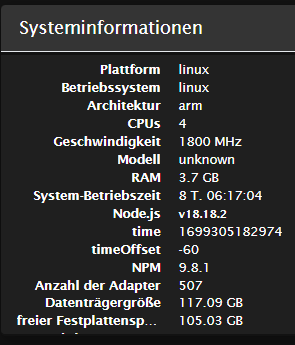
Wenn das Backup gestartet wird läuft es auch nicht richtig durch. Das Fenster schließt sich nicht. Nachstehend ein paar Daten, die Meldungen und die Zusammenfassung von Diag.
B
Started iobroker ...
[DEBUG] [mount] - mount activ... umount is started before mount!!
[DEBUG] [mount] - umount successfully completed
[DEBUG] [mount] - noserverino option: true
[DEBUG] [mount] - cifs-mount command: "sudo mount -t cifs -o username=syncro,password=****,noserverino,rw,uid=iobroker,gid=iobroker,file_mode=0777,dir_mode=0777,vers=3.1.1 //192.168.178.1/FRITZ.NAS/Backup /opt/iobroker/backups"
[DEBUG] [mount] - mount successfully completed
[DEBUG] [mount] - done
[DEBUG] [iobroker] - host.raspberrypi 5009 states saved

[DEBUG] [iobroker] - host.raspberrypi 6176 objects saved

[ERROR] [iobroker] - host.raspberrypi Cannot pack directory /opt/iobroker/node_modules/iobroker.js-controller/tmp/backup: ENOSPC: no space left on device, open '/opt/iobroker/backups/iobroker_2023_11_06-21_27_11_backupiobroker.tar.gz'

[ERROR] [iobroker] - host.raspberrypi Backup not created: ENOSPC: no space left on device, open '/opt/iobroker/backups/iobroker_2023_11_06-21_27_11_backupiobroker.tar.gz'

[DEBUG] [iobroker] - Cannot create backup: ENOSPC: no space left on device, open '/opt/iobroker/backups/iobroker_2023_11_06-21_27_11_backupiobroker.tar.gz'

[DEBUG] [iobroker] - done
[DEBUG] [javascripts] - Javascript tmp directory "/opt/iobroker/backups/tmpScripts" cannot created ... Error: ENOSPC: no space left on device, mkdir '/opt/iobroker/backups/tmpScripts'
[ERROR] [javascripts] - script.json cannot be written: Error: ENOENT: no such file or directory, open '/opt/iobroker/backups/tmpScripts/script.json'
[DEBUG] [javascripts] - found Script: Telegram-Info
[DEBUG] [javascripts] - found Script: Test
[DEBUG] [javascripts] - found Script: Test-1
[DEBUG] [javascripts] - found Script: Gefrierschrank-Info
[DEBUG] [javascripts] - found Script: Müllkalender-Telegram
[DEBUG] [javascripts] - found Script: Text-To-Comand
[DEBUG] [javascripts] - found Script: Updates-Info
[DEBUG] [javascripts] - found Script: Briefkasten
[DEBUG] [javascripts] - found Script: Kellerlicht
[DEBUG] [javascripts] - found Script: TV_an
[DEBUG] [javascripts] - found Script: Wert-Sende
[DEBUG] [javascripts] - found Script: BZ-Pfeil
[DEBUG] [javascripts] - javascript Backup not created
[DEBUG] [javascripts] - done
[DEBUG] [cifs] - used copy path: /FRITZ.NAS/Backup
[DEBUG] [cifs] - done
[ERROR] [clean] - Backup files not deleted from /opt/iobroker/backups because some errors.
[DEBUG] [clean] - done
[DEBUG] [telegram] - done
[DEBUG] [historyHTML] - new history html values created
[DEBUG] [historyHTML] - done
[DEBUG] [historyJSON] - new history json values created
[DEBUG] [historyJSON] - done
[DEBUG] [umount] - mount activ, umount is started ...
[DEBUG] [umount] - umount successfully completed
[DEBUG] [umount] - done
[EXIT] 9
backitup.0 2023-11-06 21:27:23.895 error [iobroker/clean] Backup files not deleted from /opt/iobroker/backups because some errors. backitup.0 2023-11-06 21:27:22.533 error [iobroker/javascripts] script.json cannot be written: Error: ENOENT: no such file or directory, open '/opt/iobroker/backups/tmpScripts/script.json' backitup.0 2023-11-06 21:27:17.794 error [iobroker/iobroker] host.raspberrypi Backup not created: ENOSPC: no space left on device, open '/opt/iobroker/backups/iobroker_2023_11_06-21_27_11_backupiobroker.tar.gz' backitup.0 2023-11-06 21:27:17.791 error [iobroker/iobroker] host.raspberrypi Cannot pack directory /opt/iobroker/node_modules/iobroker.js-controller/tmp/backup: ENOSPC: no space left on device, open '/opt/iobroker/backups/iobroker_2023_11_06-21_27_11_backupiobroker.tar.gz'======================= SUMMARY ======================= v.2023-10-10 Static hostname: raspberrypi Icon name: computer Operating System: Raspbian GNU/Linux 11 (bullseye) Kernel: Linux 6.1.58-v8+ Architecture: arm64 Installation: native Kernel: aarch64 Userland: armhf Timezone: Europe/Berlin (CET, +0100) User-ID: 1000 X-Server: false Boot Target: graphical.target Pending OS-Updates: 0 Pending iob updates: 0 Nodejs-Installation: /usr/bin/nodejs v18.18.2 /usr/bin/node v18.18.2 /usr/bin/npm 9.8.1 /usr/bin/npx 9.8.1 /usr/bin/corepack 0.19.0 Recommended versions are nodejs 18.18.2 and npm 9.8.1 Your nodejs installation is correct MEMORY: total used free shared buff/cache available Mem: 3.8G 1.5G 280M 2.0M 2.0G 2.2G Swap: 99M 69M 30M Total: 3.9G 1.6G 310M Active iob-Instances: 41 Active repo(s): stable ioBroker Core: js-controller 5.0.15 admin 6.12.0 ioBroker Status: iobroker is running on this host. Objects type: jsonl States type: jsonl Status admin and web instance: + system.adapter.admin.0 : admin : raspberrypi - enabled, port: 8081, bind: 0.0.0.0, run as: admin + system.adapter.web.0 : web : raspberrypi - enabled, port: 8082, bind: 0.0.0.0, run as: admin Objects: 6172 States: 4961 Size of iob-Database: 15M /opt/iobroker/iobroker-data/objects.jsonl 11M /opt/iobroker/iobroker-data/states.jsonl =================== END OF SUMMARY ==================== -
Hallo zusammen,
seit dem 03.11. wird kein Backup mehr erzeugt. Erst ohne Nachricht und jetzt mit einer Fehlermeldung. Ich habe an diesen Tagen nichts an der Instanz verändert. Das Back soll auf meinem NAS gespeichert werden, was bisher auch immer geklappt hat. Speicherplatz ist auf dem NAS aber auch auf dem HOST genug verfügbar.Hinweis:
Ich habe Berechtigungen im home-Verzeichnis geändert damit ich mich über ein Schlüsselpaar am Raspi über die Konsole anmelden kann. Dafür musste ich aber Berechtigungen ändern.chmod 700 ~ (home-Verzeichnis)
chmod 700 .ssh
chmod 600 .ssh/authorized_keysKann der Fehler damit in Zusammenhang stehen?
Wenn das Backup gestartet wird läuft es auch nicht richtig durch. Das Fenster schließt sich nicht. Nachstehend ein paar Daten, die Meldungen und die Zusammenfassung von Diag.
B
Started iobroker ...
[DEBUG] [mount] - mount activ... umount is started before mount!!
[DEBUG] [mount] - umount successfully completed
[DEBUG] [mount] - noserverino option: true
[DEBUG] [mount] - cifs-mount command: "sudo mount -t cifs -o username=syncro,password=****,noserverino,rw,uid=iobroker,gid=iobroker,file_mode=0777,dir_mode=0777,vers=3.1.1 //192.168.178.1/FRITZ.NAS/Backup /opt/iobroker/backups"
[DEBUG] [mount] - mount successfully completed
[DEBUG] [mount] - done
[DEBUG] [iobroker] - host.raspberrypi 5009 states saved

[DEBUG] [iobroker] - host.raspberrypi 6176 objects saved

[ERROR] [iobroker] - host.raspberrypi Cannot pack directory /opt/iobroker/node_modules/iobroker.js-controller/tmp/backup: ENOSPC: no space left on device, open '/opt/iobroker/backups/iobroker_2023_11_06-21_27_11_backupiobroker.tar.gz'

[ERROR] [iobroker] - host.raspberrypi Backup not created: ENOSPC: no space left on device, open '/opt/iobroker/backups/iobroker_2023_11_06-21_27_11_backupiobroker.tar.gz'

[DEBUG] [iobroker] - Cannot create backup: ENOSPC: no space left on device, open '/opt/iobroker/backups/iobroker_2023_11_06-21_27_11_backupiobroker.tar.gz'

[DEBUG] [iobroker] - done
[DEBUG] [javascripts] - Javascript tmp directory "/opt/iobroker/backups/tmpScripts" cannot created ... Error: ENOSPC: no space left on device, mkdir '/opt/iobroker/backups/tmpScripts'
[ERROR] [javascripts] - script.json cannot be written: Error: ENOENT: no such file or directory, open '/opt/iobroker/backups/tmpScripts/script.json'
[DEBUG] [javascripts] - found Script: Telegram-Info
[DEBUG] [javascripts] - found Script: Test
[DEBUG] [javascripts] - found Script: Test-1
[DEBUG] [javascripts] - found Script: Gefrierschrank-Info
[DEBUG] [javascripts] - found Script: Müllkalender-Telegram
[DEBUG] [javascripts] - found Script: Text-To-Comand
[DEBUG] [javascripts] - found Script: Updates-Info
[DEBUG] [javascripts] - found Script: Briefkasten
[DEBUG] [javascripts] - found Script: Kellerlicht
[DEBUG] [javascripts] - found Script: TV_an
[DEBUG] [javascripts] - found Script: Wert-Sende
[DEBUG] [javascripts] - found Script: BZ-Pfeil
[DEBUG] [javascripts] - javascript Backup not created
[DEBUG] [javascripts] - done
[DEBUG] [cifs] - used copy path: /FRITZ.NAS/Backup
[DEBUG] [cifs] - done
[ERROR] [clean] - Backup files not deleted from /opt/iobroker/backups because some errors.
[DEBUG] [clean] - done
[DEBUG] [telegram] - done
[DEBUG] [historyHTML] - new history html values created
[DEBUG] [historyHTML] - done
[DEBUG] [historyJSON] - new history json values created
[DEBUG] [historyJSON] - done
[DEBUG] [umount] - mount activ, umount is started ...
[DEBUG] [umount] - umount successfully completed
[DEBUG] [umount] - done
[EXIT] 9
backitup.0 2023-11-06 21:27:23.895 error [iobroker/clean] Backup files not deleted from /opt/iobroker/backups because some errors. backitup.0 2023-11-06 21:27:22.533 error [iobroker/javascripts] script.json cannot be written: Error: ENOENT: no such file or directory, open '/opt/iobroker/backups/tmpScripts/script.json' backitup.0 2023-11-06 21:27:17.794 error [iobroker/iobroker] host.raspberrypi Backup not created: ENOSPC: no space left on device, open '/opt/iobroker/backups/iobroker_2023_11_06-21_27_11_backupiobroker.tar.gz' backitup.0 2023-11-06 21:27:17.791 error [iobroker/iobroker] host.raspberrypi Cannot pack directory /opt/iobroker/node_modules/iobroker.js-controller/tmp/backup: ENOSPC: no space left on device, open '/opt/iobroker/backups/iobroker_2023_11_06-21_27_11_backupiobroker.tar.gz'======================= SUMMARY ======================= v.2023-10-10 Static hostname: raspberrypi Icon name: computer Operating System: Raspbian GNU/Linux 11 (bullseye) Kernel: Linux 6.1.58-v8+ Architecture: arm64 Installation: native Kernel: aarch64 Userland: armhf Timezone: Europe/Berlin (CET, +0100) User-ID: 1000 X-Server: false Boot Target: graphical.target Pending OS-Updates: 0 Pending iob updates: 0 Nodejs-Installation: /usr/bin/nodejs v18.18.2 /usr/bin/node v18.18.2 /usr/bin/npm 9.8.1 /usr/bin/npx 9.8.1 /usr/bin/corepack 0.19.0 Recommended versions are nodejs 18.18.2 and npm 9.8.1 Your nodejs installation is correct MEMORY: total used free shared buff/cache available Mem: 3.8G 1.5G 280M 2.0M 2.0G 2.2G Swap: 99M 69M 30M Total: 3.9G 1.6G 310M Active iob-Instances: 41 Active repo(s): stable ioBroker Core: js-controller 5.0.15 admin 6.12.0 ioBroker Status: iobroker is running on this host. Objects type: jsonl States type: jsonl Status admin and web instance: + system.adapter.admin.0 : admin : raspberrypi - enabled, port: 8081, bind: 0.0.0.0, run as: admin + system.adapter.web.0 : web : raspberrypi - enabled, port: 8082, bind: 0.0.0.0, run as: admin Objects: 6172 States: 4961 Size of iob-Database: 15M /opt/iobroker/iobroker-data/objects.jsonl 11M /opt/iobroker/iobroker-data/states.jsonl =================== END OF SUMMARY ====================@thomasw-1 sagte in Backitup erzeugt Fehlermeldung bei Backup:
ENOSPC: no space left on device
Kein Platz, kein Backup.
Und schalt den Desktop aus. -
@thomasw-1 sagte in Backitup erzeugt Fehlermeldung bei Backup:
ENOSPC: no space left on device
Kein Platz, kein Backup.
Und schalt den Desktop aus. -
@thomas-braun
Kannst du mir das bitte etwas erläutern? Ich weiß nicht recht wie. Danke.Desktop aus:
sudo systemctl set-default multi-user.target
sudo systemctl isolate multi-user.target
Gib mal die Langfassung von
iob diagbekannt.
-
Desktop aus:
sudo systemctl set-default multi-user.target
sudo systemctl isolate multi-user.target
Gib mal die Langfassung von
iob diagbekannt.
======== Start marking the full check here ========= Skript v.2023-10-10 *** BASE SYSTEM *** Static hostname: raspberrypi Icon name: computer Operating System: Raspbian GNU/Linux 11 (bullseye) Kernel: Linux 6.1.58-v8+ Architecture: arm64 Model : Raspberry Pi 4 Model B Rev 1.5 Docker : false Virtualization : none Kernel : aarch64 Userland : armhf Systemuptime and Load: 22:52:35 up 8 days, 6:53, 1 user, load average: 0.91, 0.70, 0.70 CPU threads: 4 *** RASPBERRY THROTTLING *** Current issues: No throttling issues detected. Previously detected issues: No throttling issues detected. *** Time and Time Zones *** Local time: Mon 2023-11-06 22:52:35 CET Universal time: Mon 2023-11-06 21:52:35 UTC RTC time: n/a Time zone: Europe/Berlin (CET, +0100) System clock synchronized: yes NTP service: active RTC in local TZ: no *** User and Groups *** pi /home/pi pi adm dialout cdrom sudo audio video plugdev games users input render netdev gpio i2c spi iobroker *** X-Server-Setup *** X-Server: false Desktop: Terminal: tty Boot Target: graphical.target *** MEMORY *** total used free shared buff/cache available Mem: 3.8G 1.8G 490M 2.0M 1.5G 2.0G Swap: 99M 58M 41M Total: 3.9G 1.8G 532M 3792 M total memory 1765 M used memory 1744 M active memory 1144 M inactive memory 490 M free memory 23 M buffer memory 1512 M swap cache 99 M total swap 58 M used swap 41 M free swap Raspberry only: oom events: 0 lifetime oom required: 0 Mbytes total time in oom handler: 0 ms max time spent in oom handler: 0 ms *** FAILED SERVICES *** UNIT LOAD ACTIVE SUB DESCRIPTION 0 loaded units listed. *** FILESYSTEM *** Filesystem Type Size Used Avail Use% Mounted on /dev/root ext4 118G 13G 101G 11% / devtmpfs devtmpfs 1.6G 0 1.6G 0% /dev tmpfs tmpfs 1.9G 3.5M 1.9G 1% /dev/shm tmpfs tmpfs 759M 880K 758M 1% /run tmpfs tmpfs 5.0M 4.0K 5.0M 1% /run/lock /dev/sda1 vfat 253M 52M 201M 21% /boot tmpfs tmpfs 380M 0 380M 0% /run/user/999 tmpfs tmpfs 380M 0 380M 0% /run/user/1000 Messages concerning ext4 filesystem in dmesg: [Sun Oct 29 15:58:39 2023] Kernel command line: coherent_pool=1M 8250.nr_uarts=1 snd_bcm2835.enable_headphones=0 snd_bcm2835.enable_headphones=1 snd_bcm2835.enable_hdmi=1 snd_bcm2835.enable_hdmi=0 smsc95xx.macaddr=E4:5F:01:A5:A4:C6 vc_mem.mem_base=0x3eb00000 vc_mem.mem_size=0x3ff00000 console=tty1 root=PARTUUID=49b95c59-02 rootfstype=ext4 fsck.repair=yes rootwait [Sun Oct 29 15:58:41 2023] EXT4-fs (sda2): mounted filesystem with ordered data mode. Quota mode: none. [Sun Oct 29 15:58:41 2023] VFS: Mounted root (ext4 filesystem) readonly on device 8:2. [Sun Oct 29 15:58:43 2023] EXT4-fs (sda2): re-mounted. Quota mode: none. Show mounted filesystems \(real ones only\): TARGET SOURCE FSTYPE OPTIONS / /dev/sda2 ext4 rw,noatime `-/boot /dev/sda1 vfat rw,relatime,fmask=0022,dmask=0022,codepage=437,iocharset=ascii,shortname=mixed,flush,errors=remount-ro Files in neuralgic directories: /var: 4.8G /var/ 3.9G /var/log 3.7G /var/log/journal/ce513f1a44ff4c9dbd382eb66e08c51e 3.7G /var/log/journal 420M /var/lib Archived and active journals take up 3.6G in the file system. /opt/iobroker/backups: 22M /opt/iobroker/backups/ /opt/iobroker/iobroker-data: 743M /opt/iobroker/iobroker-data/ 487M /opt/iobroker/iobroker-data/files 117M /opt/iobroker/iobroker-data/backup-objects 104M /opt/iobroker/iobroker-data/sonosCache 88M /opt/iobroker/iobroker-data/files/echarts.admin The five largest files in iobroker-data are: 25M /opt/iobroker/iobroker-data/objects.jsonl 23M /opt/iobroker/iobroker-data/files/echarts/static/js/main.eb0afecd.js.map 23M /opt/iobroker/iobroker-data/files/echarts.admin/static/js/main.7952f0f7.js.map 23M /opt/iobroker/iobroker-data/files/echarts.admin/chart/static/js/main.eb0afecd.js.map 21M /opt/iobroker/iobroker-data/files/web.admin/static/js/main.eafddf6f.js.map USB-Devices by-id: USB-Sticks - Avoid direct links to /dev/* in your adapter setups, please always prefer the links 'by-id': find: '/dev/serial/by-id/': No such file or directory *** NodeJS-Installation *** /usr/bin/nodejs v18.18.2 /usr/bin/node v18.18.2 /usr/bin/npm 9.8.1 /usr/bin/npx 9.8.1 /usr/bin/corepack 0.19.0 nodejs: Installed: 18.18.2-1nodesource1 Candidate: 18.18.2-1nodesource1 Version table: *** 18.18.2-1nodesource1 1001 500 https://deb.nodesource.com/node_18.x nodistro/main armhf Packages 100 /var/lib/dpkg/status 18.18.1-1nodesource1 1001 500 https://deb.nodesource.com/node_18.x nodistro/main armhf Packages 18.18.0-1nodesource1 1001 500 https://deb.nodesource.com/node_18.x nodistro/main armhf Packages 18.17.1-1nodesource1 1001 500 https://deb.nodesource.com/node_18.x nodistro/main armhf Packages 18.17.0-1nodesource1 1001 500 https://deb.nodesource.com/node_18.x nodistro/main armhf Packages 18.16.1-1nodesource1 1001 500 https://deb.nodesource.com/node_18.x nodistro/main armhf Packages 18.16.0-1nodesource1 1001 500 https://deb.nodesource.com/node_18.x nodistro/main armhf Packages 18.15.0-1nodesource1 1001 500 https://deb.nodesource.com/node_18.x nodistro/main armhf Packages 18.14.2-1nodesource1 1001 500 https://deb.nodesource.com/node_18.x nodistro/main armhf Packages 18.14.1-1nodesource1 1001 500 https://deb.nodesource.com/node_18.x nodistro/main armhf Packages 18.14.0-1nodesource1 1001 500 https://deb.nodesource.com/node_18.x nodistro/main armhf Packages 18.13.0-1nodesource1 1001 500 https://deb.nodesource.com/node_18.x nodistro/main armhf Packages 18.12.0-1nodesource1 1001 500 https://deb.nodesource.com/node_18.x nodistro/main armhf Packages 18.11.0-1nodesource1 1001 500 https://deb.nodesource.com/node_18.x nodistro/main armhf Packages 18.10.0-1nodesource1 1001 500 https://deb.nodesource.com/node_18.x nodistro/main armhf Packages 18.9.1-1nodesource1 1001 500 https://deb.nodesource.com/node_18.x nodistro/main armhf Packages 18.9.0-1nodesource1 1001 500 https://deb.nodesource.com/node_18.x nodistro/main armhf Packages 18.8.0-1nodesource1 1001 500 https://deb.nodesource.com/node_18.x nodistro/main armhf Packages 18.7.0-1nodesource1 1001 500 https://deb.nodesource.com/node_18.x nodistro/main armhf Packages 18.6.0-1nodesource1 1001 500 https://deb.nodesource.com/node_18.x nodistro/main armhf Packages 18.5.0-1nodesource1 1001 500 https://deb.nodesource.com/node_18.x nodistro/main armhf Packages 18.4.0-1nodesource1 1001 500 https://deb.nodesource.com/node_18.x nodistro/main armhf Packages 18.3.0-1nodesource1 1001 500 https://deb.nodesource.com/node_18.x nodistro/main armhf Packages 18.2.0-1nodesource1 1001 500 https://deb.nodesource.com/node_18.x nodistro/main armhf Packages 18.1.0-1nodesource1 1001 500 https://deb.nodesource.com/node_18.x nodistro/main armhf Packages 18.0.0-1nodesource1 1001 500 https://deb.nodesource.com/node_18.x nodistro/main armhf Packages 12.22.12~dfsg-1~deb11u4 500 500 http://raspbian.raspberrypi.org/raspbian bullseye/main armhf Packages 10.24.0~dfsg-1~deb10u3 500 500 https://archive.raspbian.org/raspbian buster/main armhf Packages Temp directories causing npm8 problem: 0 No problems detected Errors in npm tree: *** ioBroker-Installation *** ioBroker Status iobroker is running on this host. Objects type: jsonl States type: jsonl Core adapters versions js-controller: 5.0.15 admin: 6.12.0 javascript: 7.1.4 Adapters from github: 1 Adapter State + system.adapter.admin.0 : admin : raspberrypi - enabled, port: 8081, bind: 0.0.0.0, run as: admin + system.adapter.alarm.0 : alarm : raspberrypi - enabled + system.adapter.alexa2.0 : alexa2 : raspberrypi - enabled + system.adapter.awtrix-light.0 : awtrix-light : raspberrypi - enabled + system.adapter.awtrix-light.1 : awtrix-light : raspberrypi - enabled + system.adapter.backitup.0 : backitup : raspberrypi - enabled + system.adapter.bshb.0 : bshb : raspberrypi - enabled system.adapter.daswetter.0 : daswetter : raspberrypi - enabled + system.adapter.discovery.0 : discovery : raspberrypi - enabled system.adapter.dwd.0 : dwd : raspberrypi - enabled + system.adapter.echarts.0 : echarts : raspberrypi - enabled system.adapter.feiertage.0 : feiertage : raspberrypi - enabled + system.adapter.fritzdect.0 : fritzdect : raspberrypi - enabled + system.adapter.fronius.0 : fronius : raspberrypi - enabled + system.adapter.govee-local.0 : govee-local : raspberrypi - enabled system.adapter.govee.0 : govee : raspberrypi - enabled + system.adapter.ham.0 : ham : raspberrypi - enabled system.adapter.ical.0 : ical : raspberrypi - enabled system.adapter.icons-icons8.0 : icons-icons8 : raspberrypi - disabled system.adapter.icons-material-png.0 : icons-material-png : raspberrypi - disabled system.adapter.icons-mfd-png.0 : icons-mfd-png : raspberrypi - disabled system.adapter.icons-open-icon-library-png.0: icons-open-icon-library-png: raspberrypi - disabled + system.adapter.influxdb.0 : influxdb : raspberrypi - enabled, port: 8086 + system.adapter.info.0 : info : raspberrypi - enabled + system.adapter.iot.2 : iot : raspberrypi - enabled + system.adapter.iot.3 : iot : raspberrypi - enabled + system.adapter.jarvis.0 : jarvis : raspberrypi - enabled + system.adapter.javascript.0 : javascript : raspberrypi - enabled + system.adapter.lg-thinq.0 : lg-thinq : raspberrypi - enabled + system.adapter.lgtv.0 : lgtv : raspberrypi - enabled + system.adapter.lgtv.1 : lgtv : raspberrypi - enabled + system.adapter.mihome-vacuum.0 : mihome-vacuum : raspberrypi - enabled, port: 54321 + system.adapter.mihome.0 : mihome : raspberrypi - enabled, port: 9898, bind: 0.0.0.0 + system.adapter.modbus.0 : modbus : raspberrypi - enabled + system.adapter.net-tools.0 : net-tools : raspberrypi - enabled + system.adapter.nightscout.0 : nightscout : raspberrypi - enabled, port: 1337, bind: 127.0.0.1 + system.adapter.pi-hole.0 : pi-hole : raspberrypi - enabled + system.adapter.ping.0 : ping : raspberrypi - enabled + system.adapter.psa.0 : psa : raspberrypi - enabled + system.adapter.pushover.0 : pushover : raspberrypi - enabled + system.adapter.rpi2.0 : rpi2 : raspberrypi - enabled + system.adapter.shelly.0 : shelly : raspberrypi - enabled, port: 1882, bind: 0.0.0.0 + system.adapter.sonos.0 : sonos : raspberrypi - enabled + system.adapter.telegram.4 : telegram : raspberrypi - enabled, port: 8443, bind: 0.0.0.0 + system.adapter.text2command.0 : text2command : raspberrypi - enabled + system.adapter.tr-064.0 : tr-064 : raspberrypi - enabled + system.adapter.trashschedule.0 : trashschedule : raspberrypi - enabled system.adapter.vis-colorpicker.0 : vis-colorpicker : raspberrypi - disabled system.adapter.vis-hqwidgets.0 : vis-hqwidgets : raspberrypi - disabled system.adapter.vis-icontwo.0 : vis-icontwo : raspberrypi - disabled + system.adapter.vis-inventwo.0 : vis-inventwo : raspberrypi - enabled system.adapter.vis-metro.0 : vis-metro : raspberrypi - disabled system.adapter.vis-players.0 : vis-players : raspberrypi - disabled system.adapter.vis.0 : vis : raspberrypi - enabled + system.adapter.web.0 : web : raspberrypi - enabled, port: 8082, bind: 0.0.0.0, run as: admin + instance is alive Enabled adapters with bindings + system.adapter.admin.0 : admin : raspberrypi - enabled, port: 8081, bind: 0.0.0.0, run as: admin + system.adapter.influxdb.0 : influxdb : raspberrypi - enabled, port: 8086 + system.adapter.mihome-vacuum.0 : mihome-vacuum : raspberrypi - enabled, port: 54321 + system.adapter.mihome.0 : mihome : raspberrypi - enabled, port: 9898, bind: 0.0.0.0 + system.adapter.nightscout.0 : nightscout : raspberrypi - enabled, port: 1337, bind: 127.0.0.1 + system.adapter.shelly.0 : shelly : raspberrypi - enabled, port: 1882, bind: 0.0.0.0 + system.adapter.telegram.4 : telegram : raspberrypi - enabled, port: 8443, bind: 0.0.0.0 + system.adapter.web.0 : web : raspberrypi - enabled, port: 8082, bind: 0.0.0.0, run as: admin ioBroker-Repositories stable : http://download.iobroker.net/sources-dist.json beta : http://download.iobroker.net/sources-dist-latest.json Active repo(s): stable Installed ioBroker-Instances Used repository: stable Adapter "admin" : 6.12.0 , installed 6.12.0 Adapter "alarm" : 3.4.0 , installed 3.4.0 Adapter "alexa2" : 3.25.5 , installed 3.25.5 Adapter "awtrix-light" : 0.8.0 , installed 0.8.0 Adapter "backitup" : 2.8.7 , installed 2.8.7 Adapter "bshb" : 0.2.4 , installed 0.2.4 Adapter "daswetter" : 3.1.10 , installed 3.1.10 Adapter "discovery" : 3.1.0 , installed 3.1.0 Adapter "dwd" : 2.8.5 , installed 2.8.5 Adapter "echarts" : 1.5.1 , installed 1.5.1 Adapter "feiertage" : 1.1.4 , installed 1.1.4 Adapter "fritzdect" : 2.3.1 , installed 2.3.1 Adapter "fronius" : 2.0.2 , installed 2.0.2 Adapter "govee-local" : 0.1.2 , installed 0.1.2 Adapter "ham" : 5.3.1 , installed 5.3.1 Adapter "ical" : 1.13.3 , installed 1.13.3 Adapter "icons-icons8" : 0.0.1 , installed 0.0.1 Adapter "icons-material-png": 0.1.0, installed 0.1.0 Adapter "icons-mfd-png": 1.1.0 , installed 1.1.0 Adapter "icons-open-icon-library-png": 0.1.2, installed 0.1.2 Adapter "influxdb" : 3.2.0 , installed 3.2.0 Adapter "info" : 2.0.0 , installed 2.0.0 Adapter "iot" : 1.14.5 , installed 1.14.5 Adapter "jarvis" : 3.1.8 , installed 3.1.8 Adapter "javascript" : 7.1.4 , installed 7.1.4 Controller "js-controller": 5.0.12 , installed 5.0.15 Adapter "lg-thinq" : 0.1.4 , installed 0.1.4 Adapter "lgtv" : 2.1.1 , installed 2.1.1 Adapter "mihome" : 1.4.0 , installed 1.4.0 Adapter "mihome-vacuum": 4.0.0 , installed 4.0.0 Adapter "modbus" : 5.0.11 , installed 5.0.11 Adapter "net-tools" : 0.2.0 , installed 0.2.0 Adapter "pi-hole" : 1.3.6 , installed 1.3.6 Adapter "ping" : 1.6.2 , installed 1.6.2 Adapter "psa" : 0.0.11 , installed 0.0.11 Adapter "pushover" : 3.0.3 , installed 3.0.3 Adapter "rpi2" : 1.3.2 , installed 1.3.2 Adapter "shelly" : 6.4.5 , installed 6.4.5 Adapter "simple-api" : 2.7.2 , installed 2.7.2 Adapter "socketio" : 6.5.5 , installed 6.5.7 Adapter "sonos" : 2.3.1 , installed 2.3.1 Adapter "telegram" : 2.0.1 , installed 2.0.1 Adapter "text2command" : 3.0.2 , installed 3.0.2 Adapter "tr-064" : 4.2.18 , installed 4.2.18 Adapter "trashschedule": 2.2.0 , installed 2.2.0 Adapter "vis" : 1.4.16 , installed 1.4.16 Adapter "vis-colorpicker": 2.0.3 , installed 2.0.3 Adapter "vis-hqwidgets": 1.4.0 , installed 1.4.0 Adapter "vis-icontwo" : 0.96.0 , installed 0.96.0 Adapter "vis-inventwo" : 3.3.3 , installed 3.3.3 Adapter "vis-metro" : 1.2.0 , installed 1.2.0 Adapter "vis-players" : 0.1.6 , installed 0.1.6 Adapter "web" : 6.1.4 , installed 6.1.4 Adapter "ws" : 2.5.5 , installed 2.5.7 Objects and States Please stand by - This may take a while Objects: 6172 States: 4999 *** OS-Repositories and Updates *** Hit:1 http://archive.raspberrypi.org/debian bullseye InRelease Hit:2 http://raspbian.raspberrypi.org/raspbian bullseye InRelease Hit:3 https://repos.influxdata.com/debian stable InRelease Hit:4 https://repos.influxdata.com/debian bullseye InRelease Hit:5 https://archive.raspbian.org/raspbian buster InRelease Hit:6 https://deb.nodesource.com/node_18.x nodistro InRelease Reading package lists... Pending Updates: 0 *** Listening Ports *** Active Internet connections (only servers) Proto Recv-Q Send-Q Local Address Foreign Address State User Inode PID/Program name tcp 0 0 127.0.0.1:8088 0.0.0.0:* LISTEN 998 3845 650/influxd tcp 0 0 127.0.0.1:9000 0.0.0.0:* LISTEN 1001 27619138 7397/iobroker.js-co tcp 0 0 127.0.0.1:9001 0.0.0.0:* LISTEN 1001 27619131 7397/iobroker.js-co tcp 0 0 127.0.0.1:4711 0.0.0.0:* LISTEN 999 14198 822/pihole-FTL tcp 0 0 0.0.0.0:80 0.0.0.0:* LISTEN 0 3891 707/lighttpd tcp 0 0 0.0.0.0:22 0.0.0.0:* LISTEN 0 15315 549/sshd: /usr/sbin tcp 0 0 0.0.0.0:53 0.0.0.0:* LISTEN 999 15586 822/pihole-FTL tcp 0 0 0.0.0.0:8400 0.0.0.0:* LISTEN 1001 27632033 8972/io.jarvis.0 tcp6 0 0 :::8086 :::* LISTEN 998 15643 650/influxd tcp6 0 0 :::8082 :::* LISTEN 1001 27631806 8892/io.web.0 tcp6 0 0 :::8081 :::* LISTEN 1001 27620972 7415/io.admin.0 tcp6 0 0 :::3500 :::* LISTEN 1001 27623482 7710/io.sonos.0 tcp6 0 0 ::1:4711 :::* LISTEN 999 14199 822/pihole-FTL tcp6 0 0 :::80 :::* LISTEN 0 3892 707/lighttpd tcp6 0 0 :::22 :::* LISTEN 0 15317 549/sshd: /usr/sbin tcp6 0 0 :::53 :::* LISTEN 999 15588 822/pihole-FTL udp 0 0 0.0.0.0:5353 0.0.0.0:* 108 13617 392/avahi-daemon: r udp 0 0 0.0.0.0:36219 0.0.0.0:* 1001 27633620 9377/io.govee-local udp 0 0 0.0.0.0:5683 0.0.0.0:* 1001 27622772 7676/io.shelly.0 udp 0 0 0.0.0.0:4002 0.0.0.0:* 1001 27633859 9377/io.govee-local udp 0 0 0.0.0.0:53 0.0.0.0:* 999 15585 822/pihole-FTL udp 0 0 0.0.0.0:32821 0.0.0.0:* 108 13619 392/avahi-daemon: r udp 0 0 0.0.0.0:68 0.0.0.0:* 0 15344 645/dhcpcd udp 0 0 0.0.0.0:53421 0.0.0.0:* 1001 27620147 7540/io.mihome-vacu udp6 0 0 :::41489 :::* 108 13620 392/avahi-daemon: r udp6 0 0 :::546 :::* 0 14010 645/dhcpcd udp6 0 0 :::5353 :::* 108 13618 392/avahi-daemon: r udp6 0 0 :::53 :::* 999 15587 822/pihole-FTL *** Log File - Last 25 Lines *** 2023-11-06 22:54:02.761 - warn: shelly.0 (7676) [authEnabled] 192.168.178.65 (shellyplug-s / shellyplug-s-DDCA37 / SHPLG-S#DDCA37#1): This device is not protected via restricted login (see adapter documentation for details) 2023-11-06 22:54:02.906 - info: bshb.0 (7884) Client with identifier: ioBroker.bshb_t_wetzk@web.de was not paired yet. 2023-11-06 22:54:02.906 - info: bshb.0 (7884) Start pairing. Activate pairing on Bosch Smart Home Controller by pressing button until flashing. 2023-11-06 22:54:03.140 - warn: shelly.0 (7676) [authEnabled] 192.168.178.118 (shellyplug-s / shellyplug-s-C130C6 / SHPLG-S#C130C6#1): This device is not protected via restricted login (see adapter documentation for details) 2023-11-06 22:54:03.577 - warn: shelly.0 (7676) [authEnabled] 192.168.178.66 (shellyplug-s / shellyplug-s-DE01E3 / SHPLG-S#DE01E3#1): This device is not protected via restricted login (see adapter documentation for details) 2023-11-06 22:54:04.747 - warn: shelly.0 (7676) [authEnabled] 192.168.178.64 (shellyplug-s / shellyplug-s-DD0A52 / SHPLG-S#DD0A52#1): This device is not protected via restricted login (see adapter documentation for details) 2023-11-06 22:54:05.507 - info: tr-064.0 (22347) starting. Version 4.2.18 in /opt/iobroker/node_modules/iobroker.tr-064, node: v18.18.2, js-controller: 5.0.15 2023-11-06 22:54:05.982 - warn: bshb.0 (7884) Could not pair client. Did you press the paring button? Error details: BshbError: [ERROR] error during call to BSHC: 2023-11-06 22:54:05.982 - warn: bshb.0 (7884) Could not pair client. Did you press the paring button on Bosch Smart Home Controller? Error details: BshbError: [ERROR] error during call to BSHC: 2023-11-06 22:54:06.528 - warn: shelly.0 (7676) [authEnabled] 192.168.178.89 (shellyplug-s / shellyplug-s-C1867E / SHPLG-S#C1867E#1): This device is not protected via restricted login (see adapter documentation for details) 2023-11-06 22:54:06.699 - warn: shelly.0 (7676) [authEnabled] 192.168.178.78 (shellyplug-s / shellyplug-s-6E24FB / SHPLG-S#6E24FB#1): This device is not protected via restricted login (see adapter documentation for details) 2023-11-06 22:54:07.829 - warn: shelly.0 (7676) [authEnabled] 192.168.178.67 (shellyplug-s / shellyplug-s-DF26B8 / SHPLG-S#DF26B8#1): This device is not protected via restricted login (see adapter documentation for details) 2023-11-06 22:54:07.883 - warn: shelly.0 (7676) [authEnabled] 192.168.178.65 (shellyplug-s / shellyplug-s-DDCA37 / SHPLG-S#DDCA37#1): This device is not protected via restricted login (see adapter documentation for details) 2023-11-06 22:54:08.251 - warn: shelly.0 (7676) [authEnabled] 192.168.178.118 (shellyplug-s / shellyplug-s-C130C6 / SHPLG-S#C130C6#1): This device is not protected via restricted login (see adapter documentation for details) 2023-11-06 22:54:08.268 - info: tr-064.0 (22347) forEachConfiguredDevice: in GetSpecificHostEntry 7(HUAWEI-P30-Pro-dad382d6da/BC:2E:F6:63:4E:53) device seems offline but we never saw it since adapter was started:Error: sendSOAPActionRequest Error action=GetSpecificHostEntry serviceType=urn:dslforum-org:service:Hosts:1: 500 - {"code":500} 2023-11-06 22:54:08.691 - warn: shelly.0 (7676) [authEnabled] 192.168.178.66 (shellyplug-s / shellyplug-s-DE01E3 / SHPLG-S#DE01E3#1): This device is not protected via restricted login (see adapter documentation for details) 2023-11-06 22:54:09.969 - warn: shelly.0 (7676) [authEnabled] 192.168.178.64 (shellyplug-s / shellyplug-s-DD0A52 / SHPLG-S#DD0A52#1): This device is not protected via restricted login (see adapter documentation for details) 2023-11-06 22:54:10.041 - info: tr-064.0 (22347) forEachConfiguredDevice: in GetSpecificHostEntry 18(fritz.box/08:96:D7:5F:69:F6) device seems offline but we never saw it since adapter was started:Error: sendSOAPActionRequest Error action=GetSpecificHostEntry serviceType=urn:dslforum-org:service:Hosts:1: 500 - {"code":500} 2023-11-06 22:54:11.738 - warn: shelly.0 (7676) [authEnabled] 192.168.178.89 (shellyplug-s / shellyplug-s-C1867E / SHPLG-S#C1867E#1): This device is not protected via restricted login (see adapter documentation for details) 2023-11-06 22:54:11.916 - warn: shelly.0 (7676) [authEnabled] 192.168.178.78 (shellyplug-s / shellyplug-s-6E24FB / SHPLG-S#6E24FB#1): This device is not protected via restricted login (see adapter documentation for details) 2023-11-06 22:54:12.964 - warn: shelly.0 (7676) [authEnabled] 192.168.178.67 (shellyplug-s / shellyplug-s-DF26B8 / SHPLG-S#DF26B8#1): This device is not protected via restricted login (see adapter documentation for details) 2023-11-06 22:54:13.035 - warn: shelly.0 (7676) [authEnabled] 192.168.178.65 (shellyplug-s / shellyplug-s-DDCA37 / SHPLG-S#DDCA37#1): This device is not protected via restricted login (see adapter documentation for details) 2023-11-06 22:54:13.366 - warn: shelly.0 (7676) [authEnabled] 192.168.178.118 (shellyplug-s / shellyplug-s-C130C6 / SHPLG-S#C130C6#1): This device is not protected via restricted login (see adapter documentation for details) 2023-11-06 22:54:13.405 - info: tr-064.0 (22347) forEachConfiguredDevice: in GetSpecificHostEntry 7(HUAWEI-P30-Pro-dad382d6da/BC:2E:F6:63:4E:53) device seems offline but we never saw it since adapter was started:Error: sendSOAPActionRequest Error action=GetSpecificHostEntry serviceType=urn:dslforum-org:service:Hosts:1: 500 - {"code":500} 2023-11-06 22:54:13.830 - warn: shelly.0 (7676) [authEnabled] 192.168.178.66 (shellyplug-s / shellyplug-s-DE01E3 / SHPLG-S#DE01E3#1): This device is not protected via restricted login (see adapter documentation for details) ============ Mark until here for C&P ============= -
Hallo zusammen,
seit dem 03.11. wird kein Backup mehr erzeugt. Erst ohne Nachricht und jetzt mit einer Fehlermeldung. Ich habe an diesen Tagen nichts an der Instanz verändert. Das Back soll auf meinem NAS gespeichert werden, was bisher auch immer geklappt hat. Speicherplatz ist auf dem NAS aber auch auf dem HOST genug verfügbar.Hinweis:
Ich habe Berechtigungen im home-Verzeichnis geändert damit ich mich über ein Schlüsselpaar am Raspi über die Konsole anmelden kann. Dafür musste ich aber Berechtigungen ändern.chmod 700 ~ (home-Verzeichnis)
chmod 700 .ssh
chmod 600 .ssh/authorized_keysKann der Fehler damit in Zusammenhang stehen?
Wenn das Backup gestartet wird läuft es auch nicht richtig durch. Das Fenster schließt sich nicht. Nachstehend ein paar Daten, die Meldungen und die Zusammenfassung von Diag.
B
Started iobroker ...
[DEBUG] [mount] - mount activ... umount is started before mount!!
[DEBUG] [mount] - umount successfully completed
[DEBUG] [mount] - noserverino option: true
[DEBUG] [mount] - cifs-mount command: "sudo mount -t cifs -o username=syncro,password=****,noserverino,rw,uid=iobroker,gid=iobroker,file_mode=0777,dir_mode=0777,vers=3.1.1 //192.168.178.1/FRITZ.NAS/Backup /opt/iobroker/backups"
[DEBUG] [mount] - mount successfully completed
[DEBUG] [mount] - done
[DEBUG] [iobroker] - host.raspberrypi 5009 states saved

[DEBUG] [iobroker] - host.raspberrypi 6176 objects saved

[ERROR] [iobroker] - host.raspberrypi Cannot pack directory /opt/iobroker/node_modules/iobroker.js-controller/tmp/backup: ENOSPC: no space left on device, open '/opt/iobroker/backups/iobroker_2023_11_06-21_27_11_backupiobroker.tar.gz'

[ERROR] [iobroker] - host.raspberrypi Backup not created: ENOSPC: no space left on device, open '/opt/iobroker/backups/iobroker_2023_11_06-21_27_11_backupiobroker.tar.gz'

[DEBUG] [iobroker] - Cannot create backup: ENOSPC: no space left on device, open '/opt/iobroker/backups/iobroker_2023_11_06-21_27_11_backupiobroker.tar.gz'

[DEBUG] [iobroker] - done
[DEBUG] [javascripts] - Javascript tmp directory "/opt/iobroker/backups/tmpScripts" cannot created ... Error: ENOSPC: no space left on device, mkdir '/opt/iobroker/backups/tmpScripts'
[ERROR] [javascripts] - script.json cannot be written: Error: ENOENT: no such file or directory, open '/opt/iobroker/backups/tmpScripts/script.json'
[DEBUG] [javascripts] - found Script: Telegram-Info
[DEBUG] [javascripts] - found Script: Test
[DEBUG] [javascripts] - found Script: Test-1
[DEBUG] [javascripts] - found Script: Gefrierschrank-Info
[DEBUG] [javascripts] - found Script: Müllkalender-Telegram
[DEBUG] [javascripts] - found Script: Text-To-Comand
[DEBUG] [javascripts] - found Script: Updates-Info
[DEBUG] [javascripts] - found Script: Briefkasten
[DEBUG] [javascripts] - found Script: Kellerlicht
[DEBUG] [javascripts] - found Script: TV_an
[DEBUG] [javascripts] - found Script: Wert-Sende
[DEBUG] [javascripts] - found Script: BZ-Pfeil
[DEBUG] [javascripts] - javascript Backup not created
[DEBUG] [javascripts] - done
[DEBUG] [cifs] - used copy path: /FRITZ.NAS/Backup
[DEBUG] [cifs] - done
[ERROR] [clean] - Backup files not deleted from /opt/iobroker/backups because some errors.
[DEBUG] [clean] - done
[DEBUG] [telegram] - done
[DEBUG] [historyHTML] - new history html values created
[DEBUG] [historyHTML] - done
[DEBUG] [historyJSON] - new history json values created
[DEBUG] [historyJSON] - done
[DEBUG] [umount] - mount activ, umount is started ...
[DEBUG] [umount] - umount successfully completed
[DEBUG] [umount] - done
[EXIT] 9
backitup.0 2023-11-06 21:27:23.895 error [iobroker/clean] Backup files not deleted from /opt/iobroker/backups because some errors. backitup.0 2023-11-06 21:27:22.533 error [iobroker/javascripts] script.json cannot be written: Error: ENOENT: no such file or directory, open '/opt/iobroker/backups/tmpScripts/script.json' backitup.0 2023-11-06 21:27:17.794 error [iobroker/iobroker] host.raspberrypi Backup not created: ENOSPC: no space left on device, open '/opt/iobroker/backups/iobroker_2023_11_06-21_27_11_backupiobroker.tar.gz' backitup.0 2023-11-06 21:27:17.791 error [iobroker/iobroker] host.raspberrypi Cannot pack directory /opt/iobroker/node_modules/iobroker.js-controller/tmp/backup: ENOSPC: no space left on device, open '/opt/iobroker/backups/iobroker_2023_11_06-21_27_11_backupiobroker.tar.gz'======================= SUMMARY ======================= v.2023-10-10 Static hostname: raspberrypi Icon name: computer Operating System: Raspbian GNU/Linux 11 (bullseye) Kernel: Linux 6.1.58-v8+ Architecture: arm64 Installation: native Kernel: aarch64 Userland: armhf Timezone: Europe/Berlin (CET, +0100) User-ID: 1000 X-Server: false Boot Target: graphical.target Pending OS-Updates: 0 Pending iob updates: 0 Nodejs-Installation: /usr/bin/nodejs v18.18.2 /usr/bin/node v18.18.2 /usr/bin/npm 9.8.1 /usr/bin/npx 9.8.1 /usr/bin/corepack 0.19.0 Recommended versions are nodejs 18.18.2 and npm 9.8.1 Your nodejs installation is correct MEMORY: total used free shared buff/cache available Mem: 3.8G 1.5G 280M 2.0M 2.0G 2.2G Swap: 99M 69M 30M Total: 3.9G 1.6G 310M Active iob-Instances: 41 Active repo(s): stable ioBroker Core: js-controller 5.0.15 admin 6.12.0 ioBroker Status: iobroker is running on this host. Objects type: jsonl States type: jsonl Status admin and web instance: + system.adapter.admin.0 : admin : raspberrypi - enabled, port: 8081, bind: 0.0.0.0, run as: admin + system.adapter.web.0 : web : raspberrypi - enabled, port: 8082, bind: 0.0.0.0, run as: admin Objects: 6172 States: 4961 Size of iob-Database: 15M /opt/iobroker/iobroker-data/objects.jsonl 11M /opt/iobroker/iobroker-data/states.jsonl =================== END OF SUMMARY ====================demnach müsste wohl
@thomasw-1 sagte in Backitup erzeugt Fehlermeldung bei Backup:
192.168.178.1/FRITZ.NAS/Backup
voll sein
-
======== Start marking the full check here ========= Skript v.2023-10-10 *** BASE SYSTEM *** Static hostname: raspberrypi Icon name: computer Operating System: Raspbian GNU/Linux 11 (bullseye) Kernel: Linux 6.1.58-v8+ Architecture: arm64 Model : Raspberry Pi 4 Model B Rev 1.5 Docker : false Virtualization : none Kernel : aarch64 Userland : armhf Systemuptime and Load: 22:52:35 up 8 days, 6:53, 1 user, load average: 0.91, 0.70, 0.70 CPU threads: 4 *** RASPBERRY THROTTLING *** Current issues: No throttling issues detected. Previously detected issues: No throttling issues detected. *** Time and Time Zones *** Local time: Mon 2023-11-06 22:52:35 CET Universal time: Mon 2023-11-06 21:52:35 UTC RTC time: n/a Time zone: Europe/Berlin (CET, +0100) System clock synchronized: yes NTP service: active RTC in local TZ: no *** User and Groups *** pi /home/pi pi adm dialout cdrom sudo audio video plugdev games users input render netdev gpio i2c spi iobroker *** X-Server-Setup *** X-Server: false Desktop: Terminal: tty Boot Target: graphical.target *** MEMORY *** total used free shared buff/cache available Mem: 3.8G 1.8G 490M 2.0M 1.5G 2.0G Swap: 99M 58M 41M Total: 3.9G 1.8G 532M 3792 M total memory 1765 M used memory 1744 M active memory 1144 M inactive memory 490 M free memory 23 M buffer memory 1512 M swap cache 99 M total swap 58 M used swap 41 M free swap Raspberry only: oom events: 0 lifetime oom required: 0 Mbytes total time in oom handler: 0 ms max time spent in oom handler: 0 ms *** FAILED SERVICES *** UNIT LOAD ACTIVE SUB DESCRIPTION 0 loaded units listed. *** FILESYSTEM *** Filesystem Type Size Used Avail Use% Mounted on /dev/root ext4 118G 13G 101G 11% / devtmpfs devtmpfs 1.6G 0 1.6G 0% /dev tmpfs tmpfs 1.9G 3.5M 1.9G 1% /dev/shm tmpfs tmpfs 759M 880K 758M 1% /run tmpfs tmpfs 5.0M 4.0K 5.0M 1% /run/lock /dev/sda1 vfat 253M 52M 201M 21% /boot tmpfs tmpfs 380M 0 380M 0% /run/user/999 tmpfs tmpfs 380M 0 380M 0% /run/user/1000 Messages concerning ext4 filesystem in dmesg: [Sun Oct 29 15:58:39 2023] Kernel command line: coherent_pool=1M 8250.nr_uarts=1 snd_bcm2835.enable_headphones=0 snd_bcm2835.enable_headphones=1 snd_bcm2835.enable_hdmi=1 snd_bcm2835.enable_hdmi=0 smsc95xx.macaddr=E4:5F:01:A5:A4:C6 vc_mem.mem_base=0x3eb00000 vc_mem.mem_size=0x3ff00000 console=tty1 root=PARTUUID=49b95c59-02 rootfstype=ext4 fsck.repair=yes rootwait [Sun Oct 29 15:58:41 2023] EXT4-fs (sda2): mounted filesystem with ordered data mode. Quota mode: none. [Sun Oct 29 15:58:41 2023] VFS: Mounted root (ext4 filesystem) readonly on device 8:2. [Sun Oct 29 15:58:43 2023] EXT4-fs (sda2): re-mounted. Quota mode: none. Show mounted filesystems \(real ones only\): TARGET SOURCE FSTYPE OPTIONS / /dev/sda2 ext4 rw,noatime `-/boot /dev/sda1 vfat rw,relatime,fmask=0022,dmask=0022,codepage=437,iocharset=ascii,shortname=mixed,flush,errors=remount-ro Files in neuralgic directories: /var: 4.8G /var/ 3.9G /var/log 3.7G /var/log/journal/ce513f1a44ff4c9dbd382eb66e08c51e 3.7G /var/log/journal 420M /var/lib Archived and active journals take up 3.6G in the file system. /opt/iobroker/backups: 22M /opt/iobroker/backups/ /opt/iobroker/iobroker-data: 743M /opt/iobroker/iobroker-data/ 487M /opt/iobroker/iobroker-data/files 117M /opt/iobroker/iobroker-data/backup-objects 104M /opt/iobroker/iobroker-data/sonosCache 88M /opt/iobroker/iobroker-data/files/echarts.admin The five largest files in iobroker-data are: 25M /opt/iobroker/iobroker-data/objects.jsonl 23M /opt/iobroker/iobroker-data/files/echarts/static/js/main.eb0afecd.js.map 23M /opt/iobroker/iobroker-data/files/echarts.admin/static/js/main.7952f0f7.js.map 23M /opt/iobroker/iobroker-data/files/echarts.admin/chart/static/js/main.eb0afecd.js.map 21M /opt/iobroker/iobroker-data/files/web.admin/static/js/main.eafddf6f.js.map USB-Devices by-id: USB-Sticks - Avoid direct links to /dev/* in your adapter setups, please always prefer the links 'by-id': find: '/dev/serial/by-id/': No such file or directory *** NodeJS-Installation *** /usr/bin/nodejs v18.18.2 /usr/bin/node v18.18.2 /usr/bin/npm 9.8.1 /usr/bin/npx 9.8.1 /usr/bin/corepack 0.19.0 nodejs: Installed: 18.18.2-1nodesource1 Candidate: 18.18.2-1nodesource1 Version table: *** 18.18.2-1nodesource1 1001 500 https://deb.nodesource.com/node_18.x nodistro/main armhf Packages 100 /var/lib/dpkg/status 18.18.1-1nodesource1 1001 500 https://deb.nodesource.com/node_18.x nodistro/main armhf Packages 18.18.0-1nodesource1 1001 500 https://deb.nodesource.com/node_18.x nodistro/main armhf Packages 18.17.1-1nodesource1 1001 500 https://deb.nodesource.com/node_18.x nodistro/main armhf Packages 18.17.0-1nodesource1 1001 500 https://deb.nodesource.com/node_18.x nodistro/main armhf Packages 18.16.1-1nodesource1 1001 500 https://deb.nodesource.com/node_18.x nodistro/main armhf Packages 18.16.0-1nodesource1 1001 500 https://deb.nodesource.com/node_18.x nodistro/main armhf Packages 18.15.0-1nodesource1 1001 500 https://deb.nodesource.com/node_18.x nodistro/main armhf Packages 18.14.2-1nodesource1 1001 500 https://deb.nodesource.com/node_18.x nodistro/main armhf Packages 18.14.1-1nodesource1 1001 500 https://deb.nodesource.com/node_18.x nodistro/main armhf Packages 18.14.0-1nodesource1 1001 500 https://deb.nodesource.com/node_18.x nodistro/main armhf Packages 18.13.0-1nodesource1 1001 500 https://deb.nodesource.com/node_18.x nodistro/main armhf Packages 18.12.0-1nodesource1 1001 500 https://deb.nodesource.com/node_18.x nodistro/main armhf Packages 18.11.0-1nodesource1 1001 500 https://deb.nodesource.com/node_18.x nodistro/main armhf Packages 18.10.0-1nodesource1 1001 500 https://deb.nodesource.com/node_18.x nodistro/main armhf Packages 18.9.1-1nodesource1 1001 500 https://deb.nodesource.com/node_18.x nodistro/main armhf Packages 18.9.0-1nodesource1 1001 500 https://deb.nodesource.com/node_18.x nodistro/main armhf Packages 18.8.0-1nodesource1 1001 500 https://deb.nodesource.com/node_18.x nodistro/main armhf Packages 18.7.0-1nodesource1 1001 500 https://deb.nodesource.com/node_18.x nodistro/main armhf Packages 18.6.0-1nodesource1 1001 500 https://deb.nodesource.com/node_18.x nodistro/main armhf Packages 18.5.0-1nodesource1 1001 500 https://deb.nodesource.com/node_18.x nodistro/main armhf Packages 18.4.0-1nodesource1 1001 500 https://deb.nodesource.com/node_18.x nodistro/main armhf Packages 18.3.0-1nodesource1 1001 500 https://deb.nodesource.com/node_18.x nodistro/main armhf Packages 18.2.0-1nodesource1 1001 500 https://deb.nodesource.com/node_18.x nodistro/main armhf Packages 18.1.0-1nodesource1 1001 500 https://deb.nodesource.com/node_18.x nodistro/main armhf Packages 18.0.0-1nodesource1 1001 500 https://deb.nodesource.com/node_18.x nodistro/main armhf Packages 12.22.12~dfsg-1~deb11u4 500 500 http://raspbian.raspberrypi.org/raspbian bullseye/main armhf Packages 10.24.0~dfsg-1~deb10u3 500 500 https://archive.raspbian.org/raspbian buster/main armhf Packages Temp directories causing npm8 problem: 0 No problems detected Errors in npm tree: *** ioBroker-Installation *** ioBroker Status iobroker is running on this host. Objects type: jsonl States type: jsonl Core adapters versions js-controller: 5.0.15 admin: 6.12.0 javascript: 7.1.4 Adapters from github: 1 Adapter State + system.adapter.admin.0 : admin : raspberrypi - enabled, port: 8081, bind: 0.0.0.0, run as: admin + system.adapter.alarm.0 : alarm : raspberrypi - enabled + system.adapter.alexa2.0 : alexa2 : raspberrypi - enabled + system.adapter.awtrix-light.0 : awtrix-light : raspberrypi - enabled + system.adapter.awtrix-light.1 : awtrix-light : raspberrypi - enabled + system.adapter.backitup.0 : backitup : raspberrypi - enabled + system.adapter.bshb.0 : bshb : raspberrypi - enabled system.adapter.daswetter.0 : daswetter : raspberrypi - enabled + system.adapter.discovery.0 : discovery : raspberrypi - enabled system.adapter.dwd.0 : dwd : raspberrypi - enabled + system.adapter.echarts.0 : echarts : raspberrypi - enabled system.adapter.feiertage.0 : feiertage : raspberrypi - enabled + system.adapter.fritzdect.0 : fritzdect : raspberrypi - enabled + system.adapter.fronius.0 : fronius : raspberrypi - enabled + system.adapter.govee-local.0 : govee-local : raspberrypi - enabled system.adapter.govee.0 : govee : raspberrypi - enabled + system.adapter.ham.0 : ham : raspberrypi - enabled system.adapter.ical.0 : ical : raspberrypi - enabled system.adapter.icons-icons8.0 : icons-icons8 : raspberrypi - disabled system.adapter.icons-material-png.0 : icons-material-png : raspberrypi - disabled system.adapter.icons-mfd-png.0 : icons-mfd-png : raspberrypi - disabled system.adapter.icons-open-icon-library-png.0: icons-open-icon-library-png: raspberrypi - disabled + system.adapter.influxdb.0 : influxdb : raspberrypi - enabled, port: 8086 + system.adapter.info.0 : info : raspberrypi - enabled + system.adapter.iot.2 : iot : raspberrypi - enabled + system.adapter.iot.3 : iot : raspberrypi - enabled + system.adapter.jarvis.0 : jarvis : raspberrypi - enabled + system.adapter.javascript.0 : javascript : raspberrypi - enabled + system.adapter.lg-thinq.0 : lg-thinq : raspberrypi - enabled + system.adapter.lgtv.0 : lgtv : raspberrypi - enabled + system.adapter.lgtv.1 : lgtv : raspberrypi - enabled + system.adapter.mihome-vacuum.0 : mihome-vacuum : raspberrypi - enabled, port: 54321 + system.adapter.mihome.0 : mihome : raspberrypi - enabled, port: 9898, bind: 0.0.0.0 + system.adapter.modbus.0 : modbus : raspberrypi - enabled + system.adapter.net-tools.0 : net-tools : raspberrypi - enabled + system.adapter.nightscout.0 : nightscout : raspberrypi - enabled, port: 1337, bind: 127.0.0.1 + system.adapter.pi-hole.0 : pi-hole : raspberrypi - enabled + system.adapter.ping.0 : ping : raspberrypi - enabled + system.adapter.psa.0 : psa : raspberrypi - enabled + system.adapter.pushover.0 : pushover : raspberrypi - enabled + system.adapter.rpi2.0 : rpi2 : raspberrypi - enabled + system.adapter.shelly.0 : shelly : raspberrypi - enabled, port: 1882, bind: 0.0.0.0 + system.adapter.sonos.0 : sonos : raspberrypi - enabled + system.adapter.telegram.4 : telegram : raspberrypi - enabled, port: 8443, bind: 0.0.0.0 + system.adapter.text2command.0 : text2command : raspberrypi - enabled + system.adapter.tr-064.0 : tr-064 : raspberrypi - enabled + system.adapter.trashschedule.0 : trashschedule : raspberrypi - enabled system.adapter.vis-colorpicker.0 : vis-colorpicker : raspberrypi - disabled system.adapter.vis-hqwidgets.0 : vis-hqwidgets : raspberrypi - disabled system.adapter.vis-icontwo.0 : vis-icontwo : raspberrypi - disabled + system.adapter.vis-inventwo.0 : vis-inventwo : raspberrypi - enabled system.adapter.vis-metro.0 : vis-metro : raspberrypi - disabled system.adapter.vis-players.0 : vis-players : raspberrypi - disabled system.adapter.vis.0 : vis : raspberrypi - enabled + system.adapter.web.0 : web : raspberrypi - enabled, port: 8082, bind: 0.0.0.0, run as: admin + instance is alive Enabled adapters with bindings + system.adapter.admin.0 : admin : raspberrypi - enabled, port: 8081, bind: 0.0.0.0, run as: admin + system.adapter.influxdb.0 : influxdb : raspberrypi - enabled, port: 8086 + system.adapter.mihome-vacuum.0 : mihome-vacuum : raspberrypi - enabled, port: 54321 + system.adapter.mihome.0 : mihome : raspberrypi - enabled, port: 9898, bind: 0.0.0.0 + system.adapter.nightscout.0 : nightscout : raspberrypi - enabled, port: 1337, bind: 127.0.0.1 + system.adapter.shelly.0 : shelly : raspberrypi - enabled, port: 1882, bind: 0.0.0.0 + system.adapter.telegram.4 : telegram : raspberrypi - enabled, port: 8443, bind: 0.0.0.0 + system.adapter.web.0 : web : raspberrypi - enabled, port: 8082, bind: 0.0.0.0, run as: admin ioBroker-Repositories stable : http://download.iobroker.net/sources-dist.json beta : http://download.iobroker.net/sources-dist-latest.json Active repo(s): stable Installed ioBroker-Instances Used repository: stable Adapter "admin" : 6.12.0 , installed 6.12.0 Adapter "alarm" : 3.4.0 , installed 3.4.0 Adapter "alexa2" : 3.25.5 , installed 3.25.5 Adapter "awtrix-light" : 0.8.0 , installed 0.8.0 Adapter "backitup" : 2.8.7 , installed 2.8.7 Adapter "bshb" : 0.2.4 , installed 0.2.4 Adapter "daswetter" : 3.1.10 , installed 3.1.10 Adapter "discovery" : 3.1.0 , installed 3.1.0 Adapter "dwd" : 2.8.5 , installed 2.8.5 Adapter "echarts" : 1.5.1 , installed 1.5.1 Adapter "feiertage" : 1.1.4 , installed 1.1.4 Adapter "fritzdect" : 2.3.1 , installed 2.3.1 Adapter "fronius" : 2.0.2 , installed 2.0.2 Adapter "govee-local" : 0.1.2 , installed 0.1.2 Adapter "ham" : 5.3.1 , installed 5.3.1 Adapter "ical" : 1.13.3 , installed 1.13.3 Adapter "icons-icons8" : 0.0.1 , installed 0.0.1 Adapter "icons-material-png": 0.1.0, installed 0.1.0 Adapter "icons-mfd-png": 1.1.0 , installed 1.1.0 Adapter "icons-open-icon-library-png": 0.1.2, installed 0.1.2 Adapter "influxdb" : 3.2.0 , installed 3.2.0 Adapter "info" : 2.0.0 , installed 2.0.0 Adapter "iot" : 1.14.5 , installed 1.14.5 Adapter "jarvis" : 3.1.8 , installed 3.1.8 Adapter "javascript" : 7.1.4 , installed 7.1.4 Controller "js-controller": 5.0.12 , installed 5.0.15 Adapter "lg-thinq" : 0.1.4 , installed 0.1.4 Adapter "lgtv" : 2.1.1 , installed 2.1.1 Adapter "mihome" : 1.4.0 , installed 1.4.0 Adapter "mihome-vacuum": 4.0.0 , installed 4.0.0 Adapter "modbus" : 5.0.11 , installed 5.0.11 Adapter "net-tools" : 0.2.0 , installed 0.2.0 Adapter "pi-hole" : 1.3.6 , installed 1.3.6 Adapter "ping" : 1.6.2 , installed 1.6.2 Adapter "psa" : 0.0.11 , installed 0.0.11 Adapter "pushover" : 3.0.3 , installed 3.0.3 Adapter "rpi2" : 1.3.2 , installed 1.3.2 Adapter "shelly" : 6.4.5 , installed 6.4.5 Adapter "simple-api" : 2.7.2 , installed 2.7.2 Adapter "socketio" : 6.5.5 , installed 6.5.7 Adapter "sonos" : 2.3.1 , installed 2.3.1 Adapter "telegram" : 2.0.1 , installed 2.0.1 Adapter "text2command" : 3.0.2 , installed 3.0.2 Adapter "tr-064" : 4.2.18 , installed 4.2.18 Adapter "trashschedule": 2.2.0 , installed 2.2.0 Adapter "vis" : 1.4.16 , installed 1.4.16 Adapter "vis-colorpicker": 2.0.3 , installed 2.0.3 Adapter "vis-hqwidgets": 1.4.0 , installed 1.4.0 Adapter "vis-icontwo" : 0.96.0 , installed 0.96.0 Adapter "vis-inventwo" : 3.3.3 , installed 3.3.3 Adapter "vis-metro" : 1.2.0 , installed 1.2.0 Adapter "vis-players" : 0.1.6 , installed 0.1.6 Adapter "web" : 6.1.4 , installed 6.1.4 Adapter "ws" : 2.5.5 , installed 2.5.7 Objects and States Please stand by - This may take a while Objects: 6172 States: 4999 *** OS-Repositories and Updates *** Hit:1 http://archive.raspberrypi.org/debian bullseye InRelease Hit:2 http://raspbian.raspberrypi.org/raspbian bullseye InRelease Hit:3 https://repos.influxdata.com/debian stable InRelease Hit:4 https://repos.influxdata.com/debian bullseye InRelease Hit:5 https://archive.raspbian.org/raspbian buster InRelease Hit:6 https://deb.nodesource.com/node_18.x nodistro InRelease Reading package lists... Pending Updates: 0 *** Listening Ports *** Active Internet connections (only servers) Proto Recv-Q Send-Q Local Address Foreign Address State User Inode PID/Program name tcp 0 0 127.0.0.1:8088 0.0.0.0:* LISTEN 998 3845 650/influxd tcp 0 0 127.0.0.1:9000 0.0.0.0:* LISTEN 1001 27619138 7397/iobroker.js-co tcp 0 0 127.0.0.1:9001 0.0.0.0:* LISTEN 1001 27619131 7397/iobroker.js-co tcp 0 0 127.0.0.1:4711 0.0.0.0:* LISTEN 999 14198 822/pihole-FTL tcp 0 0 0.0.0.0:80 0.0.0.0:* LISTEN 0 3891 707/lighttpd tcp 0 0 0.0.0.0:22 0.0.0.0:* LISTEN 0 15315 549/sshd: /usr/sbin tcp 0 0 0.0.0.0:53 0.0.0.0:* LISTEN 999 15586 822/pihole-FTL tcp 0 0 0.0.0.0:8400 0.0.0.0:* LISTEN 1001 27632033 8972/io.jarvis.0 tcp6 0 0 :::8086 :::* LISTEN 998 15643 650/influxd tcp6 0 0 :::8082 :::* LISTEN 1001 27631806 8892/io.web.0 tcp6 0 0 :::8081 :::* LISTEN 1001 27620972 7415/io.admin.0 tcp6 0 0 :::3500 :::* LISTEN 1001 27623482 7710/io.sonos.0 tcp6 0 0 ::1:4711 :::* LISTEN 999 14199 822/pihole-FTL tcp6 0 0 :::80 :::* LISTEN 0 3892 707/lighttpd tcp6 0 0 :::22 :::* LISTEN 0 15317 549/sshd: /usr/sbin tcp6 0 0 :::53 :::* LISTEN 999 15588 822/pihole-FTL udp 0 0 0.0.0.0:5353 0.0.0.0:* 108 13617 392/avahi-daemon: r udp 0 0 0.0.0.0:36219 0.0.0.0:* 1001 27633620 9377/io.govee-local udp 0 0 0.0.0.0:5683 0.0.0.0:* 1001 27622772 7676/io.shelly.0 udp 0 0 0.0.0.0:4002 0.0.0.0:* 1001 27633859 9377/io.govee-local udp 0 0 0.0.0.0:53 0.0.0.0:* 999 15585 822/pihole-FTL udp 0 0 0.0.0.0:32821 0.0.0.0:* 108 13619 392/avahi-daemon: r udp 0 0 0.0.0.0:68 0.0.0.0:* 0 15344 645/dhcpcd udp 0 0 0.0.0.0:53421 0.0.0.0:* 1001 27620147 7540/io.mihome-vacu udp6 0 0 :::41489 :::* 108 13620 392/avahi-daemon: r udp6 0 0 :::546 :::* 0 14010 645/dhcpcd udp6 0 0 :::5353 :::* 108 13618 392/avahi-daemon: r udp6 0 0 :::53 :::* 999 15587 822/pihole-FTL *** Log File - Last 25 Lines *** 2023-11-06 22:54:02.761 - warn: shelly.0 (7676) [authEnabled] 192.168.178.65 (shellyplug-s / shellyplug-s-DDCA37 / SHPLG-S#DDCA37#1): This device is not protected via restricted login (see adapter documentation for details) 2023-11-06 22:54:02.906 - info: bshb.0 (7884) Client with identifier: ioBroker.bshb_t_wetzk@web.de was not paired yet. 2023-11-06 22:54:02.906 - info: bshb.0 (7884) Start pairing. Activate pairing on Bosch Smart Home Controller by pressing button until flashing. 2023-11-06 22:54:03.140 - warn: shelly.0 (7676) [authEnabled] 192.168.178.118 (shellyplug-s / shellyplug-s-C130C6 / SHPLG-S#C130C6#1): This device is not protected via restricted login (see adapter documentation for details) 2023-11-06 22:54:03.577 - warn: shelly.0 (7676) [authEnabled] 192.168.178.66 (shellyplug-s / shellyplug-s-DE01E3 / SHPLG-S#DE01E3#1): This device is not protected via restricted login (see adapter documentation for details) 2023-11-06 22:54:04.747 - warn: shelly.0 (7676) [authEnabled] 192.168.178.64 (shellyplug-s / shellyplug-s-DD0A52 / SHPLG-S#DD0A52#1): This device is not protected via restricted login (see adapter documentation for details) 2023-11-06 22:54:05.507 - info: tr-064.0 (22347) starting. Version 4.2.18 in /opt/iobroker/node_modules/iobroker.tr-064, node: v18.18.2, js-controller: 5.0.15 2023-11-06 22:54:05.982 - warn: bshb.0 (7884) Could not pair client. Did you press the paring button? Error details: BshbError: [ERROR] error during call to BSHC: 2023-11-06 22:54:05.982 - warn: bshb.0 (7884) Could not pair client. Did you press the paring button on Bosch Smart Home Controller? Error details: BshbError: [ERROR] error during call to BSHC: 2023-11-06 22:54:06.528 - warn: shelly.0 (7676) [authEnabled] 192.168.178.89 (shellyplug-s / shellyplug-s-C1867E / SHPLG-S#C1867E#1): This device is not protected via restricted login (see adapter documentation for details) 2023-11-06 22:54:06.699 - warn: shelly.0 (7676) [authEnabled] 192.168.178.78 (shellyplug-s / shellyplug-s-6E24FB / SHPLG-S#6E24FB#1): This device is not protected via restricted login (see adapter documentation for details) 2023-11-06 22:54:07.829 - warn: shelly.0 (7676) [authEnabled] 192.168.178.67 (shellyplug-s / shellyplug-s-DF26B8 / SHPLG-S#DF26B8#1): This device is not protected via restricted login (see adapter documentation for details) 2023-11-06 22:54:07.883 - warn: shelly.0 (7676) [authEnabled] 192.168.178.65 (shellyplug-s / shellyplug-s-DDCA37 / SHPLG-S#DDCA37#1): This device is not protected via restricted login (see adapter documentation for details) 2023-11-06 22:54:08.251 - warn: shelly.0 (7676) [authEnabled] 192.168.178.118 (shellyplug-s / shellyplug-s-C130C6 / SHPLG-S#C130C6#1): This device is not protected via restricted login (see adapter documentation for details) 2023-11-06 22:54:08.268 - info: tr-064.0 (22347) forEachConfiguredDevice: in GetSpecificHostEntry 7(HUAWEI-P30-Pro-dad382d6da/BC:2E:F6:63:4E:53) device seems offline but we never saw it since adapter was started:Error: sendSOAPActionRequest Error action=GetSpecificHostEntry serviceType=urn:dslforum-org:service:Hosts:1: 500 - {"code":500} 2023-11-06 22:54:08.691 - warn: shelly.0 (7676) [authEnabled] 192.168.178.66 (shellyplug-s / shellyplug-s-DE01E3 / SHPLG-S#DE01E3#1): This device is not protected via restricted login (see adapter documentation for details) 2023-11-06 22:54:09.969 - warn: shelly.0 (7676) [authEnabled] 192.168.178.64 (shellyplug-s / shellyplug-s-DD0A52 / SHPLG-S#DD0A52#1): This device is not protected via restricted login (see adapter documentation for details) 2023-11-06 22:54:10.041 - info: tr-064.0 (22347) forEachConfiguredDevice: in GetSpecificHostEntry 18(fritz.box/08:96:D7:5F:69:F6) device seems offline but we never saw it since adapter was started:Error: sendSOAPActionRequest Error action=GetSpecificHostEntry serviceType=urn:dslforum-org:service:Hosts:1: 500 - {"code":500} 2023-11-06 22:54:11.738 - warn: shelly.0 (7676) [authEnabled] 192.168.178.89 (shellyplug-s / shellyplug-s-C1867E / SHPLG-S#C1867E#1): This device is not protected via restricted login (see adapter documentation for details) 2023-11-06 22:54:11.916 - warn: shelly.0 (7676) [authEnabled] 192.168.178.78 (shellyplug-s / shellyplug-s-6E24FB / SHPLG-S#6E24FB#1): This device is not protected via restricted login (see adapter documentation for details) 2023-11-06 22:54:12.964 - warn: shelly.0 (7676) [authEnabled] 192.168.178.67 (shellyplug-s / shellyplug-s-DF26B8 / SHPLG-S#DF26B8#1): This device is not protected via restricted login (see adapter documentation for details) 2023-11-06 22:54:13.035 - warn: shelly.0 (7676) [authEnabled] 192.168.178.65 (shellyplug-s / shellyplug-s-DDCA37 / SHPLG-S#DDCA37#1): This device is not protected via restricted login (see adapter documentation for details) 2023-11-06 22:54:13.366 - warn: shelly.0 (7676) [authEnabled] 192.168.178.118 (shellyplug-s / shellyplug-s-C130C6 / SHPLG-S#C130C6#1): This device is not protected via restricted login (see adapter documentation for details) 2023-11-06 22:54:13.405 - info: tr-064.0 (22347) forEachConfiguredDevice: in GetSpecificHostEntry 7(HUAWEI-P30-Pro-dad382d6da/BC:2E:F6:63:4E:53) device seems offline but we never saw it since adapter was started:Error: sendSOAPActionRequest Error action=GetSpecificHostEntry serviceType=urn:dslforum-org:service:Hosts:1: 500 - {"code":500} 2023-11-06 22:54:13.830 - warn: shelly.0 (7676) [authEnabled] 192.168.178.66 (shellyplug-s / shellyplug-s-DE01E3 / SHPLG-S#DE01E3#1): This device is not protected via restricted login (see adapter documentation for details) ============ Mark until here for C&P =============@thomasw-1 sagte in Backitup erzeugt Fehlermeldung bei Backup:
Hit:3 https://repos.influxdata.com/debian stable InRelease
Hit:5 https://archive.raspbian.org/raspbian buster InReleaseBei influxdb hast du eine Doublette drin (vermutlich zwei .list-Files) und statt buster muss es bullseye lauten.
Und ich vermute, das FritzNAS ist voll.
-
@thomasw-1 sagte in Backitup erzeugt Fehlermeldung bei Backup:
Hit:3 https://repos.influxdata.com/debian stable InRelease
Hit:5 https://archive.raspbian.org/raspbian buster InReleaseBei influxdb hast du eine Doublette drin (vermutlich zwei .list-Files) und statt buster muss es bullseye lauten.
Und ich vermute, das FritzNAS ist voll.
@thomas-braun
Ja du hast recht. Mein Pfad stimmt nicht und dann ist klar warum der Speicher voll ist. Das NAS auf der Box ist klein. Habe an der Fritz.Box noch eine weitere Platte dran und die ist groß genug. Werde die Pfad umstellen, dann sollte es wieder gehen.Danke für deine schnelle Hilfe.
-
@thomas-braun
Ja du hast recht. Mein Pfad stimmt nicht und dann ist klar warum der Speicher voll ist. Das NAS auf der Box ist klein. Habe an der Fritz.Box noch eine weitere Platte dran und die ist groß genug. Werde die Pfad umstellen, dann sollte es wieder gehen.Danke für deine schnelle Hilfe.
Du hast direkt auf die FritzBox geschrieben und nicht auf den Datenträger.
-
Du hast direkt auf die FritzBox geschrieben und nicht auf den Datenträger.
@thomas-braun
Ja hatte es bisher gar nicht gemerkt.


Hey! Du scheinst an dieser Unterhaltung interessiert zu sein, hast aber noch kein Konto.
Hast du es satt, bei jedem Besuch durch die gleichen Beiträge zu scrollen? Wenn du dich für ein Konto anmeldest, kommst du immer genau dorthin zurück, wo du zuvor warst, und kannst dich über neue Antworten benachrichtigen lassen (entweder per E-Mail oder Push-Benachrichtigung). Du kannst auch Lesezeichen speichern und Beiträge positiv bewerten, um anderen Community-Mitgliedern deine Wertschätzung zu zeigen.
Mit deinem Input könnte dieser Beitrag noch besser werden 💗
Registrieren Anmelden527
Online33.0k
Benutzer83.4k
Themen1.3m
Beiträge