




Viessmann API für Vitocal 250-A
-
Die Viessmann API ist auch für neuere Wärmepumpen wie der Vitocal 250-A geeignet.
In der aktuellen Dokumentation steht nur etwas von Vitotronic. Dies hielt mich bisher davon ab.
Die Benutzung der Lösung mit dem CAN-Bus Anschluss kommt vorerst nicht in Frage. Meine Garantie ist mir wichtiger.
Folgende Werte sind nutzbar:
WW Temp: viessmannapi.xxx.features.heating.dhw.sensors.temperature.dhwCylinder.properties.value.value
WW hysterese: viessmannapi.xxx.features.heating.dhw.temperature.hysteresis.properties.switchOnValue.value
WW mode: viessmannapi.xxx.features.heating.dhw.operating.modes.active.properties.value.value
WW Target temp: viessmannapi.xxx.features.heating.dhw.temperature.main.properties.value.valueWW power consumption:
Letzter Monat : viessmannapi.xxx.features.heating.power.consumption.dhw.properties.month.value01
Vorletzter Monat viessmannapi.xxx.features.heating.power.consumption.dhw.properties.month.value02
Davor ….. viessmannapi.xxx.features.heating.power.consumption.dhw.properties.month.value03Heating power consumption:
viessmannapi.xxx.features.heating.power.consumption.heating.properties.month.value01
viessmannapi.xxx.features.heating.power.consumption.heating.properties.month.value02
viessmannapi.xxx.features.heating.power.consumption.heating.properties.month.value03
….
viessmannapi.xxx.features.heating.power.consumption.heating.properties.day.value01
viessmannapi.xxx.features.heating.power.consumption.heating.properties.day.value02
viessmannapi.xxx.features.heating.power.consumption.heating.properties.day.value03HP boiler common supply.
viessmannapi.xxx.features.heating.boiler.sensors.temperature.commonSupply.properties.value.value
HP Vorlauf: viessmannapi.xxx.features.heating.secondaryCircuit.sensors.temperature.supply.properties.value.value
HP Durchfluss: ( l / h) viessmannapi.xxx.features.heating.sensors.volumetricFlow.allengra.properties.value.valueAußentemp: viessmannapi.xxx.features.heating.sensors.temperature.outside.properties.value.value
Rücklauf HP : viessmannapi.xxx.features.heating.sensors.temperature.return.properties.value.value
Heating level: viessmannapi.xxx.features.heating.circuits.1.heating.curve.properties.shift.value
Neigung: viessmannapi.xxx.features.heating.circuits.1.heating.curve.properties.slope.value
Heizung Ein? viessmannapi.xxx.features.heating.circuits.1.operating.modes.heating.properties.active.value
Heizung standby: viessmannapi.xxx.features.heating.circuits.1.operating.modes.standby.properties.active.value
Heinzugsprogramm: viessmannapi.xxx.features.heating.circuits.1.operating.programs.active.properties.value.valuePufferspeicher. viessmannapi.xxx.features.heating.bufferCylinder.sensors.temperature.main.properties.value.value
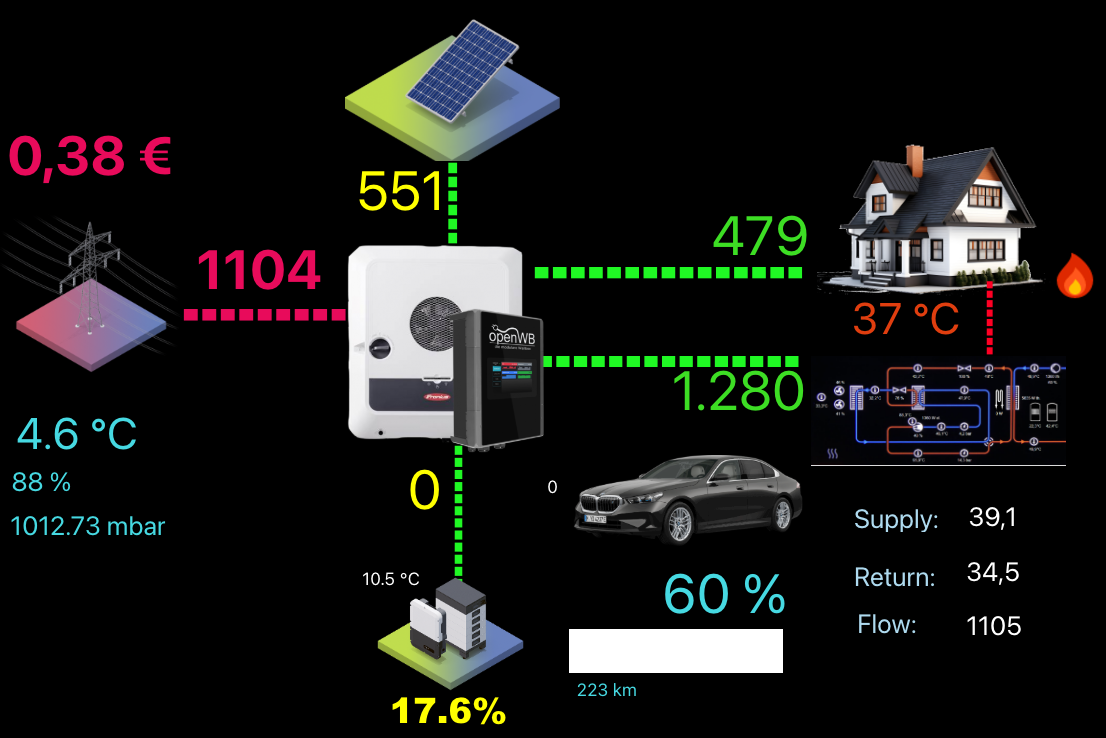
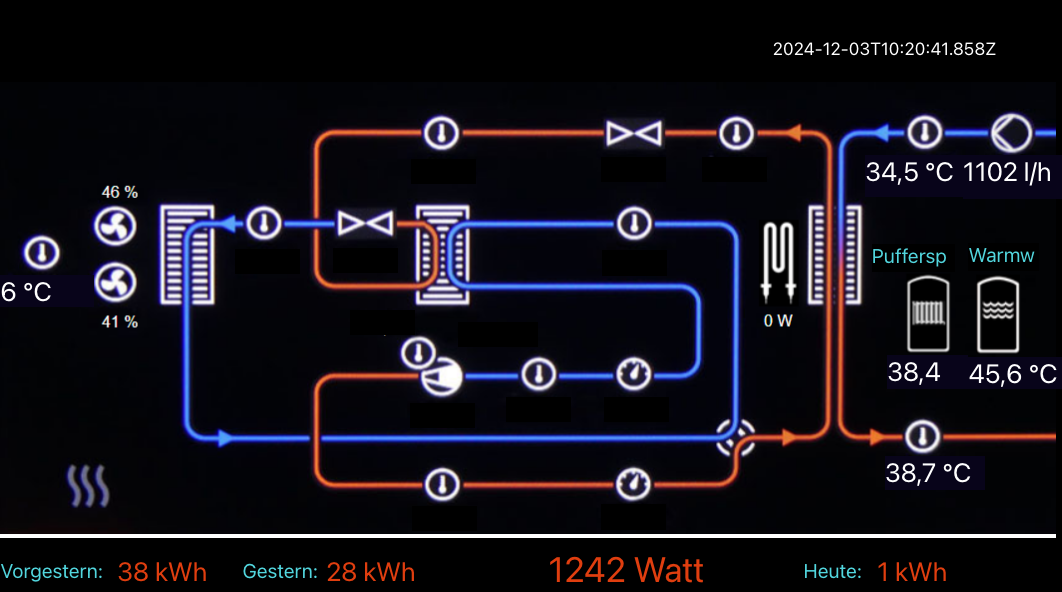
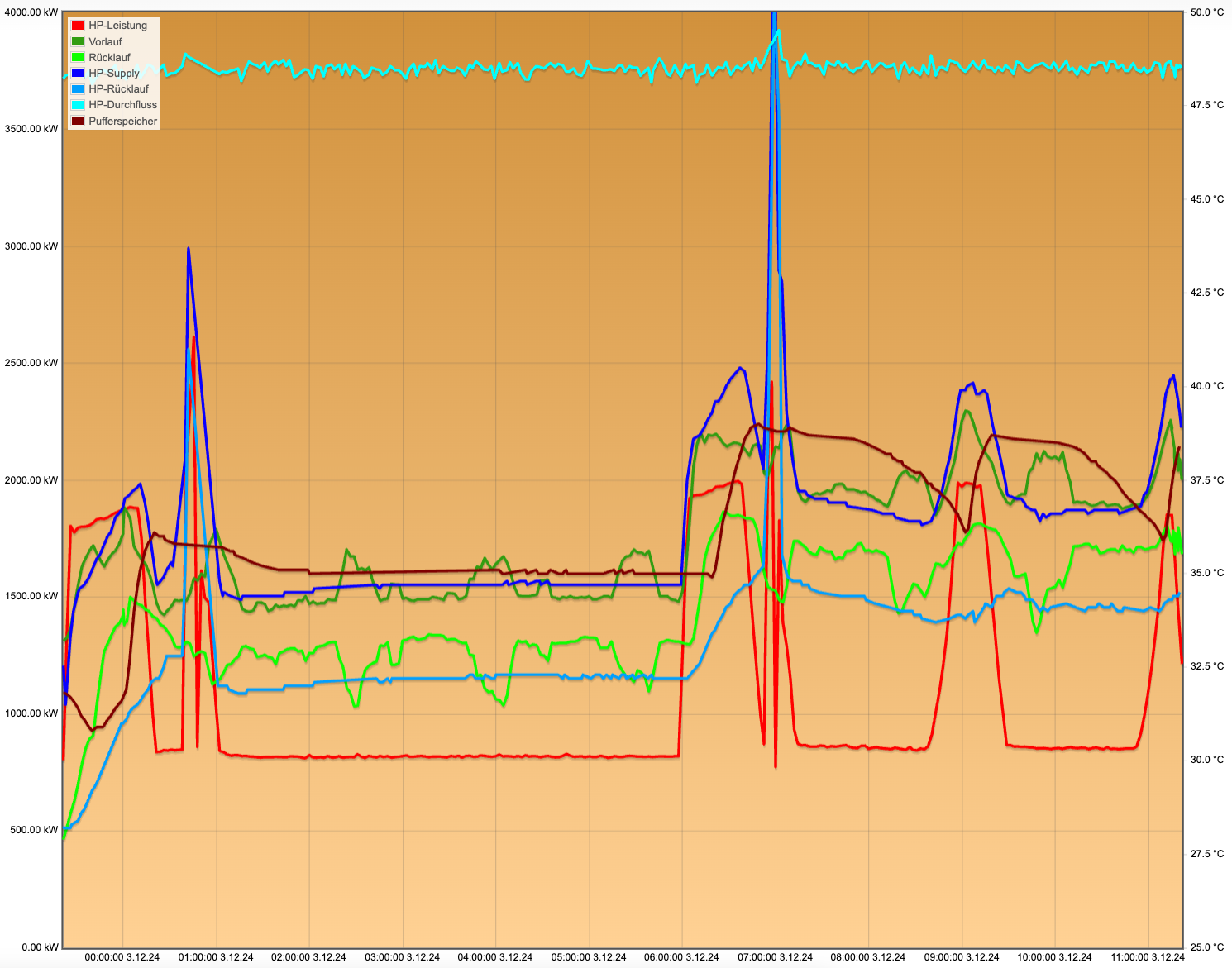
Damit ist es einfach möglich eine schöne Übersicht zu bauen und Diagramme zu zeichnen. DIese sind für mich wichtiger, da hieran das Regelverhalten erkennbar ist.

Support us
375
Online32.7k
Users82.4k
Topics1.3m
Posts