Skip to content
  • Home
  • Recent
  • Tags
  • 0 Unread 0
  • Categories
  • Unreplied
  • Popular
  • GitHub
  • Docu
  • Hilfe
Skins
  • Light
  • Brite
  • Cerulean
  • Cosmo
  • Flatly
  • Journal
  • Litera
  • Lumen
  • Lux
  • Materia
  • Minty
  • Morph
  • Pulse
  • Sandstone
  • Simplex
  • Sketchy
  • Spacelab
  • United
  • Yeti
  • Zephyr
  • Dark
  • Cyborg
  • Darkly
  • Quartz
  • Slate
  • Solar
  • Superhero
  • Vapor

  • Default (No Skin)
  • No Skin
Collapse
ioBroker Logo

Community Forum

donate donate
  1. ioBroker Community Home
  2. Deutsch
  3. ioBroker Allgemein
  4. Shelly pro 3 em - keine / fehlende Werte (Close)

NEWS

  • Monatsrückblick Januar/Februar 2026 ist online!
    BluefoxB
    Bluefox
    18
    1
    793

  • Jahresrückblick 2025 – unser neuer Blogbeitrag ist online! ✨
    BluefoxB
    Bluefox
    18
    1
    6.2k

  • Neuer Blogbeitrag: Monatsrückblick - Dezember 2025 🎄
    BluefoxB
    Bluefox
    13
    1
    1.5k

Shelly pro 3 em - keine / fehlende Werte (Close)

Scheduled Pinned Locked Moved ioBroker Allgemein
shelly pro
2 Posts 1 Posters 175 Views 1 Watching
  • Oldest to Newest
  • Newest to Oldest
  • Most Votes
Reply
  • Reply as topic
Log in to reply
This topic has been deleted. Only users with topic management privileges can see it.
  • YodaY Offline
    YodaY Offline
    Yoda
    wrote on last edited by Yoda
    #1

    Hallo,
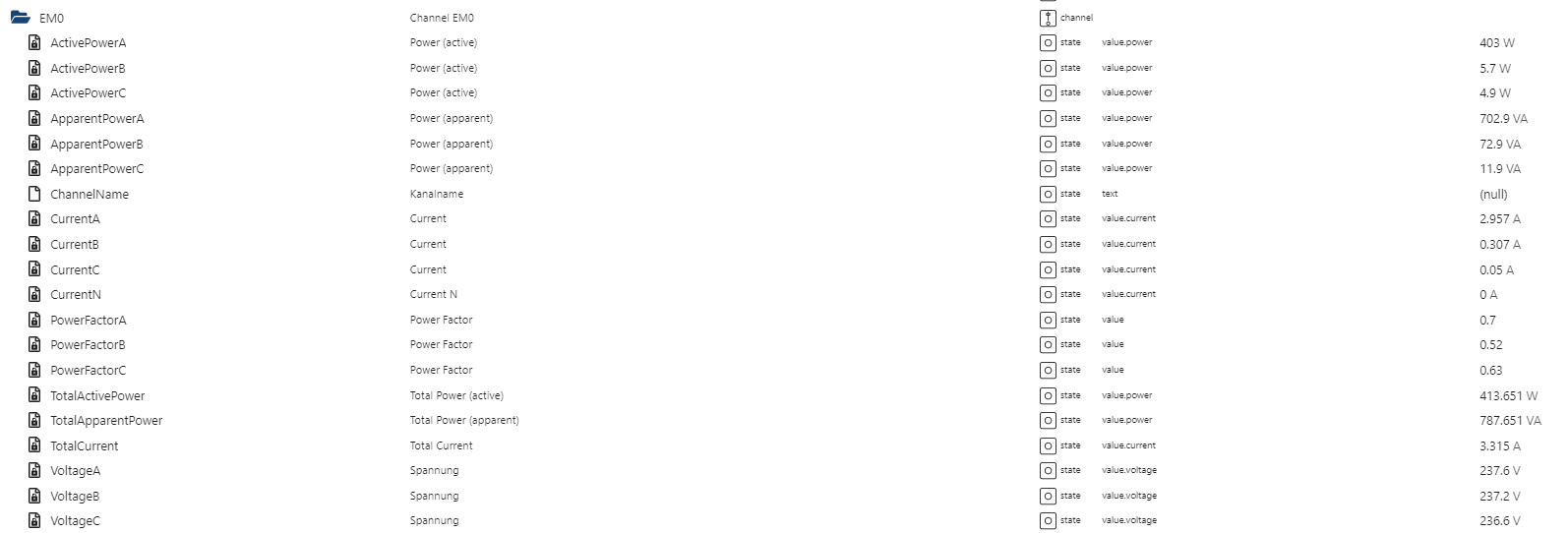
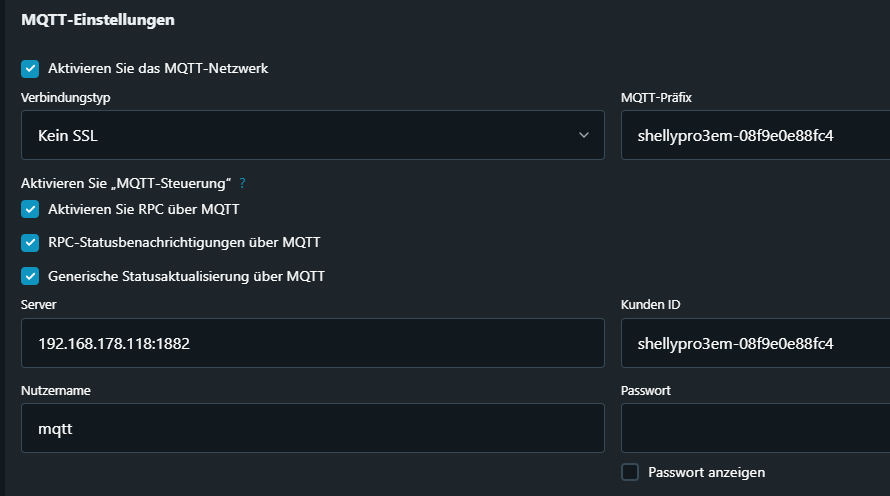
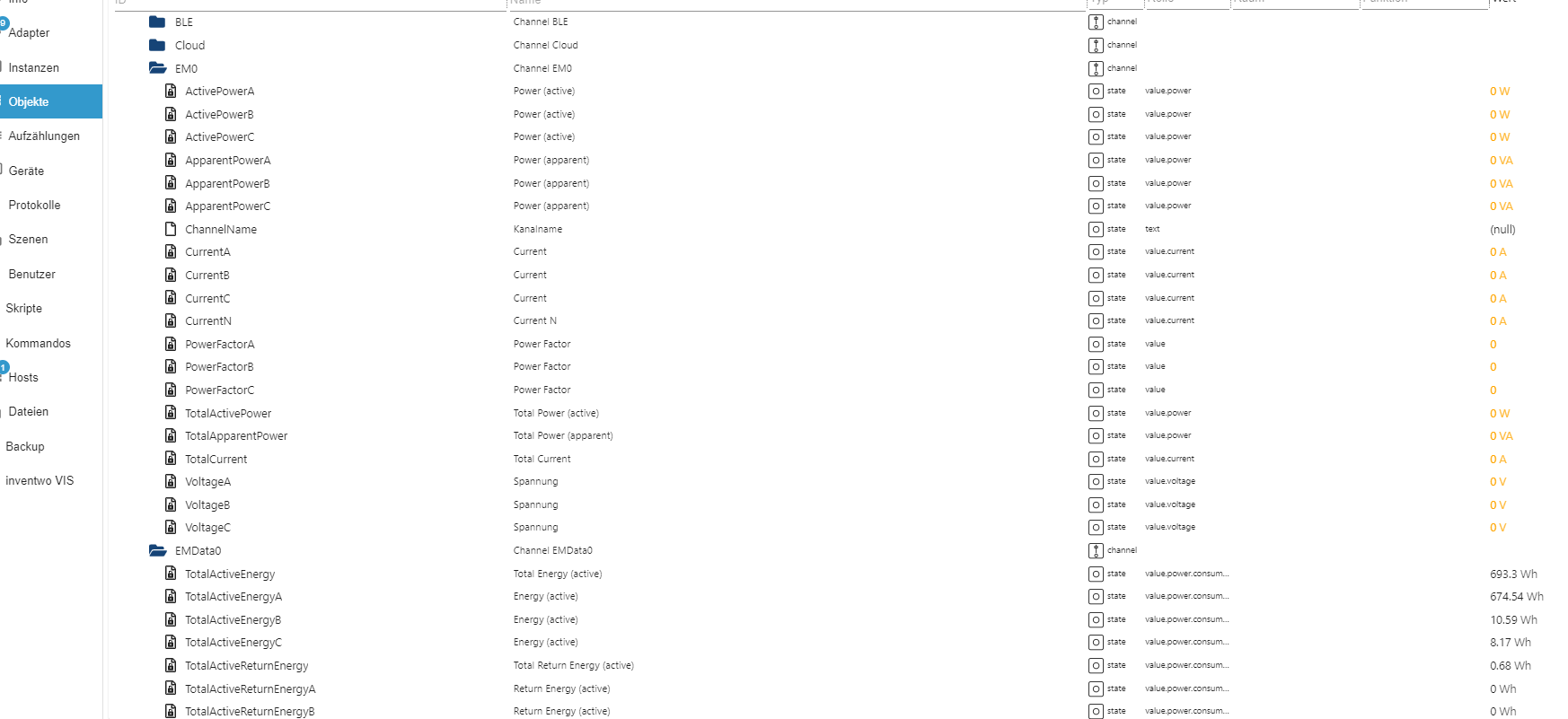
    Leider bekomme ich keine Aktuellen Verbrauchswerte im Shelly Adapter angezeigt.
    Als Objekt wurde der Shelly angelegt.
    Verbunden habe ich diesen per mqtt, soweit sieht alles gut aus.

    Hat da bitte jemand ein Tip wo mein Fehler ist?

    So siehts es Aktuell bei mir aus:
    Mqtt.png
    Objekte.png
    Mqtt-Objekte.png

    Gruß Yoda
    Stand 05.2025
    Raspberry5,linux,arm64,CPUs:4,Geschwindigkeit:2400 MHz,Modell:Cortex-A76,RAM:15.8 GB,Node.js:v20.19.2

    YodaY 1 Reply Last reply
    0
    • YodaY Yoda

      Hallo,
      Leider bekomme ich keine Aktuellen Verbrauchswerte im Shelly Adapter angezeigt.
      Als Objekt wurde der Shelly angelegt.
      Verbunden habe ich diesen per mqtt, soweit sieht alles gut aus.

      Hat da bitte jemand ein Tip wo mein Fehler ist?

      So siehts es Aktuell bei mir aus:
      Mqtt.png
      Objekte.png
      Mqtt-Objekte.png

      YodaY Offline
      YodaY Offline
      Yoda
      wrote on last edited by
      #2

      Hat sich grade auch schon wieder Erledigt,
      warum auch immer war mein mqtt Passwort gelöscht, neu eingegeben - und es läuft.
      ok.png

      Gruß Yoda
      Stand 05.2025
      Raspberry5,linux,arm64,CPUs:4,Geschwindigkeit:2400 MHz,Modell:Cortex-A76,RAM:15.8 GB,Node.js:v20.19.2

      1 Reply Last reply
      0

      Hello! It looks like you're interested in this conversation, but you don't have an account yet.

      Getting fed up of having to scroll through the same posts each visit? When you register for an account, you'll always come back to exactly where you were before, and choose to be notified of new replies (either via email, or push notification). You'll also be able to save bookmarks and upvote posts to show your appreciation to other community members.

      With your input, this post could be even better 💗

      Register Login
      Reply
      • Reply as topic
      Log in to reply
      • Oldest to Newest
      • Newest to Oldest
      • Most Votes


      Support us

      ioBroker
      Community Adapters
      Donate
      FAQ Cloud / IOT
      HowTo: Node.js-Update
      HowTo: Backup/Restore
      Downloads
      BLOG

      552

      Online

      32.8k

      Users

      82.7k

      Topics

      1.3m

      Posts
      Community
      Impressum | Datenschutz-Bestimmungen | Nutzungsbedingungen | Einwilligungseinstellungen
      ioBroker Community 2014-2025
      logo
      • Login

      • Don't have an account? Register

      • Login or register to search.
      • First post
        Last post
      0
      • Home
      • Recent
      • Tags
      • Unread 0
      • Categories
      • Unreplied
      • Popular
      • GitHub
      • Docu
      • Hilfe