
NEWS




New visualization "webui" in stable repository.
-
New visualization "webui" in stable repository.
(link: https://github.com/iobroker-community-adapters/ioBroker.webui)
A live demo is here: http://129.159.205.3:8082/webui/index.htmlIt is a complete free configurable visualization based on webcomponents.
It has a wysiwyg editor, with a Split view posibility to also edit directly the html code.
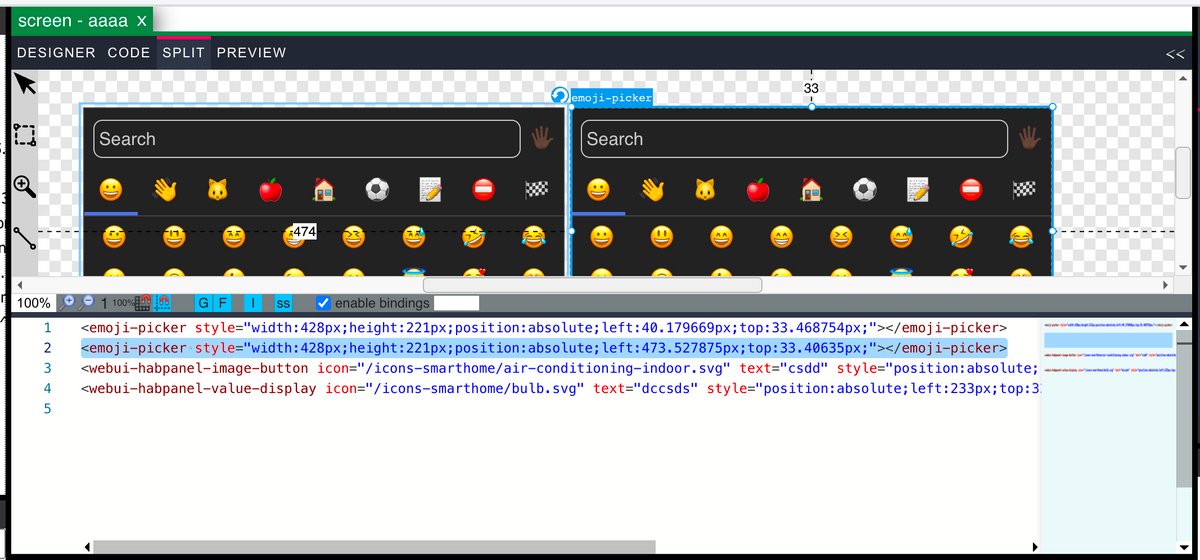
There is already a german thread about it, wich also links to a view videos wich describe how it could be used.
https://forum.iobroker.net/topic/68819/neue-visualiserung-webui-im-stable-repositoryIf you have questions, feel free to ask here.
-
New visualization "webui" in stable repository.
(link: https://github.com/iobroker-community-adapters/ioBroker.webui)
A live demo is here: http://129.159.205.3:8082/webui/index.htmlIt is a complete free configurable visualization based on webcomponents.
It has a wysiwyg editor, with a Split view posibility to also edit directly the html code.
There is already a german thread about it, wich also links to a view videos wich describe how it could be used.
https://forum.iobroker.net/topic/68819/neue-visualiserung-webui-im-stable-repositoryIf you have questions, feel free to ask here.
@jogibear9988 I've finally managed to set the time aside to take a good look at Webui and I'm liking what I see a lot! Thanks for making it available for IOBroker! I have a bunch of questions and am curious about your thoughts.
I'm used to building dashboards that have a title+tab bar across the top providing overall navigation and then the content area below, which may be a grid of widgets, an iframe of some other site, or ad-hoc pages. How could I "wrap" the WebUI in such a page layout? I know I could place the same title bar component at the top of every page, but that's really clumsy. Is it mostly a matter of providing my own version of
iobroker-webui-screen-viewer, for example?I'm also wondering what you think about providing a SPA (Single Page Application) option? My existing dashboard (https://flexdash.github.io/docs/) ends up caching the data that the widgets access, which has the benefit that switching tabs is totally instantaneous and all the data is already there. Of course there's a memory trade-off. The model with the iobroker connection is a bit different than what I used, but it seems like it would be possible to stick the data coming in from the broker into a cache and keep the subscriptions flowing even when a widget is unmounted 'cause the user navigated to a different tab. Probably not important when there are just a handful of values driving the widgets on a page, but it becomes very helpful when there are multiple charts showing a year's worth of data.
Maybe I can do both things above by writing a PageLayout web component that does the title bar with the tabs and then loads different "sub-screens" into a content area. The main annoyance would be how to configure the various options for the content and I believe something needs to change in the runtime.html to deal with window.location differently.
-
@jogibear9988 I've finally managed to set the time aside to take a good look at Webui and I'm liking what I see a lot! Thanks for making it available for IOBroker! I have a bunch of questions and am curious about your thoughts.
I'm used to building dashboards that have a title+tab bar across the top providing overall navigation and then the content area below, which may be a grid of widgets, an iframe of some other site, or ad-hoc pages. How could I "wrap" the WebUI in such a page layout? I know I could place the same title bar component at the top of every page, but that's really clumsy. Is it mostly a matter of providing my own version of
iobroker-webui-screen-viewer, for example?I'm also wondering what you think about providing a SPA (Single Page Application) option? My existing dashboard (https://flexdash.github.io/docs/) ends up caching the data that the widgets access, which has the benefit that switching tabs is totally instantaneous and all the data is already there. Of course there's a memory trade-off. The model with the iobroker connection is a bit different than what I used, but it seems like it would be possible to stick the data coming in from the broker into a cache and keep the subscriptions flowing even when a widget is unmounted 'cause the user navigated to a different tab. Probably not important when there are just a handful of values driving the widgets on a page, but it becomes very helpful when there are multiple charts showing a year's worth of data.
Maybe I can do both things above by writing a PageLayout web component that does the title bar with the tabs and then loads different "sub-screens" into a content area. The main annoyance would be how to configure the various options for the content and I believe something needs to change in the runtime.html to deal with window.location differently.
@tve said in New visualization "webui" in stable repository.:
@jogibear9988 I've finally managed to set the time aside to take a good look at Webui and I'm liking what I see a lot! Thanks for making it available for IOBroker! I have a bunch of questions and am curious about your thoughts.
I'm used to building dashboards that have a title+tab bar across the top providing overall navigation and then the content area below, which may be a grid of widgets, an iframe of some other site, or ad-hoc pages. How could I "wrap" the WebUI in such a page layout? I know I could place the same title bar component at the top of every page, but that's really clumsy. Is it mostly a matter of providing my own version of
iobroker-webui-screen-viewer, for example?you could create a page with the menu and a screen viewer, and with the click on a menu item, you could change the property "screen-name" of the screen viewer.
I'm also wondering what you think about providing a SPA (Single Page Application) option? My existing dashboard (https://flexdash.github.io/docs/) ends up caching the data that the widgets access, which has the benefit that switching tabs is totally instantaneous and all the data is already there. Of course there's a memory trade-off. The model with the iobroker connection is a bit different than what I used, but it seems like it would be possible to stick the data coming in from the broker into a cache and keep the subscriptions flowing even when a widget is unmounted 'cause the user navigated to a different tab. Probably not important when there are just a handful of values driving the widgets on a page, but it becomes very helpful when there are multiple charts showing a year's worth of data.
don't understand what you mean? what do you need in webui to support this?
-
@jogibear9988 I've finally managed to set the time aside to take a good look at Webui and I'm liking what I see a lot! Thanks for making it available for IOBroker! I have a bunch of questions and am curious about your thoughts.
I'm used to building dashboards that have a title+tab bar across the top providing overall navigation and then the content area below, which may be a grid of widgets, an iframe of some other site, or ad-hoc pages. How could I "wrap" the WebUI in such a page layout? I know I could place the same title bar component at the top of every page, but that's really clumsy. Is it mostly a matter of providing my own version of
iobroker-webui-screen-viewer, for example?I'm also wondering what you think about providing a SPA (Single Page Application) option? My existing dashboard (https://flexdash.github.io/docs/) ends up caching the data that the widgets access, which has the benefit that switching tabs is totally instantaneous and all the data is already there. Of course there's a memory trade-off. The model with the iobroker connection is a bit different than what I used, but it seems like it would be possible to stick the data coming in from the broker into a cache and keep the subscriptions flowing even when a widget is unmounted 'cause the user navigated to a different tab. Probably not important when there are just a handful of values driving the widgets on a page, but it becomes very helpful when there are multiple charts showing a year's worth of data.
Maybe I can do both things above by writing a PageLayout web component that does the title bar with the tabs and then loads different "sub-screens" into a content area. The main annoyance would be how to configure the various options for the content and I believe something needs to change in the runtime.html to deal with window.location differently.
-
@jogibear9988 Yup, that's a good start! One issue is that the URL doesn't change when switching embedded screens.
I also noticed that the page takes >16 seconds to finish loading (I'm far away, but still). es-module-shims requests individual small js files forever. Is this due to the way you built this demo page or is it inherent in the Webui design? Can you bundle everything together? (On that note, is it easy to omit the 1MB of blockly libs if one doesn't use blockly?) -
@jogibear9988 Yup, that's a good start! One issue is that the URL doesn't change when switching embedded screens.
I also noticed that the page takes >16 seconds to finish loading (I'm far away, but still). es-module-shims requests individual small js files forever. Is this due to the way you built this demo page or is it inherent in the Webui design? Can you bundle everything together? (On that note, is it easy to omit the 1MB of blockly libs if one doesn't use blockly?)@tve said in New visualization "webui" in stable repository.:
@jogibear9988 Yup, that's a good start! One issue is that the URL doesn't change when switching embedded screens.
I also noticed that the page takes >16 seconds to finish loading (I'm far away, but still). es-module-shims requests individual small js files forever. Is this due to the way you built this demo page or is it inherent in the Webui design? Can you bundle everything together? (On that note, is it easy to omit the 1MB of blockly libs if one doesn't use blockly?)1.) i added a new script command, wich fixes that problem look in: "simpleMenu2" at the sample server
2.) Look at my sample server, the runtime loads 900 files, in less then 2s on my system. And this is without using the browser cache. If you use the cache the runtime moste of the time needs to download nothing.
And also if you enable https, the browser should be able to use http2, wich allows faster transfer (I could not test this, I've no SSL certificates)
I stick to a no bundle setup, but this should be no problem. -
@tve said in New visualization "webui" in stable repository.:
@jogibear9988 Yup, that's a good start! One issue is that the URL doesn't change when switching embedded screens.
I also noticed that the page takes >16 seconds to finish loading (I'm far away, but still). es-module-shims requests individual small js files forever. Is this due to the way you built this demo page or is it inherent in the Webui design? Can you bundle everything together? (On that note, is it easy to omit the 1MB of blockly libs if one doesn't use blockly?)1.) i added a new script command, wich fixes that problem look in: "simpleMenu2" at the sample server
2.) Look at my sample server, the runtime loads 900 files, in less then 2s on my system. And this is without using the browser cache. If you use the cache the runtime moste of the time needs to download nothing.
And also if you enable https, the browser should be able to use http2, wich allows faster transfer (I could not test this, I've no SSL certificates)
I stick to a no bundle setup, but this should be no problem.@jogibear9988 Thanks for updating the script. Would you mind posting the full URL 'cause the variations I tried don't result in anything..
In my book a page that takes 2 seconds to load is very slow, on a cell phone with a poor connection I find that it becomes unusable, but to each their own criteria... -
@jogibear9988 Thanks for updating the script. Would you mind posting the full URL 'cause the variations I tried don't result in anything..
In my book a page that takes 2 seconds to load is very slow, on a cell phone with a poor connection I find that it becomes unusable, but to each their own criteria...@tve said in New visualization "webui" in stable repository.:
@jogibear9988 Thanks for updating the script. Would you mind posting the full URL 'cause the variations I tried don't result in anything..
http://129.159.205.3:8082/webui/index.html
In my book a page that takes 2 seconds to load is very slow, on a cell phone with a poor connection I find that it becomes unusable, but to each their own criteria...
atm I don't use a bundler, so I cannot do anything.
I think http2 should help

Support us
565
Online32.5k
Users81.7k
Topics1.3m
Posts