Skip to content
  • Home
  • Recent
  • Tags
  • 0 Unread 0
  • Categories
  • Unreplied
  • Popular
  • GitHub
  • Docu
  • Hilfe
Skins
  • Light
  • Brite
  • Cerulean
  • Cosmo
  • Flatly
  • Journal
  • Litera
  • Lumen
  • Lux
  • Materia
  • Minty
  • Morph
  • Pulse
  • Sandstone
  • Simplex
  • Sketchy
  • Spacelab
  • United
  • Yeti
  • Zephyr
  • Dark
  • Cyborg
  • Darkly
  • Quartz
  • Slate
  • Solar
  • Superhero
  • Vapor

  • Default (No Skin)
  • No Skin
Collapse
ioBroker Logo

Community Forum

donate donate
  1. ioBroker Community Home
  2. Deutsch
  3. Error/Bug
  4. Bilder werden nicht mehr dargestellt und Darstellungsfehler

NEWS

  • Neuer ioBroker-Blog online: Monatsrückblick März/April 2026
    BluefoxB
    Bluefox
    5
    1
    123

  • Verwendung von KI bitte immer deutlich kennzeichnen
    HomoranH
    Homoran
    8
    1
    163

  • Monatsrückblick Januar/Februar 2026 ist online!
    BluefoxB
    Bluefox
    18
    1
    868

Bilder werden nicht mehr dargestellt und Darstellungsfehler

Scheduled Pinned Locked Moved Unsolved Error/Bug
app
1 Posts 1 Posters 96 Views 1 Watching
  • Oldest to Newest
  • Newest to Oldest
  • Most Votes
Reply
  • Reply as topic
Log in to reply
This topic has been deleted. Only users with topic management privileges can see it.
  • GregorSG Offline
    GregorSG Offline
    GregorS
    wrote on last edited by
    #1
    Systemdata Bitte Ausfüllen
    Hardwaresystem: Tinkerboard
    Arbeitsspeicher: 2GB
    Festplattenart: SD-Karte/SSD/HDD
    Betriebssystem: Debian Buster with Armbian Linux 4.4.190
    Node-Version: v10.19.0
    Nodejs-Version: v10.19.0
    NPM-Version: 6.13.4
    Installationsart: Skript/Manuell
    Image genutzt: Ja
    Ort/Name der Imagedatei: ioBroker_Image_Tinker_201900813_buster

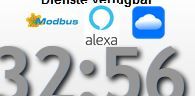
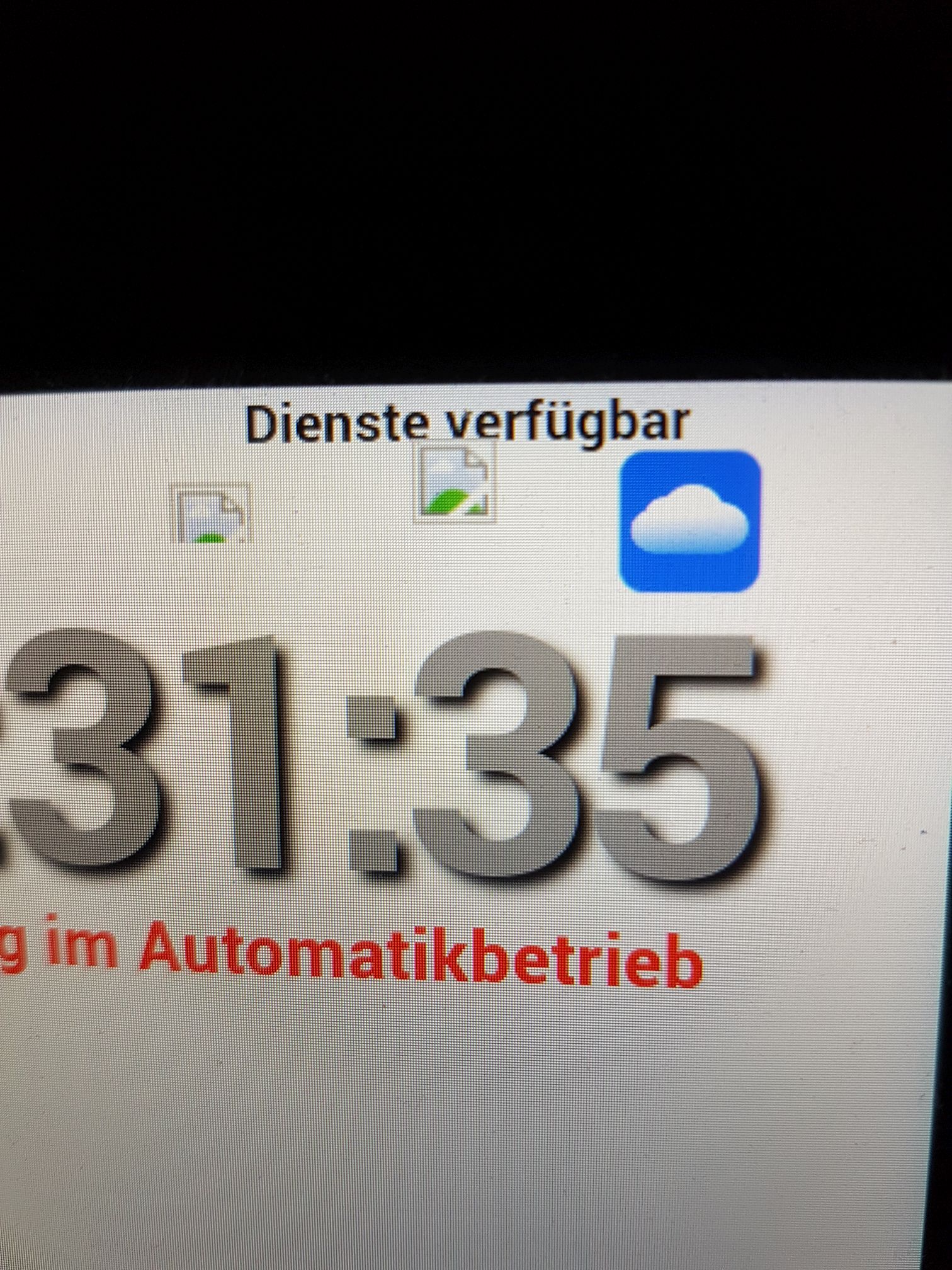
    jpg und png-Dateien werden in der App nicht mehr dargestellt.
    Im Browser ist alles in Ordnung.
    Die Dateien wurden mit dem Dateimanager hochgeladen und liegen im Verzeichnis /vis.0/main

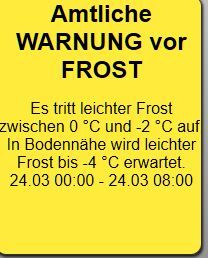
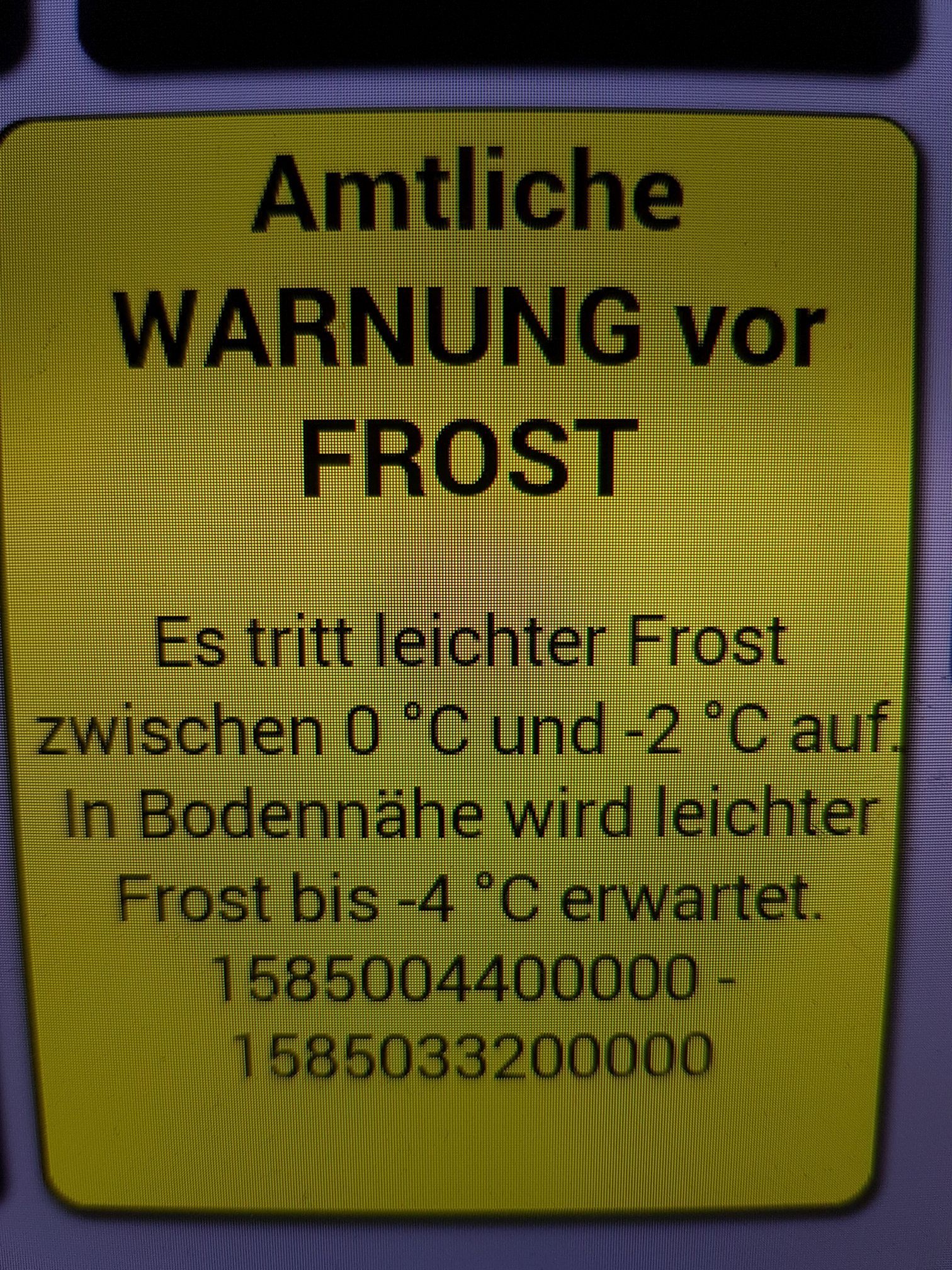
    Die Zeitdaten aus dem DWD-Adapter werden in der App nicht mehr richtig dargestellt.
    Im Browser richtig, in der Appa als Zahlenkolonne.

    Bitte um Info oder Workaround

    Browser_1.JPG App_1.jpg

    Browser_2.JPG App_2.jpg

    INTEL NUC i7, Sonoff, hmIP, AVM, Jeelink, T-Link, Alexa, Saia-Burgess, uvm.

    1 Reply Last reply
    0

    Hello! It looks like you're interested in this conversation, but you don't have an account yet.

    Getting fed up of having to scroll through the same posts each visit? When you register for an account, you'll always come back to exactly where you were before, and choose to be notified of new replies (either via email, or push notification). You'll also be able to save bookmarks and upvote posts to show your appreciation to other community members.

    With your input, this post could be even better 💗

    Register Login
    Reply
    • Reply as topic
    Log in to reply
    • Oldest to Newest
    • Newest to Oldest
    • Most Votes


    Support us

    ioBroker
    Community Adapters
    Donate

    459

    Online

    32.8k

    Users

    82.7k

    Topics

    1.3m

    Posts
    Community
    Impressum | Datenschutz-Bestimmungen | Nutzungsbedingungen | Einwilligungseinstellungen
    ioBroker Community 2014-2025
    logo
    • Login

    • Don't have an account? Register

    • Login or register to search.
    • First post
      Last post
    0
    • Home
    • Recent
    • Tags
    • Unread 0
    • Categories
    • Unreplied
    • Popular
    • GitHub
    • Docu
    • Hilfe