




Bilderserie von Kamera wie am besten abspeichern und anzeigen
-
Hallo,
bin leider nicht der begnadete Programmierer, aber vielleicht könnte ihr mir ein paar Tipps geben.
Ich möchte:
-
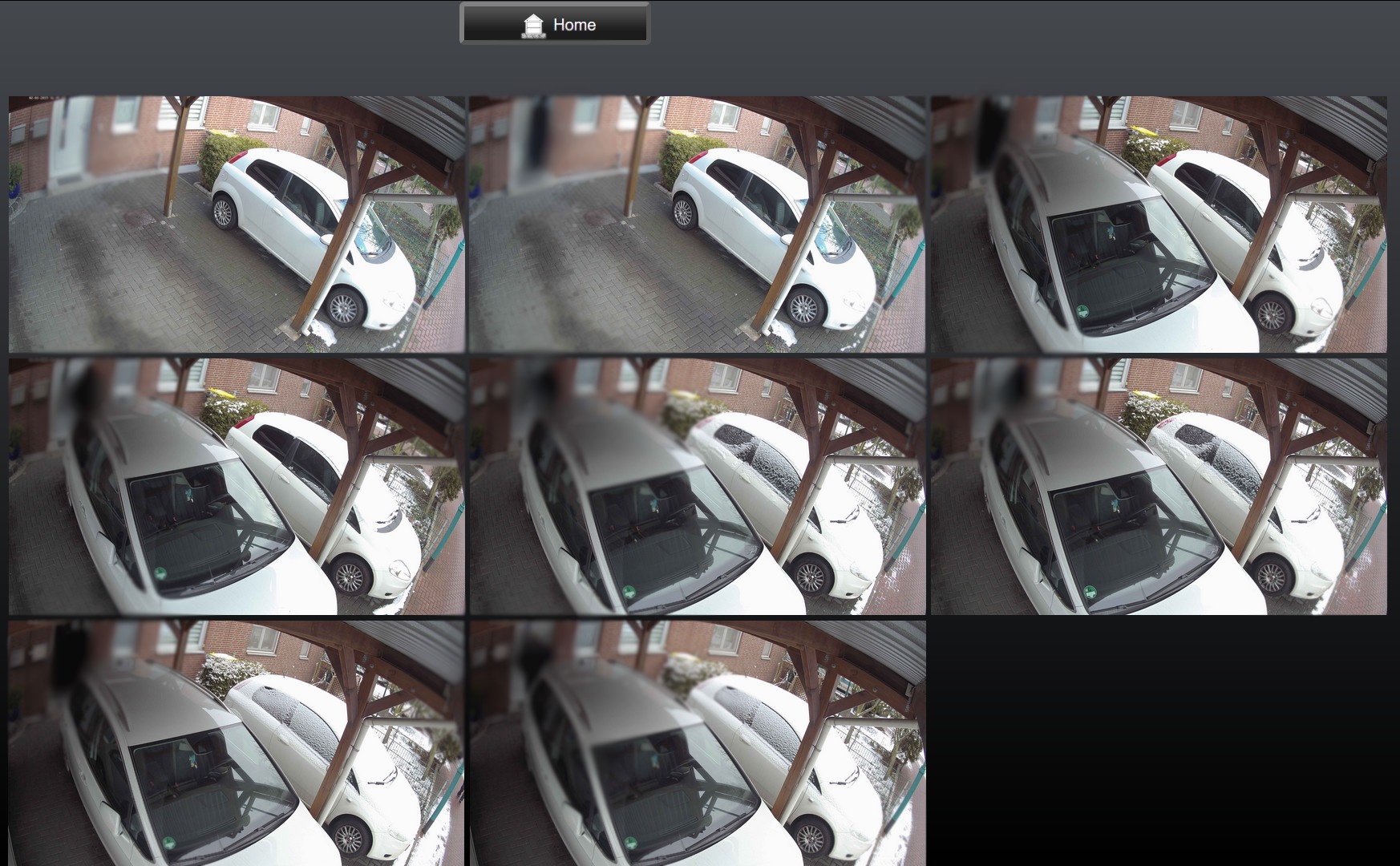
Bilder (Snapshot) von meiner Kamera speichern, z.B. die letzten 5
-
Das 6te Bild soll dann das erste wieder überschreiben usw.
-
Diese dann in der umgekehrten Reihenfolge (also letzte zuerst) in der VIS anzeigen
Mit einem Bild habe ich das schon hinbekommen über diesen Befehl:
> wget –output-document /opt/iobroker/iobroker-data/files/Bilder/test.jpg 'http:...picture'Das Bildet landet dann einfach in dem Verzeichnis:/opt/iobroker/iobroker-data/files/Bilder/
Nur wie bekomme ich die Bilder jetzt zusammenhängend in ein Array und wie kann ich sie dann in einem VIS Objekt darstellen.
Hoffe man kann das Problem einigermaßen verstehen.
Broker
-
-
Hallo ,
habe ein Skript von " Uhula " dafür genutzt .
In etwa So :
! ````
// -------------------------------------------------------------------------
// Dieses Script überwaht den Zustand eines Bewegungsmelders und speichert bei
// Aktivierung ein Bild einer Überwachnungskamera in einem Vereichnis und sendet
// dieses via Telegram.0-Adapter. Nach 10 Sek wird ein weiteres Bild erstellt und
// gesendet.
// Die Speicherung der Bilder erfolgt als "Stack", d.h. das aktuellste Bild bekommt
// immer den Suffix "0" und es werden n Bilder mit den Suffixen 1..n-1 vorgehalten
// Uhula 2017.11
// -------------------------------------------------------------------------
! // -------------------------------------------------------------------------
// Konfiguration
// -------------------------------------------------------------------------
// Objekt-ID des Bewegungsmelders
const oidLichtBewmelderTuer = "hm-rpc.1.JEQ0000000.1.MOTION";
// URL zur Kamera umn ein Image (jpg) zu erhalten
const cam_url = "http://username:password@000.000.000.000/cgi-bin/viewer/video.jpg?streamid=1";
// Pfadangabe für die Speicherung der Bilder, der Pfad muss existieren
const dest_path = '/opt/iobroker/iobroker-data/files/temp/';
// Anzahl der Bilder, die vorgehalten werden sollen
const imageCountMax = 8;
// Prefix für die Bildnamen
const imageNamePre = "eingangstuer";
! // -------------------------------------------------------------------------
// Scriptteil
// -------------------------------------------------------------------------
var request = require('request');
var fs = require('fs');
! // Bild an telegram schicken
function sendImage (path) {
try {
var stats = fs.statSync(path);
var msg = formatDate(stats.birthtime,"DD.MM.YYYY hh:mm:ss") + " " + path.substring(path.lastIndexOf('/')+1);
sendTo('telegram.0', {
text: path,
caption: msg,
disable_notification: true
});
}
catch(err) { if (err.code != "ENOENT") log(err); }
}
! // löscht eine Datei synchron (wartet auf das Ergebnis)
function fsUnlinkSync(path) {
try {
var stats = fs.statSync(path);
try { fs.unlinkSync(path); }
catch(err) { if (err.code != "ENOENT") log(err); }
}
catch(err) { if (err.code != "ENOENT") log(err); }
}
! // benennt eine Datei synchron um (wartet auf das Ergebnis)
function fsRenameSync(oldPath, newPath) {
try {
var stats = fs.statSync(oldPath);
try { fs.renameSync(oldPath, newPath); }
catch(err) { if (err.code != "ENOENT") log(err); }
}
catch(err) { if (err.code != "ENOENT") log(err); }
}
! // Bild speichern und senden
function saveImage() {
// Bild imageCountMax-1 löschen
fsUnlinkSync( dest_path + imageNamePre + (imageCountMax-1) + ".jpg" );
// Bilder 0..imageCountMax-2 umbenennen
for (var i=imageCountMax-2; i >= 0; i-- ) {
fsRenameSync(dest_path + imageNamePre + i + ".jpg", dest_path + imageNamePre + (i+1) + ".jpg");
}
// Bild 0 löschen
var fname = imageNamePre + "0.jpg";
fsUnlinkSync( fname );
// Bild holen und speichern
request.get({url: cam_url, encoding: 'binary'}, function (err, response, body) {
fs.writeFile(dest_path + fname, body, 'binary', function(err) {
if (err) {
log('Fehler beim Bild speichern: ' + err, 'warn');
} else {
// dem Filesystem 2 Sek Zeit zum Speichern lassen
setTimeout(function() { sendImage(dest_path + fname); }, 2000);
}
});
});
}
! // sofort ein Bild senden und nach 10 Sek erneut
function onEvent() {
saveImage();
setTimeout(function() { saveImage(); }, 10 * 1000);
}
! // Ereignisroutine
on({id: oidLichtBewmelderTuer, val: true}, function (obj) {
onEvent( obj );
});
! // manuelle Ausführung (Test)
onEvent();


Hello! It looks like you're interested in this conversation, but you don't have an account yet.
Getting fed up of having to scroll through the same posts each visit? When you register for an account, you'll always come back to exactly where you were before, and choose to be notified of new replies (either via email, or push notification). You'll also be able to save bookmarks and upvote posts to show your appreciation to other community members.
With your input, this post could be even better 💗
Register LoginSupport us
578
Online32.8k
Users82.8k
Topics1.3m
Posts