



Skip to content
  • Home
  • Aktuell
  • Tags
  • 0 Ungelesen 0
  • Kategorien
  • Unreplied
  • Beliebt
  • GitHub
  • Docu
  • Hilfe
Skins
  • Light
  • Brite
  • Cerulean
  • Cosmo
  • Flatly
  • Journal
  • Litera
  • Lumen
  • Lux
  • Materia
  • Minty
  • Morph
  • Pulse
  • Sandstone
  • Simplex
  • Sketchy
  • Spacelab
  • United
  • Yeti
  • Zephyr
  • Dark
  • Cyborg
  • Darkly
  • Quartz
  • Slate
  • Solar
  • Superhero
  • Vapor

  • Standard: (Kein Skin)
  • Kein Skin
Einklappen
ioBroker Logo

Community Forum

donate donate
  1. ioBroker Community Home
  2. Deutsch
  3. Error/Bug
  4. JS Update auf 4.1.7 Error 20

NEWS

  • Jahresrückblick 2025 – unser neuer Blogbeitrag ist online! ✨
    BluefoxB
    Bluefox
    16
    1
    1.0k

  • Neuer Blogbeitrag: Monatsrückblick - Dezember 2025 🎄
    BluefoxB
    Bluefox
    13
    1
    697

  • Weihnachtsangebot 2025! 🎄
    BluefoxB
    Bluefox
    25
    1
    2.0k

JS Update auf 4.1.7 Error 20

Geplant Angeheftet Gesperrt Verschoben Ungelöst Error/Bug
javascripterror
15 Beiträge 3 Kommentatoren 980 Aufrufe 4 Watching
  • Älteste zuerst
  • Neuste zuerst
  • Meiste Stimmen
Antworten
  • In einem neuen Thema antworten
Anmelden zum Antworten
Dieses Thema wurde gelöscht. Nur Nutzer mit entsprechenden Rechten können es sehen.
  • NegaleinN Offline
    NegaleinN Offline
    Negalein
    Global Moderator
    schrieb am zuletzt editiert von
    #1

    Ich wollte gerade mein JS von 4.0.12 auf 4.1.7 updaten.

    Bekam am Schluss einen Error 20.

    iobroker 2019-03-02 16:01:43.650 info exit 20
    iobroker 2019-03-02 16:01:43.637 error host.ioBroker error: reading io-package.json Error: ENOENT: no such file or directory, open 'null/io-package.json'
    iobroker 2019-03-02 16:01:43.635 info host.ioBroker create instance javascript
    iobroker 2019-03-02 16:01:43.558 info npm ERR! Please include the following file with any support request:npm ERR! /opt/iobroker/npm-debug.log
    iobroker 2019-03-02 16:01:43.557 info
    iobroker 2019-03-02 16:01:43.481 info npm ERR! There is likely additional logging output above.
    iobroker 2019-03-02 16:01:43.481 info npm ERR! npm owner ls iobroker.javascript
    iobroker 2019-03-02 16:01:43.481 info npm bugs iobroker.javascriptnpm ERR! Or if that isn't available, you can get their info via:
    iobroker 2019-03-02 16:01:43.480 info ERR!
    iobroker 2019-03-02 16:01:43.478 info npm
    iobroker 2019-03-02 16:01:43.476 info npm ERR! You can get information on how to open an issue for this project with:
    iobroker 2019-03-02 16:01:43.476 info npm ERR! node ./install/installTypings.js
    iobroker 2019-03-02 16:01:43.476 info npm ERR! Tell the author that this fails on your system:
    iobroker 2019-03-02 16:01:43.476 info npm ERR! not with npm itself.
    iobroker 2019-03-02 16:01:43.476 info npm ERR! If you do, this is most likely a problem with the iobroker.javascript package,
    iobroker 2019-03-02 16:01:43.476 info npm ERR! Make sure you have the latest version of node.js and npm installed.
    iobroker 2019-03-02 16:01:43.476 info npm ERR! Failed at the iobroker.javascript@4.1.7 postinstall script 'node ./install/installTypings.js'.
    iobroker 2019-03-02 16:01:43.476 info npm ERR!
    iobroker 2019-03-02 16:01:43.476 info ERR! iobroker.javascript@4.1.7 postinstall: node ./install/installTypings.jsnpm ERR! Exit status 1
    iobroker 2019-03-02 16:01:43.475 info npm
    iobroker 2019-03-02 16:01:43.475 info ERR! code ELIFECYCLE
    iobroker 2019-03-02 16:01:43.474 info npm
    iobroker 2019-03-02 16:01:43.474 info npm ERR! npm v3.10.10
    iobroker 2019-03-02 16:01:43.474 info npm ERR! node v6.14.4
    iobroker 2019-03-02 16:01:43.474 info ERR! Linux 4.4.59+npm ERR! argv "/usr/bin/node" "/usr/bin/npm" "install" "iobroker.javascript" "--production" "--save" "--prefix" "/opt/iobroker"
    iobroker 2019-03-02 16:01:43.473 info npm
    iobroker 2019-03-02 16:01:43.468 info npm WARN notsup SKIPPING OPTIONAL DEPENDENCY: Unsupported platform for xpc-connection@0.1.4: wanted {"os":"darwin","arch":"any"} (current: {"os":"linux","arch":"x64"})
    iobroker 2019-03-02 16:01:43.468 info npm WARN notsup SKIPPING OPTIONAL DEPENDENCY: Unsupported platform for xpc-connection@0.1.4: wanted {"os":"darwin","arch":"any"} (current: {"os":"linux","arch":"x64"})npm WARN optional SKIPPING OPTIO
    iobroker 2019-03-02 16:01:43.467 info npm WARN optional SKIPPING OPTIONAL DEPENDENCY: xpc-connection@~0.1.4 (node_modules/iobroker.radar/node_modules/noble/node_modules/xpc-connection):
    iobroker 2019-03-02 16:01:43.467 info npm WARN notsup SKIPPING OPTIONAL DEPENDENCY: Unsupported platform for xpc-connection@0.1.4: wanted {"os":"darwin","arch":"any"} (current: {"os":"linux","arch":"x64"})
    iobroker 2019-03-02 16:01:43.467 info npm WARN optional SKIPPING OPTIONAL DEPENDENCY: xpc-connection@~0.1.4 (node_modules/iobroker.radar/node_modules/@abandonware/noble/node_modules/xpc-connection):
    iobroker 2019-03-02 16:01:43.467 info WARN optional SKIPPING OPTIONAL DEPENDENCY: xpc-connection@~0.1.4 (node_modules/@abandonware/noble/node_modules/xpc-connection):npm WARN notsup SKIPPING OPTIONAL DEPENDENCY: Unsupported platform for
    iobroker 2019-03-02 16:01:43.465 info npm
    iobroker 2019-03-02 16:01:42.175 info at bootstrap_node.js:507:3
    iobroker 2019-03-02 16:01:42.175 info at startup (bootstrap_node.js:160:9)
    iobroker 2019-03-02 16:01:42.175 info at run (bootstrap_node.js:394:7)
    iobroker 2019-03-02 16:01:42.175 info at Module.runMain (module.js:611:10)
    iobroker 2019-03-02 16:01:42.175 info at Function.Module._load (module.js:424:25)
    iobroker 2019-03-02 16:01:42.175 info at Function.Module._resolveFilename (module.js:476:15)
    iobroker 2019-03-02 16:01:42.175 info Error: Cannot find module '/opt/iobroker/node_modules/iobroker.javascript/install/installTypings.js'
    iobroker 2019-03-02 16:01:42.175 info ^
    iobroker 2019-03-02 16:01:42.175 info module.js:478 throw err;

    Unter "Adapter" scheint der JS-Adapter zwar auf, aber nicht als installiert!

    adapters - ioBroker.png

    Unter "Instanzen" scheint der JS-Adapter aber auf und funktioniert auch.

    instances - ioBroker.png

    Kann jetzt aber auch nicht mehr die 4.0.12 installieren.
    Da kommt ein Exit 10

    iobroker 2019-03-02 16:03:12.521 info exit 10
    iobroker 2019-03-02 16:03:12.507 error Cannot find io-package.json in null
    iobroker 2019-03-02 16:03:12.478 info npm ERR! Please include the following file with any support request:npm ERR! /opt/iobroker/npm-debug.log
    iobroker 2019-03-02 16:03:12.477 info
    iobroker 2019-03-02 16:03:12.404 info npm ERR! There is likely additional logging output above.
    iobroker 2019-03-02 16:03:12.404 info npm ERR! npm owner ls iobroker.javascript
    iobroker 2019-03-02 16:03:12.404 info npm ERR! Or if that isn't available, you can get their info via:
    iobroker 2019-03-02 16:03:12.404 info npm ERR! npm bugs iobroker.javascript
    iobroker 2019-03-02 16:03:12.404 info ERR! node ./install/installTypings.jsnpm ERR! You can get information on how to open an issue for this project with:
    iobroker 2019-03-02 16:03:12.396 info npm
    iobroker 2019-03-02 16:03:12.392 info npm ERR! Tell the author that this fails on your system:
    iobroker 2019-03-02 16:03:12.392 info npm ERR! not with npm itself.
    iobroker 2019-03-02 16:03:12.392 info npm ERR! If you do, this is most likely a problem with the iobroker.javascript package,
    iobroker 2019-03-02 16:03:12.392 info npm ERR! Make sure you have the latest version of node.js and npm installed.
    iobroker 2019-03-02 16:03:12.392 info npm ERR! Failed at the iobroker.javascript@4.0.12 postinstall script 'node ./install/installTypings.js'.
    iobroker 2019-03-02 16:03:12.392 info npm ERR!
    iobroker 2019-03-02 16:03:12.392 info npm ERR! Exit status 1
    iobroker 2019-03-02 16:03:12.392 info npm ERR! iobroker.javascript@4.0.12 postinstall: node ./install/installTypings.js
    iobroker 2019-03-02 16:03:12.392 info npm ERR! code ELIFECYCLE
    iobroker 2019-03-02 16:03:12.392 info v6.14.4npm ERR! npm v3.10.10
    iobroker 2019-03-02 16:03:12.390 info npm ERR! node
    iobroker 2019-03-02 16:03:12.390 info ERR! Linux 4.4.59+npm ERR! argv "/usr/bin/node" "/usr/bin/npm" "install" "iobroker.javascript@4.0.12" "--production" "--save" "--prefix" "/opt/iobroker"
    iobroker 2019-03-02 16:03:12.388 info npm
    iobroker 2019-03-02 16:03:12.385 info npm WARN notsup SKIPPING OPTIONAL DEPENDENCY: Unsupported platform for xpc-connection@0.1.4: wanted {"os":"darwin","arch":"any"} (current: {"os":"linux","arch":"x64"})
    iobroker 2019-03-02 16:03:12.385 info npm WARN optional SKIPPING OPTIONAL DEPENDENCY: xpc-connection@~0.1.4 (node_modules/noble/node_modules/xpc-connection):
    iobroker 2019-03-02 16:03:12.385 info npm WARN optional SKIPPING OPTIONAL DEPENDENCY: xpc-connection@~0.1.4 (node_modules/iobroker.radar/node_modules/noble/node_modules/xpc-connection):npm WARN notsup SKIPPING OPTIONAL DEPENDENCY: Unsupp
    iobroker 2019-03-02 16:03:12.376 info npm WARN notsup SKIPPING OPTIONAL DEPENDENCY: Unsupported platform for xpc-connection@0.1.4: wanted {"os":"darwin","arch":"any"} (current: {"os":"linux","arch":"x64"})
    iobroker 2019-03-02 16:03:12.376 info npm WARN notsup SKIPPING OPTIONAL DEPENDENCY: Unsupported platform for xpc-connection@0.1.4: wanted {"os":"darwin","arch":"any"} (current: {"os":"linux","arch":"x64"})npm WARN optional SKIPPING OPTIO
    iobroker 2019-03-02 16:03:12.373 info WARN optional SKIPPING OPTIONAL DEPENDENCY: xpc-connection@~0.1.4 (node_modules/@abandonware/noble/node_modules/xpc-connection):
    iobroker 2019-03-02 16:03:12.371 info npm
    iobroker 2019-03-02 16:03:11.434 info at bootstrap_node.js:507:3
    iobroker 2019-03-02 16:03:11.434 info at startup (bootstrap_node.js:160:9)
    iobroker 2019-03-02 16:03:11.434 info at run (bootstrap_node.js:394:7)
    iobroker 2019-03-02 16:03:11.434 info at Module.runMain (module.js:611:10)
    iobroker 2019-03-02 16:03:11.434 info at Function.Module._load (module.js:424:25)
    iobroker 2019-03-02 16:03:11.434 info at Function.Module._resolveFilename (module.js:476:15)
    iobroker 2019-03-02 16:03:11.434 info Error: Cannot find module '/opt/iobroker/node_modules/iobroker.javascript/install/installTypings.js'
    iobroker 2019-03-02 16:03:11.434 info ^
    iobroker 2019-03-02 16:03:11.434 info module.js:478 throw err;

    Hab ich was falsch gemacht?

    ° Node.js Update ---> iob nodejs-update
    ° Fixer ---> iob fix

    HomoranH 1 Antwort Letzte Antwort
    0
    • NegaleinN Negalein

      Ich wollte gerade mein JS von 4.0.12 auf 4.1.7 updaten.

      Bekam am Schluss einen Error 20.

      iobroker 2019-03-02 16:01:43.650 info exit 20
      iobroker 2019-03-02 16:01:43.637 error host.ioBroker error: reading io-package.json Error: ENOENT: no such file or directory, open 'null/io-package.json'
      iobroker 2019-03-02 16:01:43.635 info host.ioBroker create instance javascript
      iobroker 2019-03-02 16:01:43.558 info npm ERR! Please include the following file with any support request:npm ERR! /opt/iobroker/npm-debug.log
      iobroker 2019-03-02 16:01:43.557 info
      iobroker 2019-03-02 16:01:43.481 info npm ERR! There is likely additional logging output above.
      iobroker 2019-03-02 16:01:43.481 info npm ERR! npm owner ls iobroker.javascript
      iobroker 2019-03-02 16:01:43.481 info npm bugs iobroker.javascriptnpm ERR! Or if that isn't available, you can get their info via:
      iobroker 2019-03-02 16:01:43.480 info ERR!
      iobroker 2019-03-02 16:01:43.478 info npm
      iobroker 2019-03-02 16:01:43.476 info npm ERR! You can get information on how to open an issue for this project with:
      iobroker 2019-03-02 16:01:43.476 info npm ERR! node ./install/installTypings.js
      iobroker 2019-03-02 16:01:43.476 info npm ERR! Tell the author that this fails on your system:
      iobroker 2019-03-02 16:01:43.476 info npm ERR! not with npm itself.
      iobroker 2019-03-02 16:01:43.476 info npm ERR! If you do, this is most likely a problem with the iobroker.javascript package,
      iobroker 2019-03-02 16:01:43.476 info npm ERR! Make sure you have the latest version of node.js and npm installed.
      iobroker 2019-03-02 16:01:43.476 info npm ERR! Failed at the iobroker.javascript@4.1.7 postinstall script 'node ./install/installTypings.js'.
      iobroker 2019-03-02 16:01:43.476 info npm ERR!
      iobroker 2019-03-02 16:01:43.476 info ERR! iobroker.javascript@4.1.7 postinstall: node ./install/installTypings.jsnpm ERR! Exit status 1
      iobroker 2019-03-02 16:01:43.475 info npm
      iobroker 2019-03-02 16:01:43.475 info ERR! code ELIFECYCLE
      iobroker 2019-03-02 16:01:43.474 info npm
      iobroker 2019-03-02 16:01:43.474 info npm ERR! npm v3.10.10
      iobroker 2019-03-02 16:01:43.474 info npm ERR! node v6.14.4
      iobroker 2019-03-02 16:01:43.474 info ERR! Linux 4.4.59+npm ERR! argv "/usr/bin/node" "/usr/bin/npm" "install" "iobroker.javascript" "--production" "--save" "--prefix" "/opt/iobroker"
      iobroker 2019-03-02 16:01:43.473 info npm
      iobroker 2019-03-02 16:01:43.468 info npm WARN notsup SKIPPING OPTIONAL DEPENDENCY: Unsupported platform for xpc-connection@0.1.4: wanted {"os":"darwin","arch":"any"} (current: {"os":"linux","arch":"x64"})
      iobroker 2019-03-02 16:01:43.468 info npm WARN notsup SKIPPING OPTIONAL DEPENDENCY: Unsupported platform for xpc-connection@0.1.4: wanted {"os":"darwin","arch":"any"} (current: {"os":"linux","arch":"x64"})npm WARN optional SKIPPING OPTIO
      iobroker 2019-03-02 16:01:43.467 info npm WARN optional SKIPPING OPTIONAL DEPENDENCY: xpc-connection@~0.1.4 (node_modules/iobroker.radar/node_modules/noble/node_modules/xpc-connection):
      iobroker 2019-03-02 16:01:43.467 info npm WARN notsup SKIPPING OPTIONAL DEPENDENCY: Unsupported platform for xpc-connection@0.1.4: wanted {"os":"darwin","arch":"any"} (current: {"os":"linux","arch":"x64"})
      iobroker 2019-03-02 16:01:43.467 info npm WARN optional SKIPPING OPTIONAL DEPENDENCY: xpc-connection@~0.1.4 (node_modules/iobroker.radar/node_modules/@abandonware/noble/node_modules/xpc-connection):
      iobroker 2019-03-02 16:01:43.467 info WARN optional SKIPPING OPTIONAL DEPENDENCY: xpc-connection@~0.1.4 (node_modules/@abandonware/noble/node_modules/xpc-connection):npm WARN notsup SKIPPING OPTIONAL DEPENDENCY: Unsupported platform for
      iobroker 2019-03-02 16:01:43.465 info npm
      iobroker 2019-03-02 16:01:42.175 info at bootstrap_node.js:507:3
      iobroker 2019-03-02 16:01:42.175 info at startup (bootstrap_node.js:160:9)
      iobroker 2019-03-02 16:01:42.175 info at run (bootstrap_node.js:394:7)
      iobroker 2019-03-02 16:01:42.175 info at Module.runMain (module.js:611:10)
      iobroker 2019-03-02 16:01:42.175 info at Function.Module._load (module.js:424:25)
      iobroker 2019-03-02 16:01:42.175 info at Function.Module._resolveFilename (module.js:476:15)
      iobroker 2019-03-02 16:01:42.175 info Error: Cannot find module '/opt/iobroker/node_modules/iobroker.javascript/install/installTypings.js'
      iobroker 2019-03-02 16:01:42.175 info ^
      iobroker 2019-03-02 16:01:42.175 info module.js:478 throw err;

      Unter "Adapter" scheint der JS-Adapter zwar auf, aber nicht als installiert!
      adapters - ioBroker.png

      Unter "Instanzen" scheint der JS-Adapter aber auf und funktioniert auch.
      instances - ioBroker.png

      Kann jetzt aber auch nicht mehr die 4.0.12 installieren.
      Da kommt ein Exit 10

      iobroker 2019-03-02 16:03:12.521 info exit 10
      iobroker 2019-03-02 16:03:12.507 error Cannot find io-package.json in null
      iobroker 2019-03-02 16:03:12.478 info npm ERR! Please include the following file with any support request:npm ERR! /opt/iobroker/npm-debug.log
      iobroker 2019-03-02 16:03:12.477 info
      iobroker 2019-03-02 16:03:12.404 info npm ERR! There is likely additional logging output above.
      iobroker 2019-03-02 16:03:12.404 info npm ERR! npm owner ls iobroker.javascript
      iobroker 2019-03-02 16:03:12.404 info npm ERR! Or if that isn't available, you can get their info via:
      iobroker 2019-03-02 16:03:12.404 info npm ERR! npm bugs iobroker.javascript
      iobroker 2019-03-02 16:03:12.404 info ERR! node ./install/installTypings.jsnpm ERR! You can get information on how to open an issue for this project with:
      iobroker 2019-03-02 16:03:12.396 info npm
      iobroker 2019-03-02 16:03:12.392 info npm ERR! Tell the author that this fails on your system:
      iobroker 2019-03-02 16:03:12.392 info npm ERR! not with npm itself.
      iobroker 2019-03-02 16:03:12.392 info npm ERR! If you do, this is most likely a problem with the iobroker.javascript package,
      iobroker 2019-03-02 16:03:12.392 info npm ERR! Make sure you have the latest version of node.js and npm installed.
      iobroker 2019-03-02 16:03:12.392 info npm ERR! Failed at the iobroker.javascript@4.0.12 postinstall script 'node ./install/installTypings.js'.
      iobroker 2019-03-02 16:03:12.392 info npm ERR!
      iobroker 2019-03-02 16:03:12.392 info npm ERR! Exit status 1
      iobroker 2019-03-02 16:03:12.392 info npm ERR! iobroker.javascript@4.0.12 postinstall: node ./install/installTypings.js
      iobroker 2019-03-02 16:03:12.392 info npm ERR! code ELIFECYCLE
      iobroker 2019-03-02 16:03:12.392 info v6.14.4npm ERR! npm v3.10.10
      iobroker 2019-03-02 16:03:12.390 info npm ERR! node
      iobroker 2019-03-02 16:03:12.390 info ERR! Linux 4.4.59+npm ERR! argv "/usr/bin/node" "/usr/bin/npm" "install" "iobroker.javascript@4.0.12" "--production" "--save" "--prefix" "/opt/iobroker"
      iobroker 2019-03-02 16:03:12.388 info npm
      iobroker 2019-03-02 16:03:12.385 info npm WARN notsup SKIPPING OPTIONAL DEPENDENCY: Unsupported platform for xpc-connection@0.1.4: wanted {"os":"darwin","arch":"any"} (current: {"os":"linux","arch":"x64"})
      iobroker 2019-03-02 16:03:12.385 info npm WARN optional SKIPPING OPTIONAL DEPENDENCY: xpc-connection@~0.1.4 (node_modules/noble/node_modules/xpc-connection):
      iobroker 2019-03-02 16:03:12.385 info npm WARN optional SKIPPING OPTIONAL DEPENDENCY: xpc-connection@~0.1.4 (node_modules/iobroker.radar/node_modules/noble/node_modules/xpc-connection):npm WARN notsup SKIPPING OPTIONAL DEPENDENCY: Unsupp
      iobroker 2019-03-02 16:03:12.376 info npm WARN notsup SKIPPING OPTIONAL DEPENDENCY: Unsupported platform for xpc-connection@0.1.4: wanted {"os":"darwin","arch":"any"} (current: {"os":"linux","arch":"x64"})
      iobroker 2019-03-02 16:03:12.376 info npm WARN notsup SKIPPING OPTIONAL DEPENDENCY: Unsupported platform for xpc-connection@0.1.4: wanted {"os":"darwin","arch":"any"} (current: {"os":"linux","arch":"x64"})npm WARN optional SKIPPING OPTIO
      iobroker 2019-03-02 16:03:12.373 info WARN optional SKIPPING OPTIONAL DEPENDENCY: xpc-connection@~0.1.4 (node_modules/@abandonware/noble/node_modules/xpc-connection):
      iobroker 2019-03-02 16:03:12.371 info npm
      iobroker 2019-03-02 16:03:11.434 info at bootstrap_node.js:507:3
      iobroker 2019-03-02 16:03:11.434 info at startup (bootstrap_node.js:160:9)
      iobroker 2019-03-02 16:03:11.434 info at run (bootstrap_node.js:394:7)
      iobroker 2019-03-02 16:03:11.434 info at Module.runMain (module.js:611:10)
      iobroker 2019-03-02 16:03:11.434 info at Function.Module._load (module.js:424:25)
      iobroker 2019-03-02 16:03:11.434 info at Function.Module._resolveFilename (module.js:476:15)
      iobroker 2019-03-02 16:03:11.434 info Error: Cannot find module '/opt/iobroker/node_modules/iobroker.javascript/install/installTypings.js'
      iobroker 2019-03-02 16:03:11.434 info ^
      iobroker 2019-03-02 16:03:11.434 info module.js:478 throw err;

      Hab ich was falsch gemacht?

      HomoranH Nicht stören
      HomoranH Nicht stören
      Homoran
      Global Moderator Administrators
      schrieb am zuletzt editiert von
      #2

      @Negalein sagte in JS Update auf 4.1.7 Error 20:

      Ich wollte gerade mein JS von 4.0.12 auf 4.1.7 updaten.

      Wie hast du diesen installiert?

      kein Support per PN! - Fragen im Forum stellen - es gibt fast nichts, was nicht auch für andere interessant ist.

      Benutzt das Voting rechts unten im Beitrag wenn er euch geholfen hat.

      der Installationsfixer: curl -fsL https://iobroker.net/fix.sh | bash -

      NegaleinN 1 Antwort Letzte Antwort
      0
      • HomoranH Homoran

        @Negalein sagte in JS Update auf 4.1.7 Error 20:

        Ich wollte gerade mein JS von 4.0.12 auf 4.1.7 updaten.

        Wie hast du diesen installiert?

        NegaleinN Offline
        NegaleinN Offline
        Negalein
        Global Moderator
        schrieb am zuletzt editiert von
        #3

        @Homoran sagte in JS Update auf 4.1.7 Error 20:

        Wie hast du diesen installiert?

        Über GIT, da mir mit dem ganz rechten Symbol nur die 4.0.12 angezeigt wurde.

        ° Node.js Update ---> iob nodejs-update
        ° Fixer ---> iob fix

        HomoranH 1 Antwort Letzte Antwort
        0
        • NegaleinN Negalein

          @Homoran sagte in JS Update auf 4.1.7 Error 20:

          Wie hast du diesen installiert?

          Über GIT, da mir mit dem ganz rechten Symbol nur die 4.0.12 angezeigt wurde.

          HomoranH Nicht stören
          HomoranH Nicht stören
          Homoran
          Global Moderator Administrators
          schrieb am zuletzt editiert von Homoran
          #4

          @Negalein
          Aber du hast das im Link des anderen Threads wirklich gelesen was bei GIT zu beachten ist?

          kein Support per PN! - Fragen im Forum stellen - es gibt fast nichts, was nicht auch für andere interessant ist.

          Benutzt das Voting rechts unten im Beitrag wenn er euch geholfen hat.

          der Installationsfixer: curl -fsL https://iobroker.net/fix.sh | bash -

          NegaleinN 2 Antworten Letzte Antwort
          0
          • HomoranH Homoran

            @Negalein
            Aber du hast das im Link des anderen Threads wirklich gelesen was bei GIT zu beachten ist?

            NegaleinN Offline
            NegaleinN Offline
            Negalein
            Global Moderator
            schrieb am zuletzt editiert von
            #5

            @Homoran sagte in JS Update auf 4.1.7 Error 20:

            @Negalein
            Aber du hast das im Link des anderen Threads wirklich gelesen was bei GIT zu beachten ist?

            Ja, das habe ich.

            Dazu muss im Reiter Admin der Expertenmodus aktiviert werden. Danach erscheinen weitere Icons in der Kachel. Der nach oben gerichtete Pfeil (3. Icon von rechts) führt diesen Upload aus.

            Expertenmodus habe ich. Aber keinen Pfeil für den Upload.

            ° Node.js Update ---> iob nodejs-update
            ° Fixer ---> iob fix

            HomoranH 1 Antwort Letzte Antwort
            0
            • HomoranH Homoran

              @Negalein
              Aber du hast das im Link des anderen Threads wirklich gelesen was bei GIT zu beachten ist?

              NegaleinN Offline
              NegaleinN Offline
              Negalein
              Global Moderator
              schrieb am zuletzt editiert von
              #6

              @Homoran sagte in JS Update auf 4.1.7 Error 20:

              @Negalein
              Aber du hast das im Link des anderen Threads wirklich gelesen was bei GIT zu beachten ist?

              oder meintest du was anderes?

              ° Node.js Update ---> iob nodejs-update
              ° Fixer ---> iob fix

              1 Antwort Letzte Antwort
              0
              • NegaleinN Negalein

                @Homoran sagte in JS Update auf 4.1.7 Error 20:

                @Negalein
                Aber du hast das im Link des anderen Threads wirklich gelesen was bei GIT zu beachten ist?

                Ja, das habe ich.

                Dazu muss im Reiter Admin der Expertenmodus aktiviert werden. Danach erscheinen weitere Icons in der Kachel. Der nach oben gerichtete Pfeil (3. Icon von rechts) führt diesen Upload aus.

                Expertenmodus habe ich. Aber keinen Pfeil für den Upload.

                HomoranH Nicht stören
                HomoranH Nicht stören
                Homoran
                Global Moderator Administrators
                schrieb am zuletzt editiert von
                #7

                @Negalein
                Welche admin version?

                Hast du es auch im Kachelmodus versucht, so wie es im "Video" aussieht?

                kein Support per PN! - Fragen im Forum stellen - es gibt fast nichts, was nicht auch für andere interessant ist.

                Benutzt das Voting rechts unten im Beitrag wenn er euch geholfen hat.

                der Installationsfixer: curl -fsL https://iobroker.net/fix.sh | bash -

                NegaleinN 1 Antwort Letzte Antwort
                0
                • HomoranH Homoran

                  @Negalein
                  Welche admin version?

                  Hast du es auch im Kachelmodus versucht, so wie es im "Video" aussieht?

                  NegaleinN Offline
                  NegaleinN Offline
                  Negalein
                  Global Moderator
                  schrieb am zuletzt editiert von Negalein
                  #8

                  @Homoran sagte in JS Update auf 4.1.7 Error 20:

                  Welche admin version?

                  Hast du es auch im Kachelmodus versucht, so wie es im "Video" aussieht?

                  Admin 3.6.0

                  Welches Video?
                  Im Kachelmodus fehlt mir auch der Upload
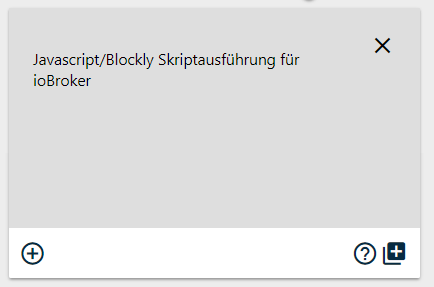
                  adapters - ioBroker (1).png

                  Über Terminal kommt auch eine Fehlermeldung.

                  root@ioBroker:/opt/iobroker# iobroker upload javascript
                  sudo: Hostname ioBroker kann nicht aufgelöst werden
                  module.js:478
                  throw err;
                  ^

                  Error: Cannot find module '/opt/iobroker/node_modules/iobroker.js-controller/iobroker.js'
                  at Function.Module._resolveFilename (module.js:476:15)
                  at Function.Module._load (module.js:424:25)
                  at Module.runMain (module.js:611:10)
                  at run (bootstrap_node.js:394:7)
                  at startup (bootstrap_node.js:160:9)
                  at bootstrap_node.js:507:3

                  ° Node.js Update ---> iob nodejs-update
                  ° Fixer ---> iob fix

                  HomoranH 1 Antwort Letzte Antwort
                  0
                  • NegaleinN Negalein

                    @Homoran sagte in JS Update auf 4.1.7 Error 20:

                    Welche admin version?

                    Hast du es auch im Kachelmodus versucht, so wie es im "Video" aussieht?

                    Admin 3.6.0

                    Welches Video?
                    Im Kachelmodus fehlt mir auch der Upload
                    adapters - ioBroker (1).png

                    Über Terminal kommt auch eine Fehlermeldung.

                    root@ioBroker:/opt/iobroker# iobroker upload javascript
                    sudo: Hostname ioBroker kann nicht aufgelöst werden
                    module.js:478
                    throw err;
                    ^

                    Error: Cannot find module '/opt/iobroker/node_modules/iobroker.js-controller/iobroker.js'
                    at Function.Module._resolveFilename (module.js:476:15)
                    at Function.Module._load (module.js:424:25)
                    at Module.runMain (module.js:611:10)
                    at run (bootstrap_node.js:394:7)
                    at startup (bootstrap_node.js:160:9)
                    at bootstrap_node.js:507:3

                    HomoranH Nicht stören
                    HomoranH Nicht stören
                    Homoran
                    Global Moderator Administrators
                    schrieb am zuletzt editiert von
                    #9

                    @Negalein
                    Nach dem anklicdes Expertenmodus musst dubwarten bis die seite neu geladen worden ist, bevor du die Kacheln öffnest

                    kein Support per PN! - Fragen im Forum stellen - es gibt fast nichts, was nicht auch für andere interessant ist.

                    Benutzt das Voting rechts unten im Beitrag wenn er euch geholfen hat.

                    der Installationsfixer: curl -fsL https://iobroker.net/fix.sh | bash -

                    NegaleinN 2 Antworten Letzte Antwort
                    0
                    • HomoranH Homoran

                      @Negalein
                      Nach dem anklicdes Expertenmodus musst dubwarten bis die seite neu geladen worden ist, bevor du die Kacheln öffnest

                      NegaleinN Offline
                      NegaleinN Offline
                      Negalein
                      Global Moderator
                      schrieb am zuletzt editiert von
                      #10

                      @Homoran sagte in JS Update auf 4.1.7 Error 20:

                      Nach dem anklicdes Expertenmodus musst dubwarten bis die seite neu geladen worden ist, bevor du die Kacheln öffnest

                      funktioniert auch nicht

                      ° Node.js Update ---> iob nodejs-update
                      ° Fixer ---> iob fix

                      1 Antwort Letzte Antwort
                      0
                      • NegaleinN Offline
                        NegaleinN Offline
                        Negalein
                        Global Moderator
                        schrieb am zuletzt editiert von Negalein
                        #11

                        @Homoran

                        Jetzt lässt sich die Instanz auch nicht mehr starten.

                        host.ioBroker 2019-03-03 00:30:24.996 error Cannot download adapter "javascript". To restart it disable/enable it or restart host.

                        Auch ein Neustart vom ioBroker brachte nichts.

                        host.ioBroker 2019-03-03 00:36:52.754 error Cannot download adapter "javascript". To restart it disable/enable it or restart host.
                        host.ioBroker 2019-03-03 00:36:52.253 error Cannot download adapter "javascript". To restart it disable/enable it or restart host.
                        host.ioBroker 2019-03-03 00:36:51.253 info iobroker exit 0
                        host.ioBroker 2019-03-03 00:36:51.234 error iobroker Cannot parse null/io-package.json:Error: ENOENT: no such file or directory, open 'null/io-package.json'
                        host.ioBroker 2019-03-03 00:36:51.209 error iobroker host.ioBroker Adapter directory "null" does not exists
                        host.ioBroker 2019-03-03 00:36:51.178 info iobroker npm ERR! Please include the following file with any support request:npm ERR! /opt/iobroker/npm-debug.log
                        host.ioBroker 2019-03-03 00:36:51.176 info iobroker
                        host.ioBroker 2019-03-03 00:36:51.090 info iobroker WARN optional SKIPPING OPTIONAL DEPENDENCY: xpc-connection@~0.1.4 (node_modules/@abandonware/noble/node_modules/xpc-connection):npm WARN notsup SKIPPING OPTIONAL DEPENDENCY: Unsupported plat
                        host.ioBroker 2019-03-03 00:36:51.083 info iobroker npm
                        host.ioBroker 2019-03-03 00:36:48.856 info iobroker module.js:478 throw err; ^ Error: Cannot find module '/opt/iobroker/node_modules/iobroker.javascript/install/installTypings.js' at Function.Module._resolveFilename (module.js:476:
                        host.ioBroker 2019-03-03 00:35:56.945 info iobroker npm install iobroker.javascript --production --save --prefix "/opt/iobroker" (System call)
                        host.ioBroker 2019-03-03 00:35:56.391 info iobroker NPM version: 3.10.10
                        host.ioBroker 2019-03-03 00:35:54.778 info iobroker install javascript
                        host.ioBroker 2019-03-03 00:35:54.778 warn startInstance cannot find adapter "javascript". Try to install it... 3 attempt
                        host.ioBroker 2019-03-03 00:35:53.752 info iobroker exit 0
                        host.ioBroker 2019-03-03 00:35:53.733 error iobroker Cannot parse null/io-package.json:Error: ENOENT: no such file or directory, open 'null/io-package.json'
                        host.ioBroker 2019-03-03 00:35:53.702 error iobroker host.ioBroker Adapter directory "null" does not exists

                        Möchte ich auf eine kleinere Version gehen, kommt auch ein Fehler.

                        $ ./iobroker upgrade javascript@4.0.12
                        Update javascript from @0.0.0 to @4.0.12
                        NPM version: 3.10.10
                        npm install iobroker.javascript@4.0.12 --production --save --prefix "/opt/iobroker" (System call)
                        module.js:478 throw err;
                        ^

                        Error: Cannot find module '/opt/iobroker/node_modules/iobroker.javascript/install/installTypings.js'
                        at Function.Module._resolveFilename (module.js:476:15)
                        at Function.Module._load (module.js:424:25)
                        at Module.runMain (module.js:611:10)
                        at run (bootstrap_node.js:394:7)
                        at startup (bootstrap_node.js:160:9)
                        at bootstrap_node.js:507:3

                        npm WARN optional SKIPPING OPTIONAL DEPENDENCY: xpc-connection@~0.1.4 (node_modules/@abandonware/noble/node_modules/xpc-connection):npm WARN notsup SKIPPING OPTIONAL DEPENDENCY: Unsupported platform for xpc-connection@0.1.4: wanted {"os":"darwin","arch":"any"} (current: {"os":"linux","arch":"x64"})

                        npm WARN optional SKIPPING OPTIONAL DEPENDENCY: xpc-connection@~0.1.4 (node_modules/iobroker.radar/node_modules/@abandonware/noble/node_modules/xpc-connection):npm WARN notsup SKIPPING OPTIONAL DEPENDENCY: Unsupported platform for xpc-connection@0.1.4: wanted {"os":"darwin","arch":"any"} (current: {"os":"linux","arch":"x64"})
                        npm WARN optional SKIPPING OPTIONAL DEPENDENCY: xpc-connection@~0.1.4 (node_modules/iobroker.radar/node_modules/noble/node_modules/xpc-connection):
                        npm WARN notsup SKIPPING OPTIONAL DEPENDENCY: Unsupported platform for xpc-connection@0.1.4: wanted {"os":"darwin","arch":"any"} (current: {"os":"linux","arch":"x64"})
                        npm WARN optional SKIPPING OPTIONAL DEPENDENCY: xpc-connection@~0.1.4 (node_modules/noble/node_modules/xpc-connection):
                        npm WARN notsup SKIPPING OPTIONAL DEPENDENCY: Unsupported platform for xpc-connection@0.1.4: wanted {"os":"darwin","arch":"any"} (current: {"os":"linux","arch":"x64"})

                        npm ERR! Linux 4.4.59+
                        npm ERR! argv "/usr/bin/node" "/usr/bin/npm" "install" "iobroker.javascript@4.0.12" "--production" "--save" "--prefix" "/opt/iobroker"npm ERR! node v6.14.4
                        npm ERR! npm v3.10.10
                        npm ERR! code ELIFECYCLE

                        npm ERR! iobroker.javascript@4.0.12 postinstall: node ./install/installTypings.js
                        npm ERR! Exit status 1
                        npm ERR!
                        npm ERR! Failed at the iobroker.javascript@4.0.12 postinstall script 'node ./install/installTypings.js'.
                        npm ERR! Make sure you have the latest version of node.js and npm installed.
                        npm ERR! If you do, this is most likely a problem with the iobroker.javascript package,
                        npm ERR! not with npm itself.
                        npm ERR! Tell the author that this fails on your system:
                        npm ERR! node ./install/installTypings.js
                        npm ERR! You can get information on how to open an issue for this project with:
                        npm ERR! npm bugs iobroker.javascript
                        npm ERR! Or if that isn't available, you can get their info via:
                        npm ERR! npm owner ls iobroker.javascript
                        npm ERR! There is likely additional logging output above.

                        npm ERR! Please include the following file with any support request:
                        npm ERR! /opt/iobroker/npm-debug.log

                        ERROR: Cannot find io-package.json in null
                        ERROR: process exited with code 10

                        Was könnte ich noch versuchen?

                        ° Node.js Update ---> iob nodejs-update
                        ° Fixer ---> iob fix

                        1 Antwort Letzte Antwort
                        0
                        • NegaleinN Offline
                          NegaleinN Offline
                          Negalein
                          Global Moderator
                          schrieb am zuletzt editiert von
                          #12

                          Habe jetzt ein Backup von gestern aufgespielt.
                          Jetzt läuft wieder alles.
                          Ich bleib dann mal bei JS 4.0.12 :relaxed:

                          ° Node.js Update ---> iob nodejs-update
                          ° Fixer ---> iob fix

                          1 Antwort Letzte Antwort
                          0
                          • HomoranH Homoran

                            @Negalein
                            Nach dem anklicdes Expertenmodus musst dubwarten bis die seite neu geladen worden ist, bevor du die Kacheln öffnest

                            NegaleinN Offline
                            NegaleinN Offline
                            Negalein
                            Global Moderator
                            schrieb am zuletzt editiert von
                            #13

                            @Homoran sagte in JS Update auf 4.1.7 Error 20:

                            @Negalein
                            Nach dem anklicdes Expertenmodus musst dubwarten bis die seite neu geladen worden ist, bevor du die Kacheln öffnest

                            heute hätte ich versucht auf 4.1.12 ein Update zu machen.

                            Selbes Problem wie Oben.

                            Was könnte ich noch probieren, außer wieder das Backup einzuspielen und auf 4.0.12 zu bleiben?

                            ° Node.js Update ---> iob nodejs-update
                            ° Fixer ---> iob fix

                            1 Antwort Letzte Antwort
                            0
                            • wendy2702W Online
                              wendy2702W Online
                              wendy2702
                              schrieb am zuletzt editiert von
                              #14

                              @Negalein sagte in JS Update auf 4.1.7 Error 20:

                              npm v3.10.10
                              iobroker 2019-03-02 16:01:43.474 info npm ERR! node v6.14.4

                              Vielleicht sind deine NPM/Node Versionen zu alt?

                              npm v3.10.10
                              iobroker	2019-03-02 16:01:43.474	info	npm ERR! node v6.14.4
                              

                              Bitte keine Fragen per PN, die gehören ins Forum!

                              Benutzt das Voting rechts unten im Beitrag wenn er euch geholfen hat.

                              NegaleinN 1 Antwort Letzte Antwort
                              0
                              • wendy2702W wendy2702

                                @Negalein sagte in JS Update auf 4.1.7 Error 20:

                                npm v3.10.10
                                iobroker 2019-03-02 16:01:43.474 info npm ERR! node v6.14.4

                                Vielleicht sind deine NPM/Node Versionen zu alt?

                                npm v3.10.10
                                iobroker	2019-03-02 16:01:43.474	info	npm ERR! node v6.14.4
                                
                                NegaleinN Offline
                                NegaleinN Offline
                                Negalein
                                Global Moderator
                                schrieb am zuletzt editiert von
                                #15

                                @wendy2702 sagte in JS Update auf 4.1.7 Error 20:

                                Vielleicht sind deine NPM/Node Versionen zu alt?

                                Ahhhh, hab ich glatt übersehen.
                                Dann muss ich jetzt doch mal ein Update machen.
                                Hab mich davon immer gedrückt.

                                ° Node.js Update ---> iob nodejs-update
                                ° Fixer ---> iob fix

                                1 Antwort Letzte Antwort
                                0
                                Antworten
                                • In einem neuen Thema antworten
                                Anmelden zum Antworten
                                • Älteste zuerst
                                • Neuste zuerst
                                • Meiste Stimmen


                                Support us

                                ioBroker
                                Community Adapters
                                Donate

                                791

                                Online

                                32.6k

                                Benutzer

                                82.0k

                                Themen

                                1.3m

                                Beiträge
                                Community
                                Impressum | Datenschutz-Bestimmungen | Nutzungsbedingungen | Einwilligungseinstellungen
                                ioBroker Community 2014-2025
                                logo
                                • Anmelden

                                • Du hast noch kein Konto? Registrieren

                                • Anmelden oder registrieren, um zu suchen
                                • Erster Beitrag
                                  Letzter Beitrag
                                0
                                • Home
                                • Aktuell
                                • Tags
                                • Ungelesen 0
                                • Kategorien
                                • Unreplied
                                • Beliebt
                                • GitHub
                                • Docu
                                • Hilfe
