




Pimatic Adapter
-
so gerade mal geschaut…
pimatic.0 2018-09-24 21:03:25.509 info disconnected
pimatic.0 2018-09-24 21:03:25.502 error at Decoder.Emitter.emit (/opt/iobroker/node_modules/iobroker.pimatic/node_modules/socket.io-parser/node_modules/component-emitter/index.js:134:20)
pimatic.0 2018-09-24 21:03:25.502 error at Decoder. <anonymous>(/opt/iobroker/node_modules/iobroker.pimatic/node_modules/component-bind/index.js:21:15)
pimatic.0 2018-09-24 21:03:25.502 error at Manager.ondecoded (/opt/iobroker/node_modules/iobroker.pimatic/node_modules/socket.io-client/lib/manager.js:332:8)
pimatic.0 2018-09-24 21:03:25.502 error at Manager.Emitter.emit (/opt/iobroker/node_modules/iobroker.pimatic/node_modules/component-emitter/index.js:133:20)
pimatic.0 2018-09-24 21:03:25.502 error at Manager. <anonymous>(/opt/iobroker/node_modules/iobroker.pimatic/node_modules/component-bind/index.js:21:15)
pimatic.0 2018-09-24 21:03:25.502 error at Socket.onpacket (/opt/iobroker/node_modules/iobroker.pimatic/node_modules/socket.io-client/lib/socket.js:228:12)
pimatic.0 2018-09-24 21:03:25.502 error at Socket.onevent (/opt/iobroker/node_modules/iobroker.pimatic/node_modules/socket.io-client/lib/socket.js:270:10)
pimatic.0 2018-09-24 21:03:25.502 error at Socket.Emitter.emit (/opt/iobroker/node_modules/iobroker.pimatic/node_modules/component-emitter/index.js:133:20)
pimatic.0 2018-09-24 21:03:25.502 error at Socket. <anonymous>(/opt/iobroker/node_modules/iobroker.pimatic/main.js:510:9)
pimatic.0 2018-09-24 21:03:25.502 error at syncDevices (/opt/iobroker/node_modules/iobroker.pimatic/main.js:213:87)
pimatic.0 2018-09-24 21:03:25.502 error TypeError: Cannot read property 'replace' of undefined
pimatic.0 2018-09-24 21:03:25.502 error uncaught exception: Cannot read property 'replace' of undefined
pimatic.0 2018-09-24 21:03:25.454 info connected
pimatic.0 2018-09-24 21:03:22.620 info starting. Version 0.1.5 in /opt/iobroker/node_modules/iobroker.pimatic, node: v6.14.2
pimatic.0 2018-09-24 21:02:51.395 info cleaned everything up...
pimatic.0 2018-09-24 21:02:51.394 info disconnected
hoffe ihr könnt damit was anfangen.
wäre echt schön</anonymous></anonymous></anonymous>
-
Hallo…
ich dann mal wieder, leider scheint der pimatic Adapter doch nicht so richtig zu laufen. Ist jetzt wieder ausgestiegen und läßt sich nicht wieder zum laufen zu bewegen. hier mal der LOG. vielleicht hilft es ja.
pimatic.0 2018-10-29 19:05:30.933 info cleaned everything up...
pimatic.0 2018-10-29 19:05:30.933 info disconnected
pimatic.0 2018-10-29 19:05:30.926 error at Decoder.Emitter.emit (/opt/iobroker/node_modules/iobroker.pimatic/node_modules/socket.io-parser/node_modules/component-emitter/index.js:134:20)
pimatic.0 2018-10-29 19:05:30.926 error at Decoder. <anonymous>(/opt/iobroker/node_modules/iobroker.pimatic/node_modules/component-bind/index.js:21:15)
pimatic.0 2018-10-29 19:05:30.926 error at Manager.ondecoded (/opt/iobroker/node_modules/iobroker.pimatic/node_modules/socket.io-client/lib/manager.js:332:8)
pimatic.0 2018-10-29 19:05:30.926 error at Manager.Emitter.emit (/opt/iobroker/node_modules/iobroker.pimatic/node_modules/component-emitter/index.js:133:20)
pimatic.0 2018-10-29 19:05:30.926 error at Manager. <anonymous>(/opt/iobroker/node_modules/iobroker.pimatic/node_modules/component-bind/index.js:21:15)
pimatic.0 2018-10-29 19:05:30.926 error at Socket.onpacket (/opt/iobroker/node_modules/iobroker.pimatic/node_modules/socket.io-client/lib/socket.js:228:12)
pimatic.0 2018-10-29 19:05:30.926 error at Socket.onevent (/opt/iobroker/node_modules/iobroker.pimatic/node_modules/socket.io-client/lib/socket.js:270:10)
pimatic.0 2018-10-29 19:05:30.926 error at Socket.Emitter.emit (/opt/iobroker/node_modules/iobroker.pimatic/node_modules/component-emitter/index.js:133:20)
pimatic.0 2018-10-29 19:05:30.926 error at Socket. <anonymous>(/opt/iobroker/node_modules/iobroker.pimatic/main.js:512:9)
pimatic.0 2018-10-29 19:05:30.926 error at syncDevices (/opt/iobroker/node_modules/iobroker.pimatic/main.js:215:87)
pimatic.0 2018-10-29 19:05:30.926 error TypeError: Cannot read property 'replace' of undefined
pimatic.0 2018-10-29 19:05:30.925 error uncaught exception: Cannot read property 'replace' of undefined
pimatic.0 2018-10-29 19:05:30.837 info connected
pimatic.0 2018-10-29 19:05:28.931 info starting. Version 0.1.5 in /opt/iobroker/node_modules/iobroker.pimatic, node: v6.14.2</anonymous></anonymous></anonymous>
-
Hallo…
nun ist es wieder passiert. Der Pimatic Adapter will nicht mehr. Hier mal das Logfile. Jemand eine Idee?
pimatic.1 2019-01-29 23:08:00.791 info disconnected
pimatic.1 2019-01-29 23:08:00.781 error at Decoder.Emitter.emit (/opt/iobroker/node_modules/iobroker.pimatic/node_modules/socket.io-parser/node_modules/component-emitter/index.js:134:20)
pimatic.1 2019-01-29 23:08:00.781 error at Decoder. <anonymous>(/opt/iobroker/node_modules/iobroker.pimatic/node_modules/component-bind/index.js:21:15)
pimatic.1 2019-01-29 23:08:00.781 error at Manager.ondecoded (/opt/iobroker/node_modules/iobroker.pimatic/node_modules/socket.io-client/lib/manager.js:332:8)
pimatic.1 2019-01-29 23:08:00.781 error at Manager.Emitter.emit (/opt/iobroker/node_modules/iobroker.pimatic/node_modules/component-emitter/index.js:133:20)
pimatic.1 2019-01-29 23:08:00.781 error at Manager. <anonymous>(/opt/iobroker/node_modules/iobroker.pimatic/node_modules/component-bind/index.js:21:15)
pimatic.1 2019-01-29 23:08:00.781 error at Socket.onpacket (/opt/iobroker/node_modules/iobroker.pimatic/node_modules/socket.io-client/lib/socket.js:228:12)
pimatic.1 2019-01-29 23:08:00.781 error at Socket.onevent (/opt/iobroker/node_modules/iobroker.pimatic/node_modules/socket.io-client/lib/socket.js:270:10)
pimatic.1 2019-01-29 23:08:00.781 error at Socket.Emitter.emit (/opt/iobroker/node_modules/iobroker.pimatic/node_modules/component-emitter/index.js:133:20)
pimatic.1 2019-01-29 23:08:00.781 error at Socket. <anonymous>(/opt/iobroker/node_modules/iobroker.pimatic/main.js:512:9)
pimatic.1 2019-01-29 23:08:00.781 error at syncDevices (/opt/iobroker/node_modules/iobroker.pimatic/main.js:215:87)
pimatic.1 2019-01-29 23:08:00.781 error TypeError: Cannot read property 'replace' of undefined
pimatic.1 2019-01-29 23:08:00.781 error uncaught exception: Cannot read property 'replace' of undefined
pimatic.1 2019-01-29 23:08:00.716 info connected
pimatic.1 2019-01-29 23:07:59.285 info starting. Version 0.1.5 in /opt/iobroker/node_modules/iobroker.pimatic, node: v6.14.2
pimatic.1 2019-01-29 23:07:55.601 info terminating
pimatic.1 2019-01-29 23:07:55.542 info cleaned everything up...
pimatic.1 2019-01-29 23:07:29.414 info starting. Version 0.1.5 in /opt/iobroker/node_modules/iobroker.pimatic, node: v6.14.2
pimatic.1 2019-01-29 23:07:25.628 info terminating
pimatic.1 2019-01-29 23:07:25.605 info cleaned everything up...
pimatic.1 2019-01-29 23:07:11.672 info starting. Version 0.1.5 in /opt/iobroker/node_modules/iobroker.pimatic, node: v6.14.2
Schöne Grüße</anonymous></anonymous></anonymous>
-
Moin moin..
hoffe ich hab das richtig gemacht…. hier der neue Log. nicht wundern hab das pimatic noch ma neu aufgesetzt... aber das Problem bleibt.
pimatic.0 2019-01-30 09:13:33.549 info connected
pimatic.0 2019-01-30 09:13:31.820 debug Connect: http://192.168.1.170:80/?username=admin&password=xxx
pimatic.0 2019-01-30 09:13:31.819 info starting. Version 0.1.5 in /opt/iobroker/node_modules/iobroker.pimatic, node: v6.14.2
pimatic.0 2019-01-30 09:13:00.387 info terminating
pimatic.0 2019-01-30 09:13:00.354 info cleaned everything up...
pimatic.0 2019-01-30 09:13:00.353 info disconnected
pimatic.0 2019-01-30 09:13:00.343 error at Decoder.Emitter.emit (/opt/iobroker/node_modules/iobroker.pimatic/node_modules/socket.io-parser/node_modules/component-emitter/index.js:134:20)
pimatic.0 2019-01-30 09:13:00.343 error at Decoder. <anonymous>(/opt/iobroker/node_modules/iobroker.pimatic/node_modules/component-bind/index.js:21:15)
pimatic.0 2019-01-30 09:13:00.343 error at Manager.ondecoded (/opt/iobroker/node_modules/iobroker.pimatic/node_modules/socket.io-client/lib/manager.js:332:8)
pimatic.0 2019-01-30 09:13:00.343 error at Manager.Emitter.emit (/opt/iobroker/node_modules/iobroker.pimatic/node_modules/component-emitter/index.js:133:20)
pimatic.0 2019-01-30 09:13:00.343 error at Manager. <anonymous>(/opt/iobroker/node_modules/iobroker.pimatic/node_modules/component-bind/index.js:21:15)
pimatic.0 2019-01-30 09:13:00.343 error at Socket.onpacket (/opt/iobroker/node_modules/iobroker.pimatic/node_modules/socket.io-client/lib/socket.js:228:12)
pimatic.0 2019-01-30 09:13:00.343 error at Socket.onevent (/opt/iobroker/node_modules/iobroker.pimatic/node_modules/socket.io-client/lib/socket.js:270:10)
pimatic.0 2019-01-30 09:13:00.343 error at Socket.Emitter.emit (/opt/iobroker/node_modules/iobroker.pimatic/node_modules/component-emitter/index.js:133:20)
pimatic.0 2019-01-30 09:13:00.343 error at Socket. <anonymous>(/opt/iobroker/node_modules/iobroker.pimatic/main.js:512:9)
pimatic.0 2019-01-30 09:13:00.343 error at syncDevices (/opt/iobroker/node_modules/iobroker.pimatic/main.js:215:87)
pimatic.0 2019-01-30 09:13:00.343 error TypeError: Cannot read property 'replace' of undefined
pimatic.0 2019-01-30 09:13:00.342 error uncaught exception: Cannot read property 'replace' of undefined
pimatic.0 2019-01-30 09:13:00.329 debug Handle Attribute: "temperature"
pimatic.0 2019-01-30 09:13:00.329 debug Handle Device: {"id":"dwd-wetter","name":"dwd-Wetter","template":"device","attributes":[],"actions":[],"config":{"station":"Leipzig-Flh., SN","attributes":["temperature","windSpeed","windGust","windD
pimatic.0 2019-01-30 09:13:00.328 debug Handle Attribute: {"description":"State of the contact","type":"boolean","labels":["closed","opened"],"label":"Contact","discrete":true,"name":"contact","value":false,"history":[{"t":1548793586056,"v
pimatic.0 2019-01-30 09:13:00.328 debug Handle Device: {"id":"dashbutton01","name":"Drainage Button","template":"contact","attributes":[{"description":"State of the contact","type":"boolean","labels":["closed","opened"],"label":"Contact","
pimatic.0 2019-01-30 09:13:00.327 debug Handle Attribute: {"description":"The current state of the switch","type":"boolean","labels":["on","off"],"label":"State","discrete":true,"name":"state","value":false,"history":[{"t":1548793585721,"v
pimatic.0 2019-01-30 09:13:00.327 debug Handle Device: {"id":"switch-all","name":"Alle Lampen","template":"switch","attributes":[{"description":"The current state of the switch","type":"boolean","labels":["on","off"],"label":"State","discr
pimatic.0 2019-01-30 09:13:00.327 debug Handle Attribute: {"description":"Presence of the human/device","type":"boolean","labels":["present","absent"],"label":"Presence","discrete":true,"name":"presence","value":false,"history":[{"t":15487
pimatic.0 2019-01-30 09:13:00.327 debug Handle Device: {"id":"eingangstur","name":"Eingangstür","template":"presence","attributes":[{"description":"Presence of the human/device","type":"boolean","labels":["present","absent"],"label":"Prese
pimatic.0 2019-01-30 09:13:00.326 debug Handle Attribute: {"description":"Presence of the human/device","type":"boolean","labels":["present","absent"],"label":"Presence","discrete":true,"name":"presence","value":false,"history":[{"t":15487
pimatic.0 2019-01-30 09:13:00.326 debug Handle Device: {"id":"terassentur","name":"Terassentür","template":"presence","attributes":[{"description":"Presence of the human/device","type":"boolean","labels":["present","absent"],"label":"Prese
pimatic.0 2019-01-30 09:13:00.326 debug Handle Device: {"id":"activities-harmonyHub","name":"MediaCenter - Funktionen","template":"device","attributes":[],"actions":[],"config":{"class":"HarmonyHubActivitiesButtonsDevice","name":"MediaCent
pimatic.0 2019-01-30 09:13:00.325 debug Handle Attribute: {"description":"The current state of the switch","type":"boolean","labels":["on","off"],"label":"State","discrete":true,"name":"state","value":false,"history":[{"t":1548793584815,"v
pimatic.0 2019-01-30 09:13:00.325 debug Handle Device: {"id":"homesecure","name":"HomeSecure","template":"switch","attributes":[{"description":"The current state of the switch","type":"boolean","labels":["on","off"],"label":"State","discre
pimatic.0 2019-01-30 09:13:00.325 debug Handle Device: {"id":"Marantz-SR-4003-Volume","name":"MediaCenter - Volumen","template":"device","attributes":[],"actions":[],"config":{"class":"HarmonyHubButtonsDevice","name":"MediaCenter - Volumen
pimatic.0 2019-01-30 09:13:00.324 debug Handle Attribute: {"description":"The current state of the switch","type":"boolean","labels":["on","off"],"label":"State","discrete":true,"name":"state","value":false,"history":[{"t":1548793584436,"v
pimatic.0 2019-01-30 09:13:00.323 debug Handle Attribute: {"description":"The current dim level","type":"number","unit":"%","label":"Dimlevel","discrete":false,"name":"dimlevel","value":0,"history":[{"t":1548793584424,"v":5},{"t":154879638
pimatic.0 2019-01-30 09:13:00.322 debug Handle Device: {"id":"dimmerswitch001","name":"Schwippbogen","template":"dimmer","attributes":[{"description":"The current dim level","type":"number","unit":"%","label":"Dimlevel","discrete":false,"n
pimatic.0 2019-01-30 09:13:00.320 debug Handle Attribute: {"description":"Presence of the human/device","type":"boolean","labels":["present","absent"],"label":"Presence","discrete":true,"name":"presence","value":true,"history":[{"t":154879
pimatic.0 2019-01-30 09:13:00.320 debug Handle Device: {"id":"harmonyhubfritzbox","name":"HarmonyHub.fritz.box","template":"presence","attributes":[{"description":"Presence of the human/device","type":"boolean","labels":["present","absent"
pimatic.0 2019-01-30 09:13:00.320 debug Handle Attribute: {"description":"Presence of the human/device","type":"boolean","labels":["present","absent"],"label":"Presence","discrete":true,"name":"presence","value":false,"history":[{"t":15487
pimatic.0 2019-01-30 09:13:00.319 debug Handle Device: {"id":"homeduino-pir2","name":"Bewegungsmelder Kellertür","template":"presence","attributes":[{"description":"Presence of the human/device","type":"boolean","labels":["present","absent
pimatic.0 2019-01-30 09:13:00.319 debug Handle Attribute: {"description":"Presence of the human/device","type":"boolean","labels":["present","absent"],"label":"Presence","discrete":true,"name":"presence","value":false,"history":[{"t":15487
pimatic.0 2019-01-30 09:13:00.319 debug Handle Device: {"id":"homeduino-pir","name":"Bewegungsmelder Keller Windows","template":"presence","attributes":[{"description":"Presence of the human/device","type":"boolean","labels":["present","ab
pimatic.0 2019-01-30 09:13:00.318 debug Handle Attribute: {"description":"State of the contact","type":"boolean","labels":["closed","opened"],"label":"Contact","discrete":true,"name":"contact","value":true,"history":[{"t":1548793583187,"v"
pimatic.0 2019-01-30 09:13:00.318 debug Handle Device: {"id":"FenCon-001","name":"Fenster-Gästezimmer","template":"contact","attributes":[{"description":"State of the contact","type":"boolean","labels":["closed","opened"],"label":"Contact"
pimatic.0 2019-01-30 09:13:00.318 debug Handle Attribute: {"description":"The last pressed button","type":"string","label":"Button","discrete":true,"name":"button","value":null,"history":[{"t":1548793582845,"v":null},{"t":1548796386158,"v"
pimatic.0 2019-01-30 09:13:00.315 debug Handle Device: {"id":"rolladenT","name":"Terrassenrollo","template":"buttons","attributes":[{"description":"The last pressed button","type":"string","label":"Button","discrete":true,"name":"button","
pimatic.0 2019-01-30 09:13:00.315 debug Handle Attribute: {"description":"The last pressed button","type":"string","label":"Button","discrete":true,"name":"button","value":null,"history":[{"t":1548793582397,"v":null},{"t":1548796385785,"v"
pimatic.0 2019-01-30 09:13:00.315 debug Handle Device: {"id":"rolladenF","name":"Fensterrollo","template":"buttons","attributes":[{"description":"The last pressed button","type":"string","label":"Button","discrete":true,"name":"button","va
pimatic.0 2019-01-30 09:13:00.314 debug Handle Attribute: {"description":"Presence of the human/device","type":"boolean","labels":["present","absent"],"label":"Presence","discrete":true,"name":"presence","value":false,"history":[{"t":15487
pimatic.0 2019-01-30 09:13:00.314 debug Handle Device: {"id":"ClaudiaHandy","name":"Claudia Handy","template":"presence","attributes":[{"description":"Presence of the human/device","type":"boolean","labels":["present","absent"],"label":"Pr
pimatic.0 2019-01-30 09:13:00.313 debug Handle Attribute: {"description":"Presence of the human/device","type":"boolean","labels":["present","absent"],"label":"Presence","discrete":true,"name":"presence","value":false,"history":[{"t":15487
pimatic.0 2019-01-30 09:13:00.313 debug Handle Device: {"id":"RonnyHandy","name":"Ronny Handy","template":"presence","attributes":[{"description":"Presence of the human/device","type":"boolean","labels":["present","absent"],"label":"Presen
pimatic.0 2019-01-30 09:13:00.312 debug Handle Attribute: {"description":"Cloudyness","type":"number","unit":"%","acronym":"CLOUDS","label":"Clouds","discrete":false,"name":"clouds","value":0,"history":[{"t":1548809036634,"v":0},{"t":15488</anonymous></anonymous></anonymous>
-
so.. versuche jetzt schon eine ganze Weile an den Log File zu kommen….
Zur Info.. habe iObroker im Docker auf einer Synology am laufen. ImTerminal sehe ich die Datei. Habe aber kein Plan wie ich die jetzt "greifen" kann um sie hier hochzuladen. :roll:
-
Hallo…
hab es heute noch mal versucht. Bekomm die Datein einfach nicht in einen "Normalen" Ordner kopiert. So ein Sch... :roll:
Wie wäre denn die perfekte Befehlszeile aus dem Terminal um die Datei *.log in einen Synology Ordner zu kopieren?
Schöne Grüße
-
Hallo…
es ist soweit. hier die Log Datein mit den Angaben. Hoffe es ist alles dabei.
Schöne Grüße
5841_log_pimatic.log -
Was soll ich sagen….. hab die GitHub Version installiert und Läuft auf Anhieb.
Klasse... Ich danke dir... jetzt kann ich endlich die Rolläden mit einbinden. Supi.
Schöne Grüße
@rowoy
Hallo.
ist schon bisschen Zeit vergangen aber habe das gleiche Problem .
bei mir laufen Pimatic und Iobroker parallel .Pimatik Adapter ist grün alles wird in iobroker Übernomen sonoff, funk- Steckdosen,present ,Wetter alles sogar RMF-R1/UP (Romotoren 24) werden erkannt
ABER nur RMF-R1/UP KANN ICH NICHT SCHALTEN
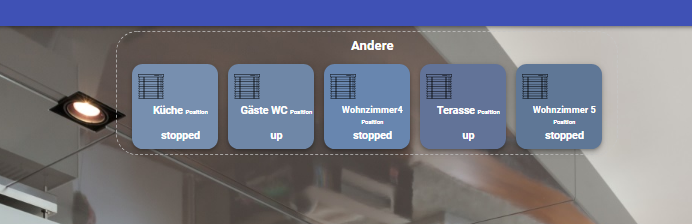
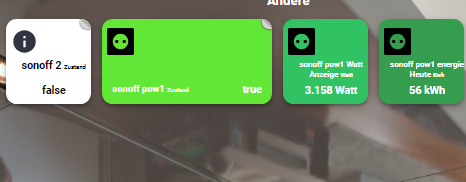
bist du weiter gekommen ?

Hey! Du scheinst an dieser Unterhaltung interessiert zu sein, hast aber noch kein Konto.
Hast du es satt, bei jedem Besuch durch die gleichen Beiträge zu scrollen? Wenn du dich für ein Konto anmeldest, kommst du immer genau dorthin zurück, wo du zuvor warst, und kannst dich über neue Antworten benachrichtigen lassen (entweder per E-Mail oder Push-Benachrichtigung). Du kannst auch Lesezeichen speichern und Beiträge positiv bewerten, um anderen Community-Mitgliedern deine Wertschätzung zu zeigen.
Mit deinem Input könnte dieser Beitrag noch besser werden 💗
Registrieren Anmelden485
Online33.0k
Benutzer83.7k
Themen1.3m
Beiträge