Skip to content

Cloud Dienste

Hile für die Verwendung von IoT, Cloud Pro und digitale Assistenten (Alexa, Google Home, IFTTT, ...)
1.7k Topics 21.0k Posts

NEWS

  • (gelöst)Alexa Temperatur Ansage ohne Minus Grade

    alexa
    6
    0 Votes
    6 Posts
    772 Views
    M
    Heute war es das erste mal wieder kalt genug... :sneezing_face: Funktioniert! Danke!!! :+1:
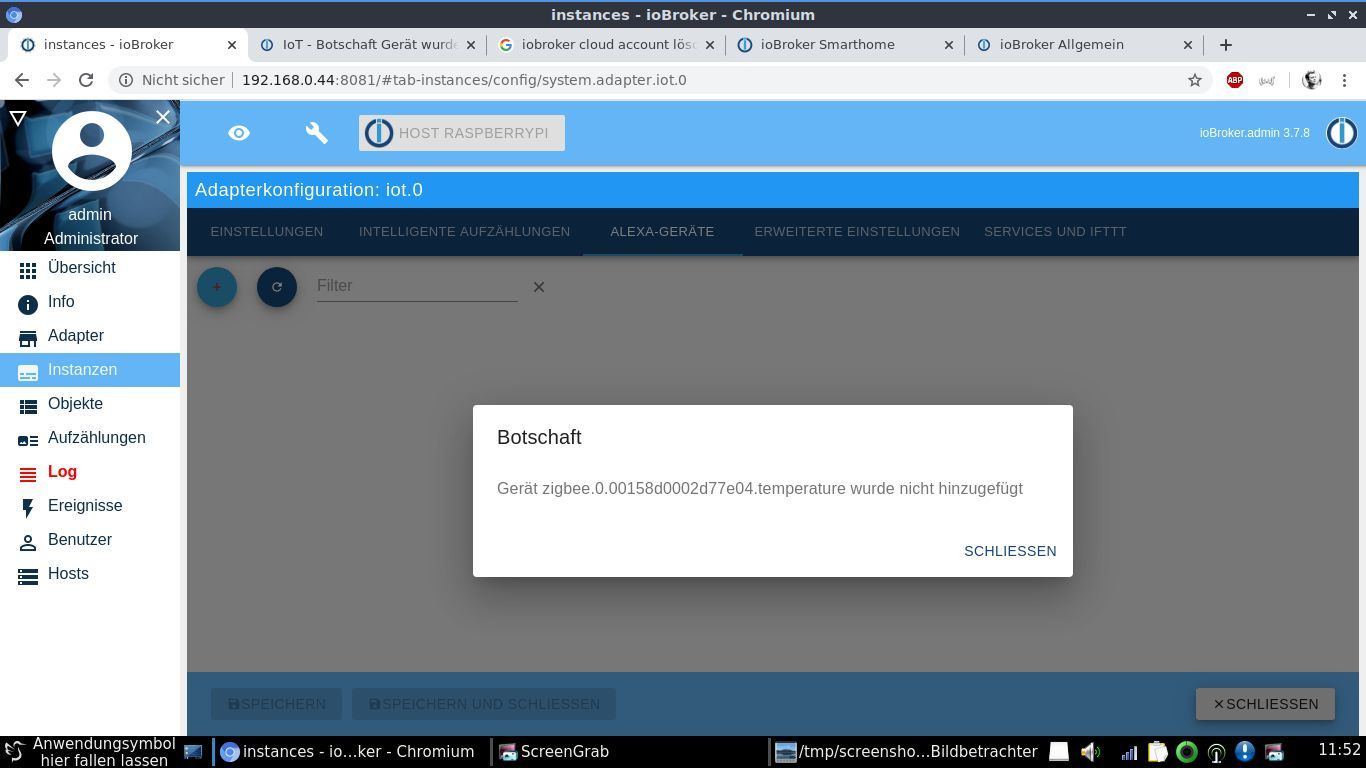
  • Botschaft: Gerät wurde nicht hinzugefügt

    alexa cloud iot
    11
    2
    0 Votes
    11 Posts
    1k Views
    G
    Kurz vorm aufgeben, beim gefühl 100ten Versuch ging es dann... Leider ist die "Dokumentation" für Neueinsteiger nur bedingt zu brauchen. Immerhin mit Hilfe aus dem Forum hat es dann schliesslich funktioniert - da ich vieles probiert habe kann ich aber nicht mehr eindeutig sagen was GENAU zur Lösung führte... THX Frank
  • Alexa 2.0 Datenpunkte um Musik abzuspielen

    iot alexa alexa skill
    9
    0 Votes
    9 Posts
    572 Views
    dslraserD
    @chrbo80 genau, so sollte es reichen [image: 1580728453145-bildschirmfoto-2020-02-03-um-12.13.34.png] Blockly Export <xml xmlns="http://www.w3.org/1999/xhtml"> <variables> <variable type="" id="%9q;PVe^3y|GlJc1A`Nm">kaminläuft</variable> </variables> <block type="variables_set" id="ycG5HcVQN~xiJnuLxzP1" x="-812" y="-351"> <field name="VAR" id="%9q;PVe^3y|GlJc1A`Nm" variabletype="">kaminläuft</field> <value name="VALUE"> <block type="logic_boolean" id="I3Ht7LVg5R^=m?)Rly=x"> <field name="BOOL">FALSE</field> </block> </value> <next> <block type="on_ext" id=")rMR#JJ[F?c;ia5Boocb"> <mutation items="1"></mutation> <field name="CONDITION">ne</field> <field name="ACK_CONDITION"></field> <value name="OID0"> <shadow type="field_oid" id="fYF-yFnB|BImI^5{!C:]"> <field name="oid">sonoff.0.DVES_232BA0.ENERGY_Factor</field> </shadow> </value> <statement name="STATEMENT"> <block type="controls_if" id="wI^iVI:pvsH{,+PoJ+hG"> <mutation elseif="1"></mutation> <value name="IF0"> <block type="logic_operation" id="Zg)uMv@cXt:3vTj-Nf``" inline="false"> <field name="OP">AND</field> <value name="A"> <block type="logic_compare" id="g@7ZDRh}Nur]oI5Egkc|"> <field name="OP">GT</field> <value name="A"> <block type="get_value" id="oe@9Q5W:ggN]rM5,v#zg"> <field name="ATTR">val</field> <field name="OID">sonoff.0.DVES_232BA0.ENERGY_Factor</field> </block> </value> <value name="B"> <block type="math_number" id="{kP_!eD9rNh9`r`s]Q3A"> <field name="NUM">0.4</field> </block> </value> </block> </value> <value name="B"> <block type="logic_negate" id="-j=S0rP6|r}ujoP8erf{"> <value name="BOOL"> <block type="variables_get" id="Fmh4d5c.9Y}L:VM1CXQd"> <field name="VAR" id="%9q;PVe^3y|GlJc1A`Nm" variabletype="">kaminläuft</field> </block> </value> </block> </value> </block> </value> <statement name="DO0"> <block type="control" id="[FR!5UZ4]yvA-kp|%o-["> <mutation delay_input="false"></mutation> <field name="OID">alexa2.0.Echo-Devices.G090XG06924100G9.Music-Provider.Amazon-Music-Playlist</field> <field name="WITH_DELAY">FALSE</field> <value name="VALUE"> <block type="text" id="Ynn7x|fzdIYU#T$53}Uf"> <field name="TEXT">Kamin</field> </block> </value> <next> <block type="control" id="`_7tCkbm#Tw@]#LY9voq"> <mutation delay_input="false"></mutation> <field name="OID">alexa2.0.Echo-Devices.G090XG06924100G9.Player.volume</field> <field name="WITH_DELAY">FALSE</field> <value name="VALUE"> <block type="math_number" id="Fo{L{Un[5eL[xR(hCW|J"> <field name="NUM">15</field> </block> </value> <next> <block type="variables_set" id="oMF]TV~olH+5hwpM?aB3"> <field name="VAR" id="%9q;PVe^3y|GlJc1A`Nm" variabletype="">kaminläuft</field> <value name="VALUE"> <block type="logic_boolean" id="y};:JiCEKftvLzpi9udj"> <field name="BOOL">TRUE</field> </block> </value> </block> </next> </block> </next> </block> </statement> <value name="IF1"> <block type="logic_operation" id=",|1S-}C0Y!a~!QhkbLtB" inline="false"> <field name="OP">AND</field> <value name="A"> <block type="logic_compare" id="Uvu#c}mt27h!c^nepsP_"> <field name="OP">LTE</field> <value name="A"> <block type="get_value" id="l8@.?0=kc[2B43Mw1bmy"> <field name="ATTR">val</field> <field name="OID">sonoff.0.DVES_232BA0.ENERGY_Factor</field> </block> </value> <value name="B"> <block type="math_number" id="hbEd/lw-DDi35V]Ai!Pz"> <field name="NUM">0.4</field> </block> </value> </block> </value> <value name="B"> <block type="variables_get" id="8|BVPh;IHw;Hyn$B6h?h"> <field name="VAR" id="%9q;PVe^3y|GlJc1A`Nm" variabletype="">kaminläuft</field> </block> </value> </block> </value> <statement name="DO1"> <block type="control" id="Pw60(qvo9TRb|yY44@h~"> <mutation delay_input="false"></mutation> <field name="OID">alexa2.0.Echo-Devices.G090XG06924100G9.Player.controlPause</field> <field name="WITH_DELAY">FALSE</field> <value name="VALUE"> <block type="logic_boolean" id="!ei)4_4P7D}}hS30YB/F"> <field name="BOOL">TRUE</field> </block> </value> <next> <block type="variables_set" id="p4PHyE!5@~x3HJ]Q{Ur?"> <field name="VAR" id="%9q;PVe^3y|GlJc1A`Nm" variabletype="">kaminläuft</field> <value name="VALUE"> <block type="logic_boolean" id="ByCs,;By^*N#{A)beq-3"> <field name="BOOL">FALSE</field> </block> </value> </block> </next> </block> </statement> </block> </statement> </block> </next> </block> </xml>
  • iot-Adapter mit Hinweis auf SmartHome-Skill

    iot alexa skill
    1
    1
    0 Votes
    1 Posts
    113 Views
    No one has replied
  • IOT und Google Home

    iot google home cloud
    1
    0 Votes
    1 Posts
    281 Views
    No one has replied
  • IFTTT Webhooks zu Webhooks Anbindung

    cloud
    1
    0 Votes
    1 Posts
    829 Views
    No one has replied
  • [gelöst]gibt es Probleme mit den Cloud Adapter?

    Solved alexa cloud alexa skill
    27
    0 Votes
    27 Posts
    3k Views
    S
    @skorpil auf Iot umgestellt lt. Anweisung: läuft. Danke an alle!
  • IoT-Adapter => Bei AN optinal machen?

    iot cloud
    7
    0 Votes
    7 Posts
    504 Views
    T
    @AlCalzone Also bei mir war nach dem anlernen der Birnen das Feld bei allen Birnen das Feld leer. Und nein, ich steuere keine Gruppen. Okay, gut zu wissen. Dann lag ich ja net ganz daneben mit meiner Schätzung! :)
  • Nur 2 von 3 Echo Dots funktionieren mit IOT

    alexa skill iot pro
    6
    0 Votes
    6 Posts
    467 Views
    -Alex- 0-
    @luschie sagte in Nur 2 von 3 Echo Dots funktionieren mit IOT: Danke für die Antwort, arteck. Ich verstehe, dass er sich nicht direkt mit den Dots verbindet. In meiner Alexa App tauchen aber beide Dots auf und lassen sich auch ansteuern und sind unter Einstellungen auch sichtbar. Ich weiß nur nicht, wie sich der eine Dot von den anderen unterscheidet. Irgendeine Einstellung muss es sein... oben schreibst Du 3 DOTs hier sprichst Du von 2 Dots. hast du evtl. auch den Alexa Adapter installiert? ggf. mal Screenshot von deiner Echo Auflistung unter Alexa.0 oder so.
  • Cloud bricht ab bei Wechsel auf anderes View

    cloud
    1
    1
    0 Votes
    1 Posts
    76 Views
    No one has replied
  • Fragen zu iot <-> Google Home

    iot google home cloud
    3
    1
    0 Votes
    3 Posts
    1k Views
    N
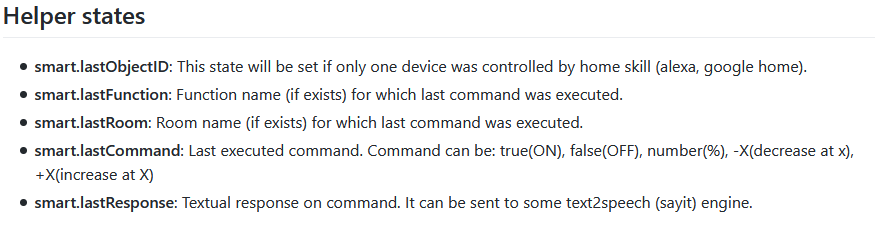
    Danke. D.h. diese Helper states funktionieren auch nur mit Alexa? Sehr schade, dass freie Werte nicht gehen. Fast ein Grund doch wieder Alexa zu nutzen. Ob das auch bald für GH kommt? Das hier... https://developers.google.com/assistant/sdk/guides/library/python/extend/custom-actions ... hat damit nichts zu tun, oder?
  • [gelöst] Hue Skill deaktiviert - Hue Lampen in Alexa vorhanden

    Moved
    7
    0 Votes
    7 Posts
    3k Views
    M
    Moin, scheinbar gabs ein API Update. Whitelist Einträge lassen sich jetzt hier verwalten https://account.meethue.com/ Account erstellen, Bridge verknüpfen und unter APPS sieht man dann alle Einträge der whiteliste (user) und kann sie löschen. Klappt gut, hab meinen Echo gelöscht! Danke!
  • Google Home Geräte integrieren

    iot google home cloud
    1
    0 Votes
    1 Posts
    232 Views
    No one has replied
  • iot Adapter Probleme bei "doppelt an"?

    iot alexa
    1
    0 Votes
    1 Posts
    113 Views
    No one has replied
  • IOT Ansteuerung in Gruppen definieren

    iot alexa cloud
    1
    2
    0 Votes
    1 Posts
    303 Views
    No one has replied
  • IOT Bleibt Gelb

    iot pro
    2
    0 Votes
    2 Posts
    415 Views
    lemonbiterL
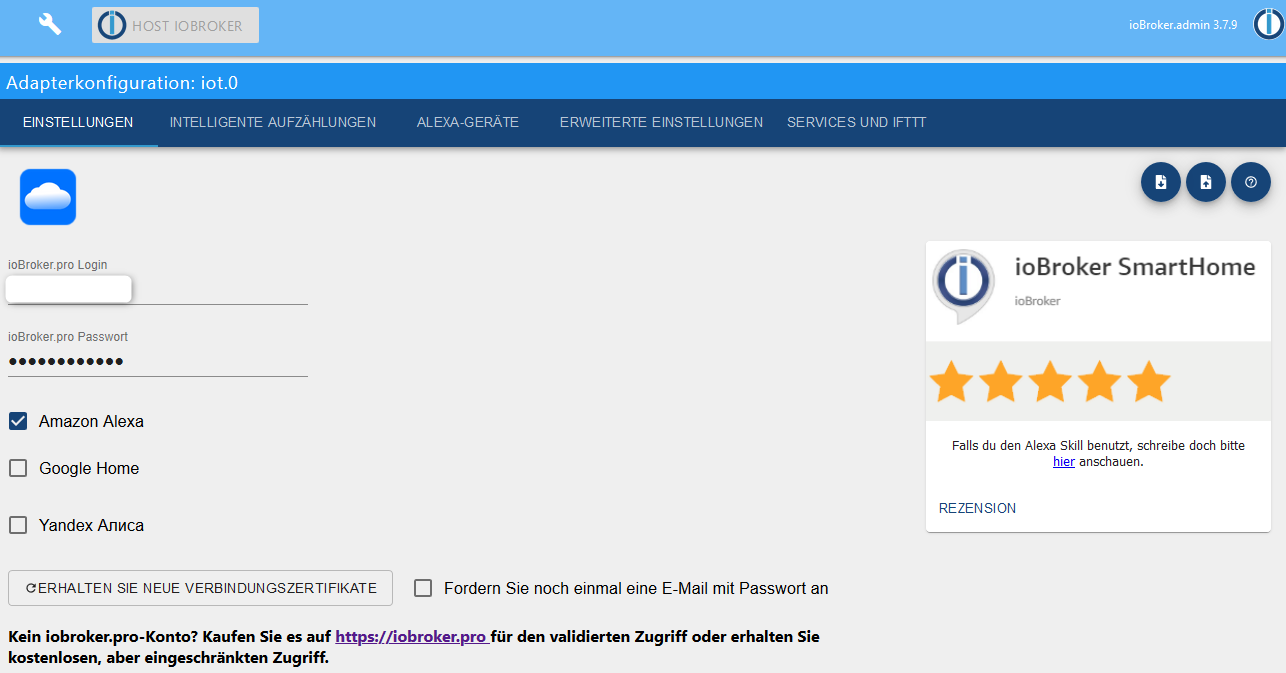
    Habe leider das selbe Problem: Habe mir erst einen Pro Test Key angelegt, dann iot installiert und dort die def. richtige Email Adresse und das richtige Password eingegeben... Oder habe ich etwas übersehen? iot.0 2020-01-12 17:53:45.382 error (9262) Cannot read keys: "[object Object]" / Error: [object Object] iot.0 2020-01-12 17:53:45.380 error (9262) Cannot fetch keys: {"message":"Internal server error"} iot.0 2020-01-12 17:53:43.759 info (9262) Connecting with a18wym7vjdl22g.iot.eu-west-1.amazonaws.com Danke Lem
  • Alexa, schaltet Licht UND Heizung!!!

    alexa iot
    3
    1
    0 Votes
    3 Posts
    540 Views
    haselchenH
    @funkytown Will ja nicht Klugscheissen, aber in deinem Screenshot steht schon die Lösung. Du hast eine Gruppe namens Wohnzimmer wo Lampe und Heizung drin sind.
  • Alexa erkennt keine neuen Smart Geräte

    cloud alexa skill alexa
    4
    0 Votes
    4 Posts
    378 Views
    F
    Jetzt geht's wieder, :+1:
  • Support of multiple clients in cloud adapter 3.01

    Moved cloud
    1
    0 Votes
    1 Posts
    100 Views
    No one has replied
  • ioBroker Alexa Typen - wie bekomme das AN AUS weg?

    alexa
    4
    0 Votes
    4 Posts
    1k Views
    oberfraggerO
    Meine Frage geht in die gleiche Richtung. Ich habe einige Lampen, Fernseher etc. wie folgt eingerichtet: [image: 1578667254009-5fa698e5-8e70-4bdb-8a53-144ebecbd424-image.png] Im Gegensatz zu den Shellys oder Sonoffs werden die Geräte mit Ihrem aktuellen Status in der Alexa-App angezeigt. Kann man das Verhalten irgendwie erreichen? Also wenn die Lampe (hinter dem Schalter) tatsächlich an ist, dann soll die auch in der Alexa-App leuchten. Irgendwie kennt Alexa den Gerätestatus nicht...

659

Online

32.7k

Users

82.5k

Topics

1.3m

Posts